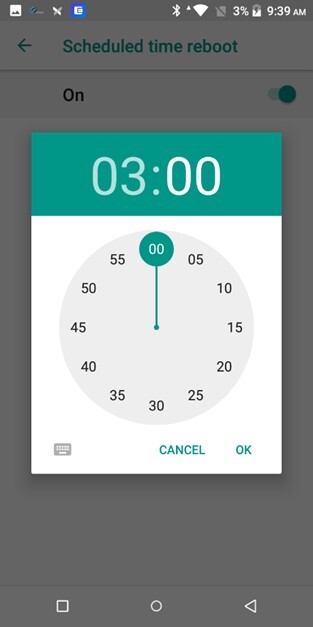
[PinPad] PAX A series Time zone & reboot time setting
This section explains how to configure the Time Zone and Scheduled Reboot settings on PAX A Series pinpads. These settings help ensure the device operates with the correct local time and automatically restarts at a scheduled time outside business hours.
Time Zone
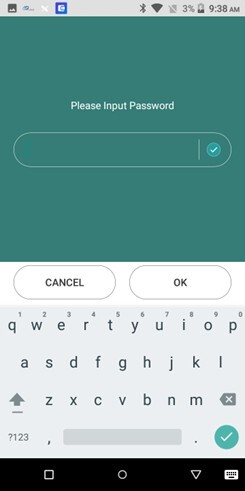
Press the settings button.

Enter either of the following passwords: “pax9876@@” or “9876” or “pax9876”.
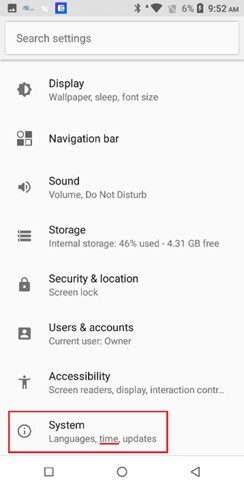
Scroll down and click on SYSTEM.
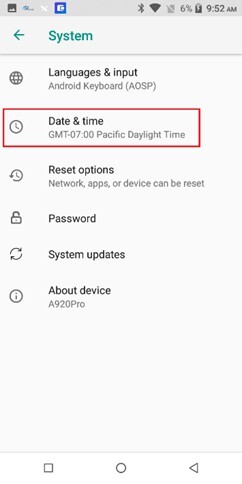
Click on DATE & TIME.
Turn Automatic time zone off, then click SELECT TIME ZONE.
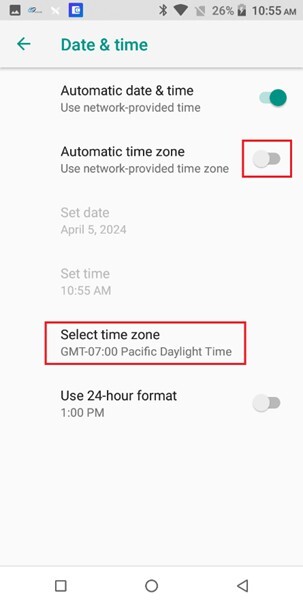
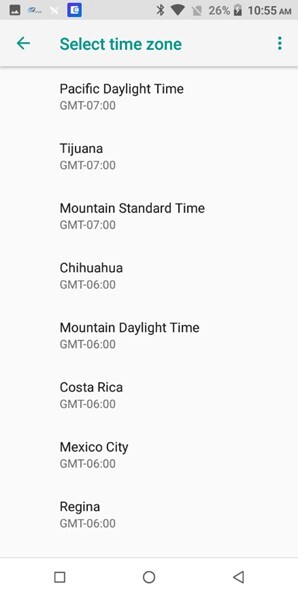
Pick the respective time zone.
Scheduled Reboot Time
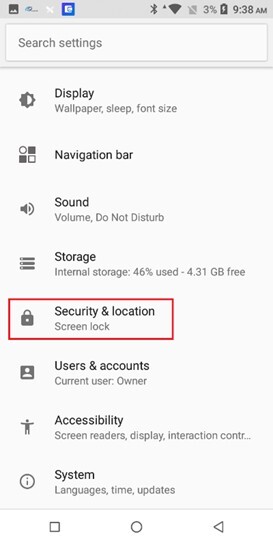
On settings, navigate to SECURITY & LOCATION.
Scroll down until SCHEDULED TIME REBOOT
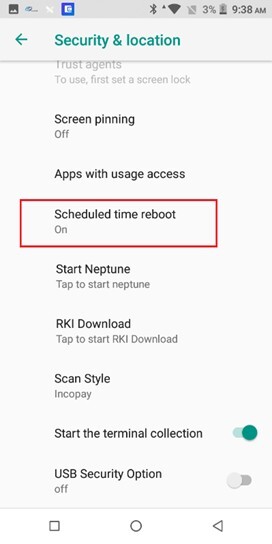
Turn on the SCHEDULED TIME REBOOT.
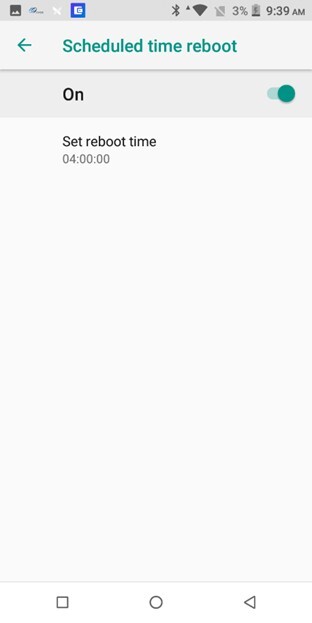
Set the desired reboot time