Tool
The TOOLS section provides utilities for viewing backup tickets and checking ticket synchronization between the local database and the cloud.
MENU > SETTINGS > SYSTEM > TOOLS
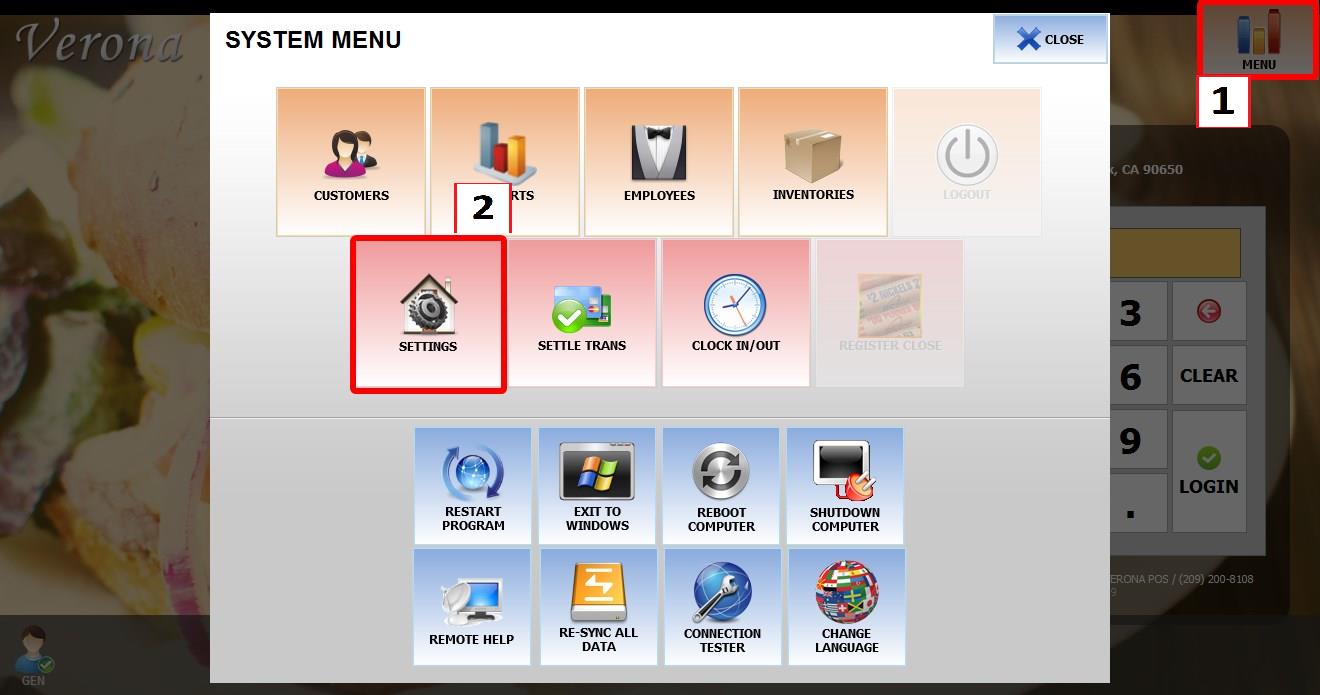
From the MAIN SCREEN, click MENU, then select SETTINGS.
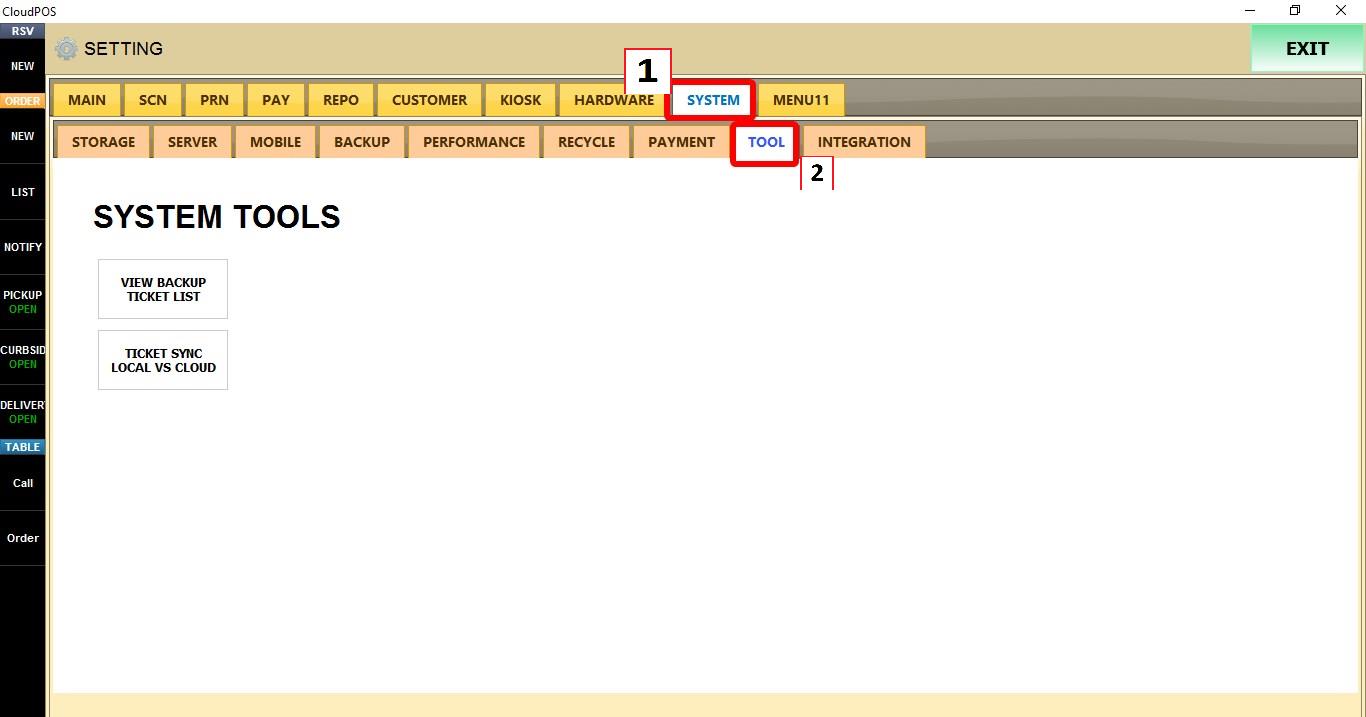
Go to SYSTEM > TOOLS.

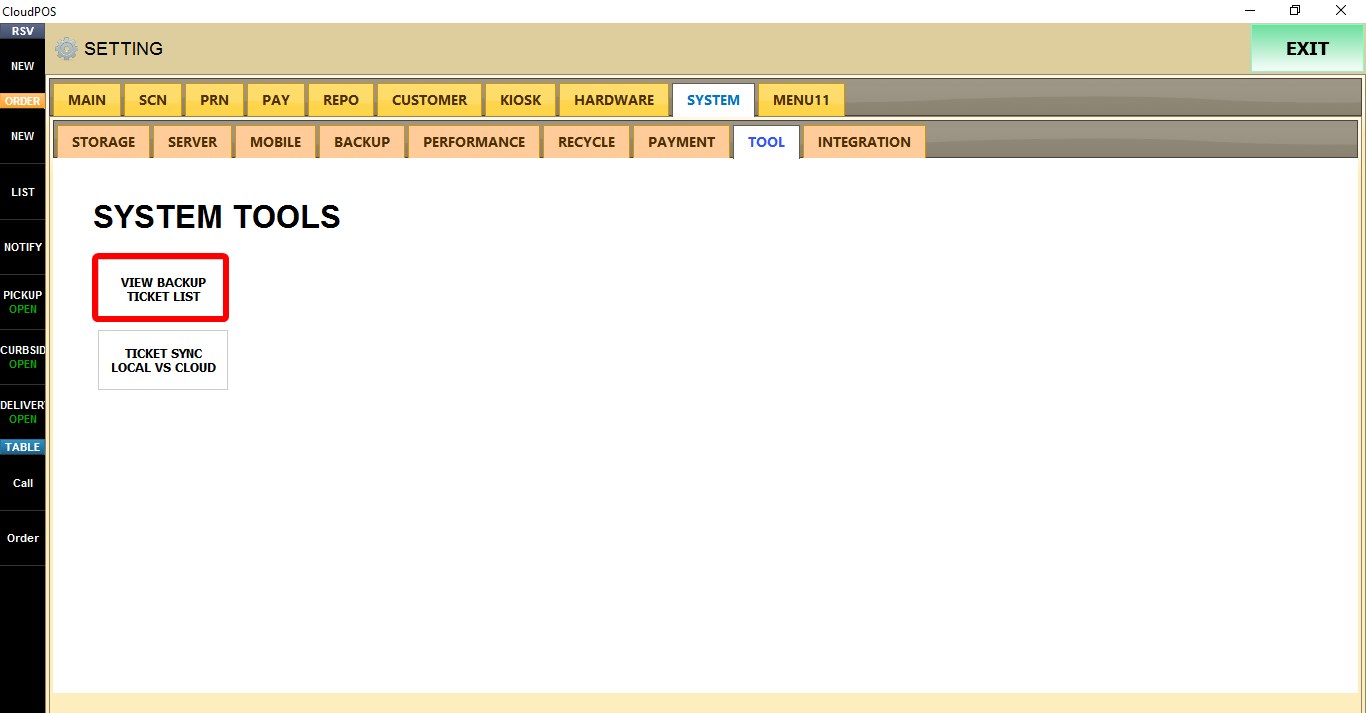
VIEW BACKUP TICKET LIST
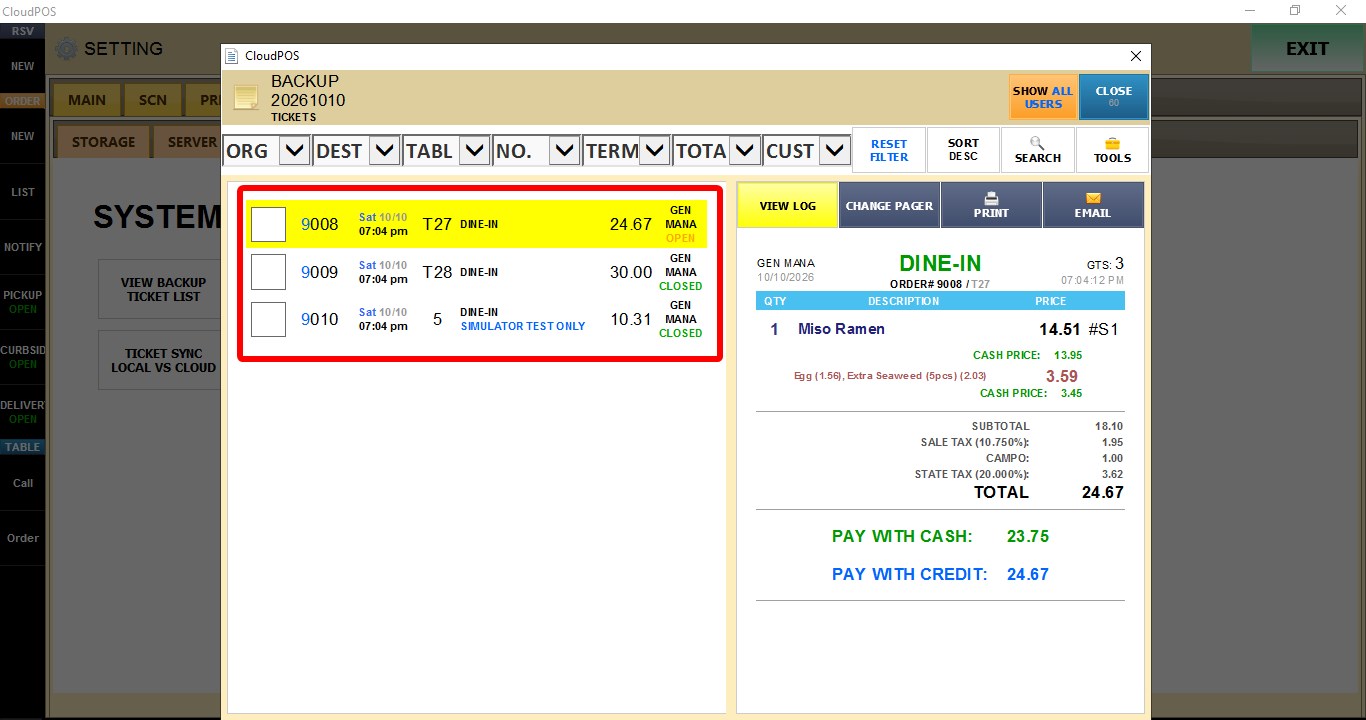
Displays tickets stored in the backup database for a selected date.
Click VIEW BACKUP TICKET LIST.
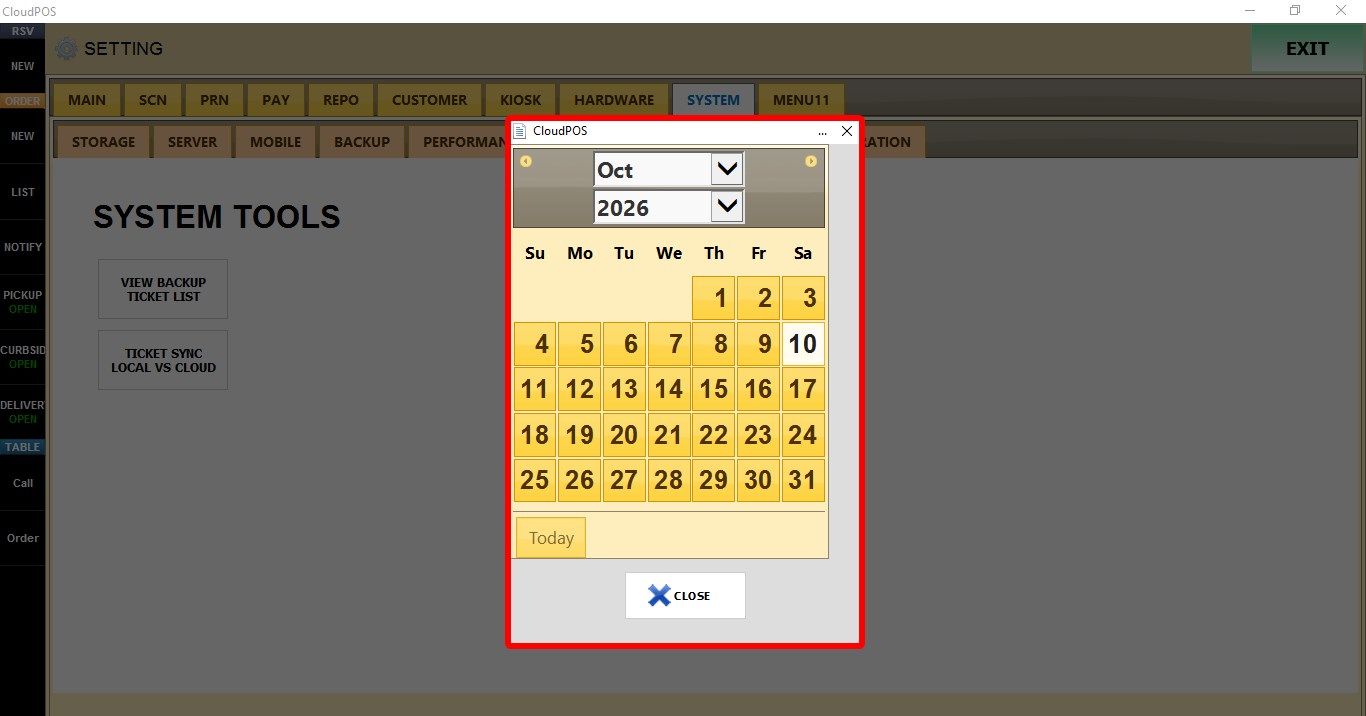
Select the desired day, month, and year.

The ticket list will be displayed. Select any ticket to view its details.

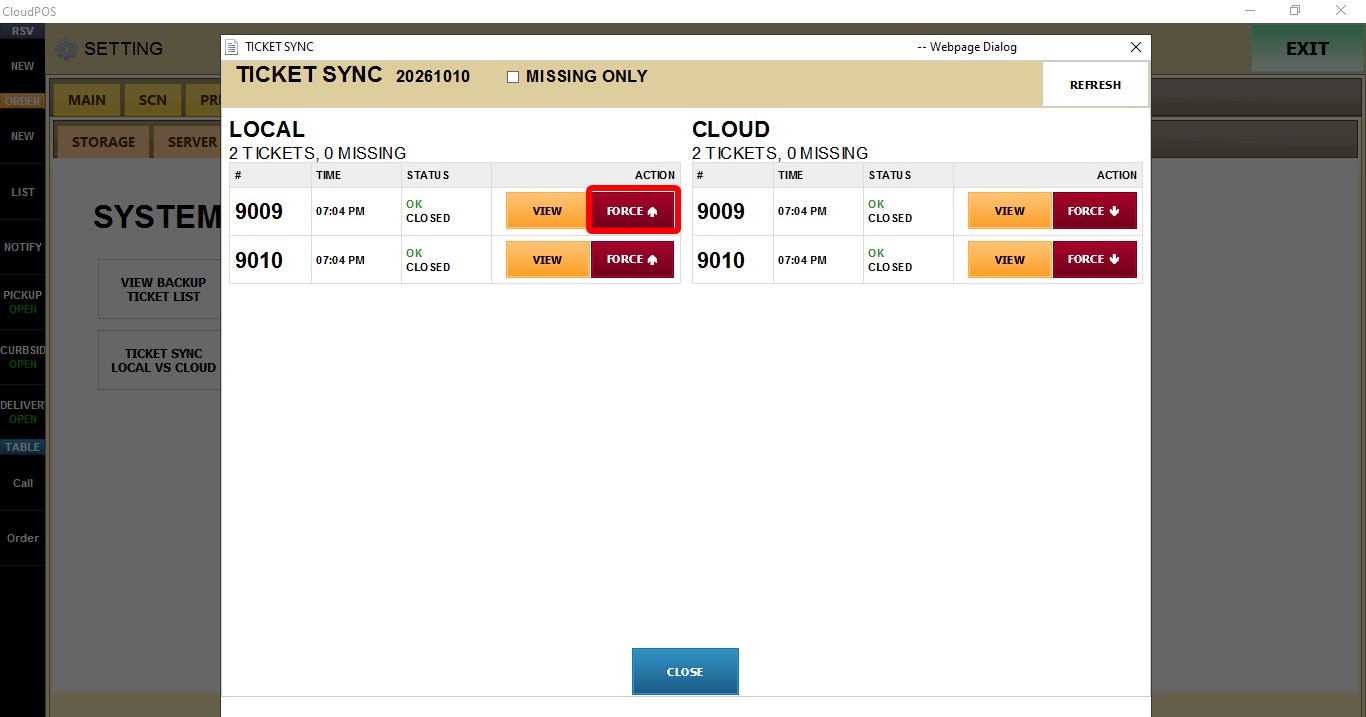
TICKET SYNC LOCAL VS CLOUD
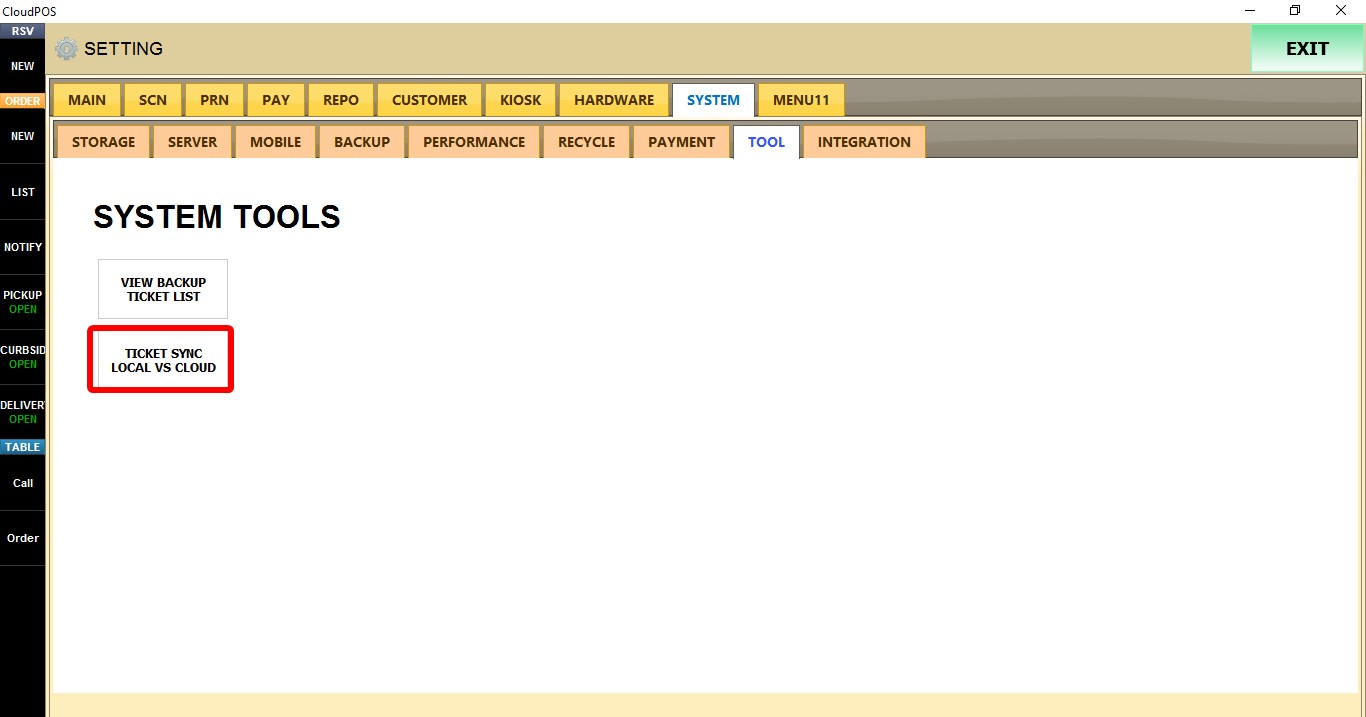
Compares tickets stored locally with those stored in the cloud.
Click TICKET SYNC LOCAL VS CLOUD.
Select the desired day, month, and year.

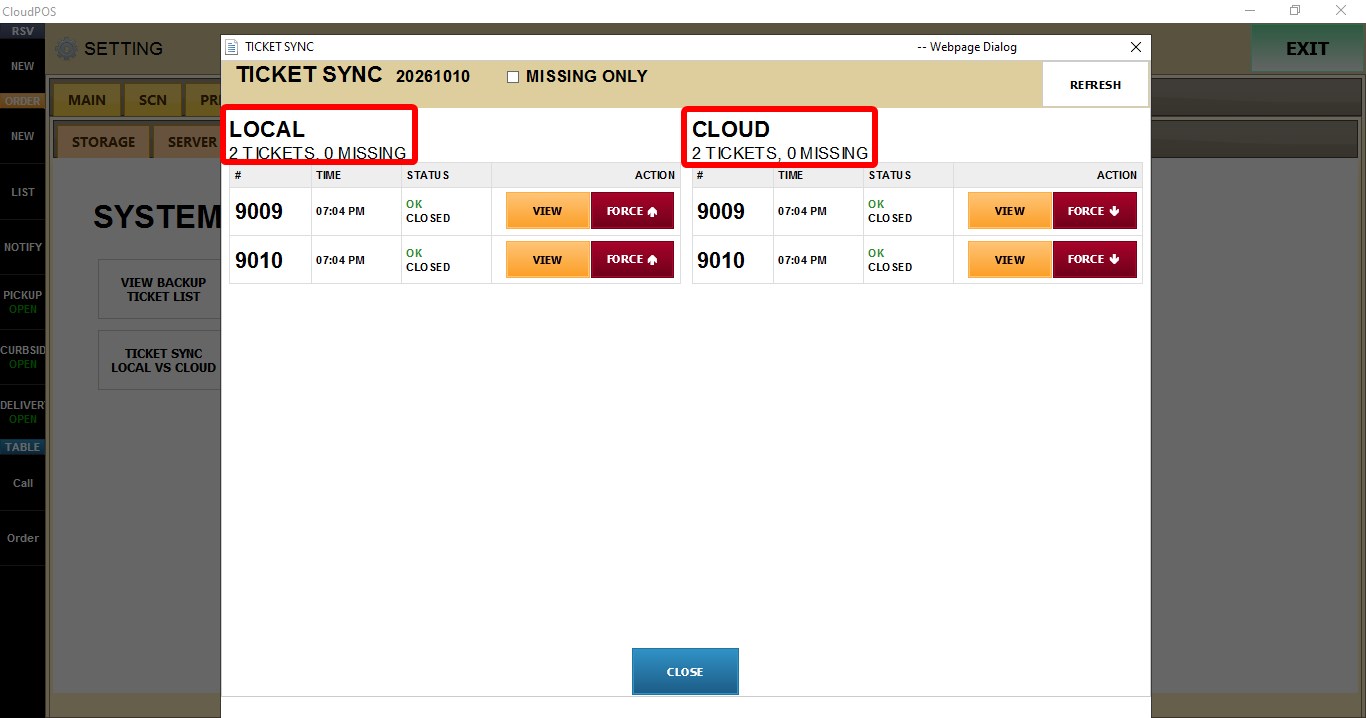
The screen displays the LOCAL and CLOUD ticket lists, including the total number of tickets and missing tickets for each source.
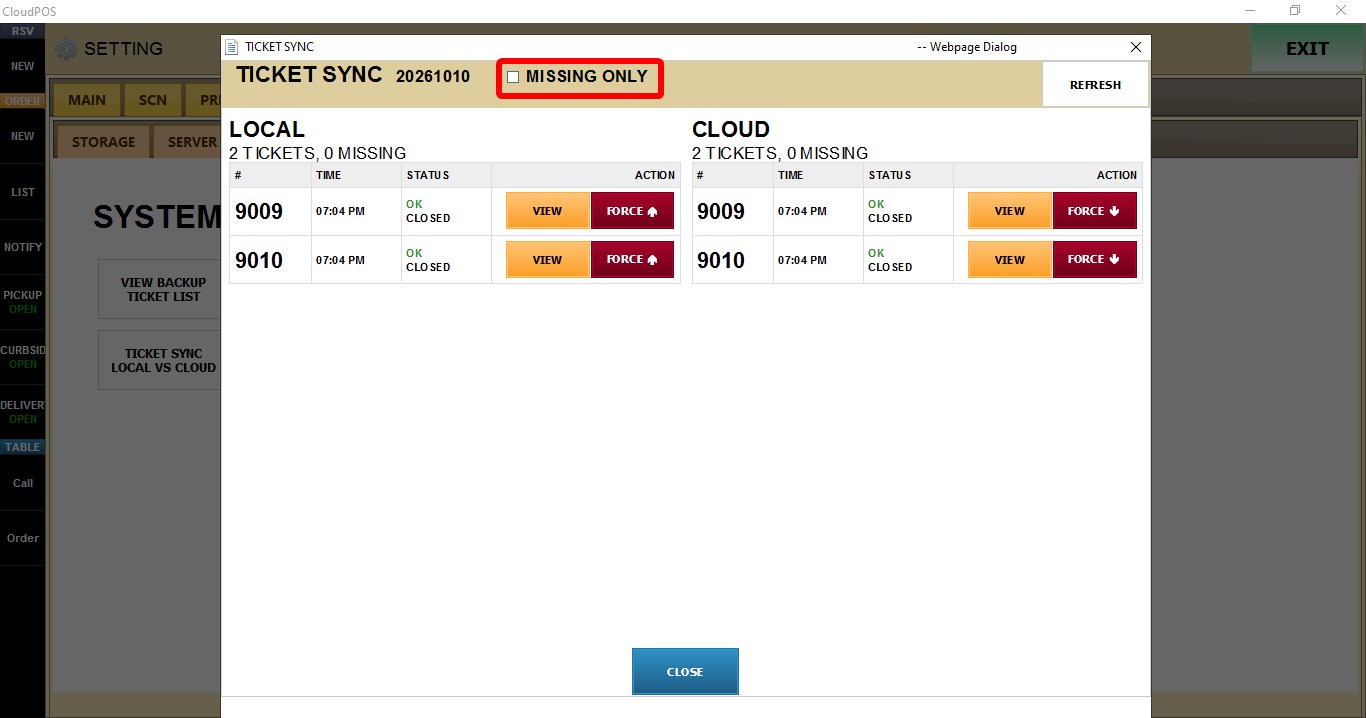
MISSING ONLY
Displays only tickets that are missing from either the local database or the cloud.
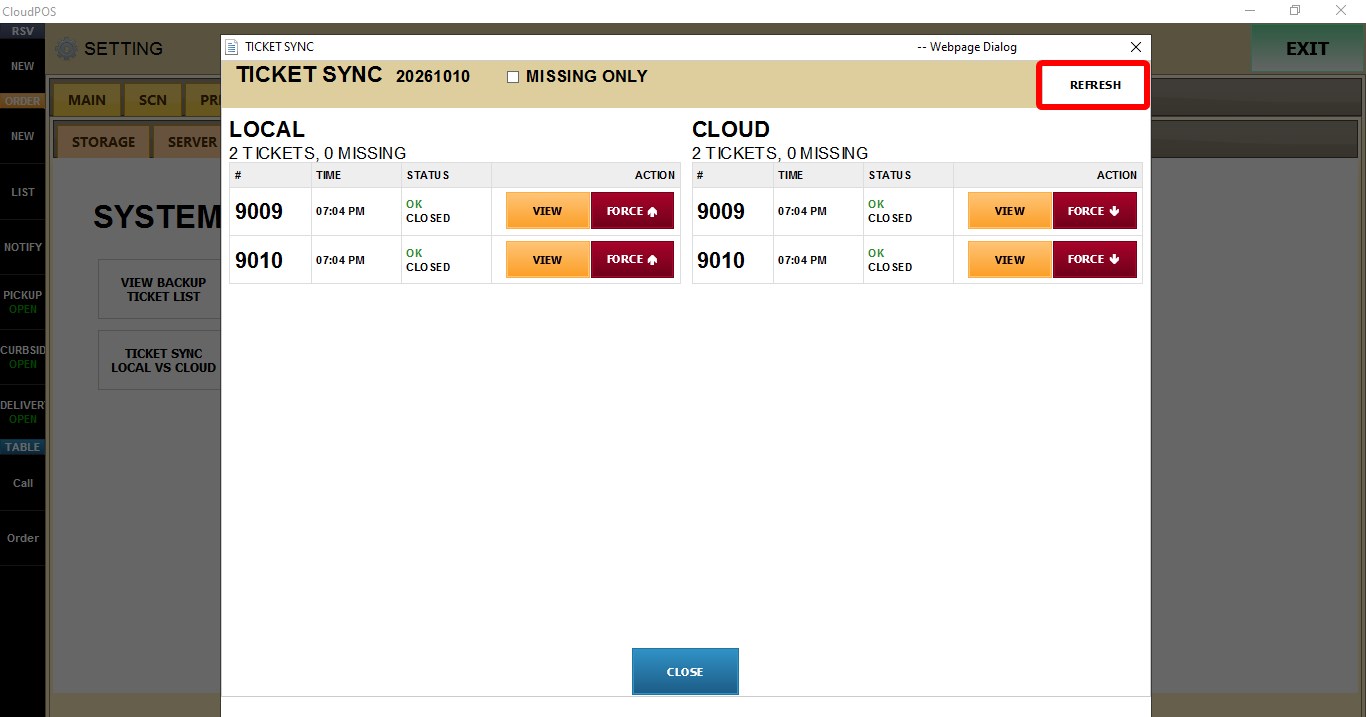
REFRESH
Refreshes the ticket comparison.
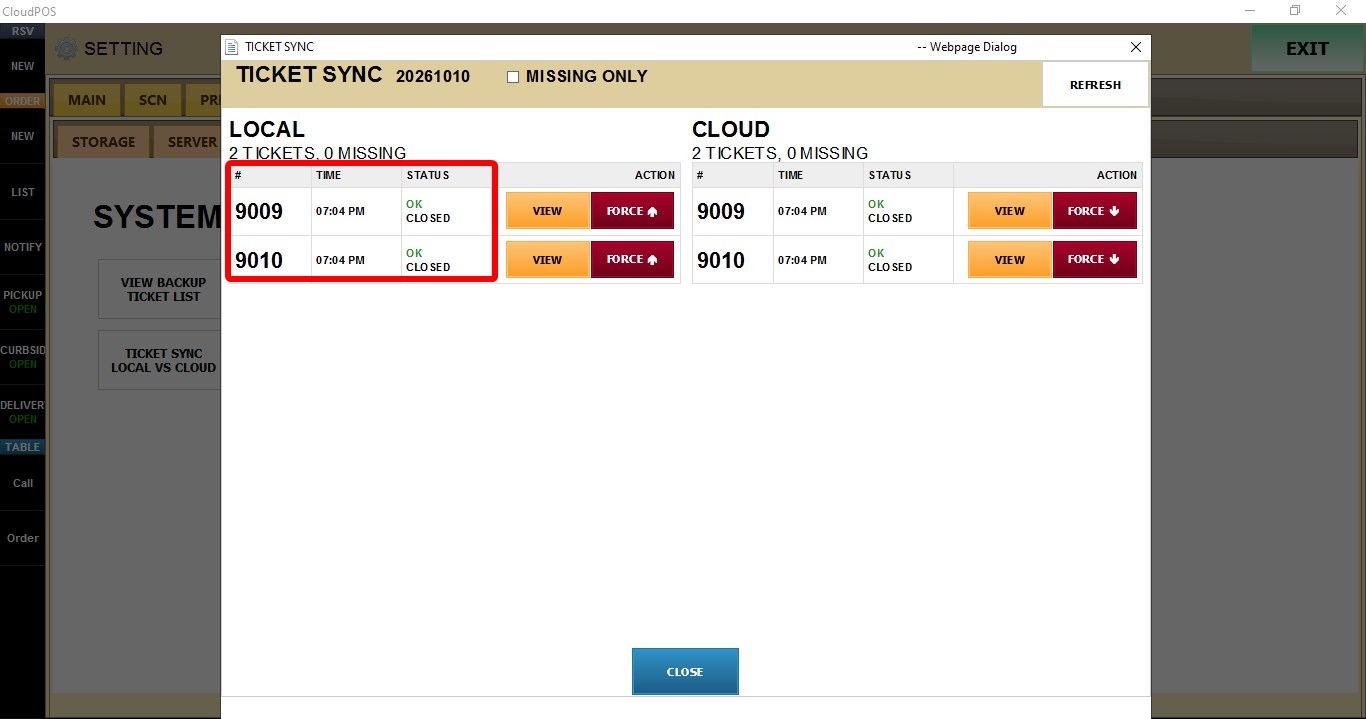
#, TIME, STATUS
Each table (LOCAL and CLOUD) displays the following information:
- #: Ticket number.
- TIME: Date and time the ticket was created.
- STATUS: Current synchronization status of the ticket.
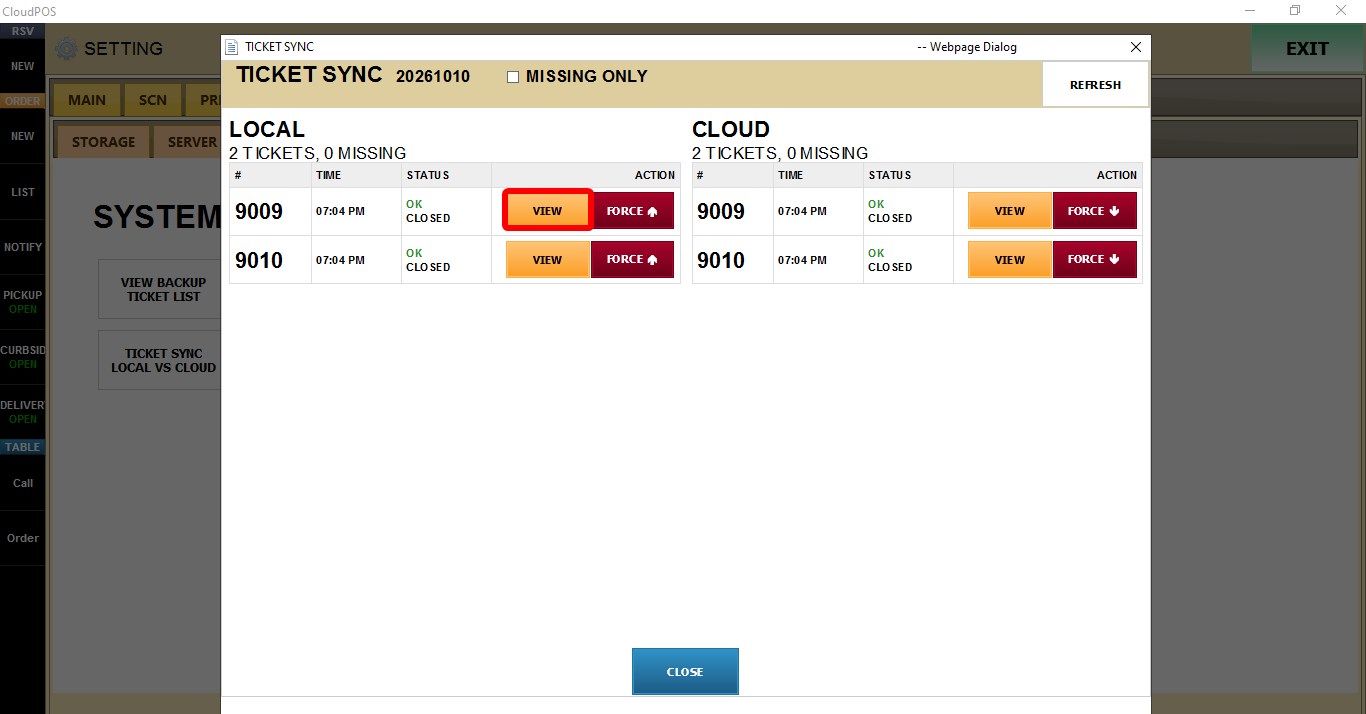
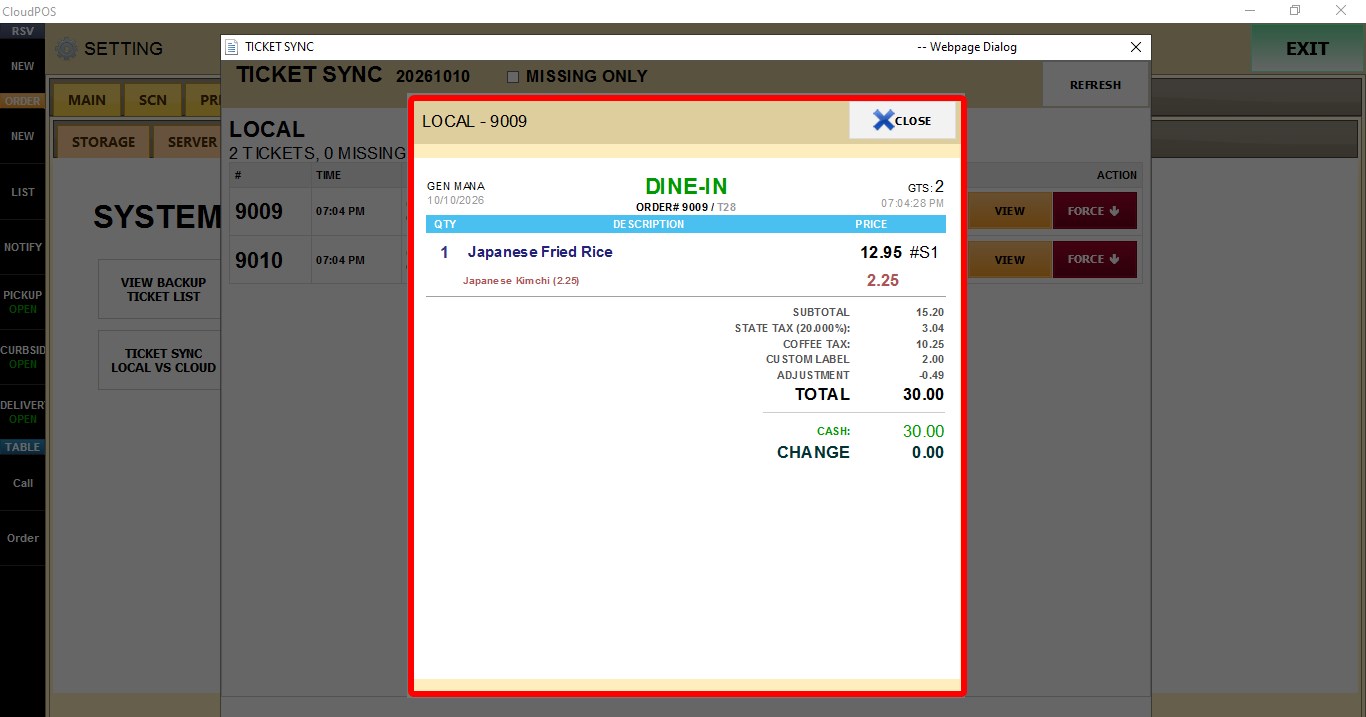
VIEW
Displays the details of the selected ticket.
FORCE
Retries synchronization for the selected ticket.