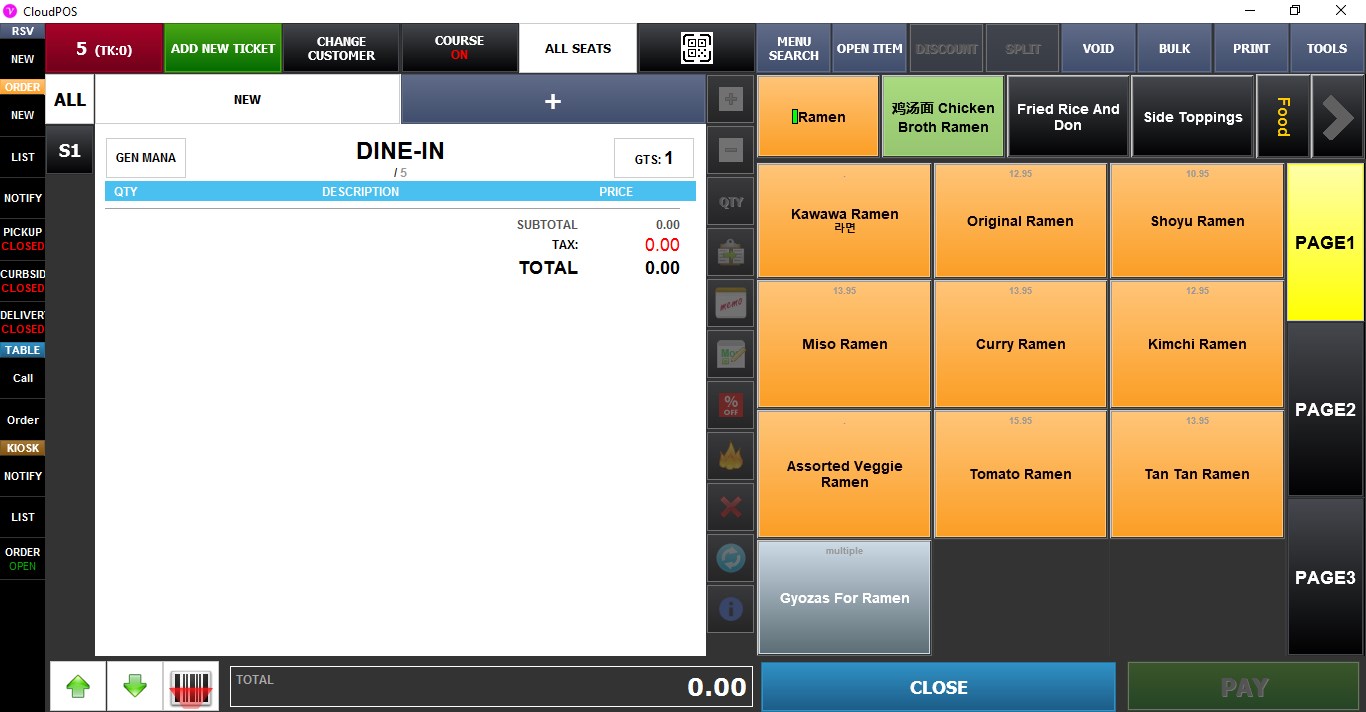
TBL Tag
Table Tags assign a unique code to each table, allowing employees to quickly open a table by entering its assigned code.
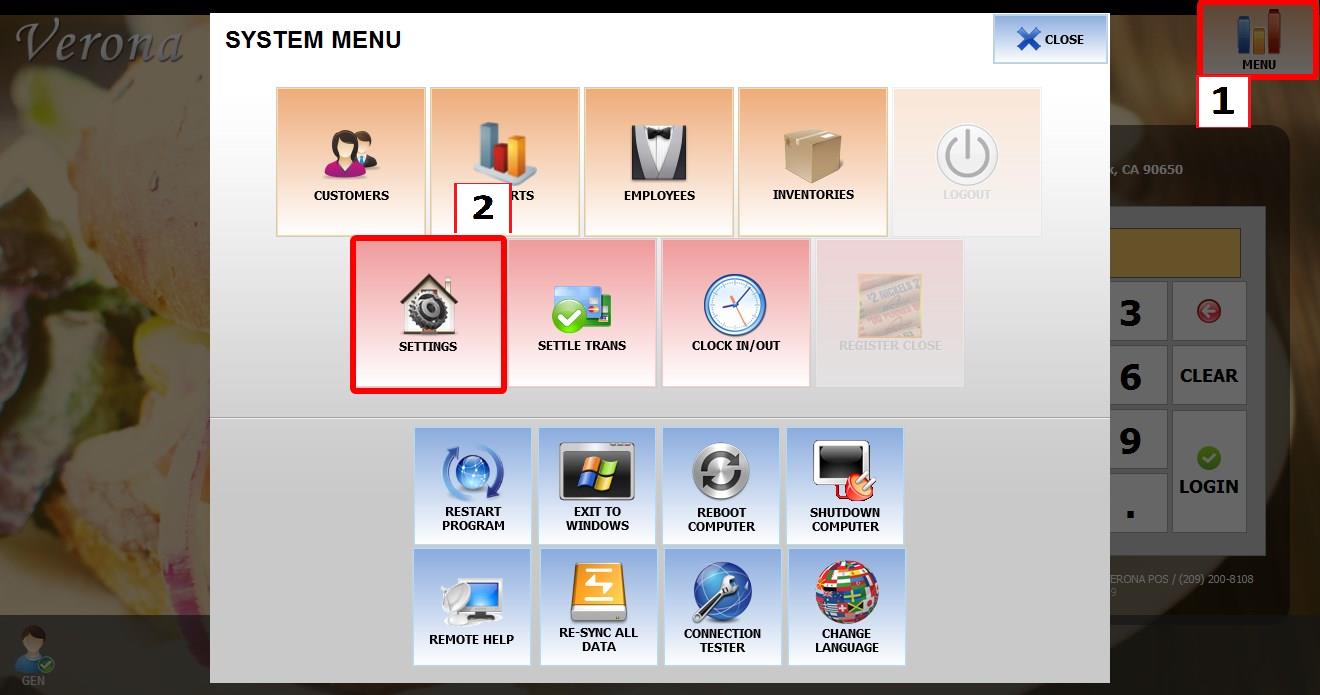
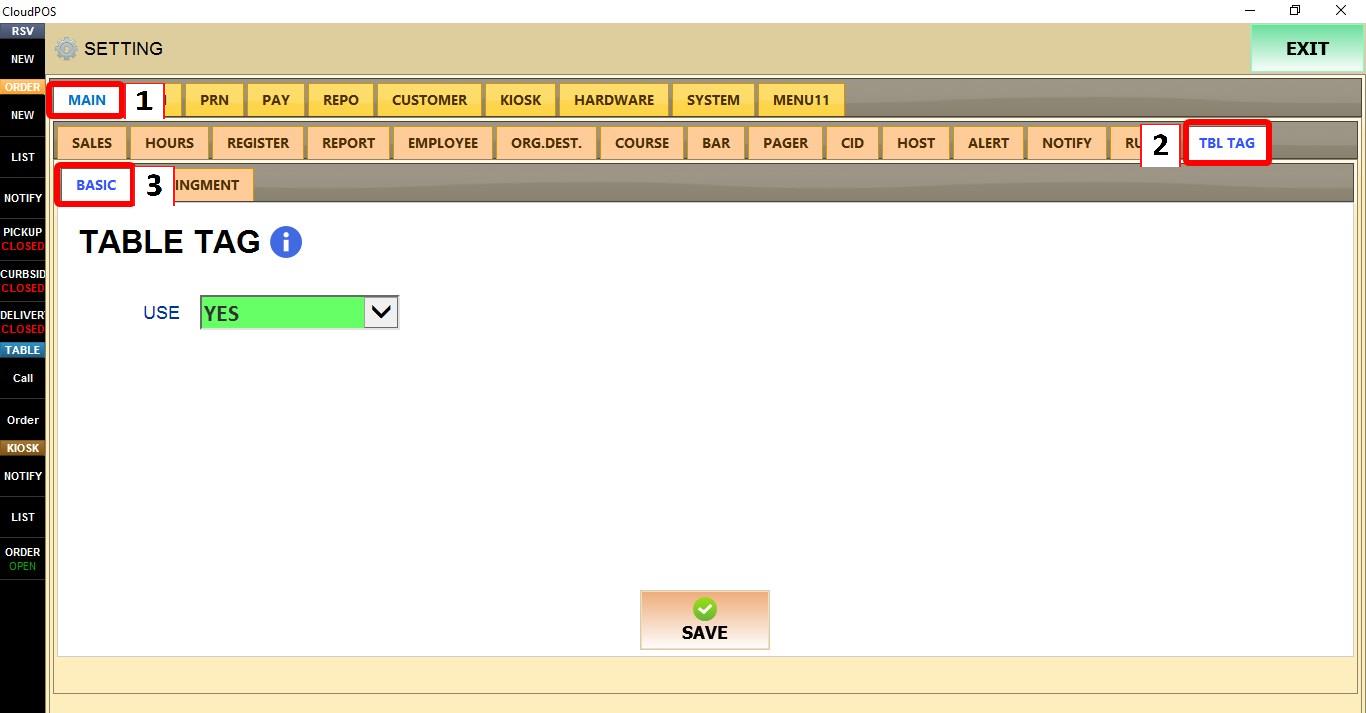
MENU > SETTINGS > MAIN > TBL TAG > BASIC
From the MAIN SCREEN, click MENU, then select SETTINGS.
Go to MAIN > TBL TAG > BASIC.
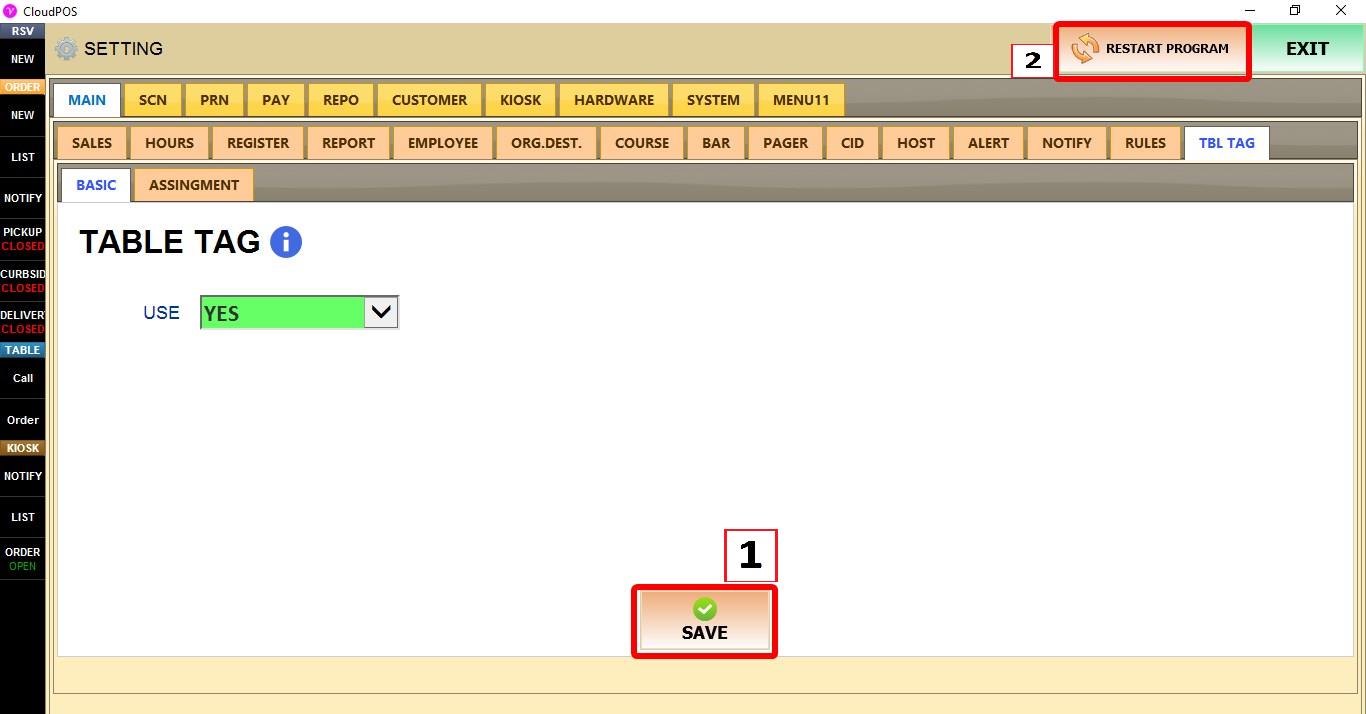
USE
Enables or disables the Table Tag feature.
1. NO: Disables Table Tags.
2. YES: Enables Table Tags.
Select YES, then click SAVE and restart the program.
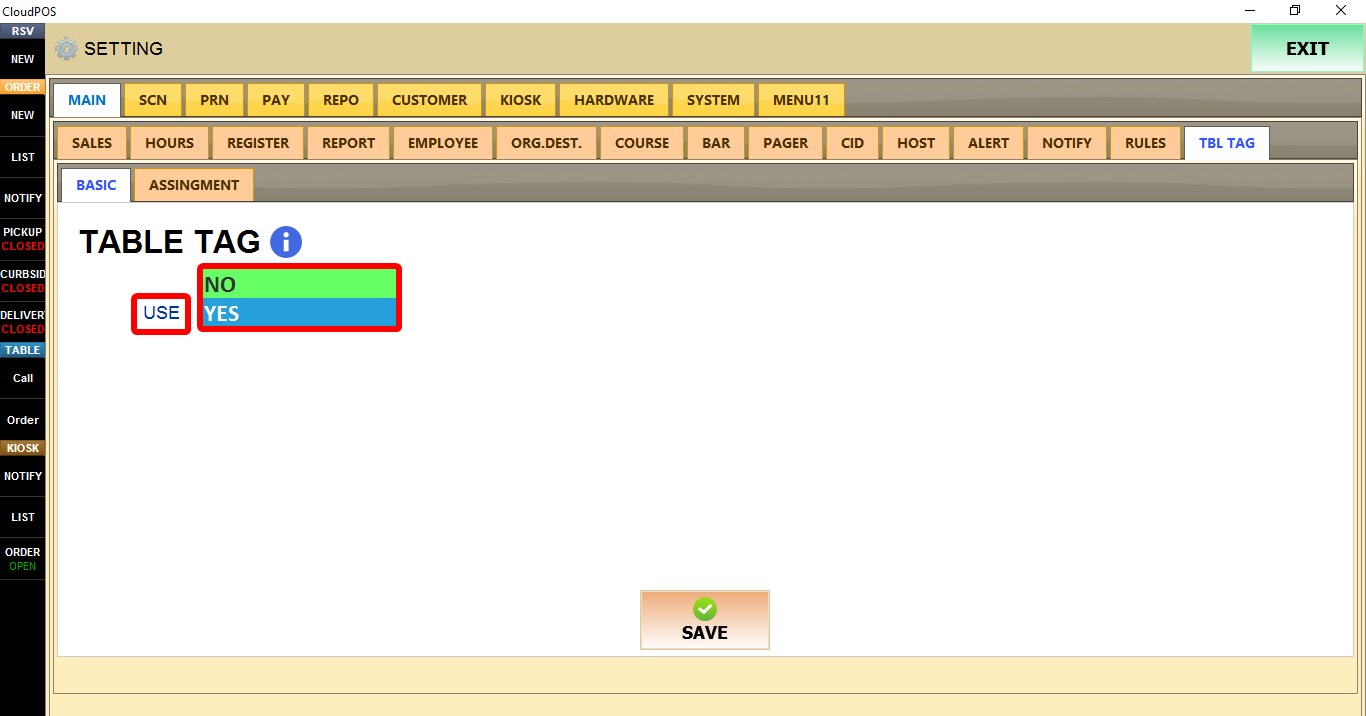
Click SAVE and restart the program to apply the changes.
ASSIGNMENT
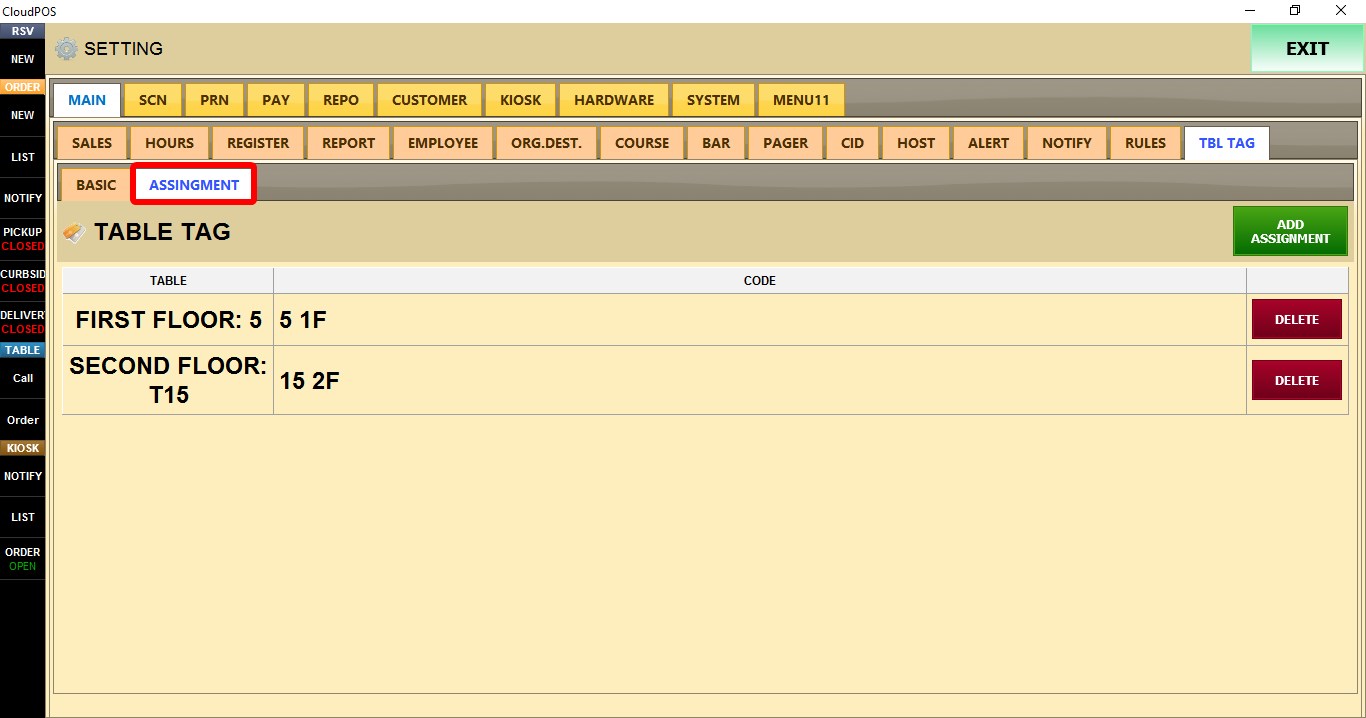
The ASSIGNMENT tab is used to create Table Tags and assign them to specific tables.
Open the ASSIGNMENT tab.

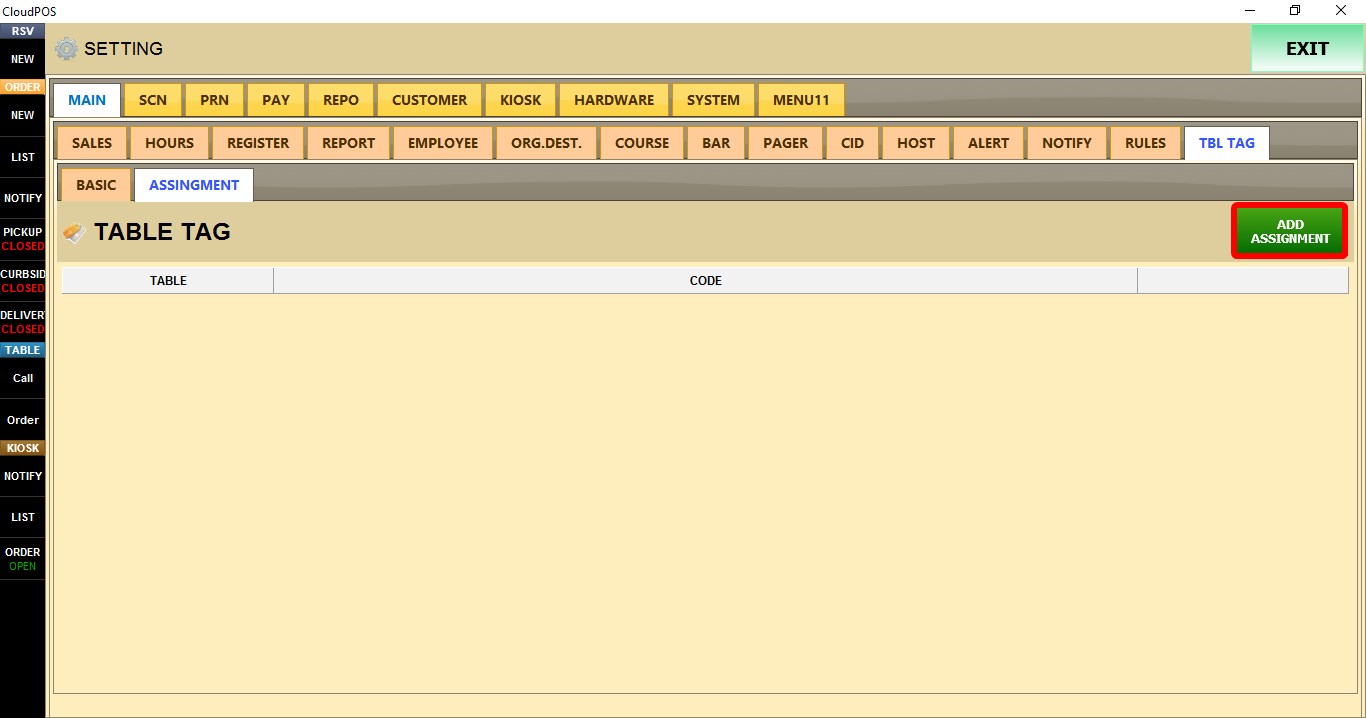
Click ADD ASSIGNMENT.

Enter a code in the CODE field
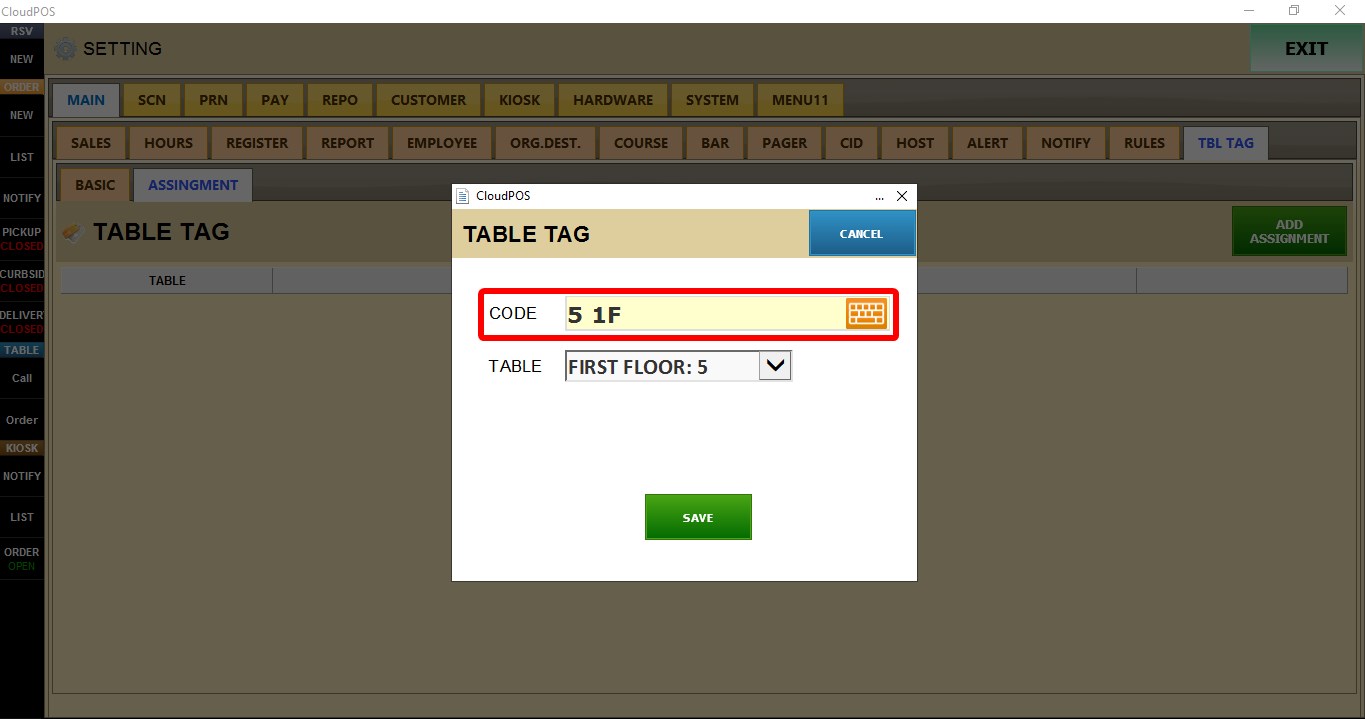
Select the desired table from the TABLE dropdown menu.
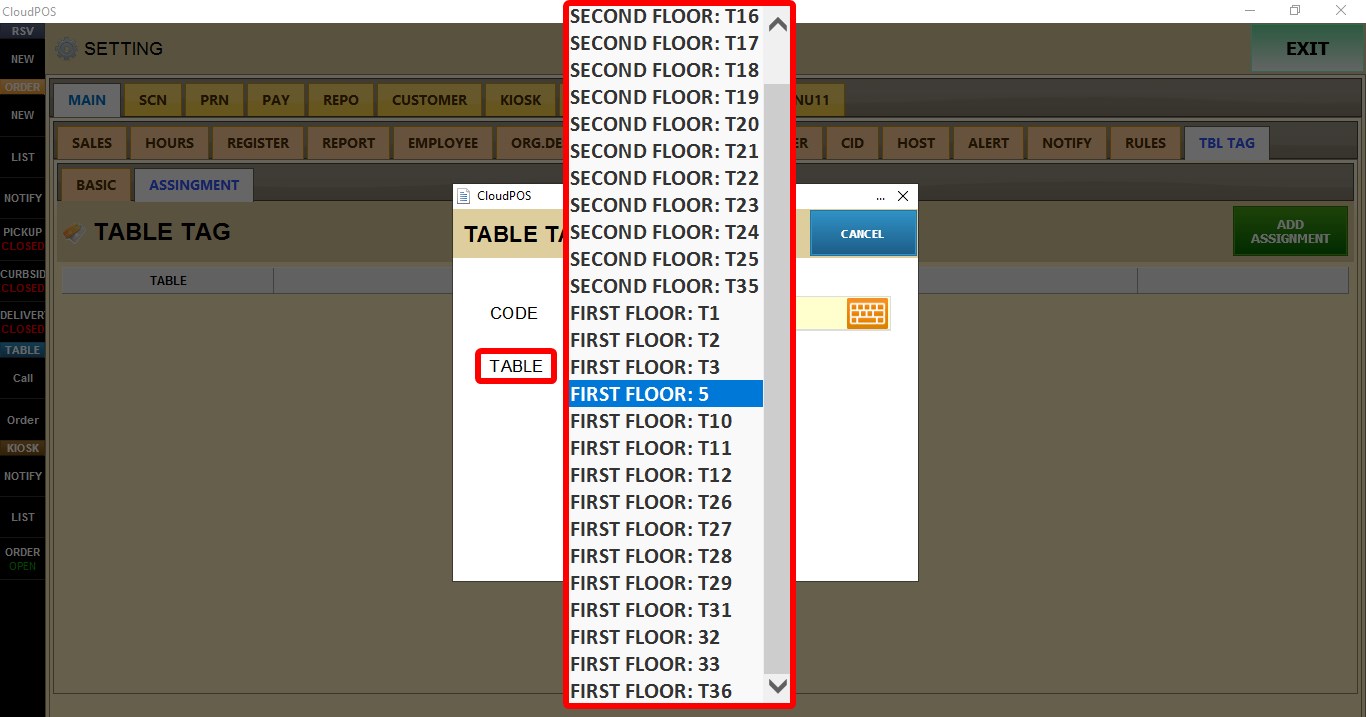
Click SAVE.

USING TABLE TAGS
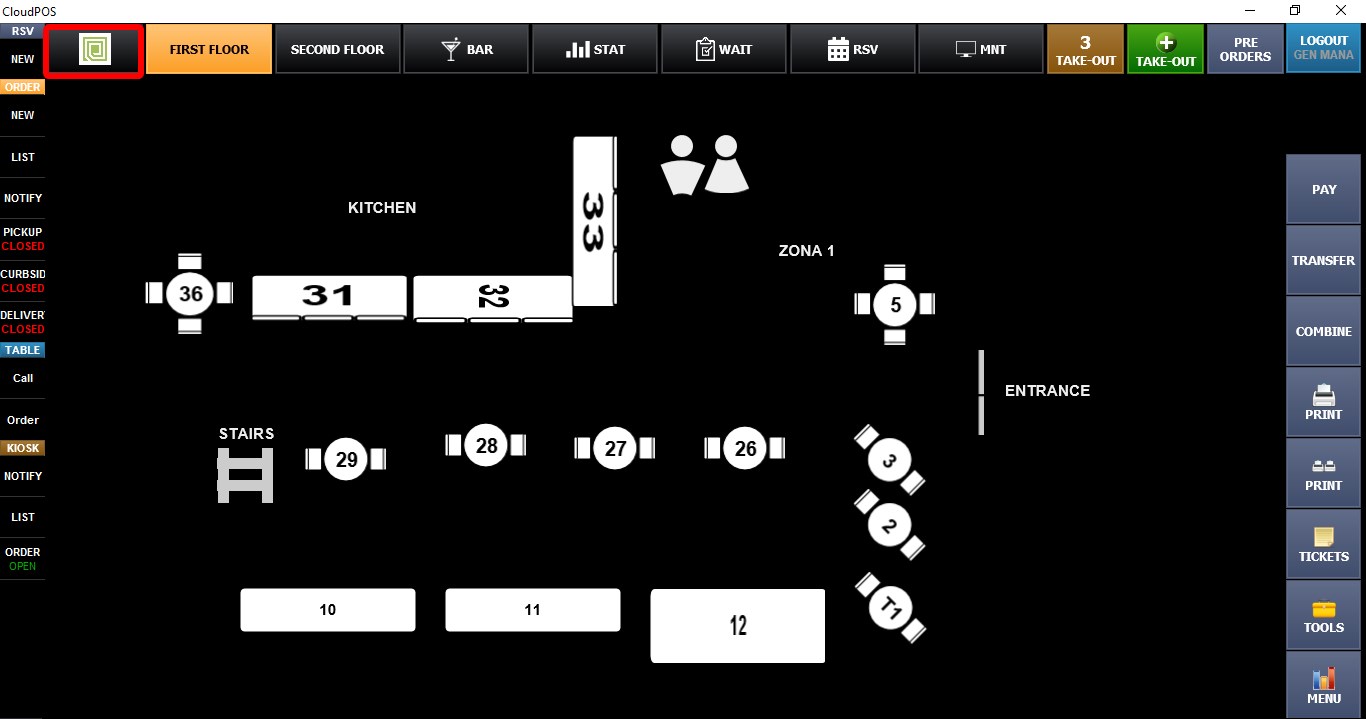
Go to the MAP SCREEN.
Click the TABLE TAG button.
Enter the assigned code, then click ENTER.
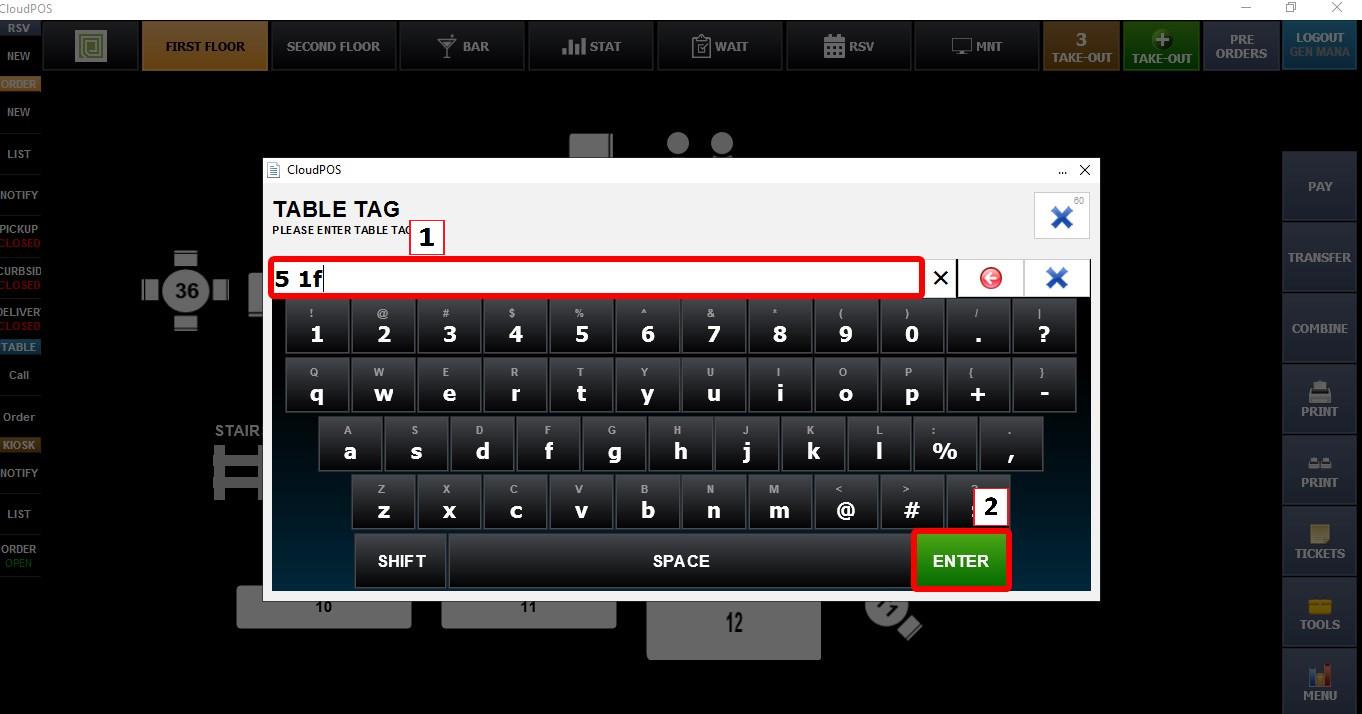
The system will automatically open the table associated with that code.