Category
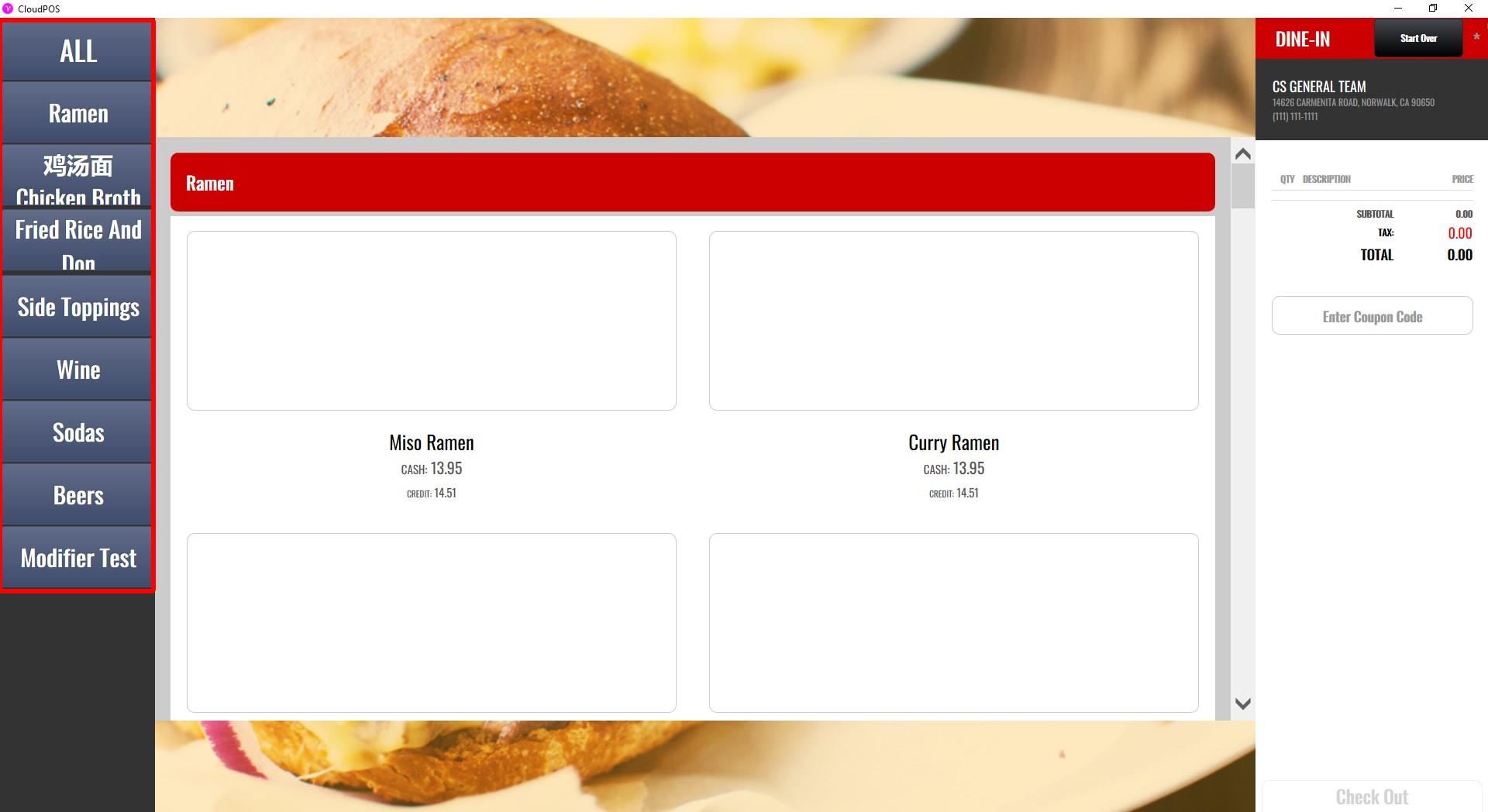
The CATEGORY settings control the appearance of category buttons displayed on the kiosk ordering screen.
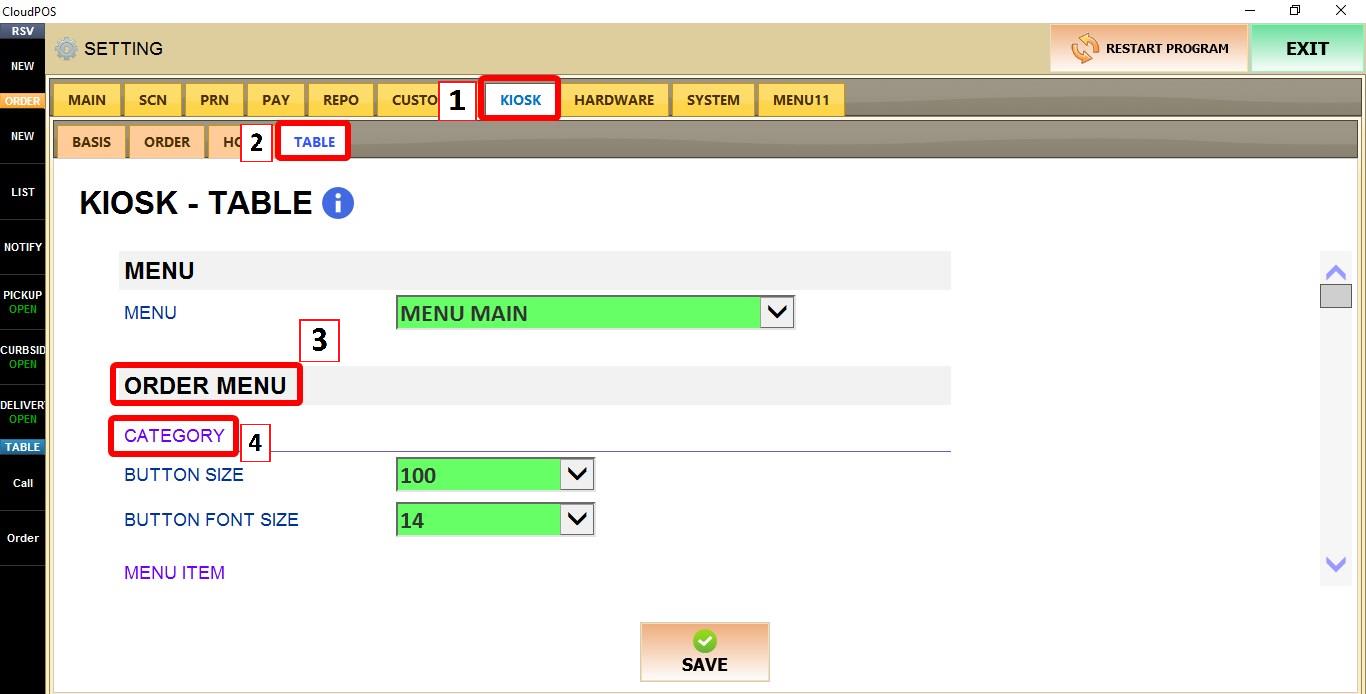
MENU > SETTINGS > KIOSK > TABLE > ORDER MENU > CATEGORY
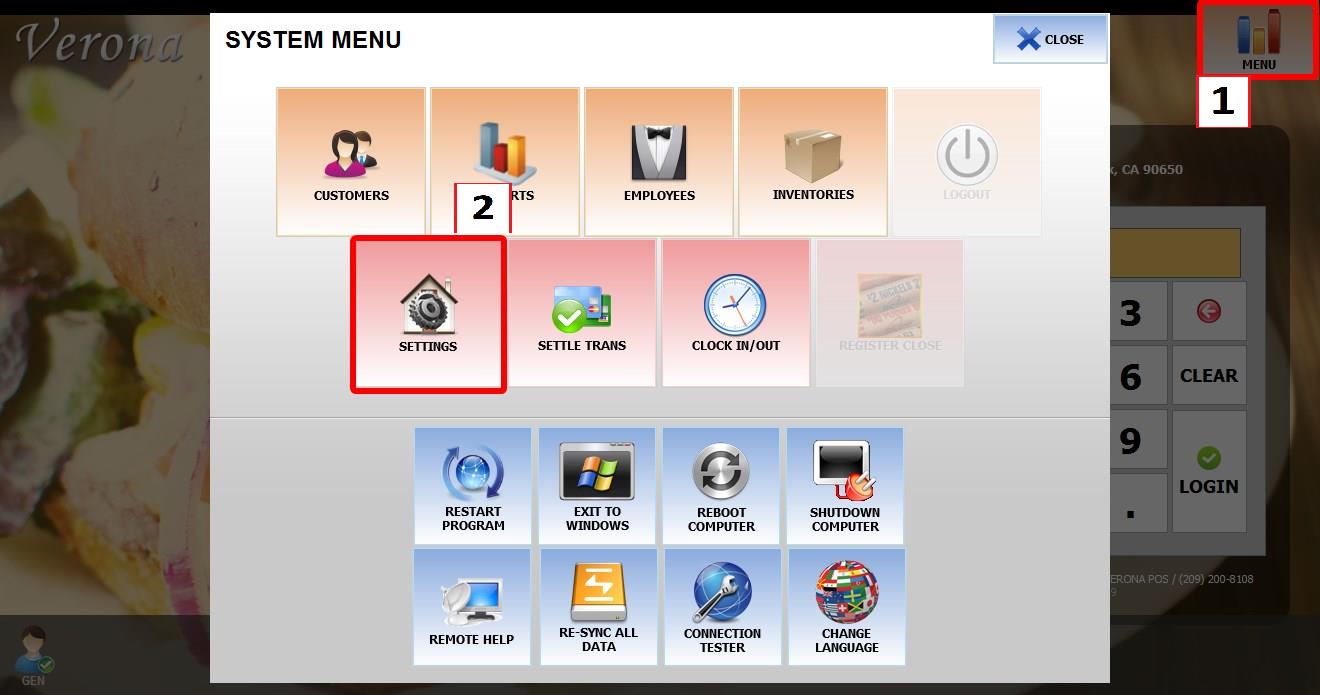
From the MAIN SCREEN, click MENU, then select SETTINGS.
Go to KIOSK > TABLE > ORDER MENU > CATEGORY.
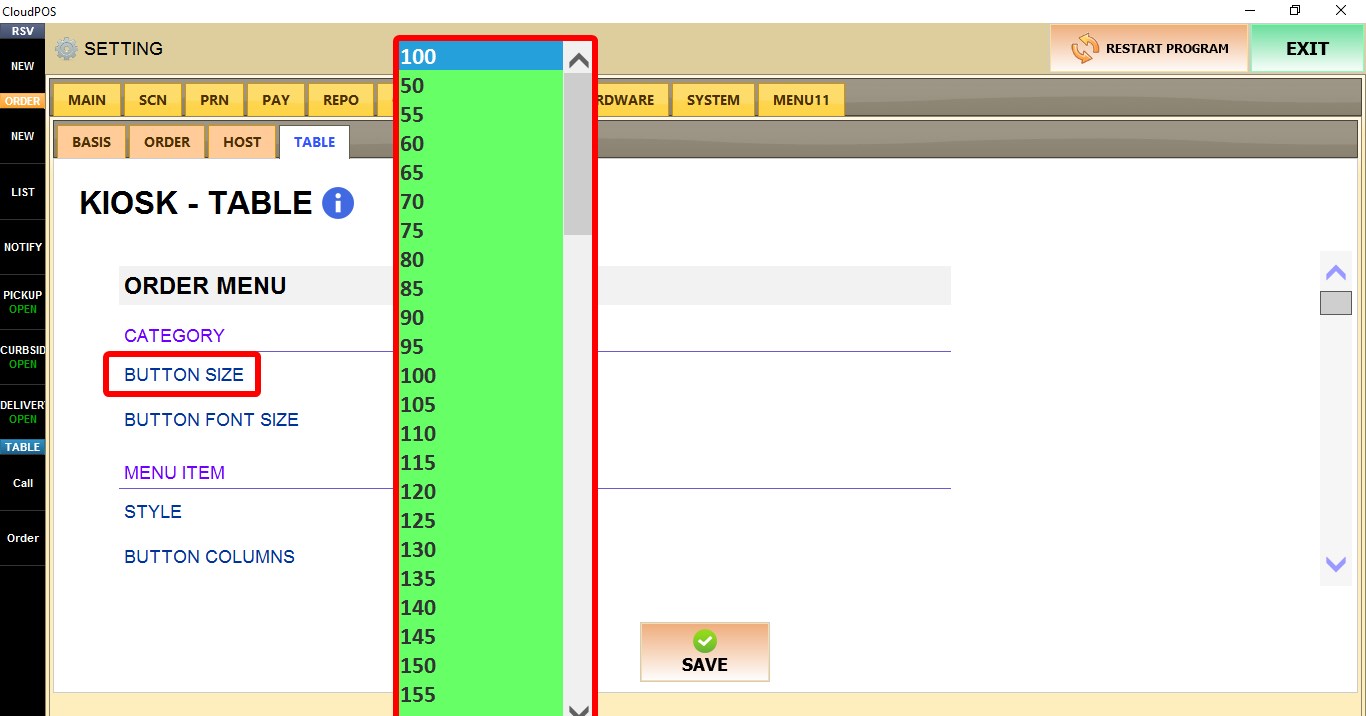
BUTTON SIZE
Controls the size of category buttons displayed on the kiosk.
Select the desired size from the dropdown menu.
BUTTON FONT SIZE
Controls the font size used for category names.
Select the desired size from the dropdown menu.
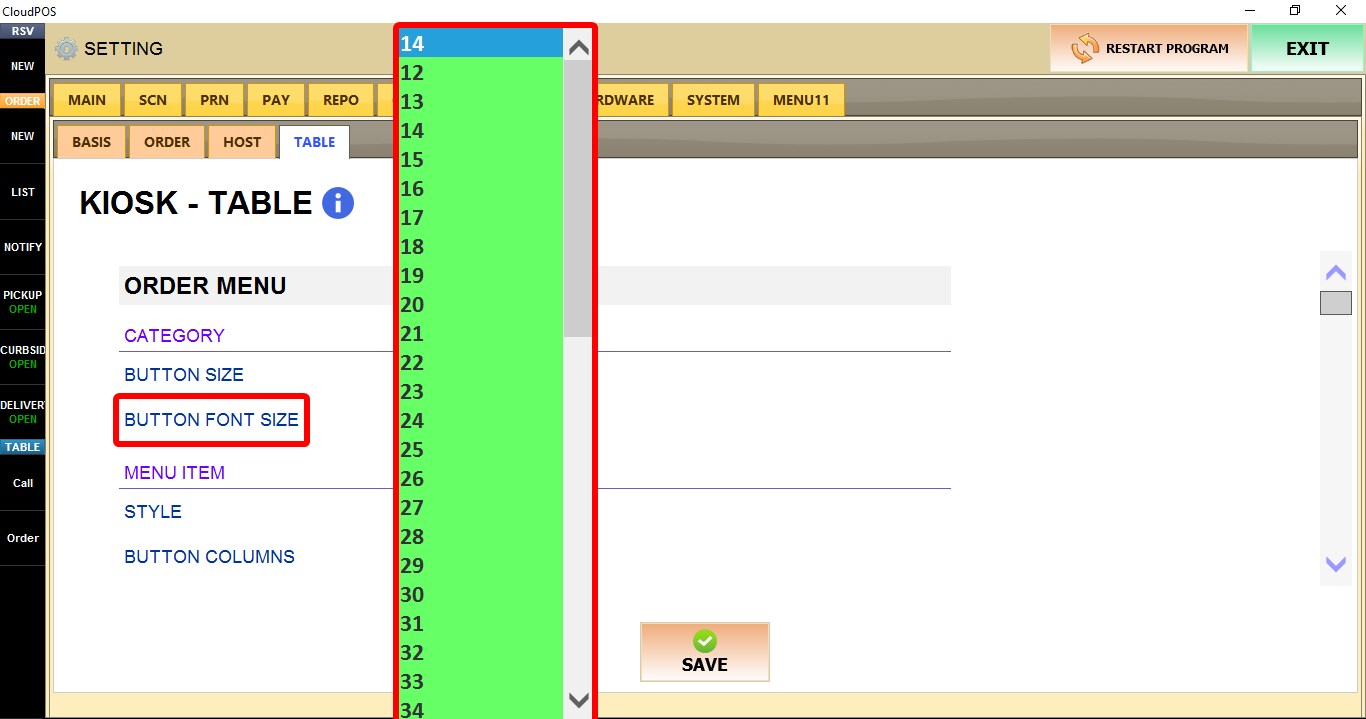
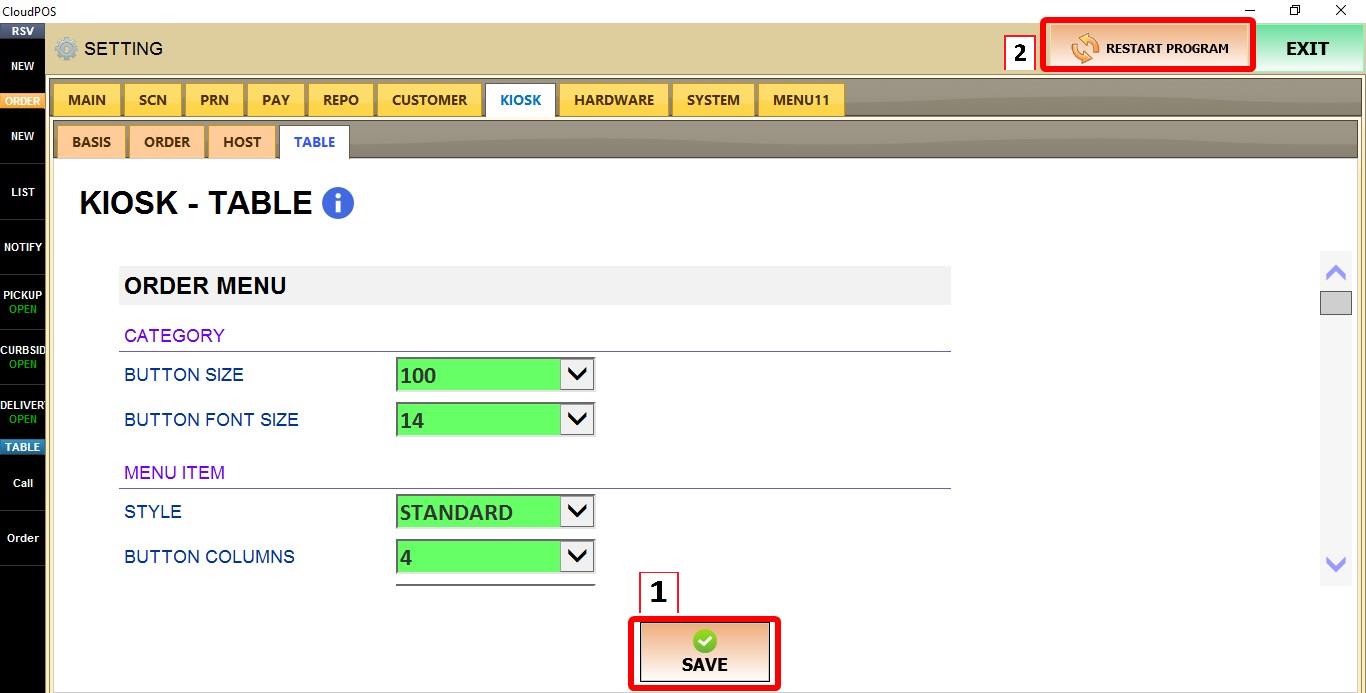
Click SAVE and restart the program to apply the changes.