Notification
The NOTIFICATION settings control the sound behavior for kiosk notifications.
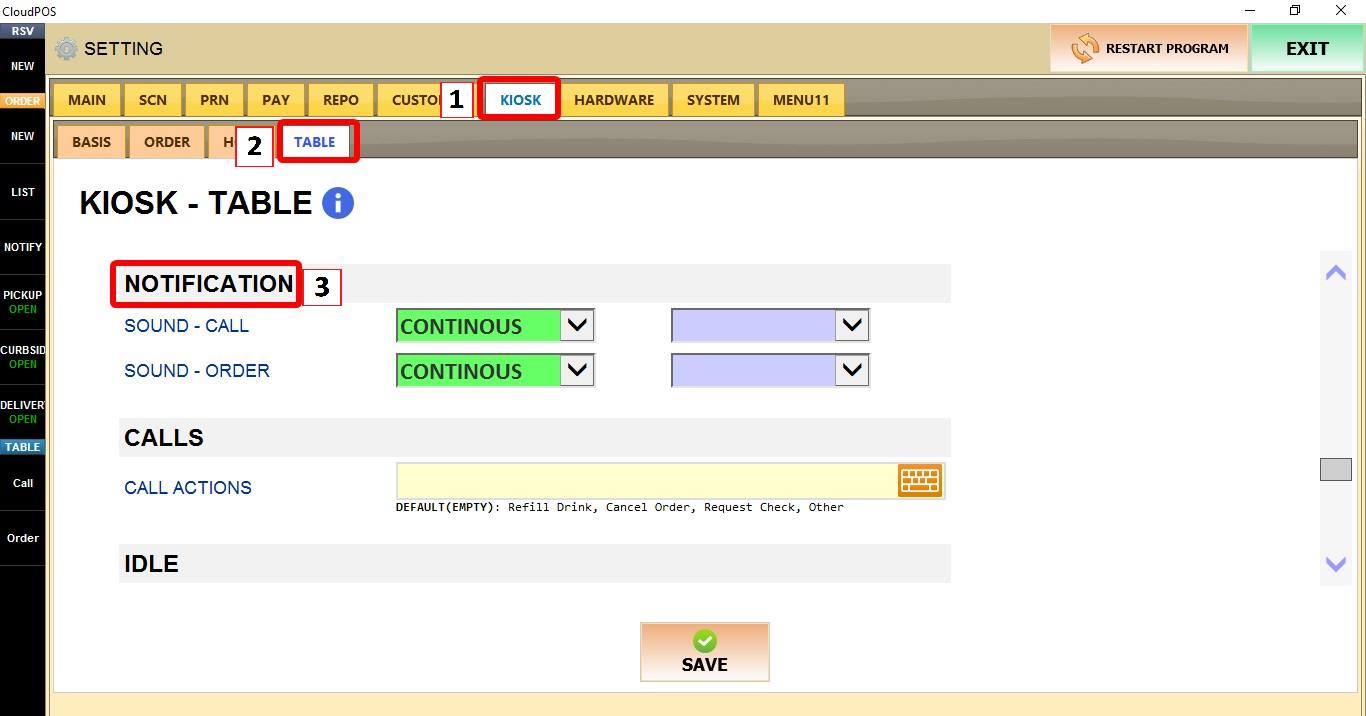
MENU > SETTINGS > KIOSK > TABLE > NOTIFICATION
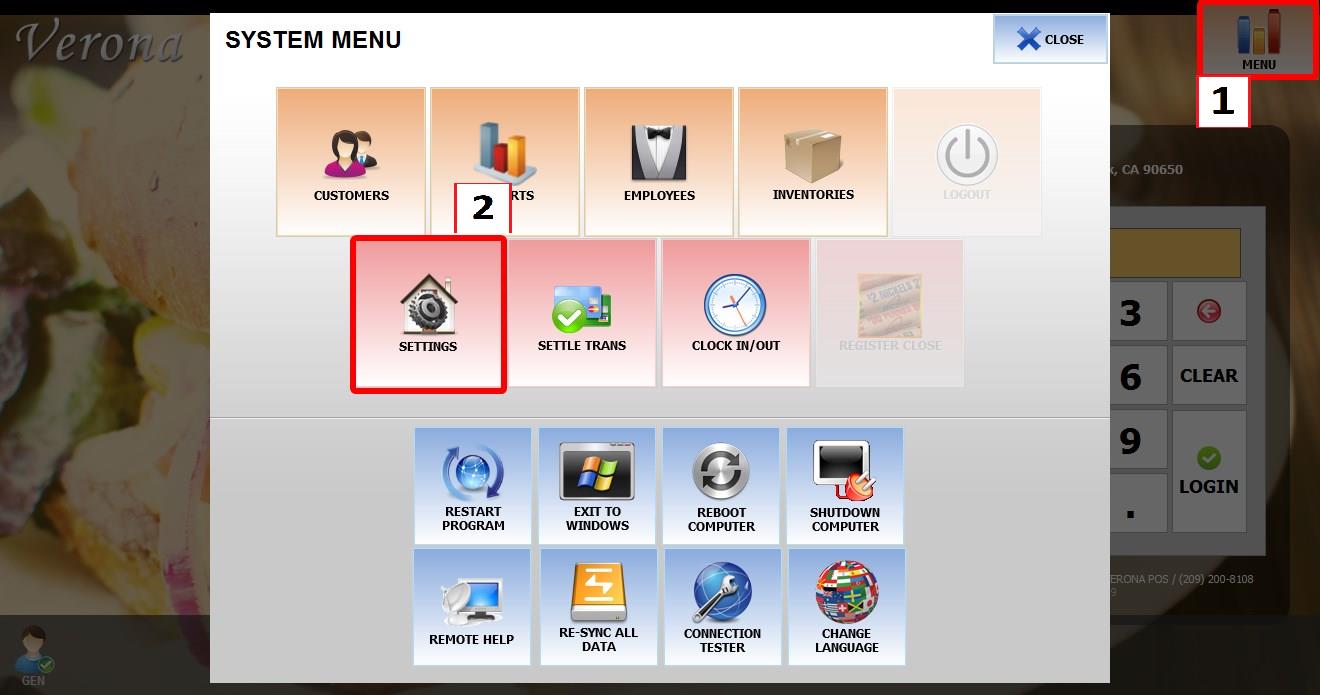
From the MAIN SCREEN, click MENU, then select SETTINGS.
Go to KIOSK > TABLE > NOTIFICATION.
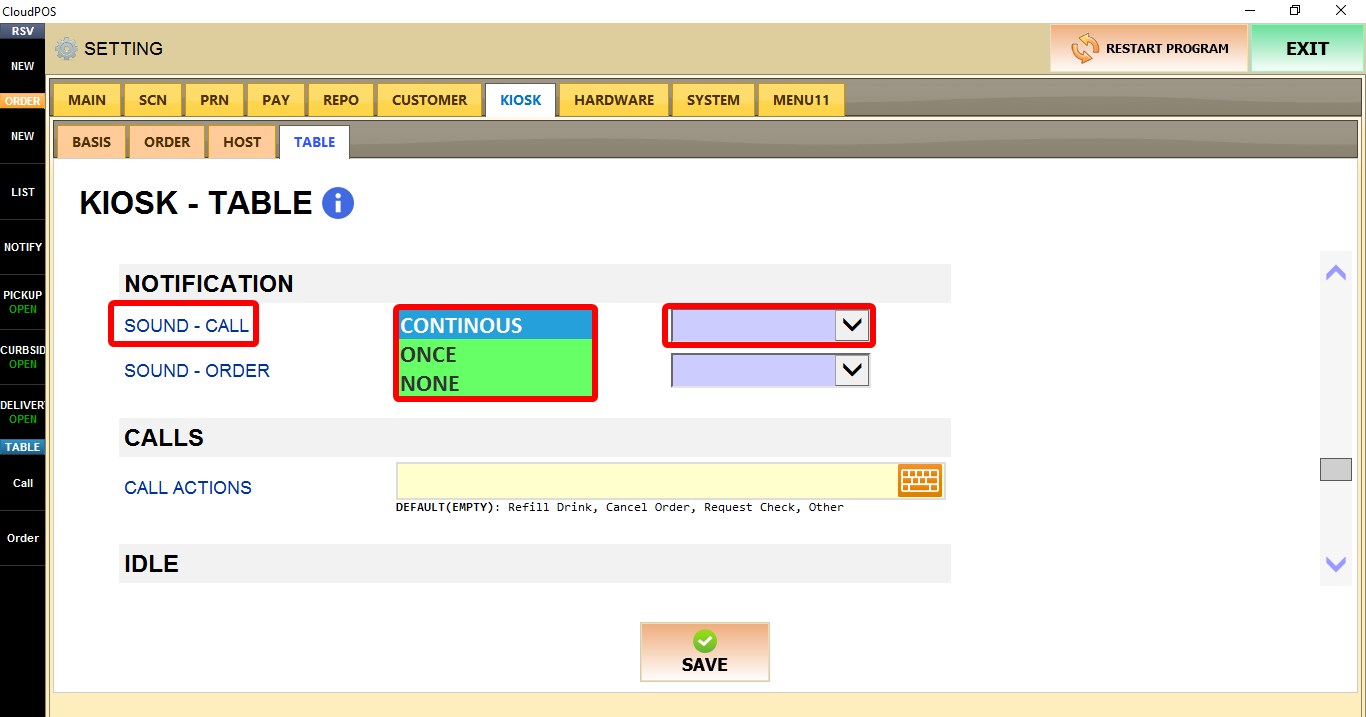
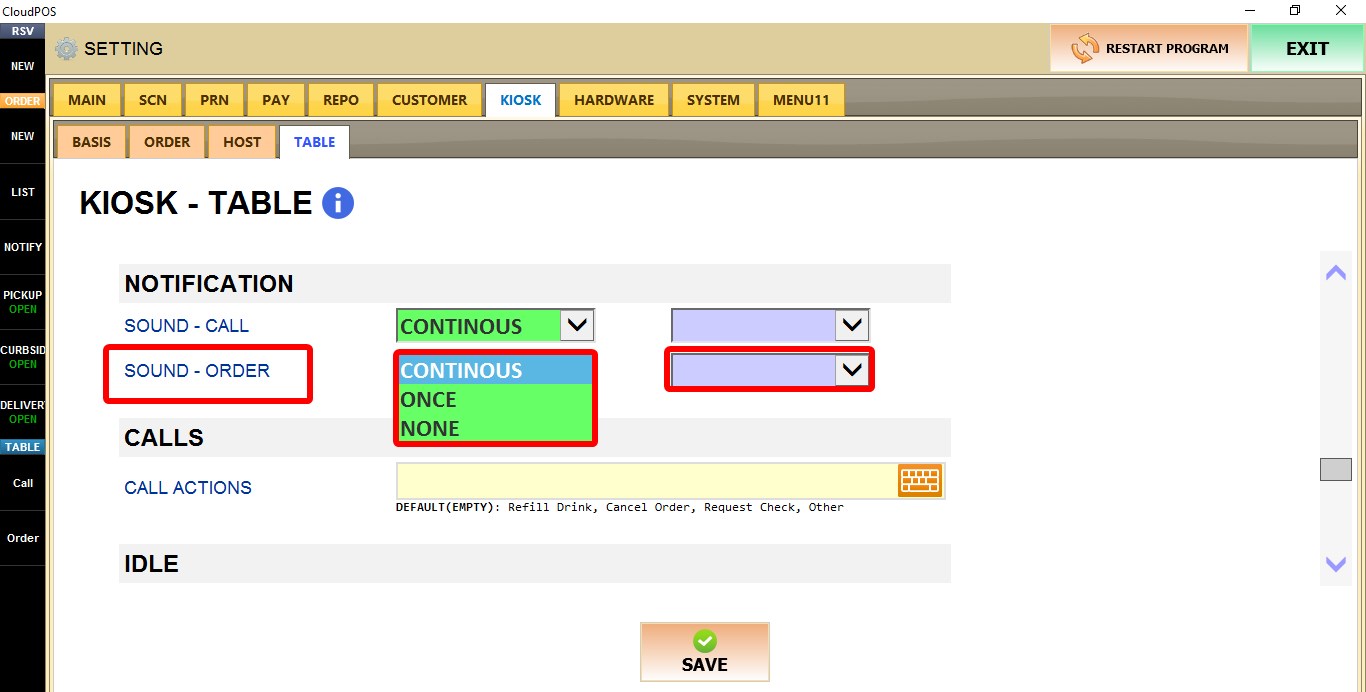
The purple dropdown option applies the selected sound setting only to the current terminal.
SOUND - CALL
Controls the sound behavior when a table call notification is received.
1. CONTINUOUS: Plays the notification sound continuously.
2. ONCE: Plays the notification sound one time.
3. NONE: Disables the notification sound.

SOUND - ORDER
Controls the sound behavior when a new order notification is received.
1. CONTINUOUS: Plays the notification sound continuously.
2. ONCE: Plays the notification sound one time.
3. NONE: Disables the notification sound.

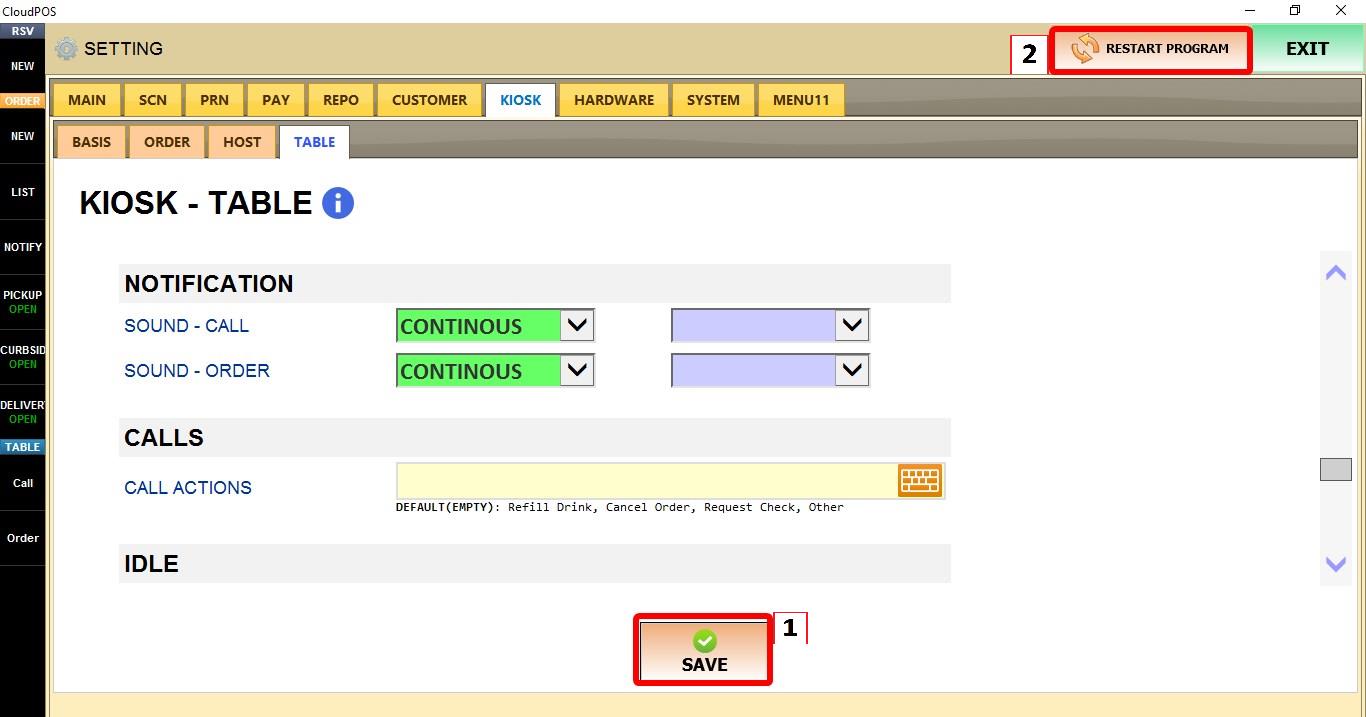
Click SAVE and restart the program to apply the changes.