Creating a Modifier Group
A MODIFIER GROUP is the final part of the modifier structure configuration. Here, it is possible to group different MODIFIER COMPONENTS to be applied to different CATEGORIES or ITEMS.
Main screen > MENU > SETTINGS > REPO > MENU > EDIT > MODIFIER GROUP >ADD
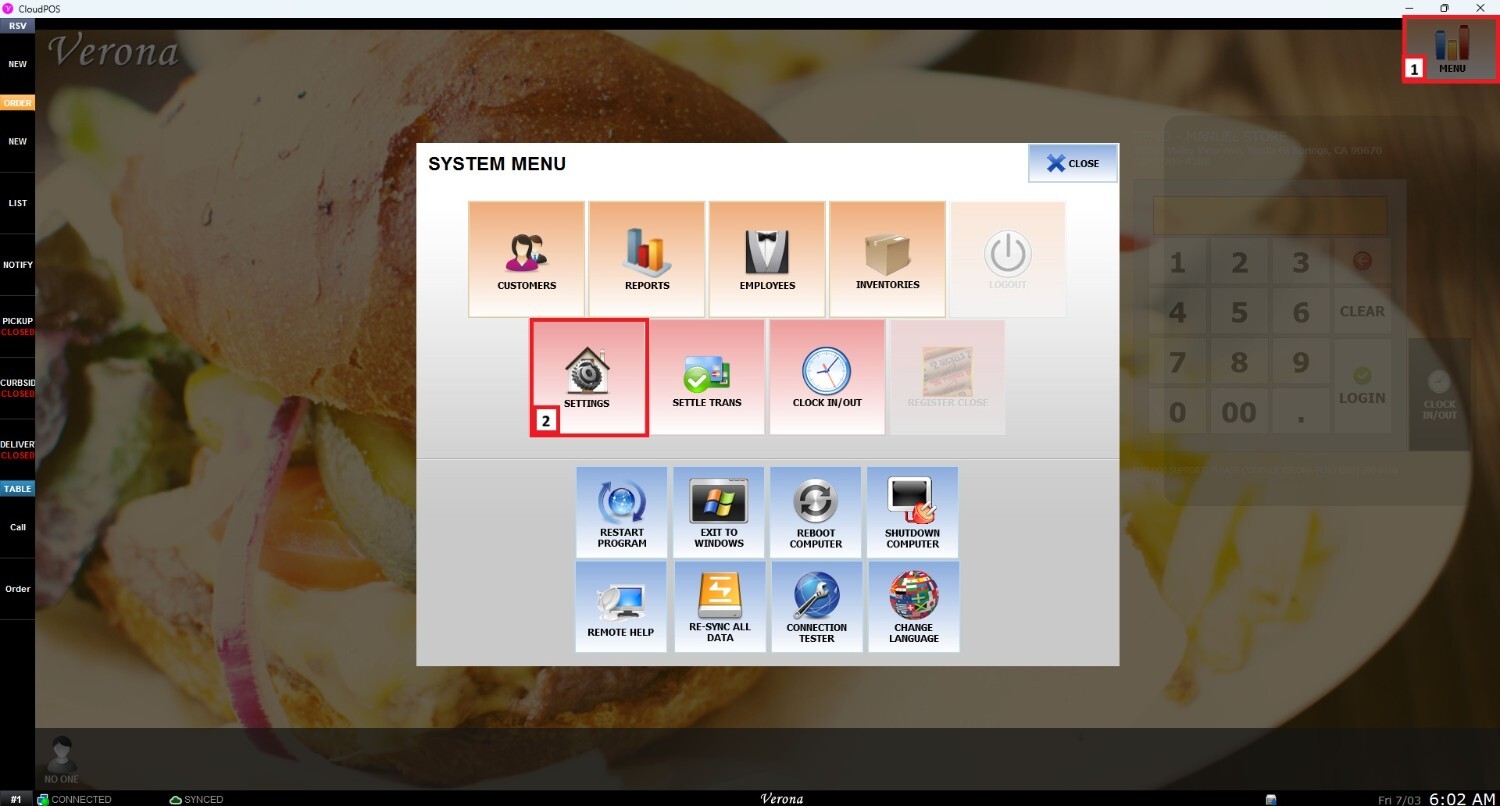
First, go to MENU and then select SETTINGS.
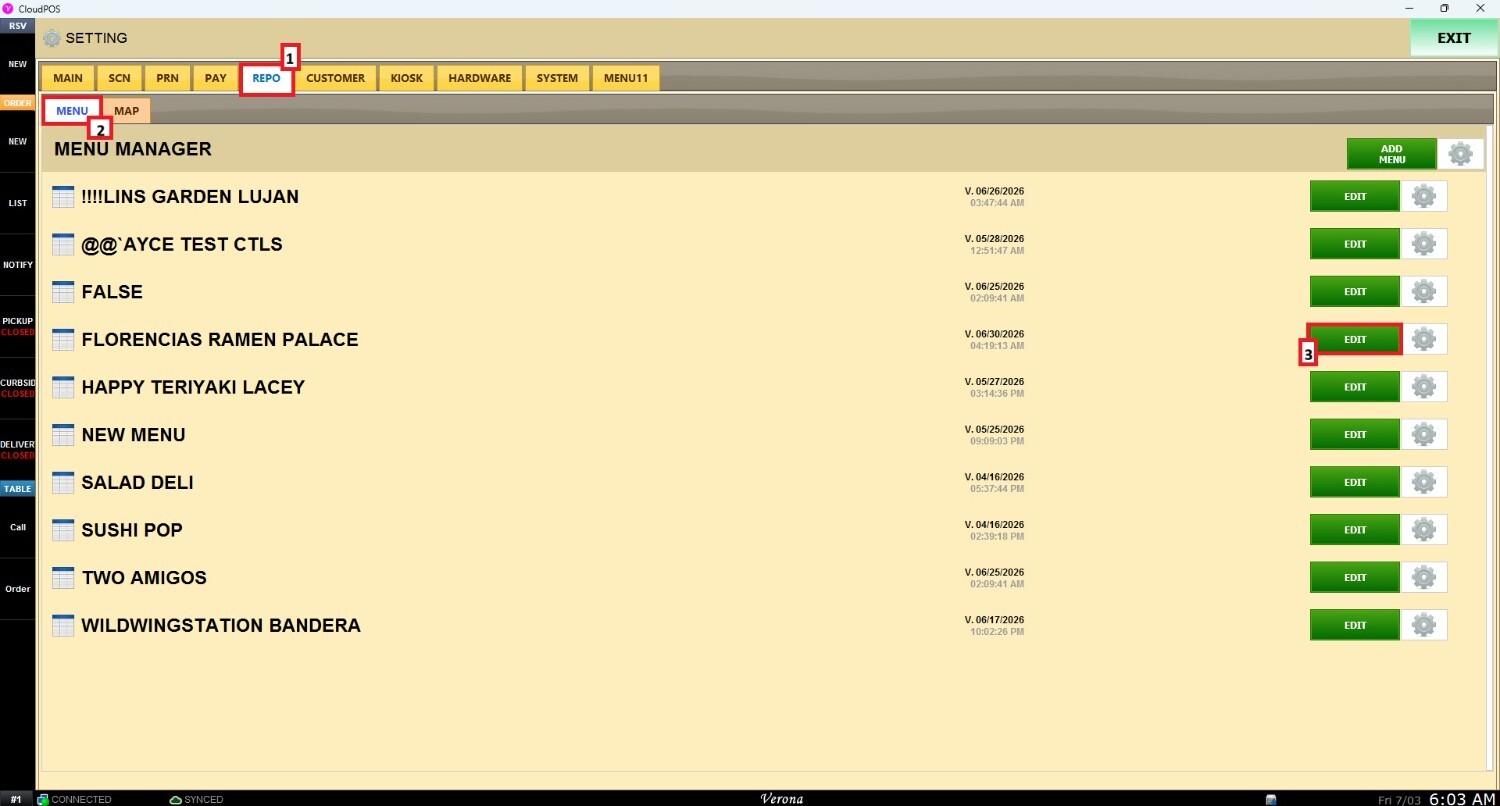
Open the REPO (Repository) tab, select MENU, locate the specific menu you want to modify, and click EDIT.
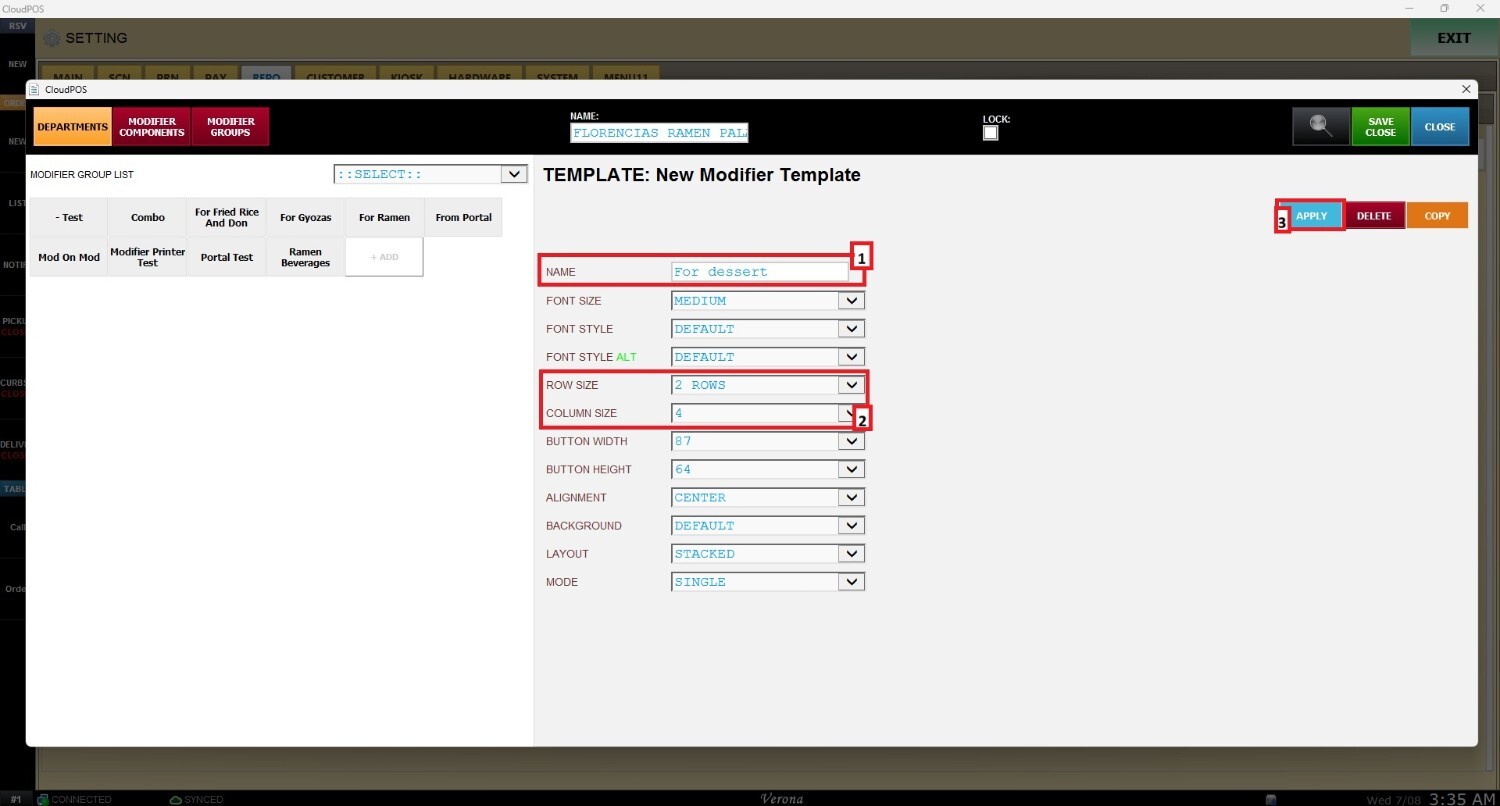
Navigate to MODIFIER GROUP and select +ADD.In this window, it is possible to set the NAME and the number of ROWS and COLUMNS needed to organize the MODIFIER COMPONENTS.
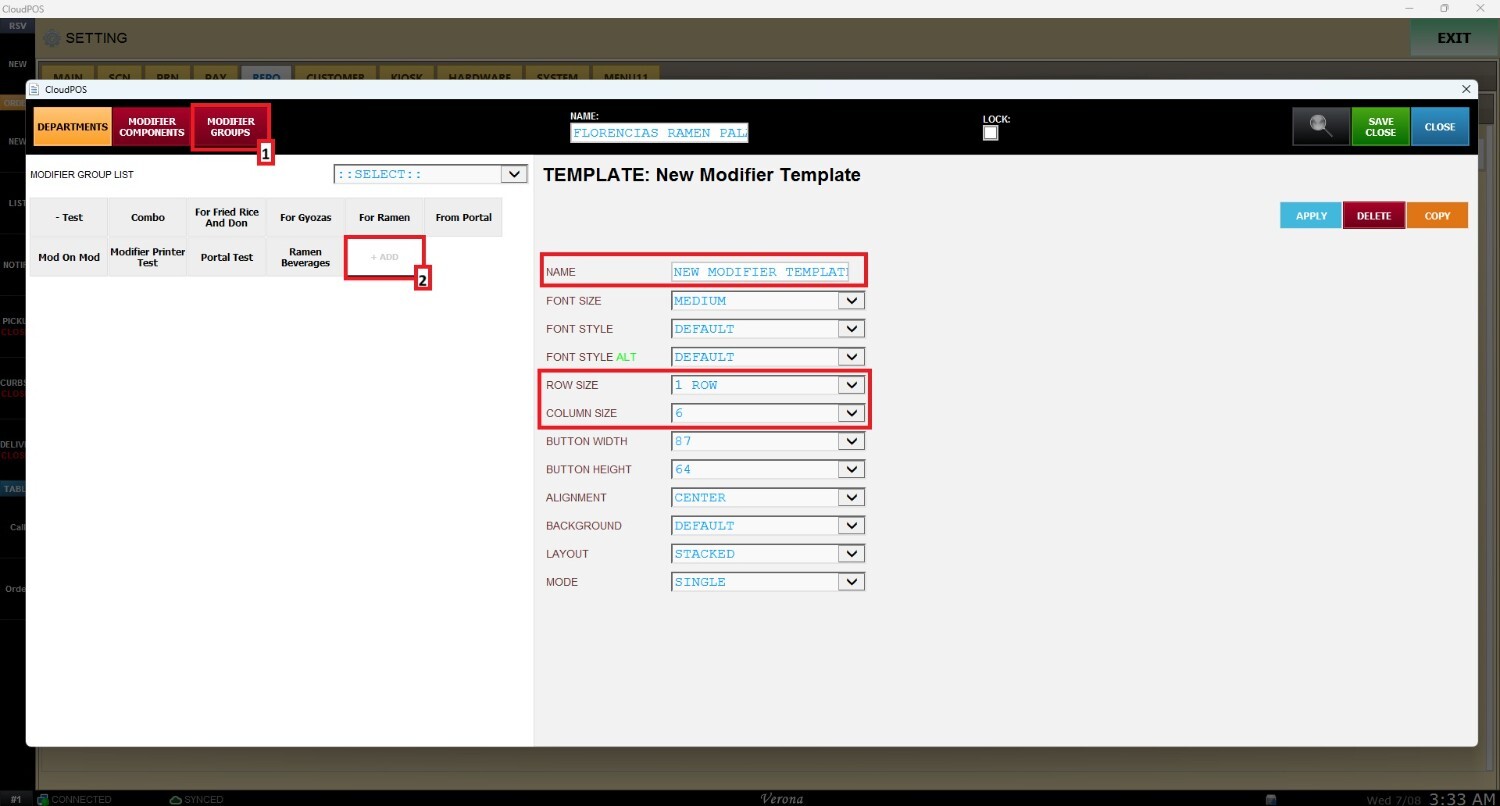
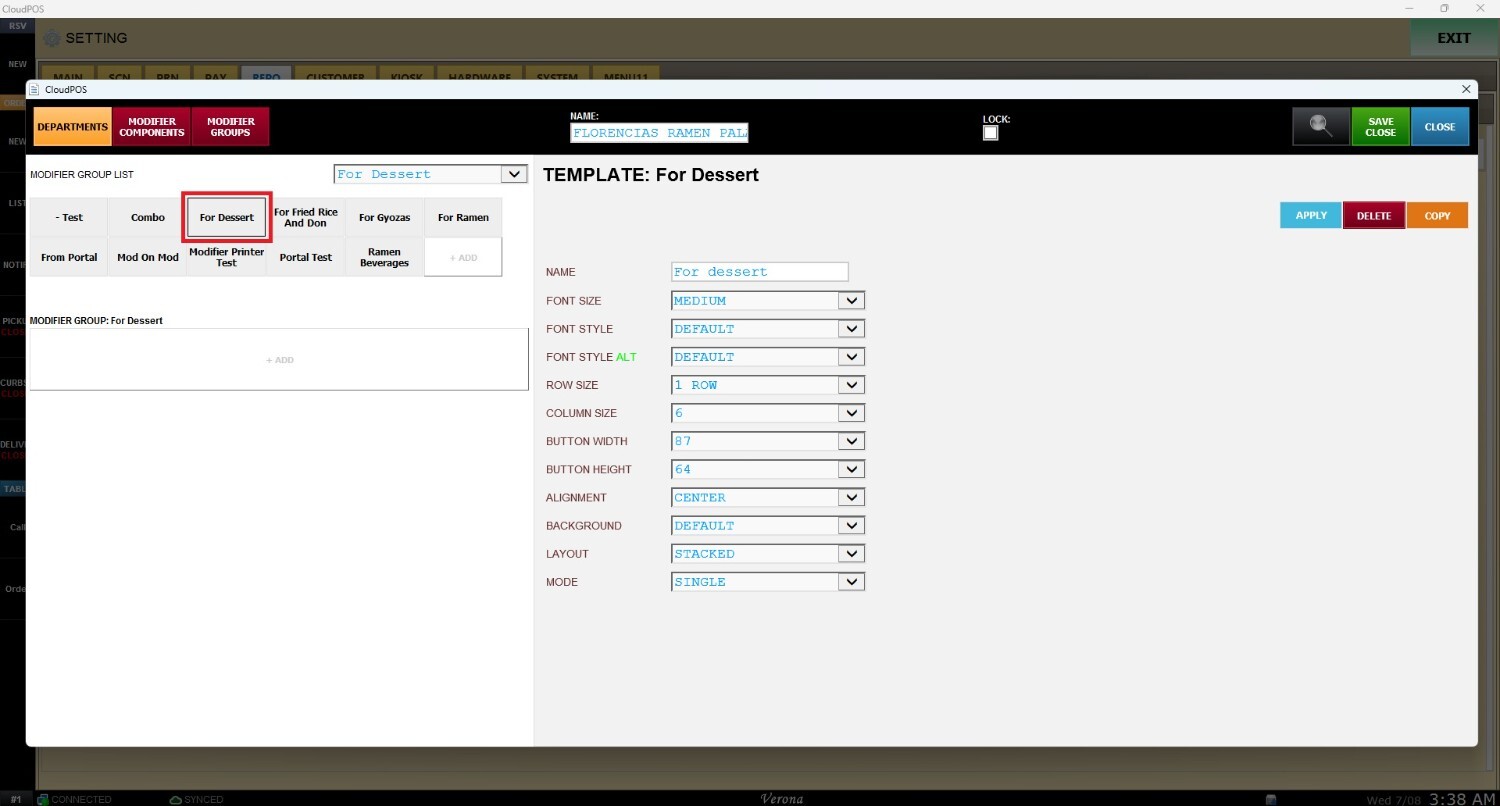
Once the settings are configured, remember to select APPLY, and the MODIFIER GROUP will be seen in the options on the left display.