Modifier Component Actions
Within the modifier structure, under the Modifier Component List section, you can find the Special Actions menu. Specifically, the Sort Alphabetically action allows you to quickly reorganize all components in a modifier list in alphabetical order.
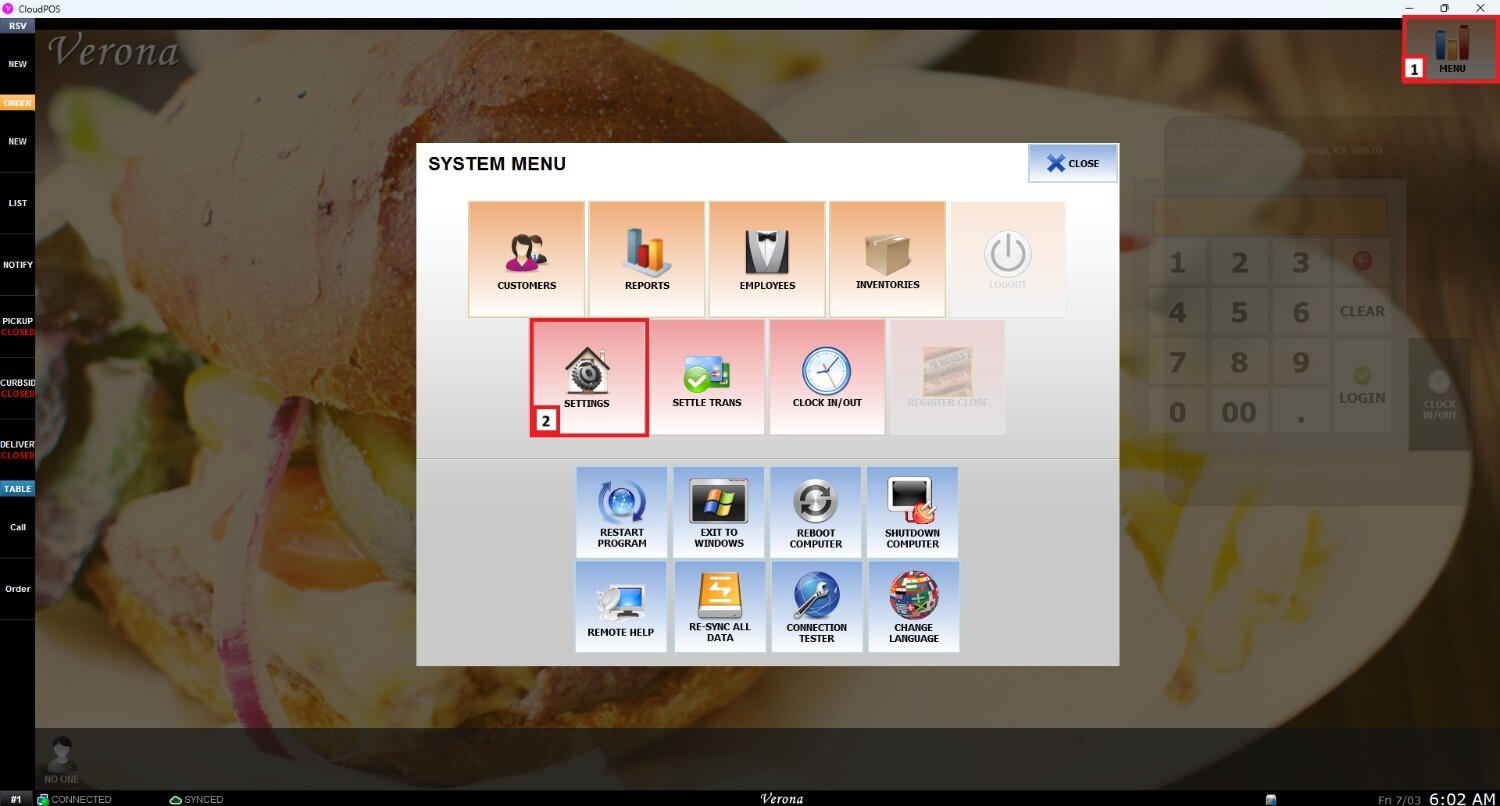
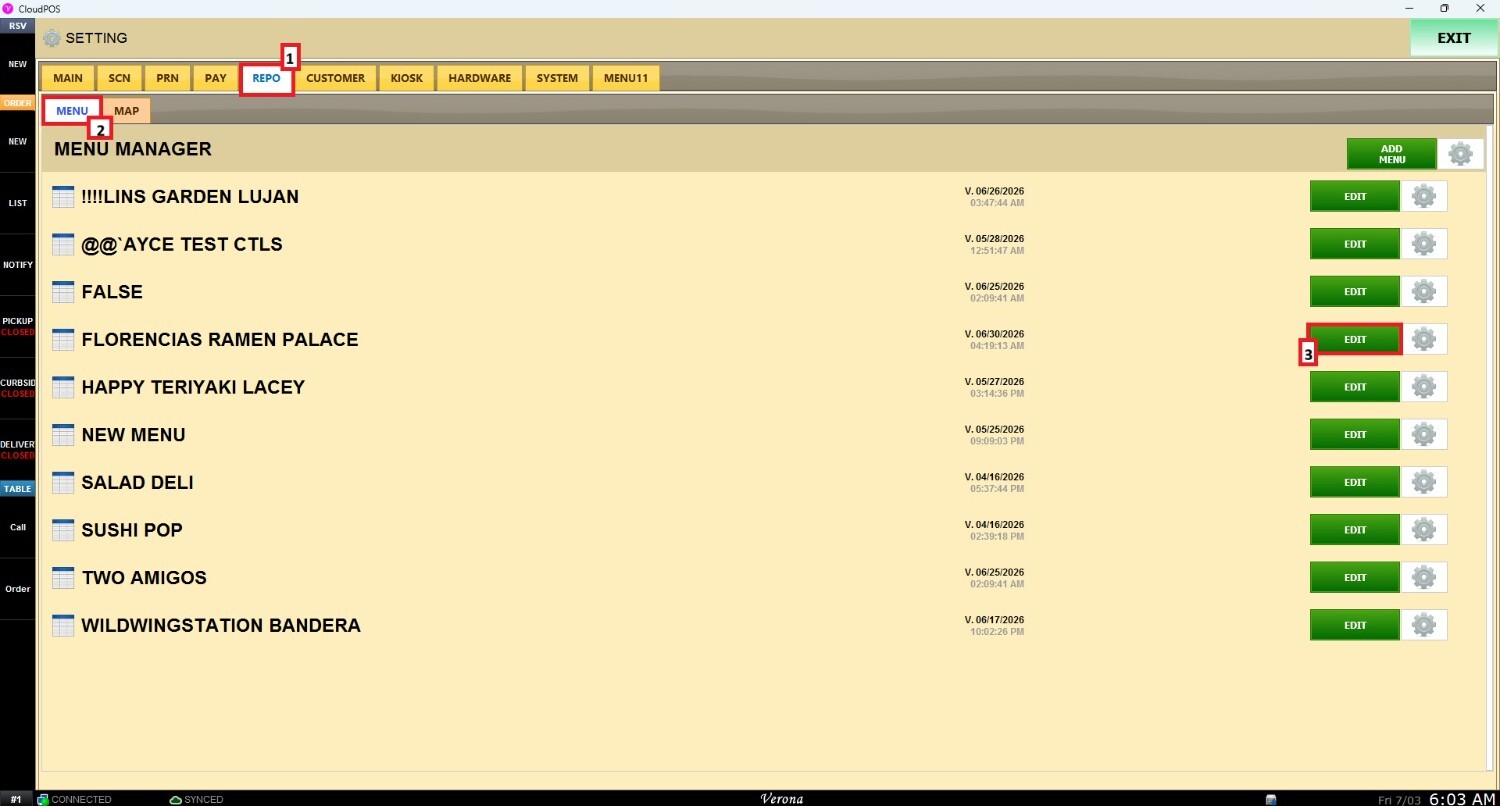
Main Screen > MENU > SETTINGS > REPO > MENU > EDIT > MODIFIER COMPONETS
From the Main Screen, go to Menu and select Settings.
Once the settings panel opens, navigate to Repo (Repository) > Menu. Locate the menu you wish to modify and click Edit.
Go to Modifier Groups, choose the Modifier Component List, and select the specific list you want to organize. Then, navigate to the Special Actions section.
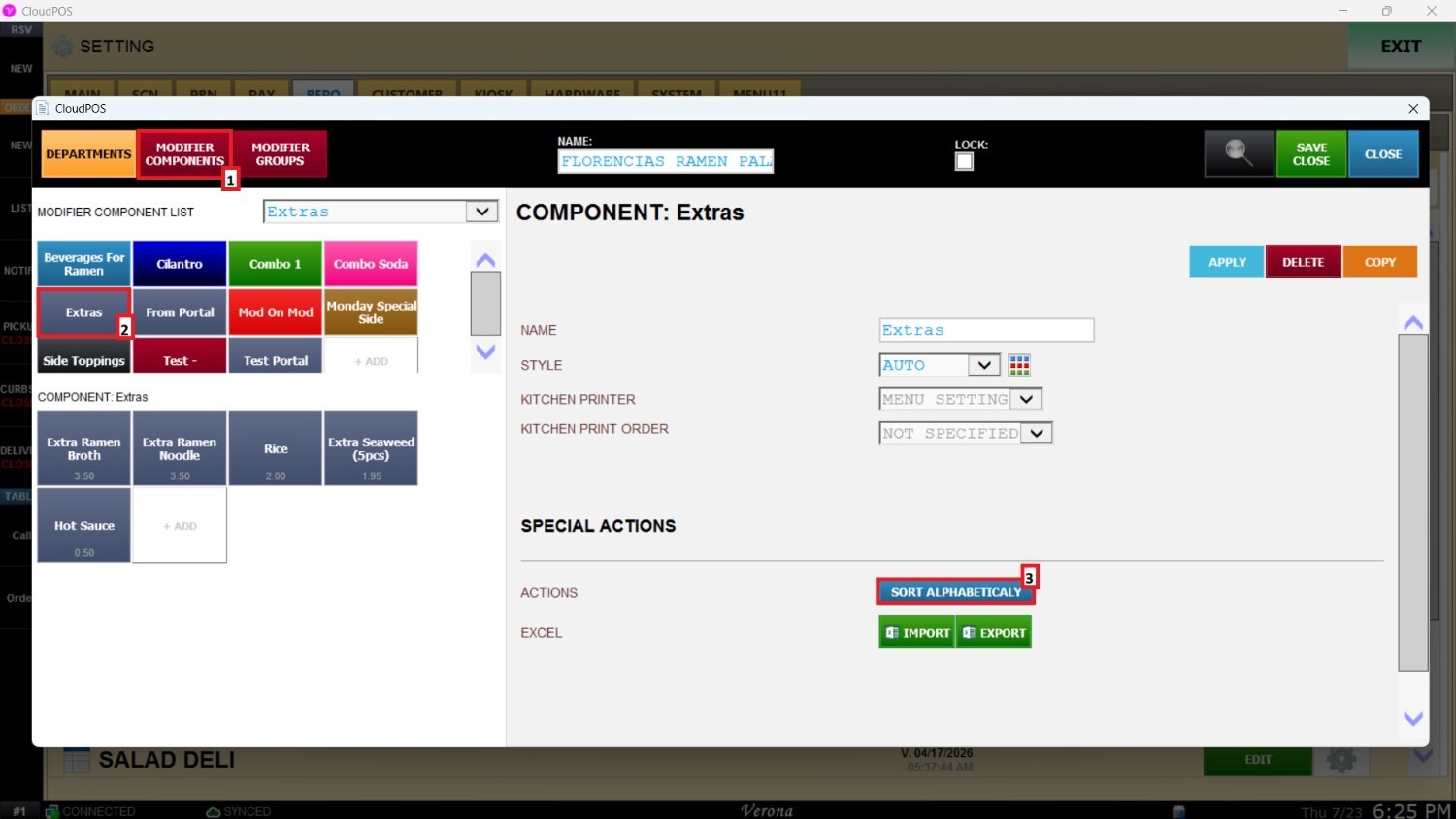
Click the Sort Alphabetically button. This will automatically reorder all components within the selected Modifier Component List in alphabetical order.
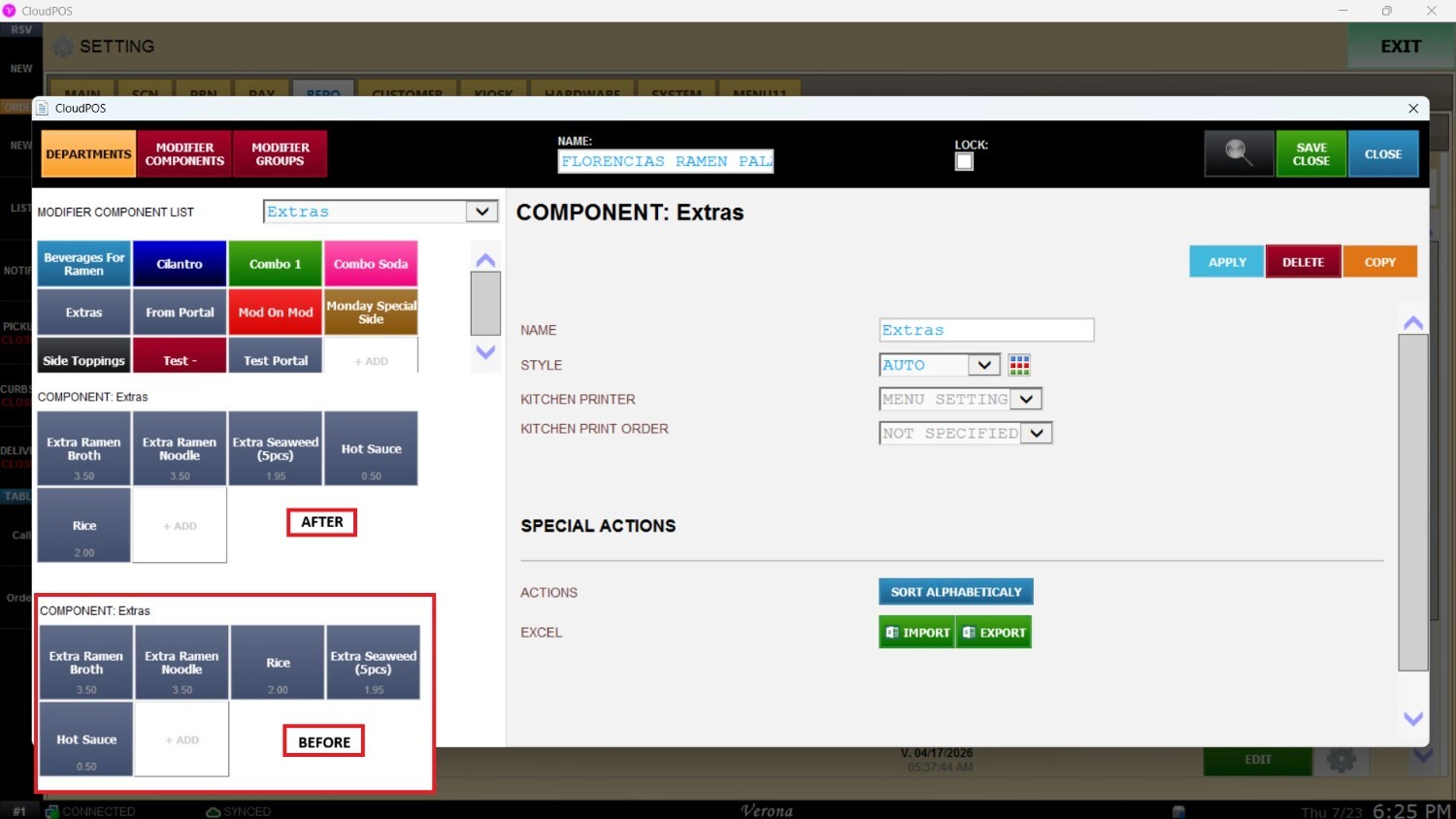
Click Apply and then Save & Close to enforce and save your changes.