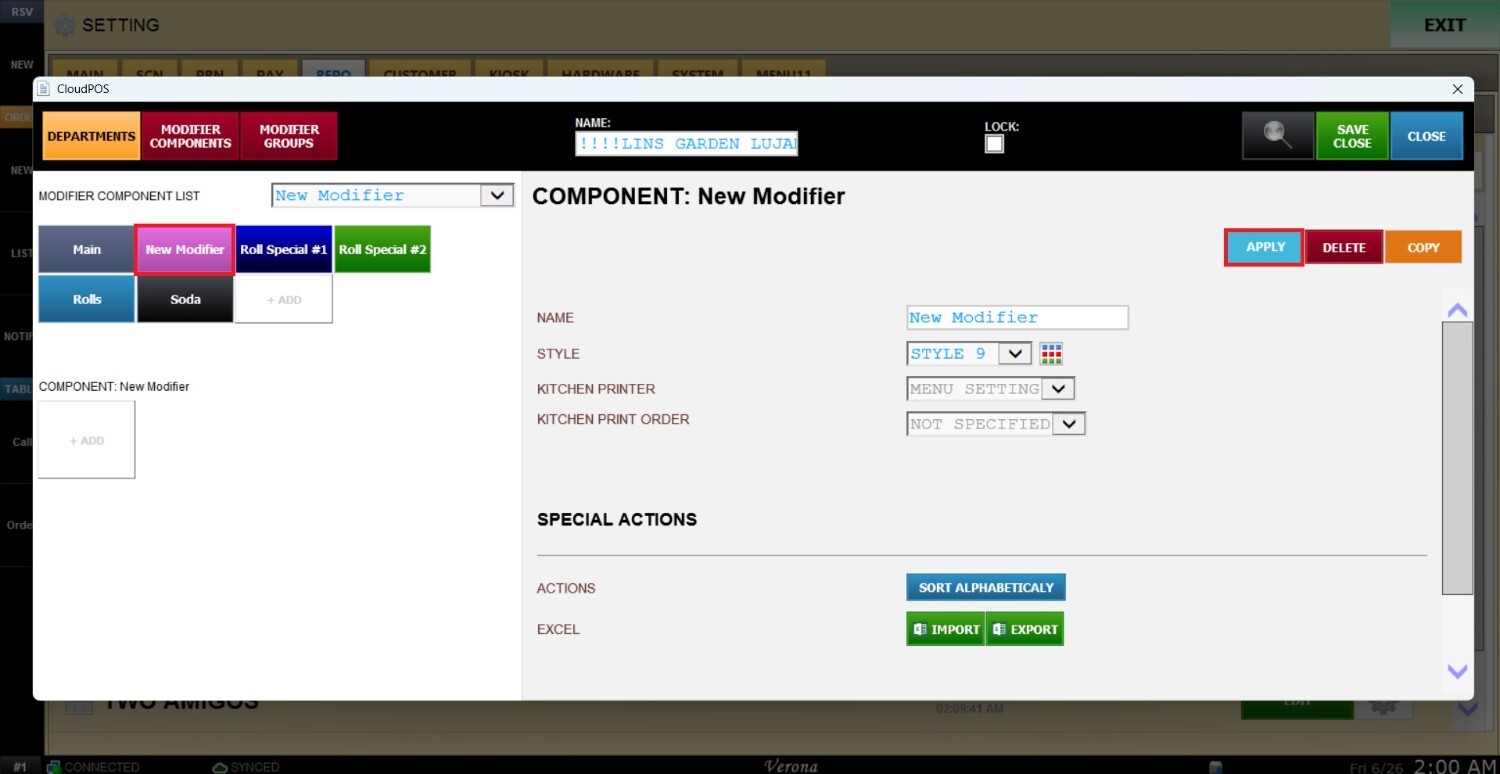
Creating Modifier List
The Modifier List is used to create the base modifiers and add-ons that can be attached to your menu items. These individual options serve as the foundational building blocks that you will later organize into Modifier Groups, which can then be assigned directly to specific items or entire categories to manage menu customization.
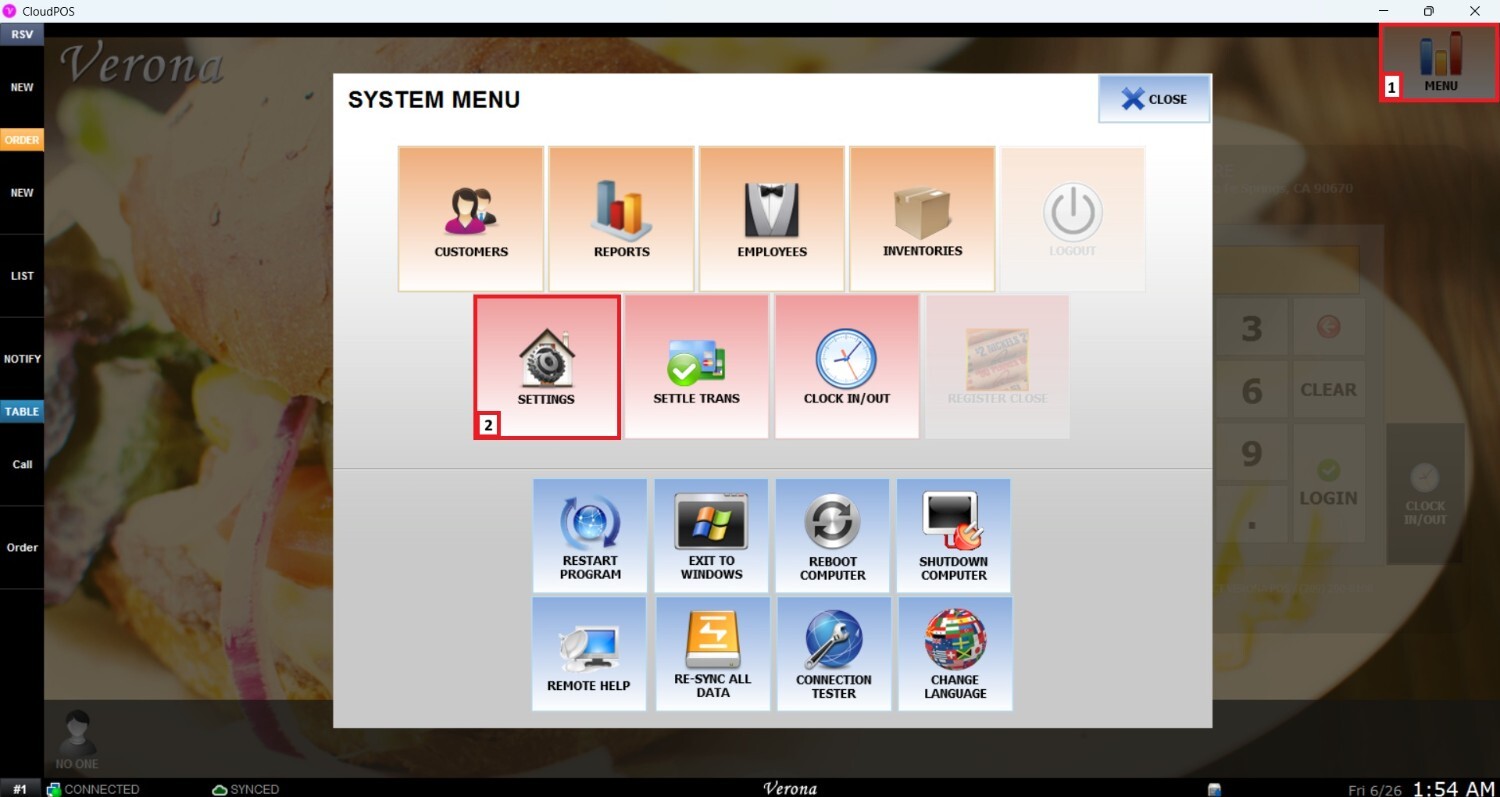
Main Screen> MENU> SETTING> REPO> MENU> EDIT> MODIFIER GROUPS> +ADD
Go to MENU and then SETTINGS.
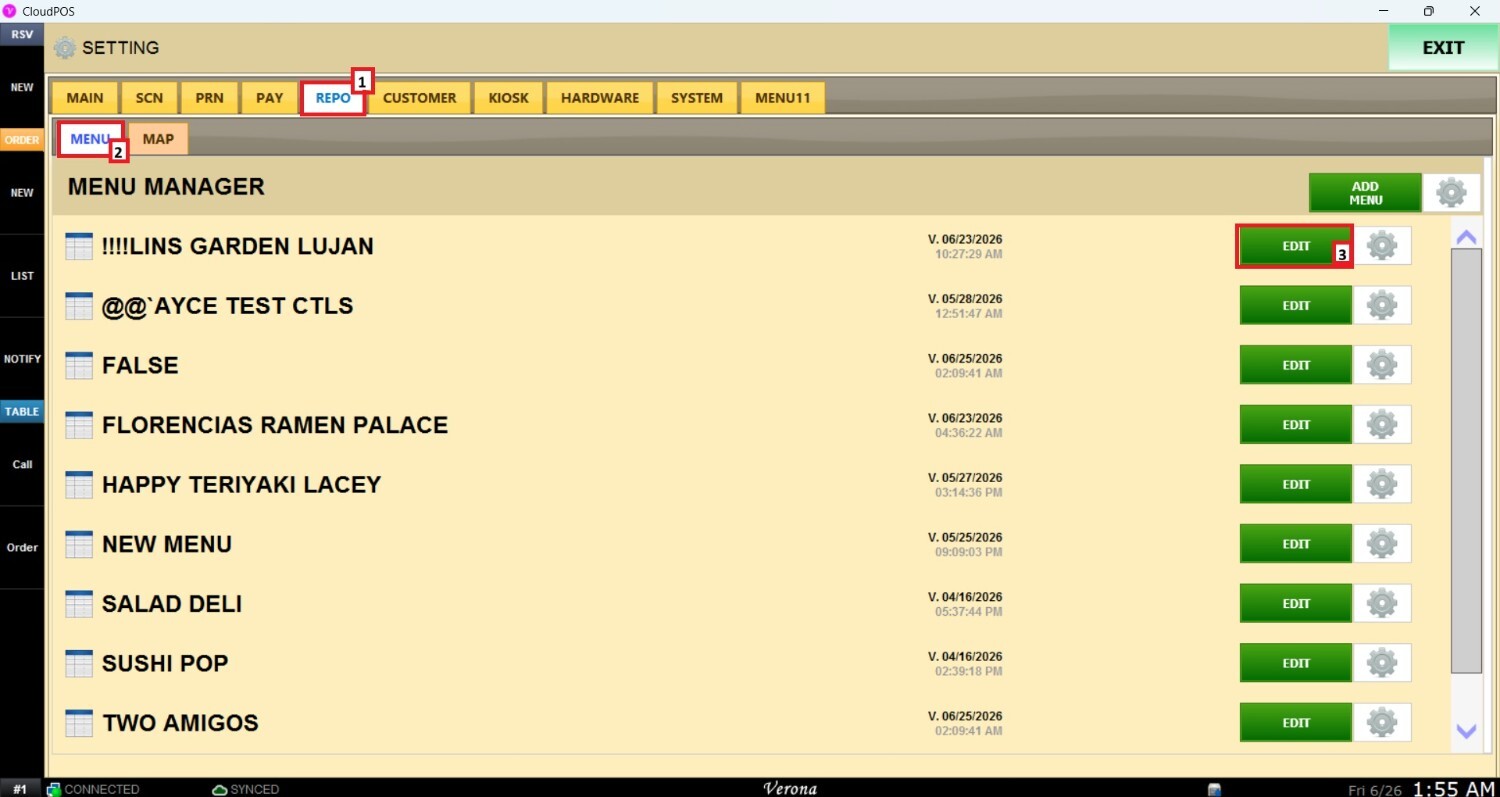
Once the settings panel is opened, select REPO (Repository), MENU, locate the menu to modify, and click EDIT.
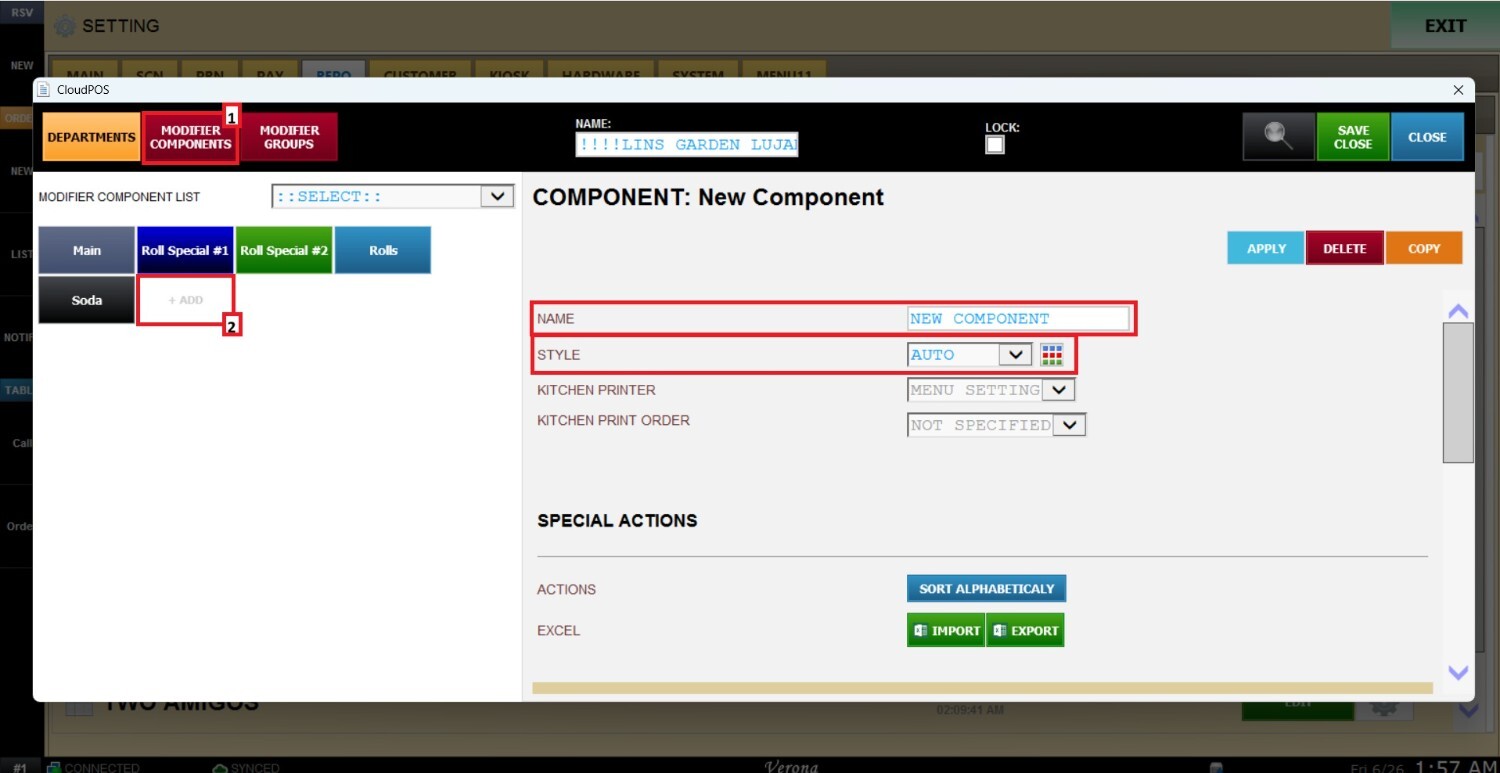
Navigate to the MODIFIER GROUPS section in the upper-right area and click the +ADD button right below it.
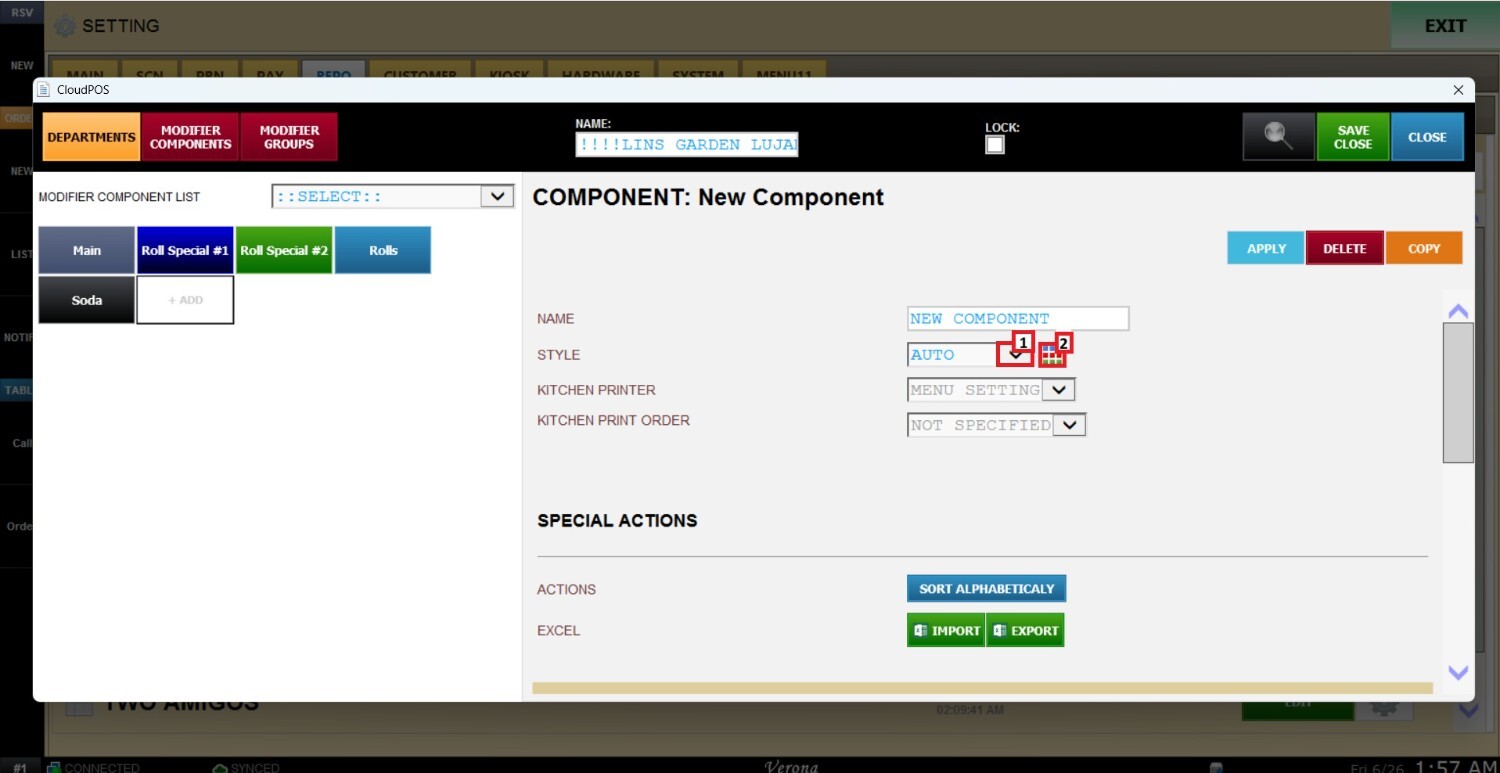
In this new setup window, it is possible to configure the NAME and STYLES for the modifier.
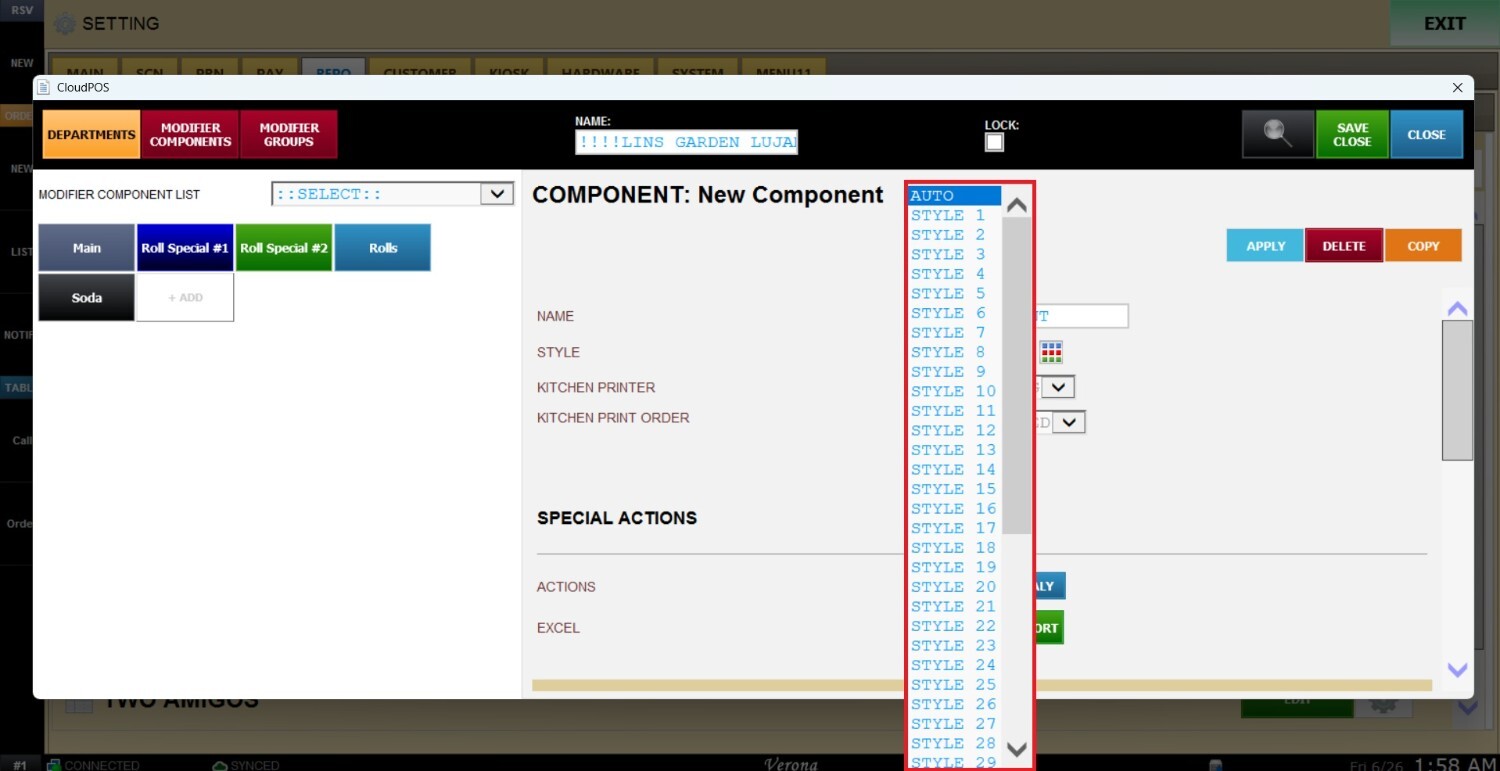
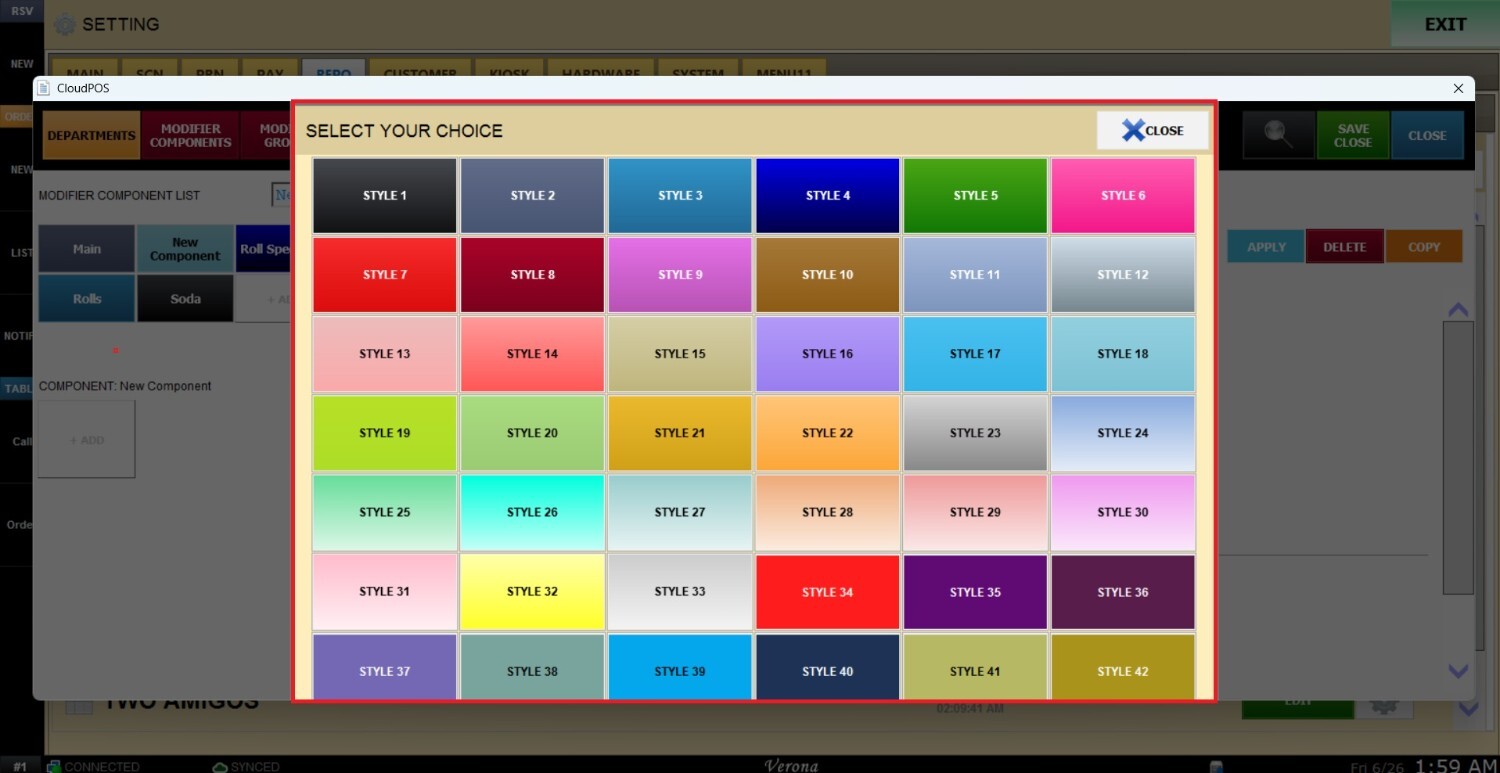
To change the background color of the new modifier, there are two options available: clicking the selection arrow or using the color square picker right next to it.
Once all the options are configured, select APPLY to confirm and save the changes.