Not Discountable
This setting determines whether a specific item can receive promotional discounts, coupons, or manual price reductions. This feature allows individual items to either follow the category discount rules or override them with their own discount behavior.
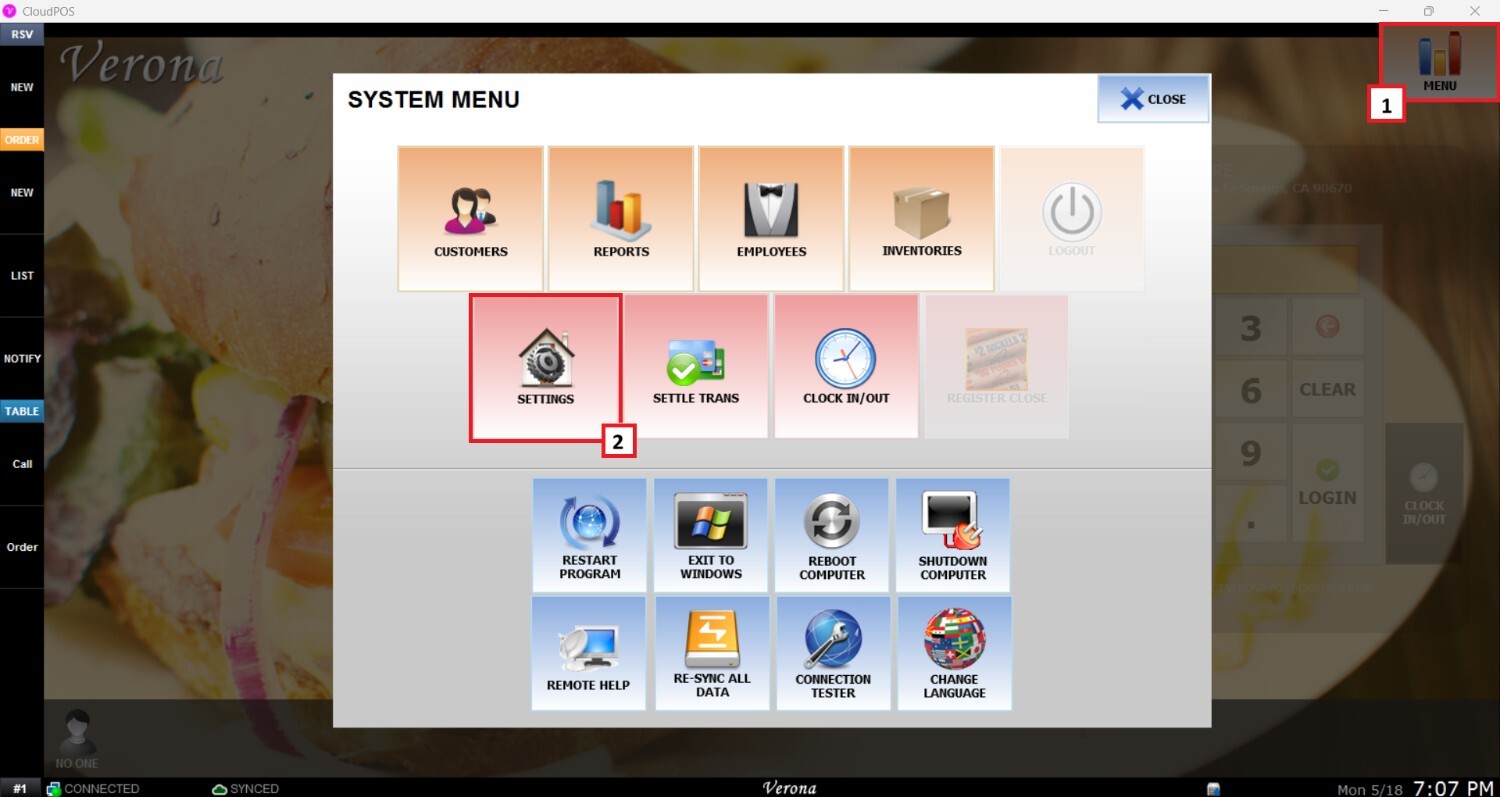
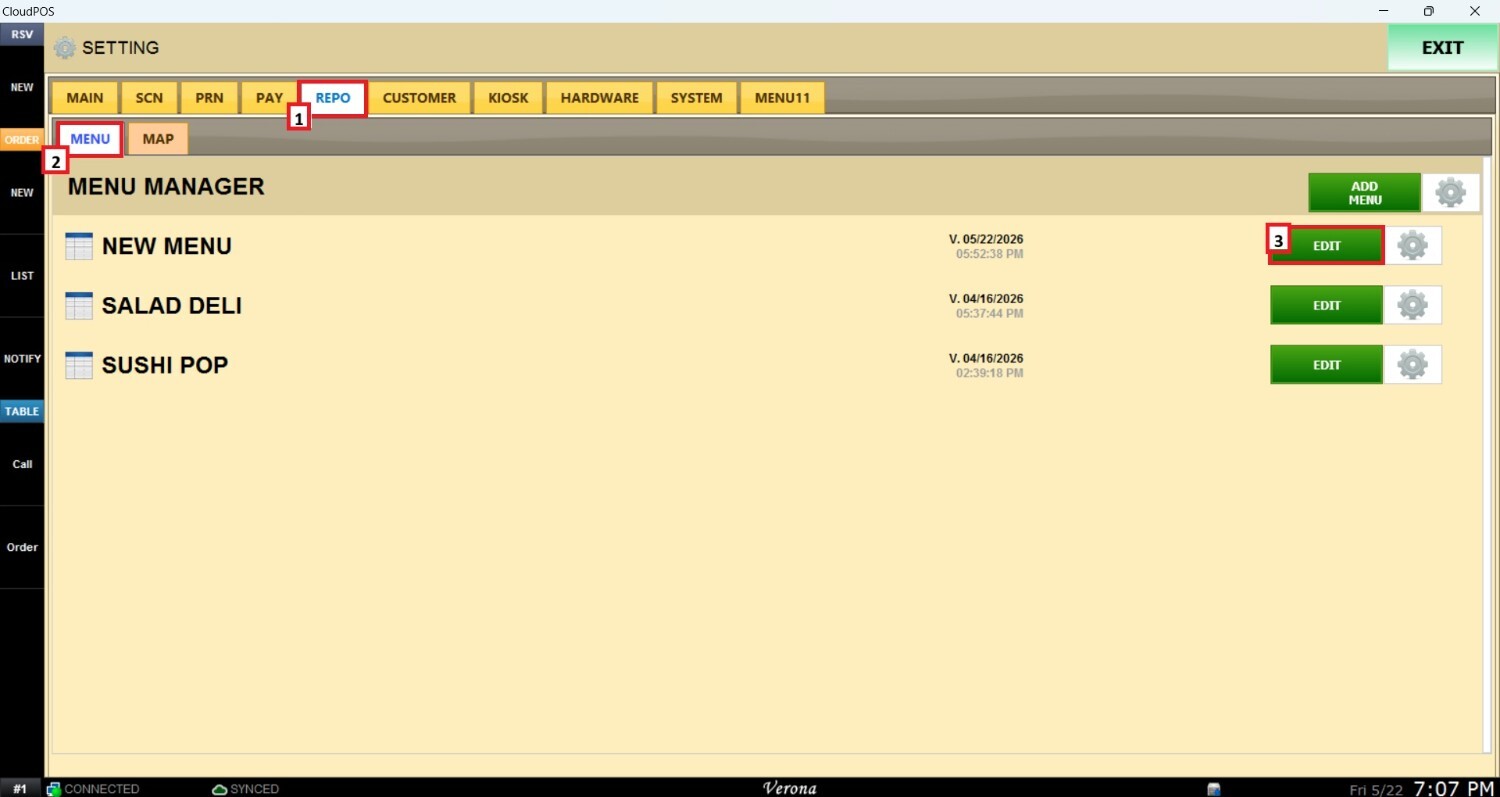
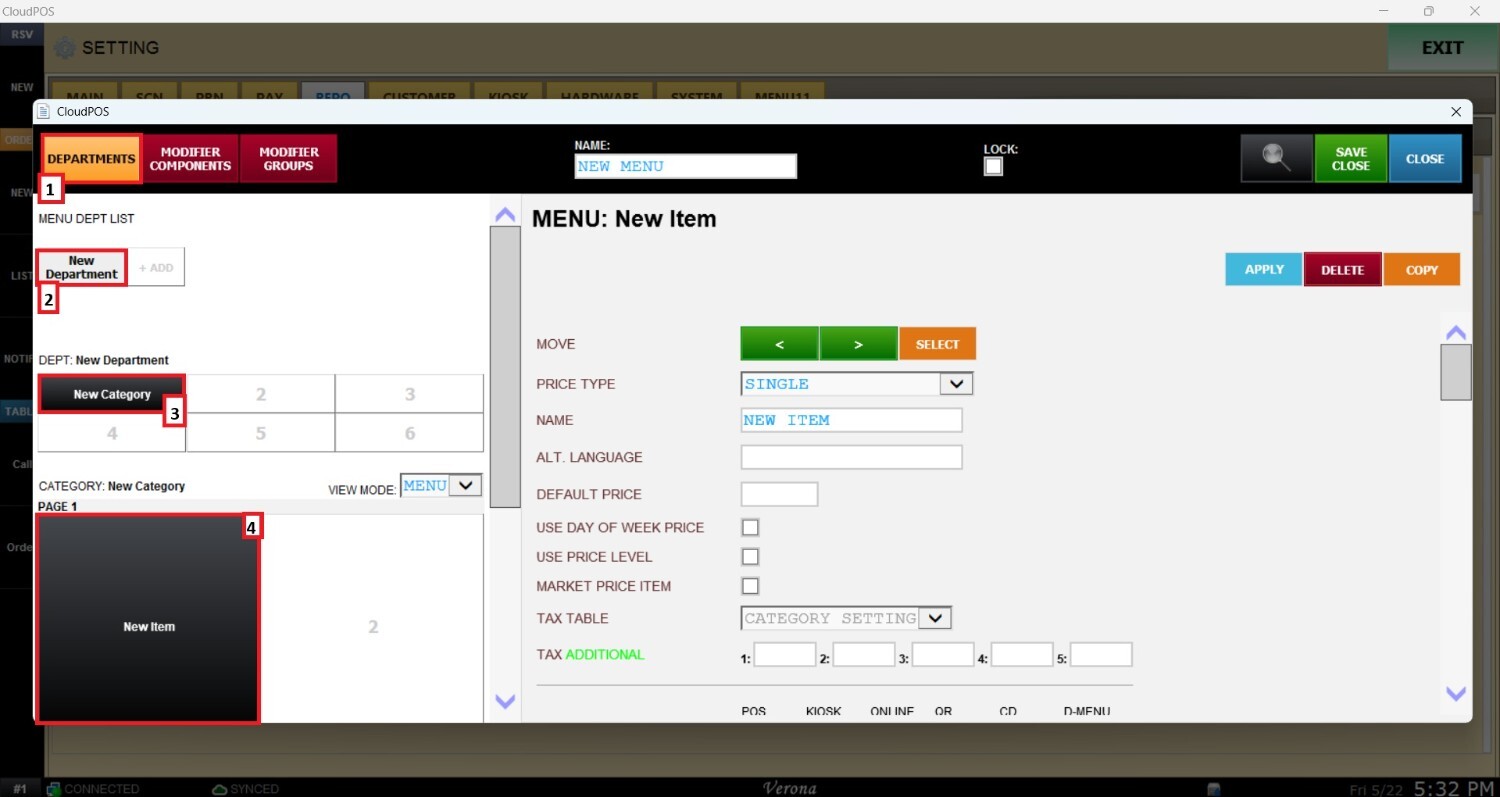
Main Screen> MENU> SETTING> REPO> MENU> EDIT> DEPARTMENTS> CATEGORY> ITEM.
Go to MENU and then SETTINGS.
Opent the REPO (REPOSITORY) tab, select MENU and locate the menu you want to modify and click EDIT.
Navigate to the DEPARTMENT section, select the desired department, category, and item.
Scroll down through the item settings until you find the NOT DISCOUNTABLE dropdown menu.
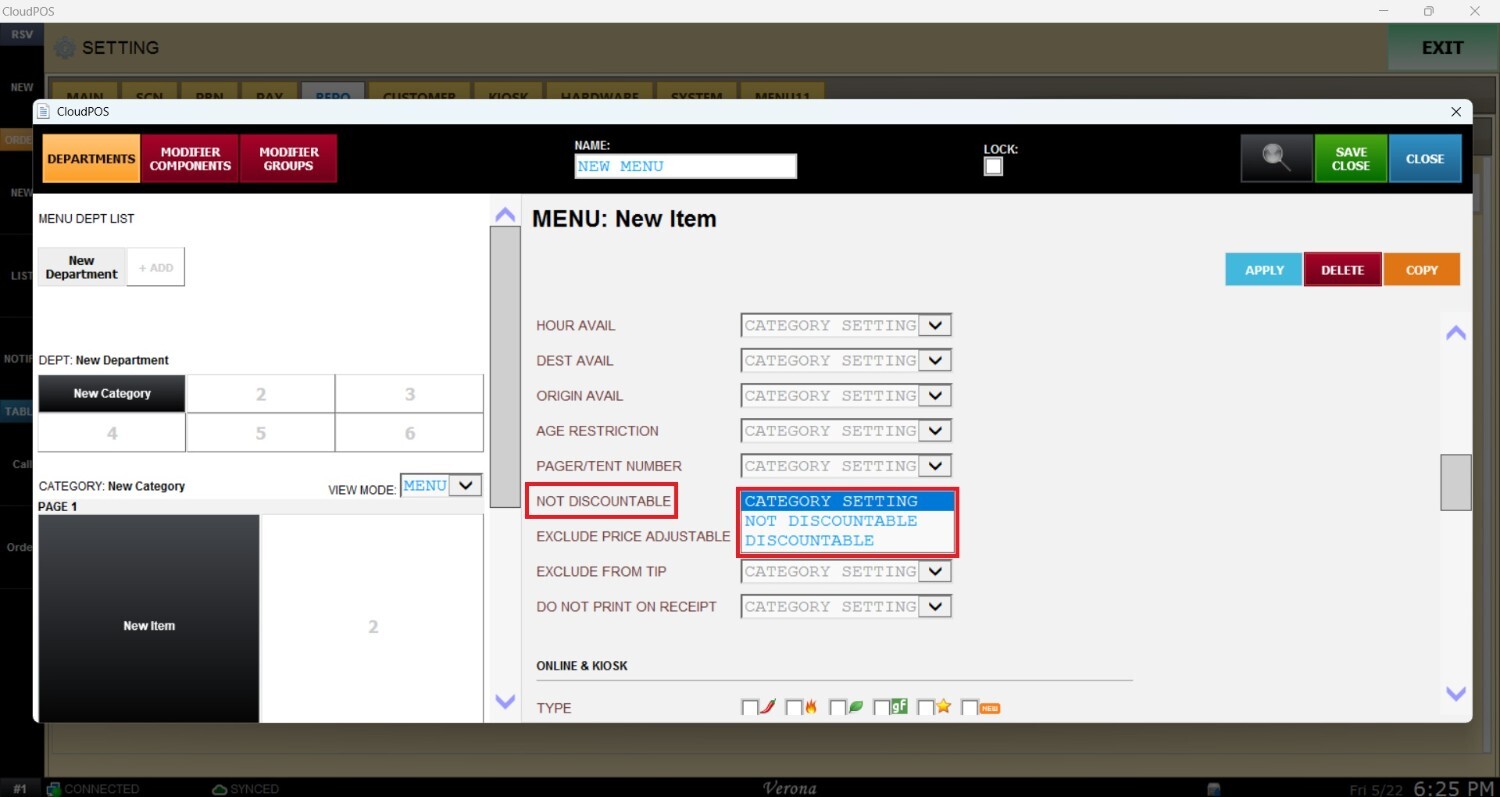
On the drop-down menu you will find the following options:
1. CATEGORY SETTING (DEFAULT): The item will inherit the discount behavior configured at the category level.
See Category Check List guide to apply this setting category wide.
2. NOT DISCOUNTABLE: Blocks all promotional discounts, coupon codes, and manual price reductions from being applied to the item. This setting acts as an override, meaning the item will remain non discountable even if the category normally allows discounts.The item will always sell at its configured base price.
3. DISCOUNTABLE: Forces the item to allow discounts and promotional pricing. IThis setting overrides the category configuration, meaning the item can still receive discounts even if the parent category blocks them.
Once configured, click on APPLY and SAVE CLOSE.