Storage
The STORAGE settings define where the POS stores its system data.
MENU > SETTINGS > SYSTEM > STORAGE
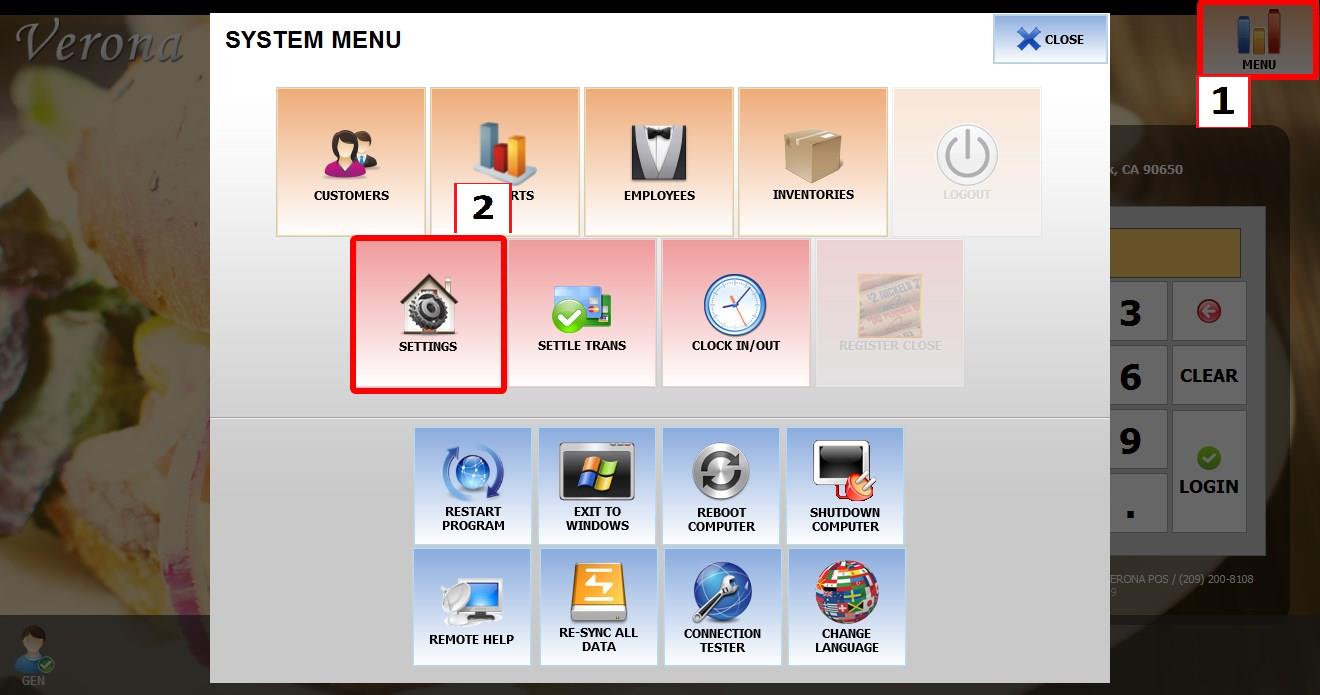
From the MAIN SCREEN, click MENU, then select SETTINGS.
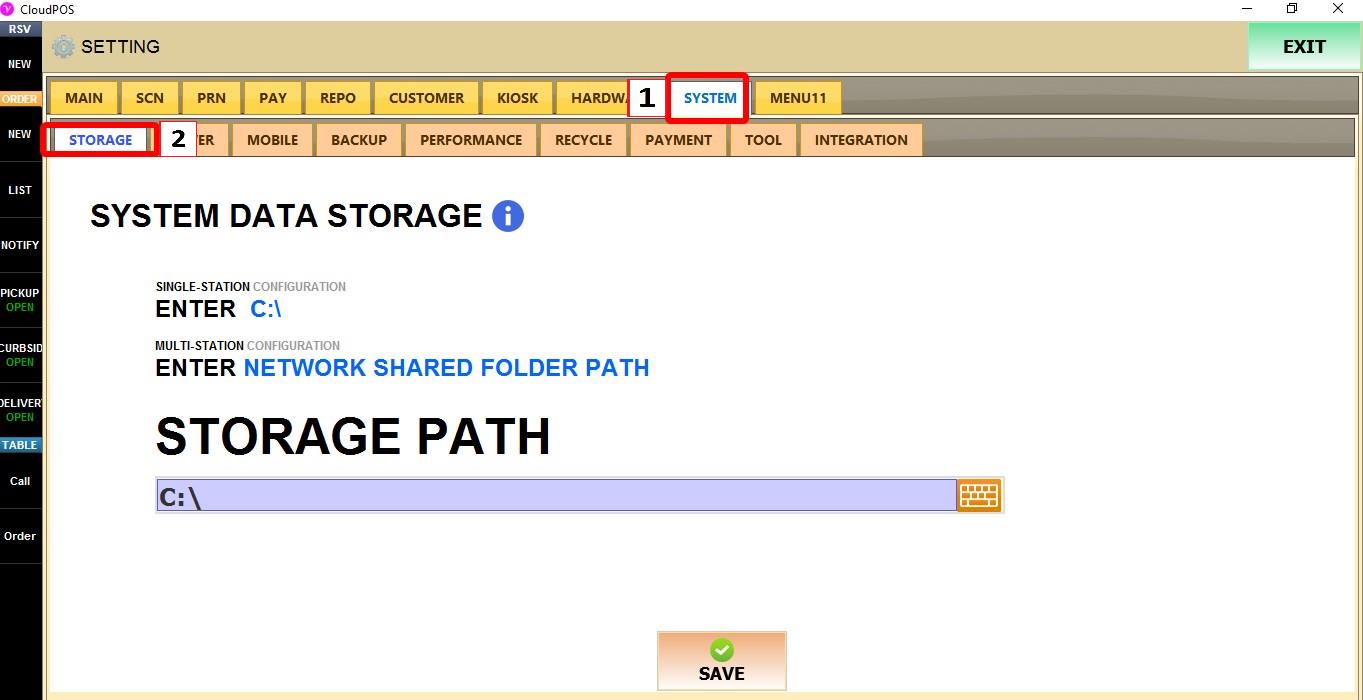
Go to SYSTEM > STORAGE.
STORAGE PATH
Defines the folder where the POS stores its system data. Type the desired location in the field.
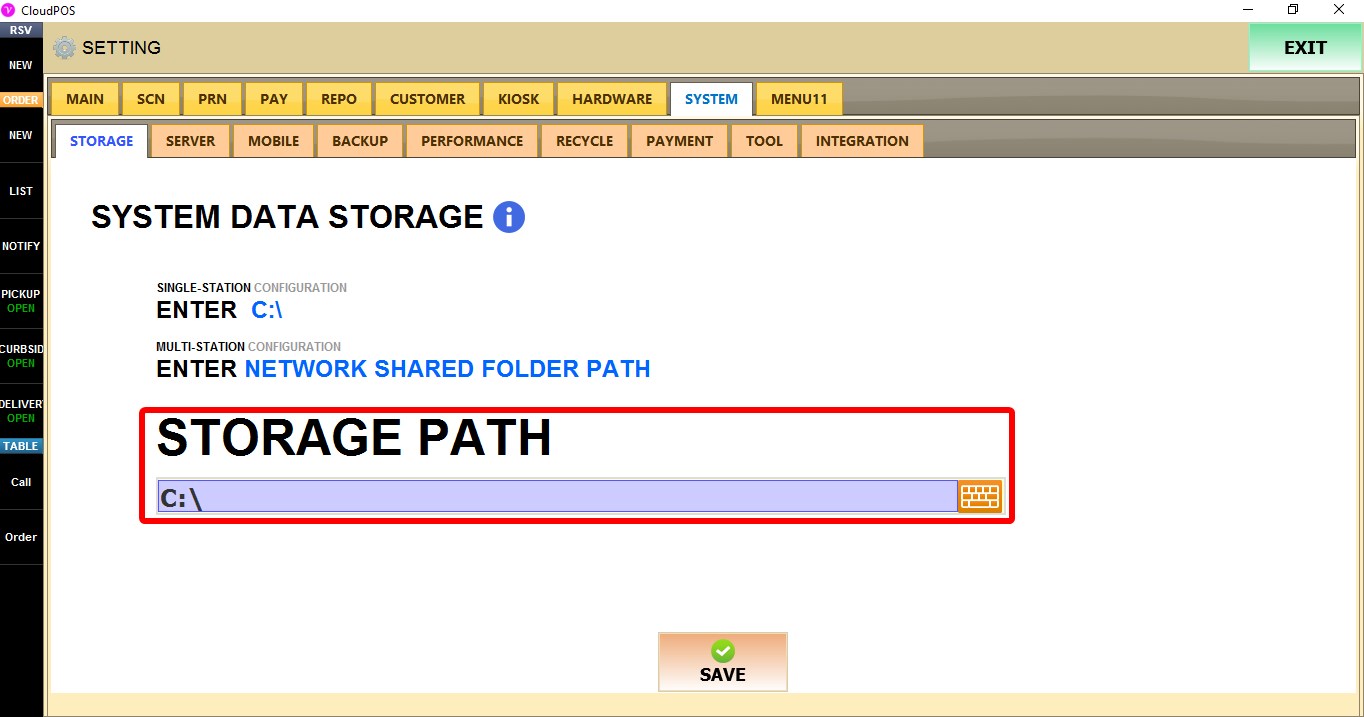
SINGLE-STATION CONFIGURATION: If you only have one POS enter the local storage path, for example C:\.
MULTI-STATION CONFIGURATION: If you have several POS. Enter the shared network folder path used by all workstations.
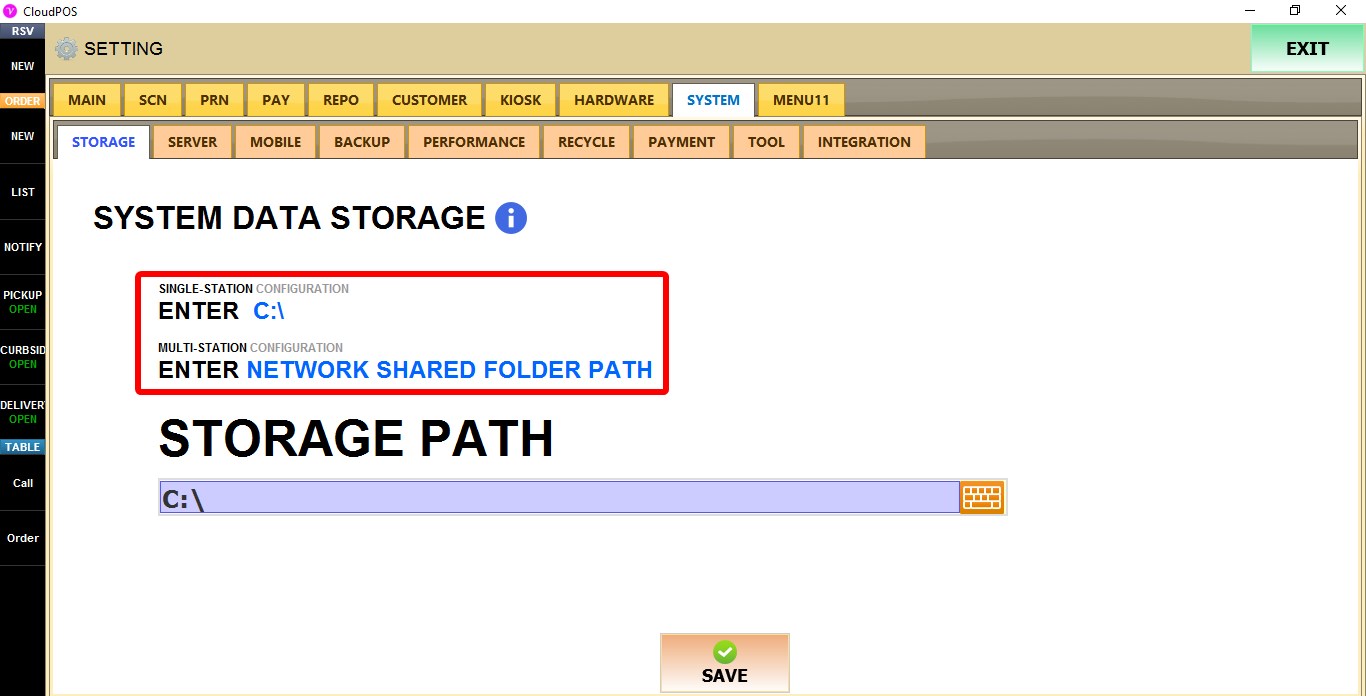
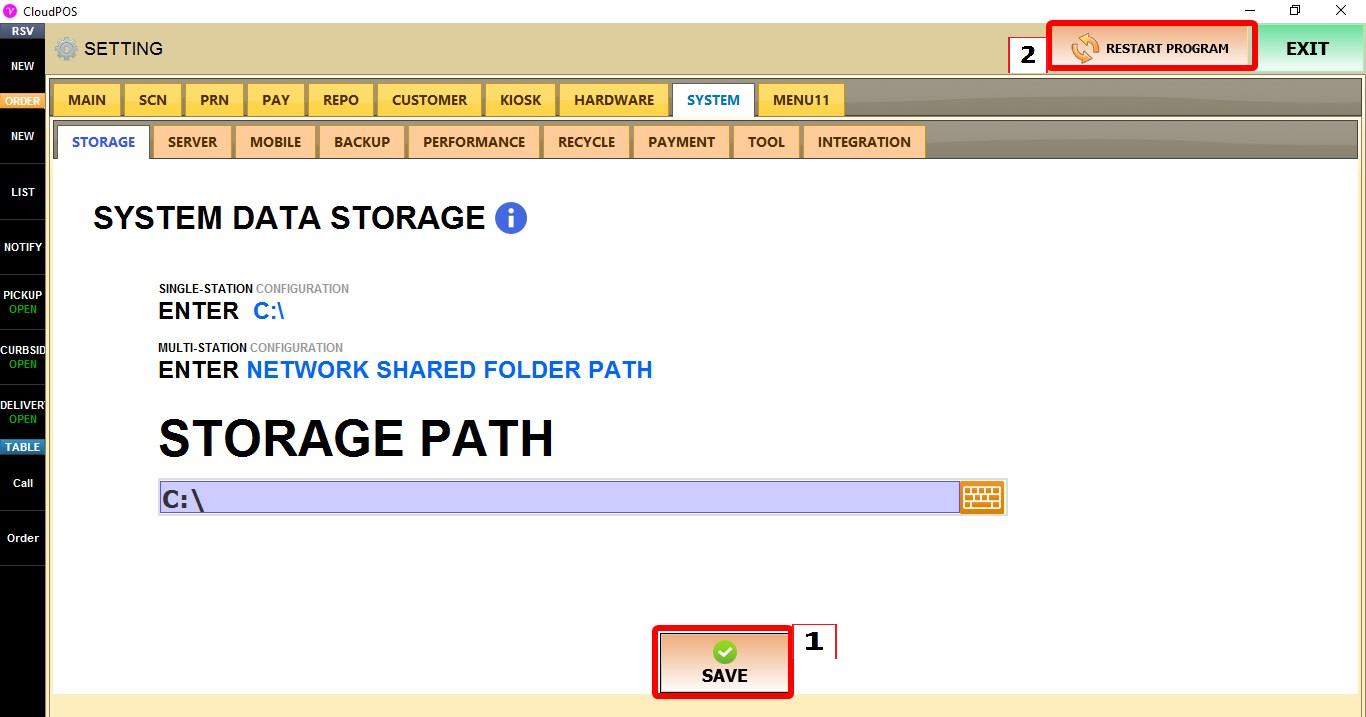
Click SAVE and restart the program to apply the changes.