Table Close
The TABLE CLOSE setting controls whether a table is closed automatically after payment or whether it must be closed manually by the employee.
MENU > SETTINGS > MAIN > SALES > TABLE MANAGEMENT
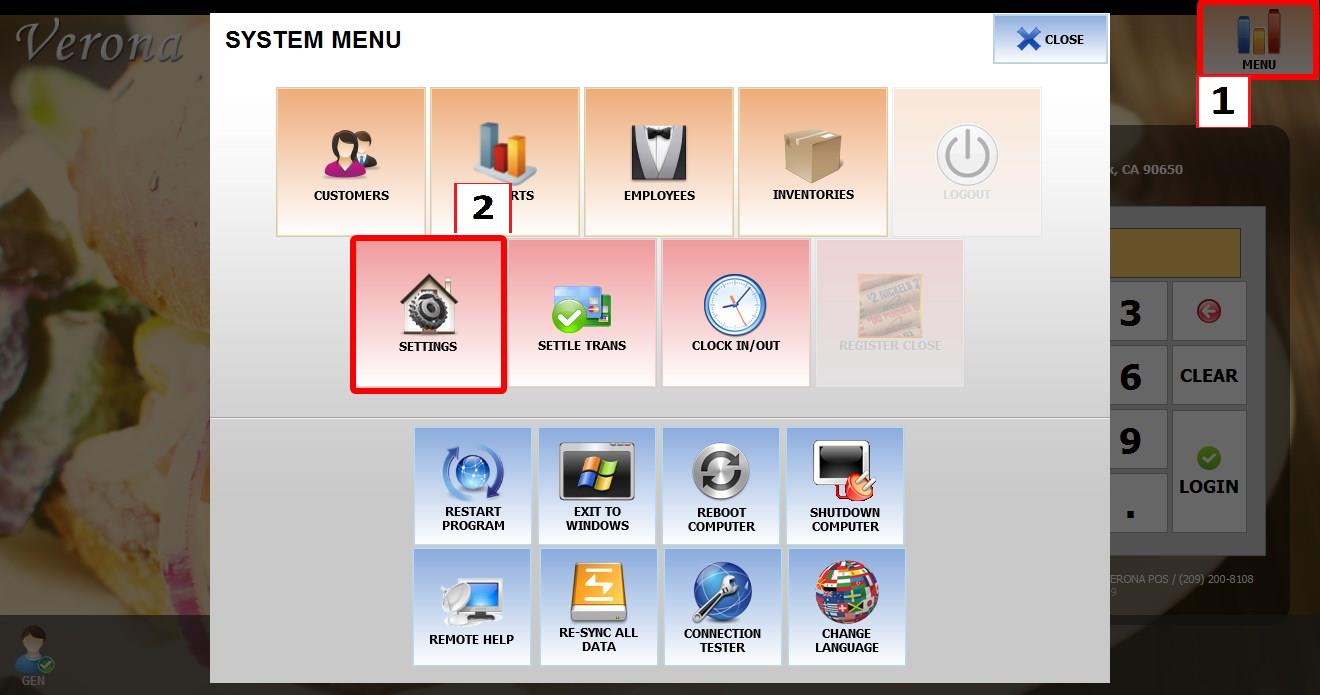
From the MAIN SCREEN, click MENU, then select SETTINGS.

Go to MAIN > SALES > TABLE MANAGEMENT.
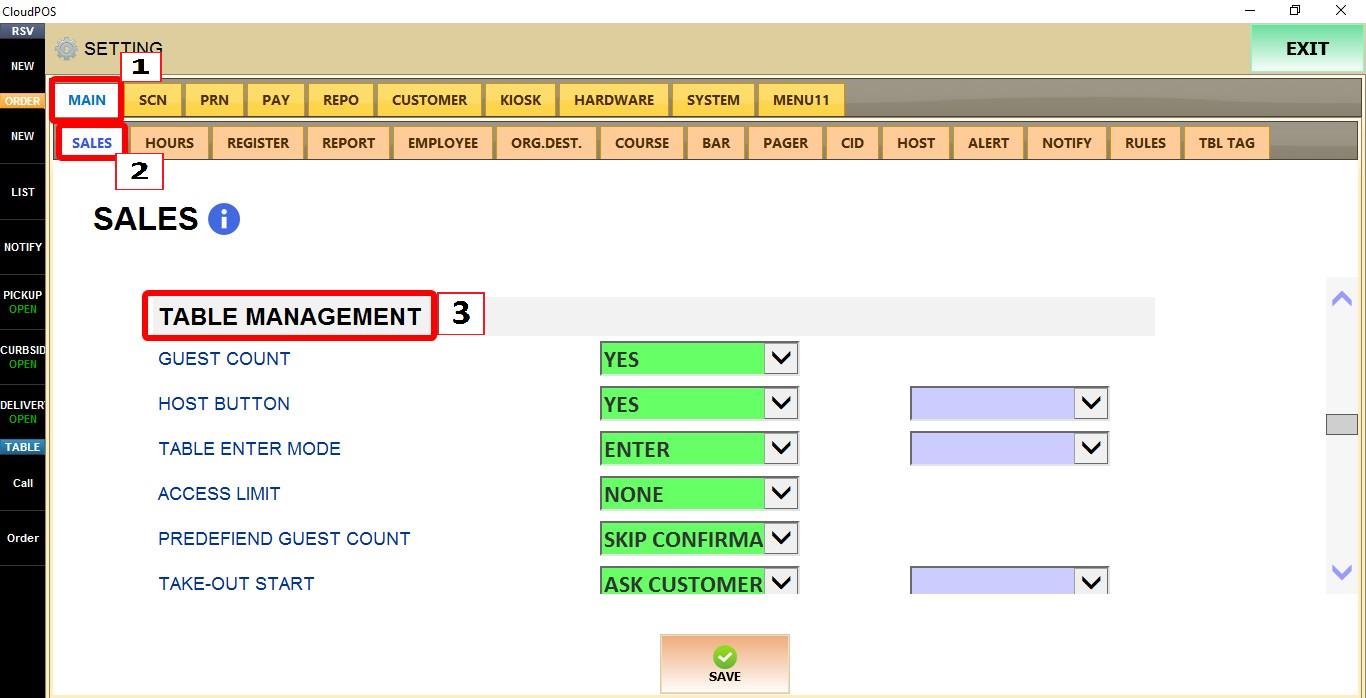
TABLE CLOSE
Controls how tables are closed after a payment has been completed.
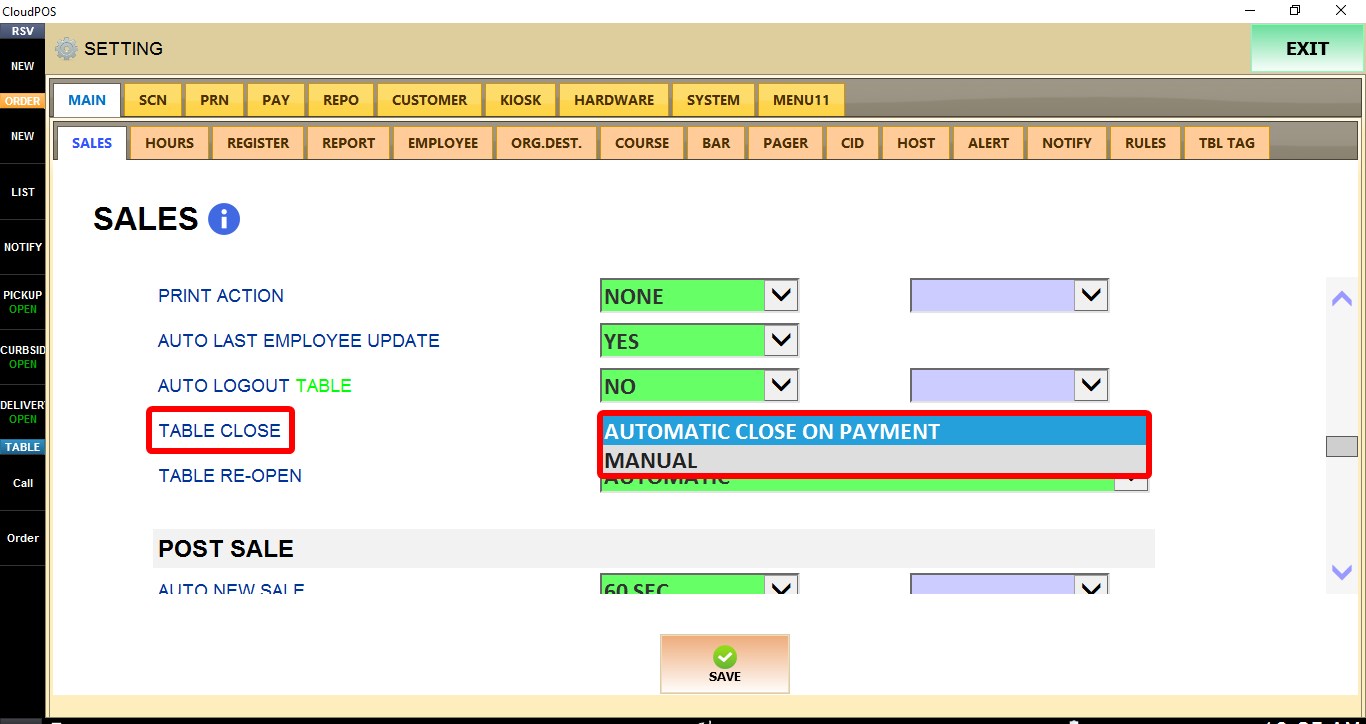
1. AUTOMATIC CLOSE ON PAYMENT: The table is automatically closed as soon as the payment is completed.
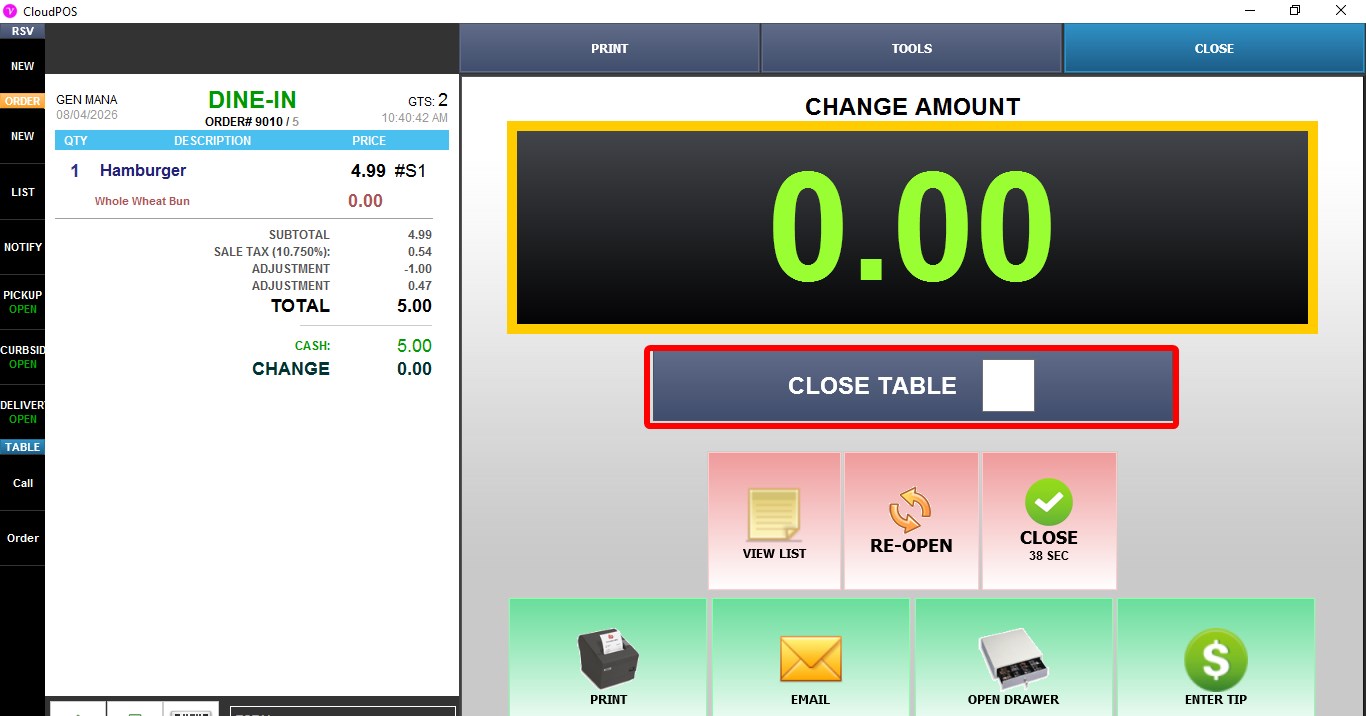
2. MANUAL: After the payment is completed, the employee must manually close the table. A CLOSE TABLE checkbox is displayed on the payment completion screen. If the checkbox is selected before clicking CLOSE, the table will be closed. If the checkbox is left unchecked, clicking CLOSE returns to the table map and the table remains open.
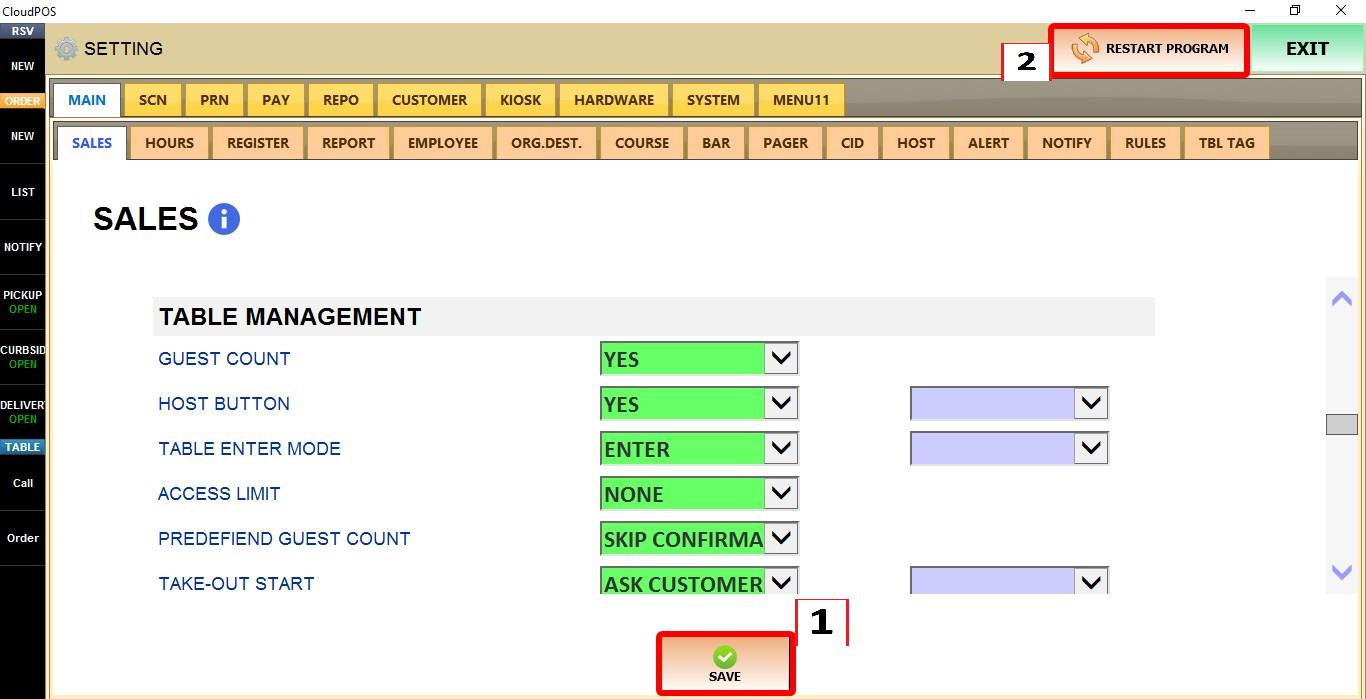
Click SAVE to apply the changes, then RESTART the program.