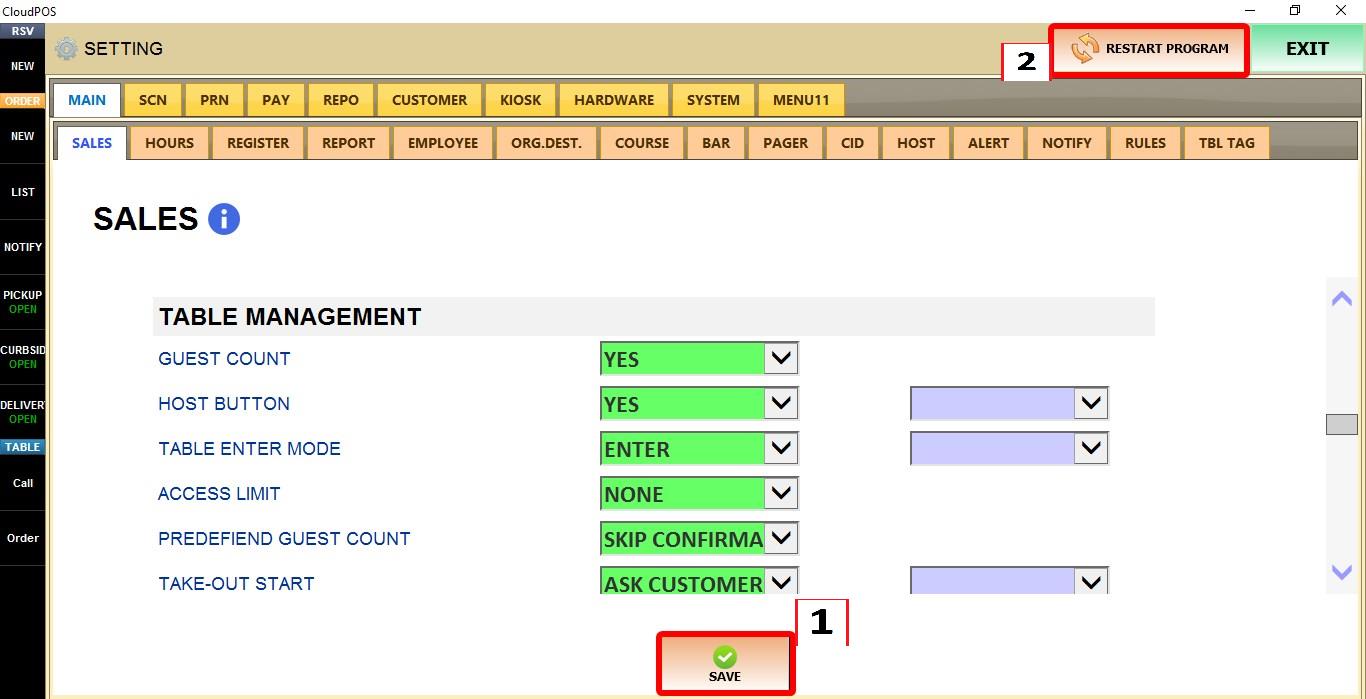
Access Limit
The ACCESS LIMIT setting controls whether tables can be accessed by any employee or only by the employee who originally opened them.
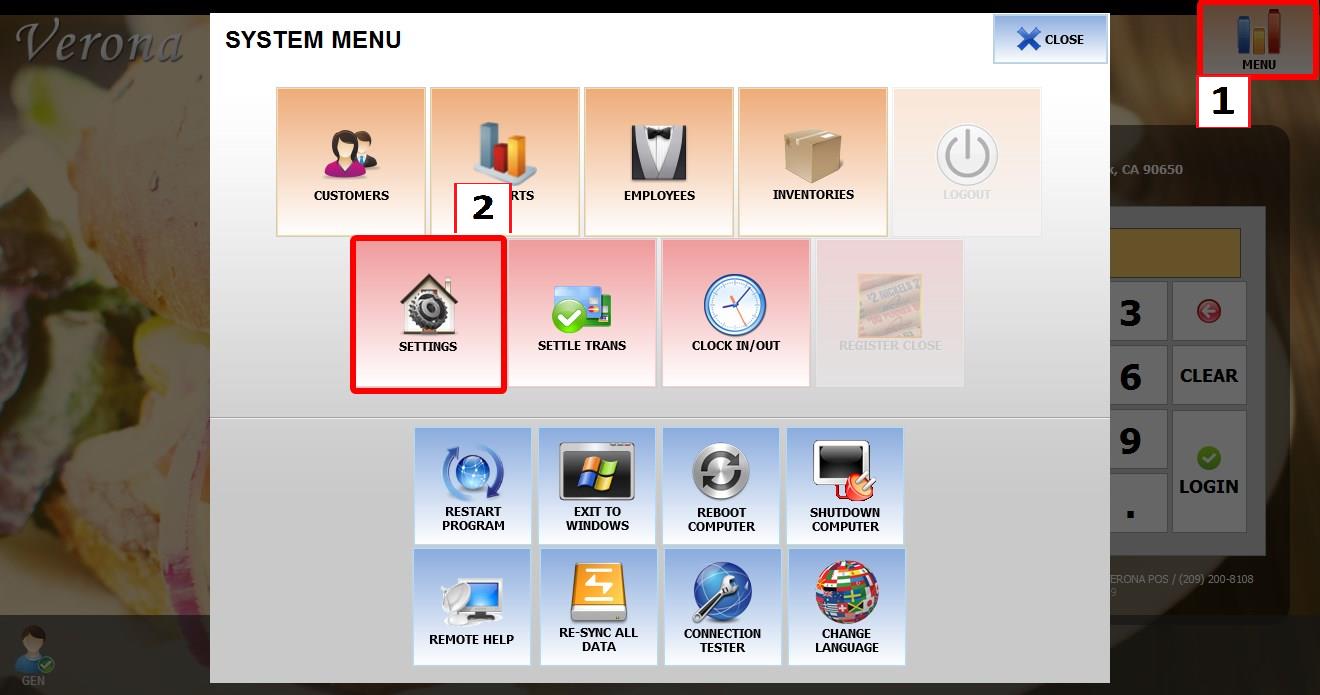
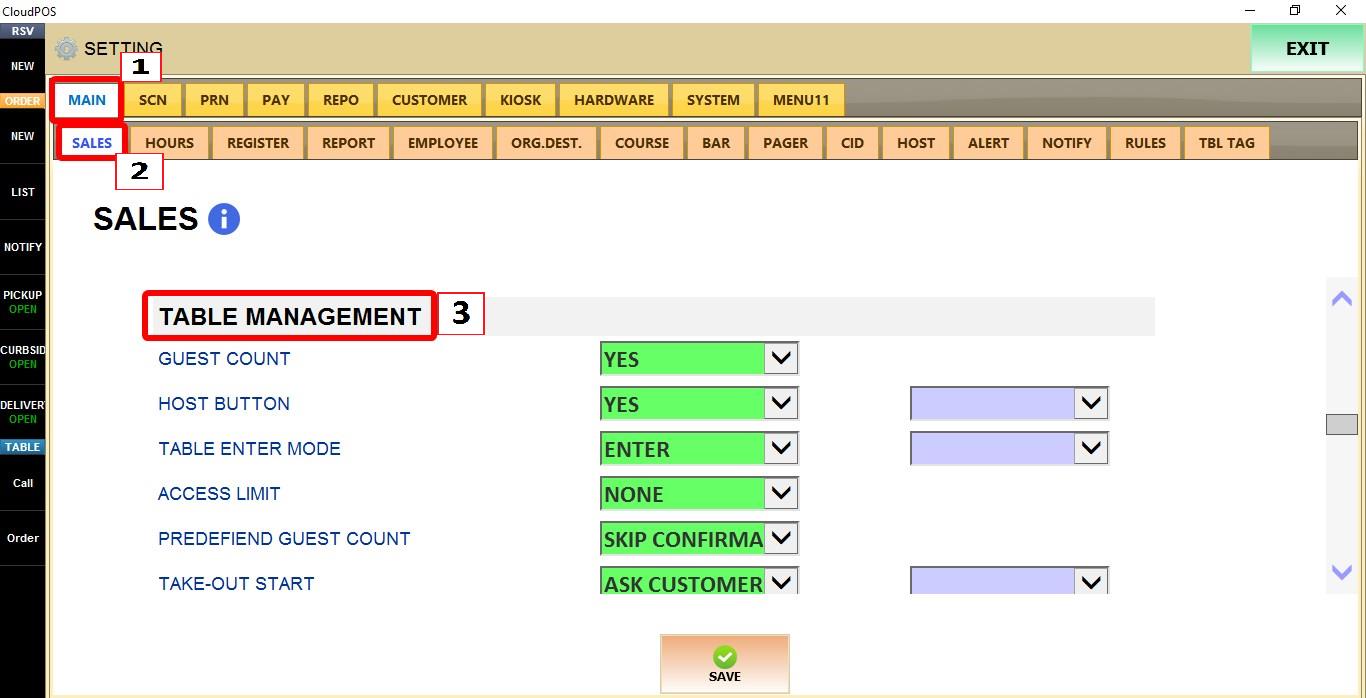
MENU > SETTINGS > MAIN > SALES > TABLE MANAGEMENT
From the MAIN SCREEN, click MENU, then select SETTINGS.

Go to MAIN > SALES > TABLE MANAGEMENT.
ACCESS LIMIT
Controls whether tables can be accessed by all employees or only by the employee who opened the table.
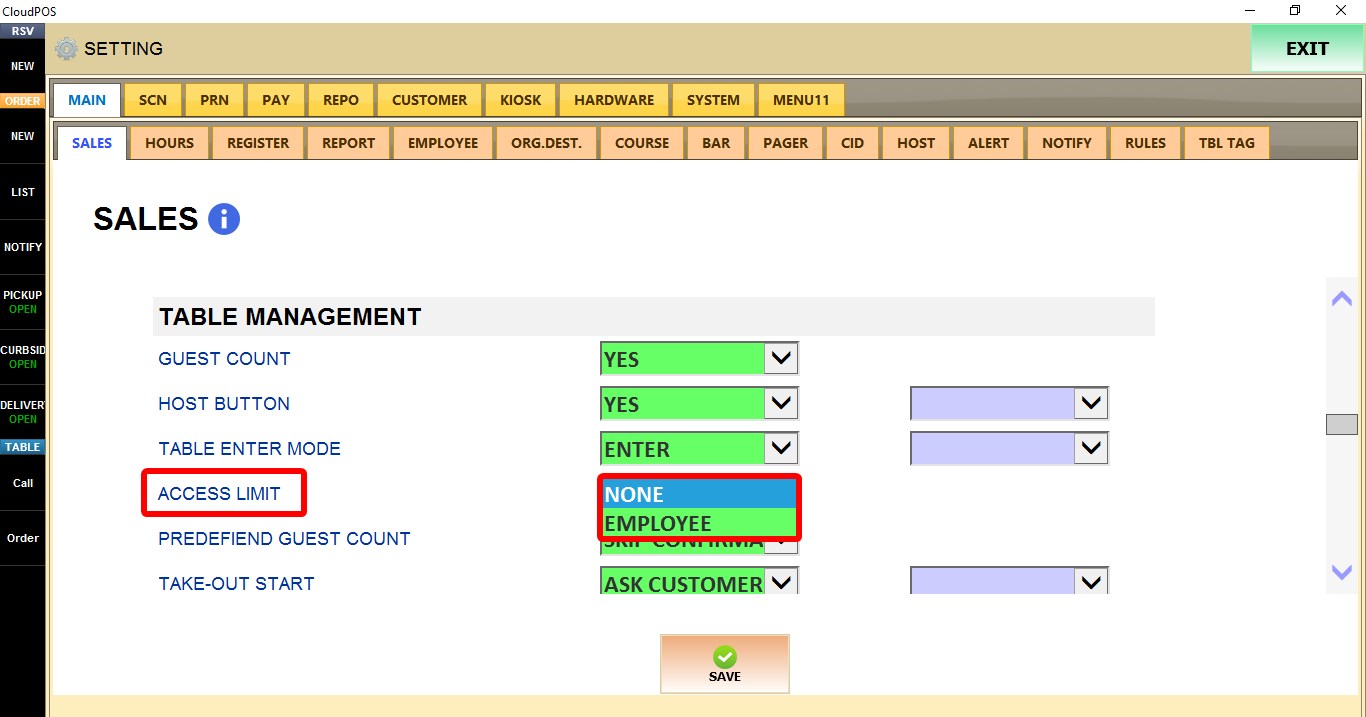
1. NONE: Any employee can open and access any table.
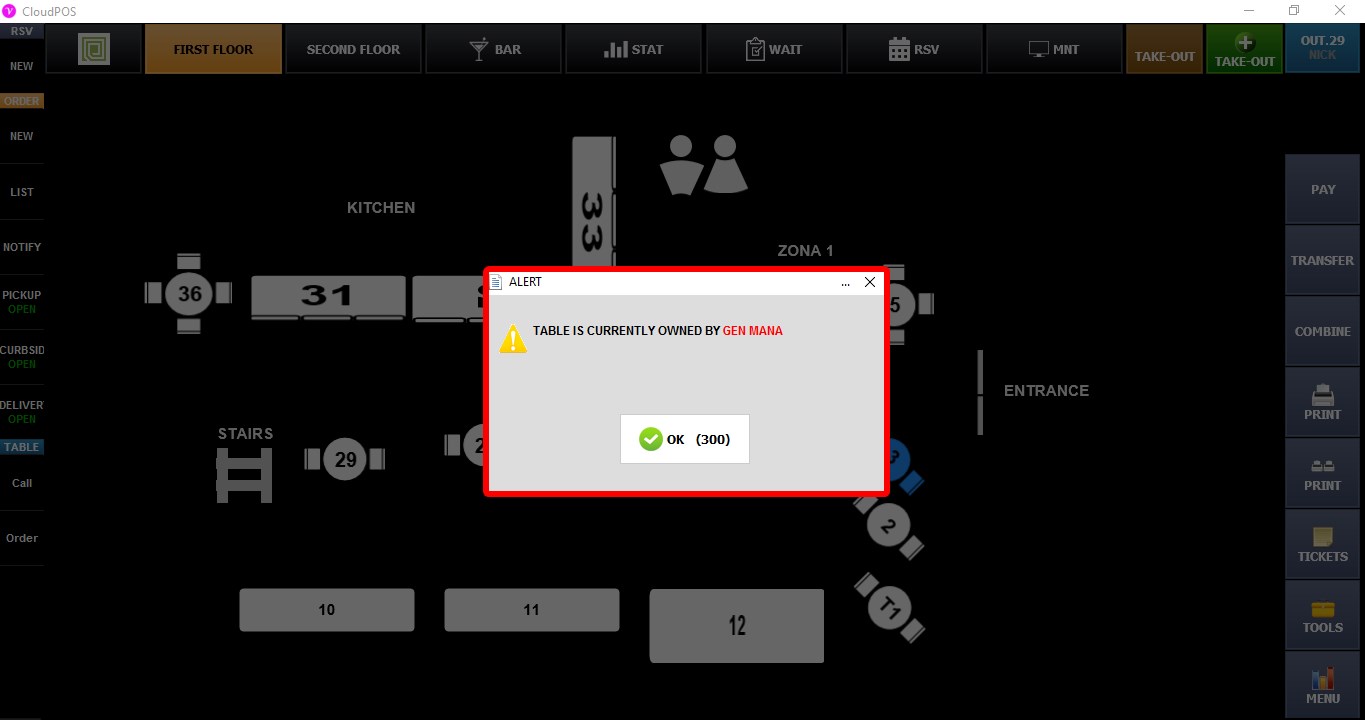
2. EMPLOYEE: The employee who opens the table becomes its owner. Other employees cannot open that table. If another employee attempts to access it, On the table map, tables owned by other employees appear with a dark, opaque tint to indicate they are unavailable.
Click SAVE and RESTART PROGRAM to apply the changes.