Messaging
The MESSAGING section allows you to configure automatic text messages sent to guests during the waiting list process.
MENU > SETTINGS > MAIN > HOST > MESSAGING
From the MAIN SCREEN, click MENU, then select SETTINGS.

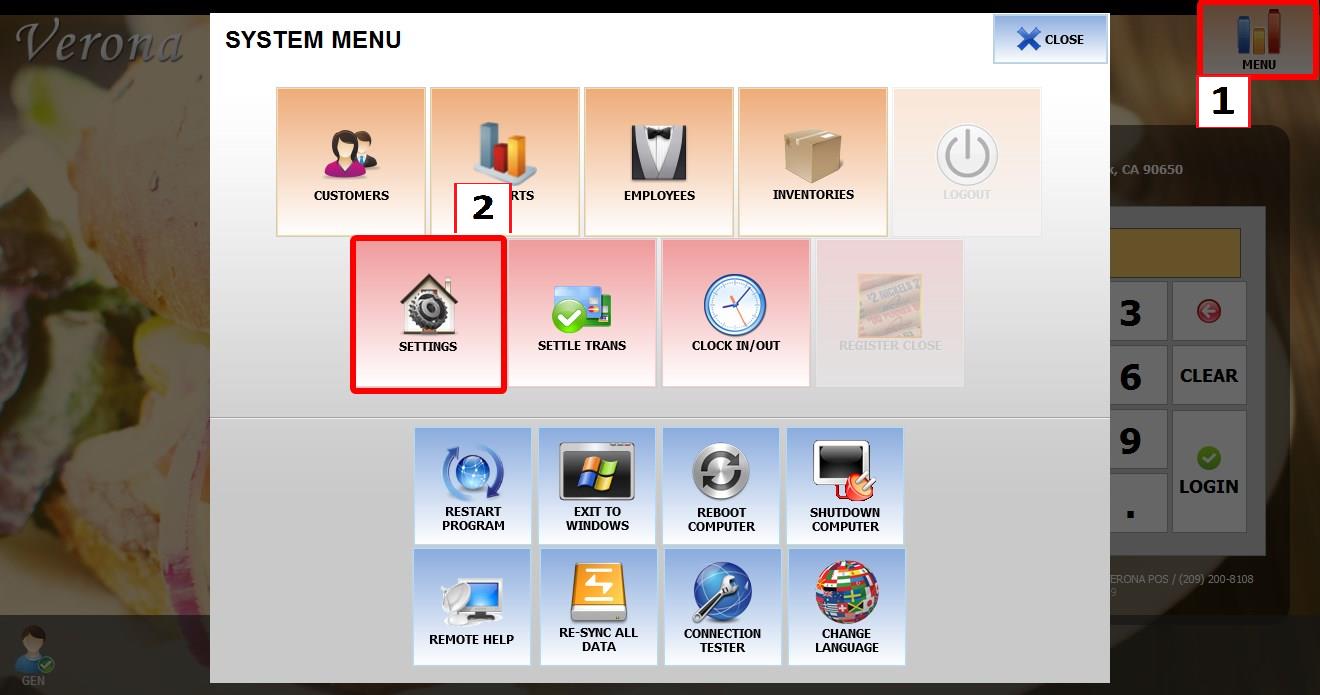
Go to MAIN > HOST > MESSAGING
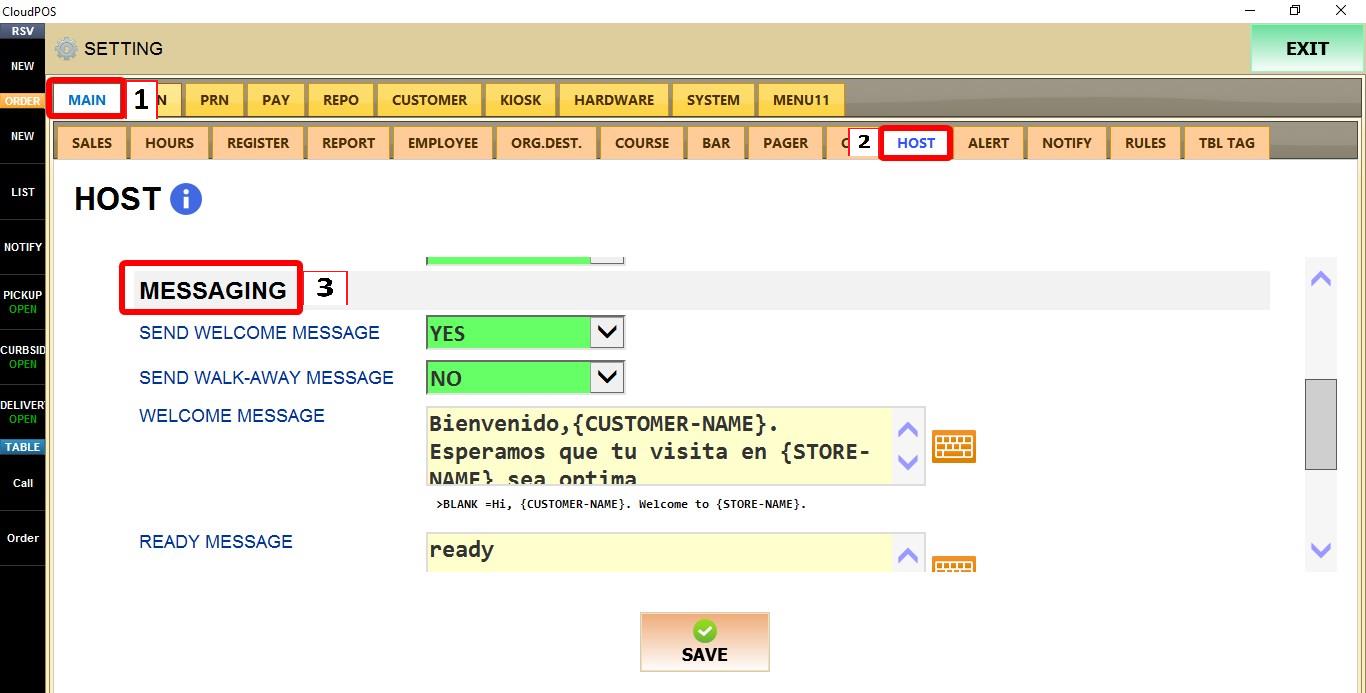
SEND WELCOME MESSAGE
Controls whether a welcome message is sent when a guest is added to the waiting list.


1. NO: Disables the welcome message.
2. YES: Sends the welcome message automatically.
SEND WALK-AWAY MESSAGE
Controls whether a message is sent when a guest's reservation is canceled after walking away.


1. NO: Disables the walk-away message.
2. YES: Sends the walk-away message automatically.
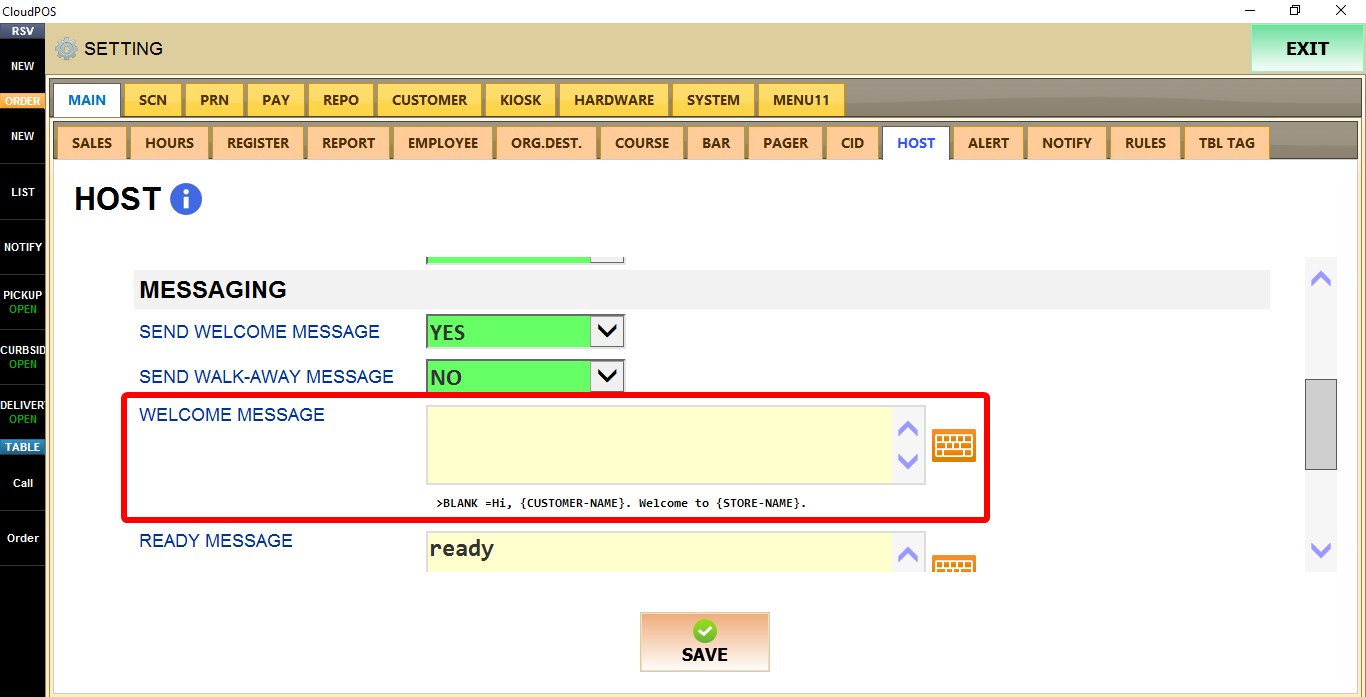
WELCOME MESSAGE
Defines the message sent when a guest joins the waiting list.
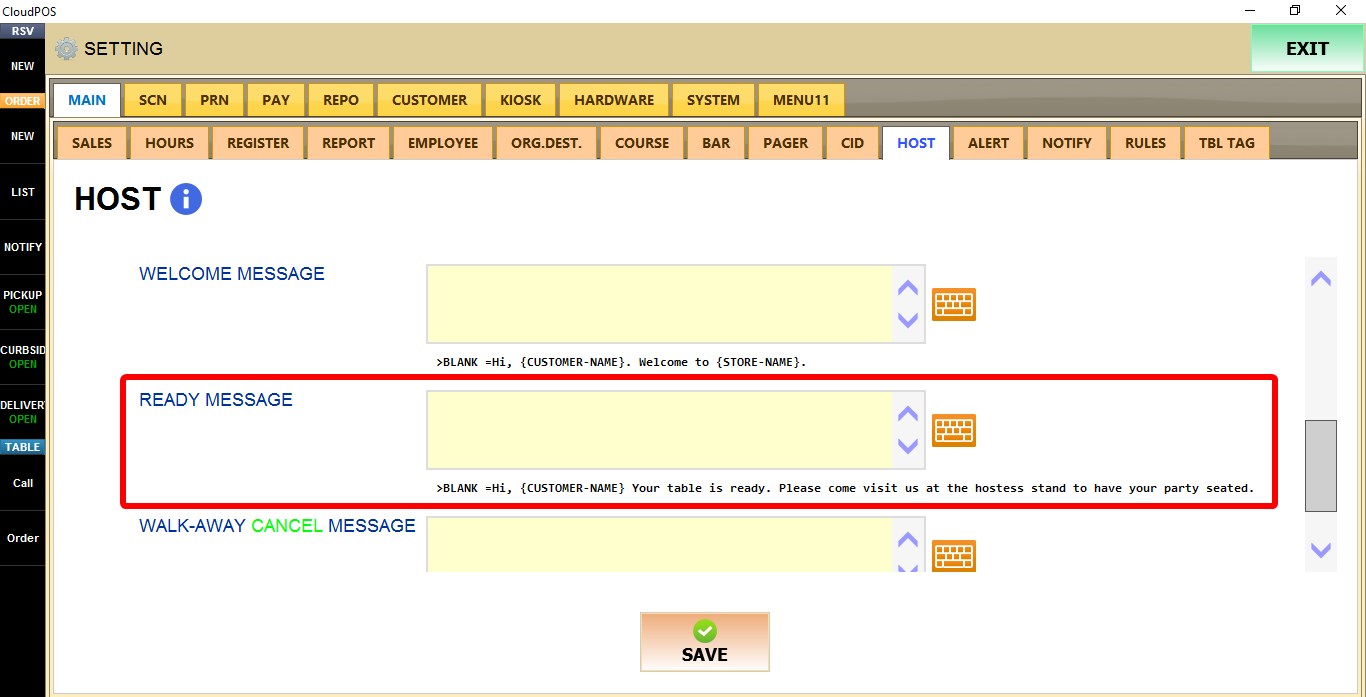
READY MESSAGE
Defines the message sent when a table becomes available.
WALK-AWAY CANCEL MESSAGE
Defines the message sent when a waiting list reservation is canceled.


 Refer to the Host mode guide to see the hosting operations.