Communication (Call) QR
The Communication settings allow you to customize the buttons displayed when customers use the CALL SERVER feature in QR Contactless Dining. This lets restaurants personalize common customer requests, making communication faster and more efficient.
MAIN SCREEN > MENU > SETTINGS > MENU11 > CONTACTLESS > COMMUNICATION
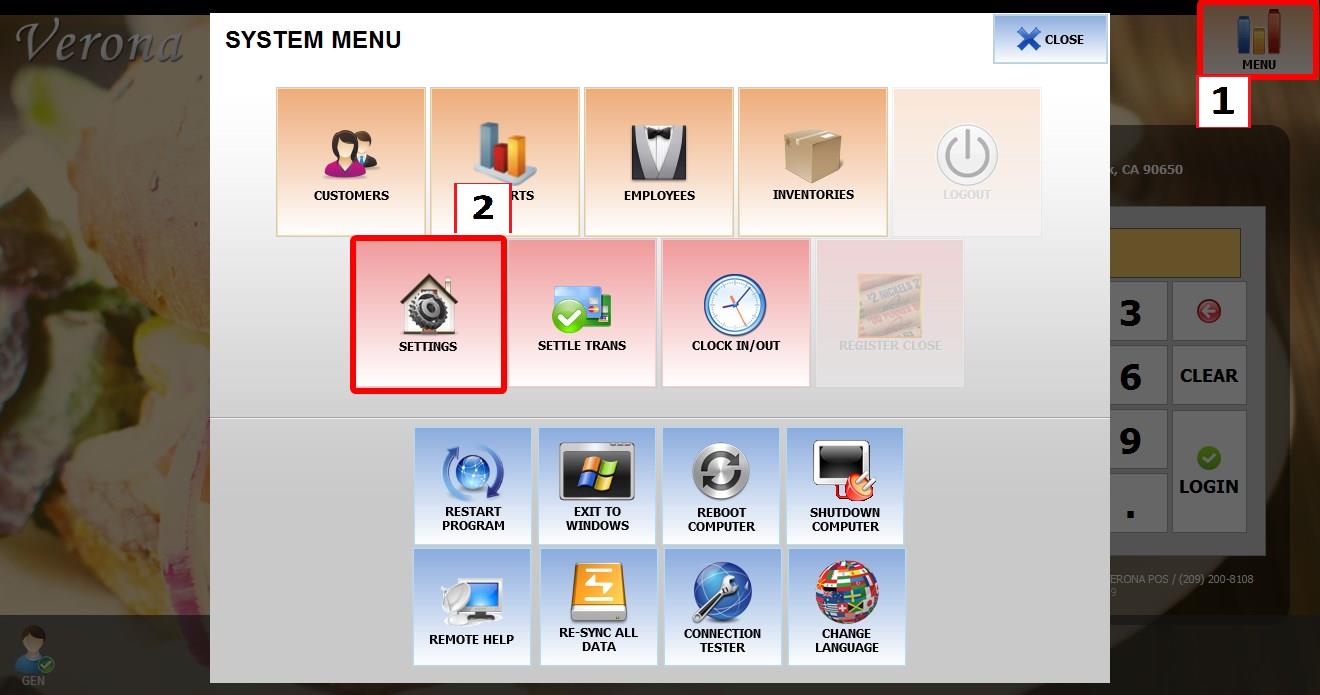
Go to MENU then SETTINGS.
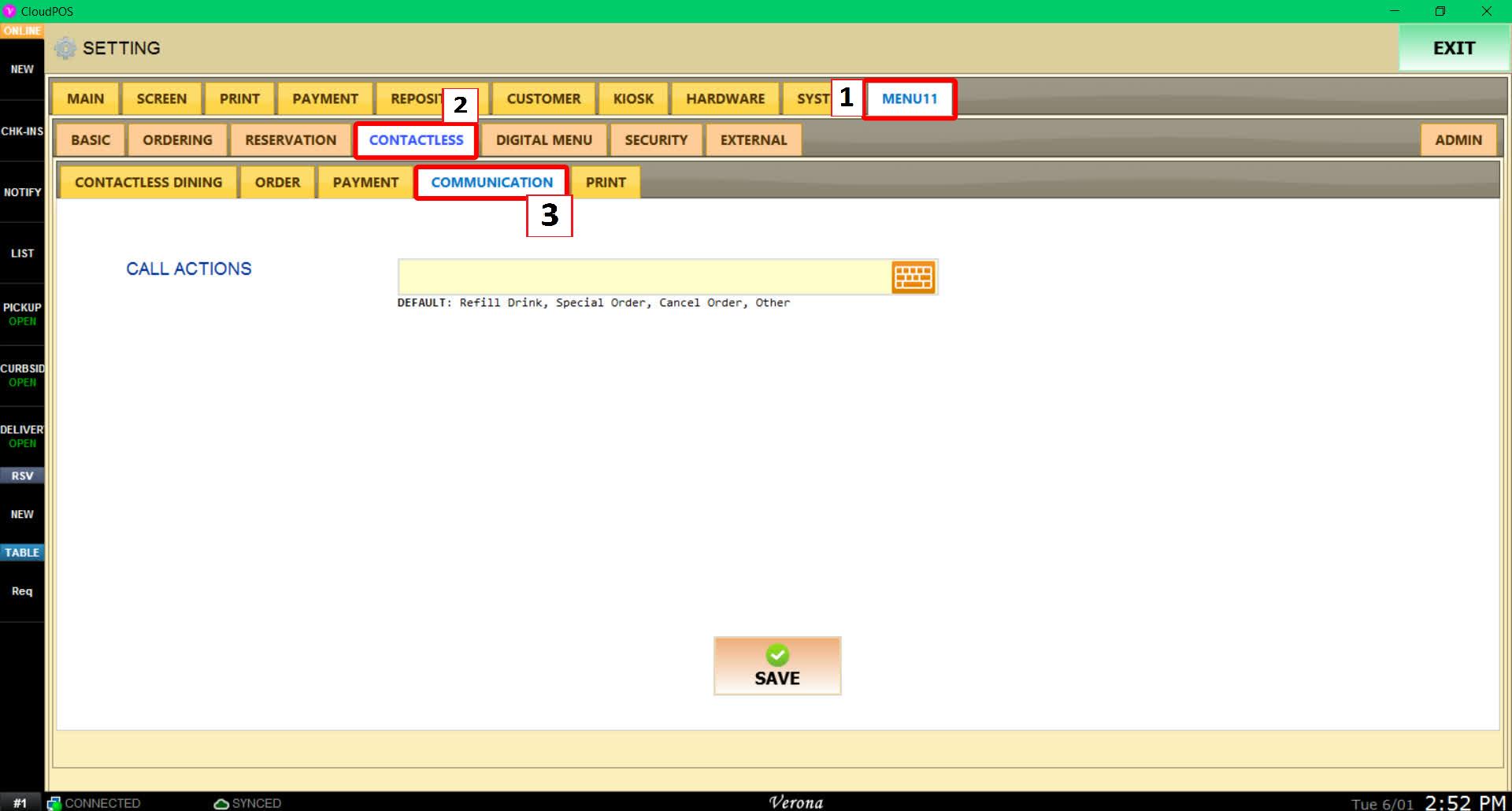
Go to MENU11, then CONTACTLESS, then COMMUNICATION.
Configure call actions
Edit the names in the CALL ACTION section to change the buttons customers will see when using the CALL SERVER feature.
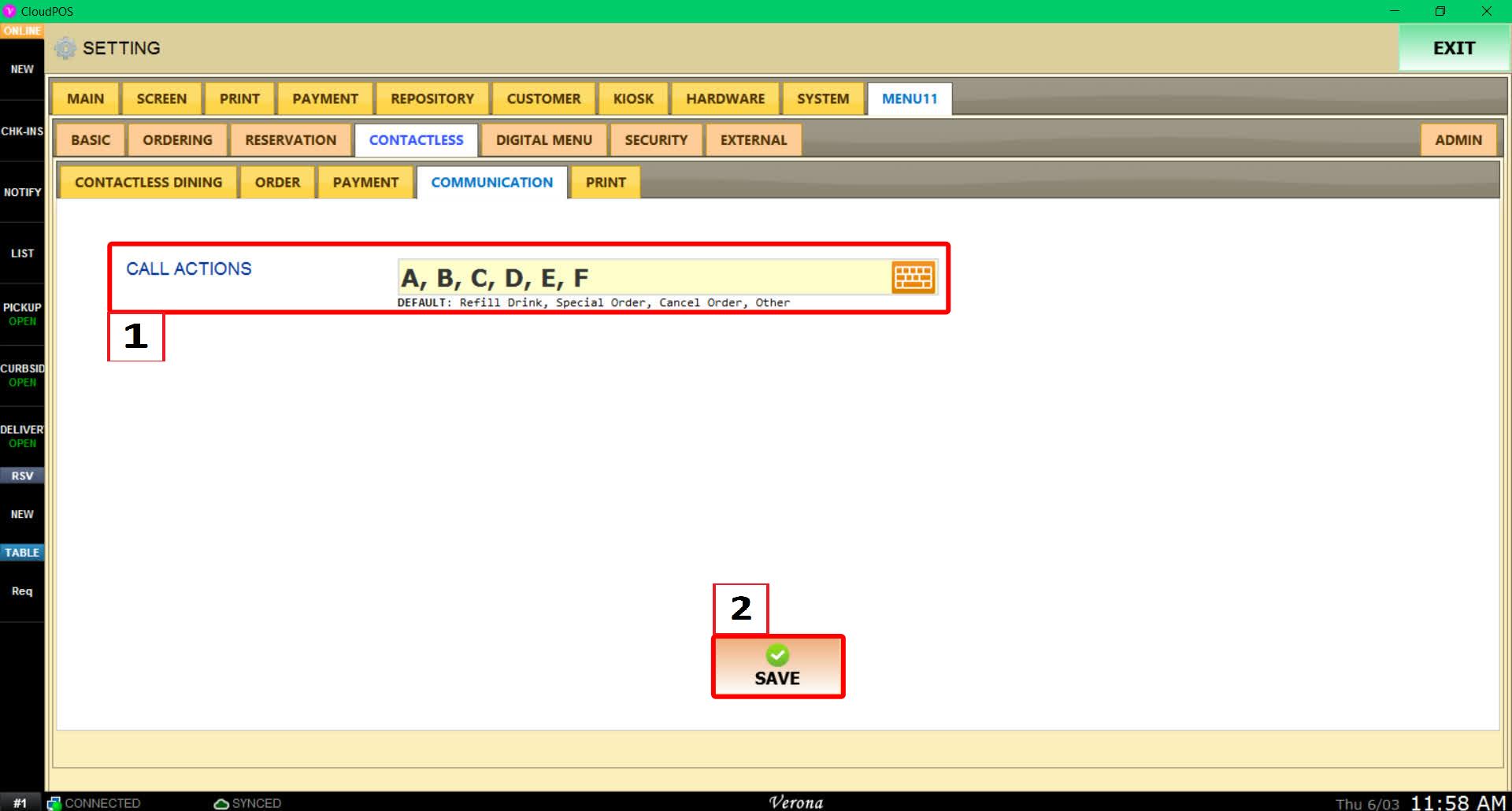
HINT: You can create more than the default four call action buttons by entering additional CALL ACTION names.
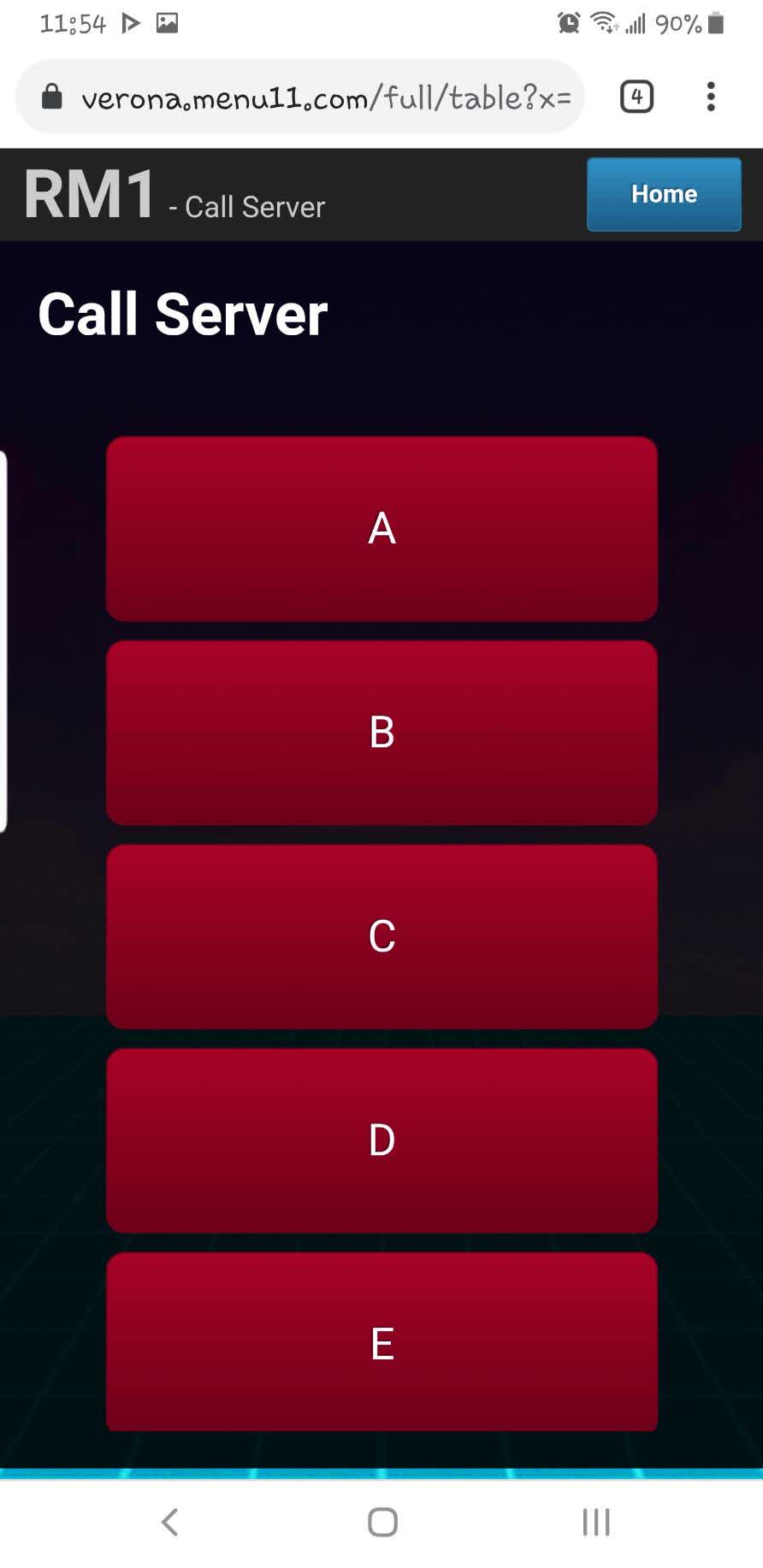
RESULT
To learn how to access the CALL SERVER screen, please refer to the How to Use QR Contactless Dining as a Customer Guide
The CALL SERVER screen will display the customized call action buttons you configured.
```