Quantity (QTY)
The QTY Price Type calculates the item's total price by multiplying the entered quantity by the configured DEFAULT PRICE. This price type is useful for items sold by units, portions, or custom quantities.
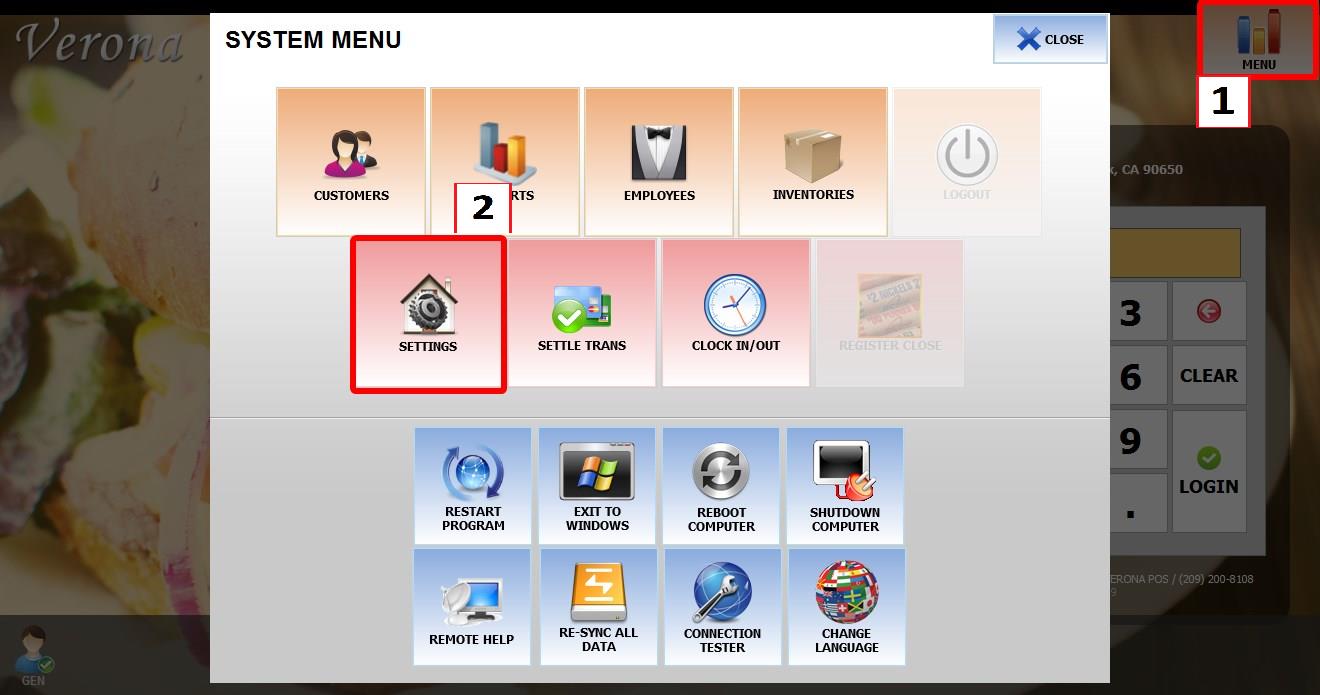
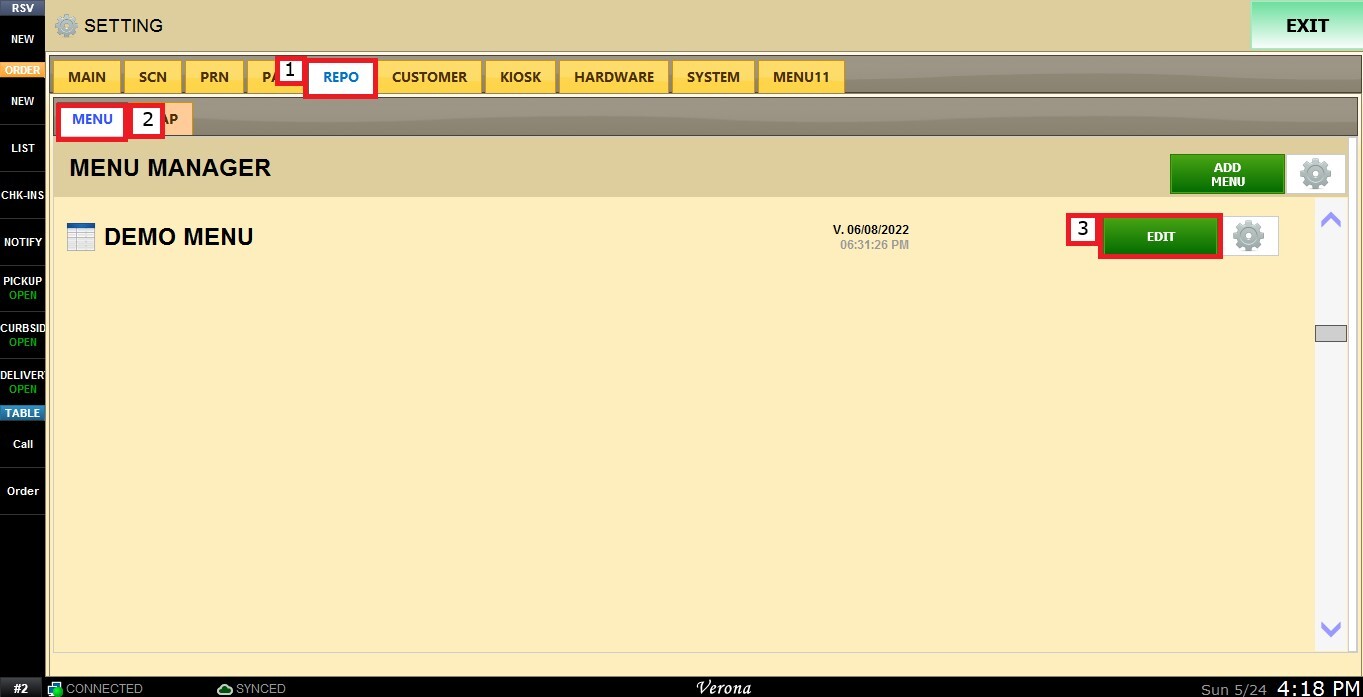
Main Screen > MENU > SETTINGS > REPO > EDIT > PRICE TYPE
Go to MENU, then SETTINGS.
Go to REPO, locate the menu you want to modify, and click EDIT.
Select the item you want to configure. Scroll down through the item settings until you find the PRICE TYPE dropdown menu.
Select QTY.
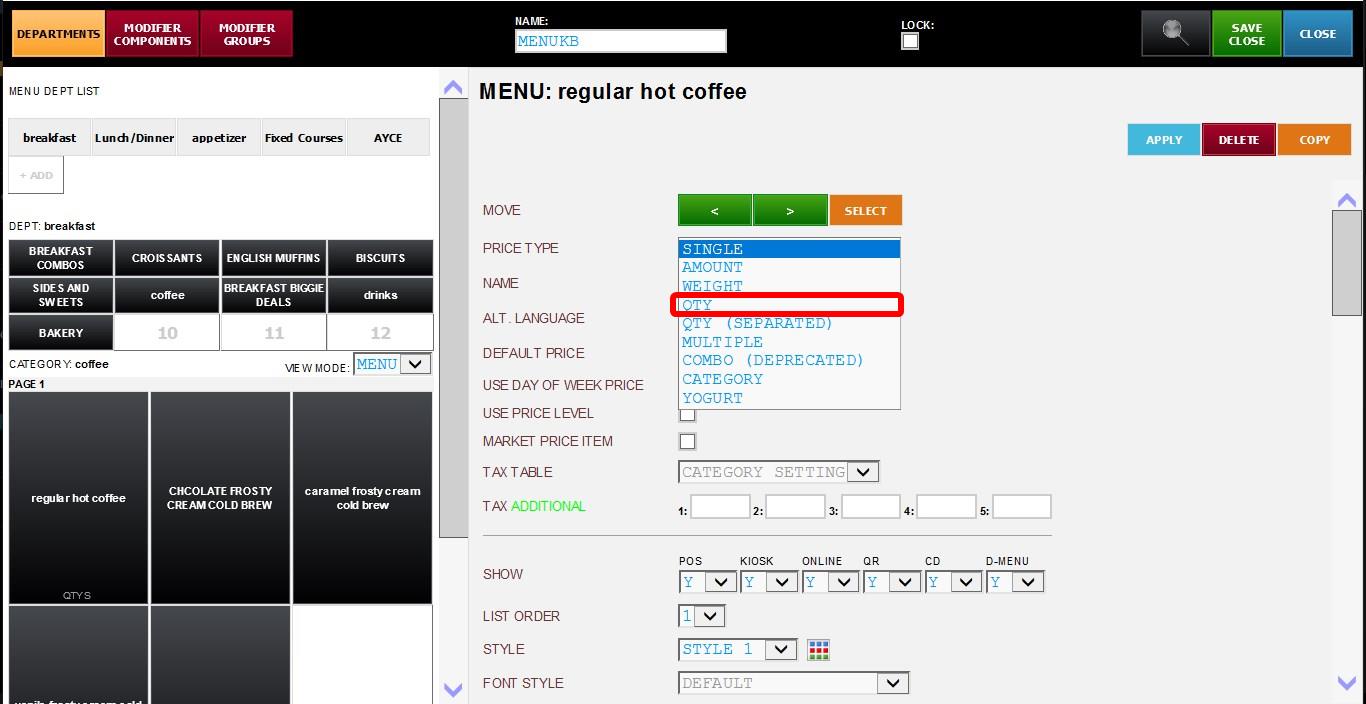
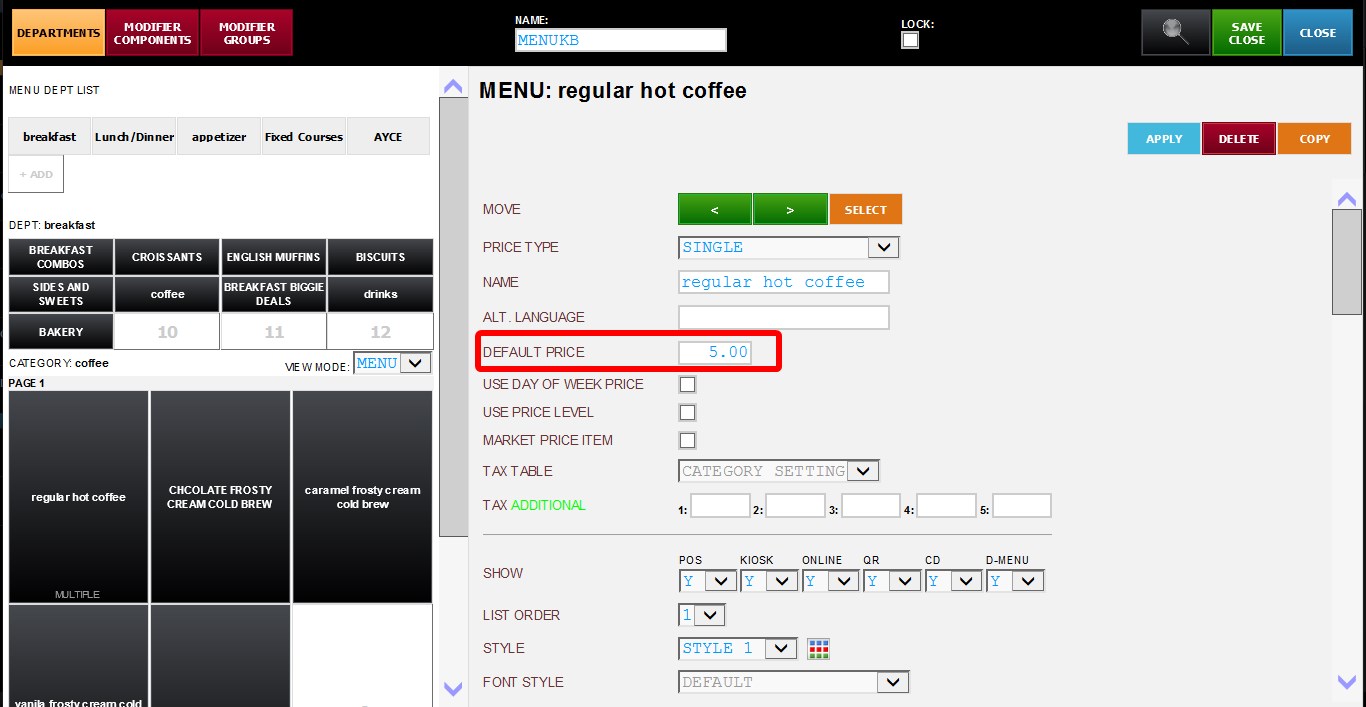
Input the item price in the DEFAULT PRICE field.
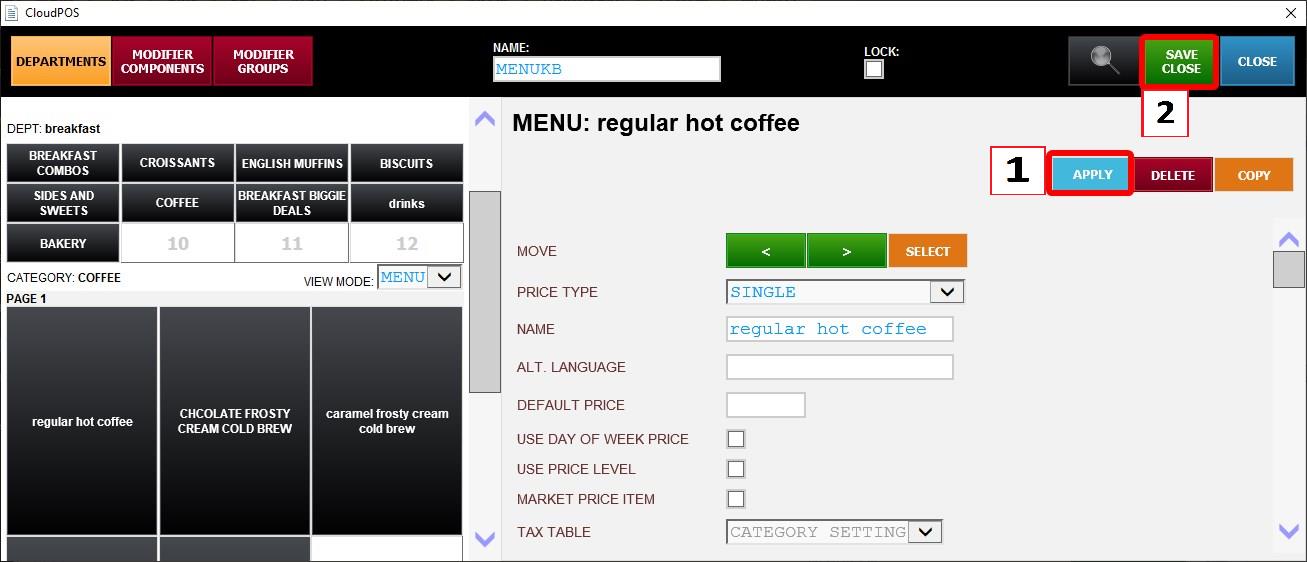
Click APPLY, and press SAVE & CLOSE. Then restart the program.
Result:
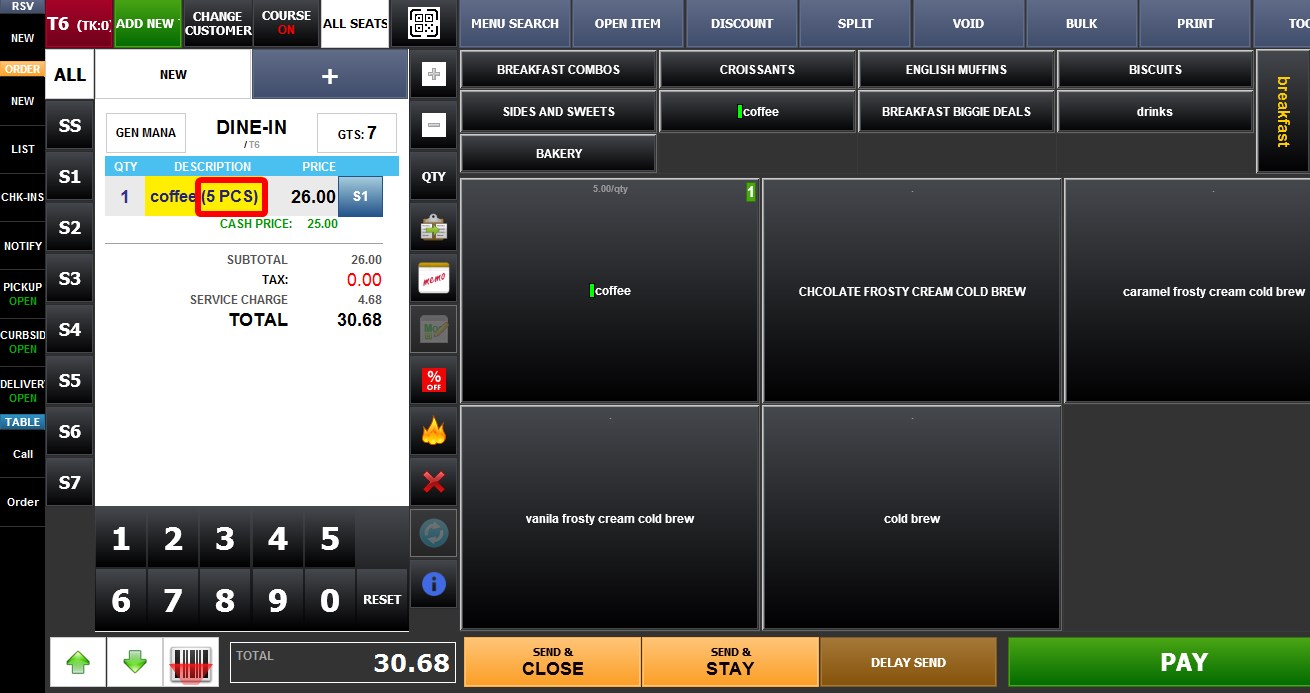
When the item is selected on the Sales Screen, the system will prompt for a quantity value.
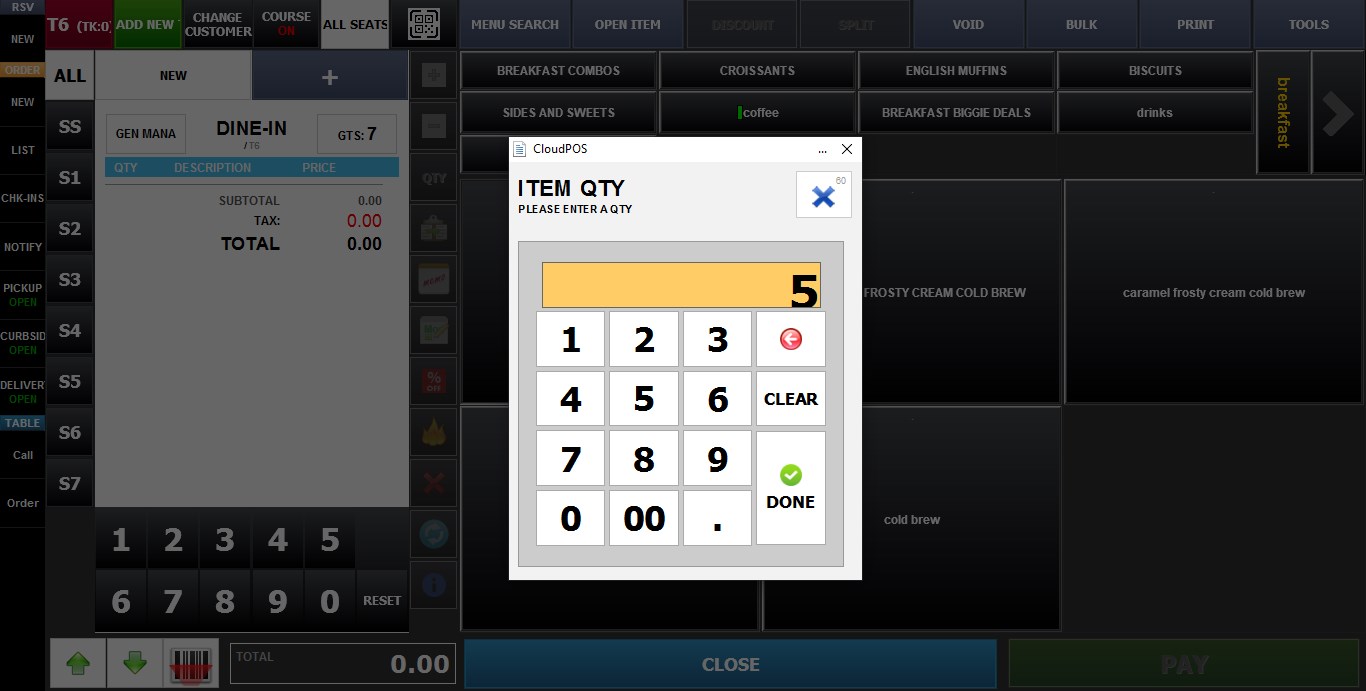
The total item price will be automatically calculated by multiplying the entered quantity by the configured default price.
The order ticket will display a quantity of 1, regardless of the amount entered.
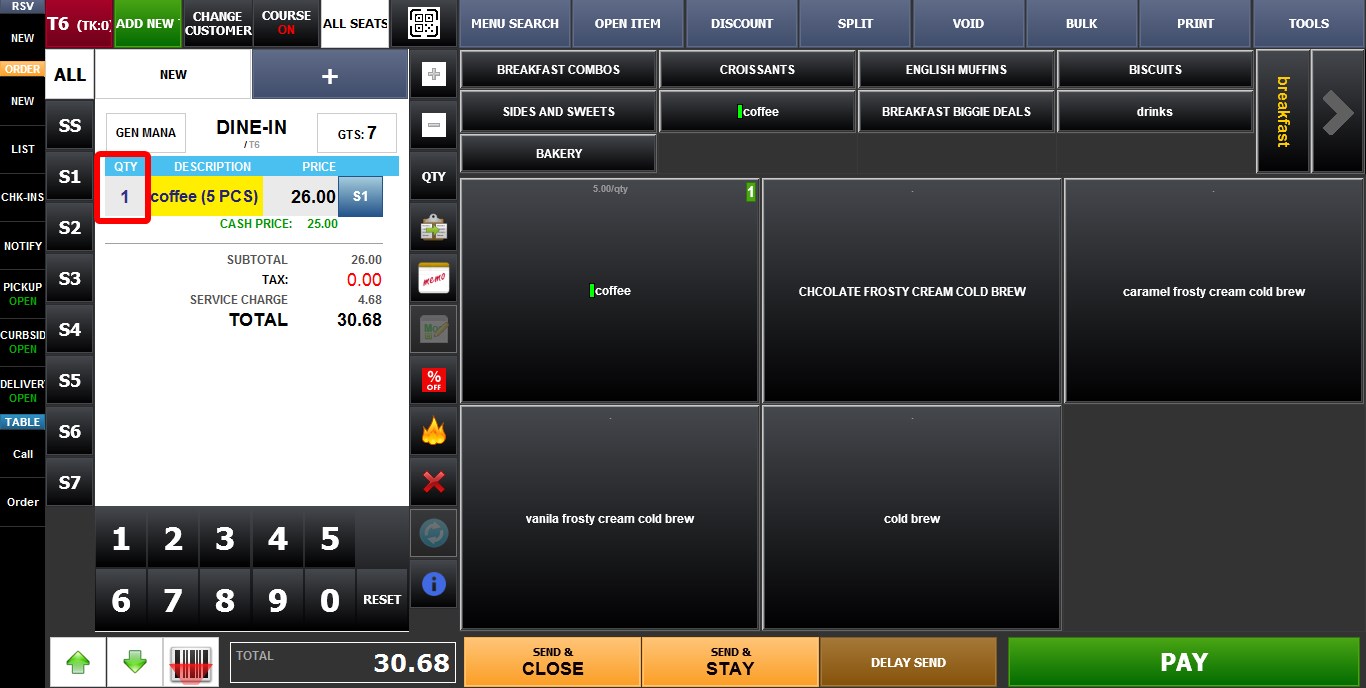
The entered quantity is instead displayed as part of the item name.