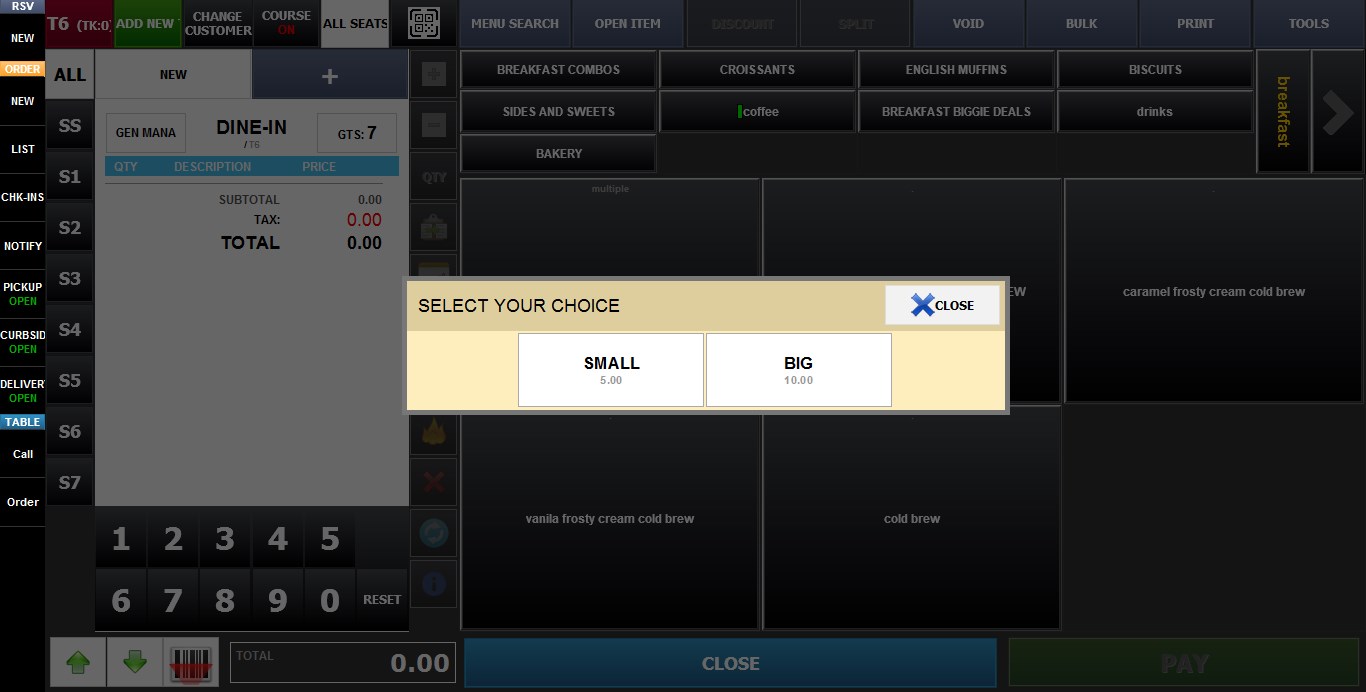
Multiple
The MULTIPLE Price Type allows a single item to contain multiple selectable options, each with its own name, price, and optional modifier assignment.
MENU > SETTINGS > REPO > EDIT > PRICE TYPE
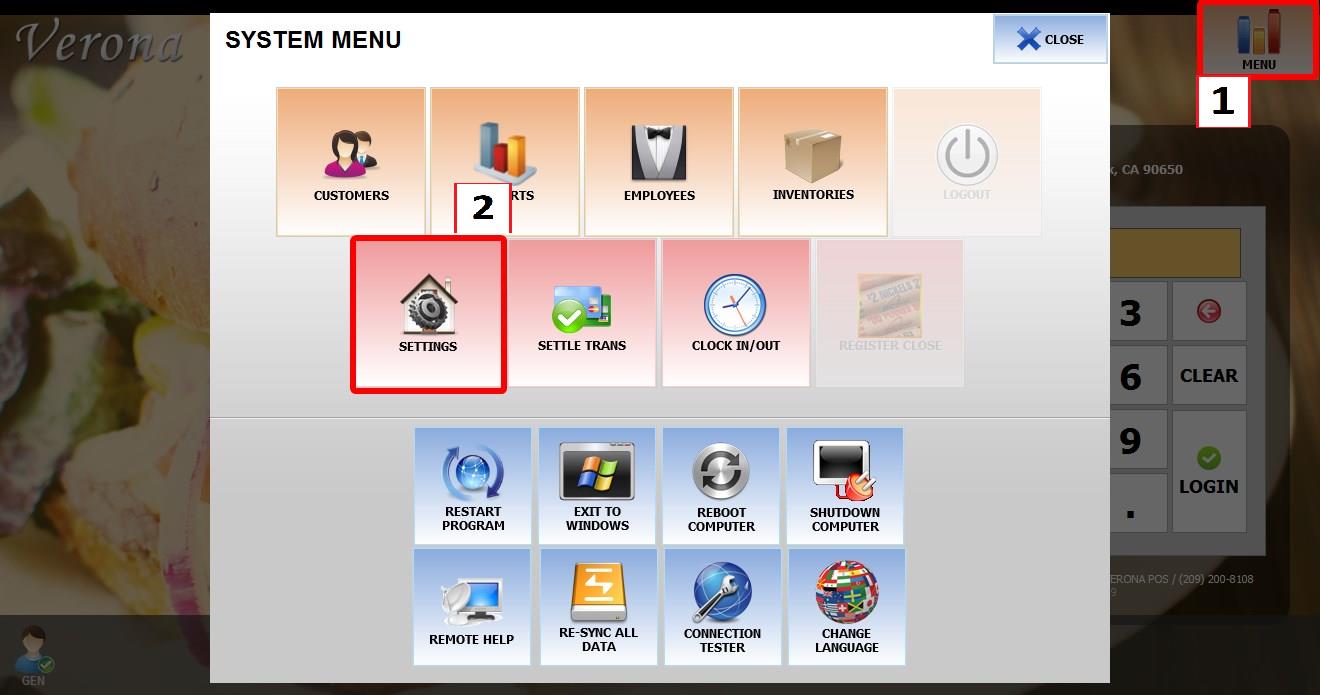
Go to MENU, then select SETTINGS.
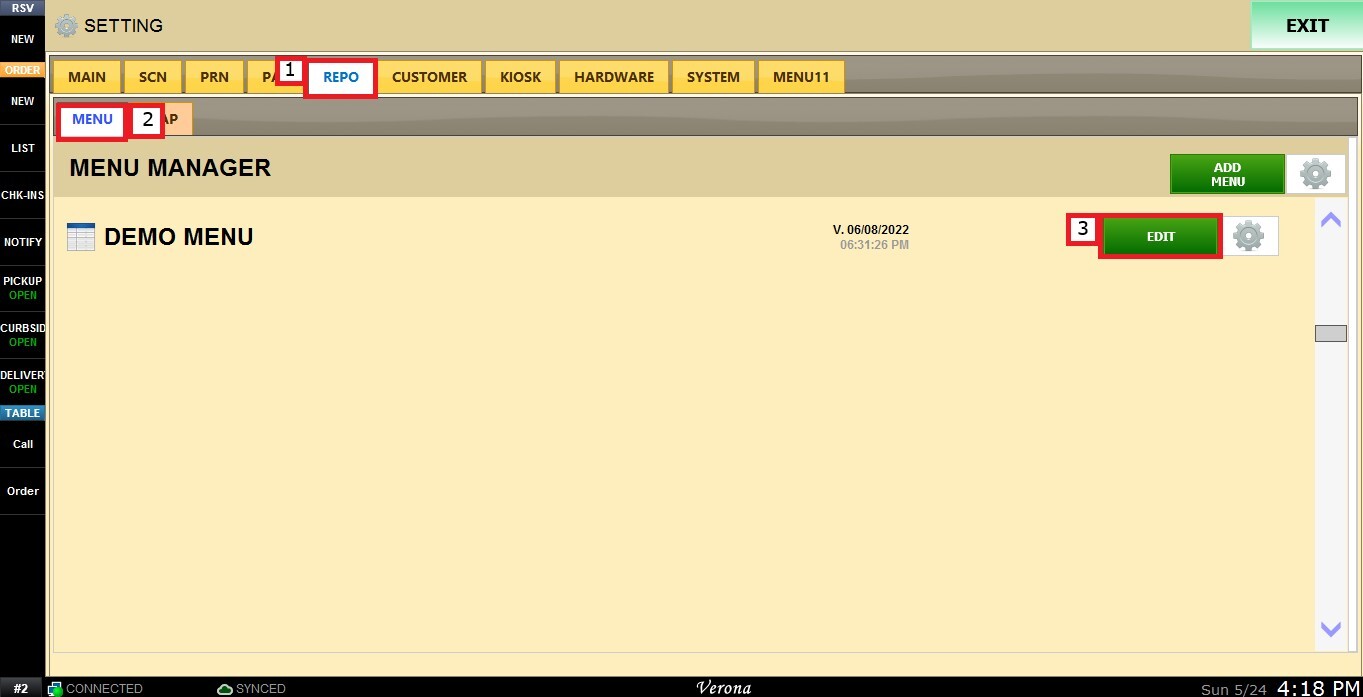
Go to REPO, locate your menu, then click EDIT.
Select the item you want to configure. Scroll down through the item settings until you find the PRICE TYPE dropdown menu.
Select MULTIPLE.
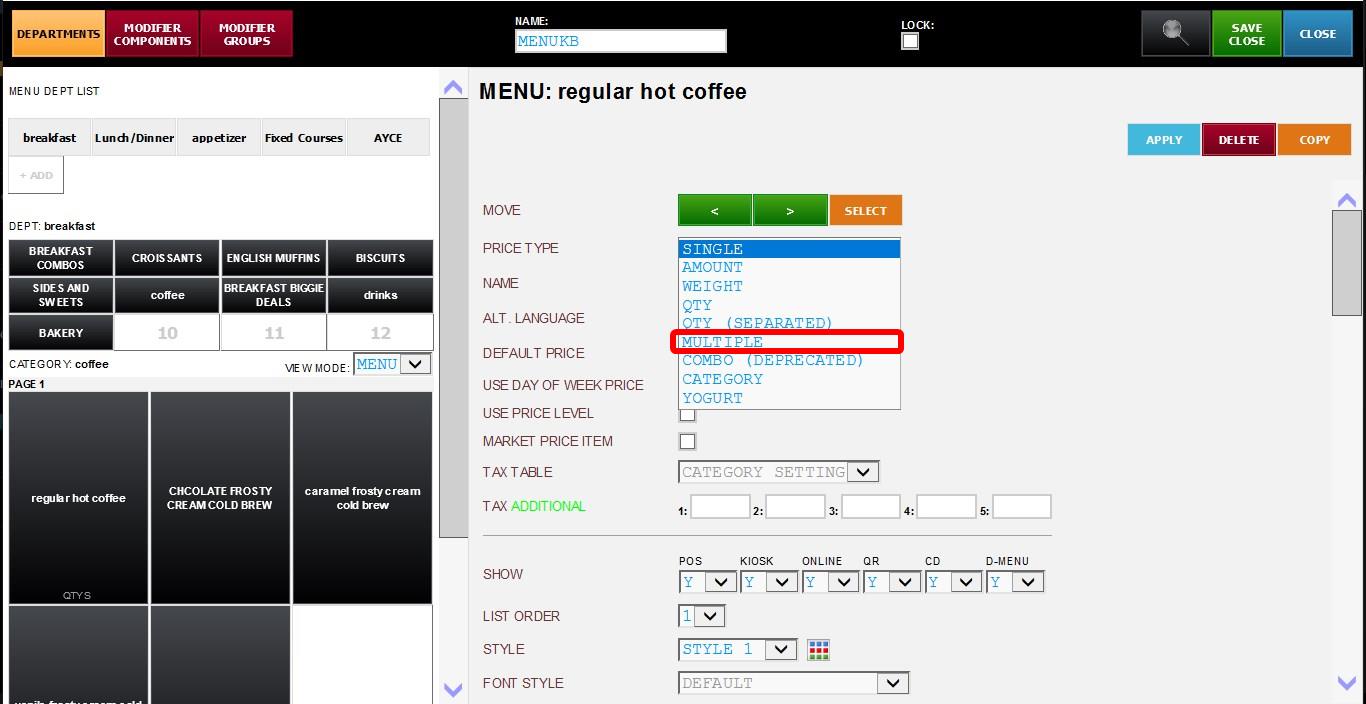
After selecting MULTIPLE, an additional configuration section will appear containing multiple rows with the following fields:
1. NAME: Used to configure the display name for each option.
2. PRICE: Used to configure the price for each option.
3. MODIFIER: Dropdown menu used to assign a modifier set for each individual option.
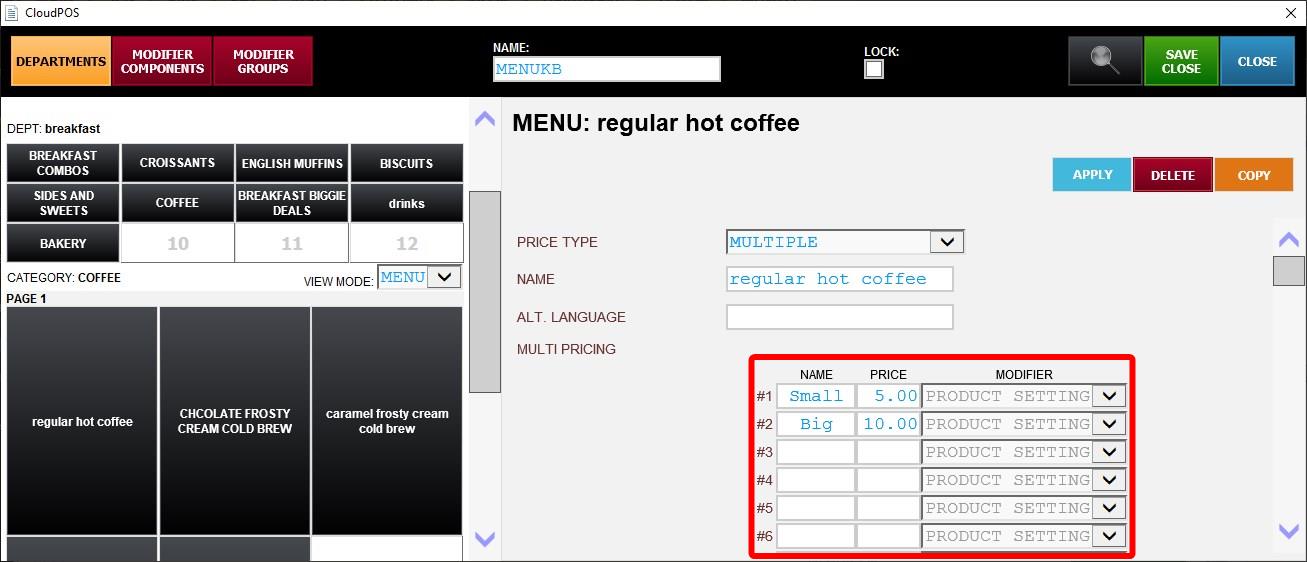
Hint: By default, the item will inherit the modifier assigned to the parent item or category. However, a different modifier can be assigned to each individual multiple price option if needed.
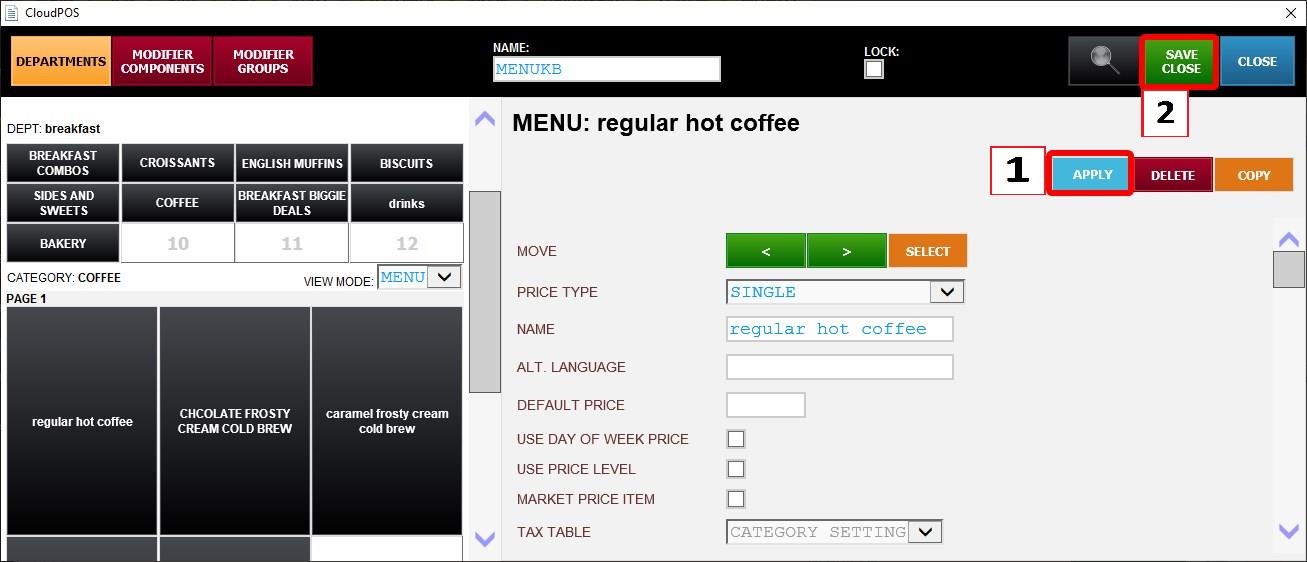
Click APPLY then SAVE & CLOSE. Then restart the program.
Result:
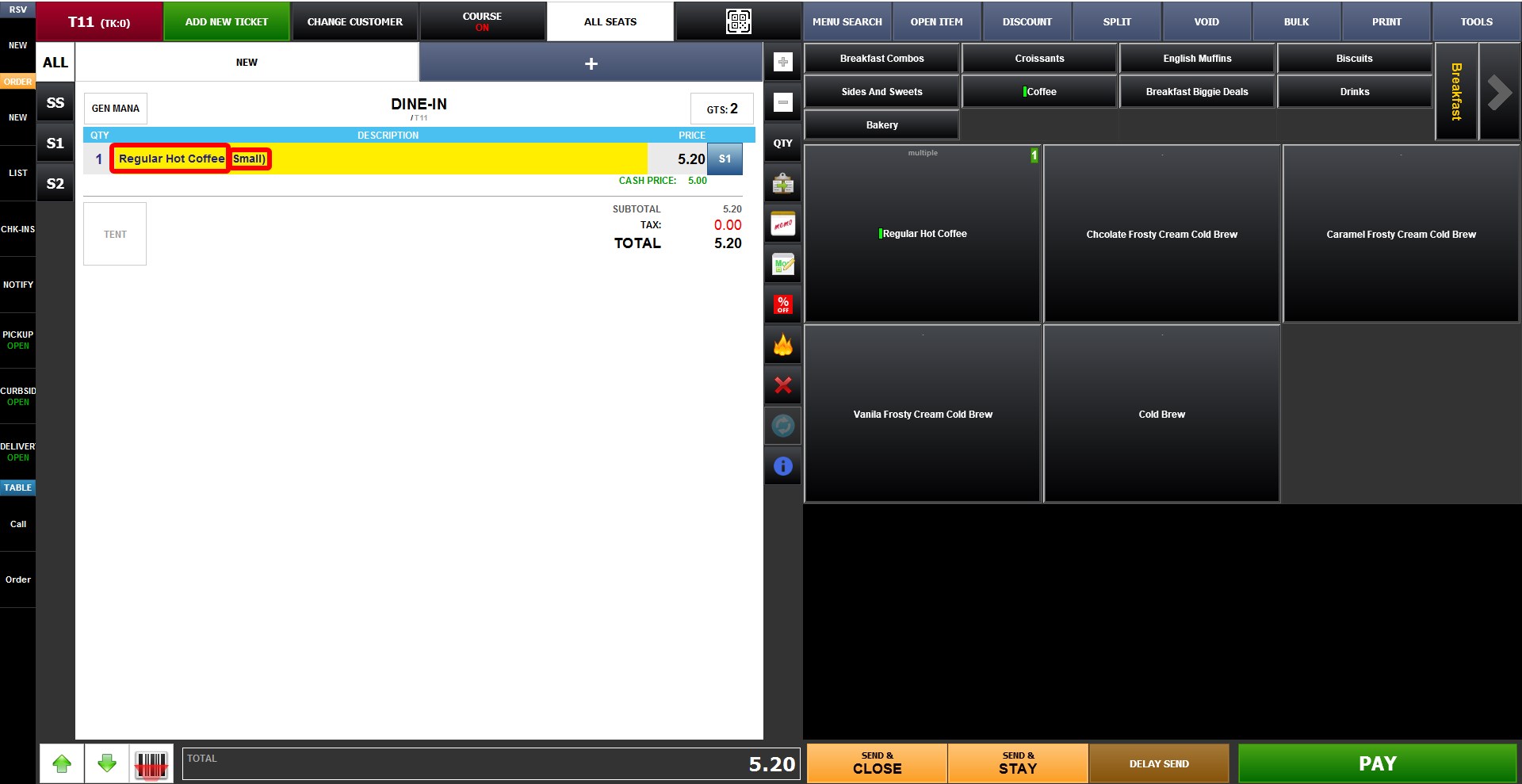
When the item is selected on the Sales Screen, the configured multiple options will appear for selection before the item is added to the ticket.