Header (Kitchen)
These settings control the custom header printed on kitchen tickets. You can choose what information is displayed, where it appears on each line, and how it is formatted.
MENU > SETTINGS > PRINT > KITCHEN > HEADER
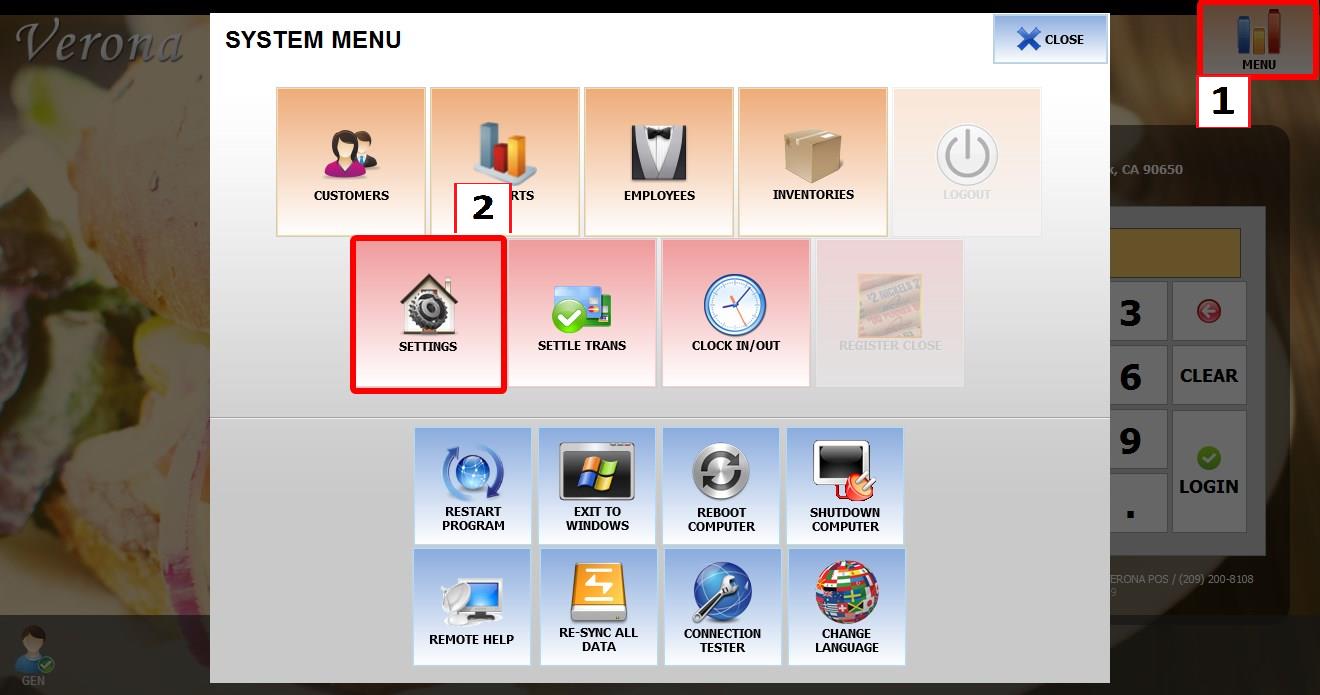
From the MAIN SCREEN, click MENU, then select SETTINGS.
Open the PRINT tab, then KITCHEN, then select HEADER.
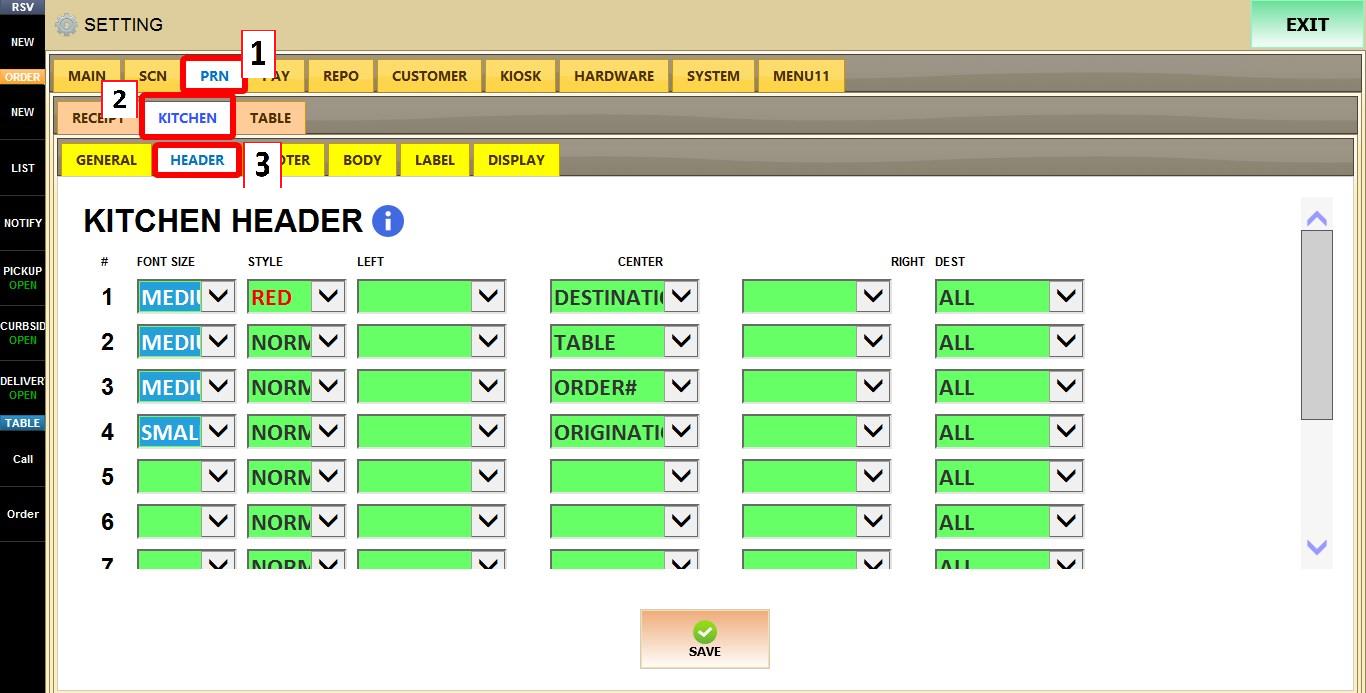
KITCHEN HEADER
This section is used to create a fully customizable kitchen ticket header.
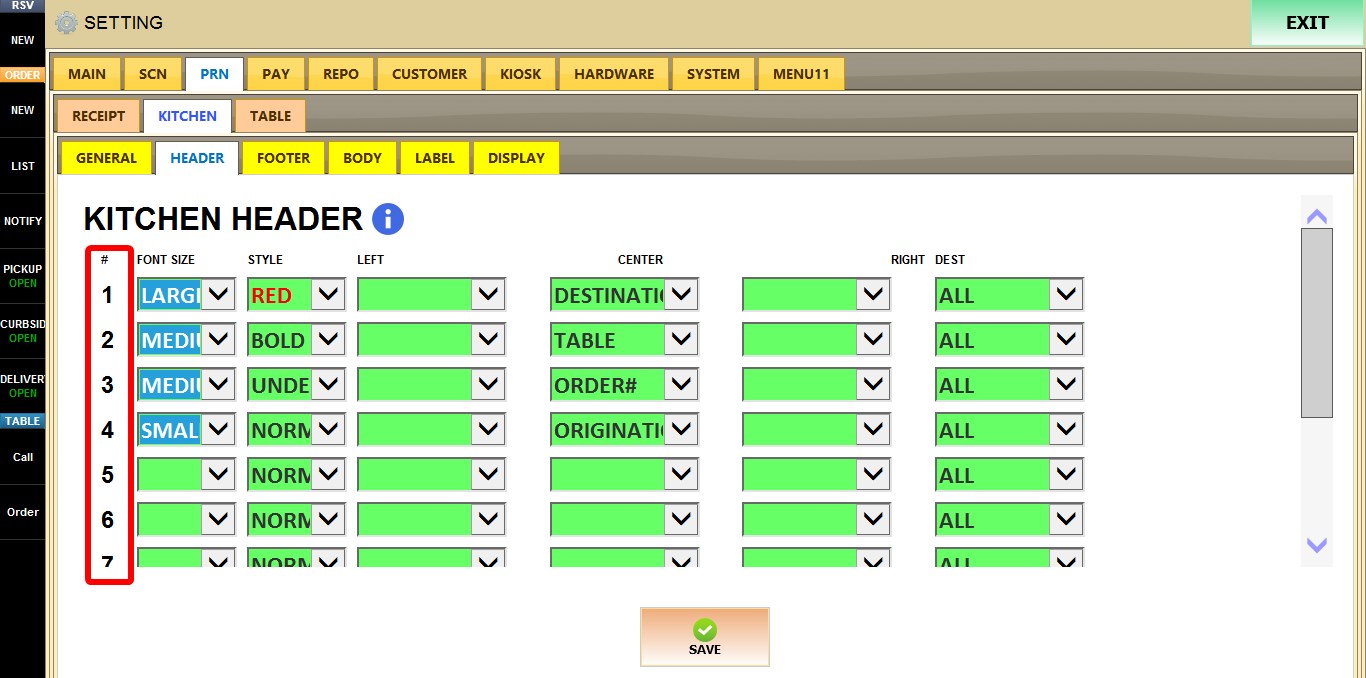
ROW NUMBER (#)
Each numbered row represents one line that can be configured independently.
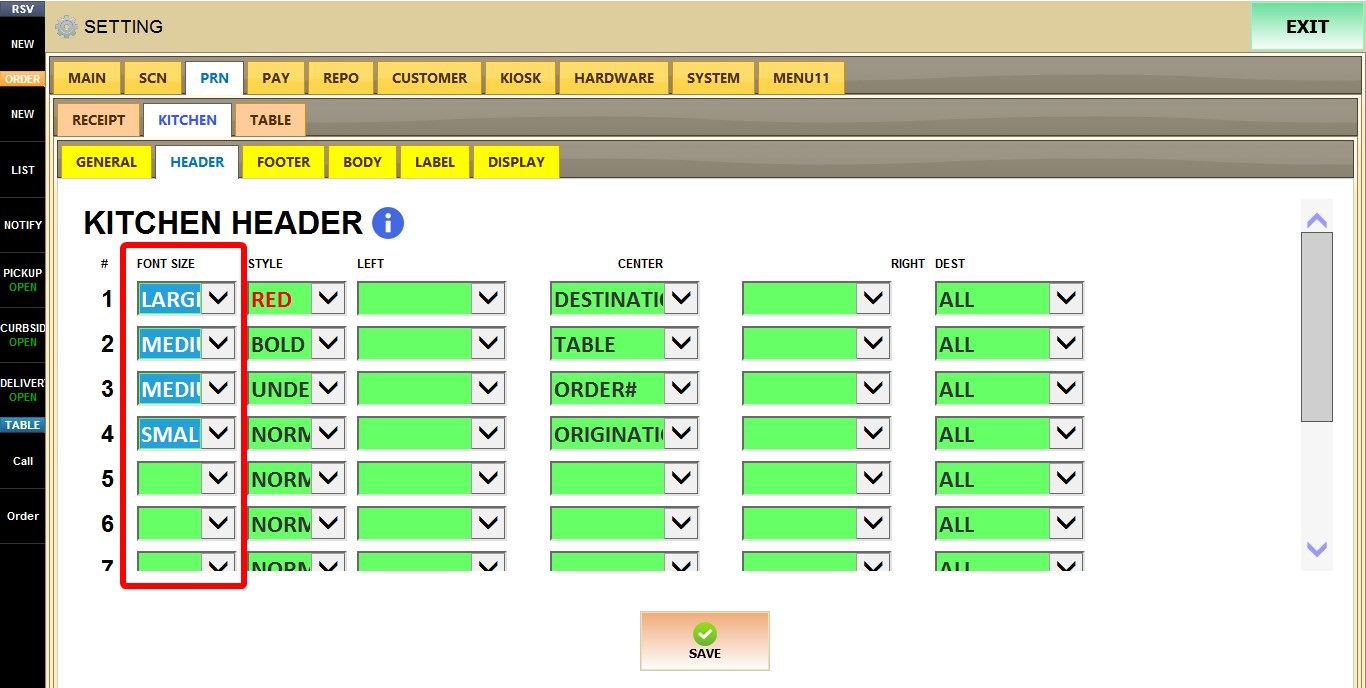
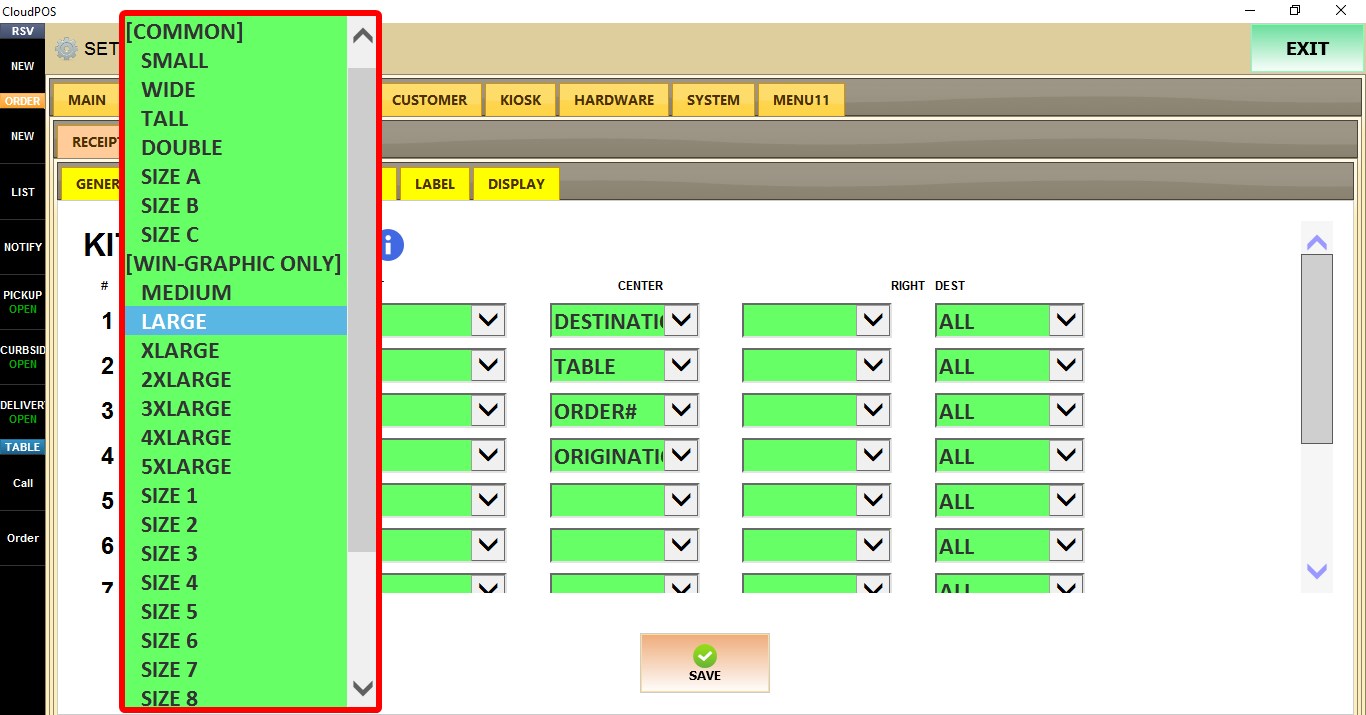
FONT SIZE
Determines the font size used for the selected line. The selected size applies only to that line.
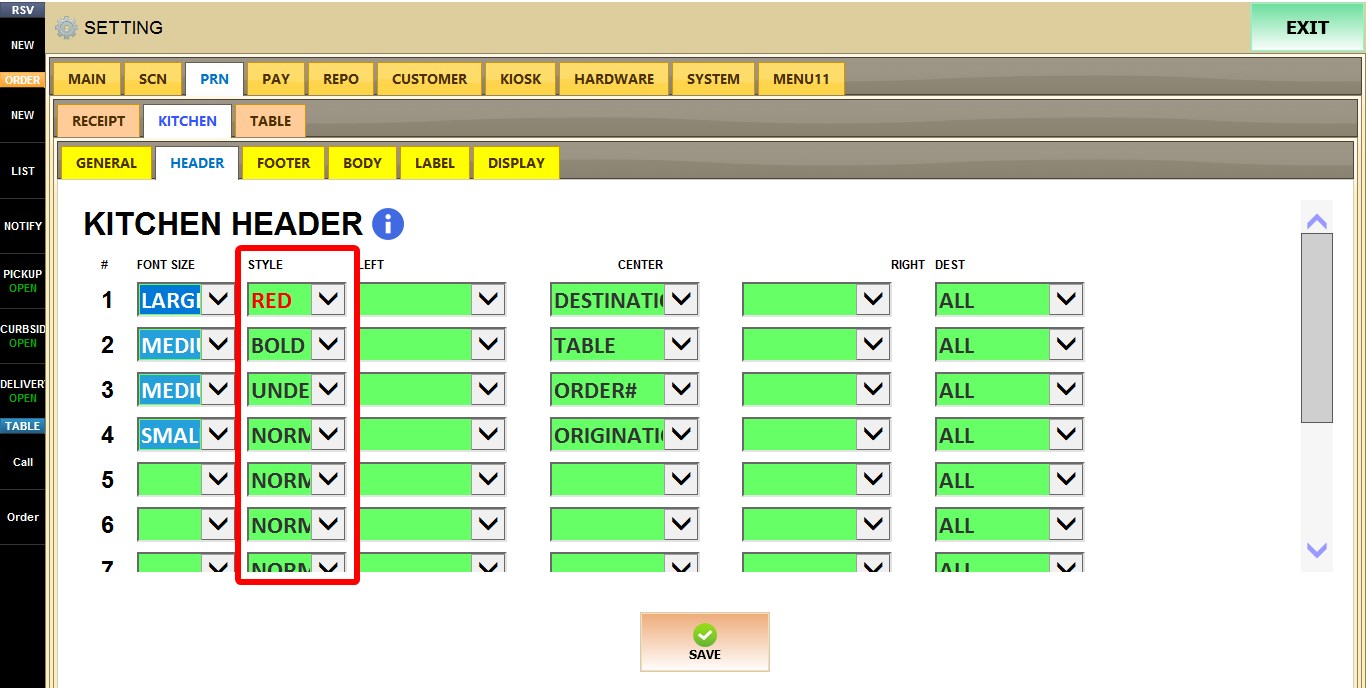
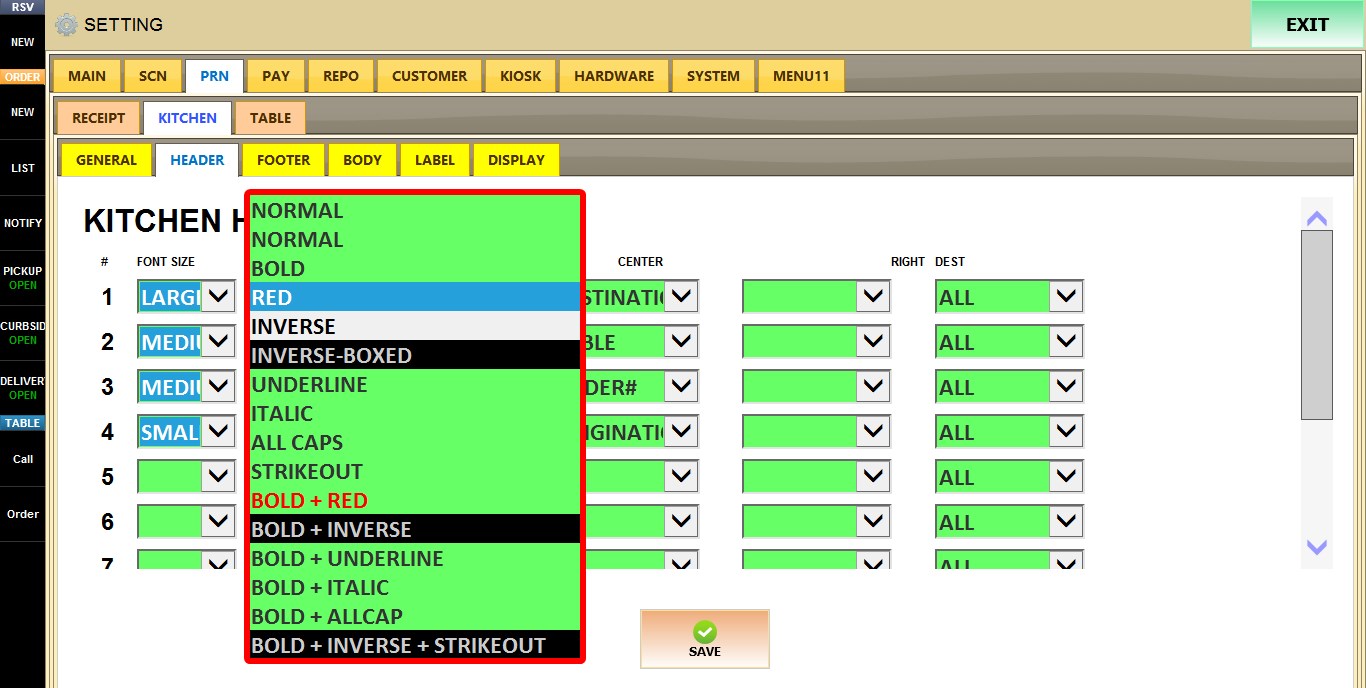
STYLE
Determines the text style used for the selected line. The selected style applies only to that line.
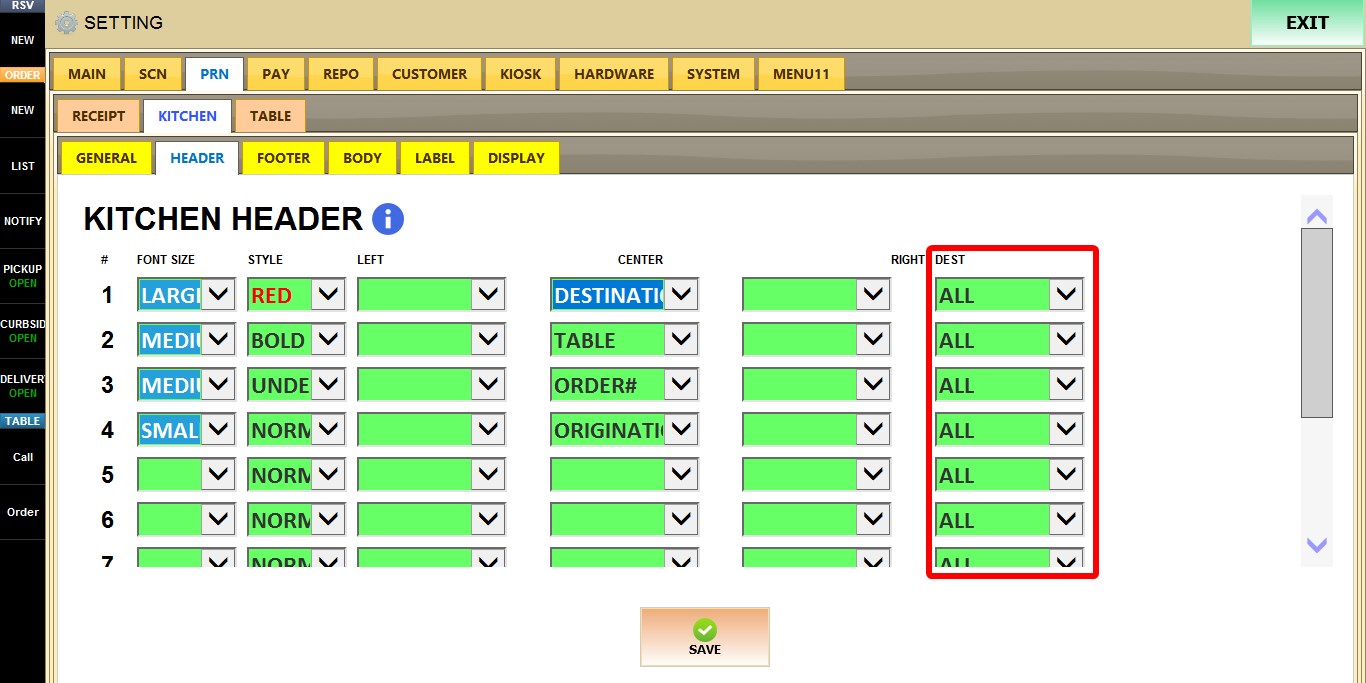
DEST
Determines which order destination this header configuration applies to, such as DINE-IN, TAKE-OUT, ONLINE, BAR, and other supported destinations.
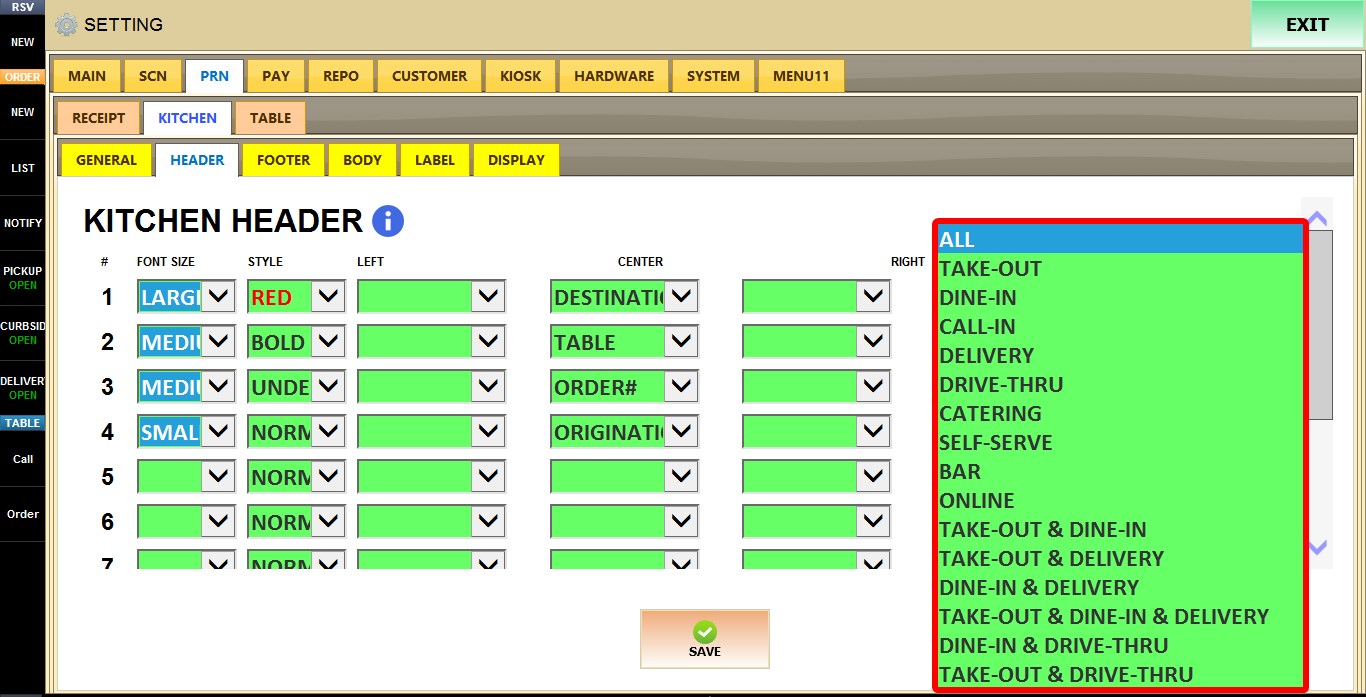
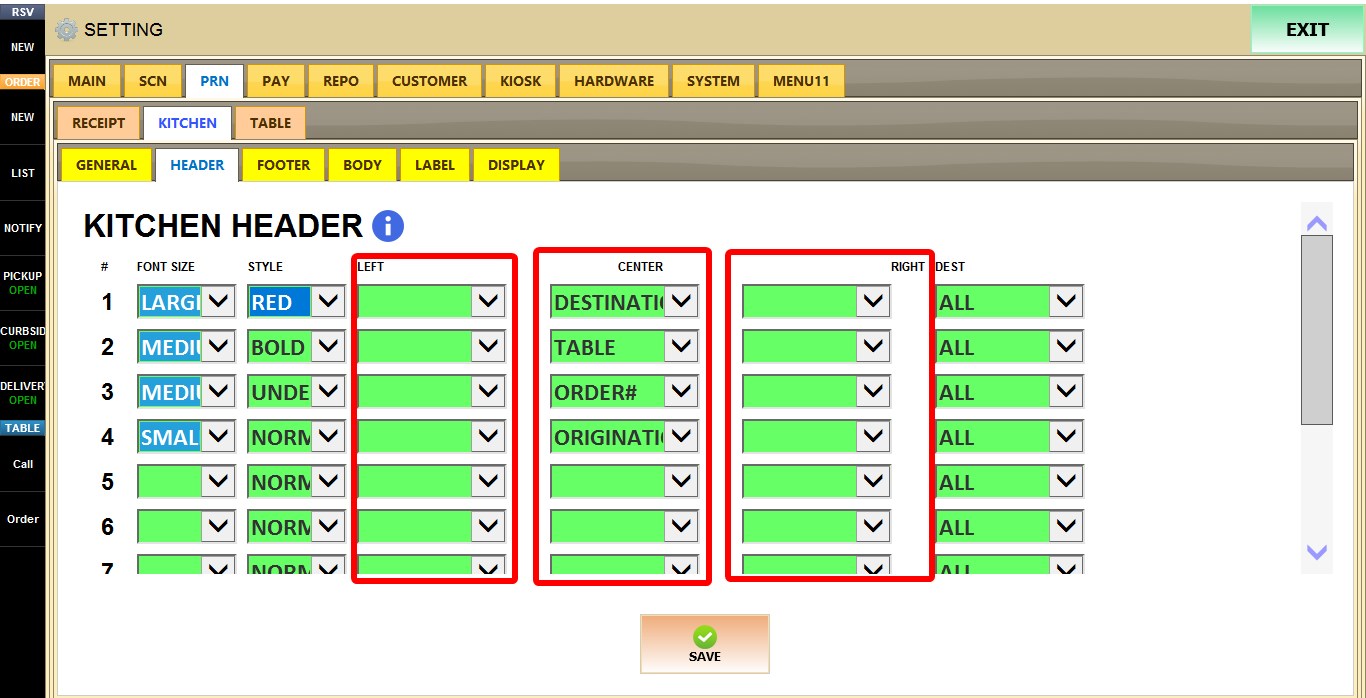
LEFT / CENTER / RIGHT
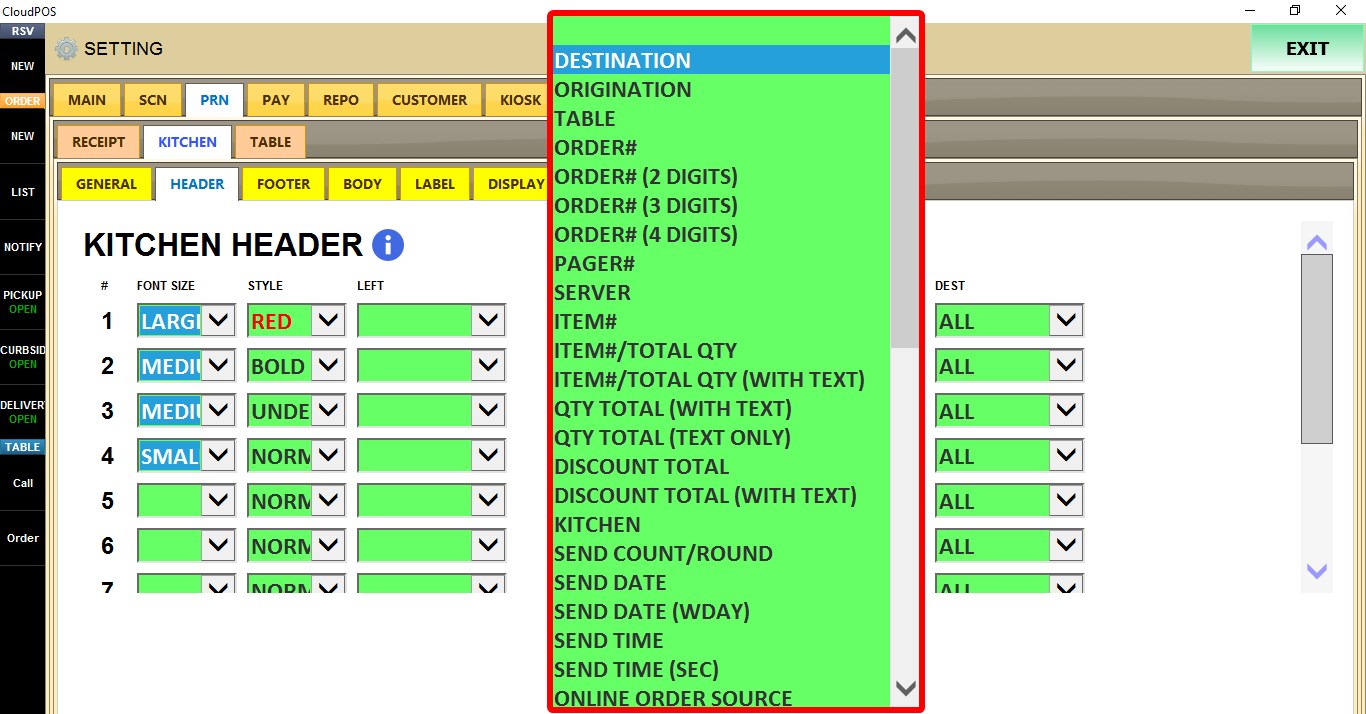
Selects which information is displayed on the left, center, or right side of the kitchen ticket header.
Available elements include:
Order information (ORDER#, PAGER#, TABLE, SERVER)
Quantity information (QTY TOTAL, QTY TOTAL (TEXT))
Kitchen information (KITCHEN, SEND COUNT/ROUND)
Date and time information (SEND DATE, SEND DATE (WDAY), SEND TIME, SEND TIME (SEC), READY DATE, READY TIME, READY DATE TIME, FUTURE TIME (TEXT, IF))
Customer information (CUSTOMER NAME, CUSTOMER NAME (NO GUEST), CUSTOMER PHONE)
Destination information (DESTINATION, ORIGINATION), and additional labels such as READY BY (TEXT).
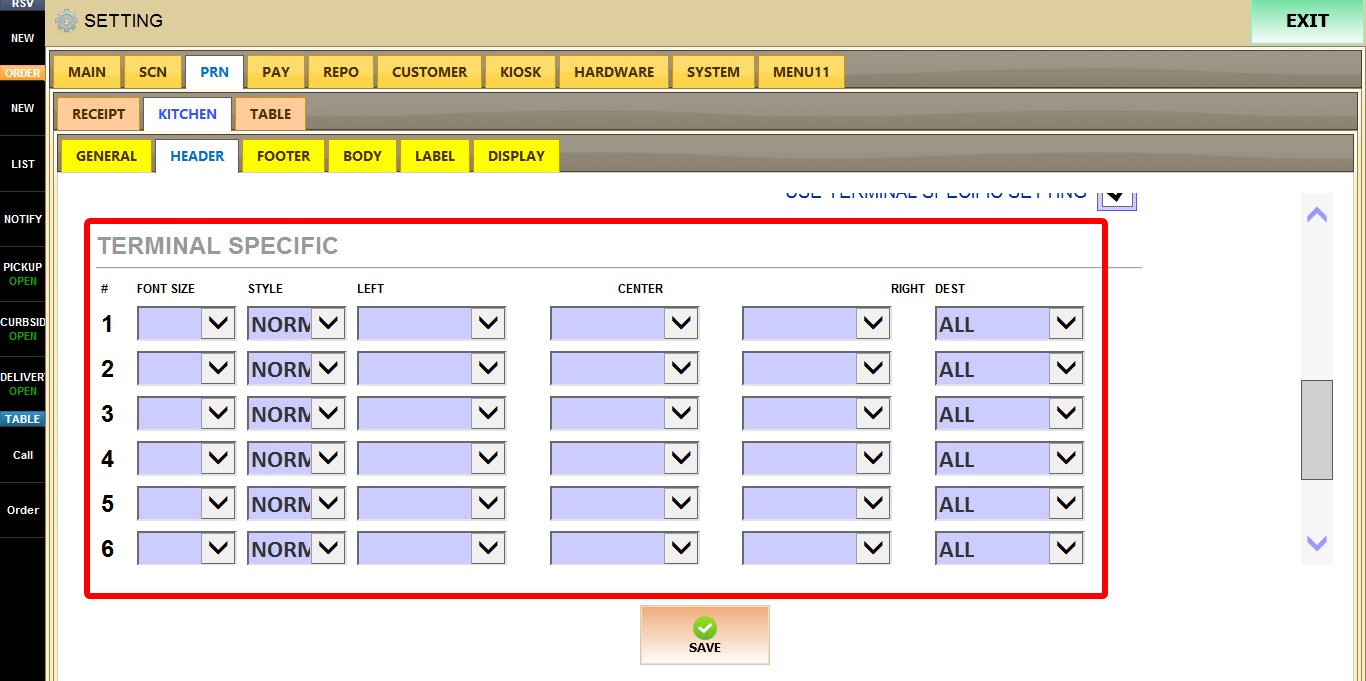
USE TERMINAL SPECIFIC SETTING
When enabled, the current terminal uses its own custom kitchen header configuration instead of the store-wide settings.
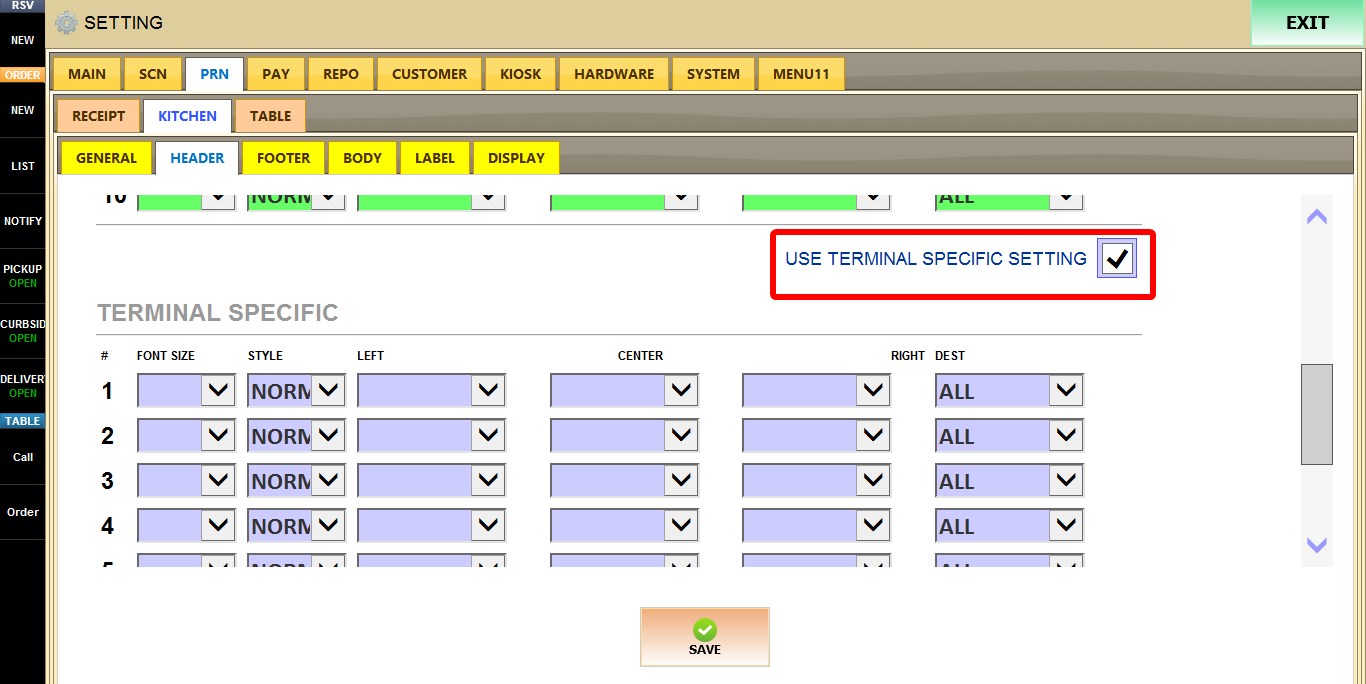
A second configuration table becomes available, allowing you to configure FONT SIZE, STYLE, DEST, LEFT, CENTER, and RIGHT independently for this terminal only.
After you are done configuring the settings, click SAVE, then RESTART THE PROGRAM for the changes to take effect.
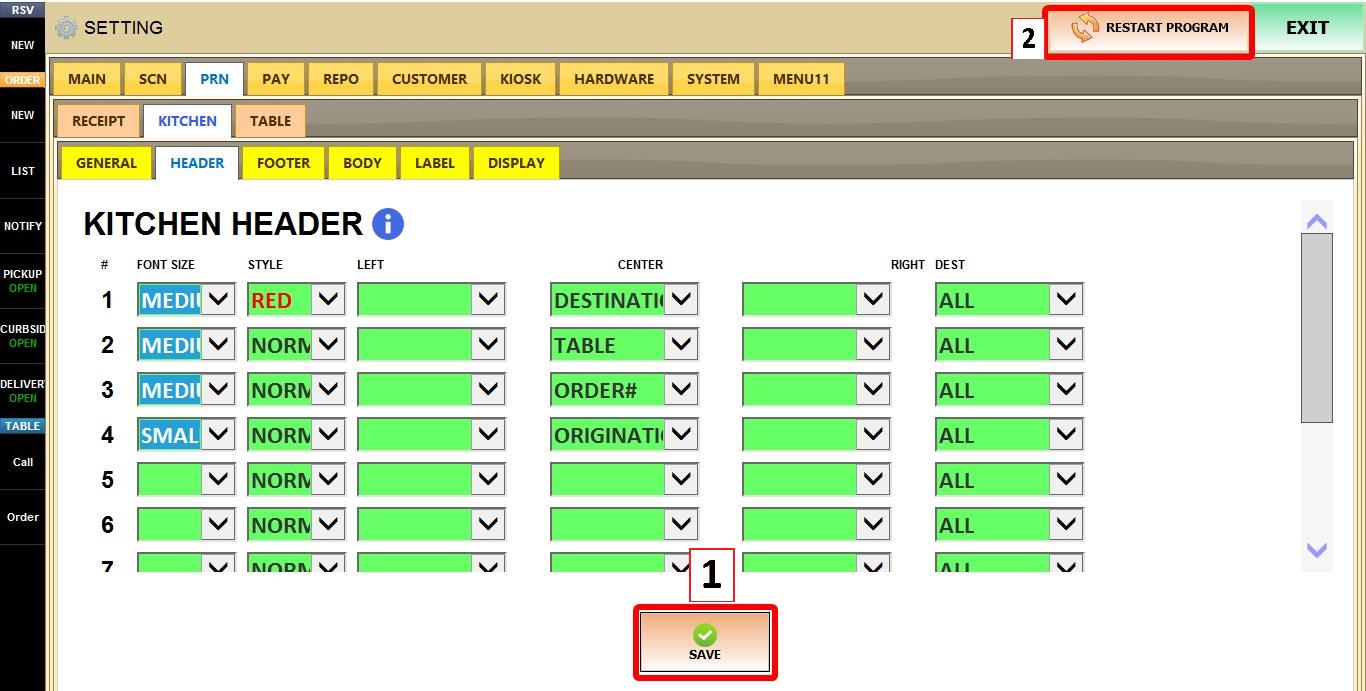
Result
