Calls
The CALLS settings control the call actions available to customers on the kiosk.
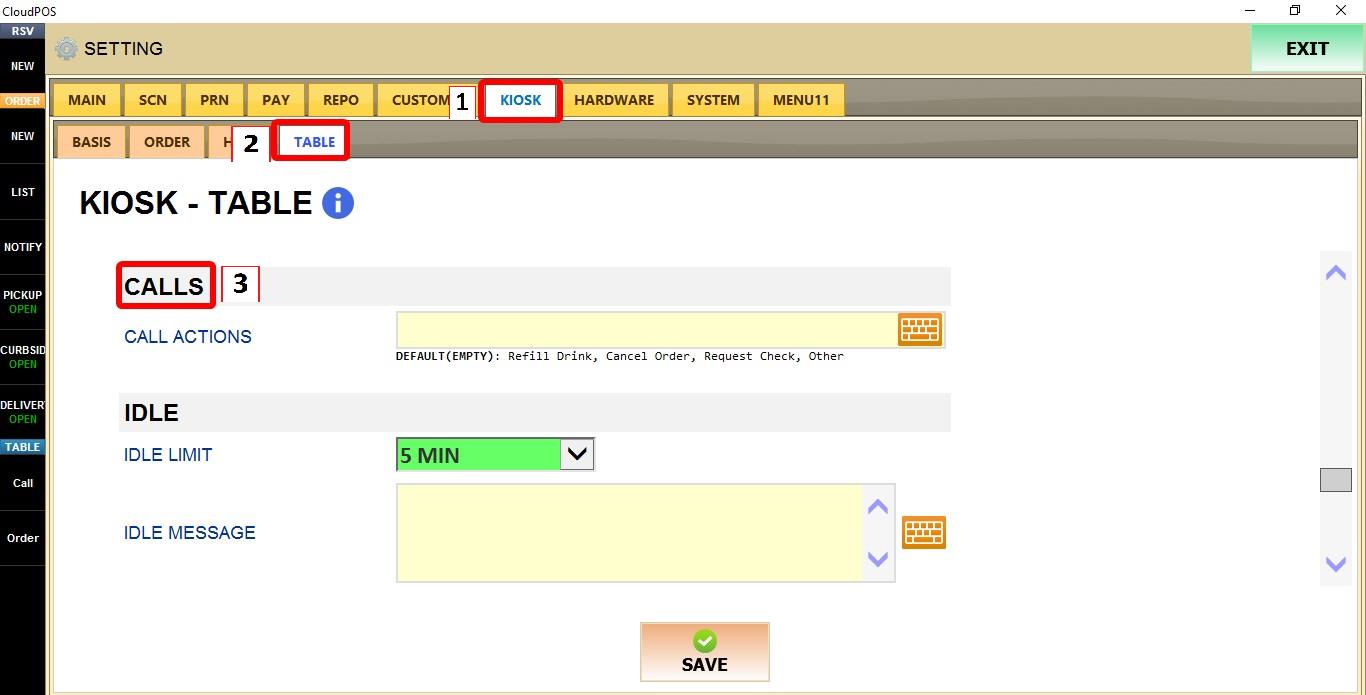
MENU > SETTINGS > KIOSK > CALLS
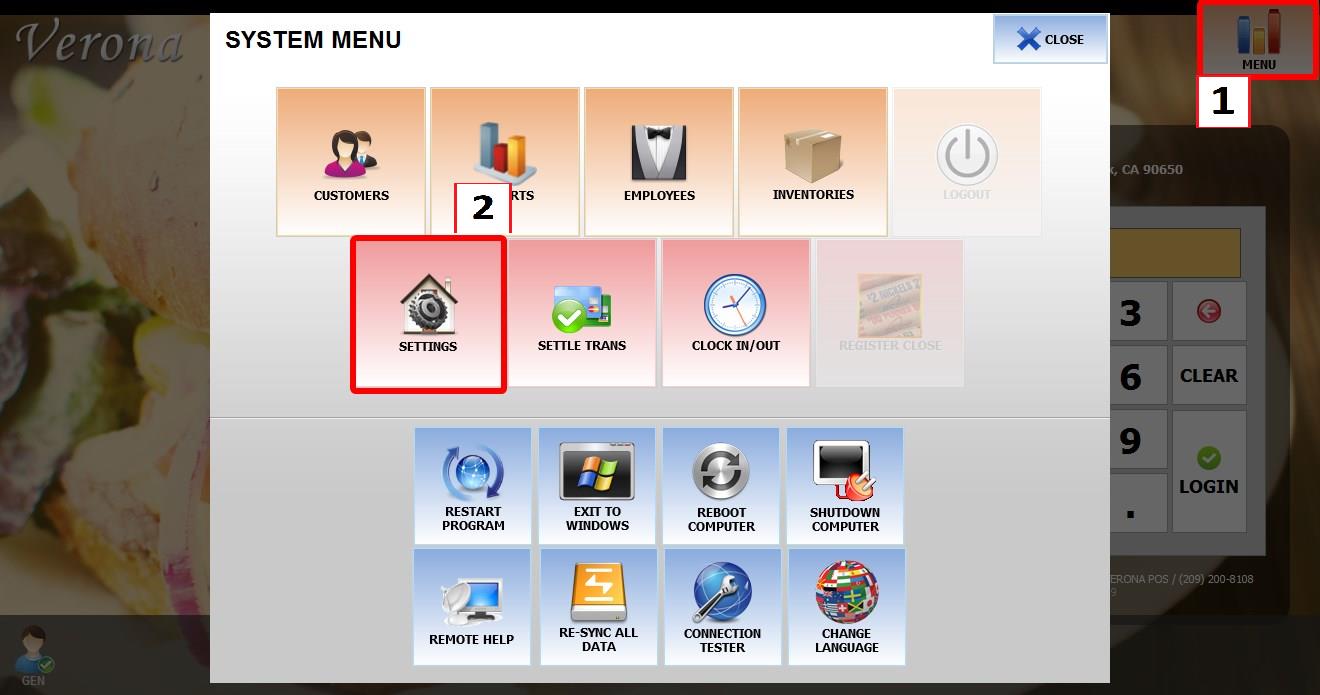
From the MAIN SCREEN, click MENU, then select SETTINGS.
Go to KIOSK > CALLS.
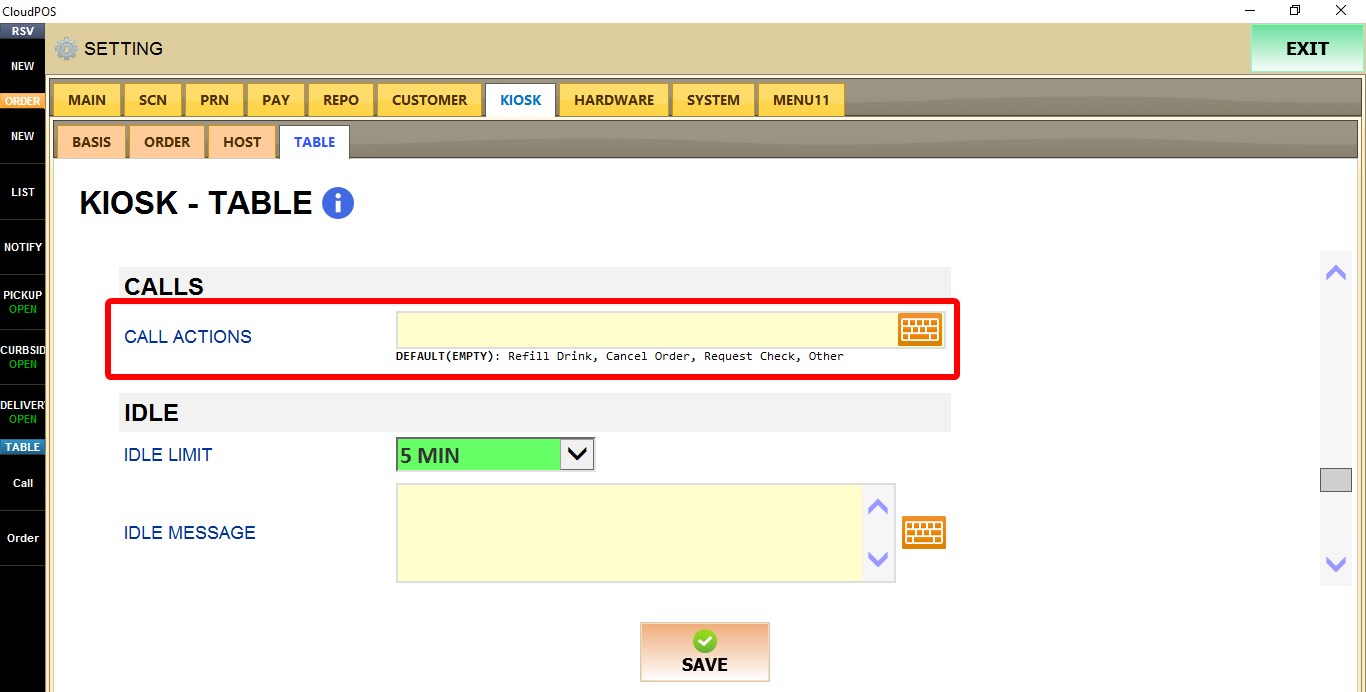
CALL ACTIONS
Controls the list of call actions available to customers.
Enter one or more call actions separated by commas. These actions will be available for customers to select when placing a service request.
If the field is left empty, the default actions are:
Refill Drink, Cancel Order, Request Check, and Other.
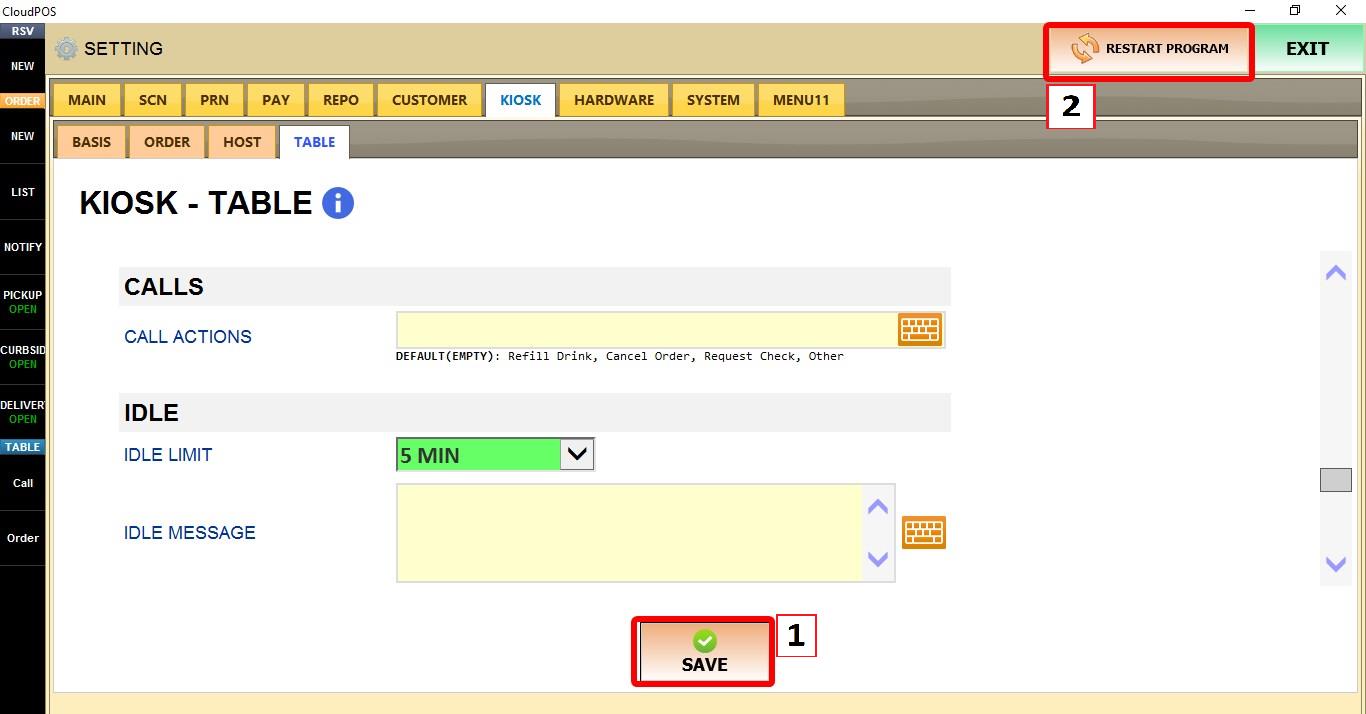
Click SAVE and restart the program to apply the changes.