Component Visibility & Additional Settings
Modifier Visibility determines whether a Modifier Component should be displayed based on the configured visibility conditions.
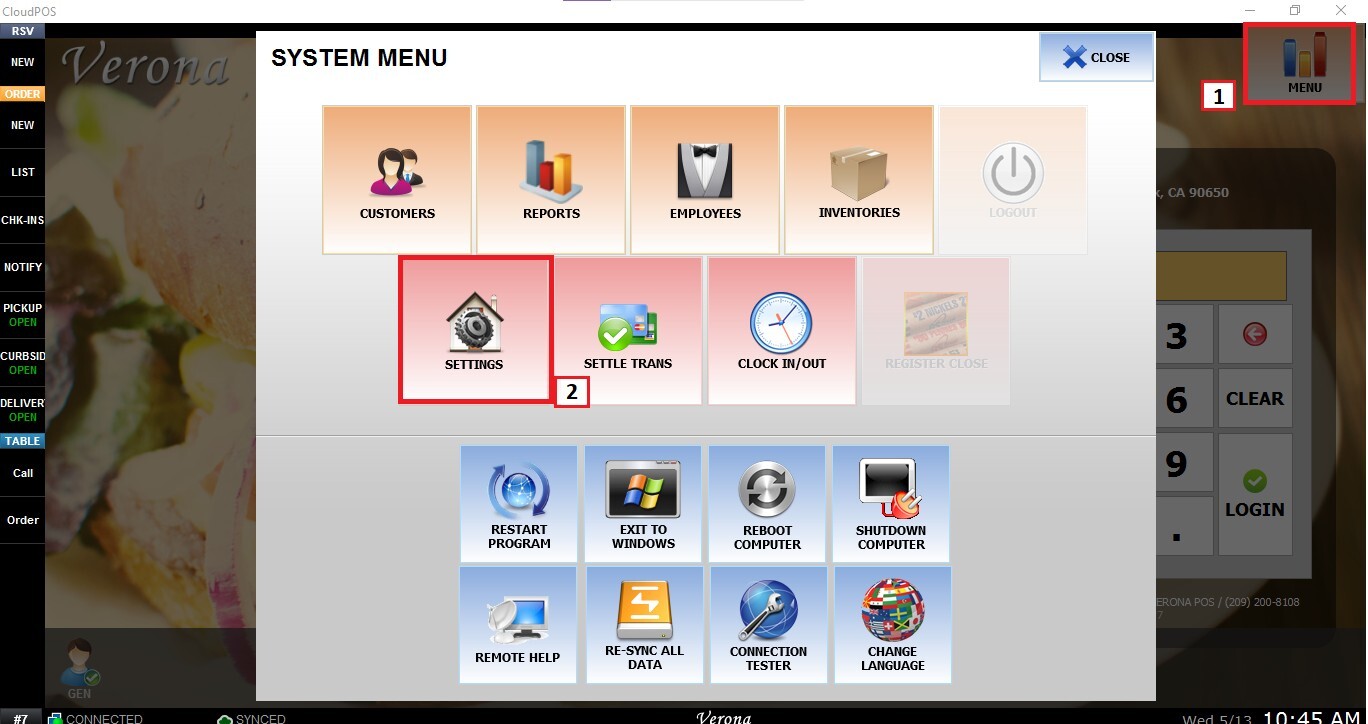
Main Screen>MENU>SETTINGS
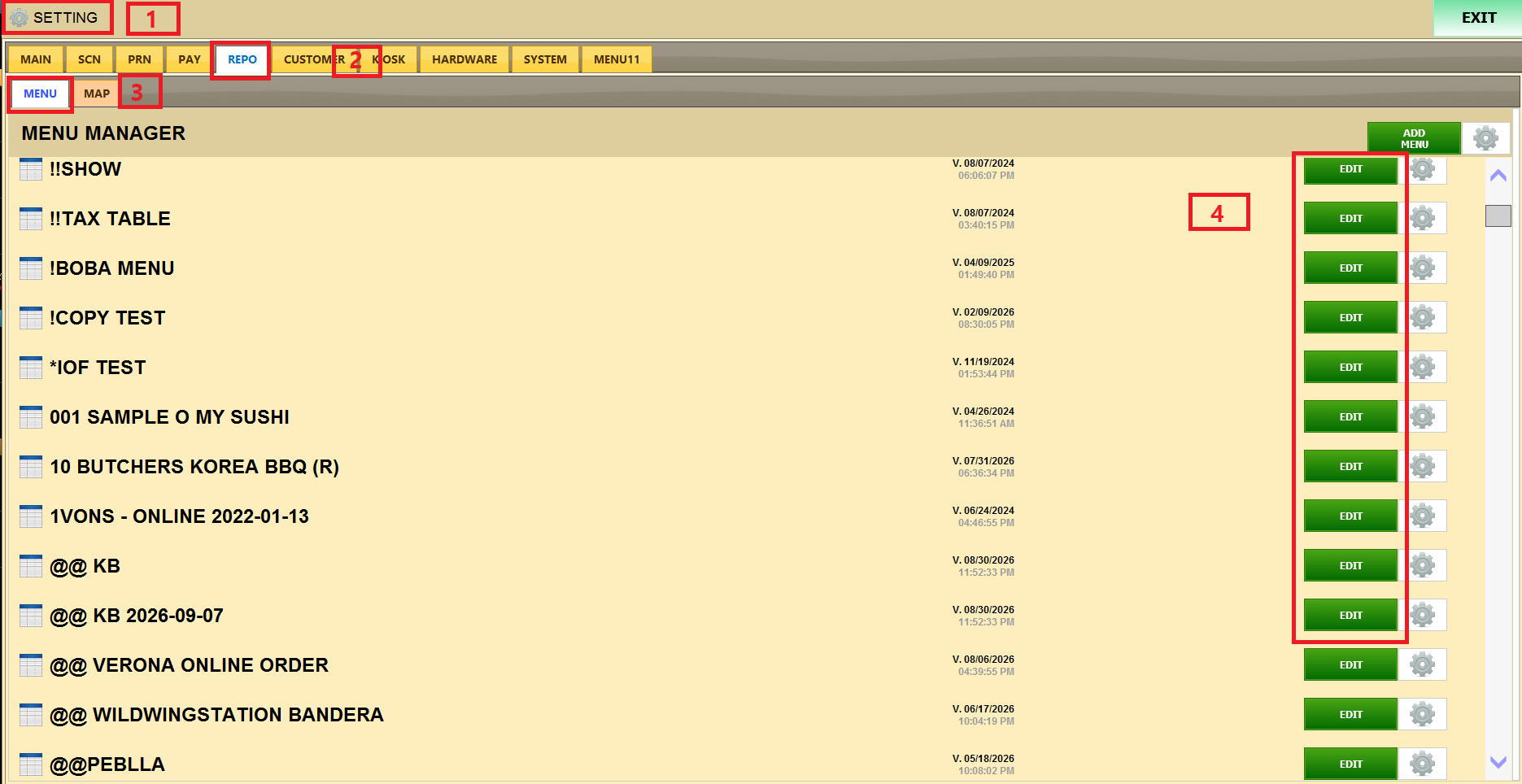
REPO>MENU>EDIT
MODIFIER COMPONENT > MODIFIER LIST > COMPONENT ITEM
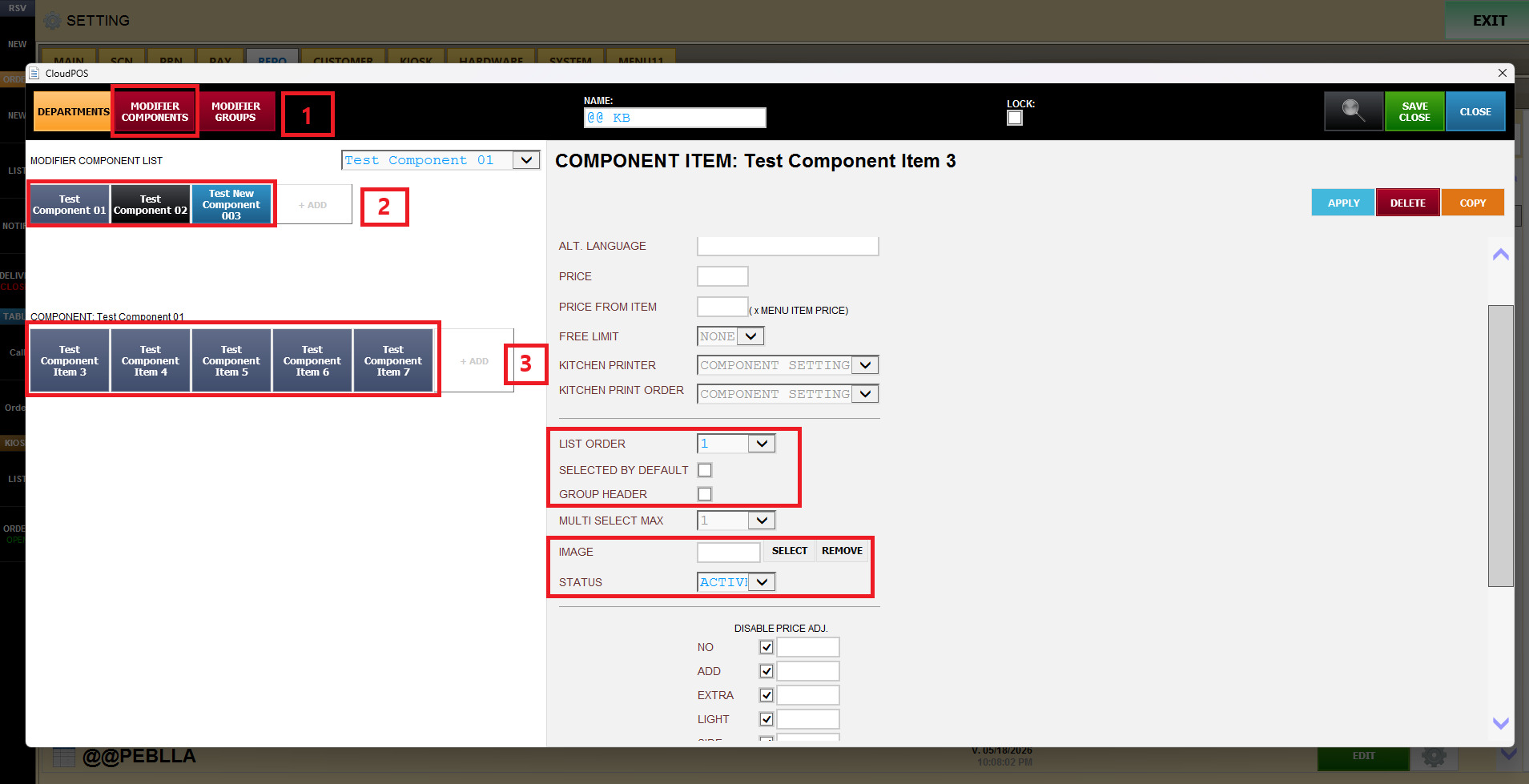
LIST ORDER: Determines the order in which Modifier Components are displayed in the modifier selection list.
SELECTED BY DEFAULT: Automatically selects the Modifier Component when the Modifier Group is opened.
If this option is enabled, the employee does not need to manually select that modifier each time.
GROUP HEADER: Is used to organize Modifier Components into logical sections.
It displays a header or title above a group of related Modifier options, making the selection screen easier to understand and navigate.
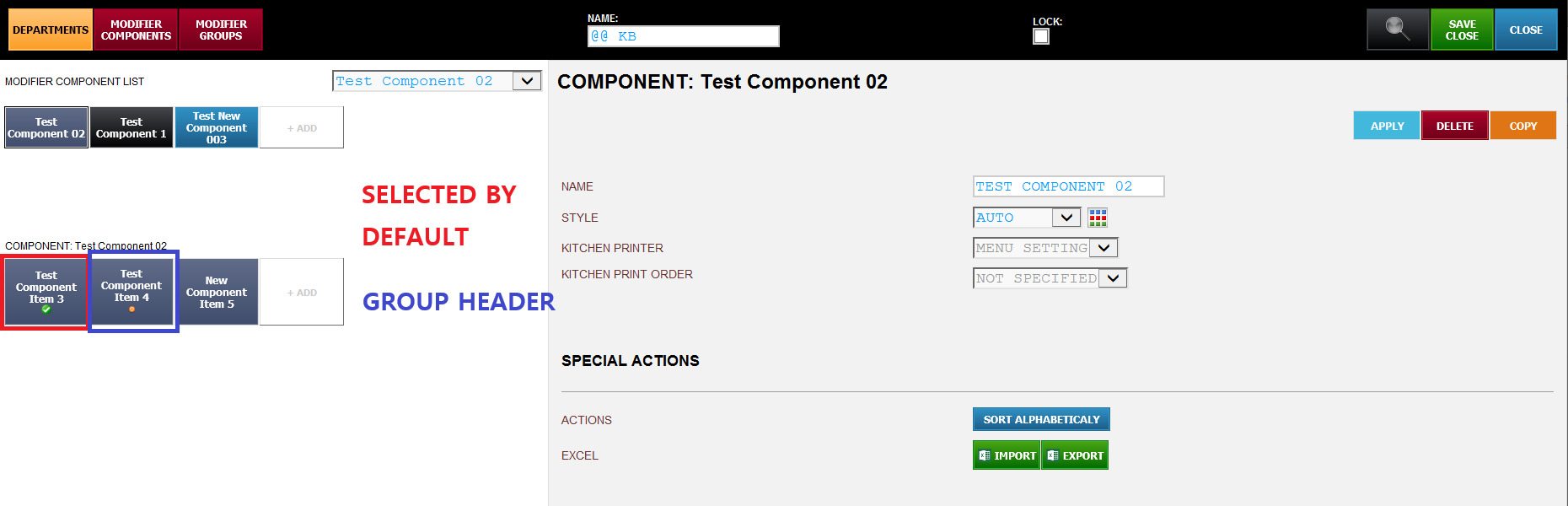
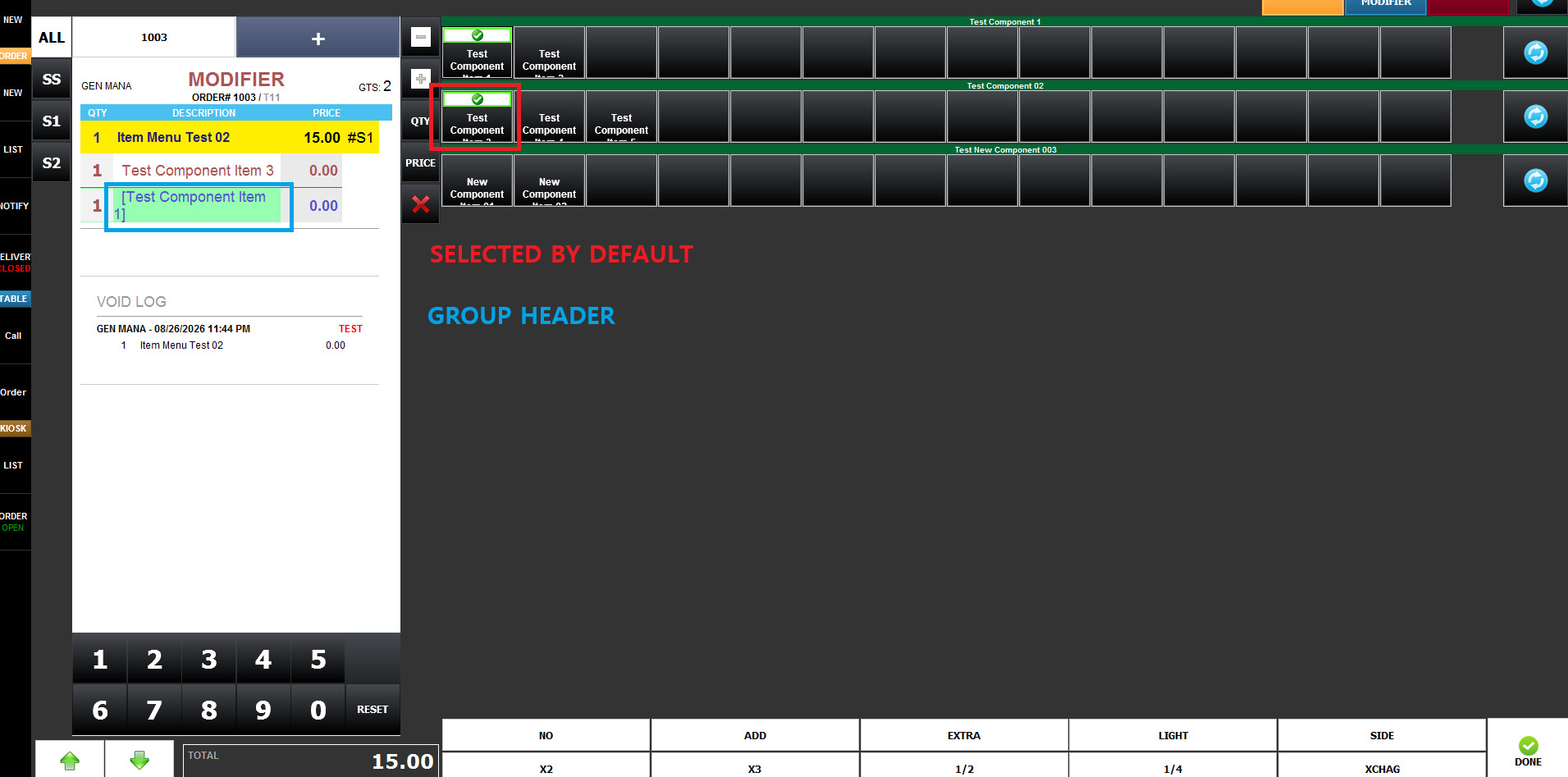
IMAGE: The option allows an image to be assigned to the Modifier Component.
STATUS: Determines whether the Modifier Component is currently active and available for use. Available Options Include:
ACTIVE: The Modifier Component is available for selection.
INACTIVE: The Modifier Component is not available for normal use.