Accessing the Verona Merchant Portal
The Verona Merchant Portal is a web-based management platform that provides access to key tools and information for your business. From the portal, you can manage and review store reports, employees, online ordering settings, menus, maps, and other store-specific functions without accessing the POS directly.
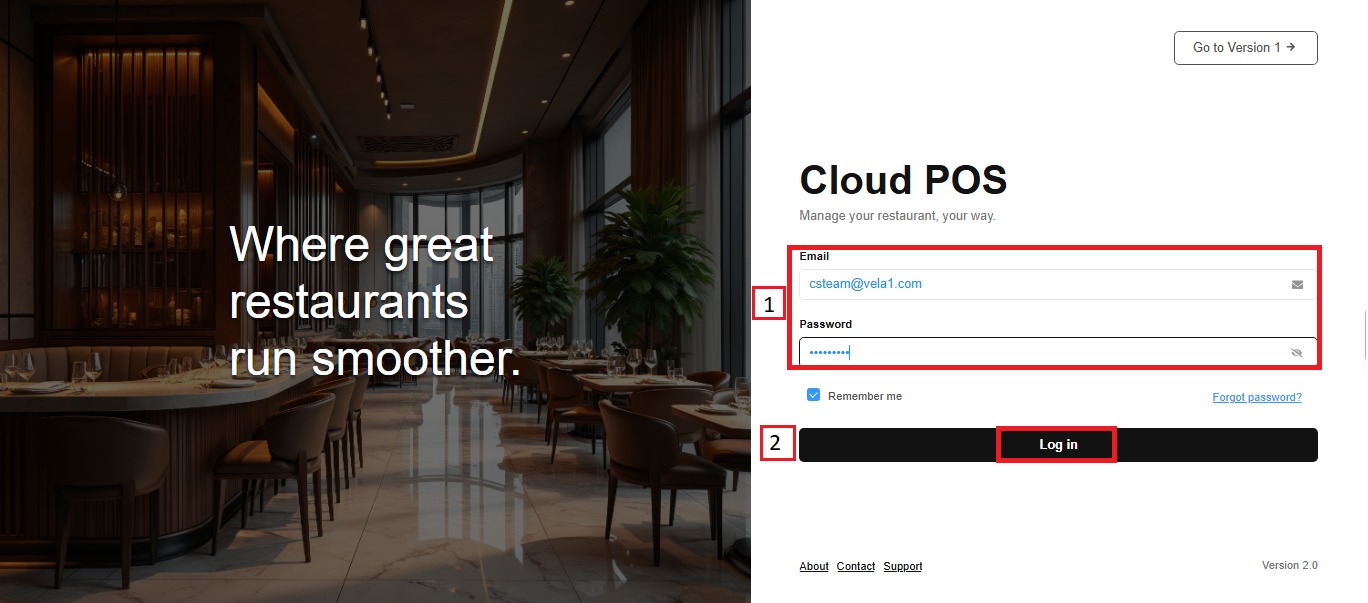
Access the Verona Merchant Portal, enter your Email and password, and click LOG IN.
Selecting a Store
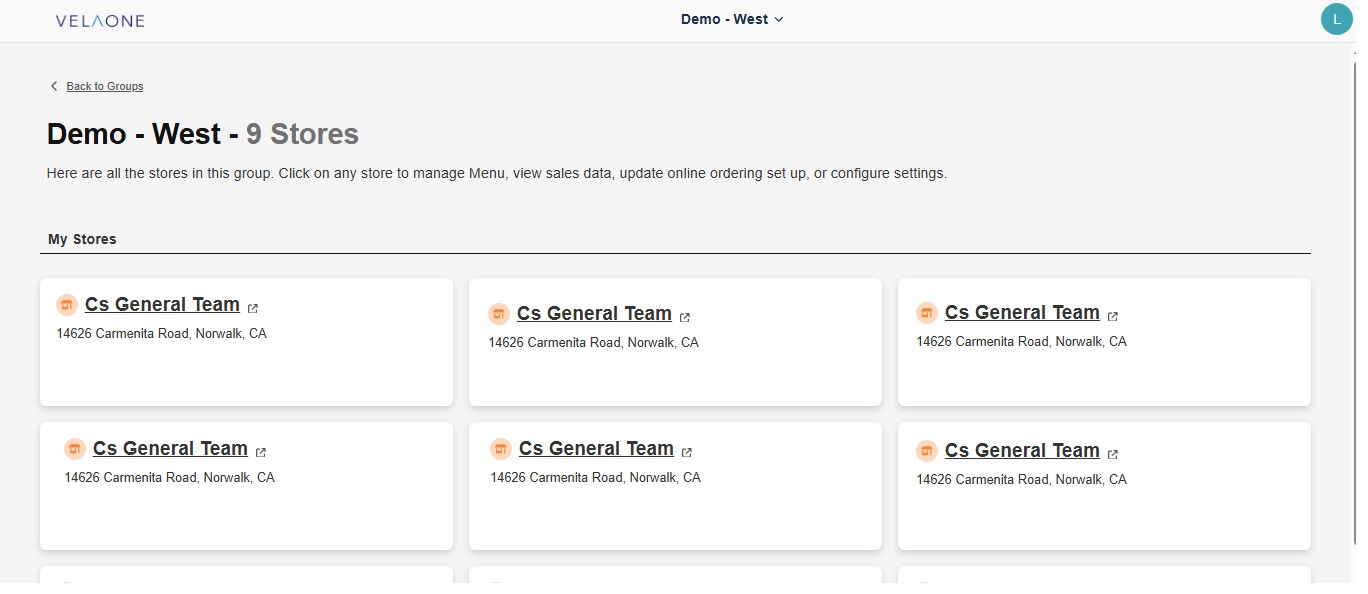
After verification, a list of all locations associated with your business will be displayed. If your business has multiple locations, review the available stores. Select the Store you want to manage.
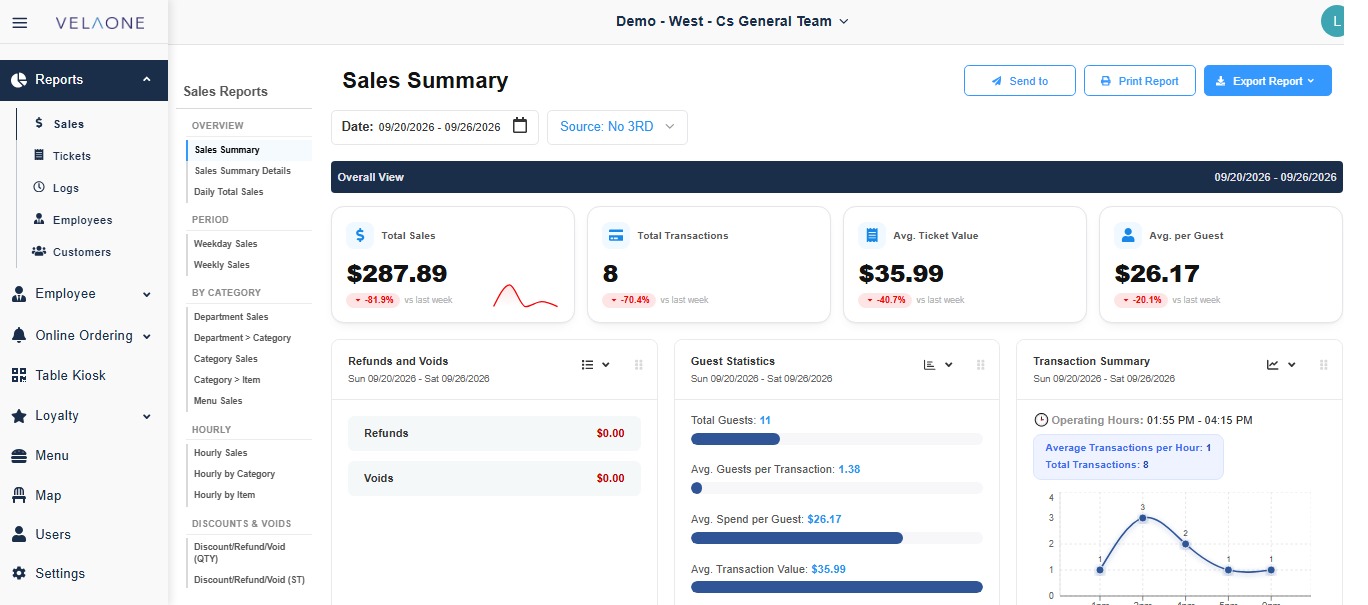
Once a store is selected, the portal will display the available tools and information for that location, including reports, employee management, online ordering settings, menu management, and map creation.
Switching Between Stores
If you need to access another location, click the name of the currently selected store at the top-center of the screen. A dropdown menu will open displaying the available locations; select the desired Store.
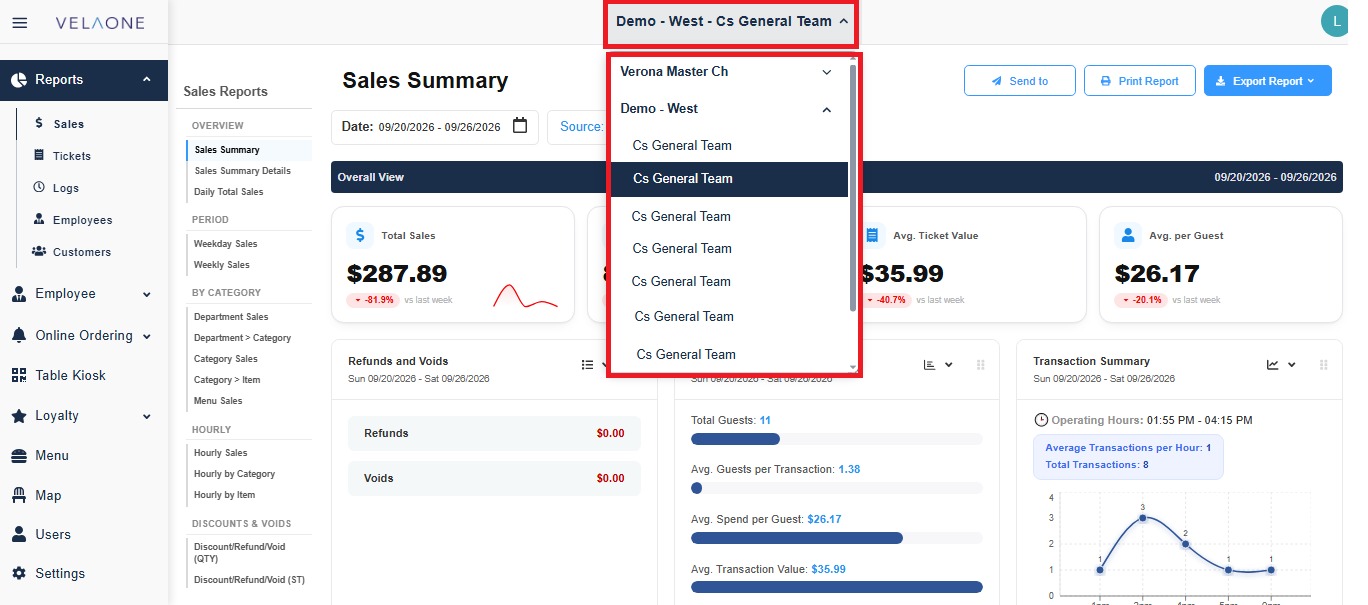
The portal will then update to display the tools and information associated with the selected location.