Refund with no Credit Card Present
The Refund with no Credit Card Present function allows you to process a refund when the customer's original credit card is not available. Before starting the refund, you will need to have the required transaction information.
Before starting the refund, make sure you have the following credit card information:
- Customer's full name as it appears on the credit card.
- Full credit card number.
- Credit card expiration date.
- CVV (security code).
On the table map, go to TICKETS > CREDIT CARD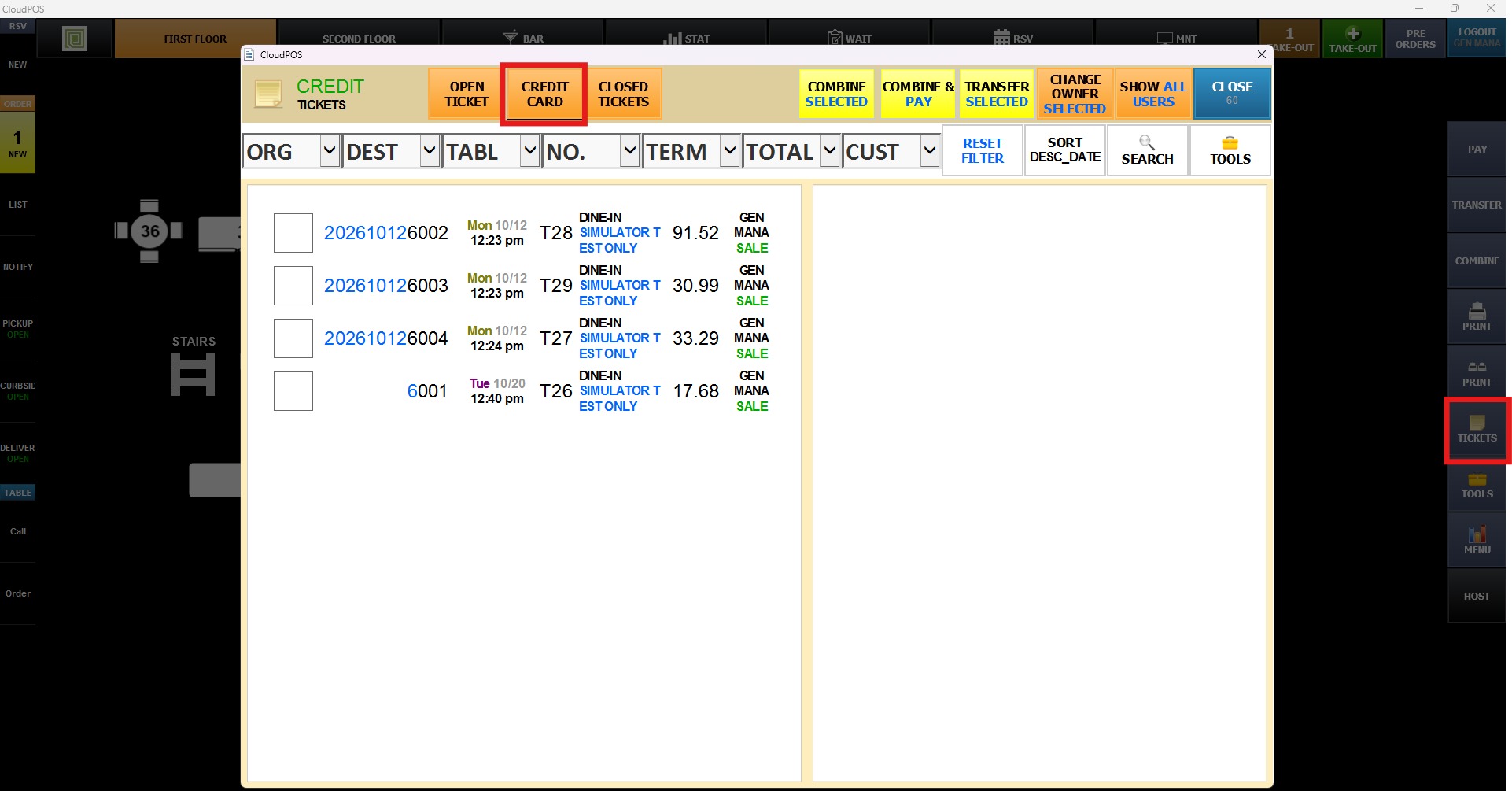
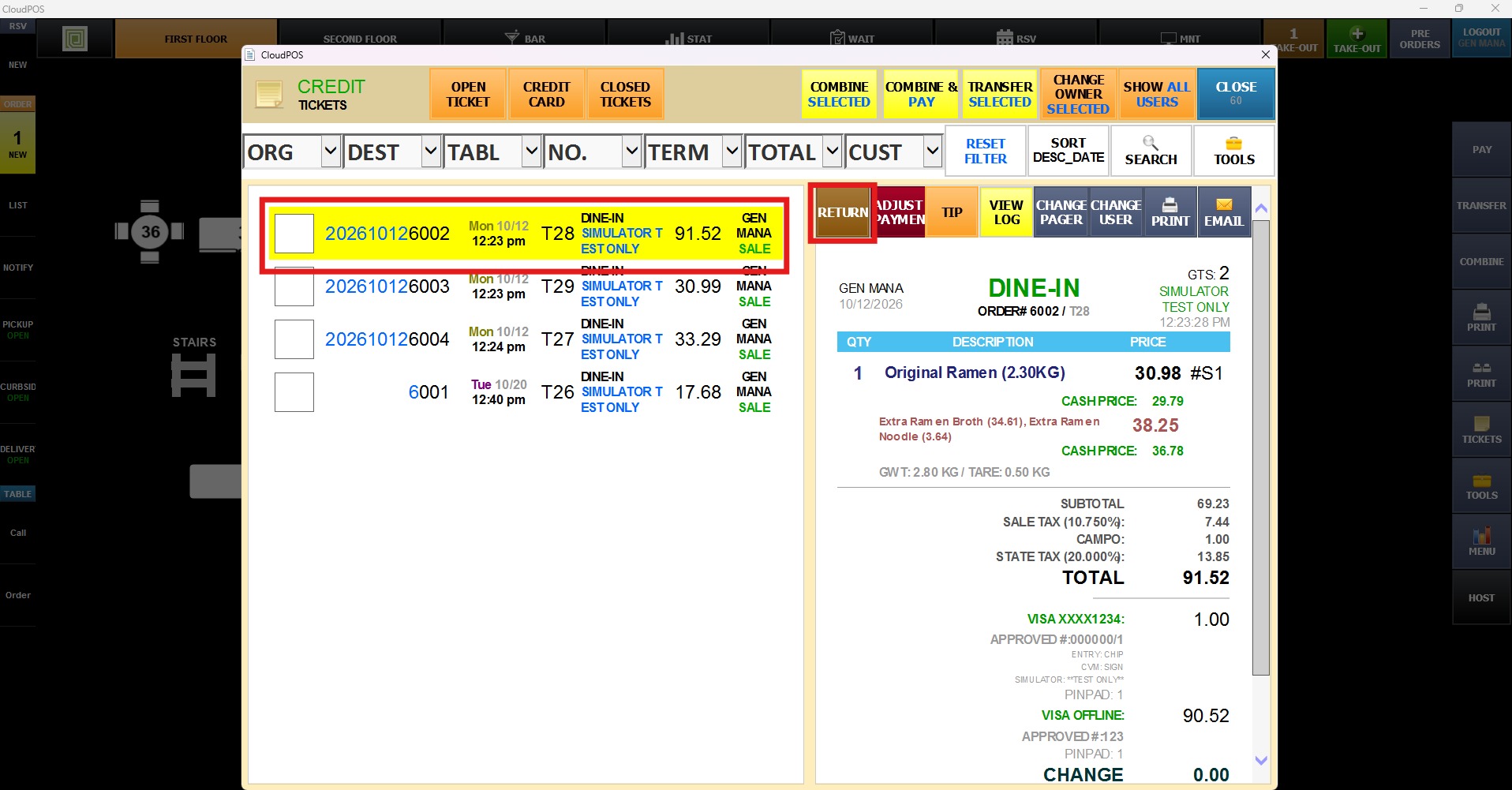
Select the desired ticket, then press RETURN
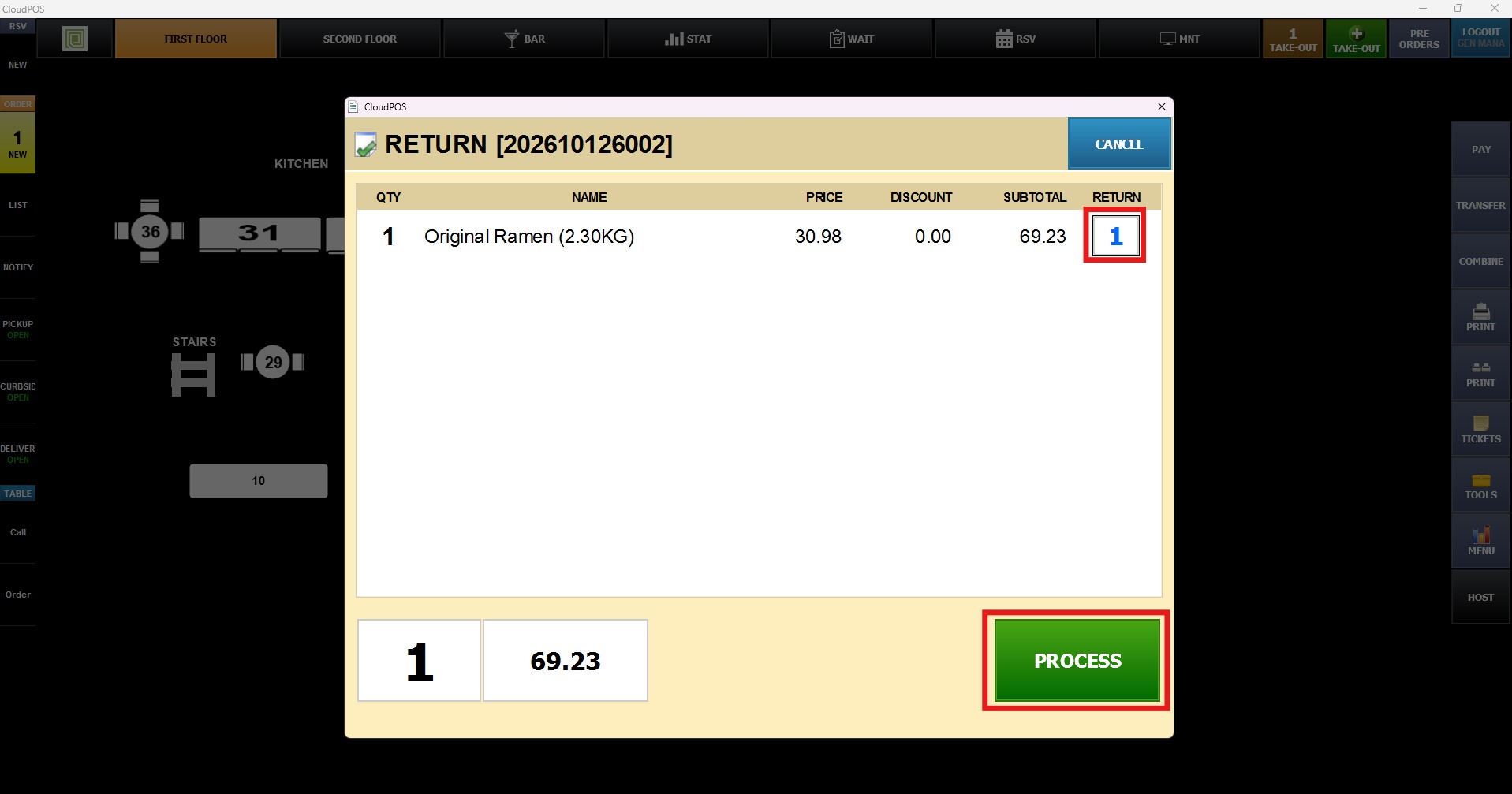
Check the items to return, then press PROCESS
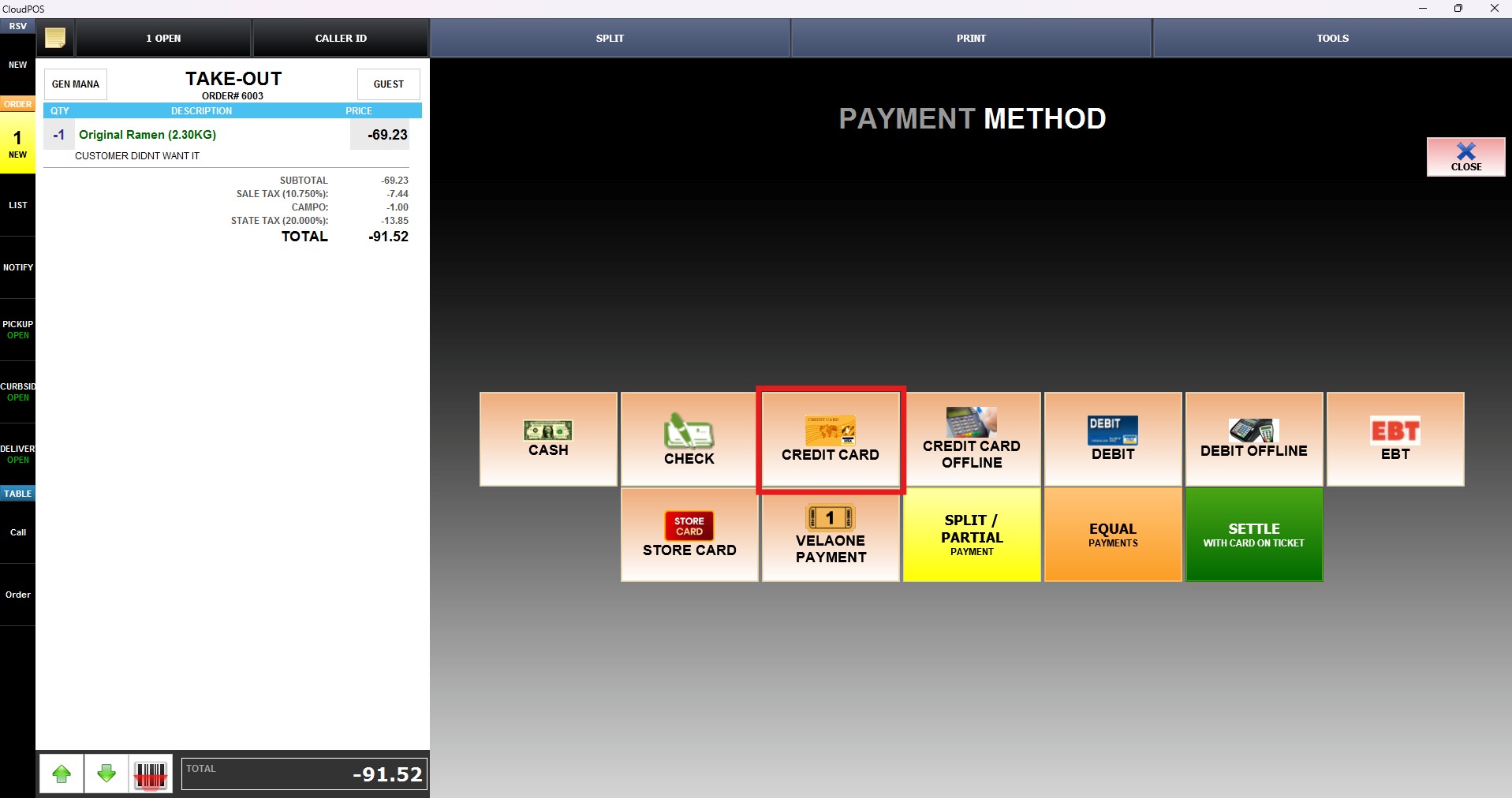
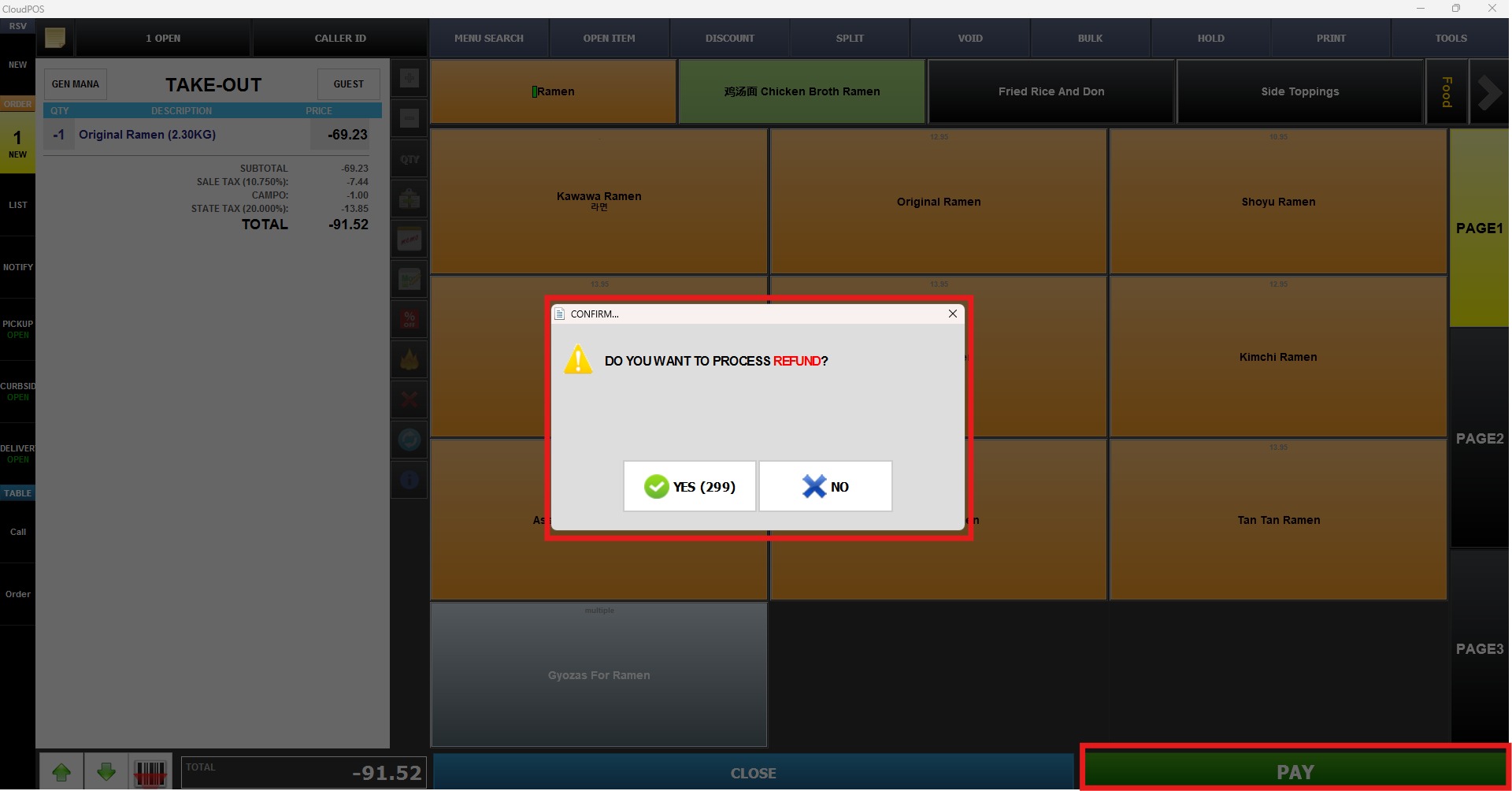
The item will appear as a negative amount, simply press PAY and confirm the Refund process
Select CREDIT CARD as the payment method