Voiding Credit Card
This guide explains how to void a credit card payment from a closed ticket. Voiding reverses the card transaction before the batch is settled, so the charge is removed from the customer's card and the payment is deleted from the ticket.
Main Screen > TICKETS > CREDIT CARD > Select Ticket > VOID
From the Main Screen, press TICKETS.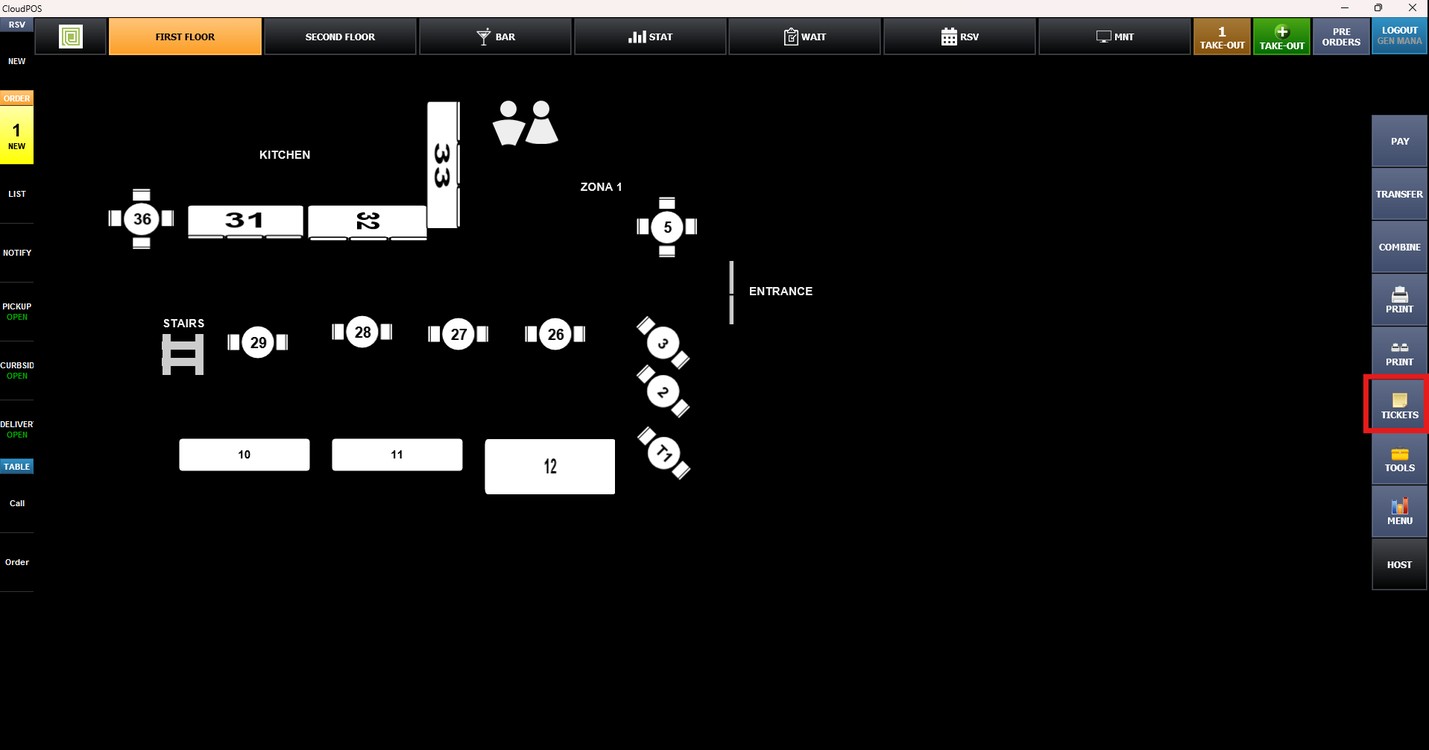
Press CREDIT CARD to display all tickets paid with a credit card.
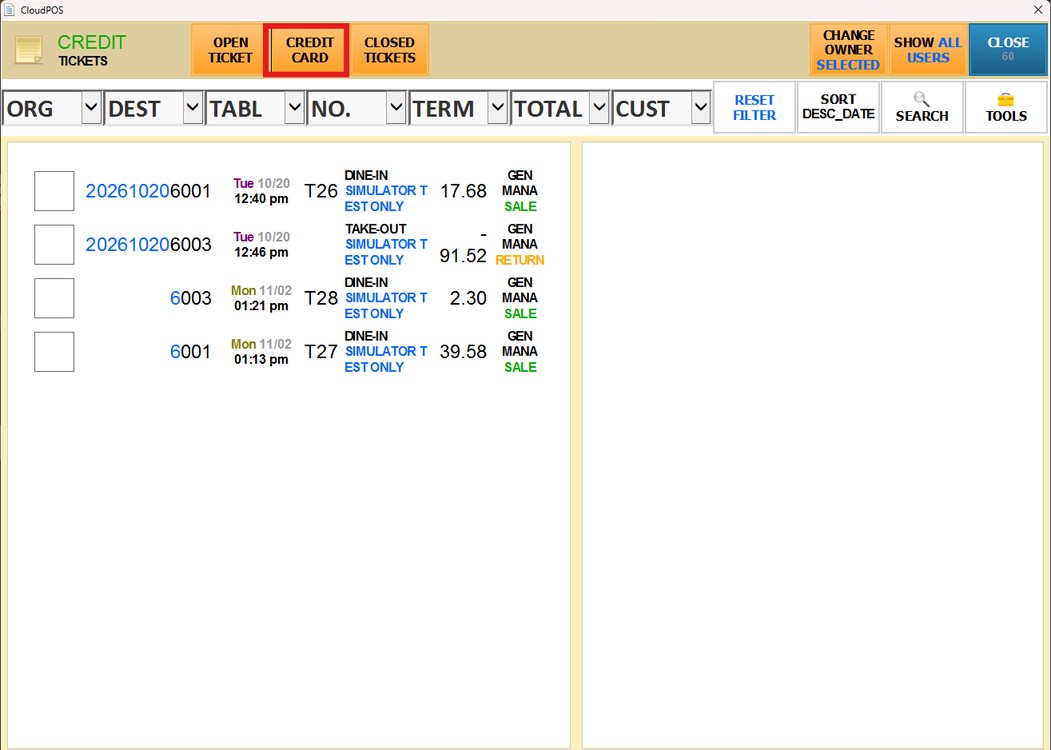
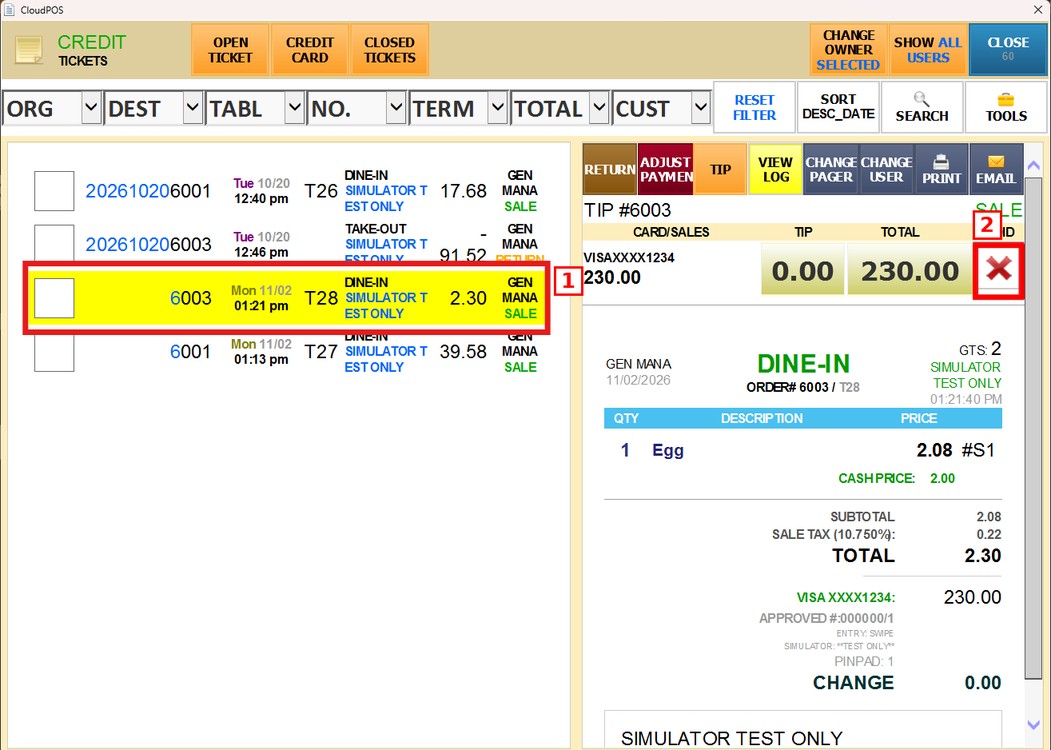
Select the ticket you want to void. The payment details will be displayed on the right side of the screen. Under VOID, press the red X next to the card payment.
A confirmation window will display the card and amount to be deleted. Press YES to continue.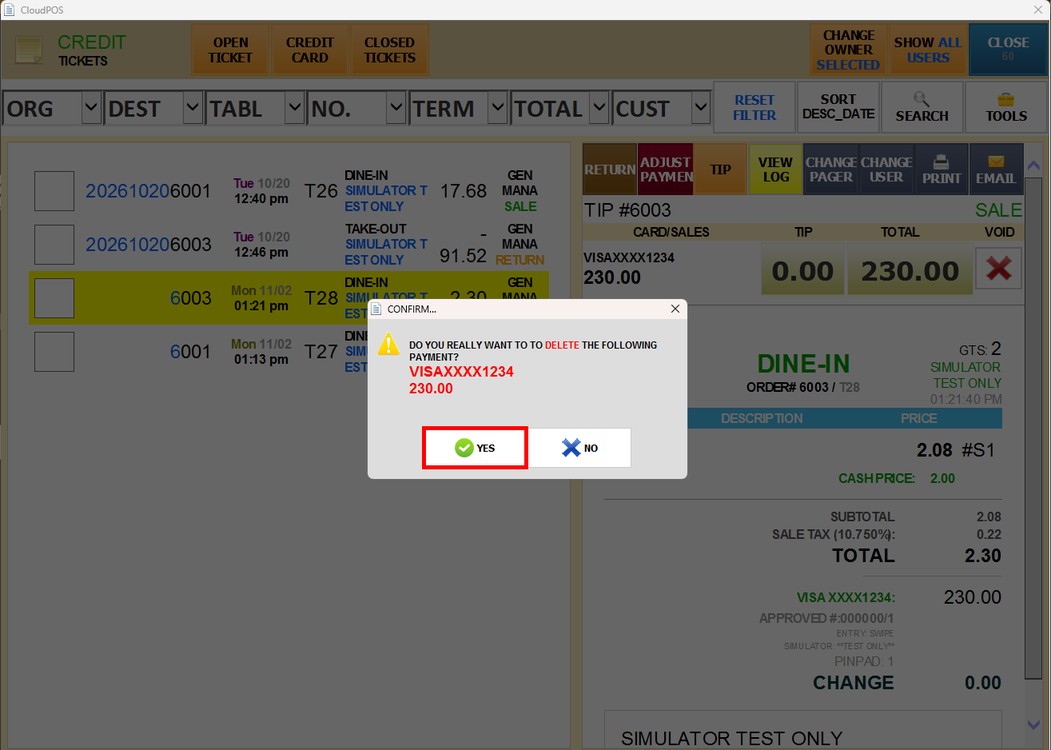
Enter a password with the required access and press DONE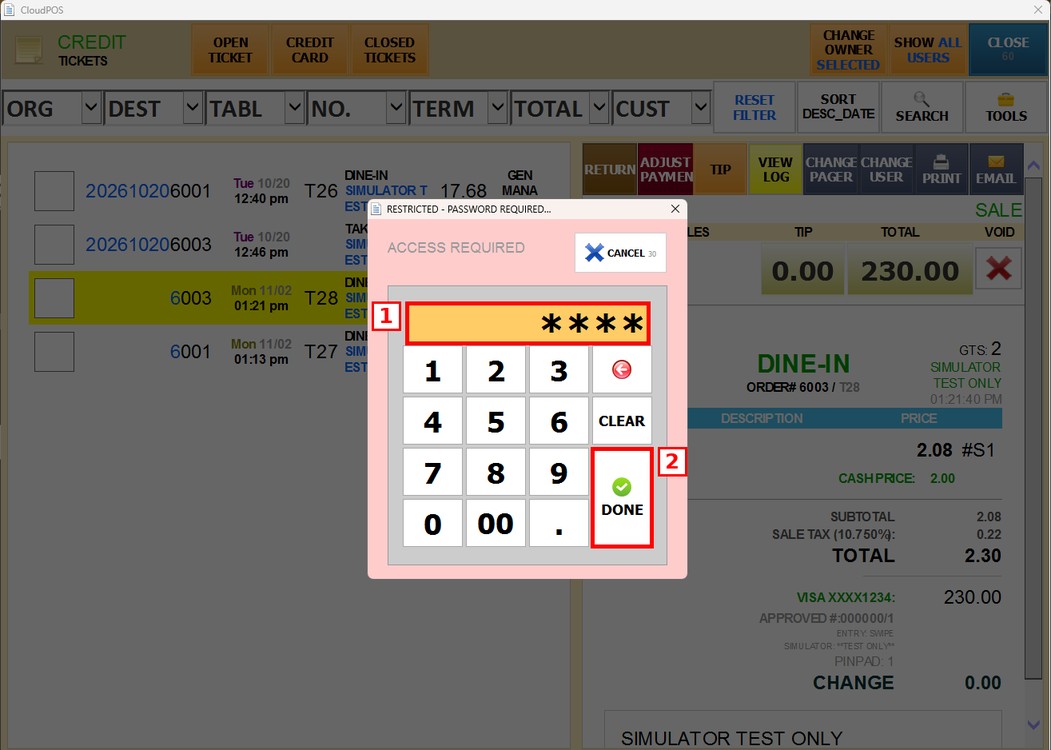
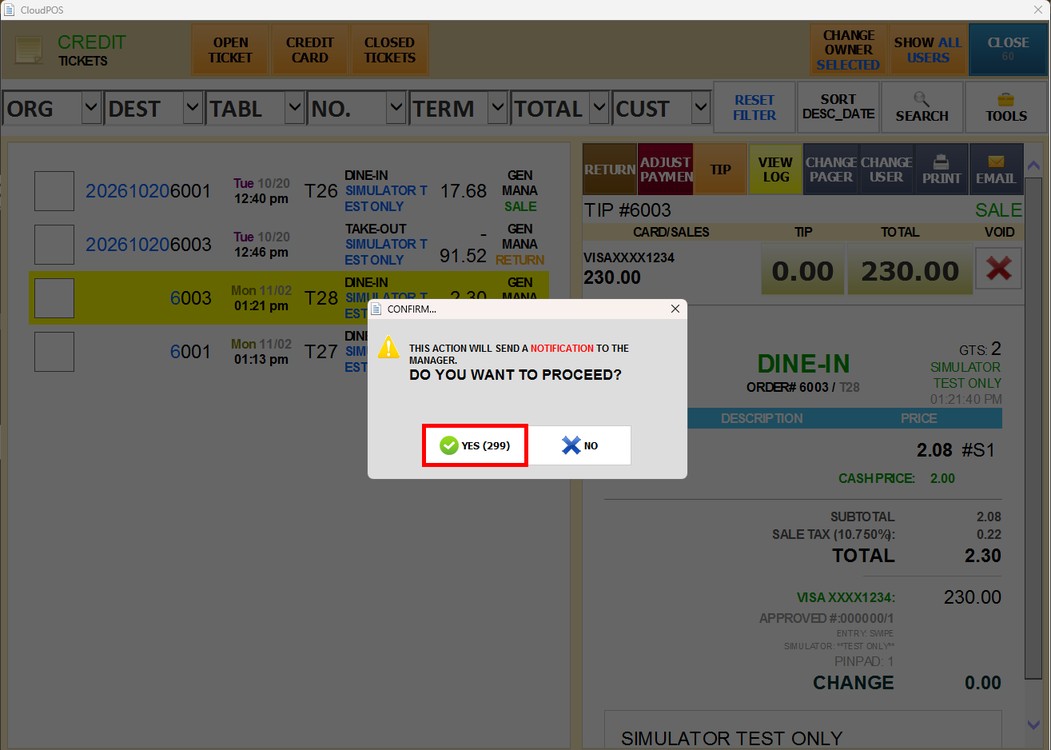
The system will warn you that a notification will be sent to the manager. Press YES to proceed.
The system will process the reversal. Once the success message appears, press OK.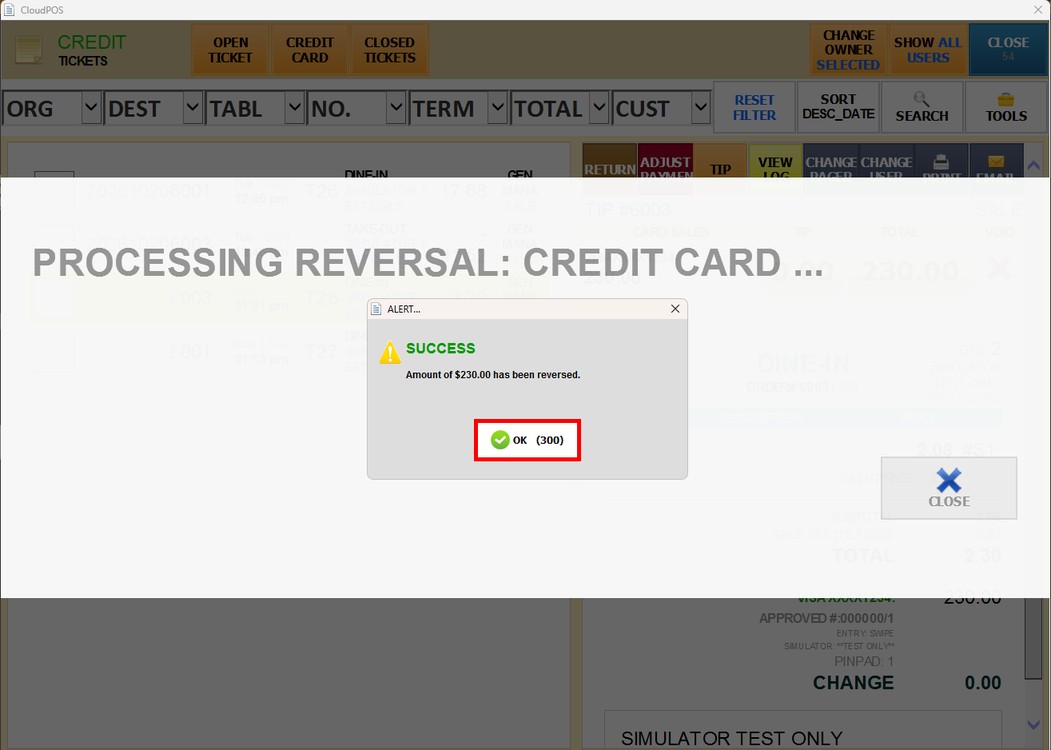
Result:
The credit card payment is reversed and the ticket no longer appears in the CREDIT CARD list.
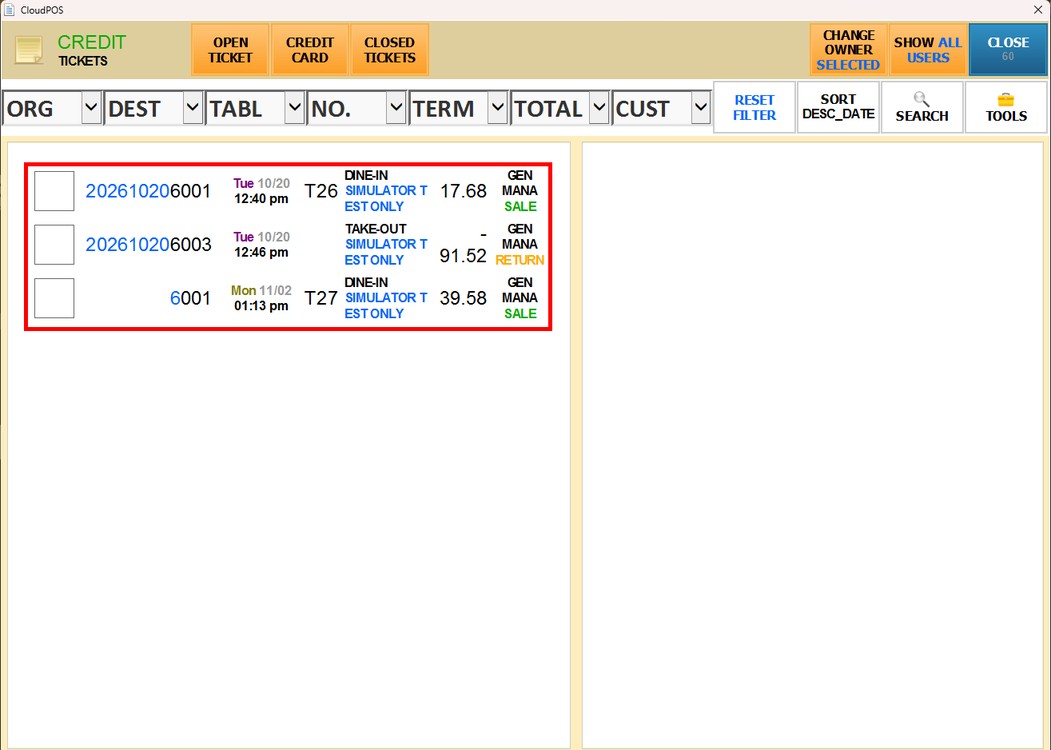
Note: Voiding a credit card payment requires a password with the appropriate permissions, and the manager is notified each time a payment is voided.
Hint: If you only need to change the tip or the payment amount, use ADJUST PAYMENT instead. To learn how, please refer to the Payment Adjust Guide.