Register Close-Skipping Unsettled Ticket/ CC/ No Tip
This section explains how to complete the Register Close process when there are still open tickets, unsettled credit card transactions, or transactions that have not yet had a tip applied. The Skip options allow the register to be closed without resolving these items immediately, so they can be addressed later if necessary.
Main Screen> Number Pad> Sales Screen> MENU> REGISTER CLOSE
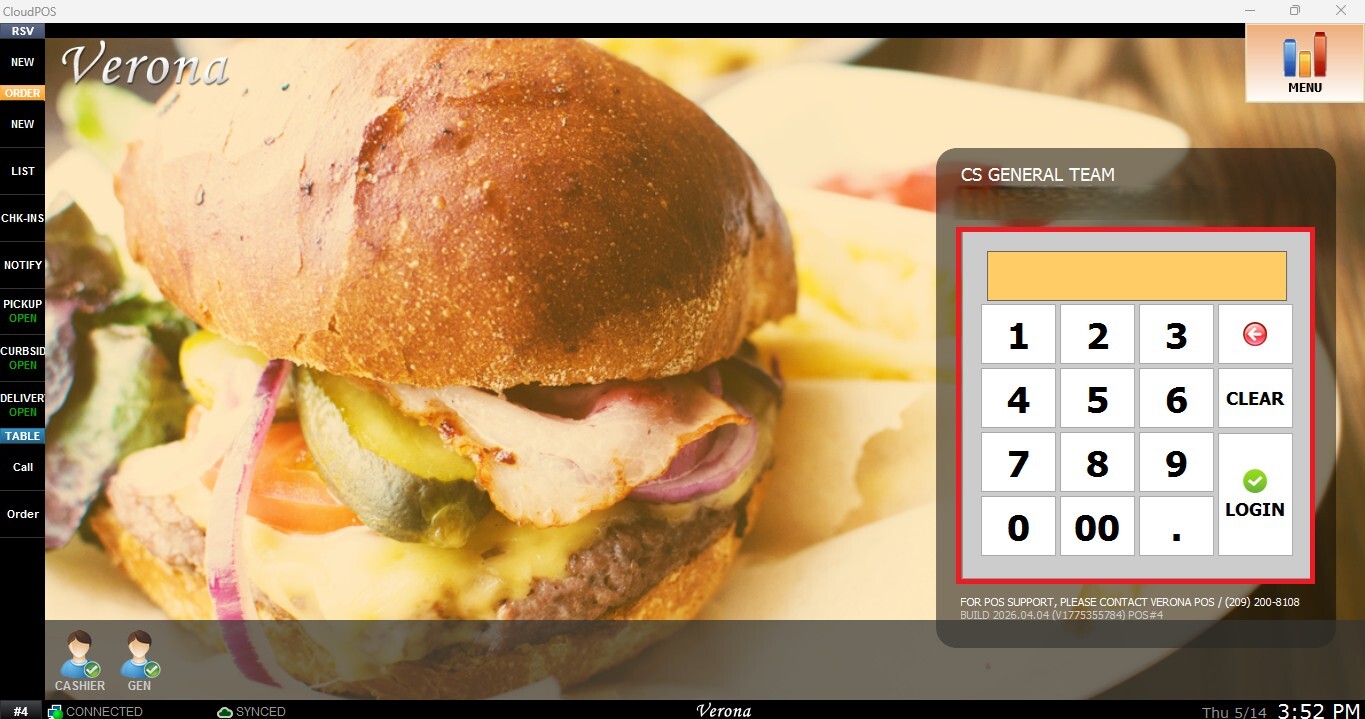
From the Main Screen, use the number pad and enter the assigned employee's password to log in.
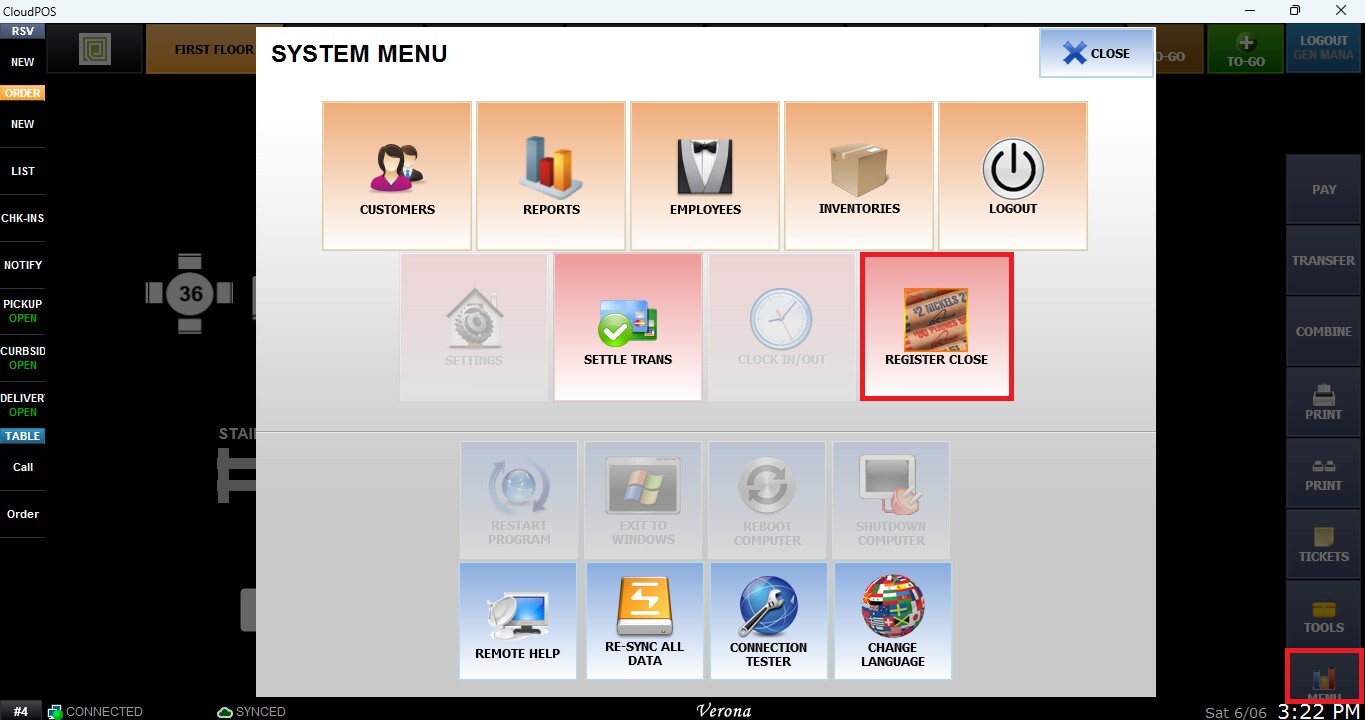
Navigate to MENU from the Table Screen and select REGISTER CLOSE.
Using the Skip Options
While on the Register Close screen, locate the following options: Skip Tickets, Skip Credit Cards, Skip CC NO-TIP. Select the checkbox corresponding to the item you wish to bypass during the Register Close process.
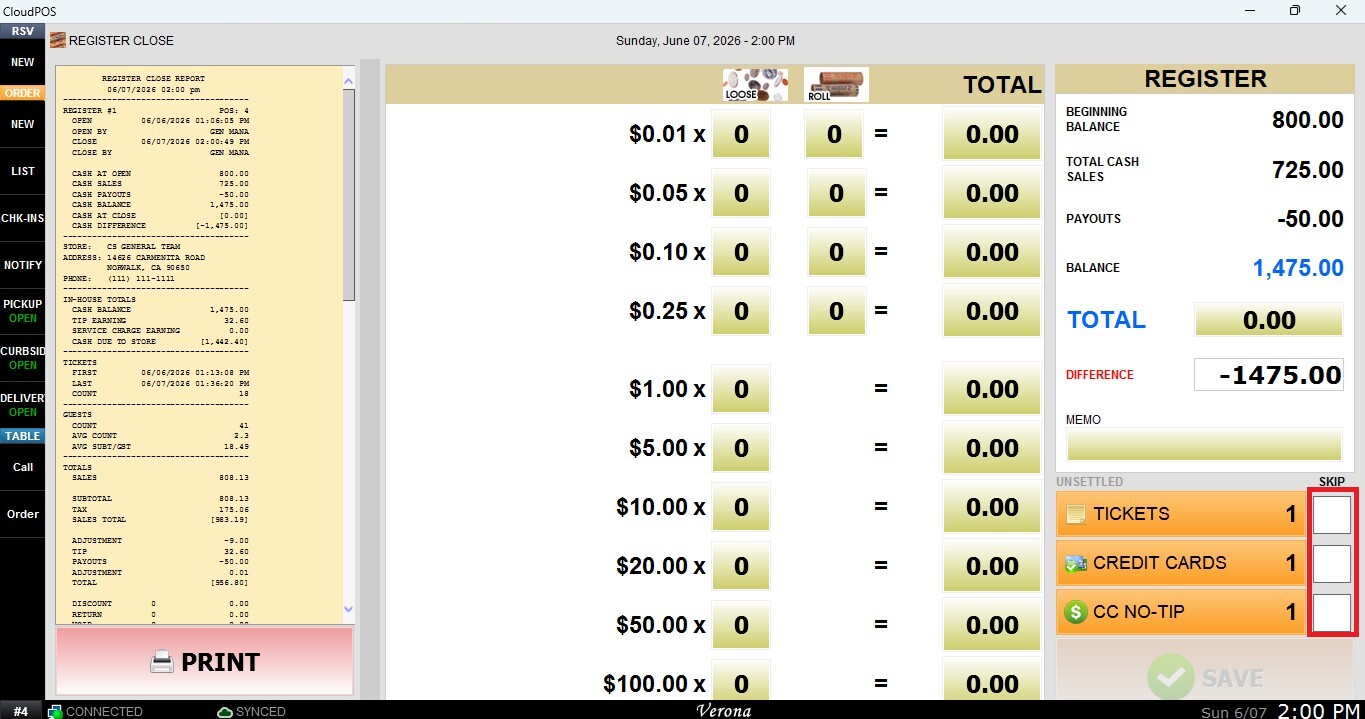
NOTE: You may select one or multiple options depending on your operational needs.
After selecting the desired Skip options, continue the Register Close process as normal and press SAVE.
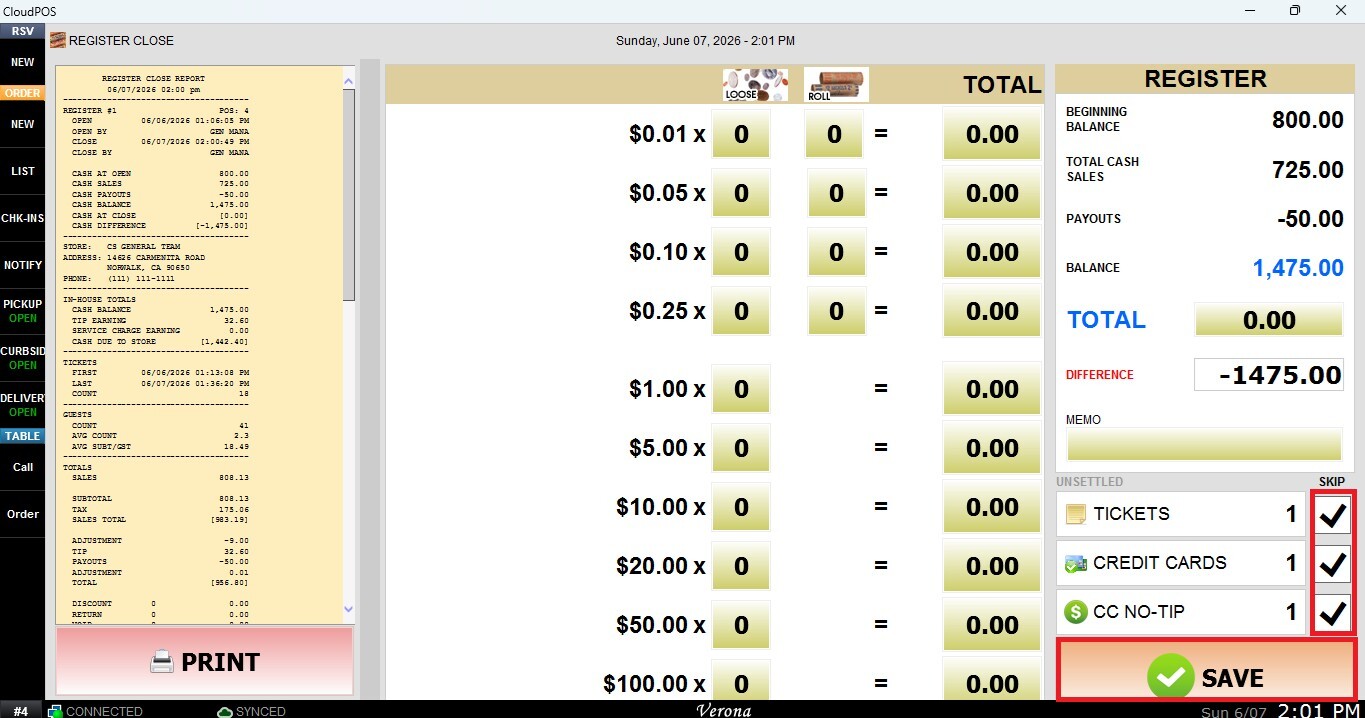
The Register Close process will be completed even if there are open tickets, unsettled credit card transactions, or transactions with missing tip information.
Important: Using the Skip options does not resolve these items. Any skipped tickets, unsettled credit card transactions, or missing tips must still be reviewed and completed later to ensure accurate reporting and payment processing.