Payment
The PAYMENT LOGS report allows managers and owners to review payment transactions that encountered errors and could not be successfully completed.
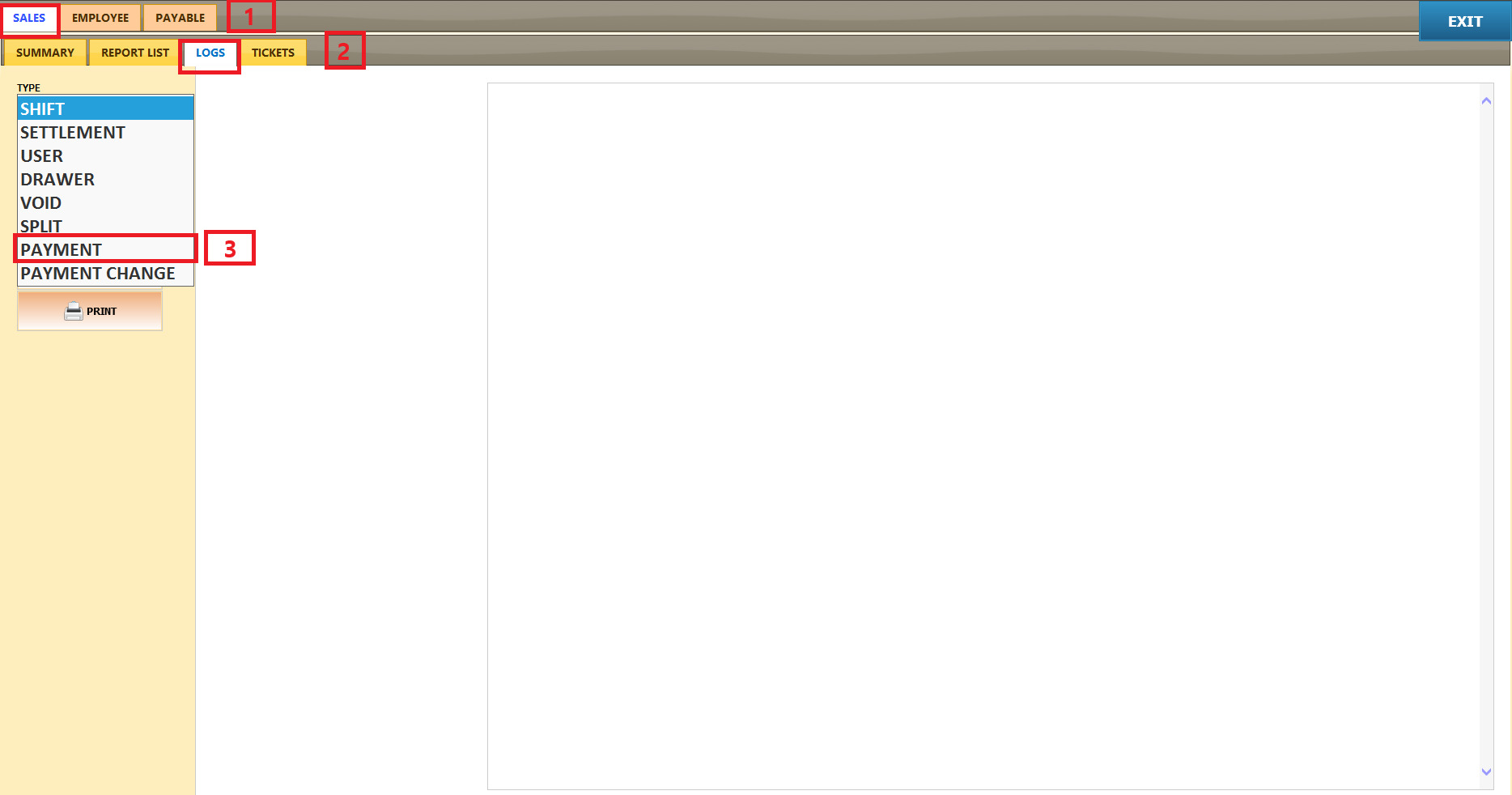
Main Screen > MENU > REPORTS

SALES > LOGS> TYPE (Dropdown Menu) > PAYMENT
Click the START DATE AND END DATE field.
A calendar window will appear.
Select the desired month and year using the dropdown menus at the top of the calendar.
Select the desired day from the calendar.
Click DONE to confirm your selection.
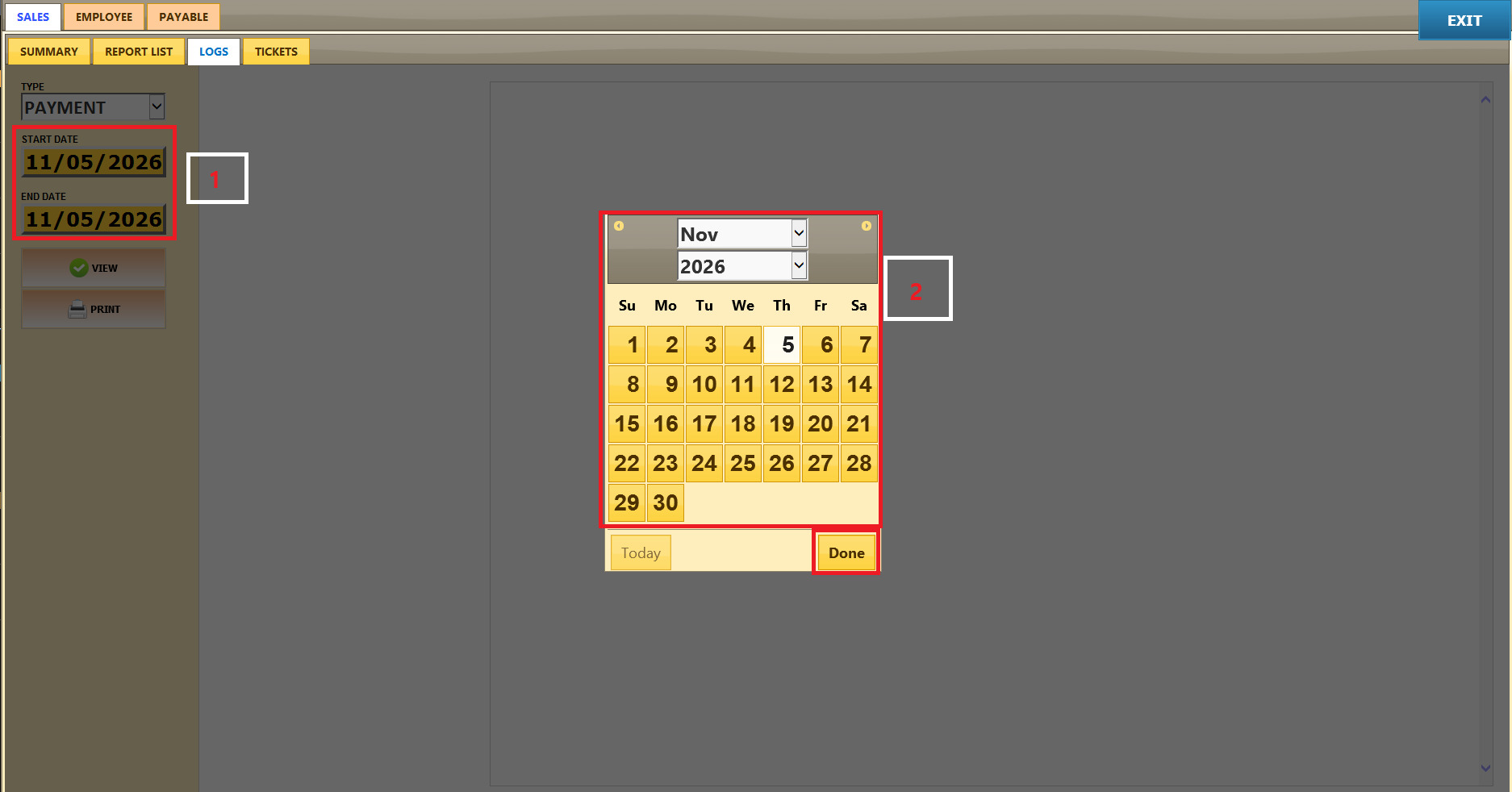
After selecting the desired START DATE and END DATE,
click VIEW to refresh and display the report based on your selected date range.
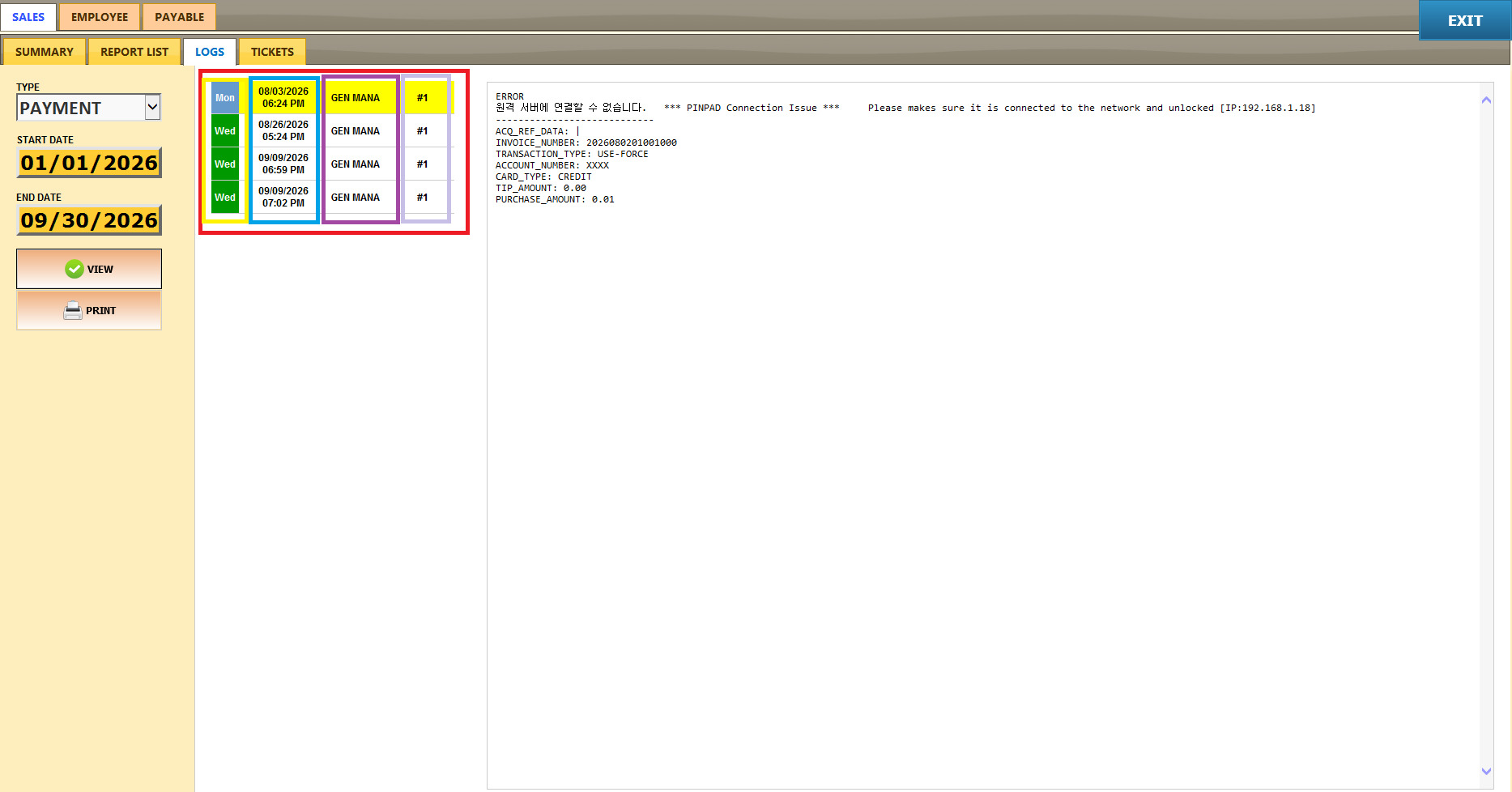
After clicking VIEW, the recorded payment error entries will appear in the list on the left side of the screen.
Each entry provides the following information:
Day: The day of the week when the payment error occurred.
Date / Time: The date and time of the payment attempt.
Employee: The employee associated with the transaction.
POS Number: The POS terminal where the payment was attempted.
Click PRINT to print the report currently displayed on the screen.