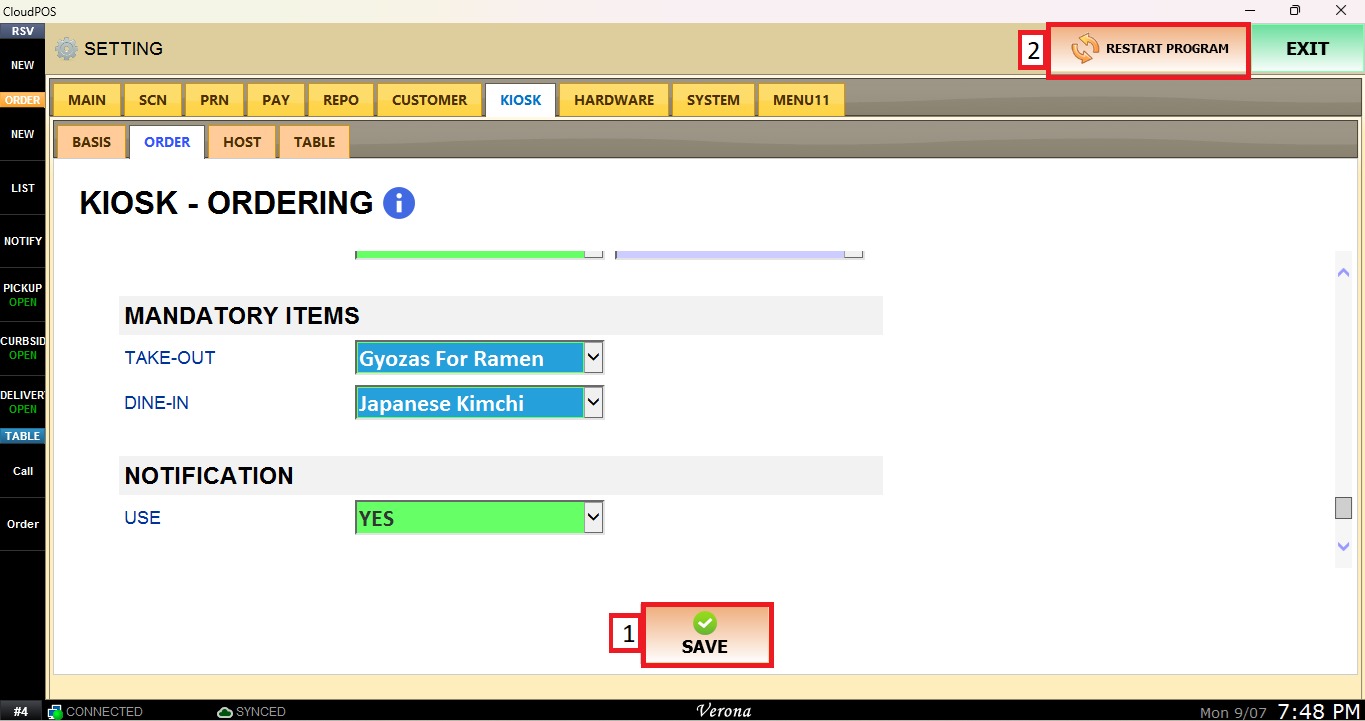
Mandatory Items
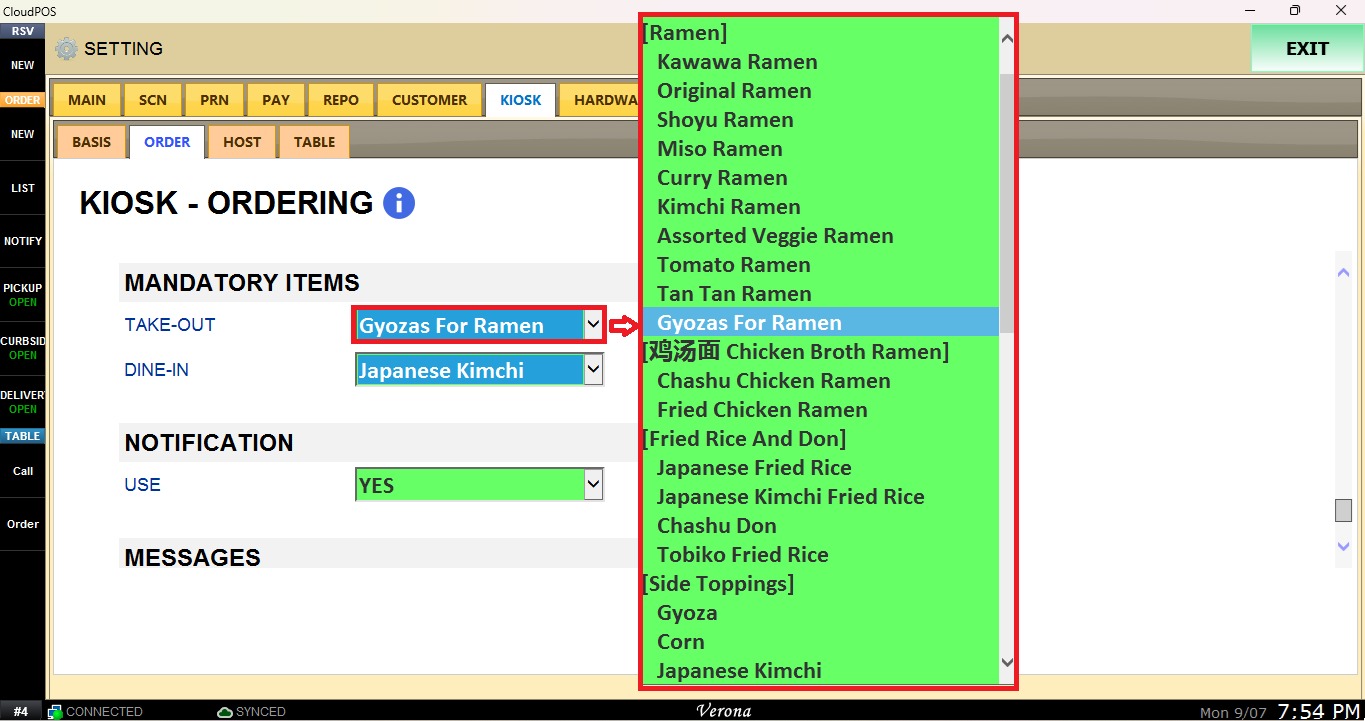
This section allows you to select one menu item that will be required for kiosk orders. A mandatory item can be configured separately for Take Out or Dine In kiosk orders.
MENU> SETTINGS> KIOSK> ORDER
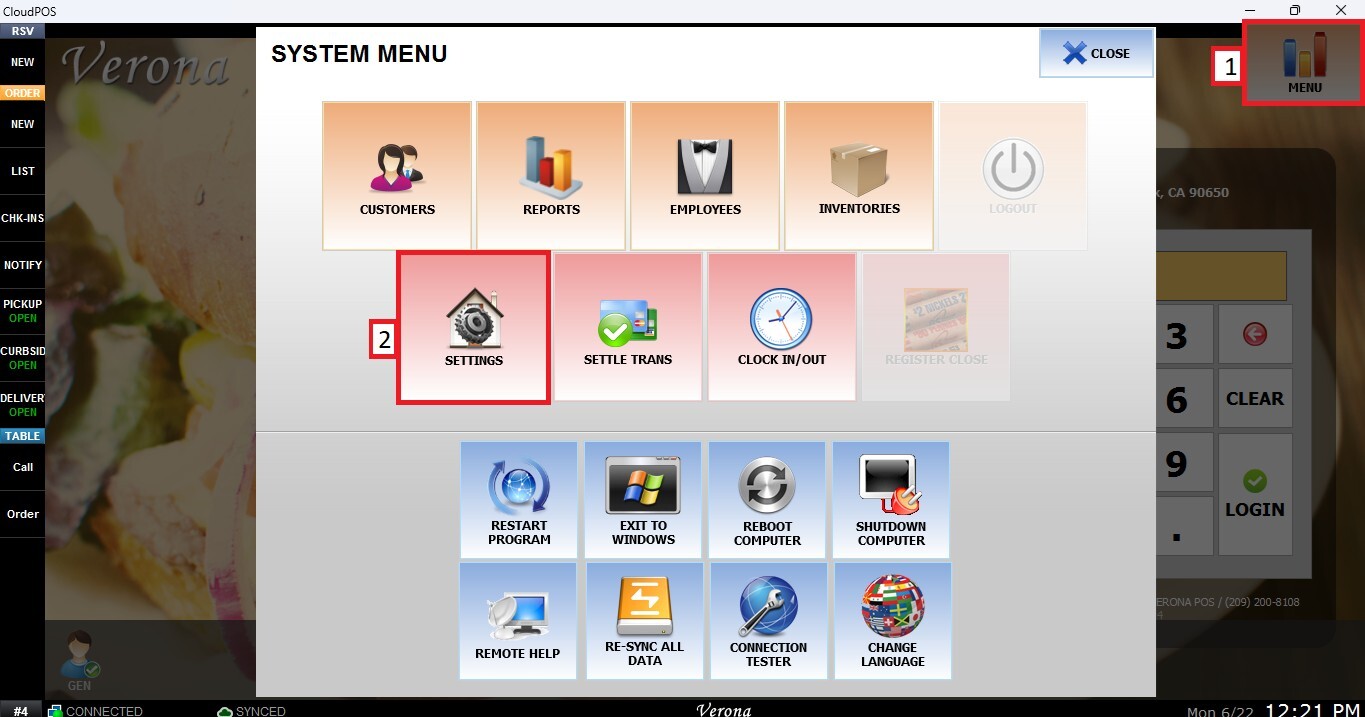
From the MAIN SCREEN, click MENU, then select SETTINGS.
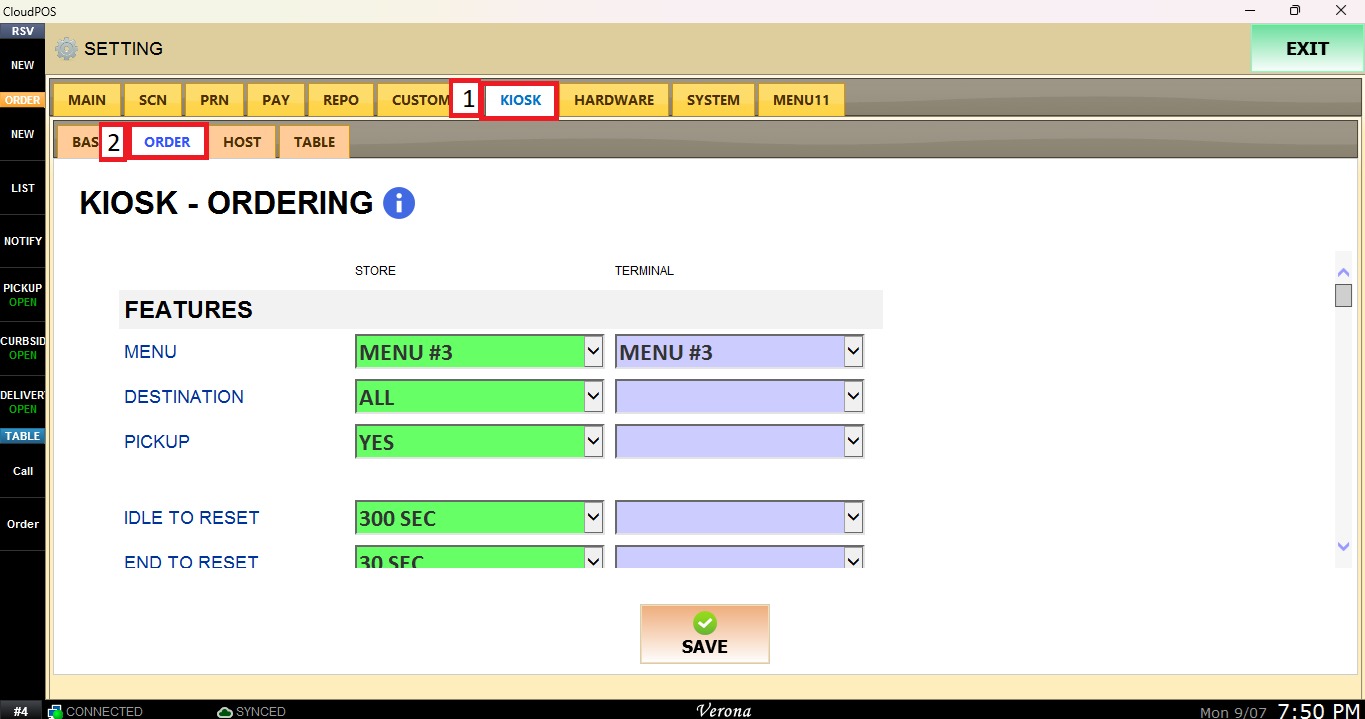
Navigate to the KIOSK tab, then select ORDER.
Scroll down until you get to Mandatory Items.
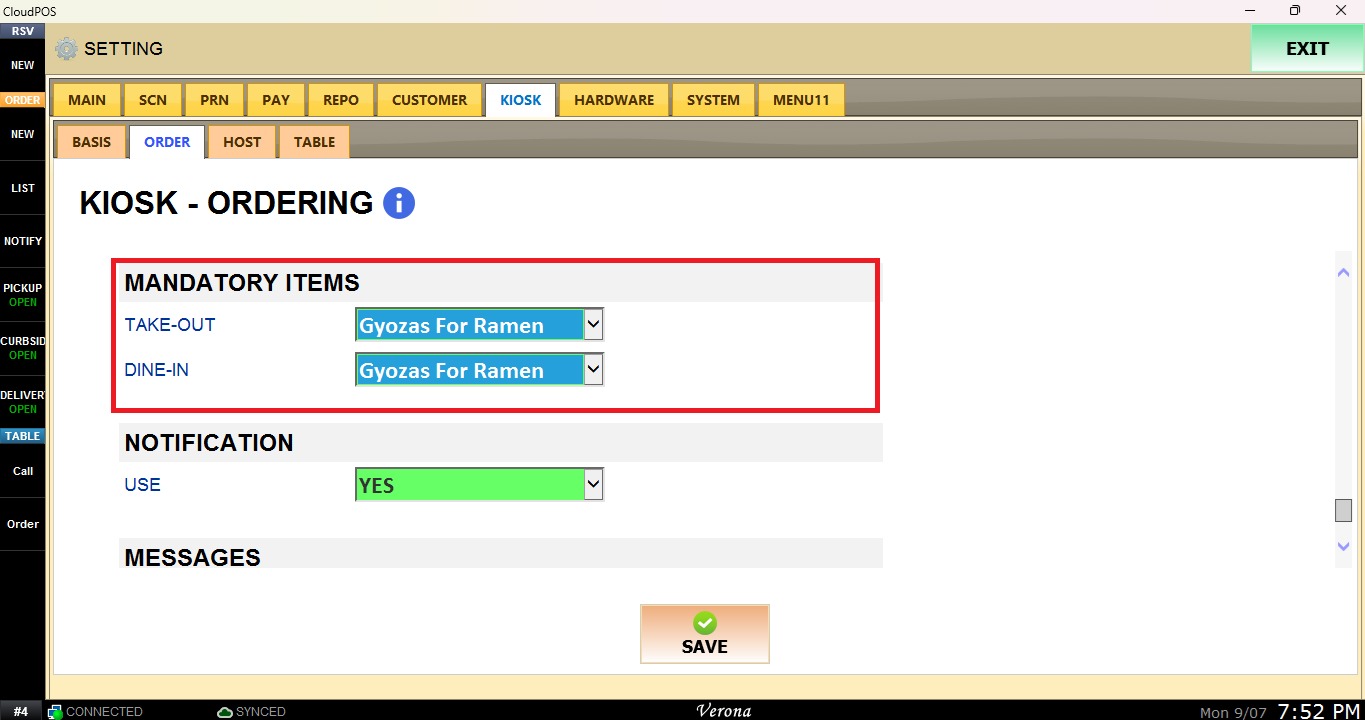
Mandatory Items
Select one menu item from the dropdown menu to be mandatory for Take-Out and/or Dine-In kiosk orders.
After changing the desired configurations, click Save and Restart Program to save and apply the new settings.