Excel
This section allows you to import and export modifiers using a CSV file. This simplifies managing large numbers of modifiers and helps maintain consistent configurations across menus or locations.
Main Screen> MENU> SETTING> REPO> MENU> EDIT> DEPARTMENTS> CATEGORY
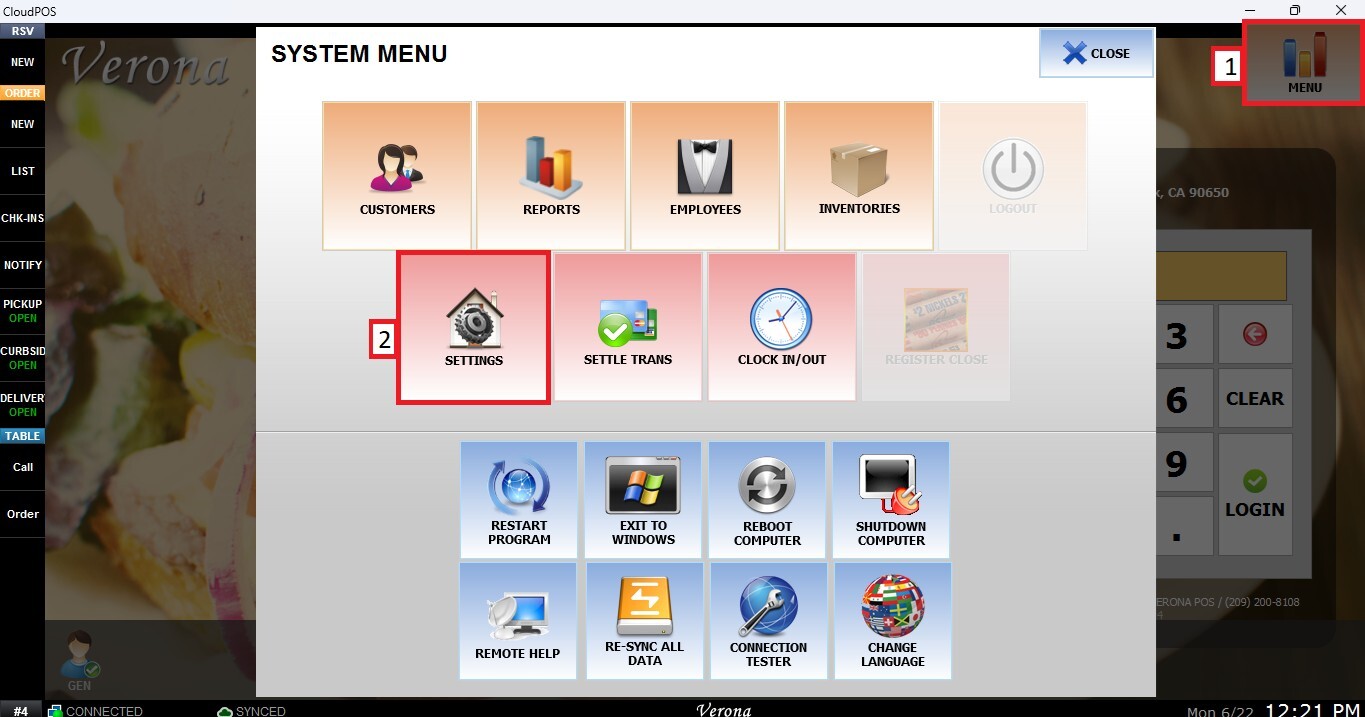
Go to MENU then SETTINGS.
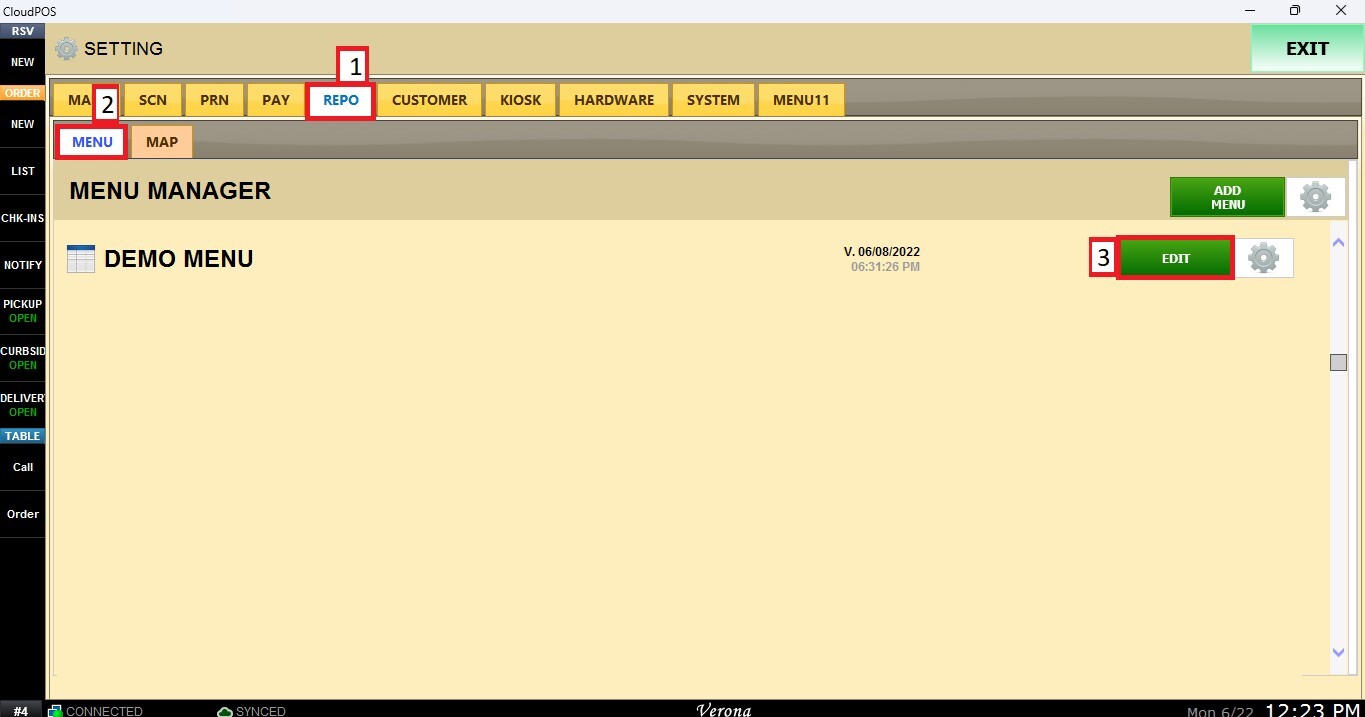
Open the REPO tab, select MENU and Locate the menu you want to modify and click EDIT.
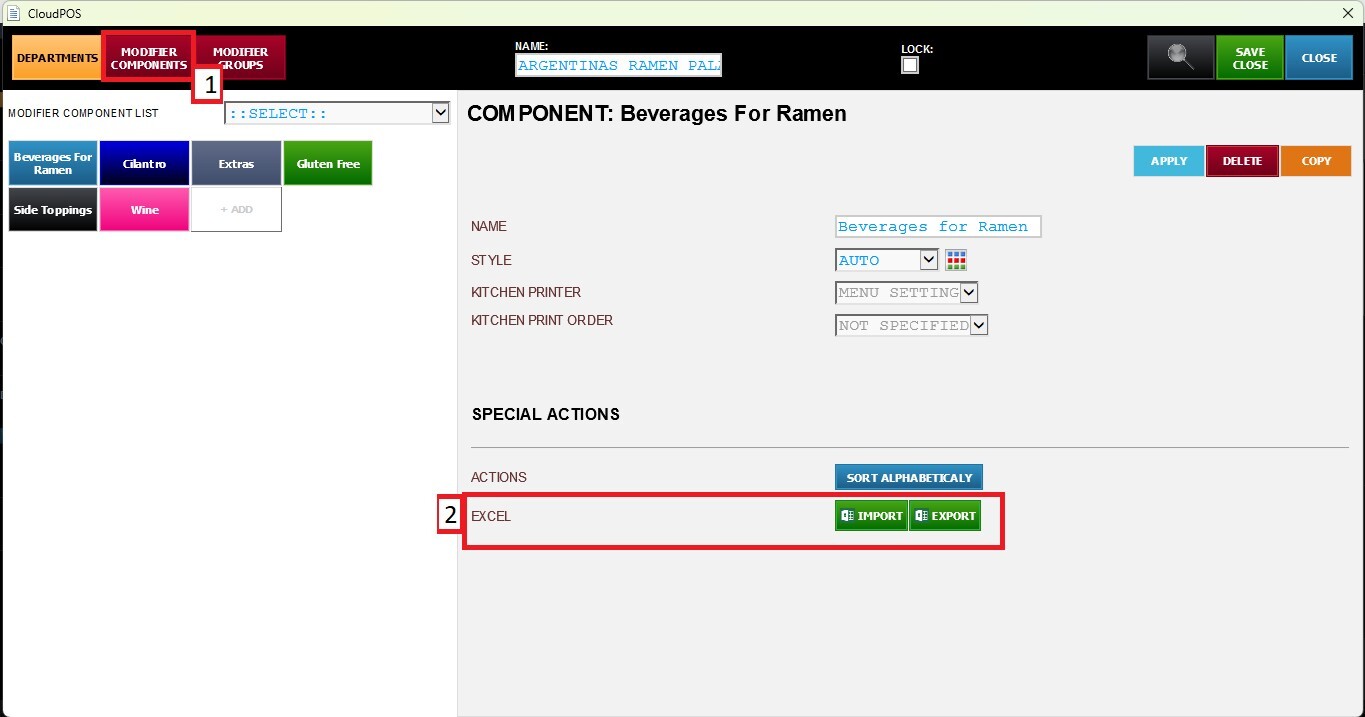
Navigate to the MODIFIER COMPONENTS button and select the component you want to configure from the list. Then, go to the EXCEL section inside SPECIAL ACTIONS.
Export
Click EXPORT to open the excel export window. From there, you can copy the data and save it as a CSV file if needed.
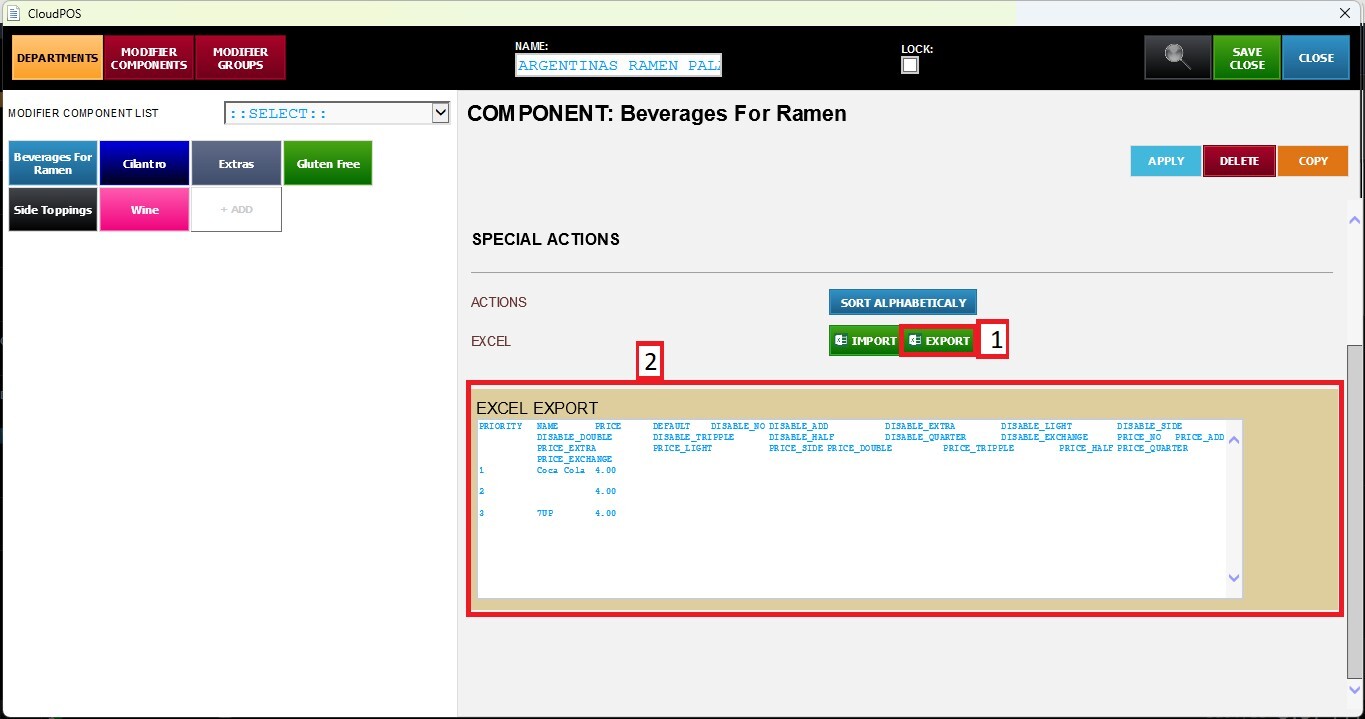
The exported information can be used as a template for the Import function.
Import
Click IMPORT to open the excel import window. Paste the data into the blank area, then click IMPORT to add the Modifier Components to the list.
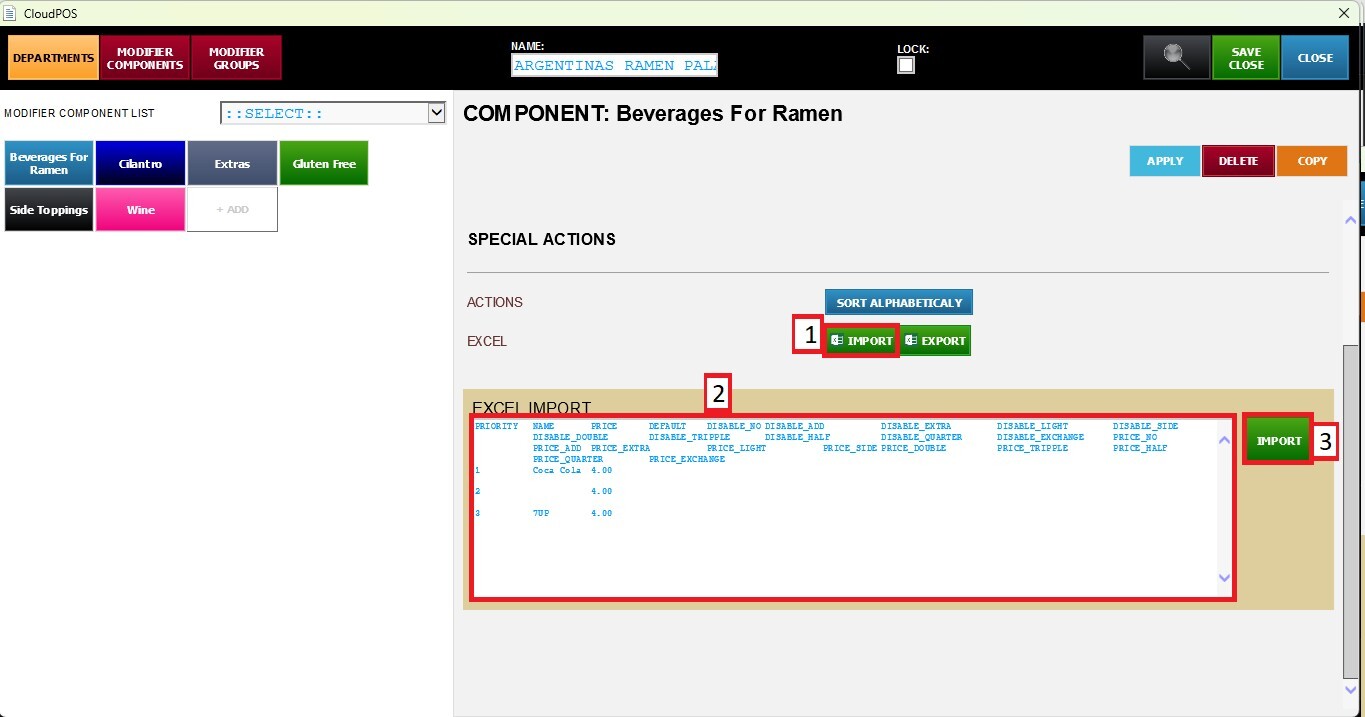
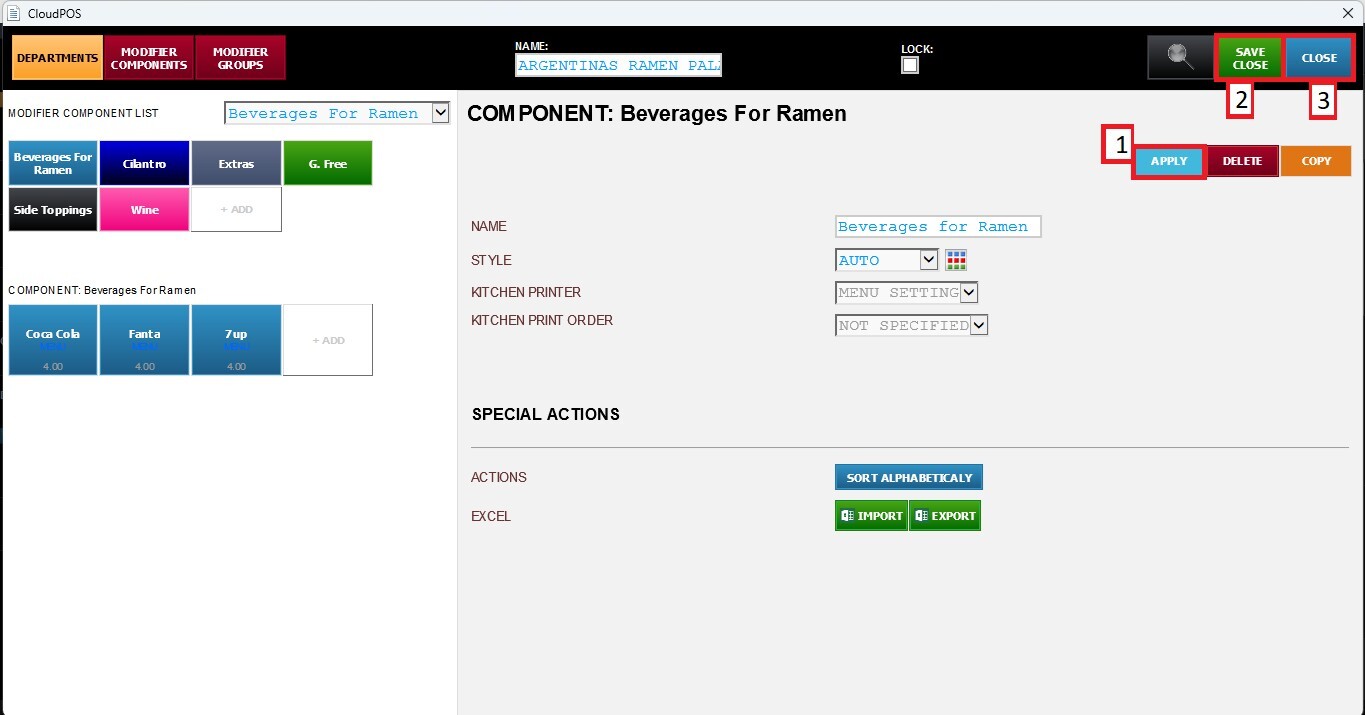
Click APPLY, then SAVE & CLOSE to save all changes.