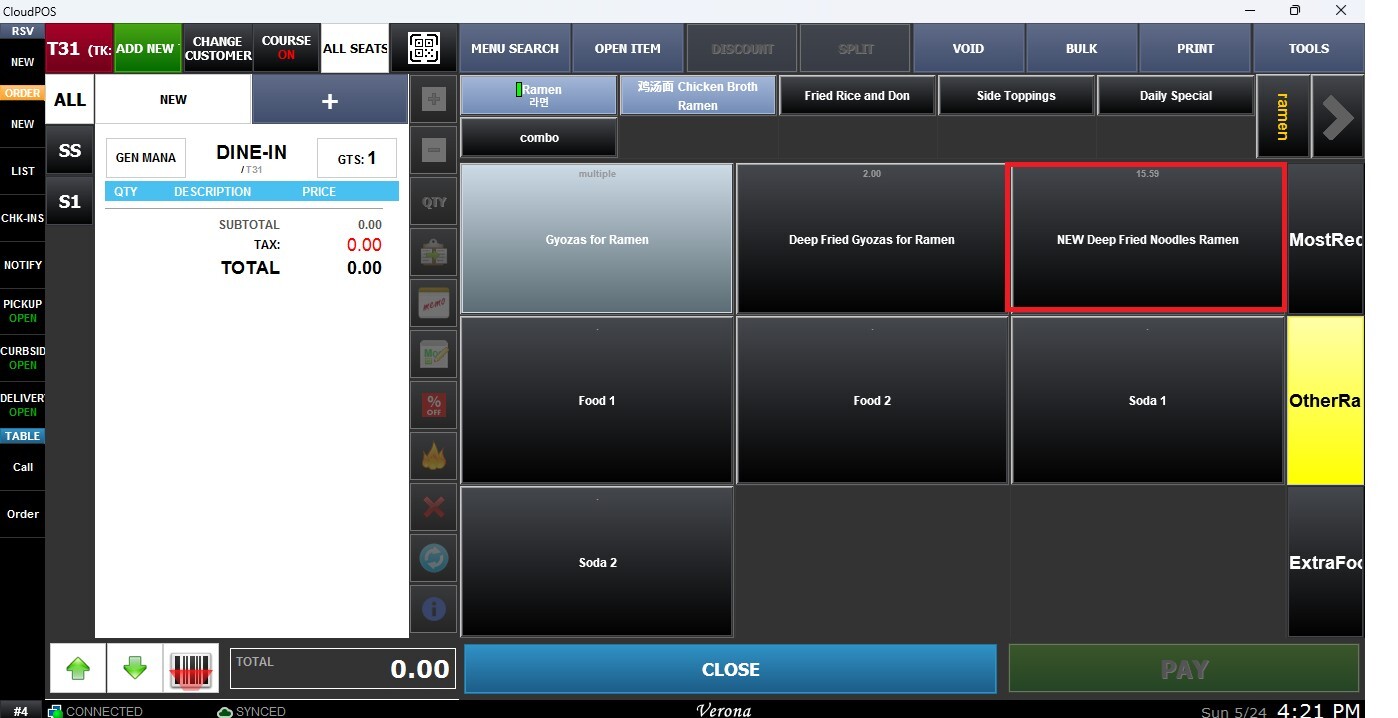
Menu Tools
These functions allow users to edit menu configurations directly from the Sales Screen and refresh the menu to immediately apply changes without restarting the system. These tools help simplify menu management and ensure updates are reflected quickly during daily operations.
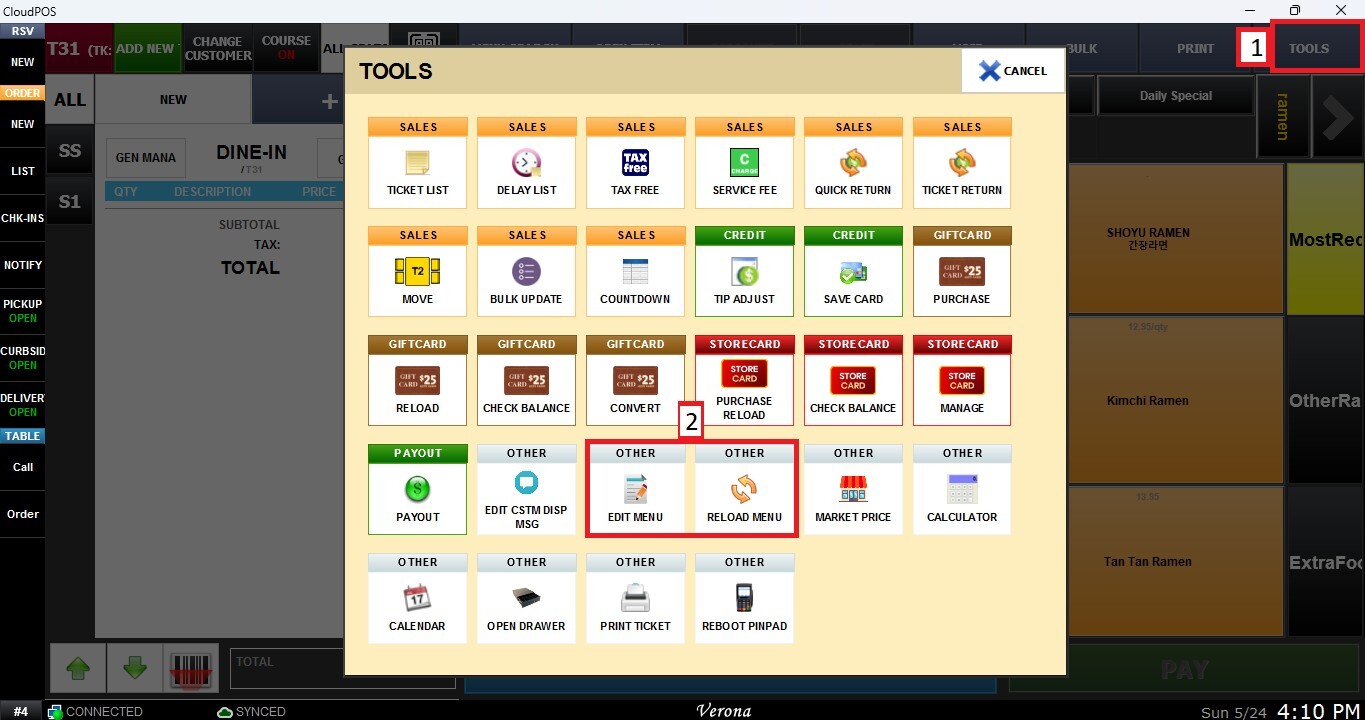
Main Screen> Number Pad> Sales Screen> TOOLS> EDIT MENU / RELOAD MENU
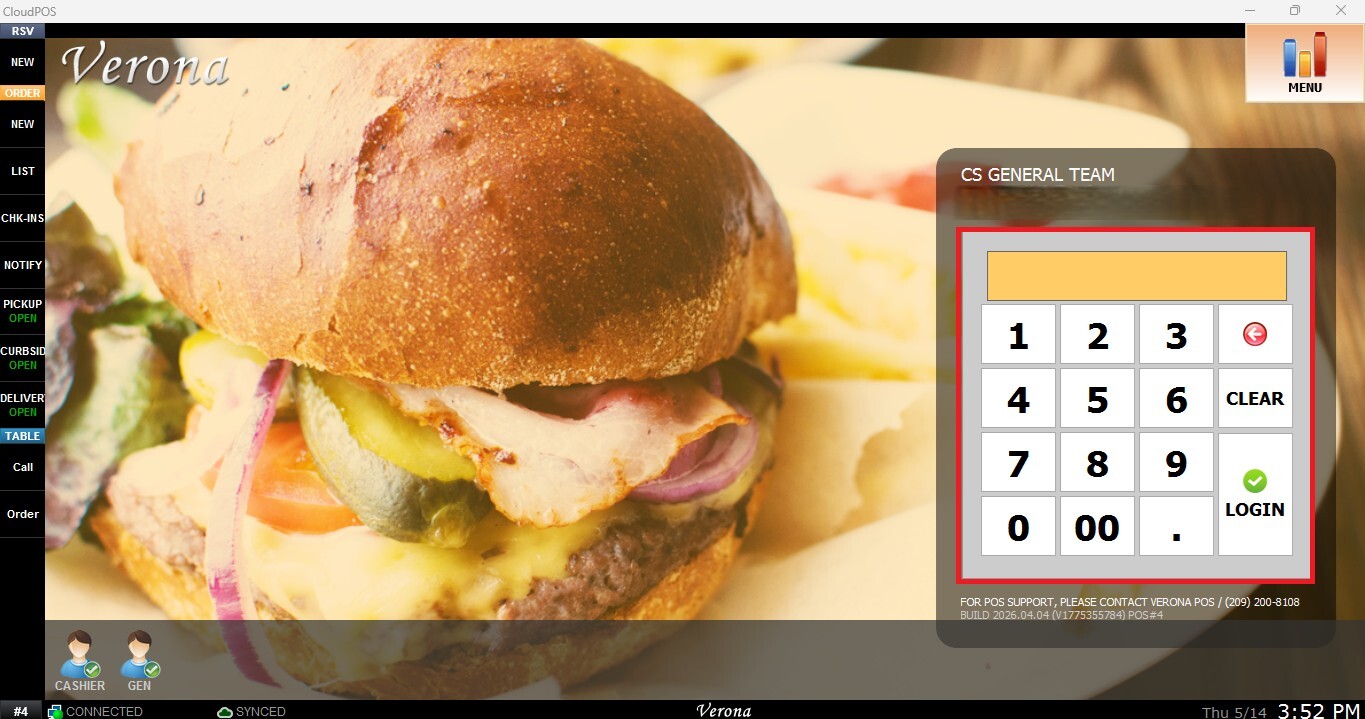
From the Main Screen, use the number pad and enter the assigned employee's password to log in.
From the Sales Screen, click TOOLS
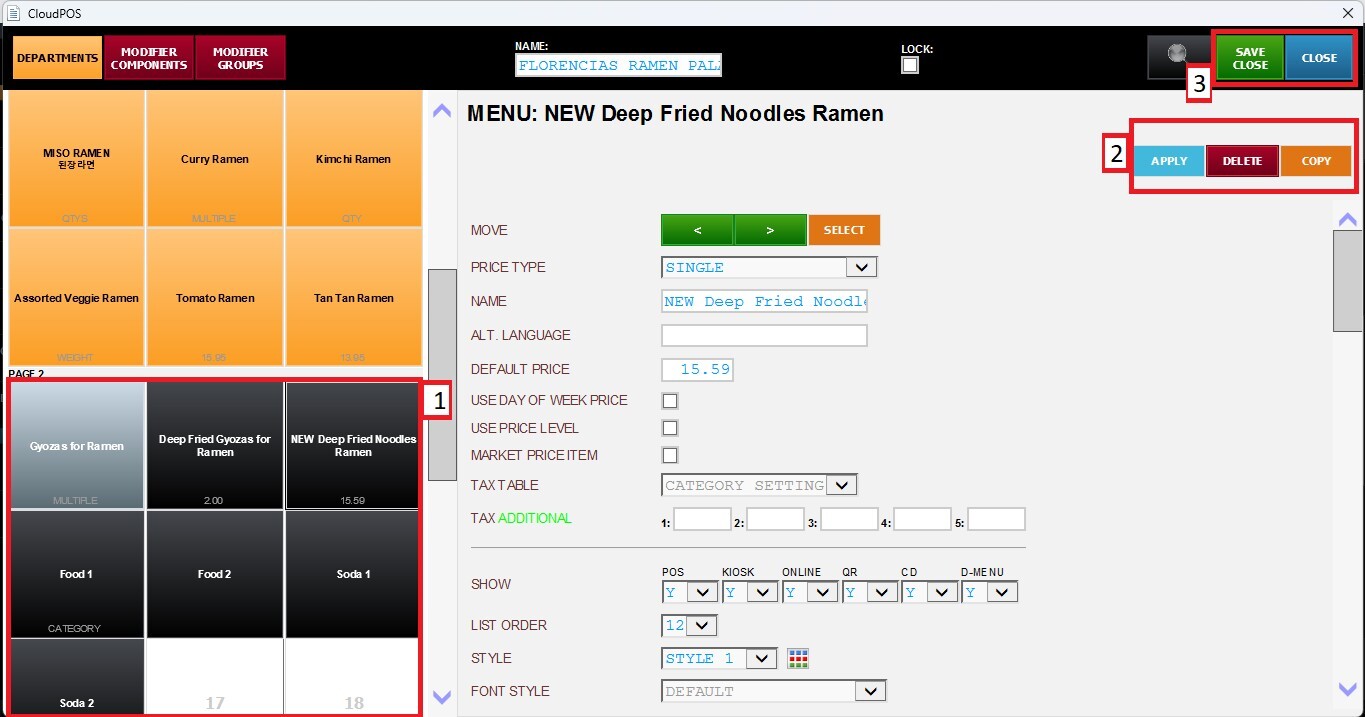
Edit Menu
Allows users to modify the menu directly from the Sales Screen.
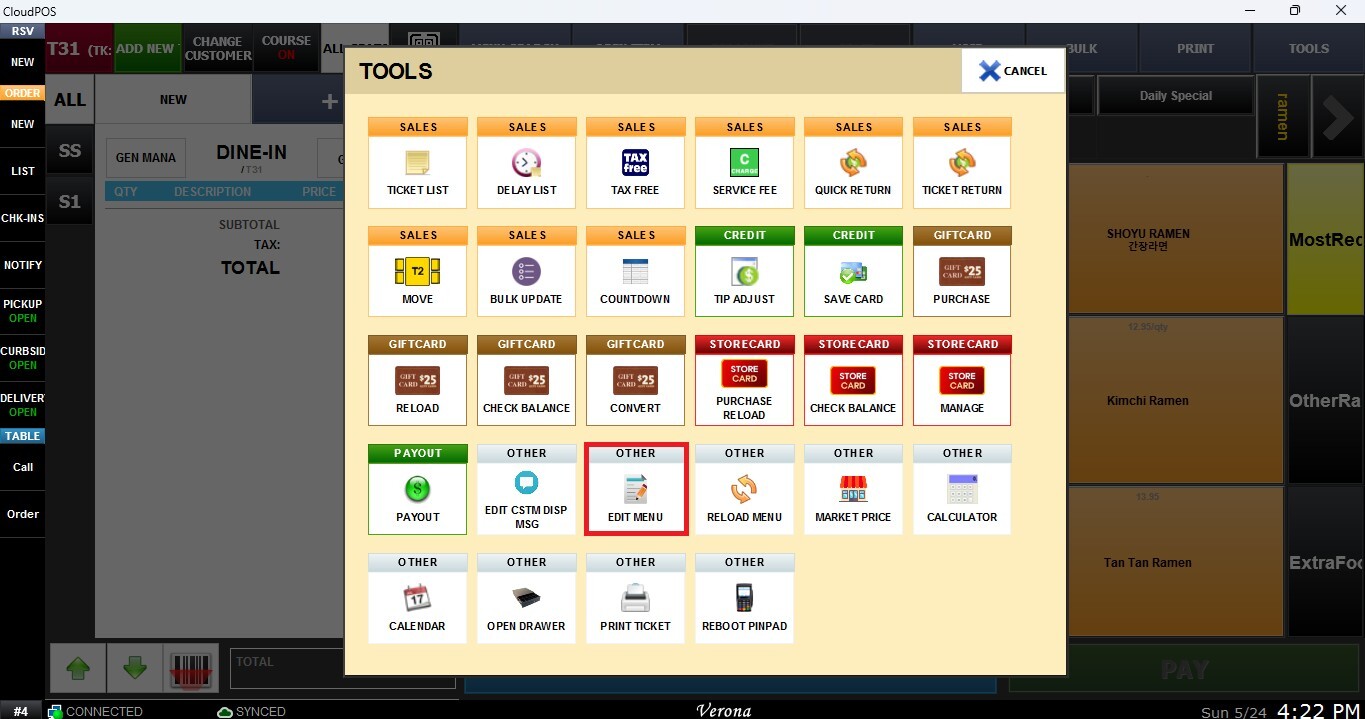
The Edit Menu window will open, allowing you to make the necessary changes. Save the updates by clicking APPLY, SAVE and CLOSE
Reload Menu
Allows the POS system to refresh and reload the current menu configuration so recently applied changes become visible on the Sales Screen without requiring a system restart.
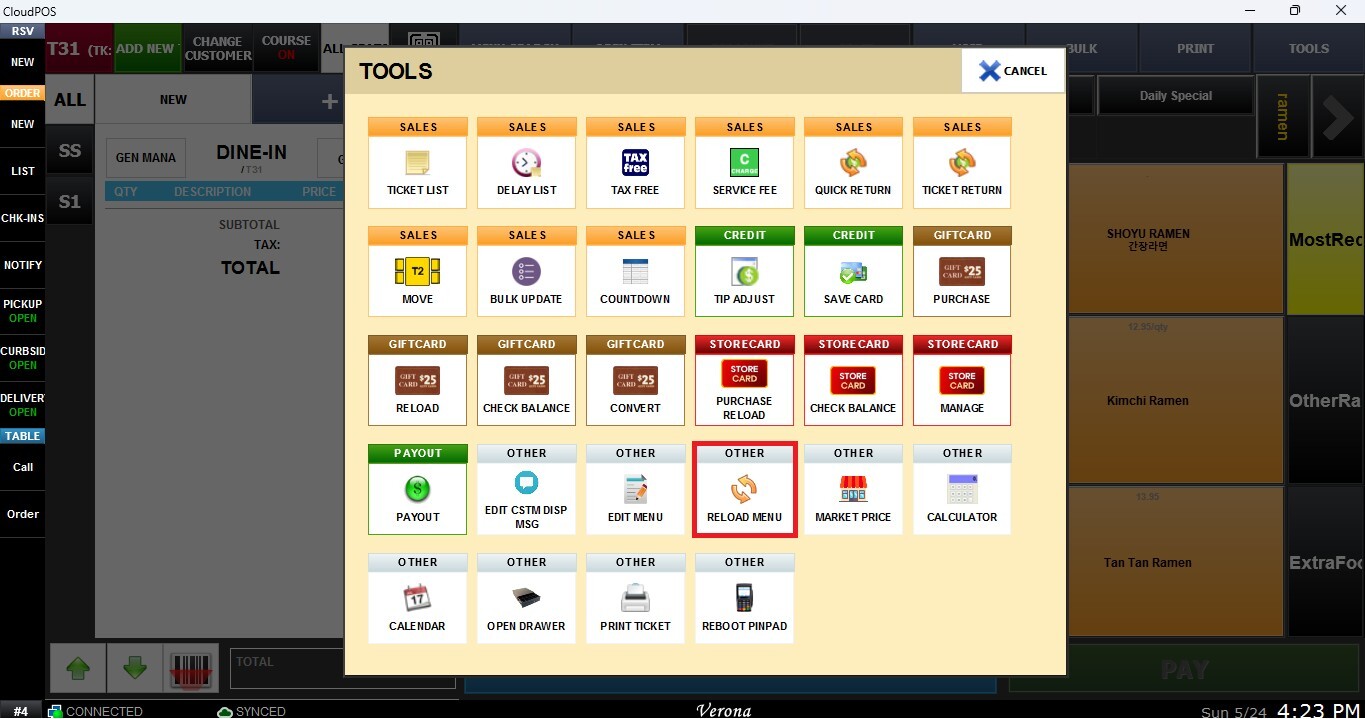
Once the menu is reloaded, the applied changes will be reflected on the Sales Screen.