Or.Dest.
The Originations/Destinations setting defines the originations and destinations available at the store. The user can set default options, enable or disable them, and assign custom names.
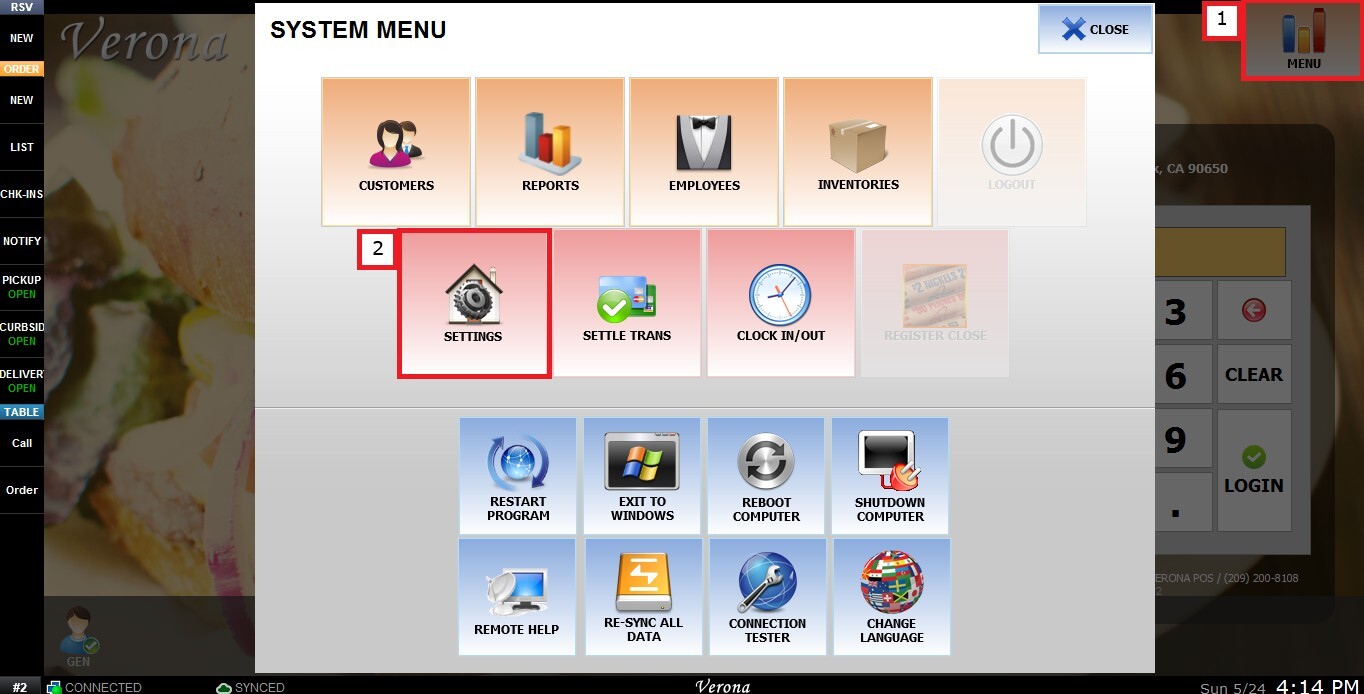
MENU > SETTINGS > MAIN > ORG. DEST.
From the Main Screen, click MENU, then select SETTINGS.
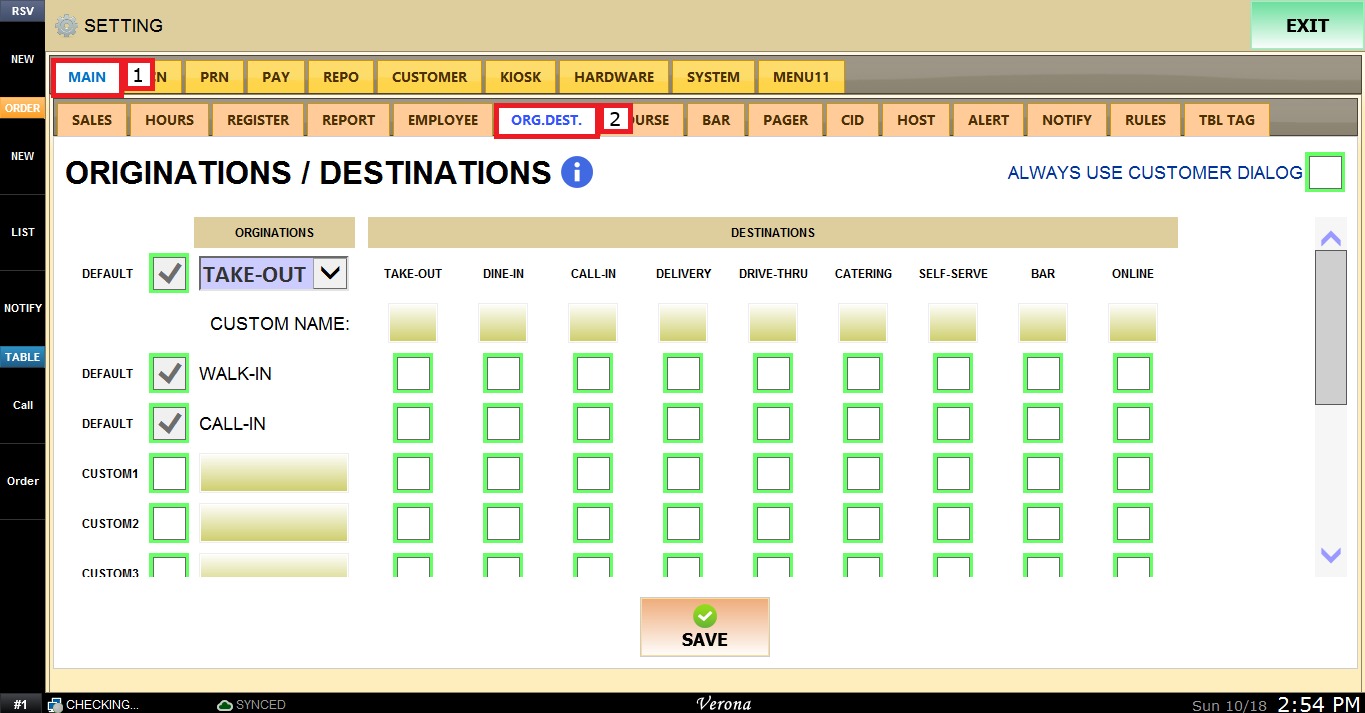
Under MAIN, select ORG. DEST., and review the available configuration options.
ORIGINATIONS
This section defines how an order starts, such as a customer walking in or calling in.
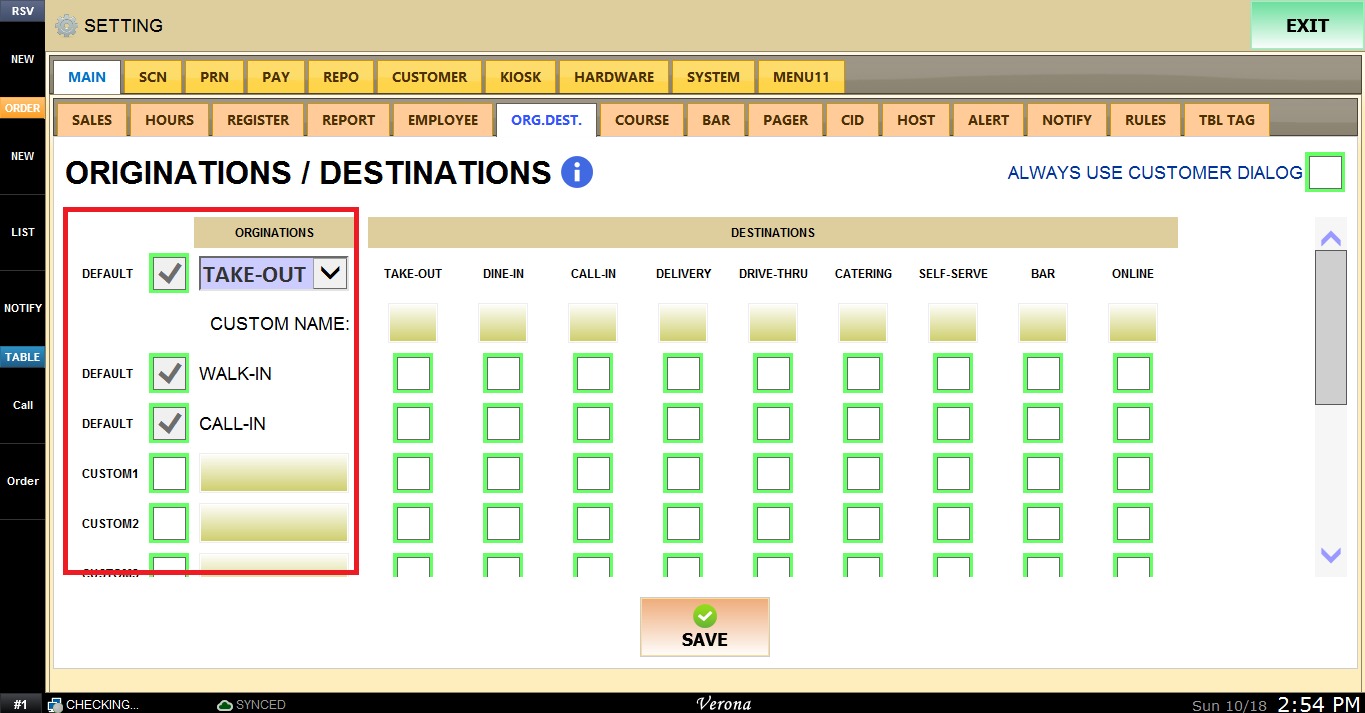
1. DEFAULT (dropdown): Defines the default origination. The options available are the same as the destinations. Check the box next to it to enable it.
2. WALK-IN / CALL-IN: These are the default originations. Check or uncheck the box next to each one to enable or disable it.
3. CUSTOM1, CUSTOM2, CUSTOM3...: Allow the user to create additional originations. Check the box to enable the origination, then enter its name in the field next to it.
DESTINATIONS
This section defines where or how the order is fulfilled. The available destinations are Take Out, Dine In, Call-In, Delivery, Drive-Thru, Catering, Self-Serve, Bar, and Online.
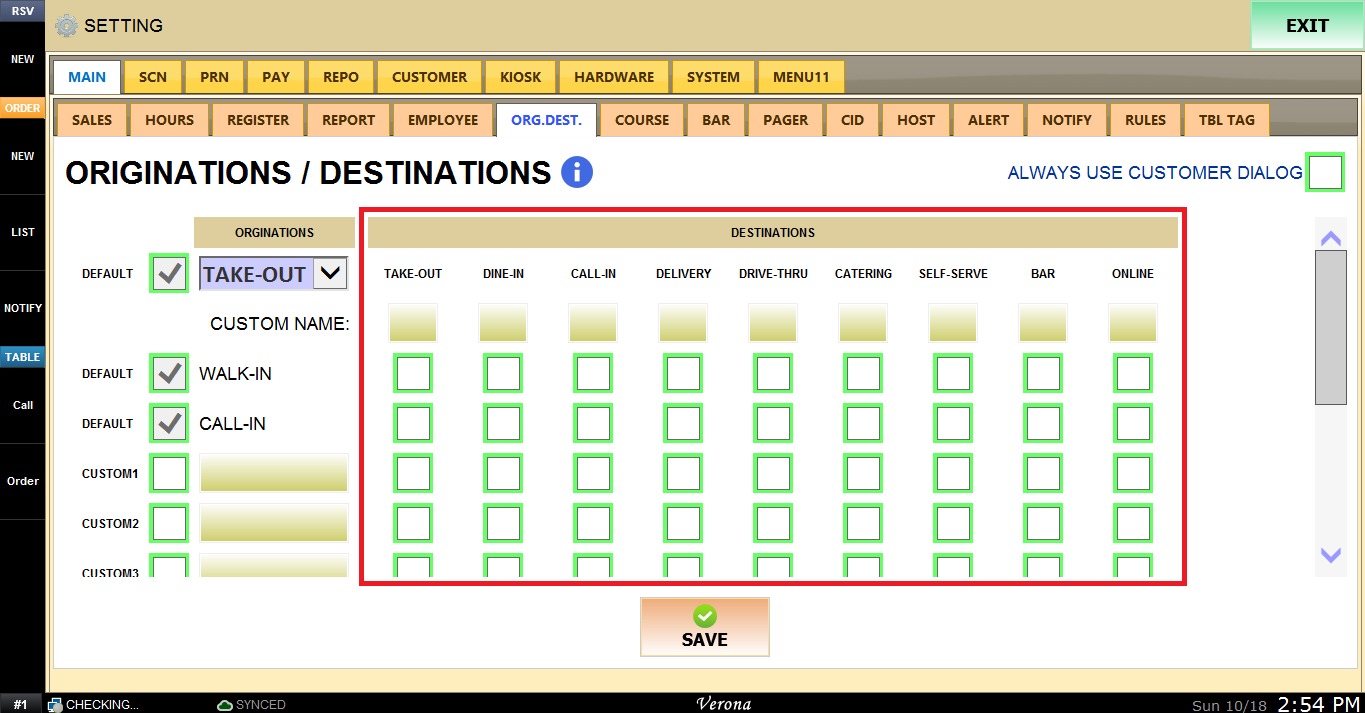
1. Destination checkboxes: For each origination, check the box under each destination that will be available for it. Leave a box unchecked to disable that destination for that origination.
2. CUSTOM NAME: Allows the user to rename a destination. Enter the new name in the field under the destination. The custom name will be displayed everywhere the destination appears in the system.
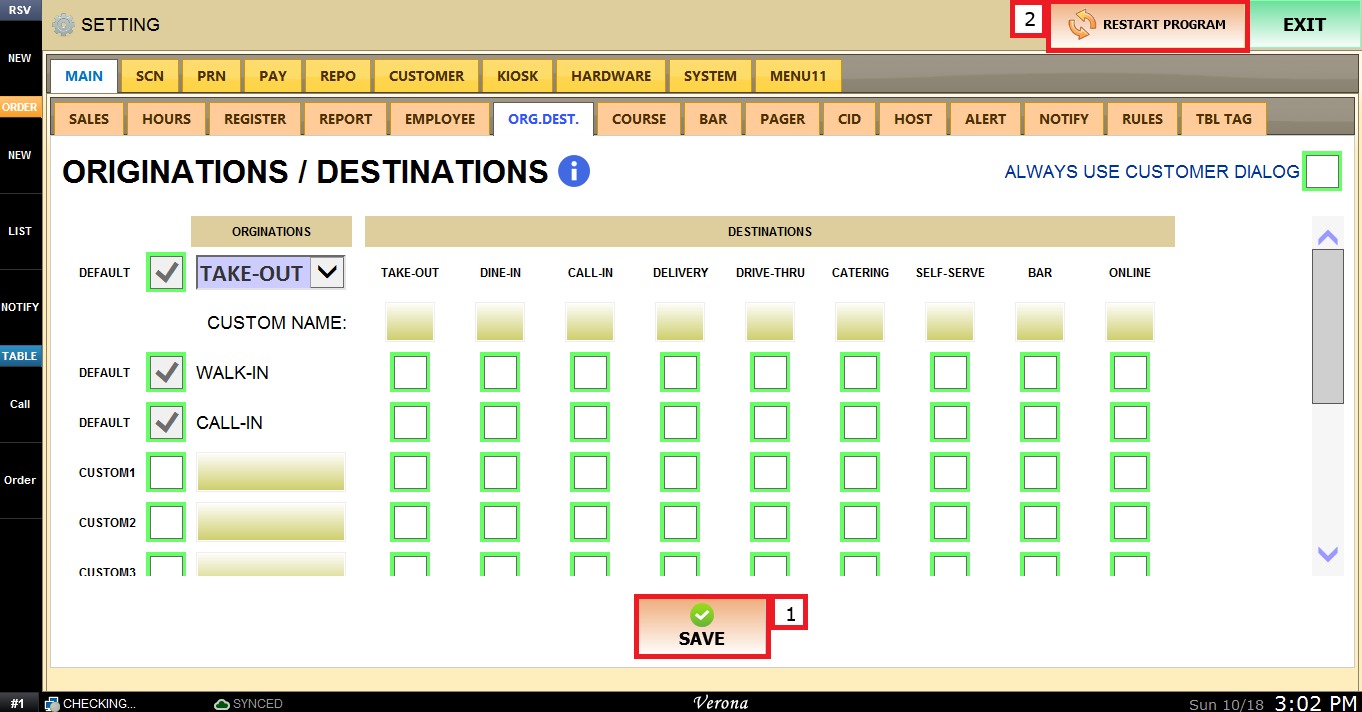
Click SAVE and RESTART PROGRAM to apply the changes.
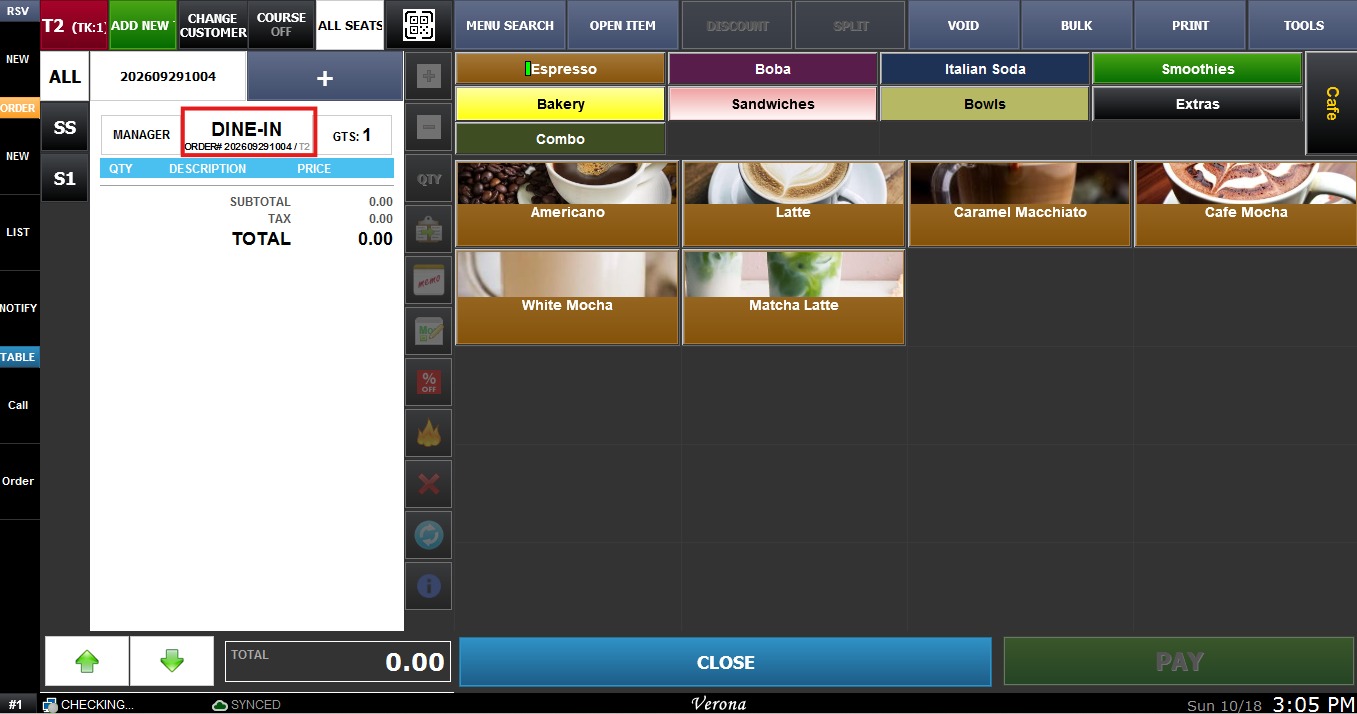
Result
The originations and destinations enabled in this section will be available on the Sales screen.