Item Reporting
Item Reporting determines how an item's sales are classified and grouped in reports.
An item can be assigned to: Reporting Department, Reporting Category, Reporting Product
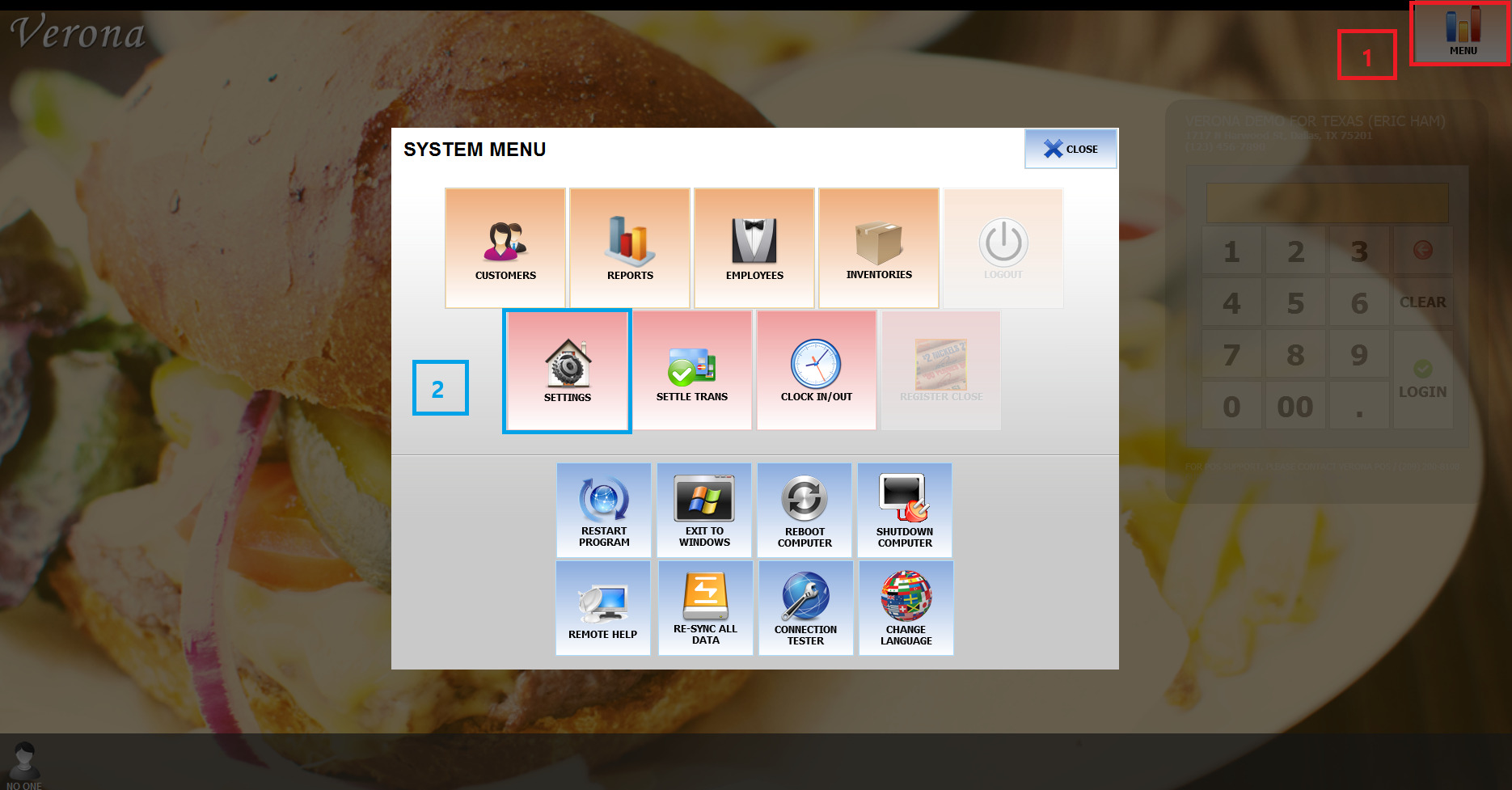
Main Screen>MENU>SETTINGS
SETTINGS>REPO>MENU>DEPARTMENTS>MENU DEPT OR CATEGORY
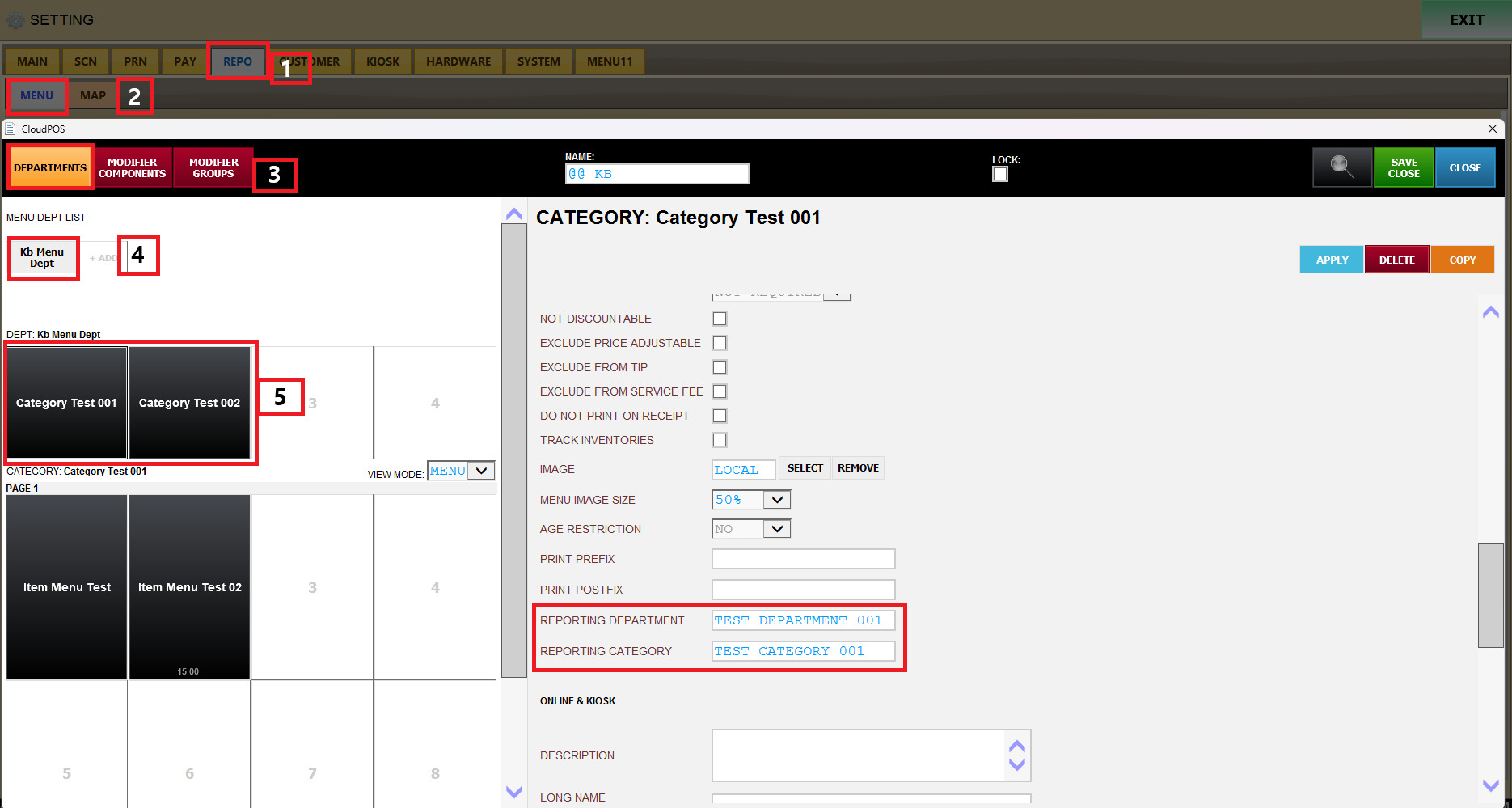
Reporting Department
Determines which Department the item's sales will be included under in reports.
This allows different menu items to be grouped under a specific Department for sales reporting and analysis.
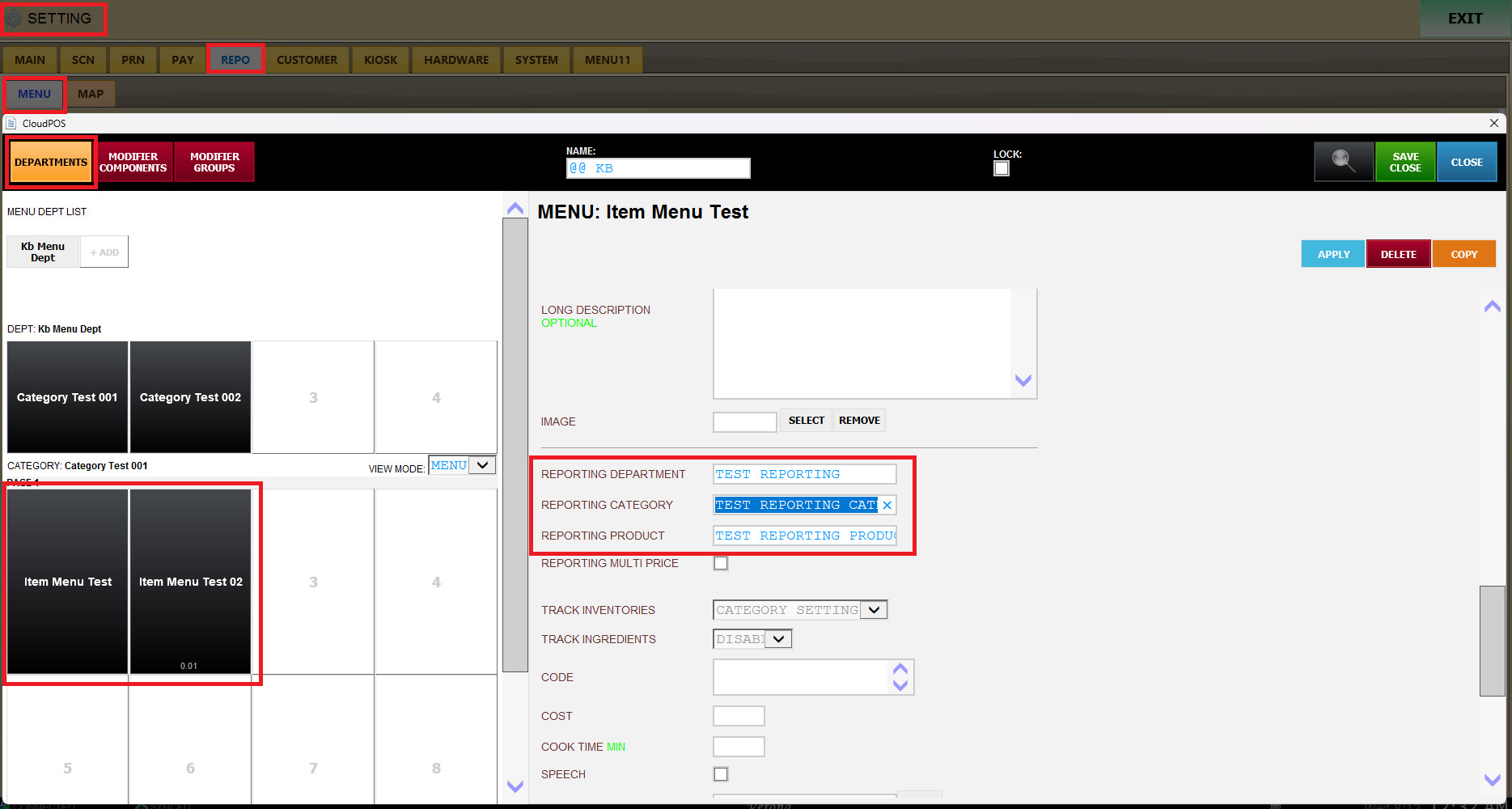
Reporting Category
Determines which Category the item's sales will be included under in reports.
This allows items to be grouped into a specific reporting category for more detailed sales analysis.
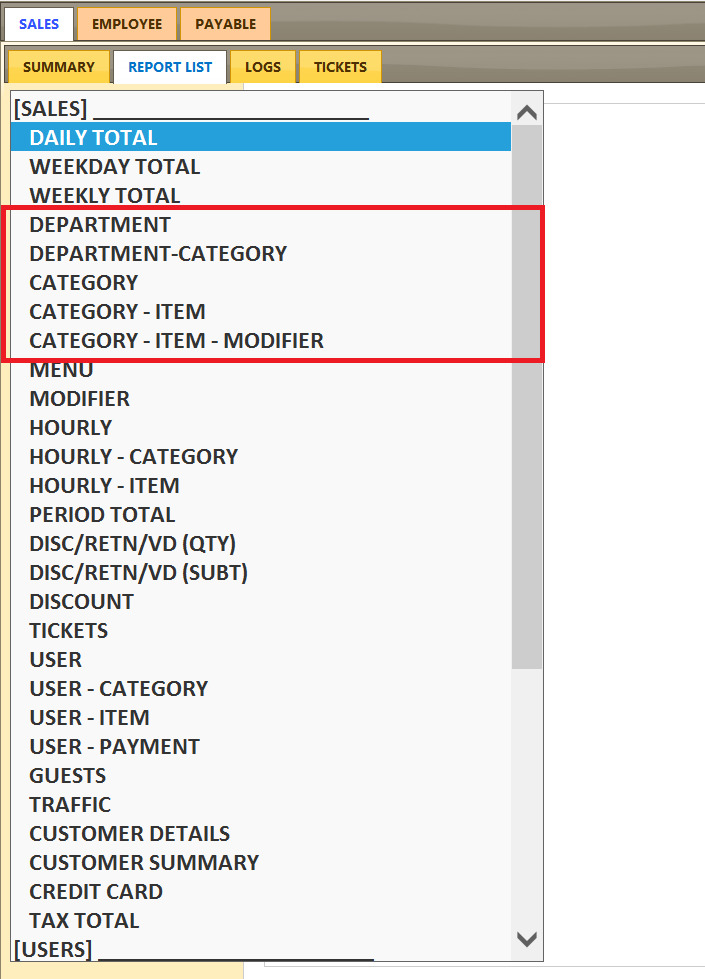
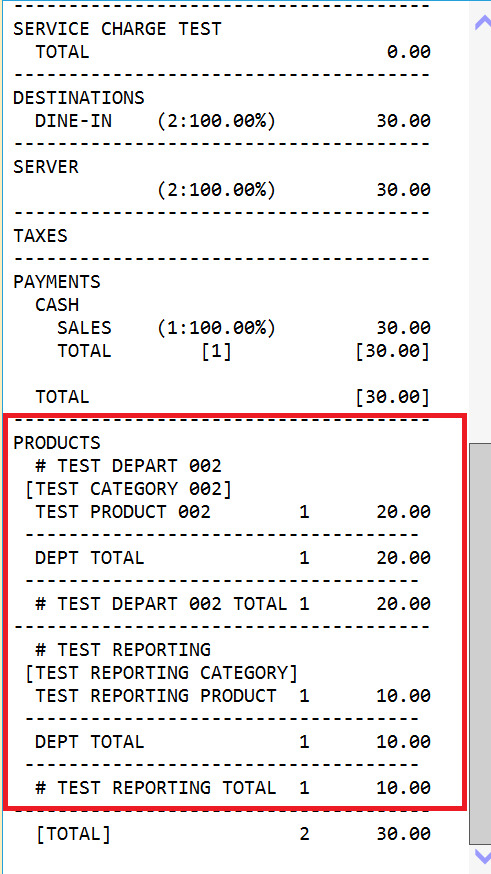
Check Item Reporting in Sales Reports
After the Reporting Department, Reporting Category, and Reporting Product are configured, the sales results can be checked through the Sales Report.
 `
`
Sales Summary Report:
Reporting Product
Determines which Product the item's sales will be assigned to in reports.
This allows individual menu items to be grouped under a specific Product for sales tracking and analysis.