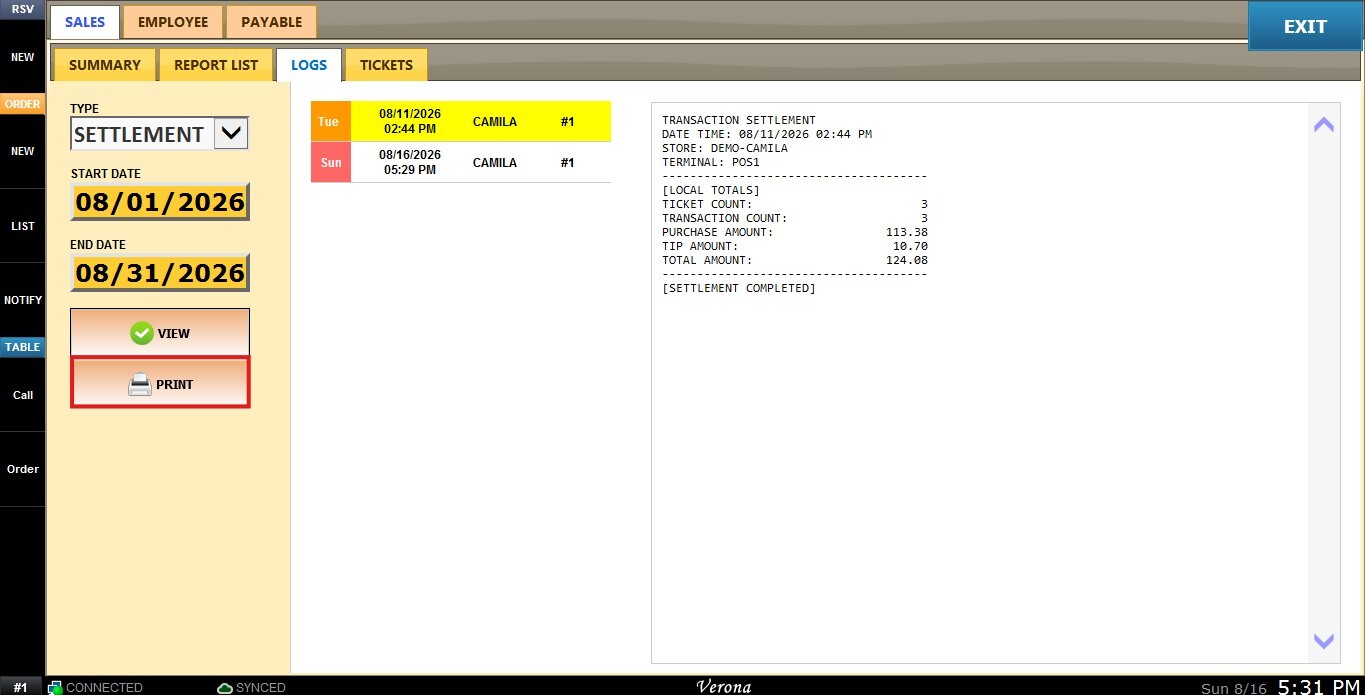
Settlement
The Settlement report, located under the Logs section, displays a record of completed settlement transactions for a selected date range, showing local totals such as ticket count, transaction count, purchase amount, tip amount, and total amount for each settlement.
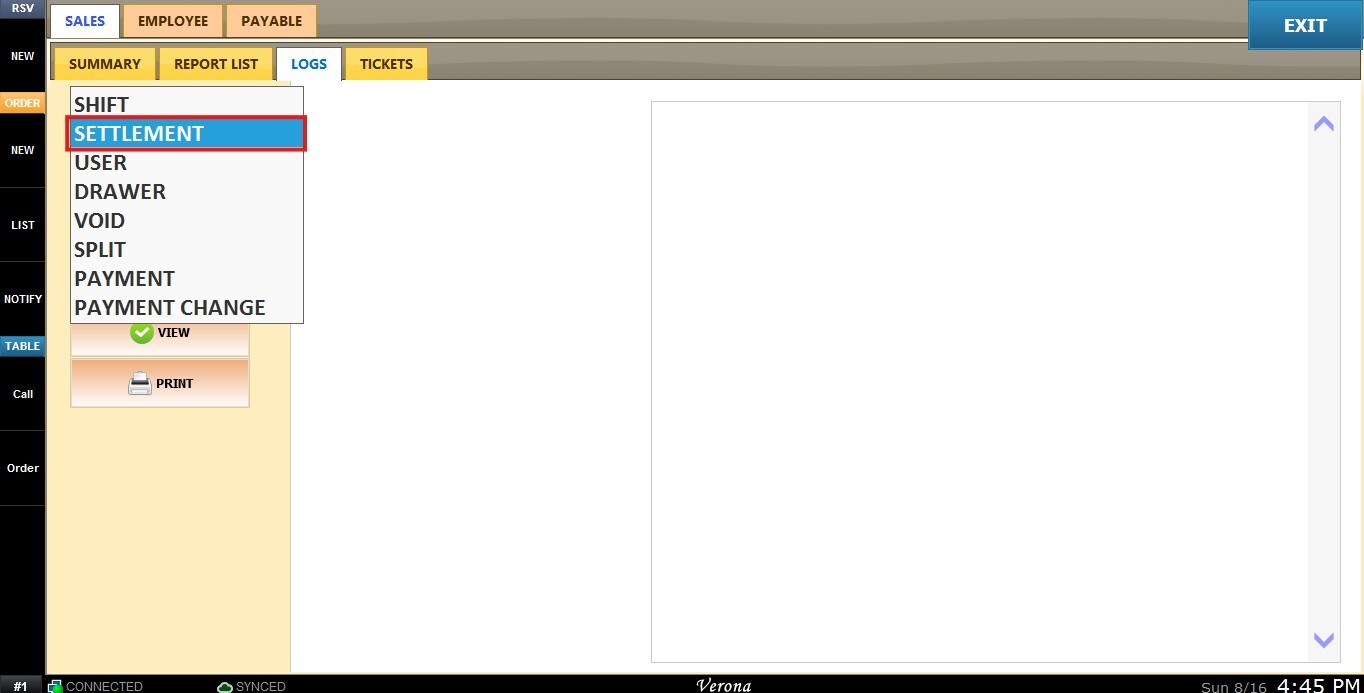
Main Screen > MENU > REPORTS > SALES > LOGS> TYPE (Dropdown Menu) > SETTLEMENT.
From the Main Screen, click MENU, then select REPORTS.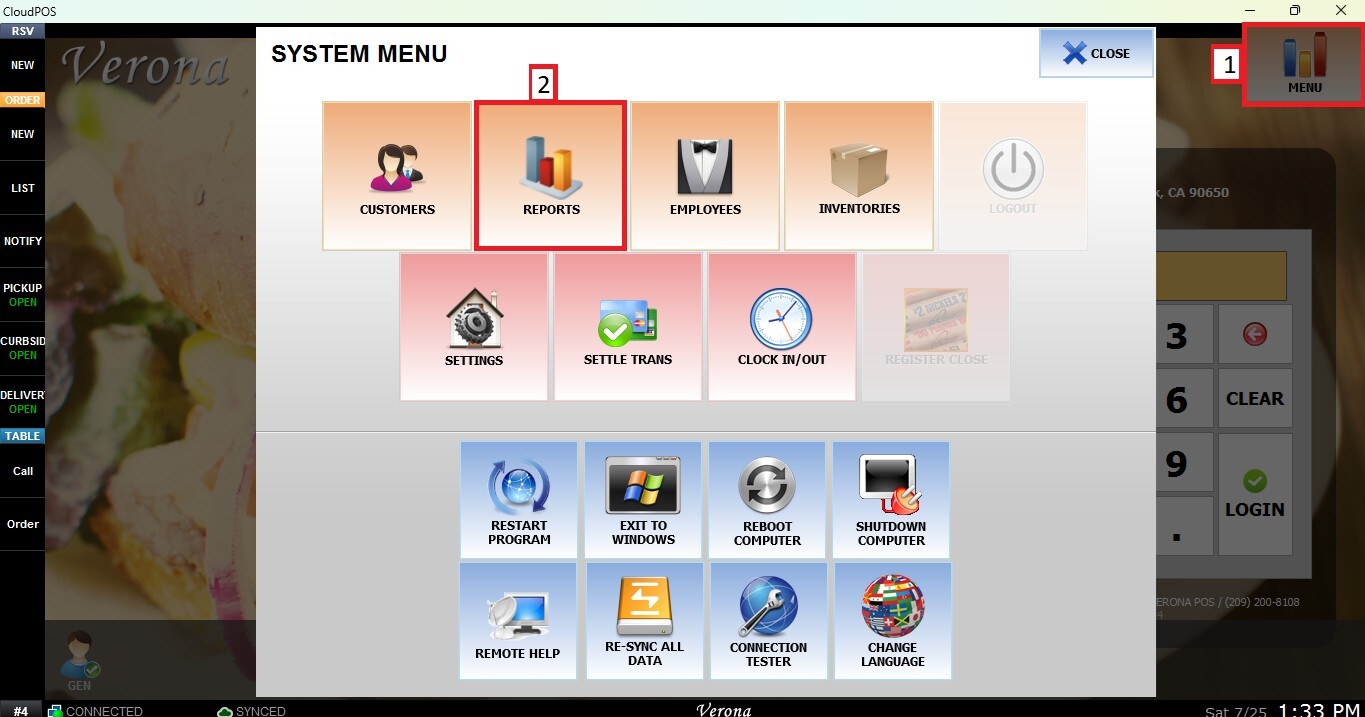
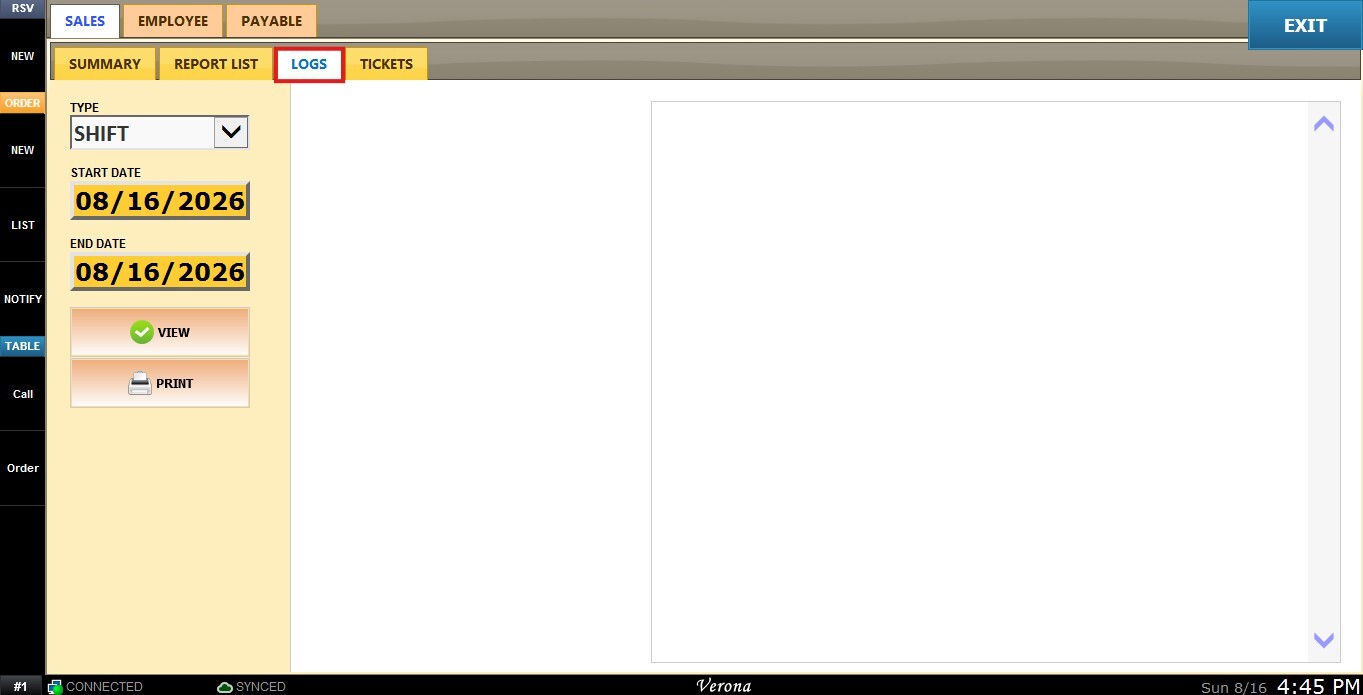
Under the SALES tab, select LOGS.

 From the TYPE dropdown menu, select SETTLEMENT.


 Filters
Use the panel on the right side to customize how the report is displayed.
Custom Date Range: Allows you to review sales within a specific date range.
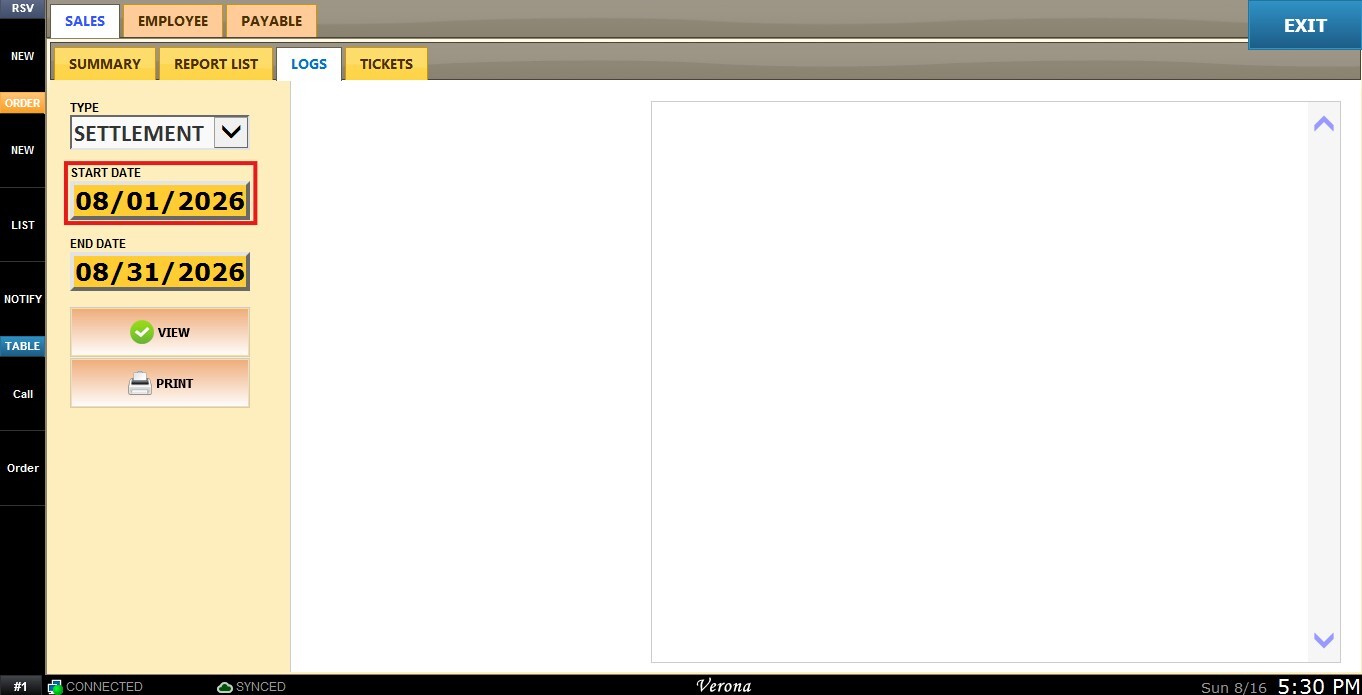
Click the START field to select the beginning date.


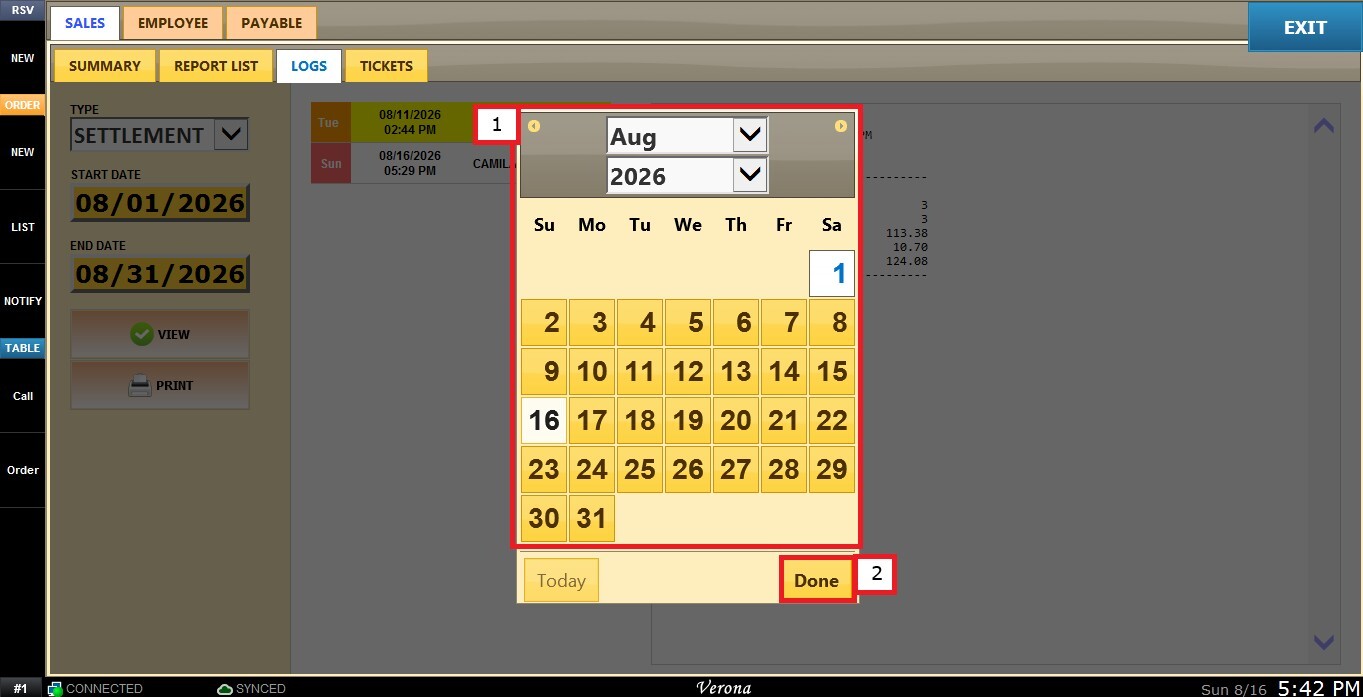
 A calendar window will appear. Select the desired day, month, and year, then click DONE.


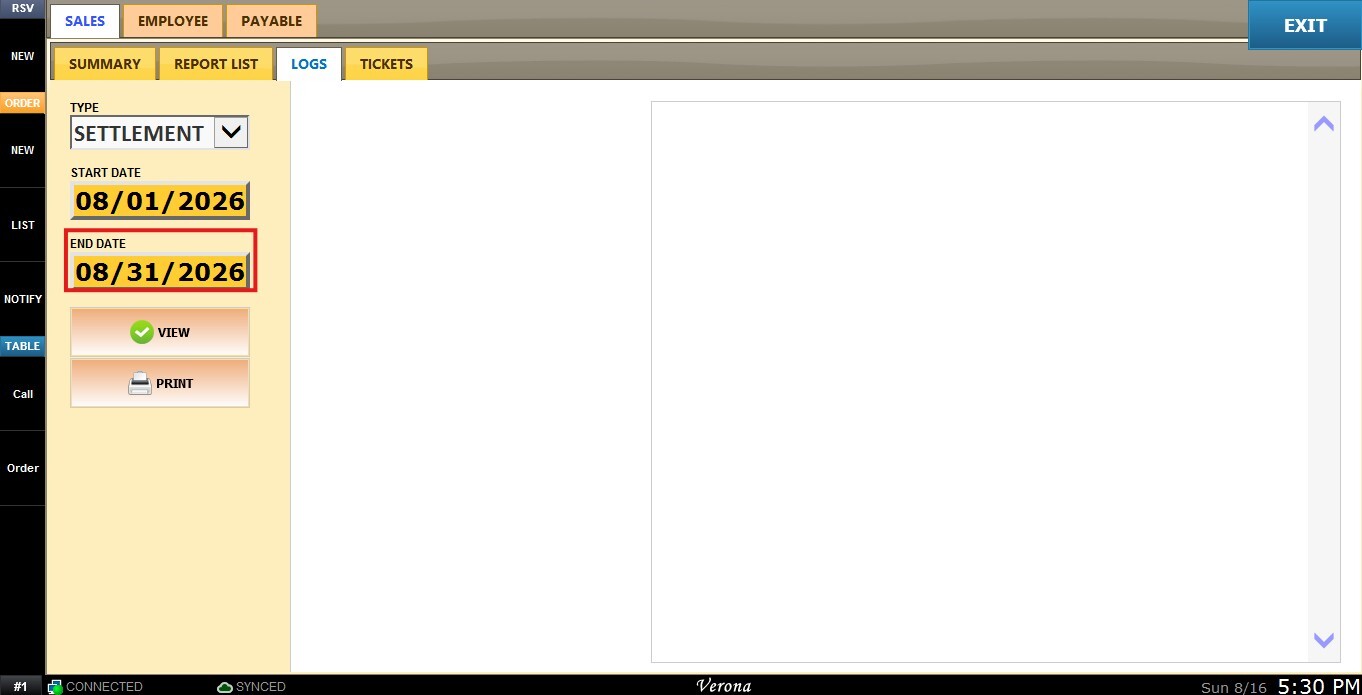
 Repeat the same process using the END field to select the ending date.


 View
View
After configuring the desired filters, click VIEW to refresh the report.
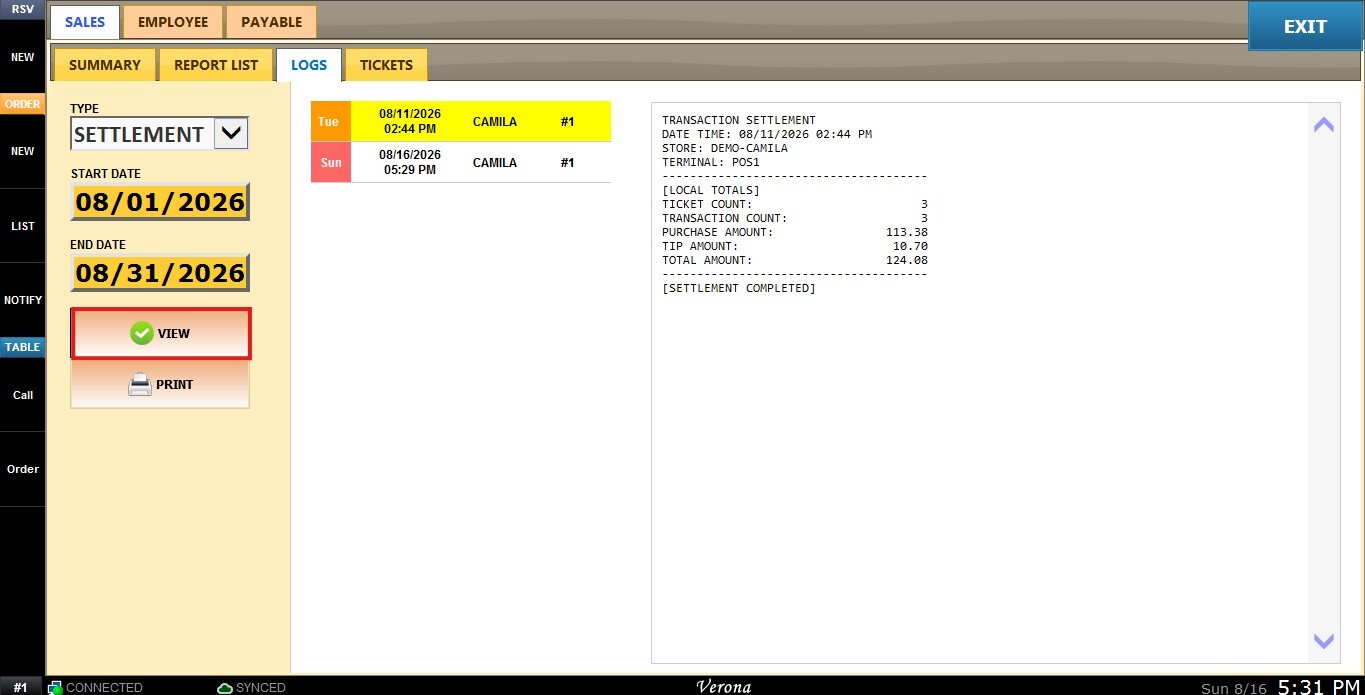

 You may also choose to PRINT the report currently being displayed.