Category Memo
The Category Memo feature allows you to determine whether staff must enter an Item Note when ordering items from a specific category. This is useful for categories that frequently require additional instructions, such as cooking preferences, special requests, or customization notes.
Main Screen>SETTING > REPO > Select Category > MEMO
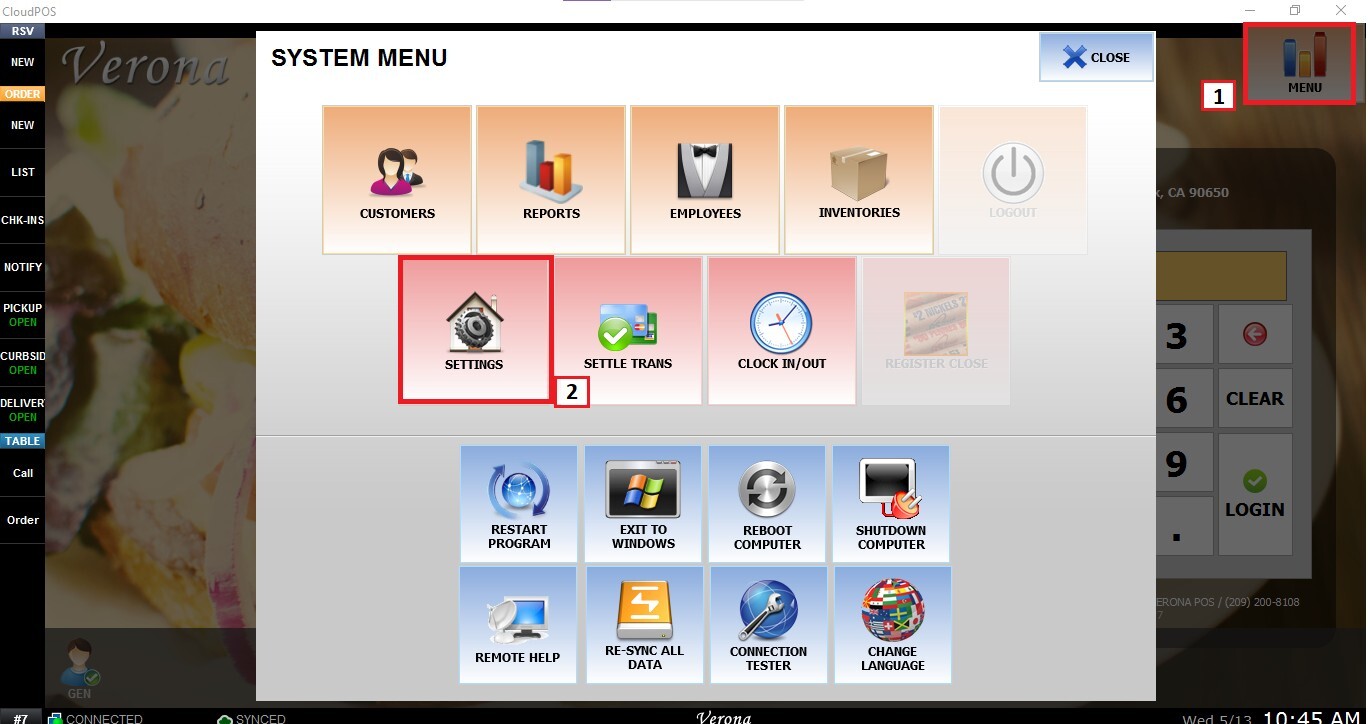
From the Main Screen, click MENU and then SETTINGS.
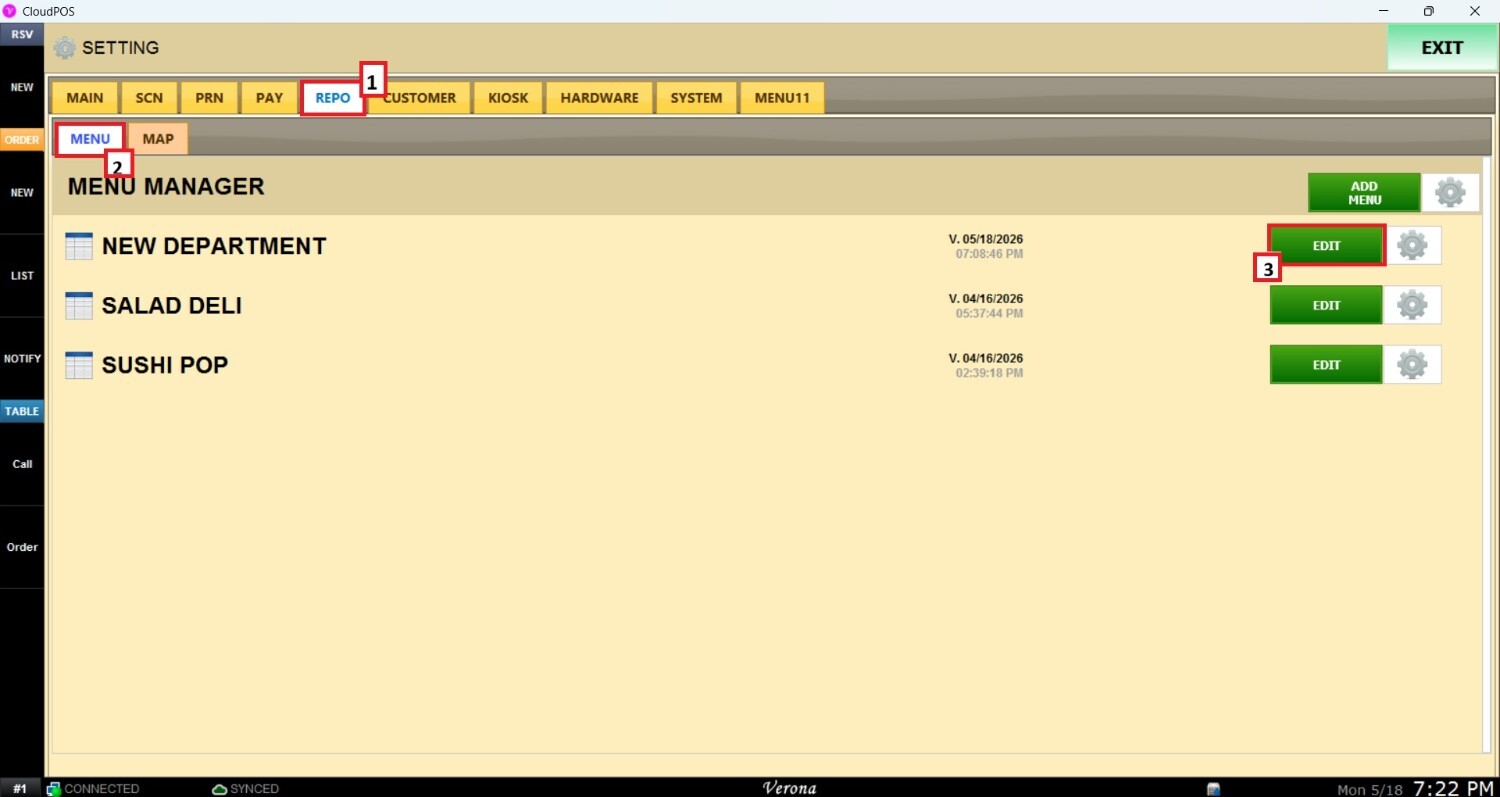
Go to the REPO tab, open MENU, locate the menu you want to modify, and click EDIT.
On the Menu Edit Screen, select the category you want to configure and scroll down until the MEMO section.
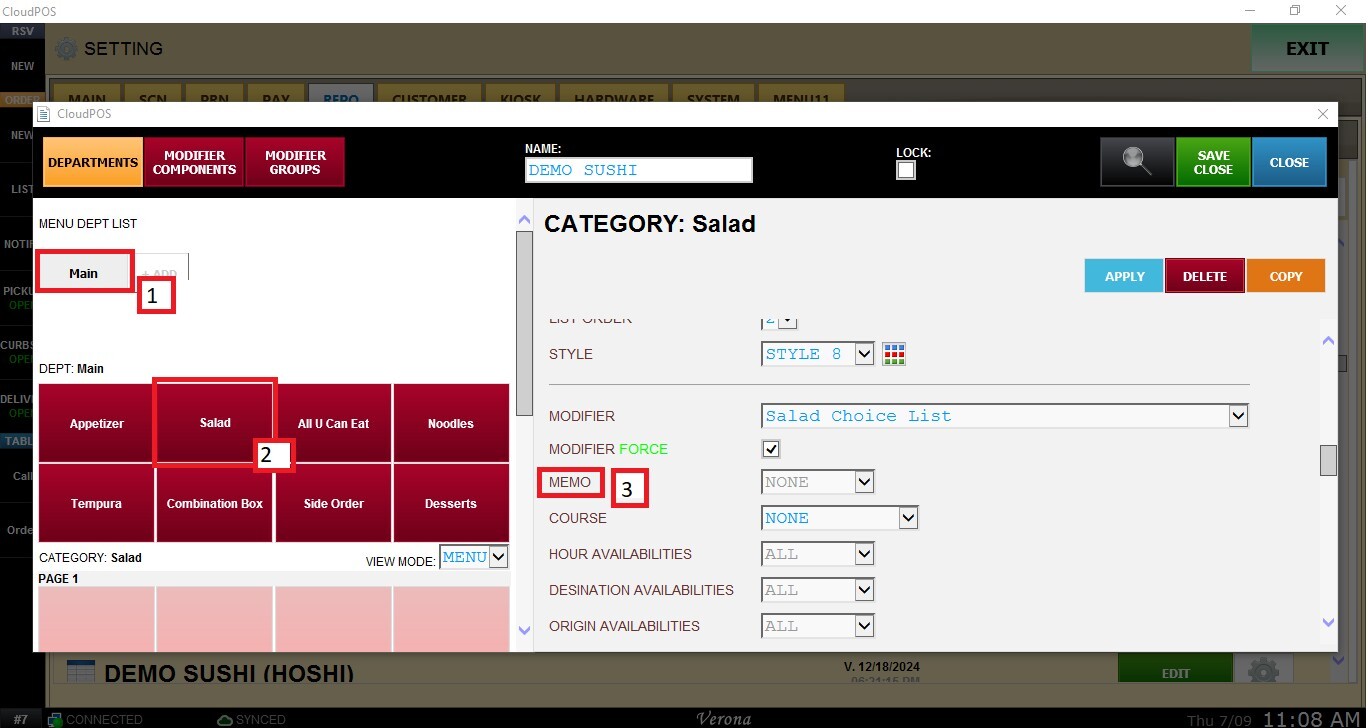
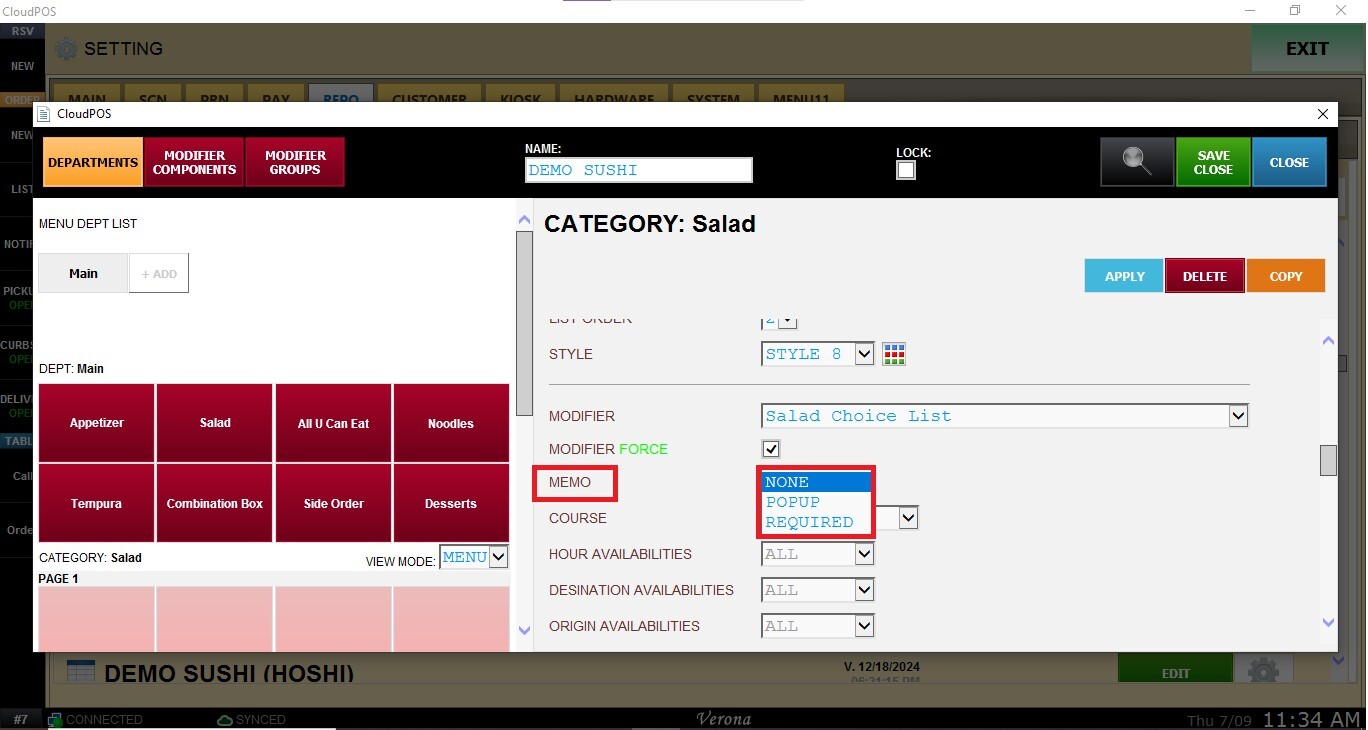
Open the MEMO drop-down menu and select the desired option:
- NONE: No memo prompt is displayed. The order continues without requiring an item note.
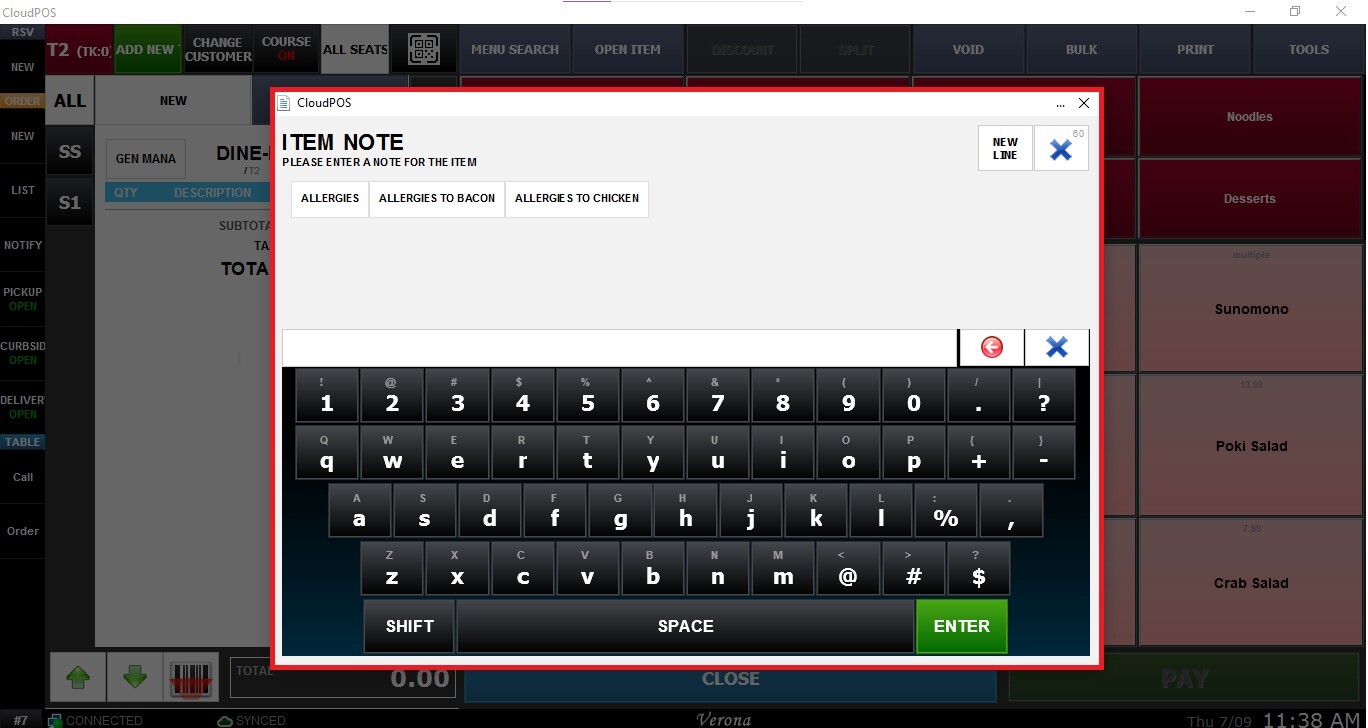
- POPUP: Displays the memo window when an item from the category is ordered. Staff can enter a note if needed or close the window to continue without one.
- REQUIRED: A memo must be entered before the item can be added to the order. The order cannot proceed until a note is provided.
Note: The selected Memo option applies to all items within the configured category.
Click APPLY and SAVE AND CLOSE to save the memo configuration.
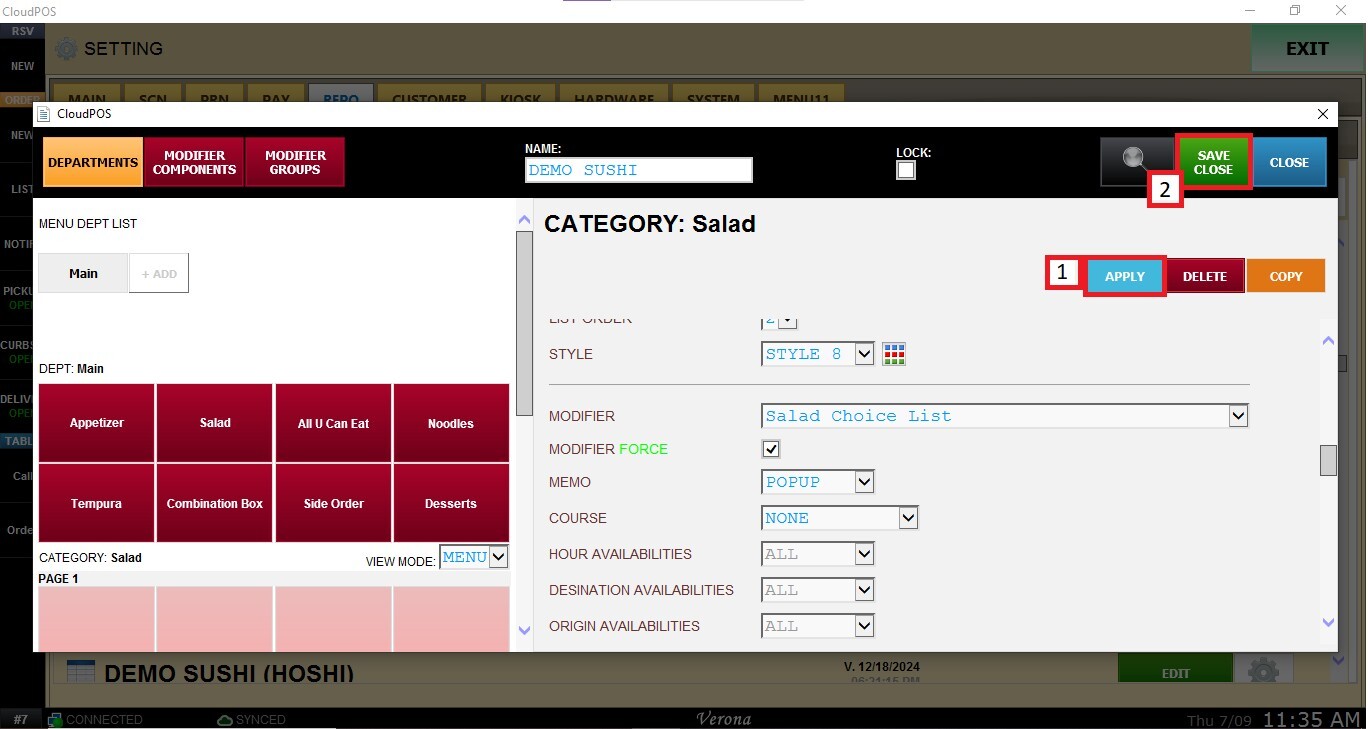
Result:
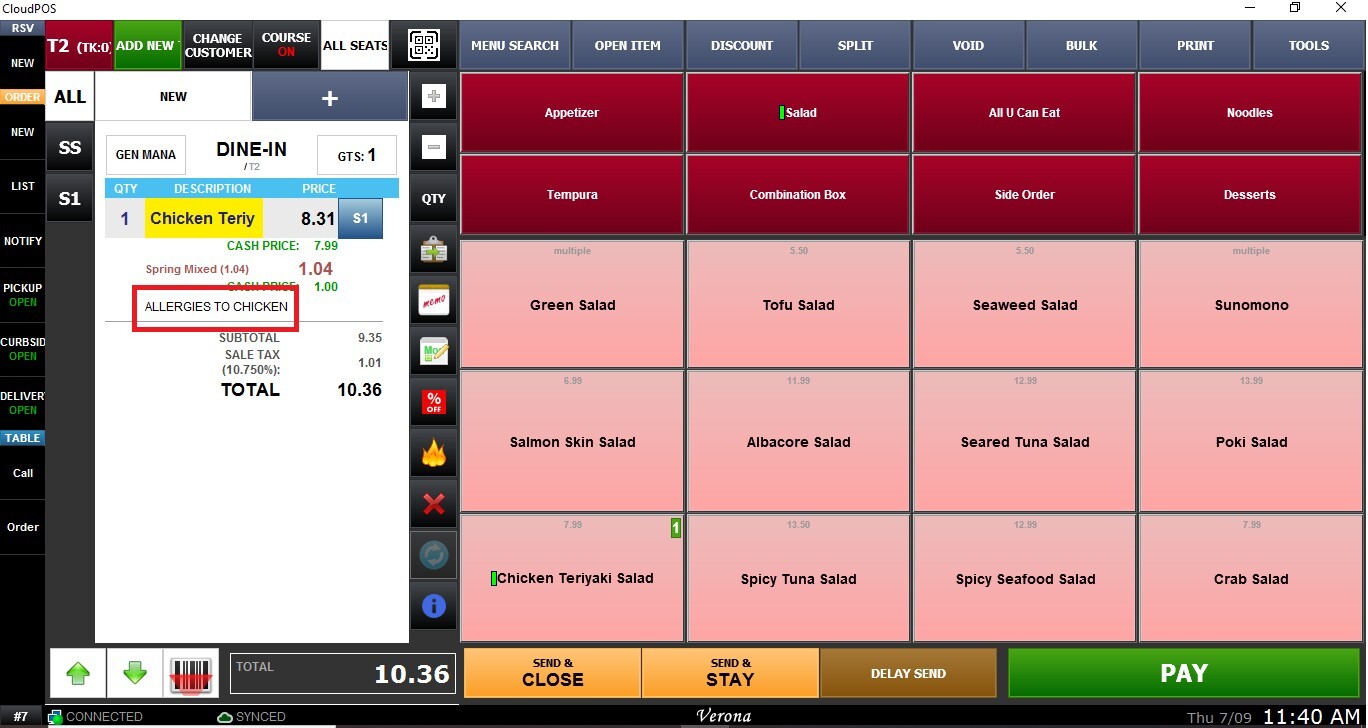
When selecting an item from the configured category, a memo window appears.