Basic
This section lets you enable the loyalty system and decide whether customers are prompted for it.
MENU> SETTINGS> MENU11> LOYALTY> BASIC
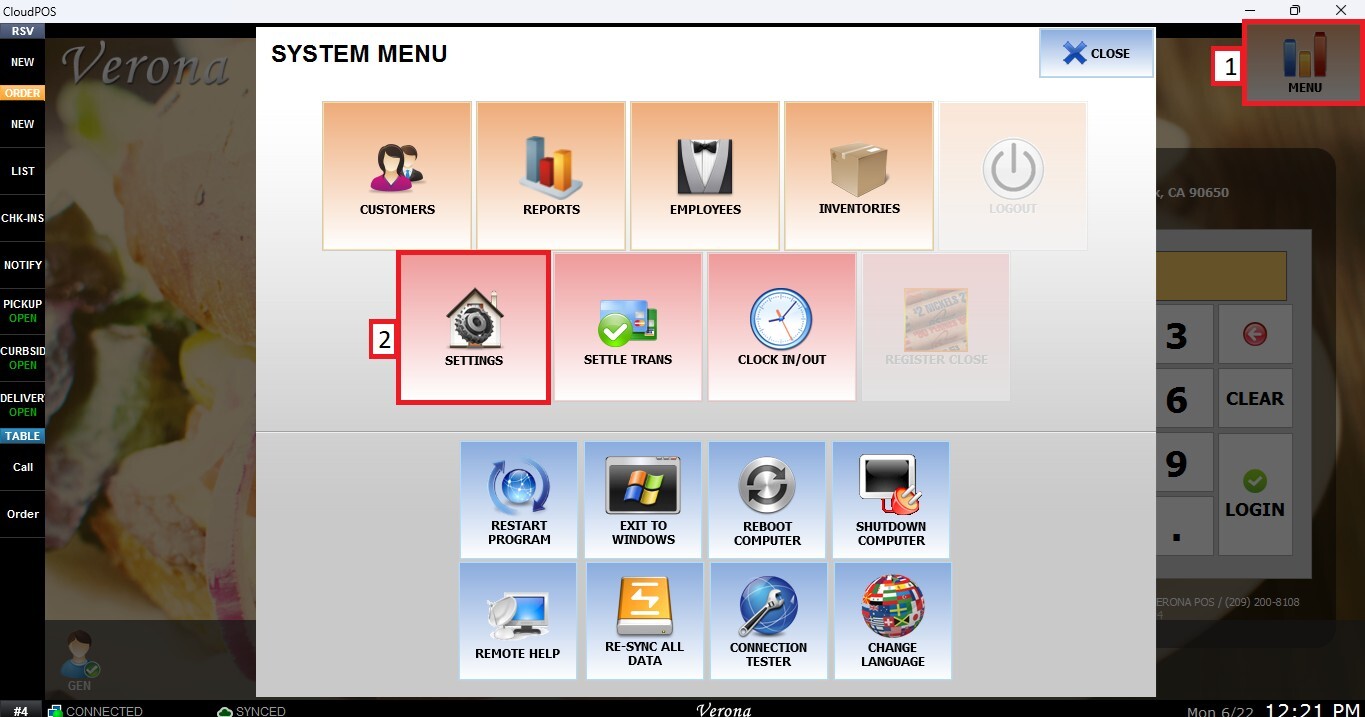
From the MAIN SCREEN, click MENU, then select SETTINGS.
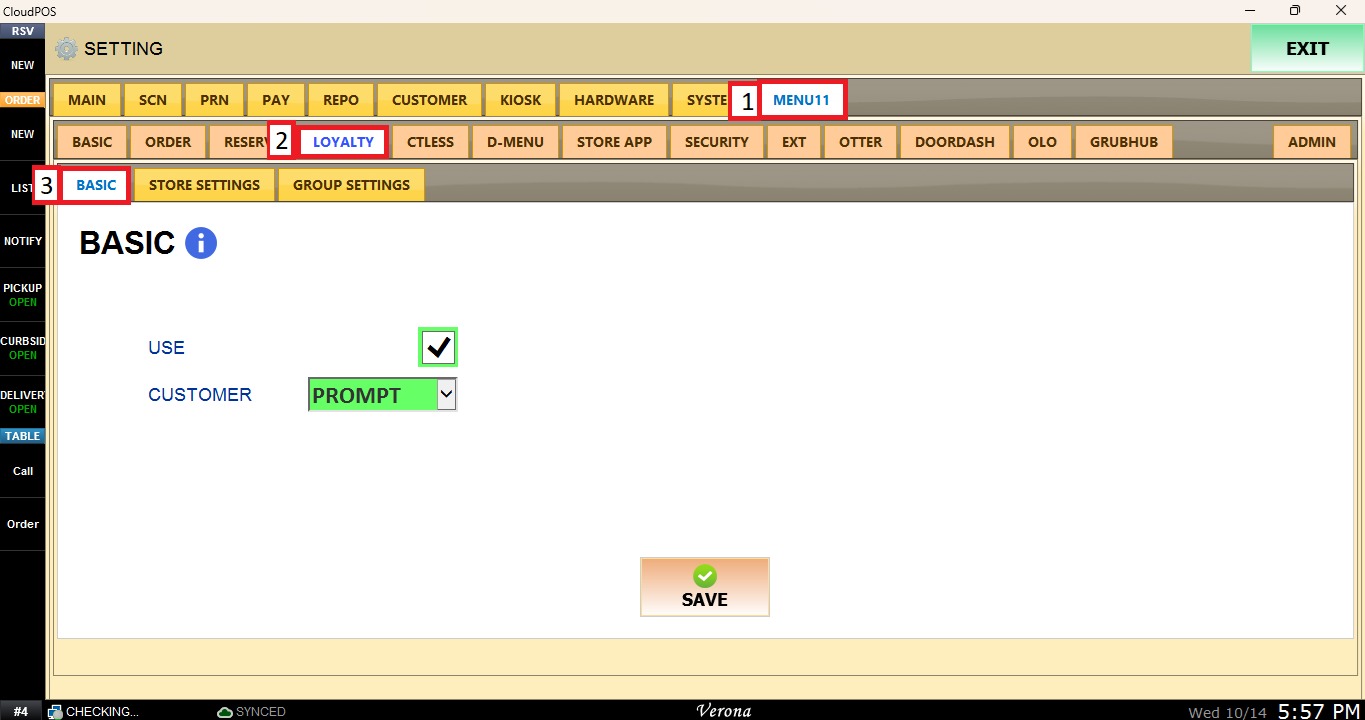
Go to the MENU11 tab, select LOYALTY, then click BASIC.
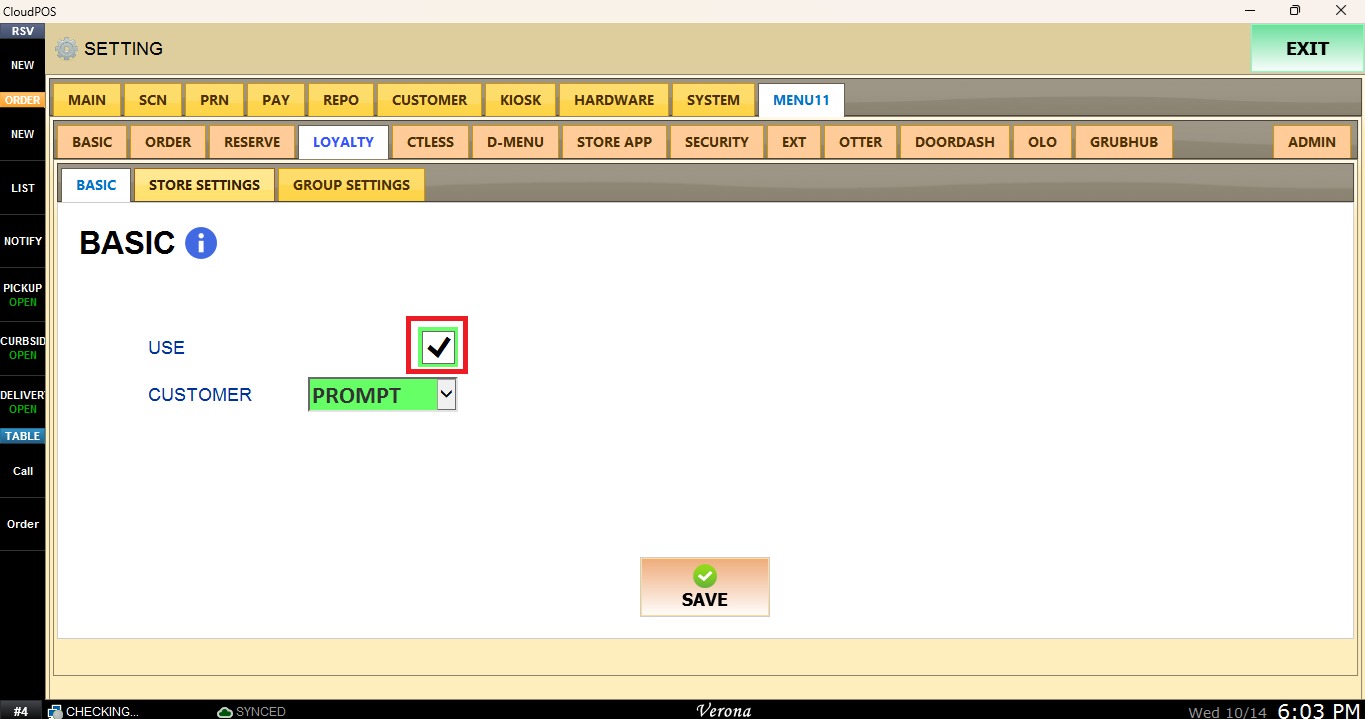
Use
Check the USE box to enable the Menu11 loyalty system.
Customer
This dropdown menu specifies whether the customer is prompted for loyalty.
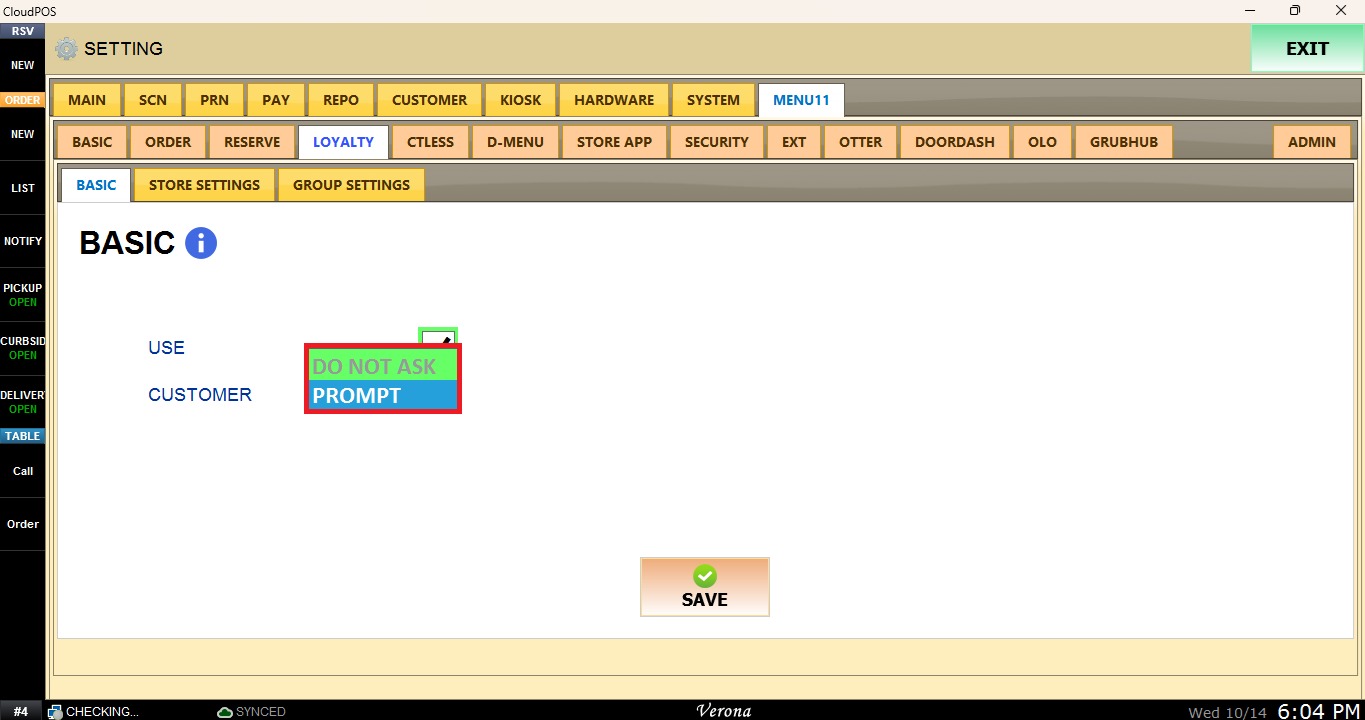
DO NOT ASK: The customer is not prompted for loyalty.
PROMPT: Prompts the customer for loyalty.
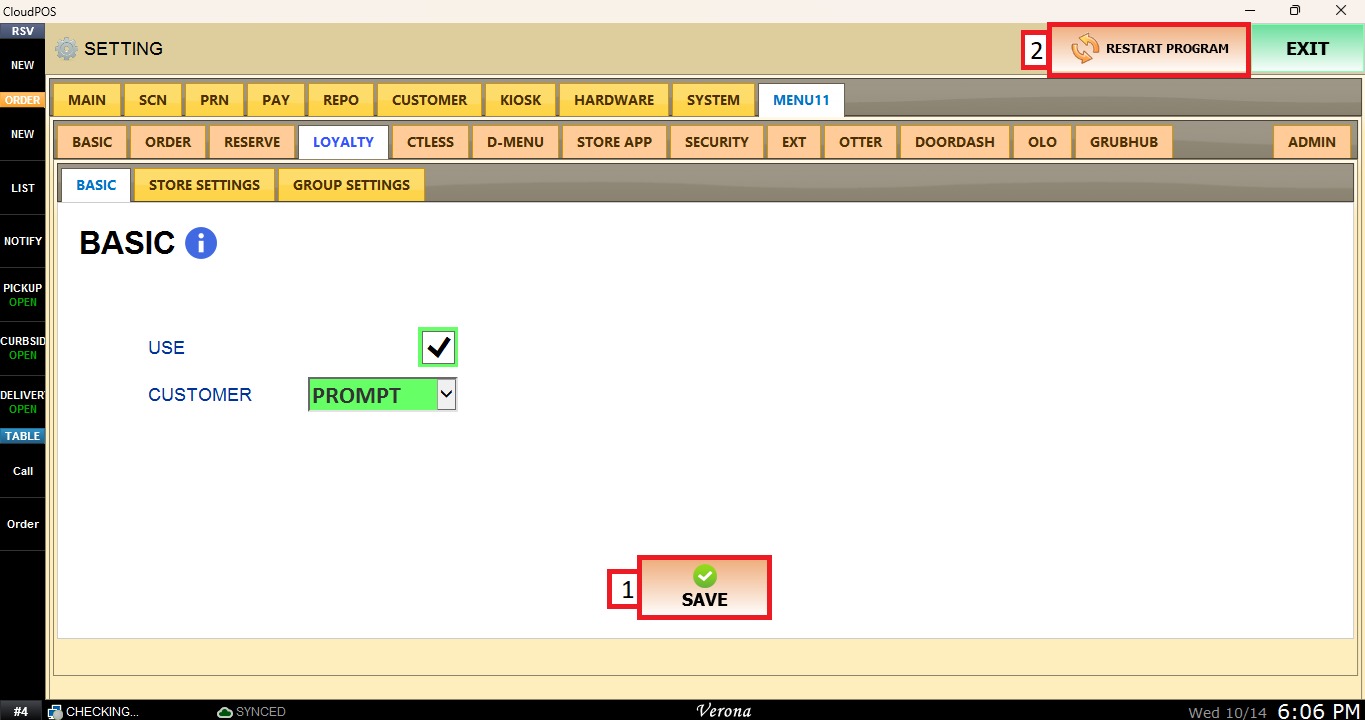
Once the configuration is complete, click SAVE and RESTAR PROGRAM to apply the changes.