Check
The Check tender settings allow you to configure how check payments are processed, printed, rounded, and adjusted in the POS. These settings can be configured at both the Store and Terminal levels, allowing stores to define general cash behavior and, when needed, apply different settings to specific terminals.
Main Screen>MENU>SETTINGS>PAY>TENDER>CHECK
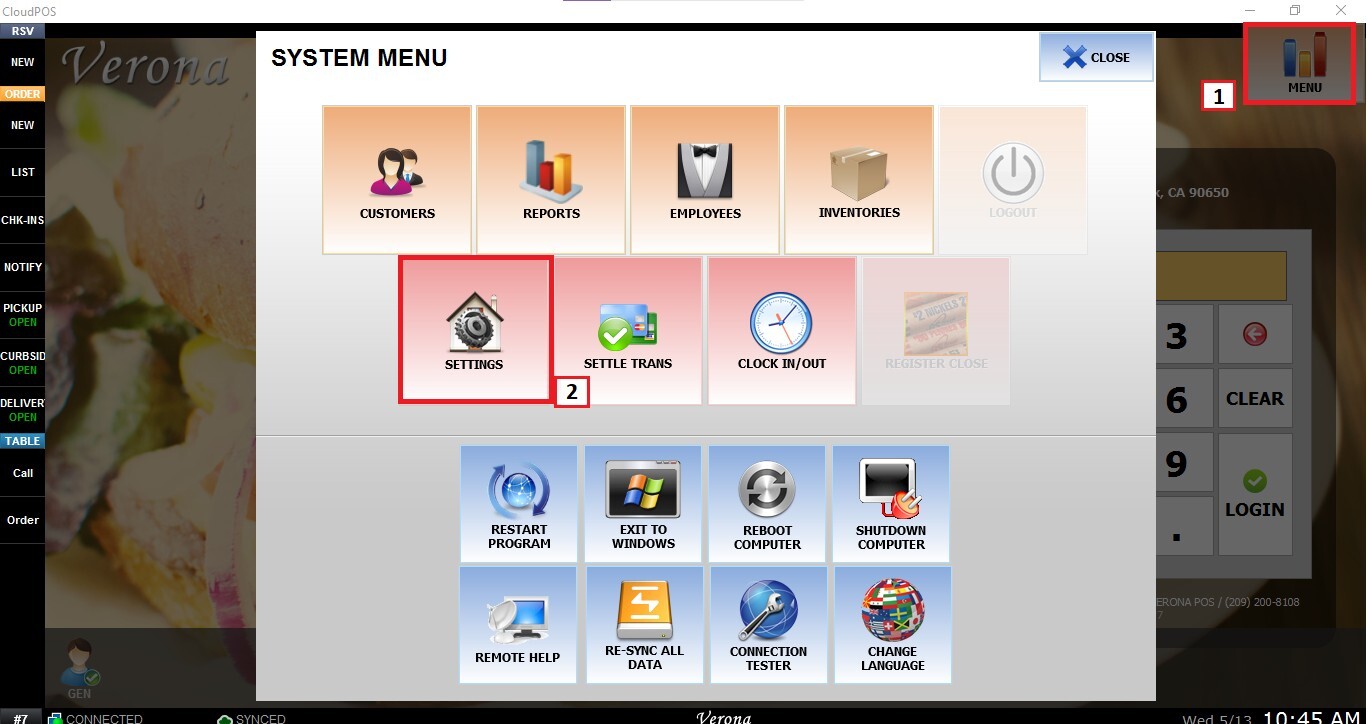
From the Main Screen, go to MENU, then SETTINGS.
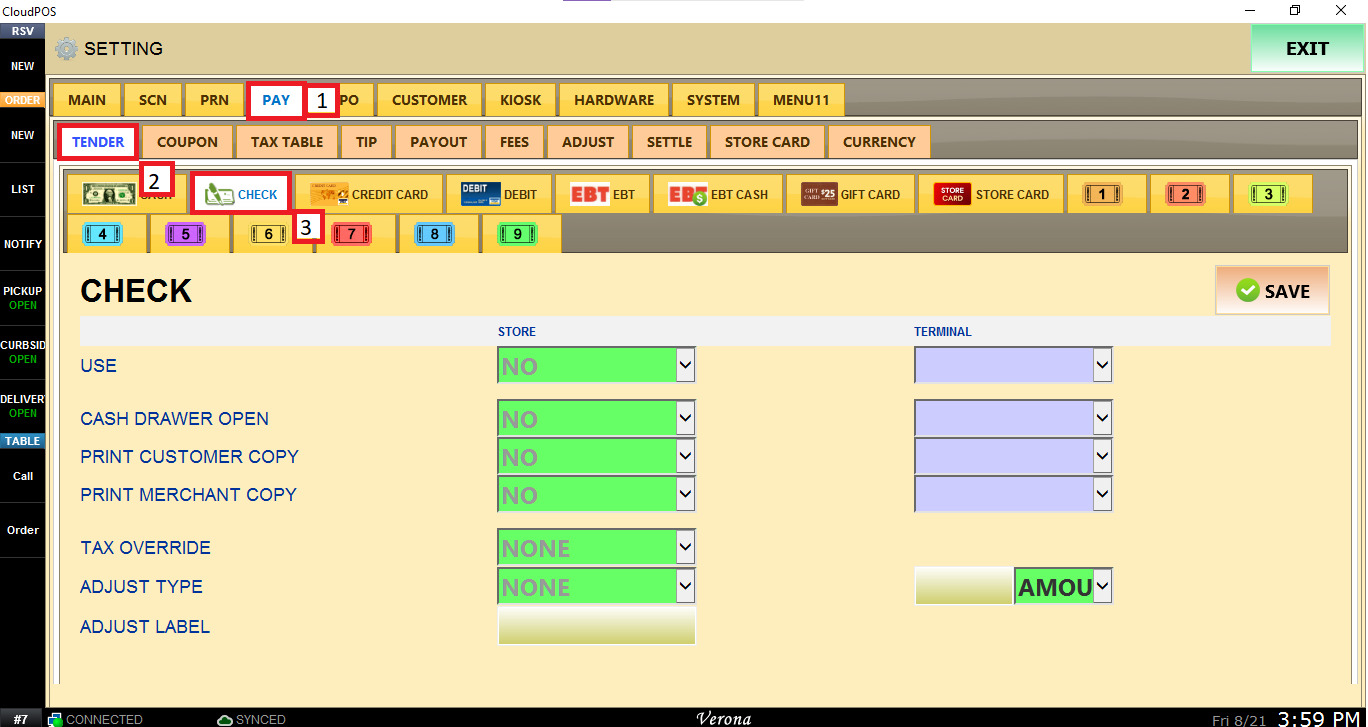
Navigate to PAY, open the TENDER tab, and click CHECK.
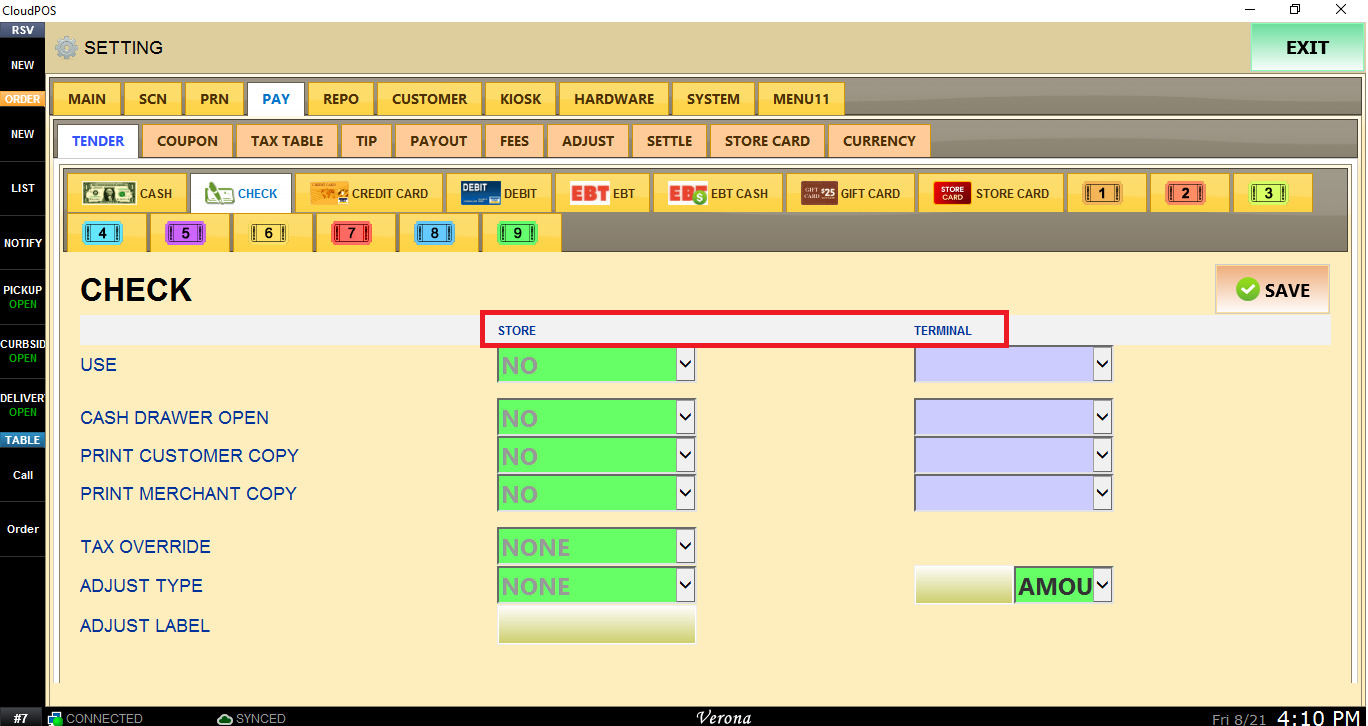
STORE/TERMINAL: These settings determine whether the Cash tender is available and how the POS handles cash transactions.
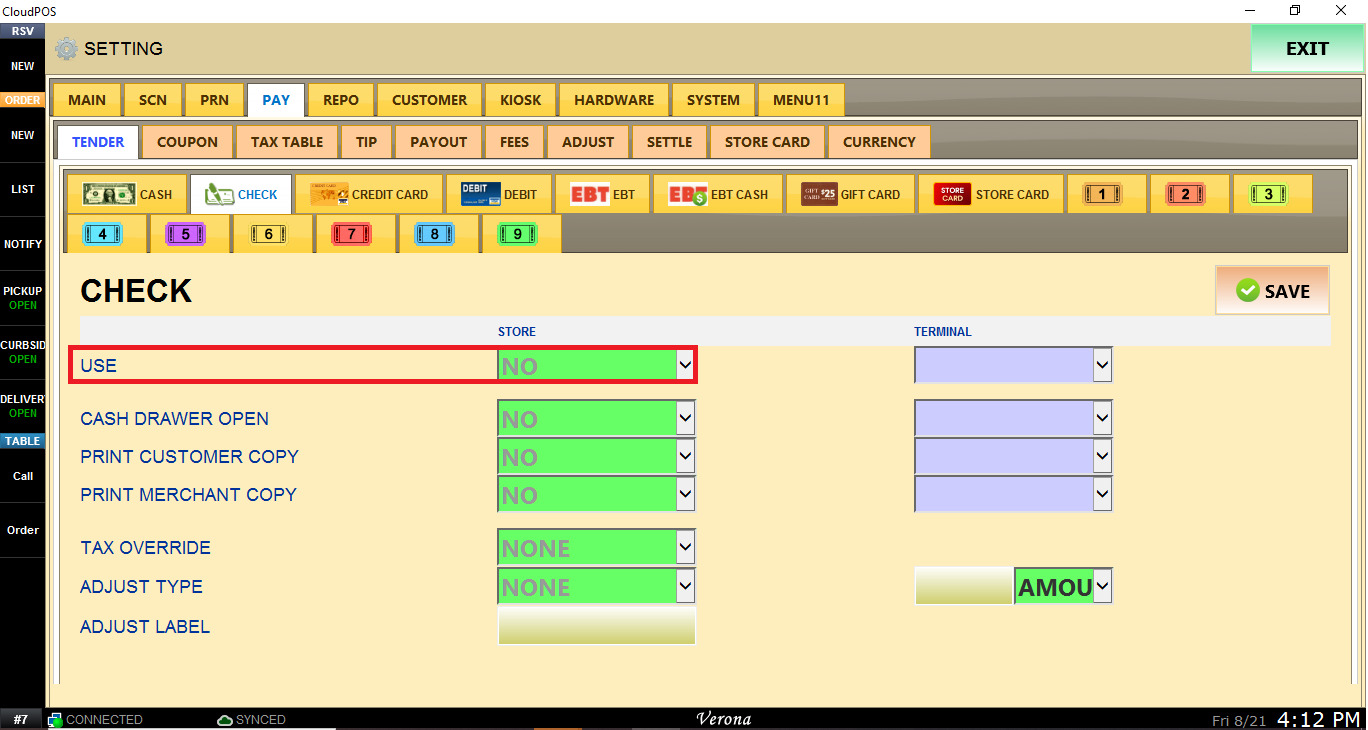
USE: Determines whether Check is available as a payment method.
- NO: Disables Check as a tender.
- YES: Enables Check as a tender.
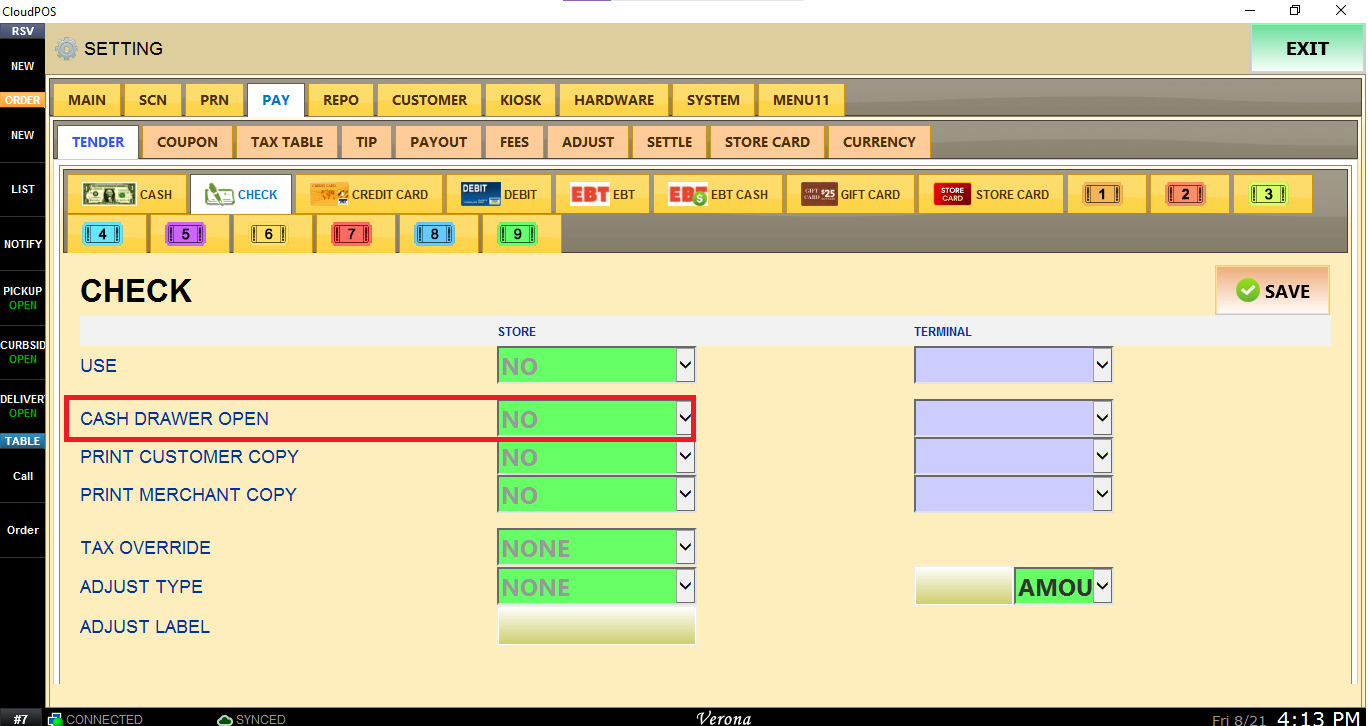
CASH DRAWER OPEN: Determines whether the cash drawer opens automatically when a payment is completed using Check.
- NO: The drawer remains closed.
- YES: The drawer opens when the check payment is processed.
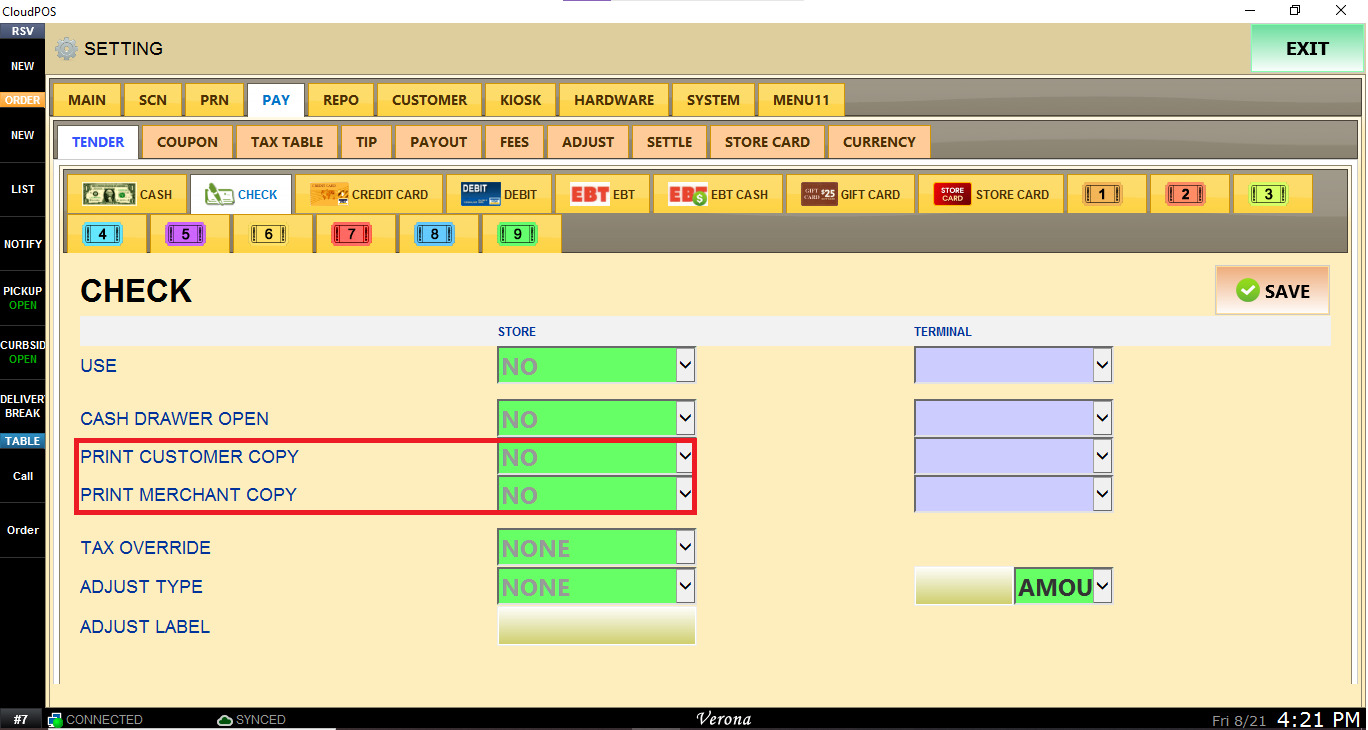
PRINT CUSTOMER COPY: Determines whether a customer copy is printed after completing a Check payment.
-
- NO: No customer copy is printed.
- YES: A customer copy is printed.
PRINT MERCHANT COPY: Determines whether a merchant/store copy is printed after completing a Check payment.
-
-
- NO: No merchant copy is printed.
- YES: A merchant copy is printed.
-
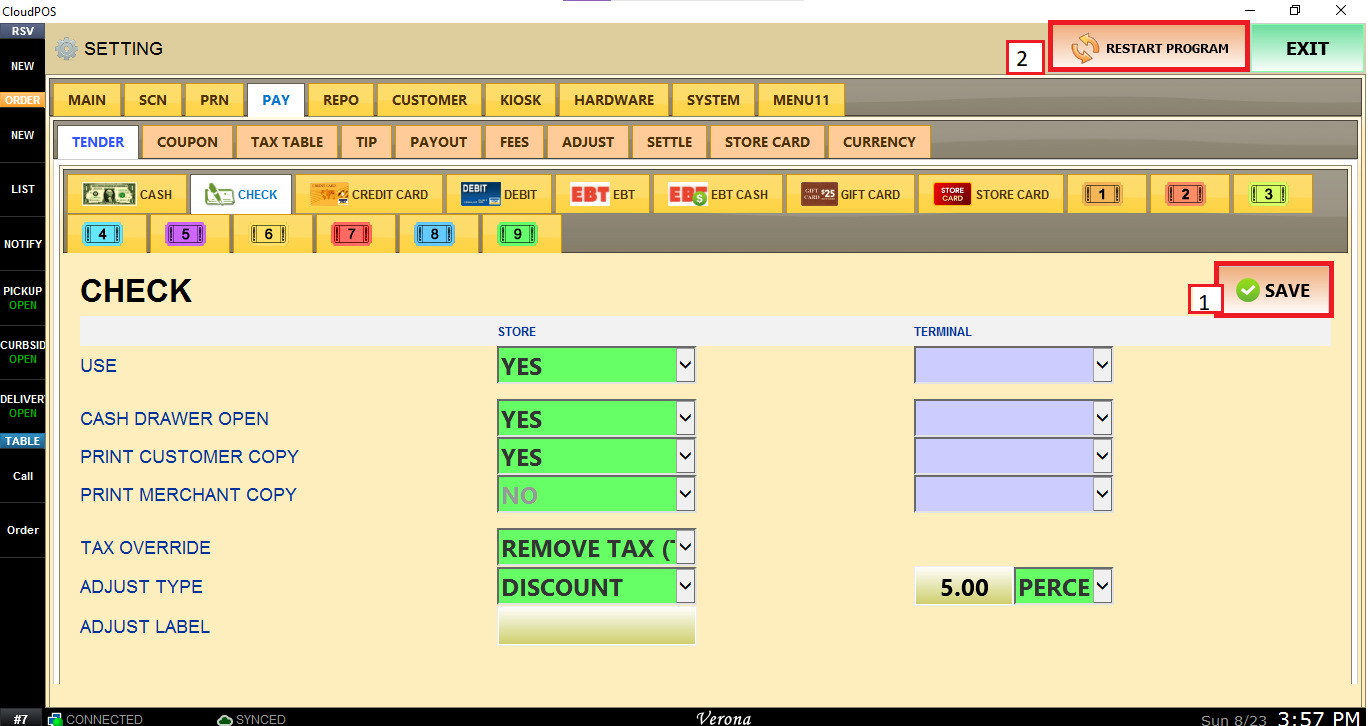
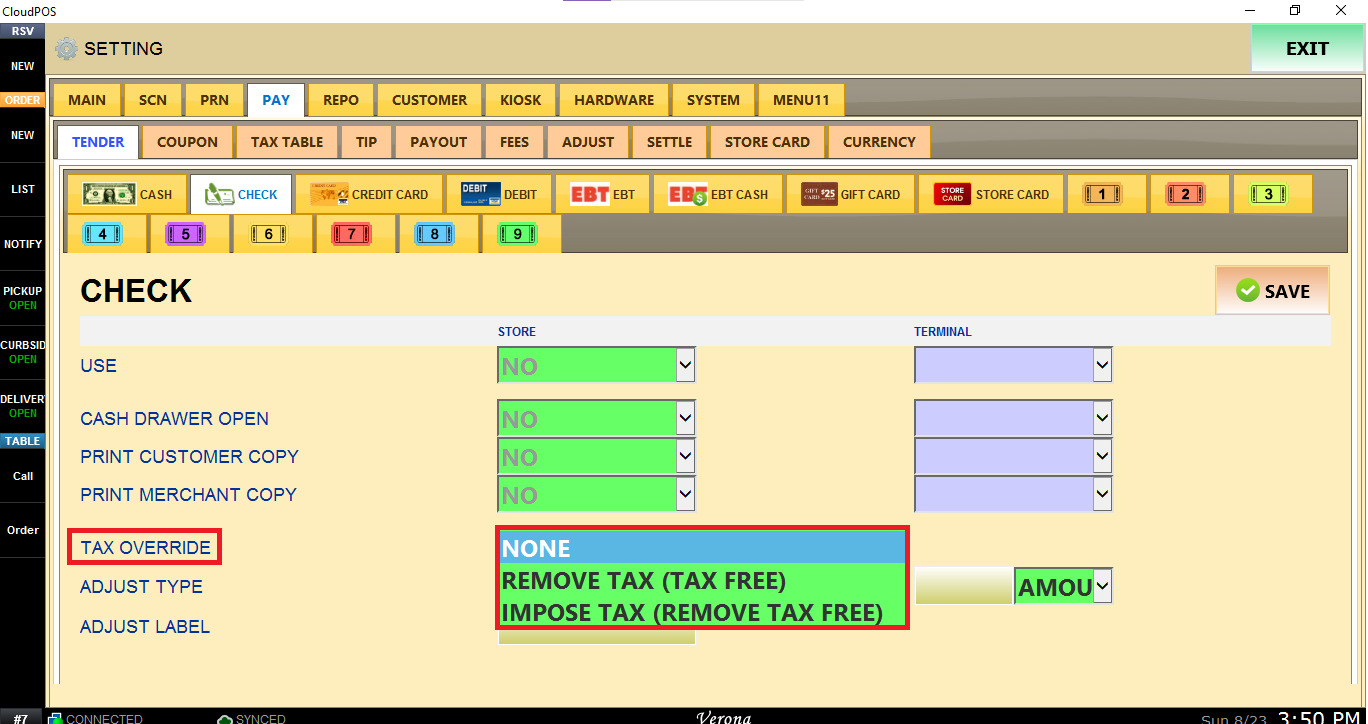
TAX OVERRIDE: Determines whether the normal tax calculation is modified when Check is selected.
- NONE: Uses the standard tax configuration.
- REMOVE TAX (TAX FREE): Removes applicable tax from the transaction.
- IMPOSE TAX (REMOVE TAX FREE): Applies tax even when the transaction would otherwise be tax-free.
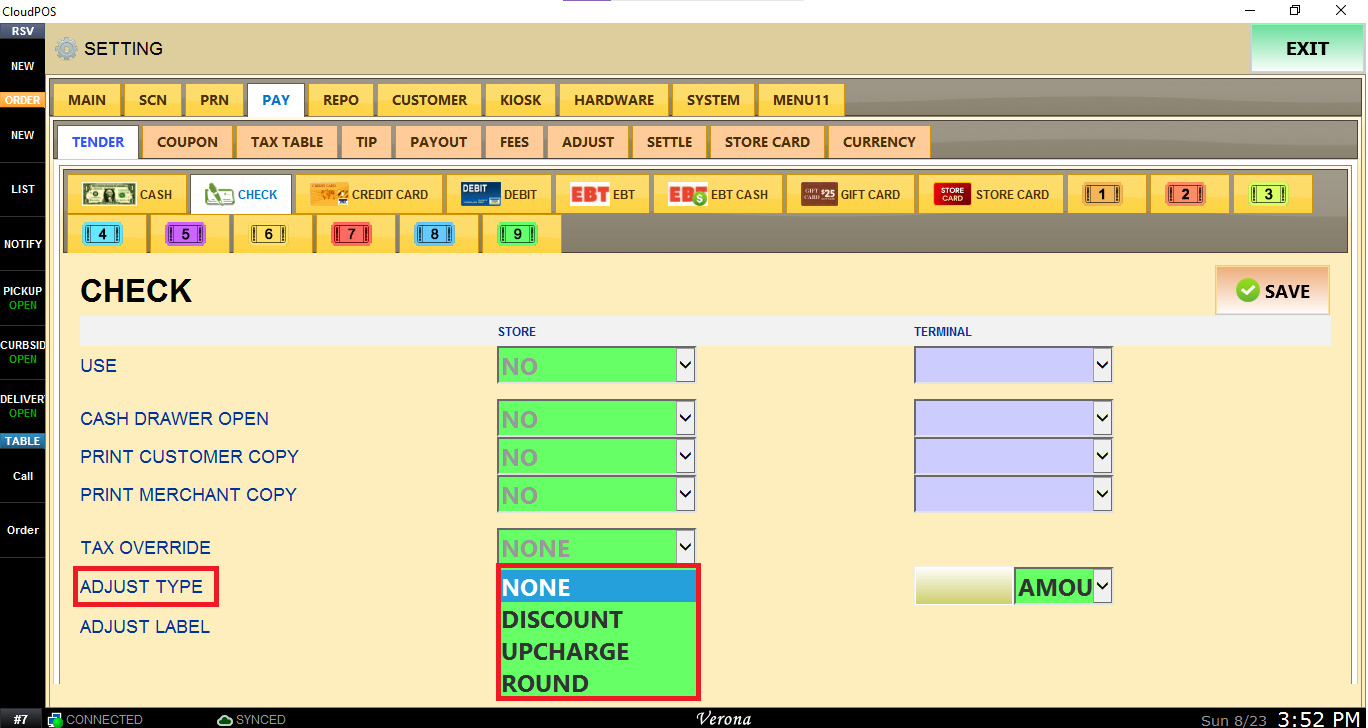
ADJUST TYPE: Allows you to apply a price adjustment when Check is used as the payment method.
- NONE: No adjustment is applied.
- DISCOUNT: Applies a discount to the transaction.
- UPCHARGE: Adds an additional charge to the transaction.
- ROUND: Applies a rounding adjustment.
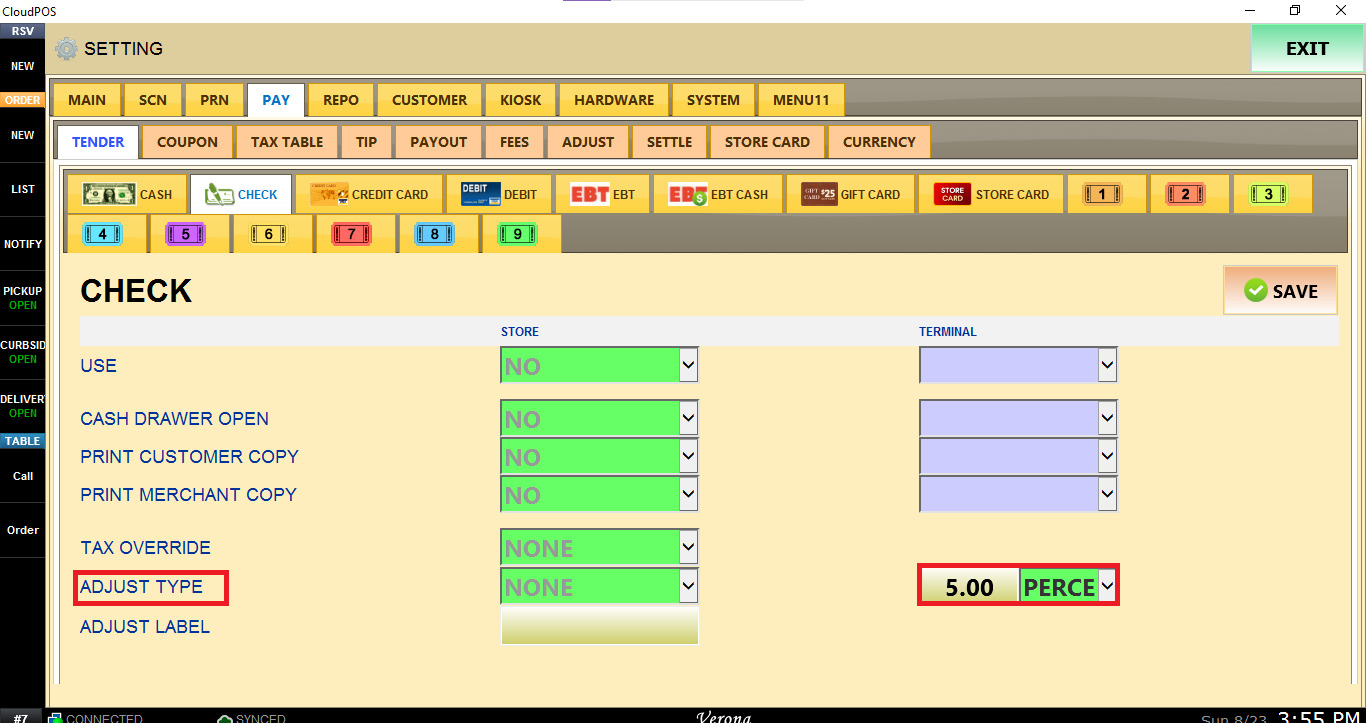
Enter the adjustment value and select whether it should be calculated as a fixed amount or a percentage.
ADJUST LABEL: Enter the description that should be displayed for the adjustment on the transaction and/or receipt.
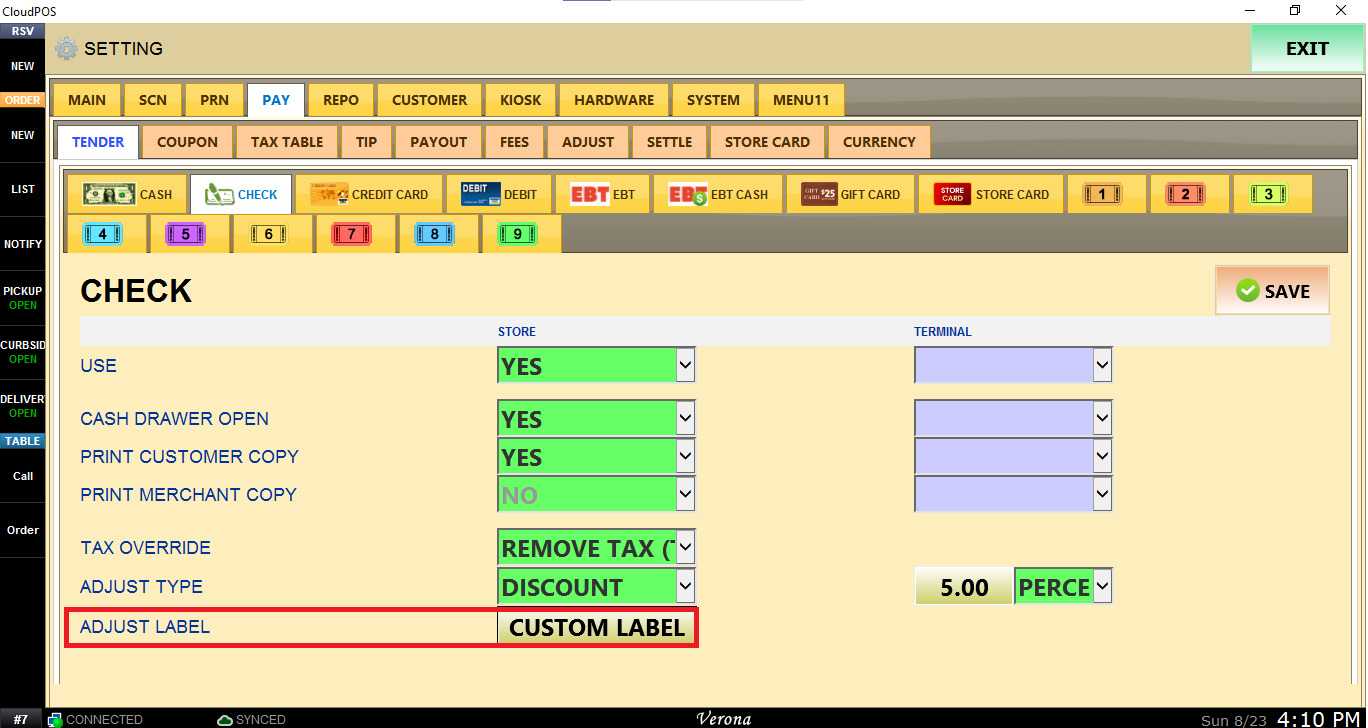
Once all Check settings have been configured, click SAVE and RESTART PROGRAM for the changes to take effect.