Assigning Modifier to a Category or Item
After creating a Modifier Group, it must be assigned to a Category or Item before it can be used during order entry. Assigning a modifier to a category applies it to all items within that category, while assigning it to an individual item applies it only to that specific item.
Main Screen> MENU >SETTINGS >REPOSITORY >EDIT >CATEGORY/ITEM
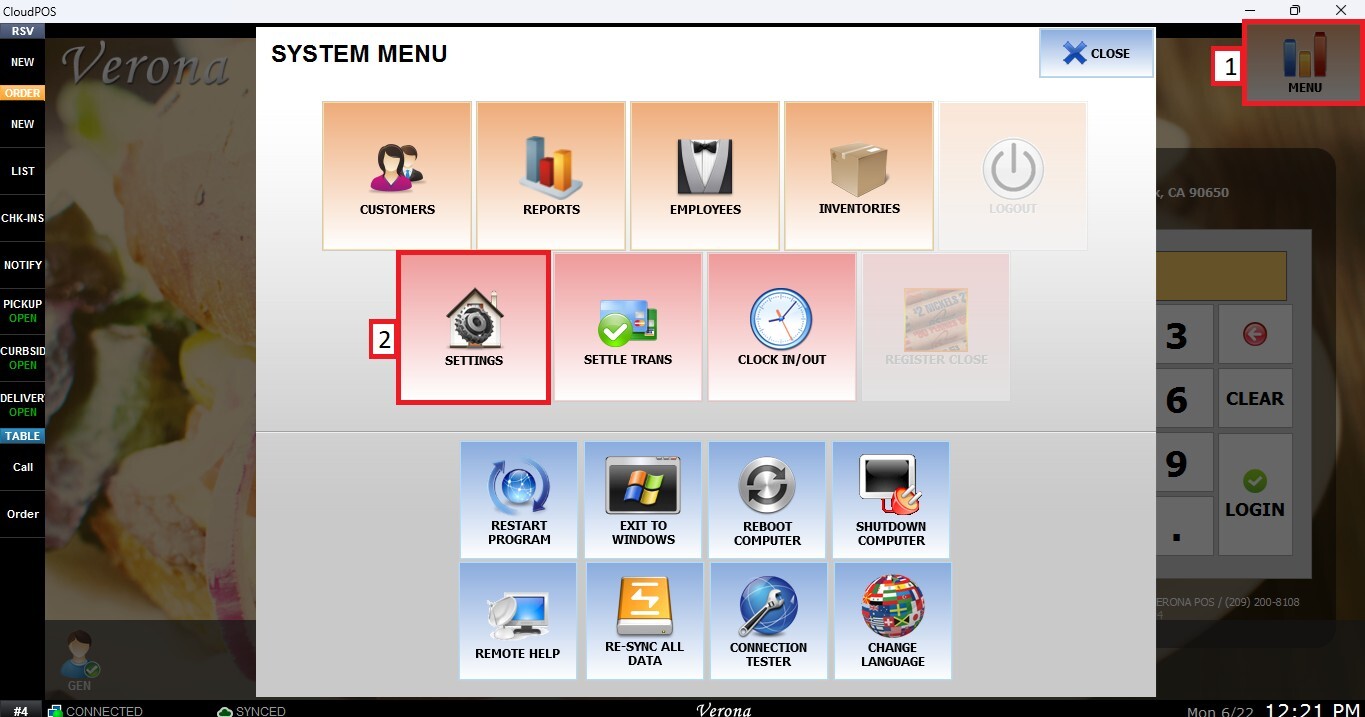
Go to MENU then SETTINGS.
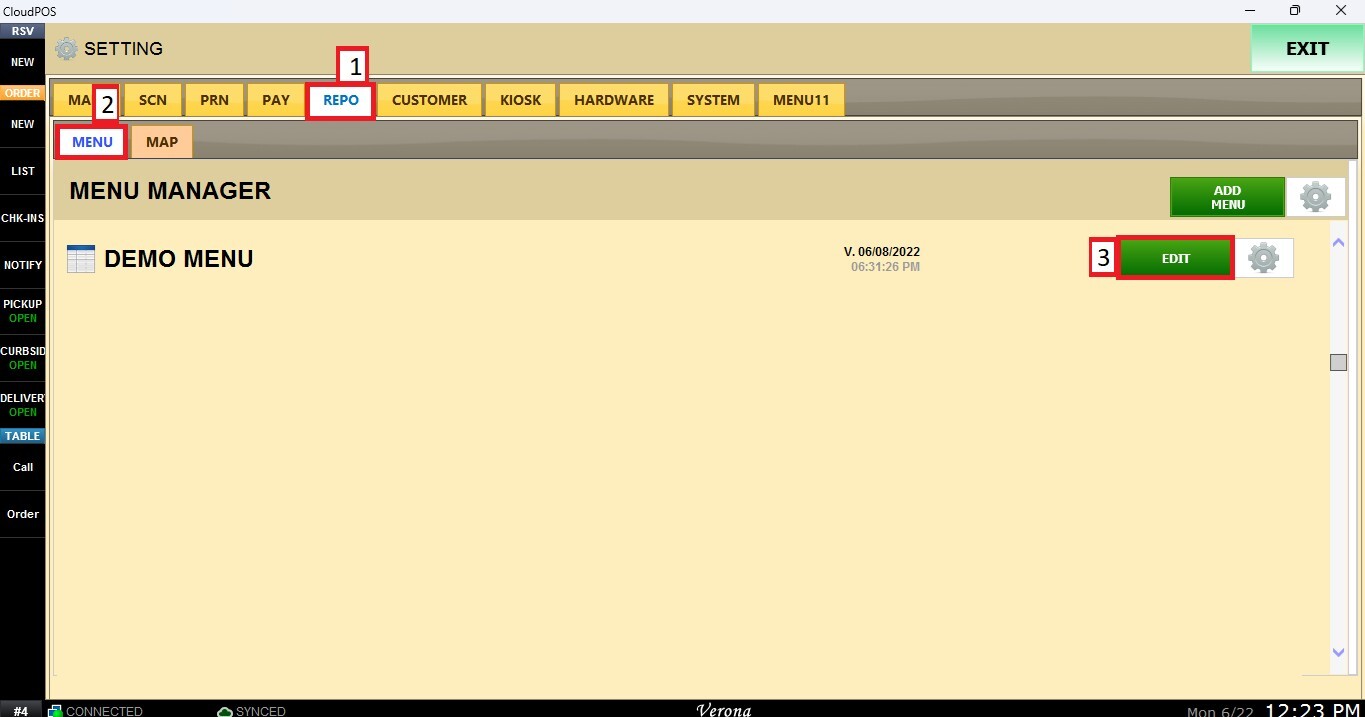
Open the REPO tab, select MENU and Locate the menu you want to modify and click EDIT.
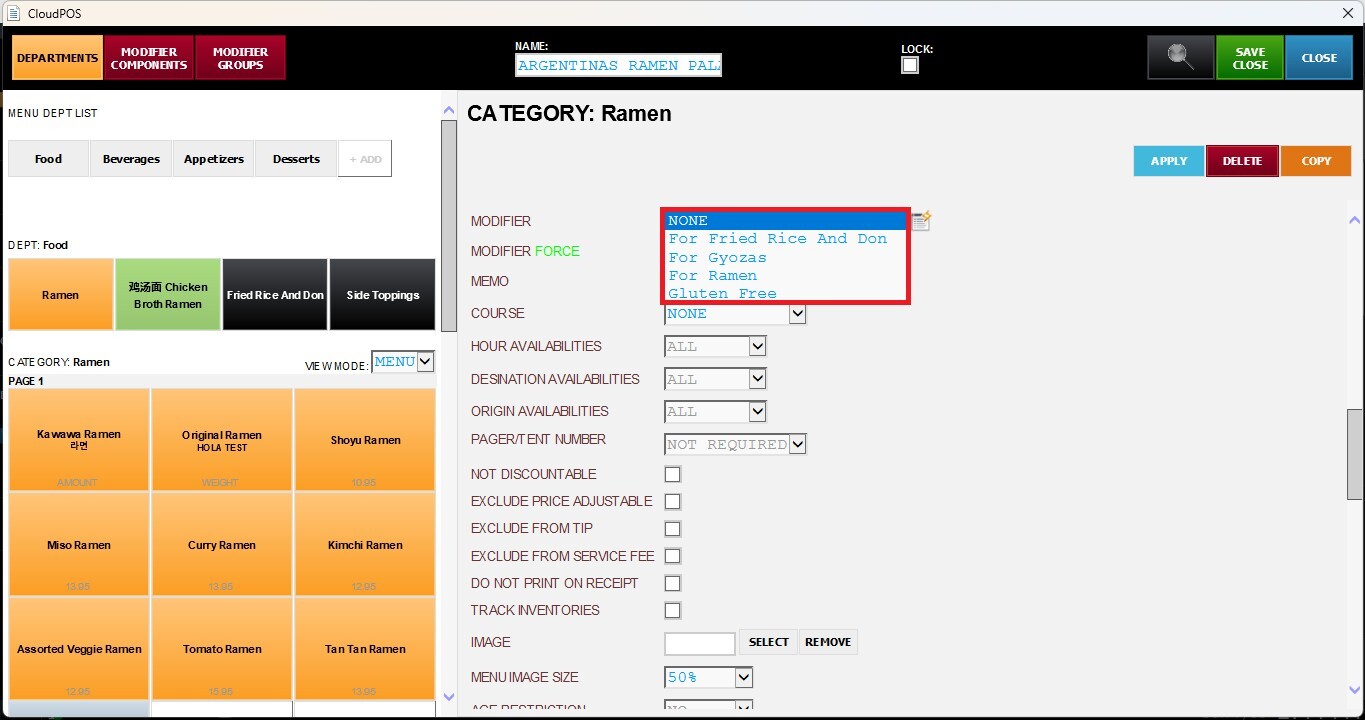
Select the Category or Item you want to configure and scroll down until you reach the Modifier section.
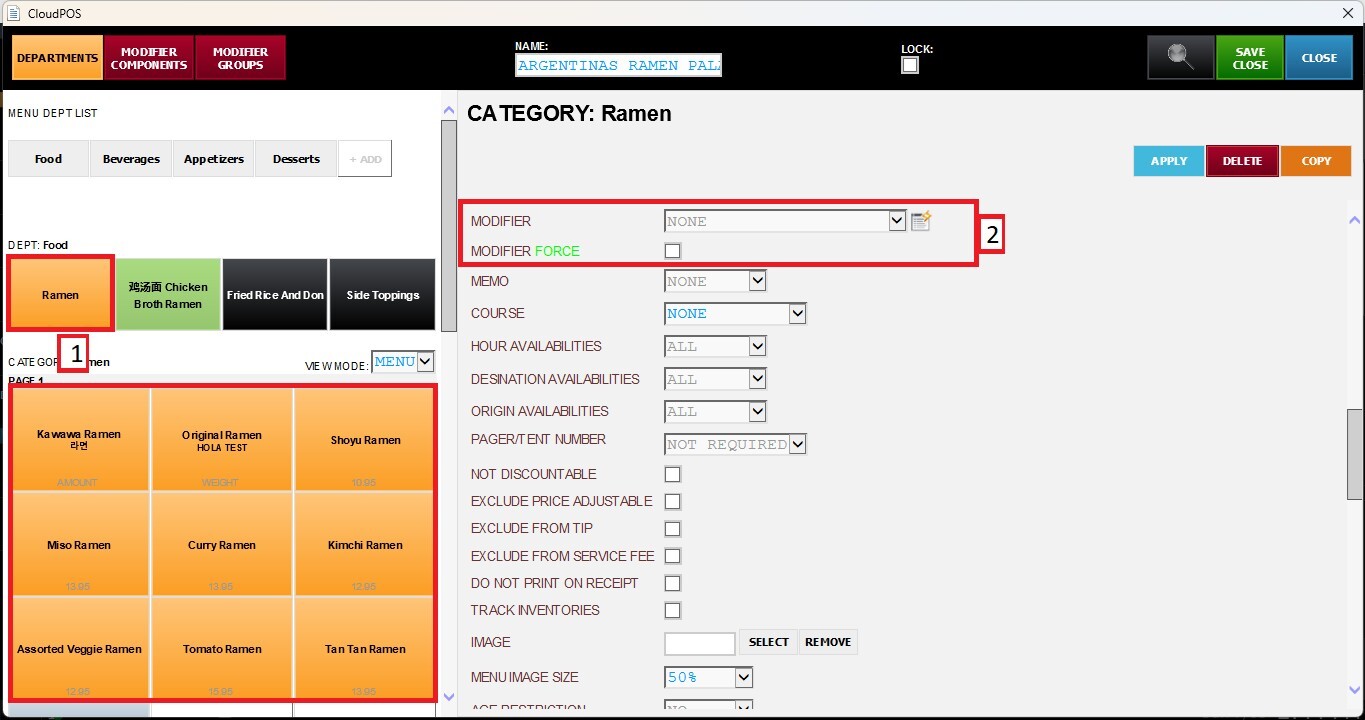
From the Modifier dropdown menu, select the desired Modifier Group. Assign the selection to the Category or Item.
Modifier (Force)
When enabled, the Modifier window will automatically open whenever the item is selected, requiring the user to make a modifier selection before continuing.
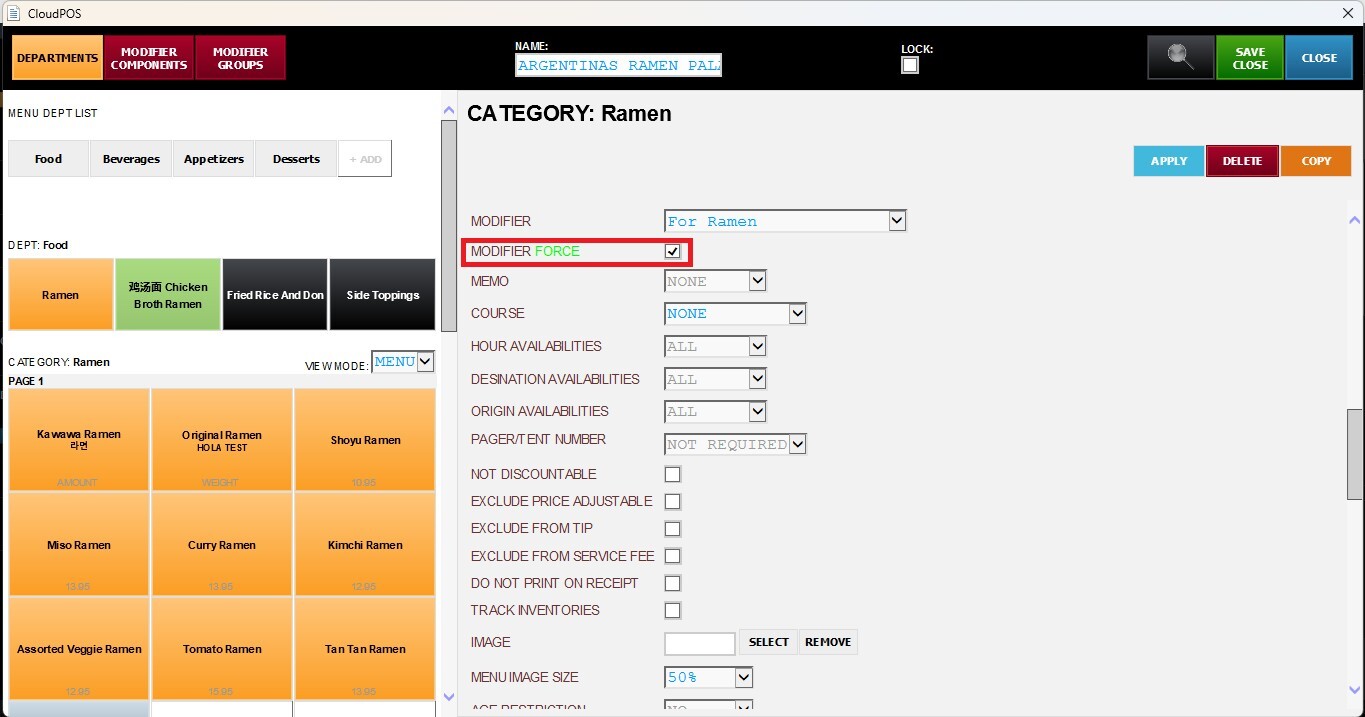
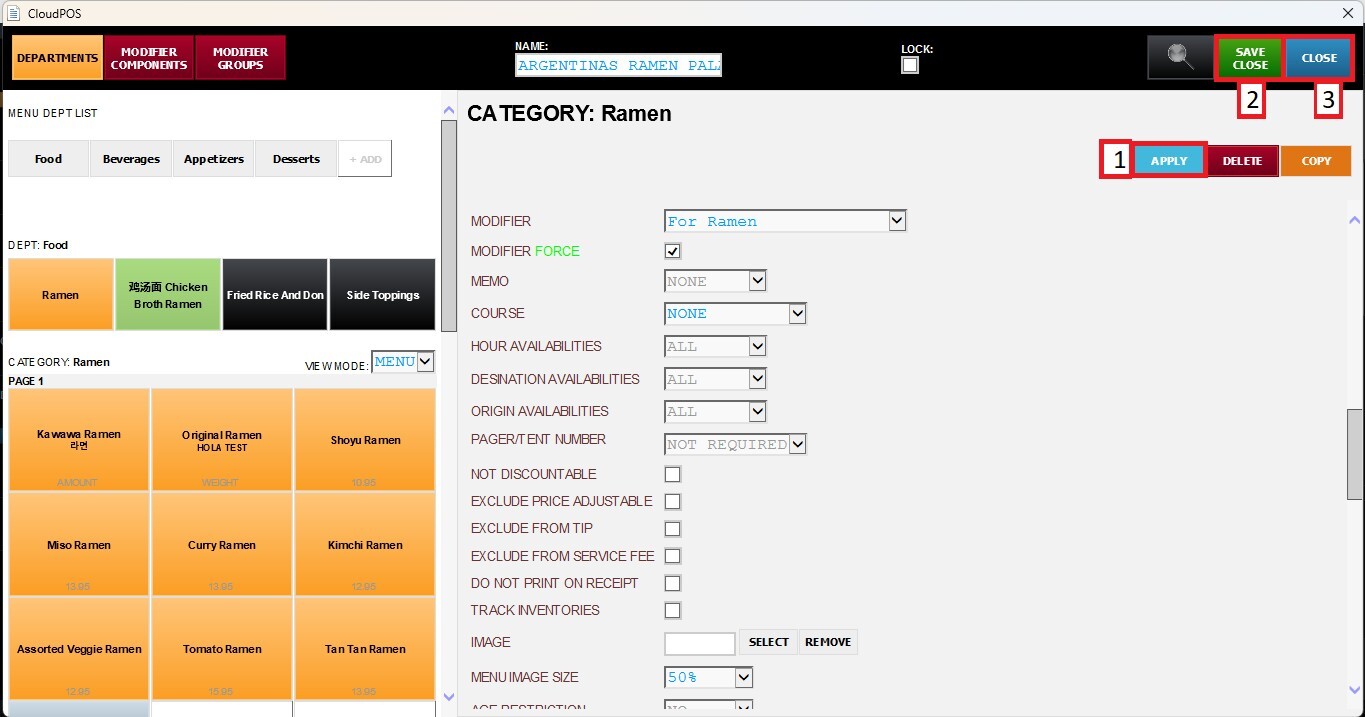
After completing the desired fields, press APPLY and SAVE & CLOSE to confirm the changes.