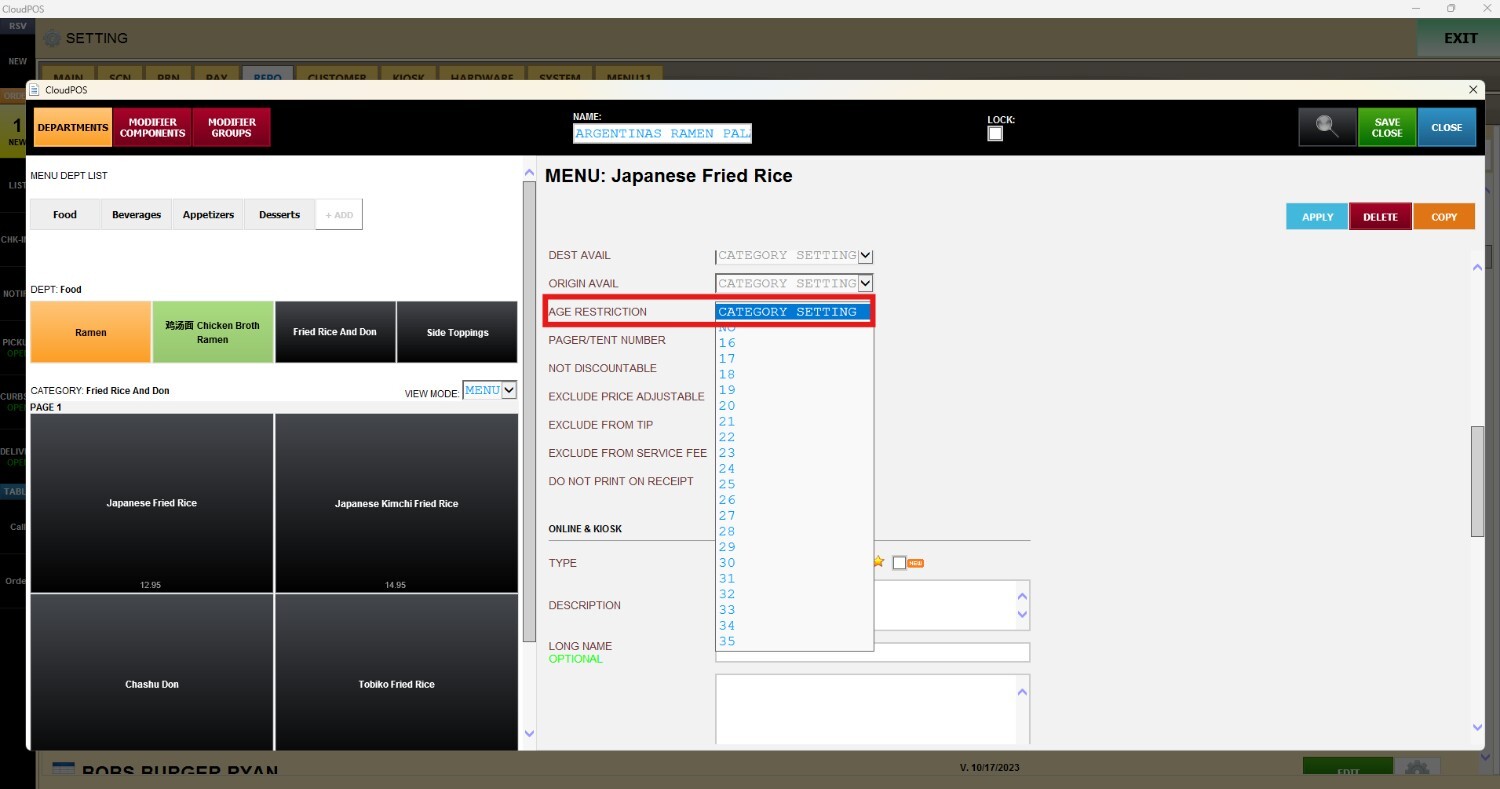
Age Restriction
This section allows you to configure age restrictions at the category level. Any age restriction applied to a category will automatically be inherited by all products within that category, helping ensure that age-restricted items follow the appropriate verification requirements during the checkout process.
Main Screen> MENU > SETTINGS > REPOSITORY > EDIT> ITEM > AGE RESTRICTION
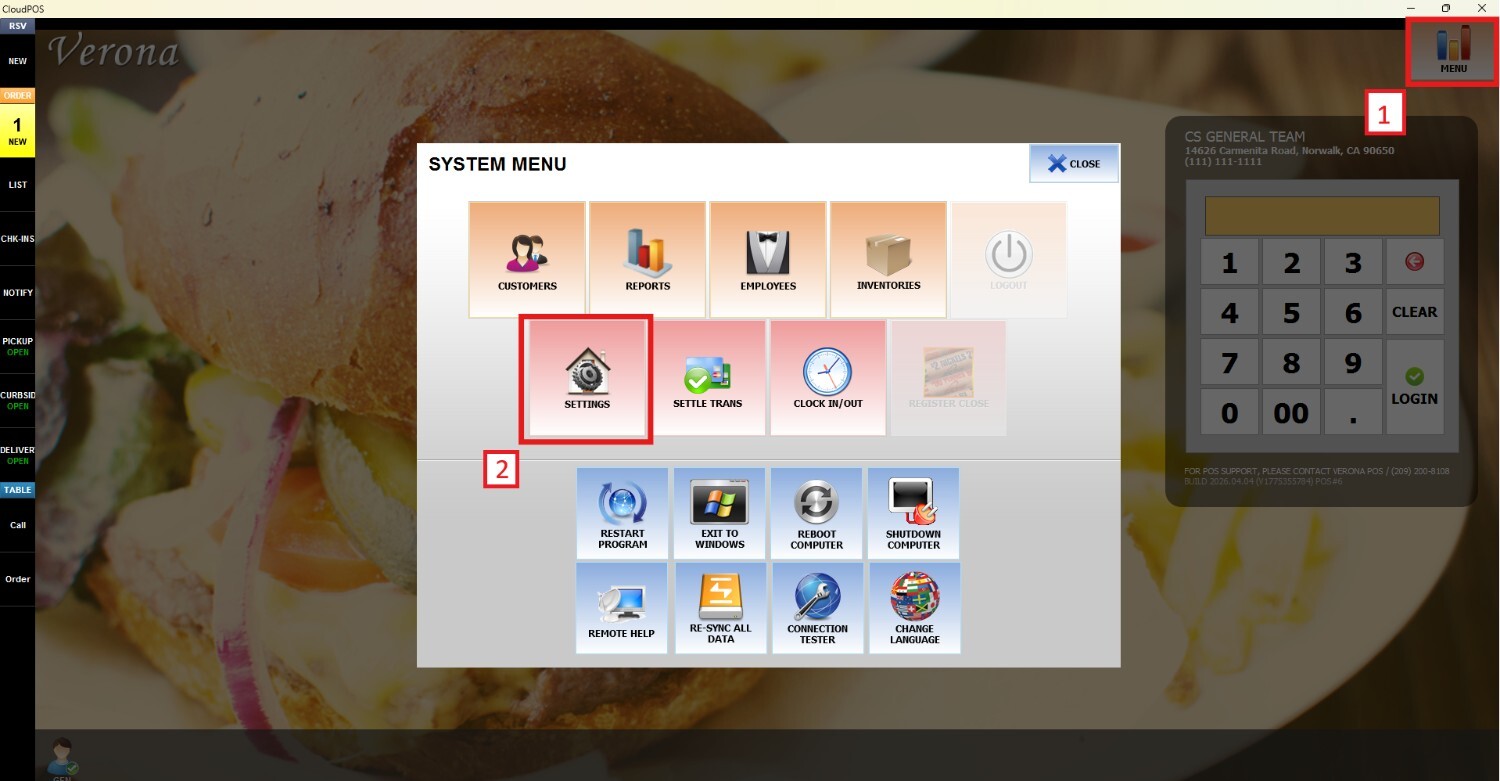
Go to MENU and press SETTINGS
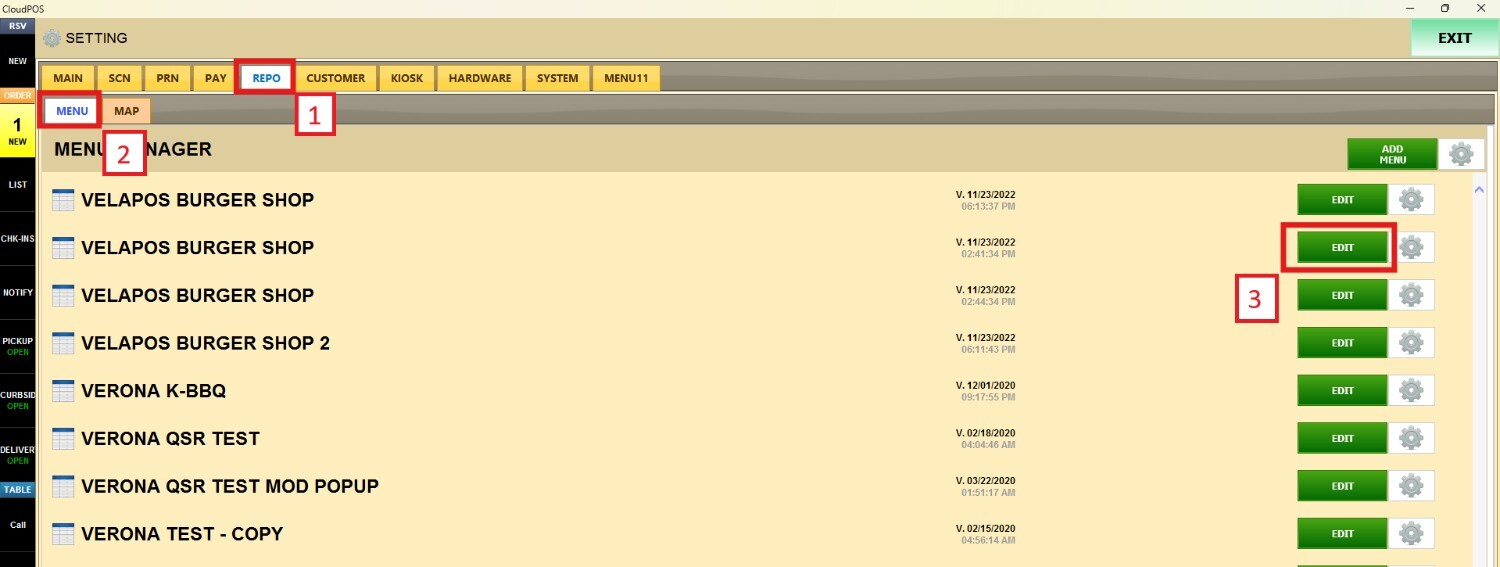
Open the REPO tab, click MENU to locate your menu and press EDIT
Select an item and scroll down until you find AGE RESTRICTION. Open the drop-down menu and choose the minimum age requirement that will apply to the selected item