Modifier Component Disable Price Adjust ADJ
Modifier Component – Disable Price ADJ
Disable Price ADJ allows you to prevent a specific Modifier Component from being selected when a particular Price Adjustment option is selected.
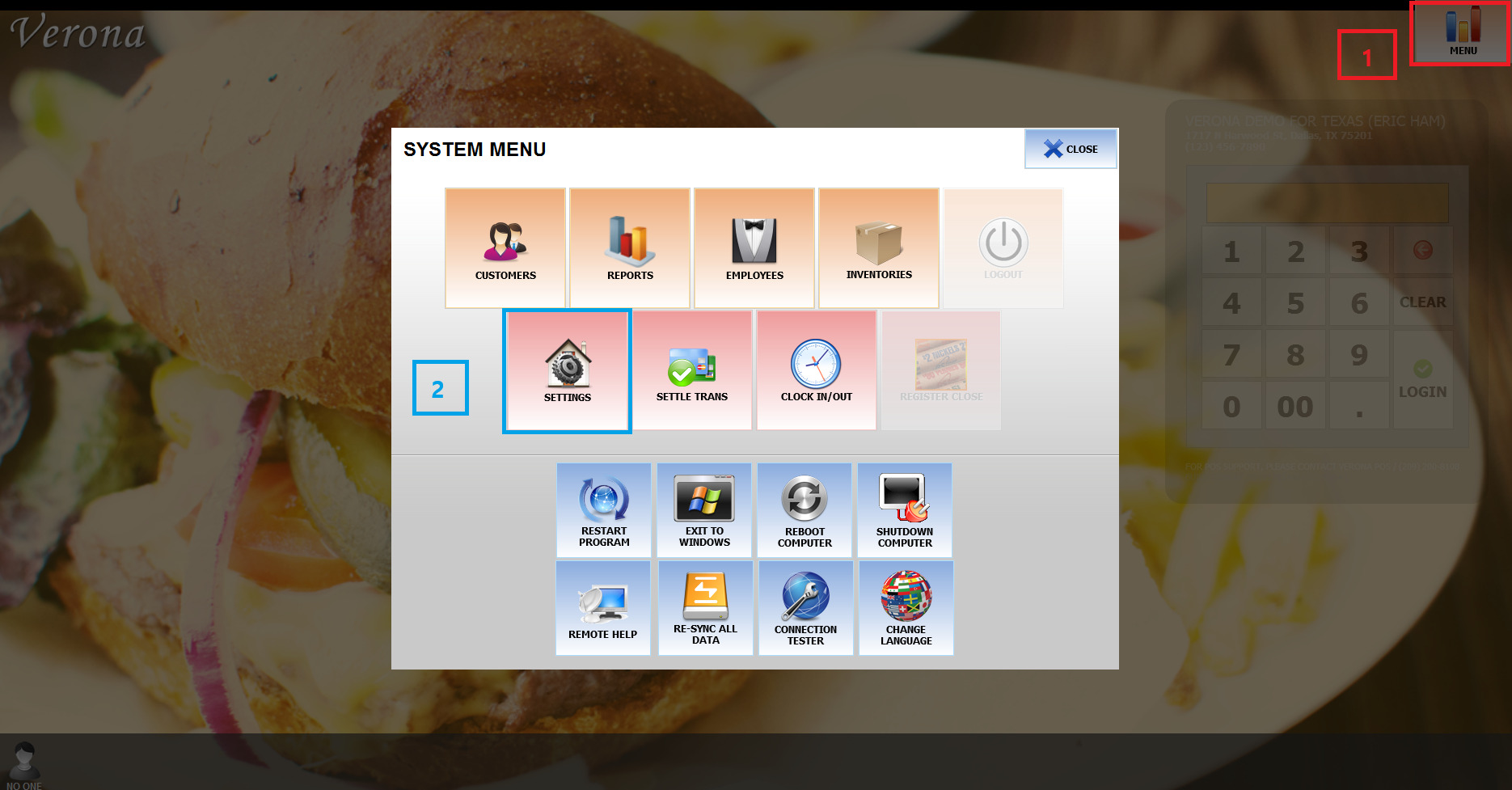
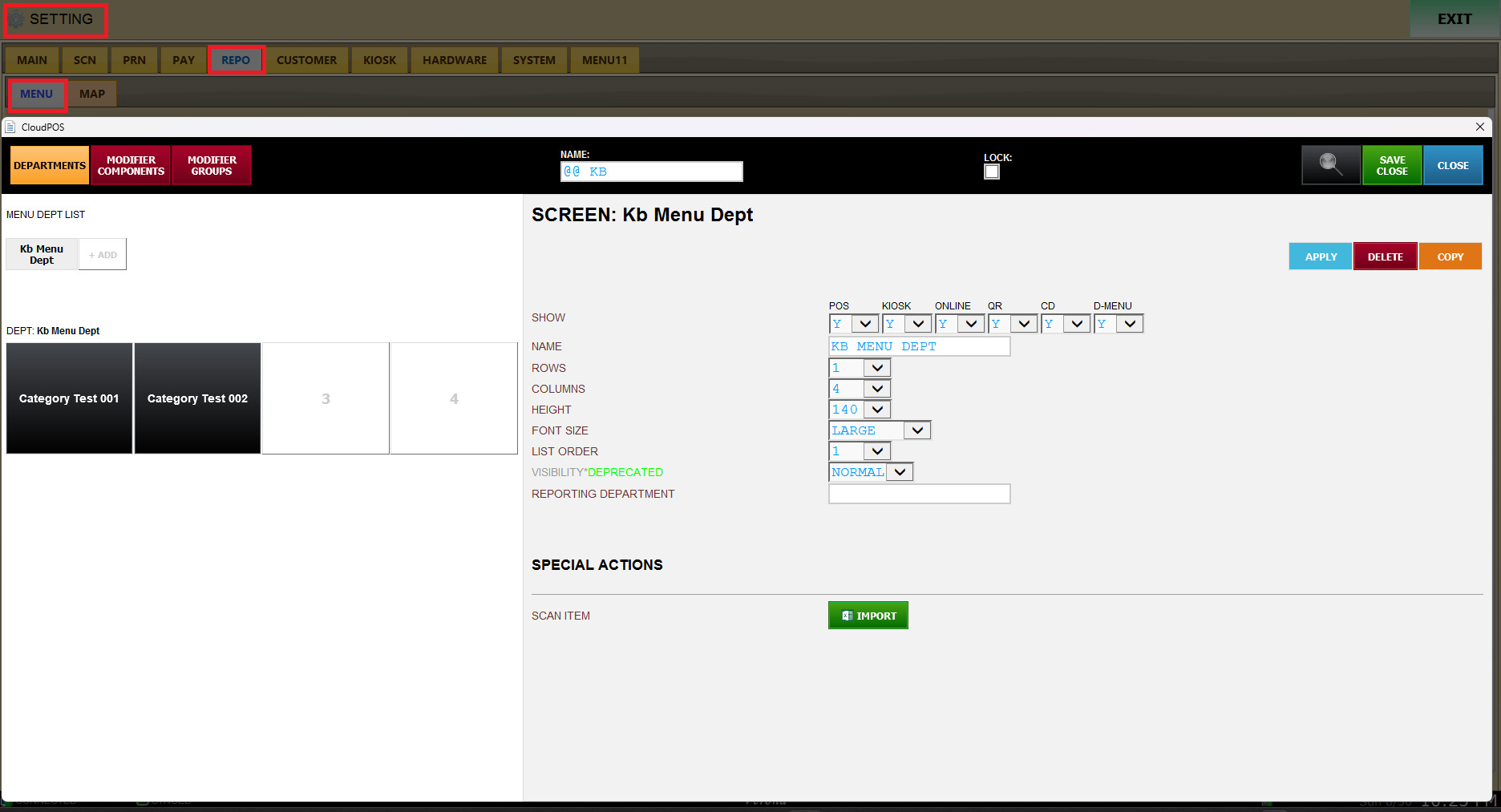
SETTINGS > MENU
REPO > MENU > Modifier Component
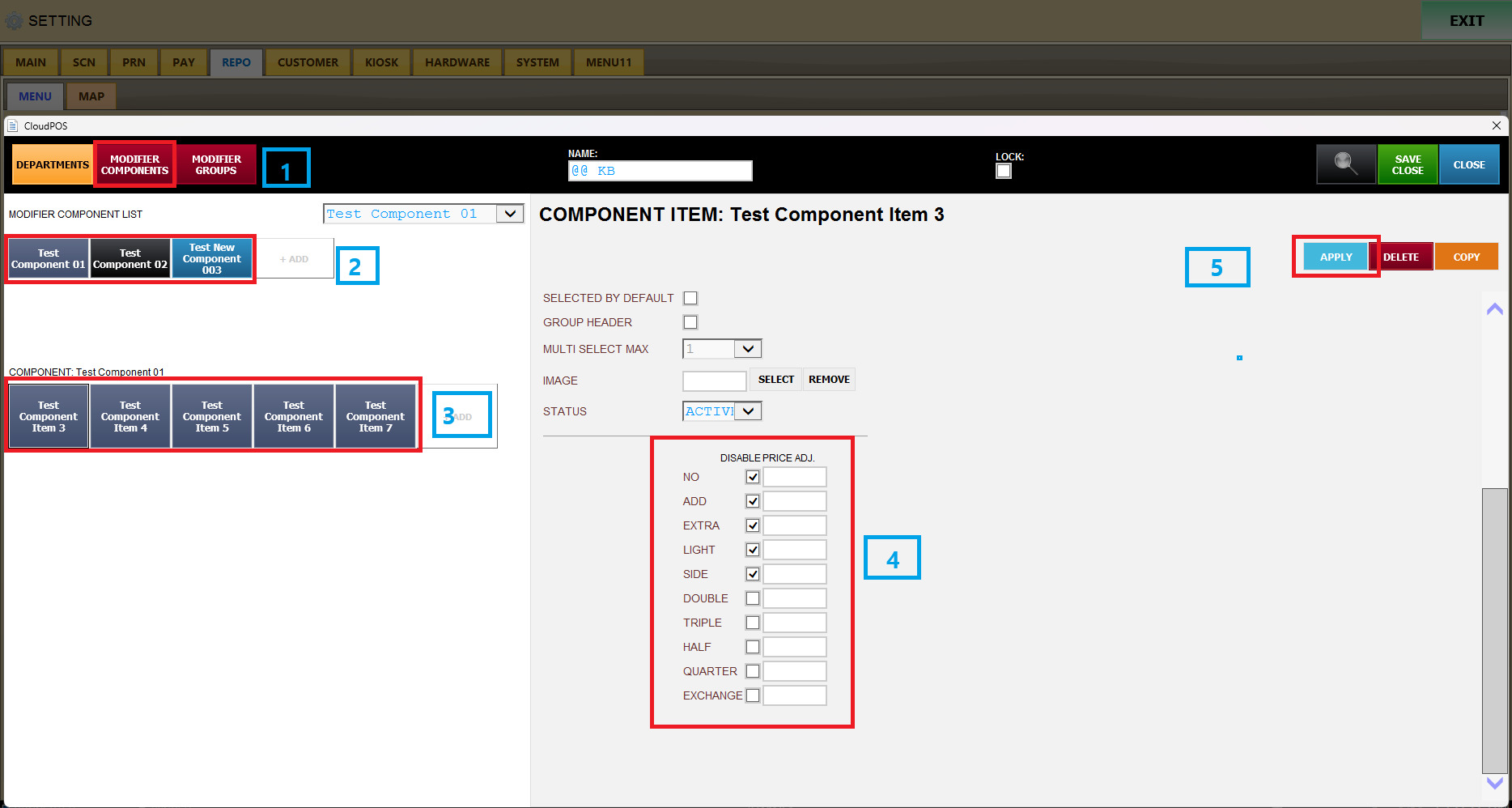
Select Modifier Component.
Select the desired Modifier Component List.
Select the Modifier Component you want to configure.
Scroll down on the right side of the screen.
Find Disable Price ADJ.
Check the Price Adjustment options that should disable this Modifier.
Click APPLY to save the setting.
For example, if you check:EXTRA
under Disable Price ADJ and click APPLY,
when the employee selects EXTRA on the Modifier screen, the Modifier Component configured with this setting will become gray/disabled.
The gray Modifier cannot be selected.
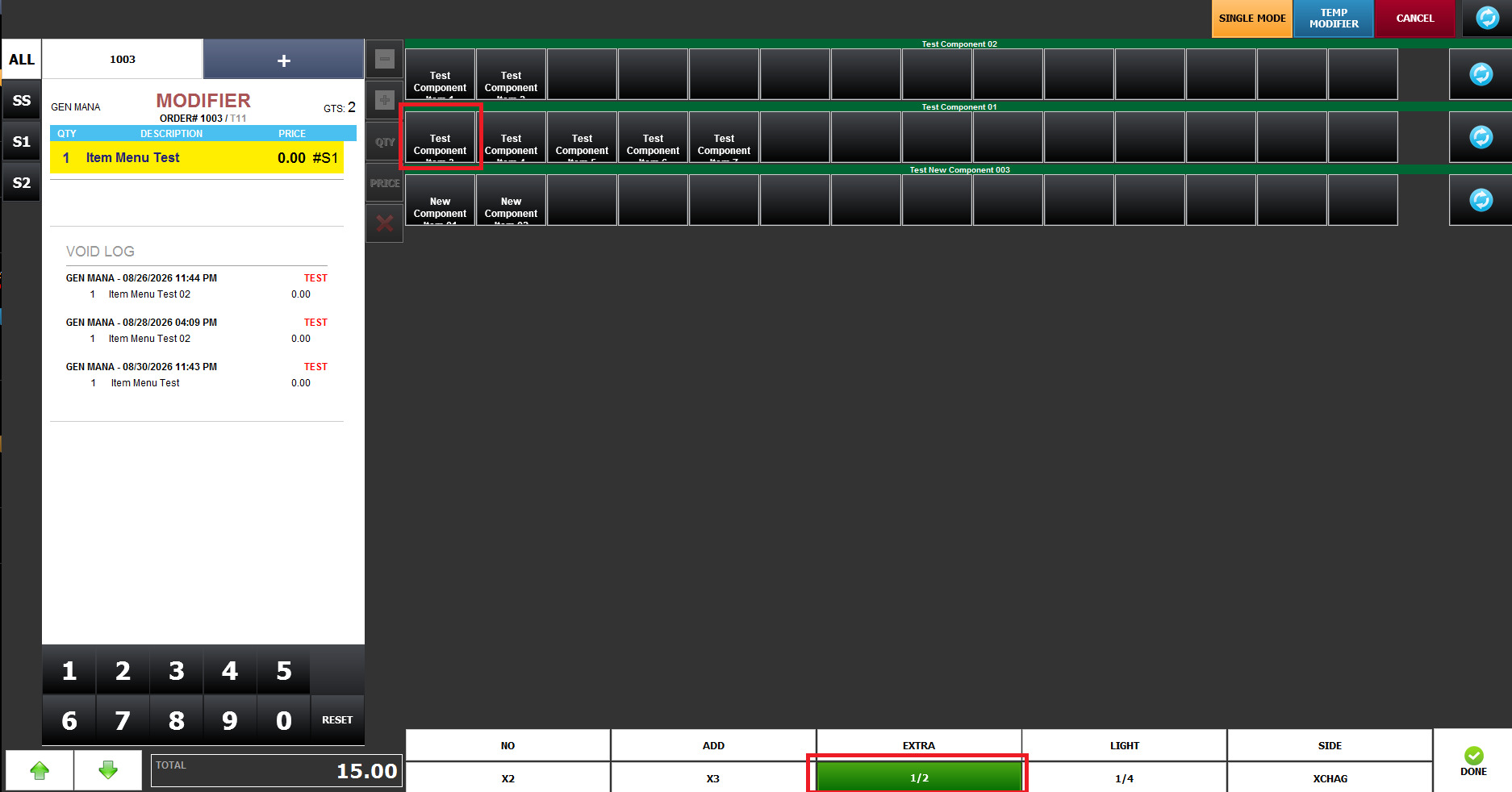
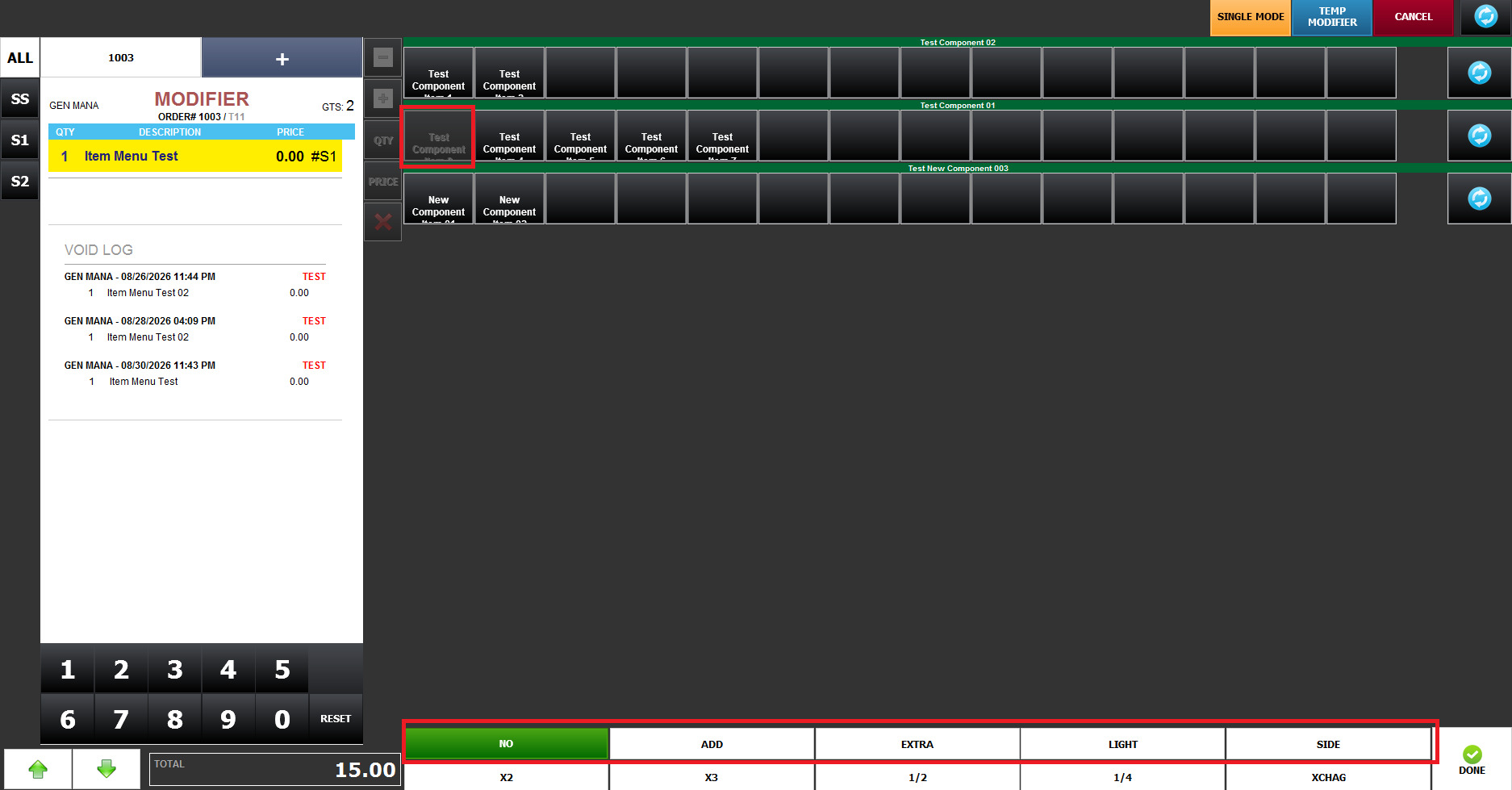
This allows the restaurant to control which Modifiers are available depending on the selected Price Adjustment.