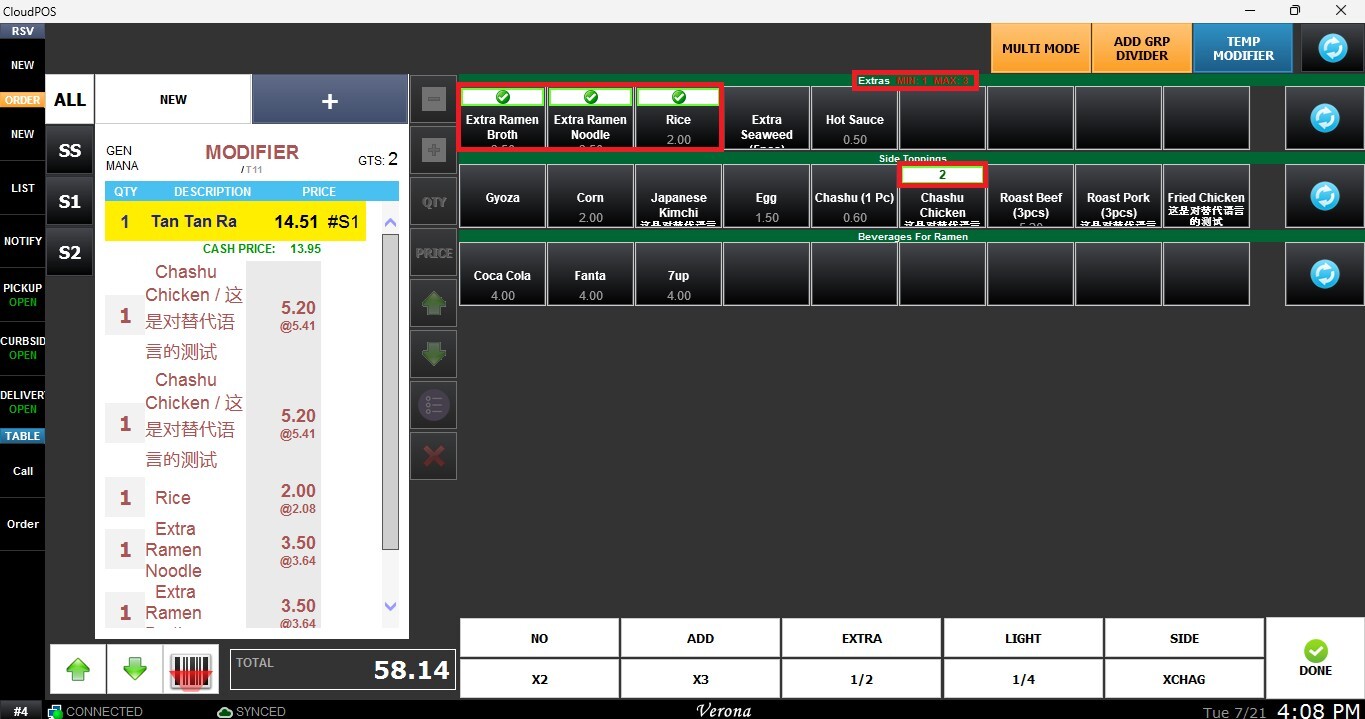
Temp Item Limits Min, Max Choice Multi Select
This features allow you to control how customers interact with modifier options during order entry. These settings help enforce selection requirements and provide greater flexibility when configuring modifier groups.
Main Screen> MENU> SETTINGS> REPO> EDIT> MODIFIER GROUP
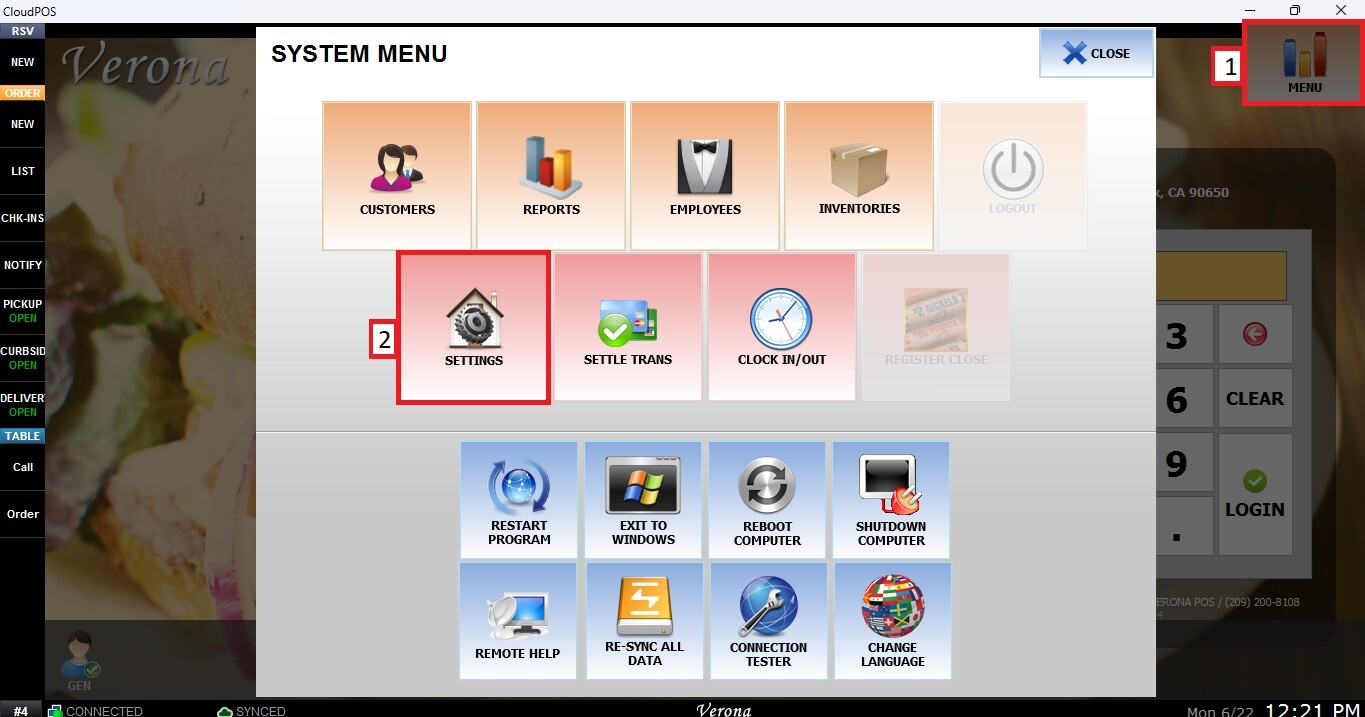
Go to MENU, then SETTINGS.
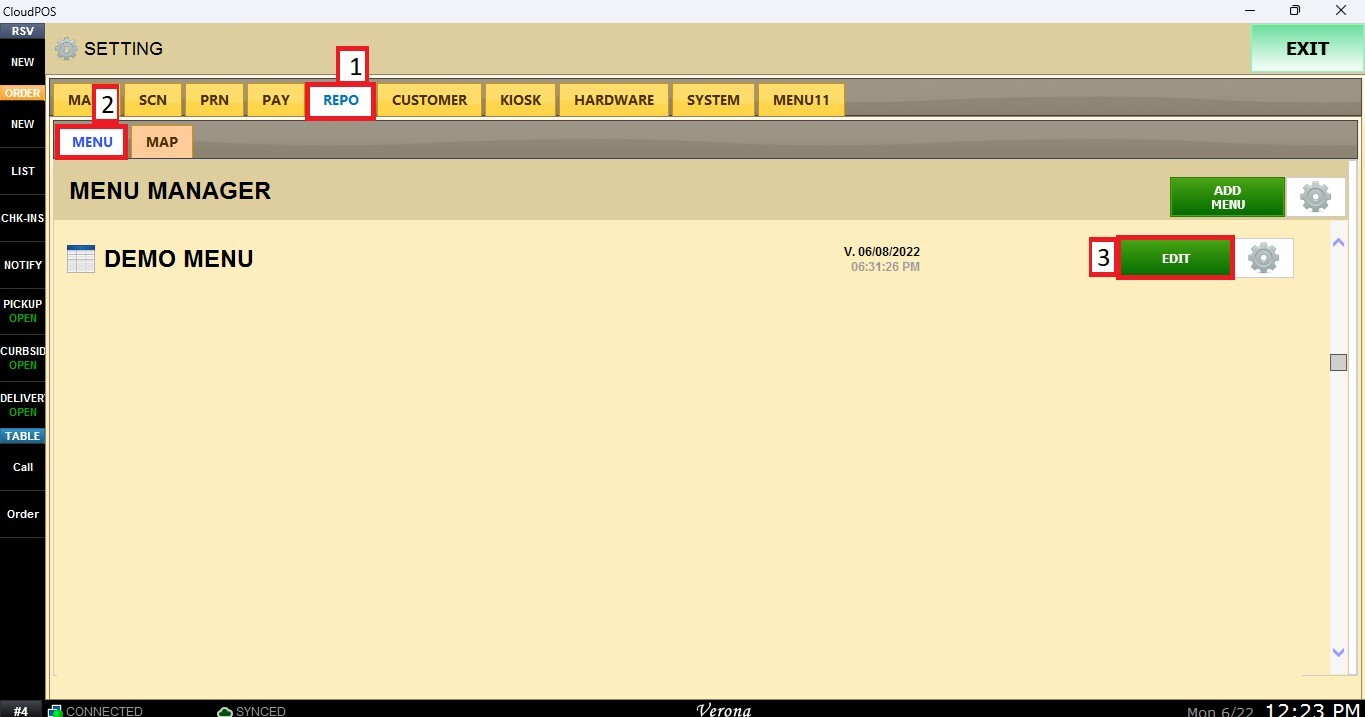
Open the REPO tab, select MENU to locate your menu, and click EDIT.
Select MODIFIER GROUPS from the upper-left corner and choose the MODIFIER GROUP you want to configure.
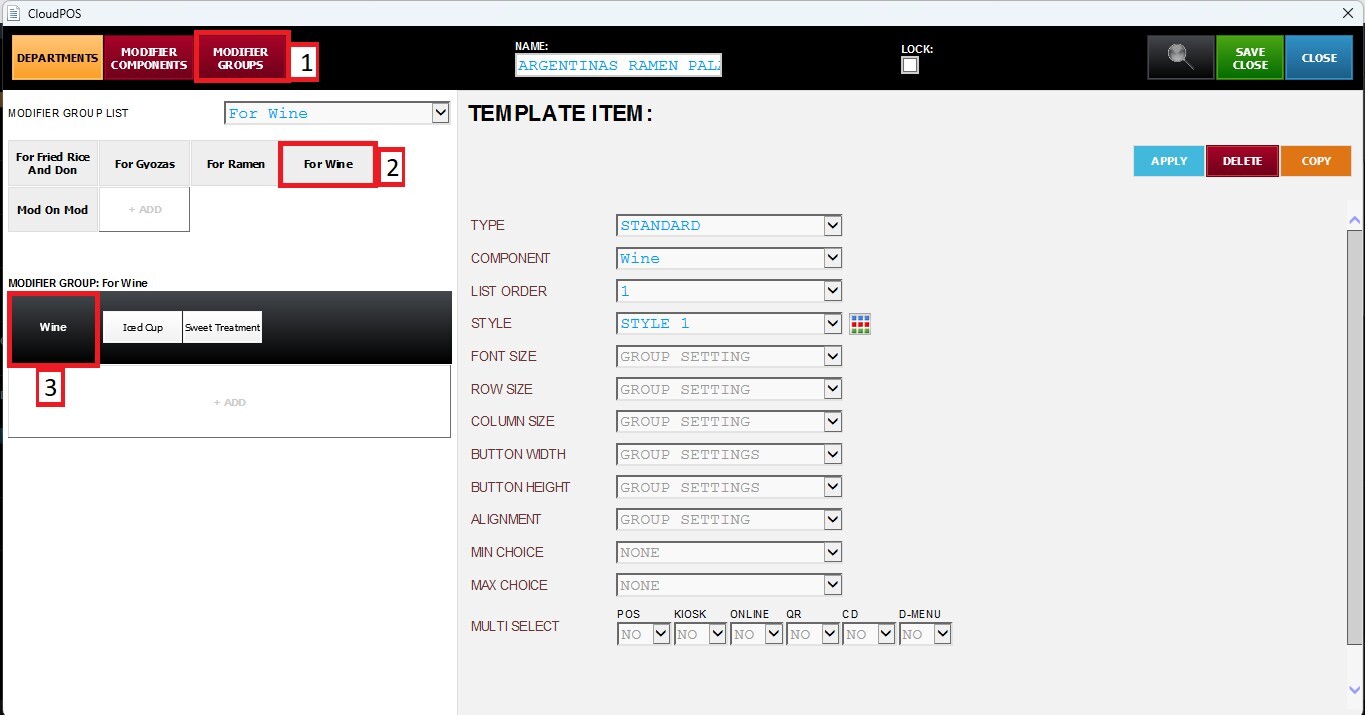
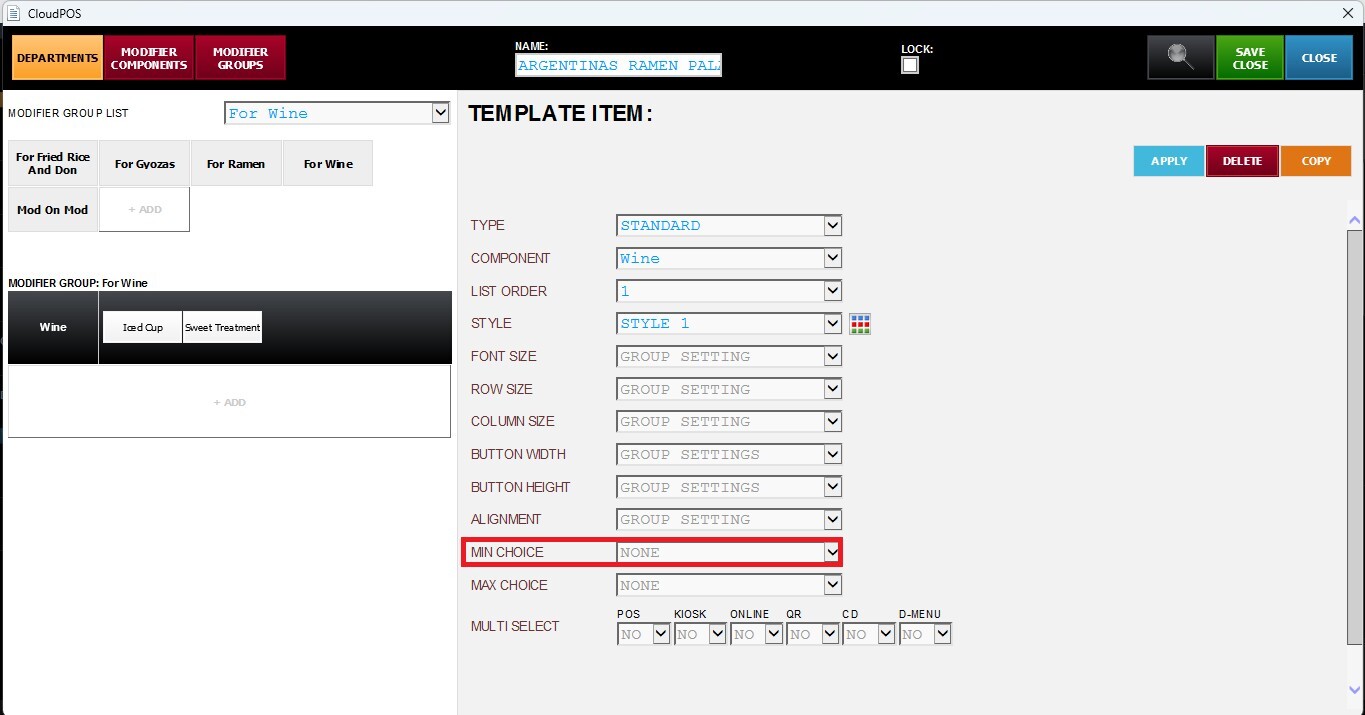
MINIMUM CHOICE
Defines the minimum number of modifier items that must be selected within the Modifier Component. Select from the drop-down menu the minimum number of choices that can be selected.
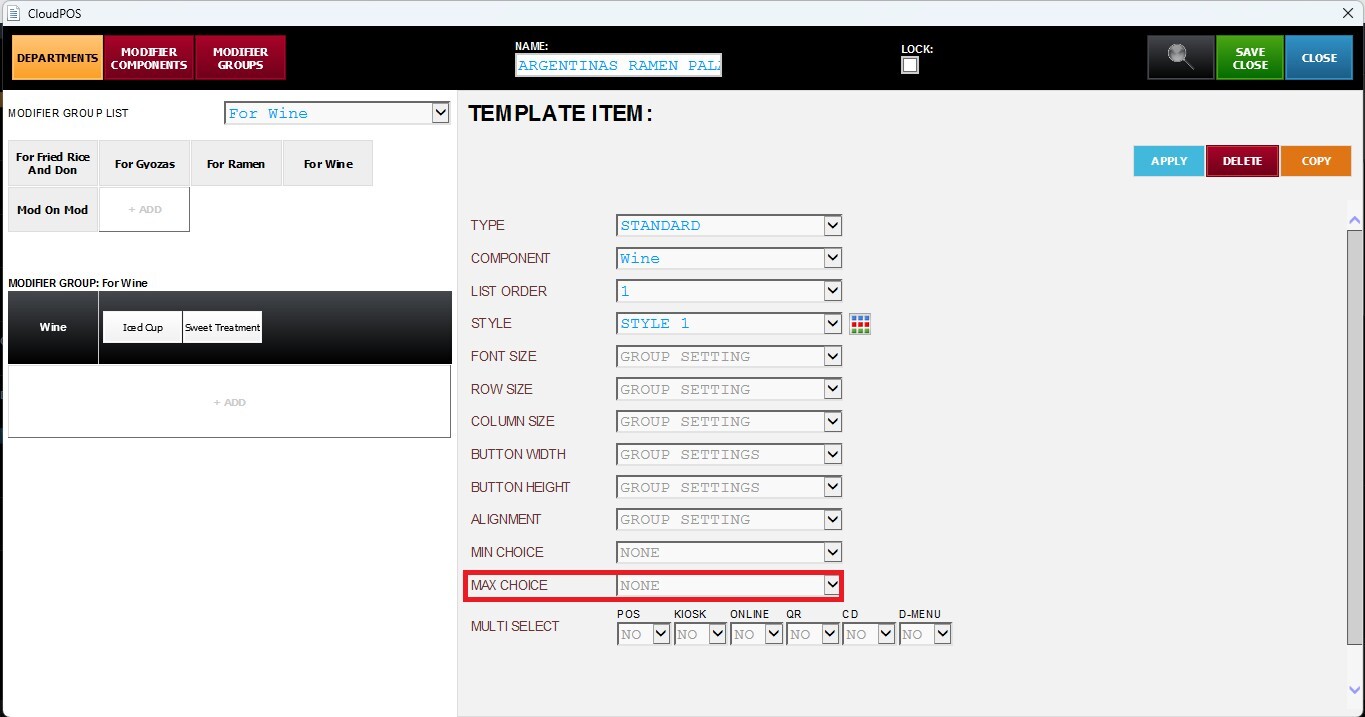
MAXIMUM CHOICE
Defines the maximum number of modifier items that can be selected within the Modifier Component. Select from the drop-down menu the maximum number of choices that can be selected.
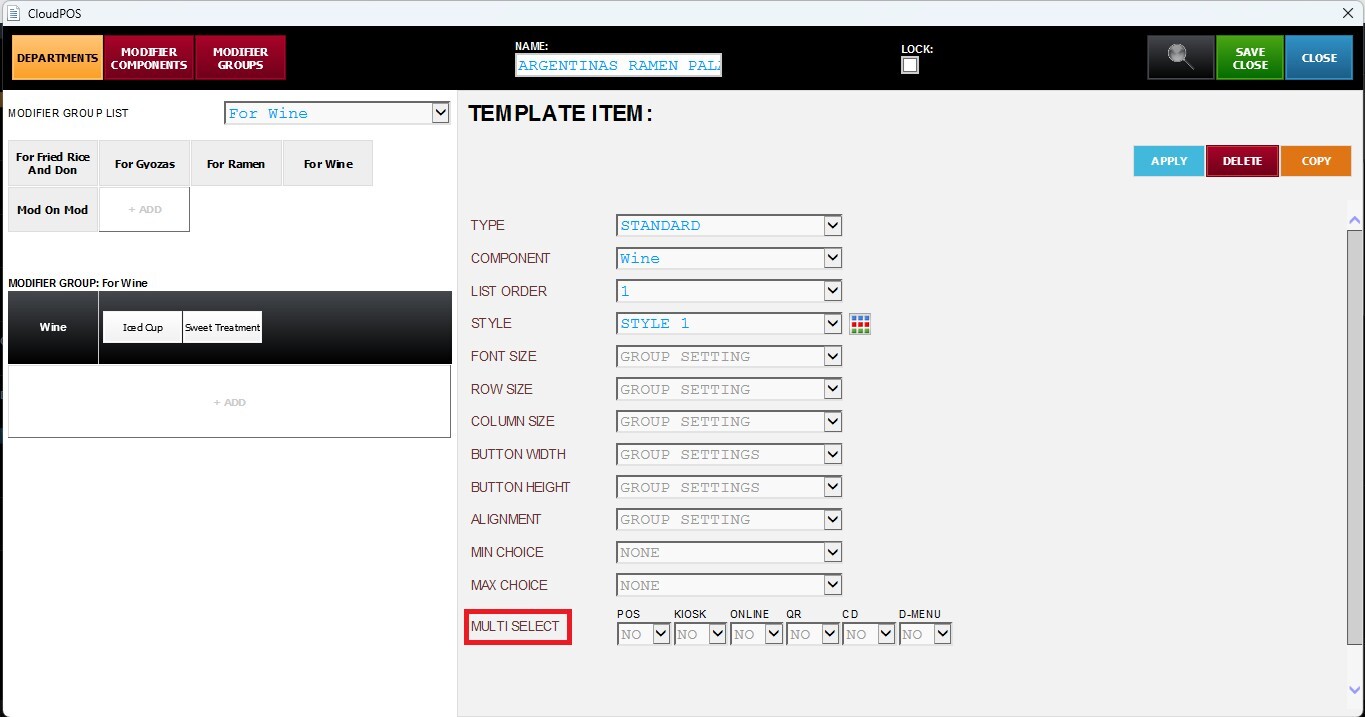
MULTI SELECT
Allows the same modifier item to be selected multiple times within the same Modifier Component. Select YES or NO from the drop-down menu to enable or disable Multi Select for the selected ordering channel.
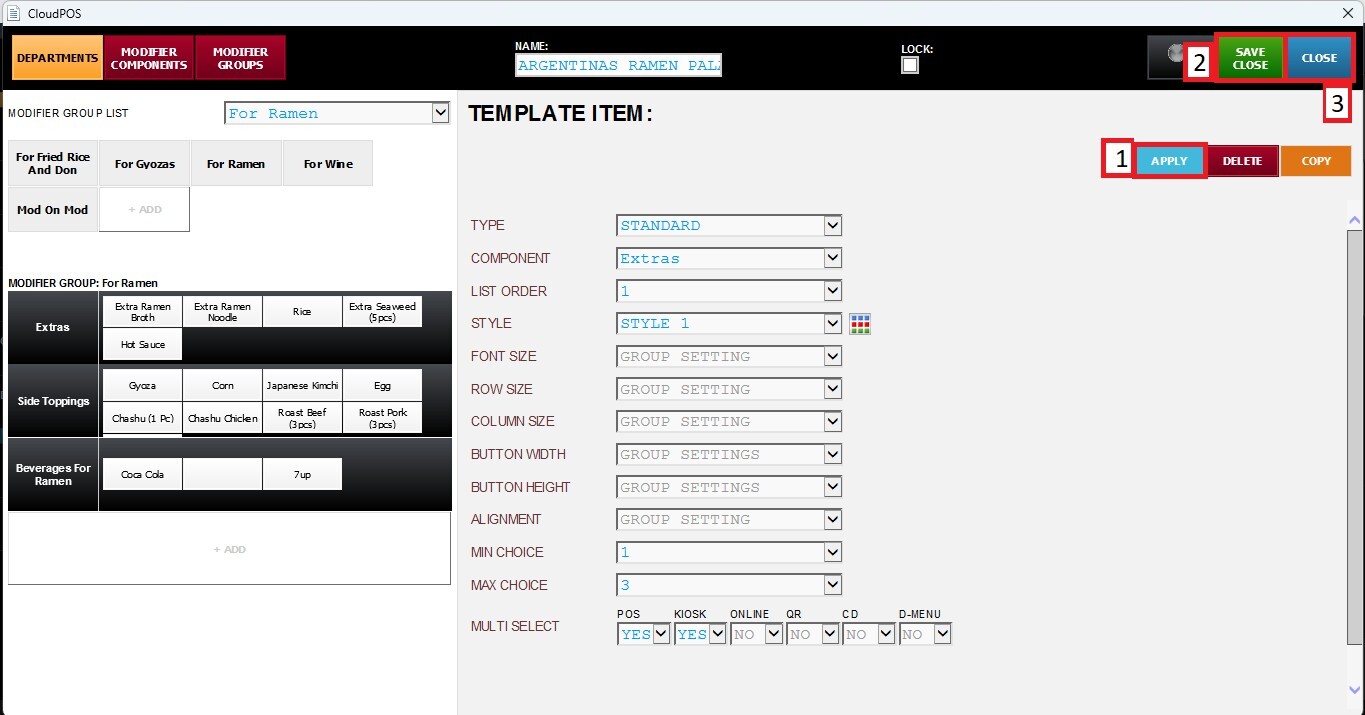
Click APPLY, then SAVE & CLOSE.
RESULT
The configured Modifier Component will enforce the defined MINIMUM CHOICE and MAXIMUM CHOICE values. If MULTI SELECT is enabled, the same modifier item can be selected multiple times during order entry.