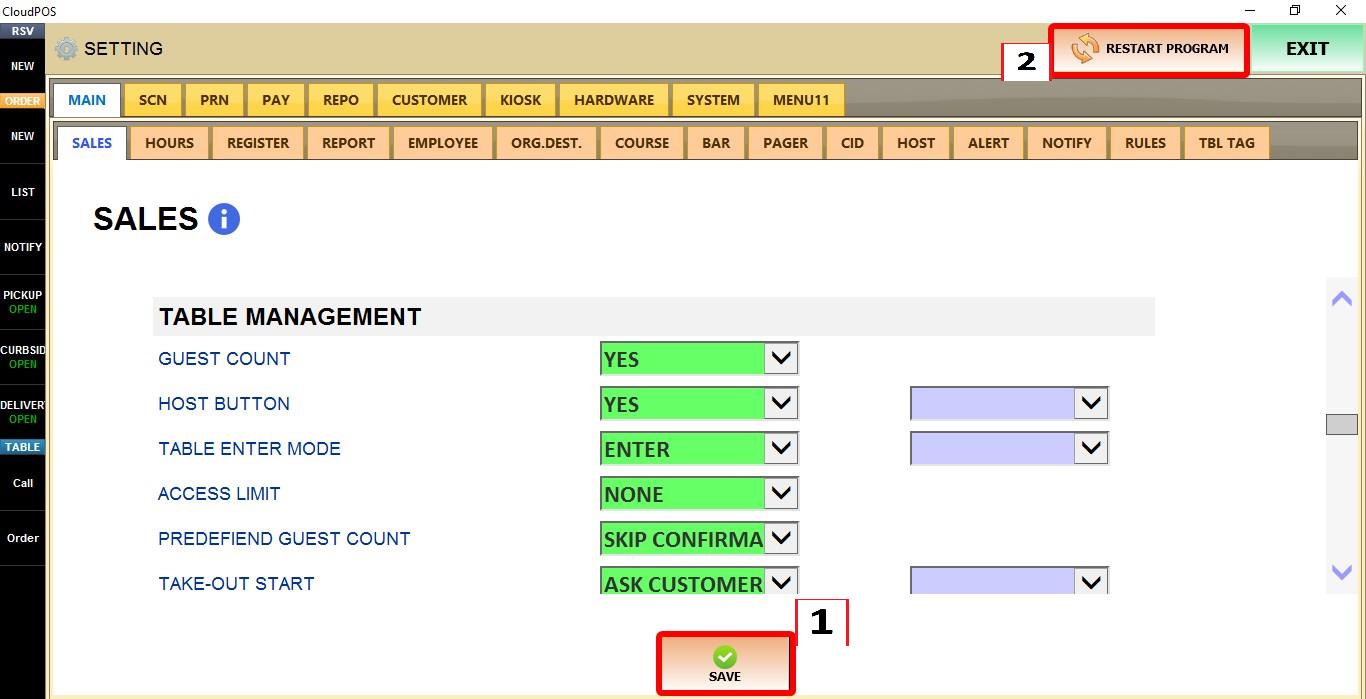
Table Enter Mode
The TABLE ENTER MODE setting controls what happens when a table is selected from the table map. You can either open the table immediately or display a preview window with table information before opening it.
MENU > SETTINGS > MAIN > SALES > TABLE MANAGEMENT
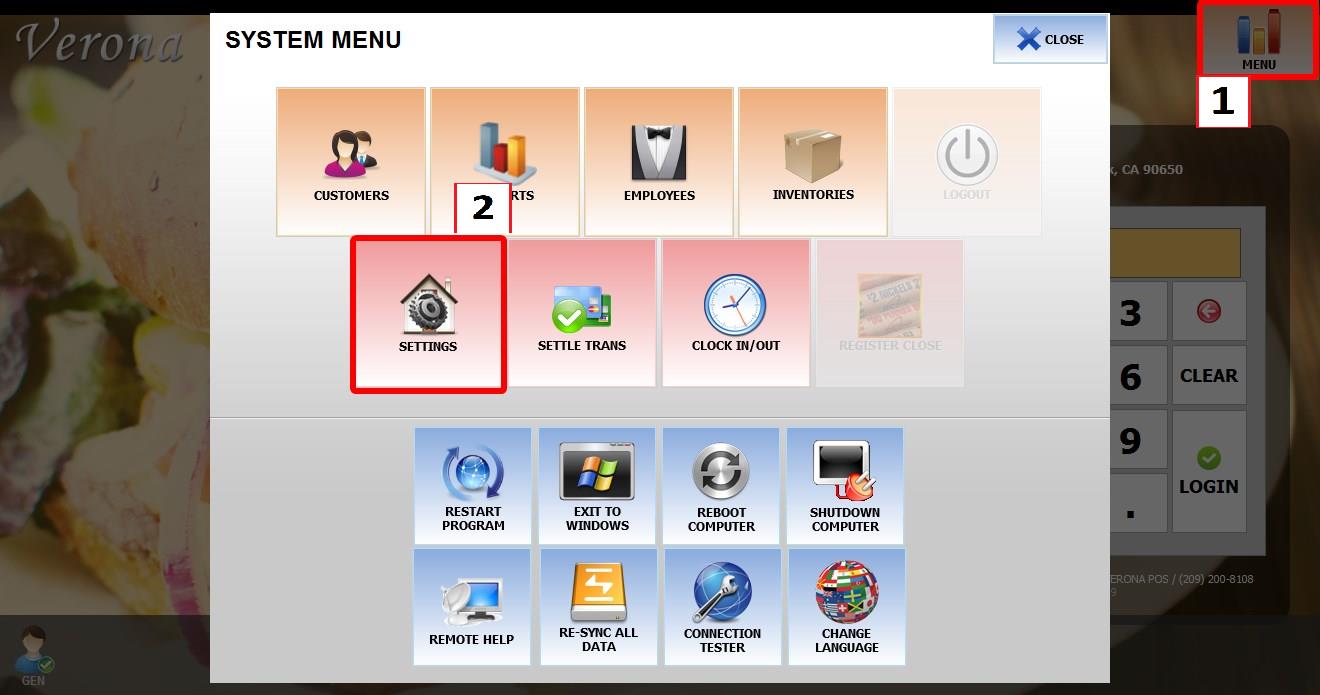
From the MAIN SCREEN, click MENU, then select SETTINGS.

Go to MAIN then SALES then TABLE MANAGEMENT.
TABLE ENTER MODE
Controls how tables are opened from the table map.
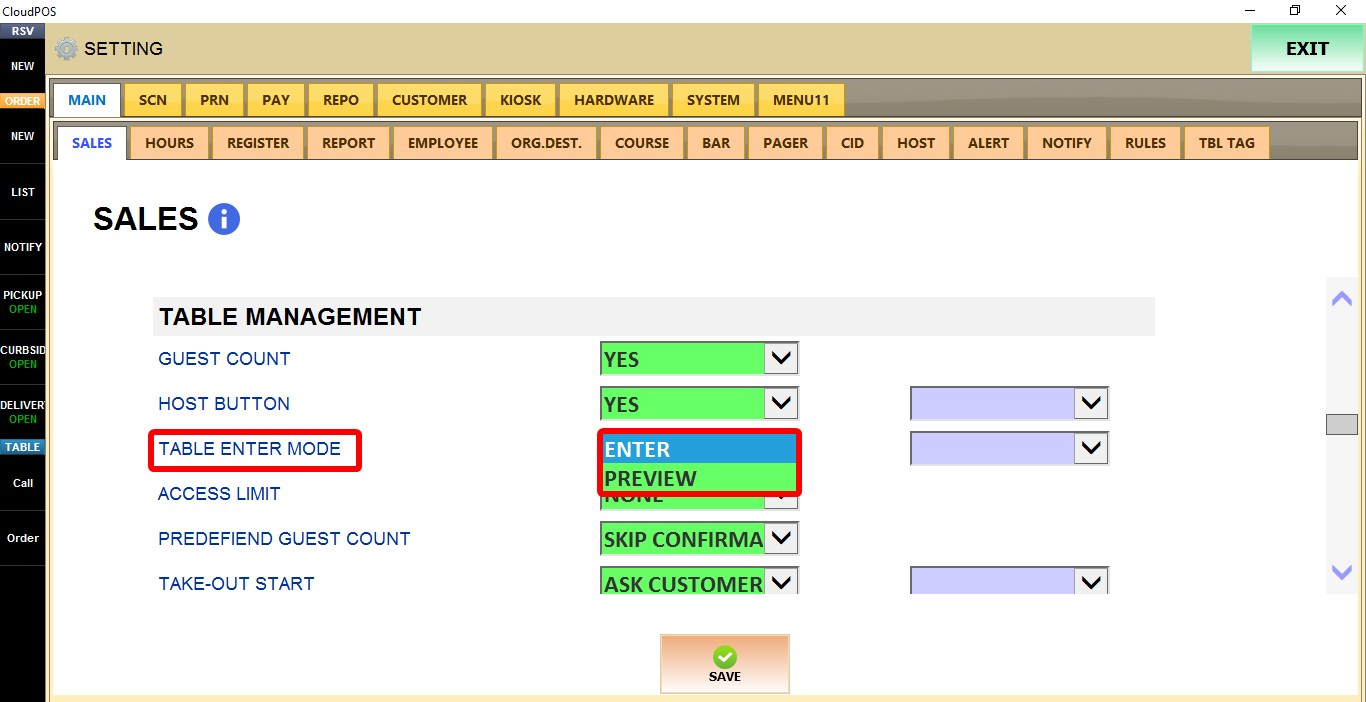
1. ENTER: Opens the selected table immediately.
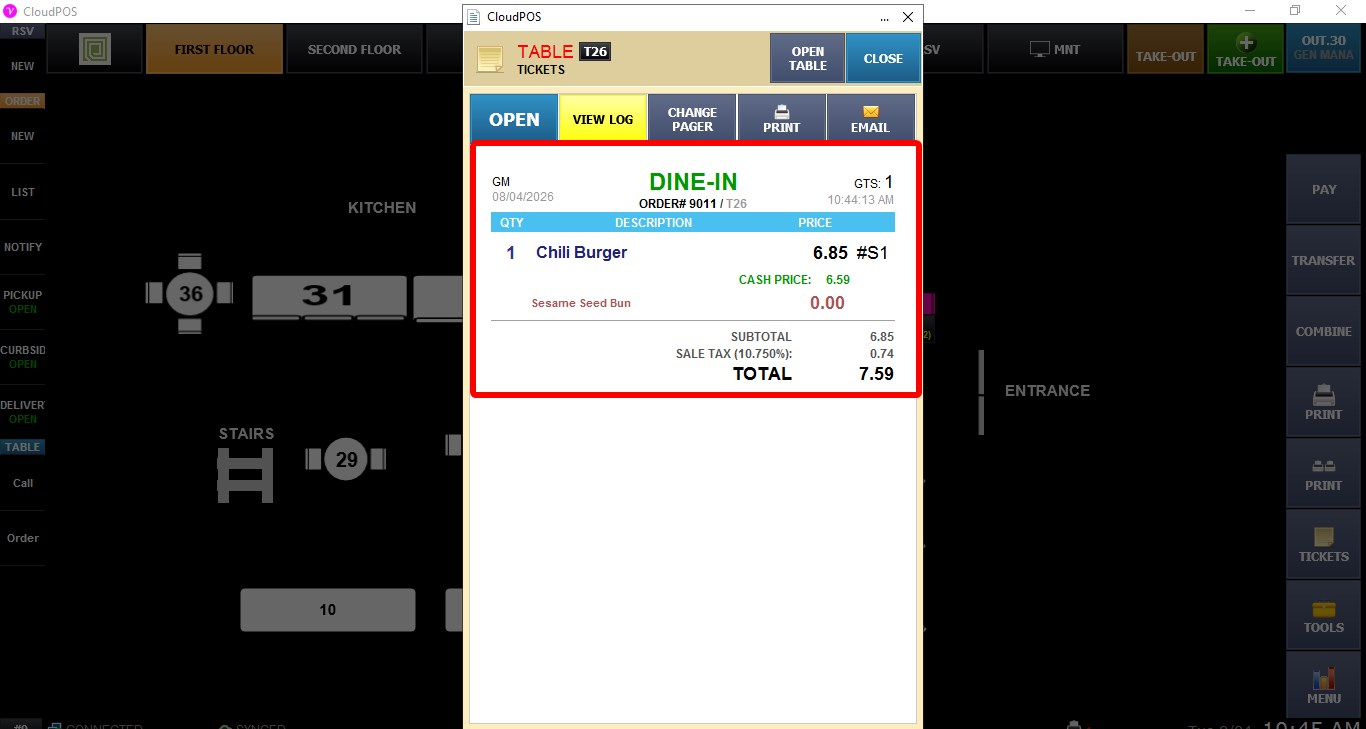
2. PREVIEW: Displays a preview window. Click either OPEN button to go the order screen
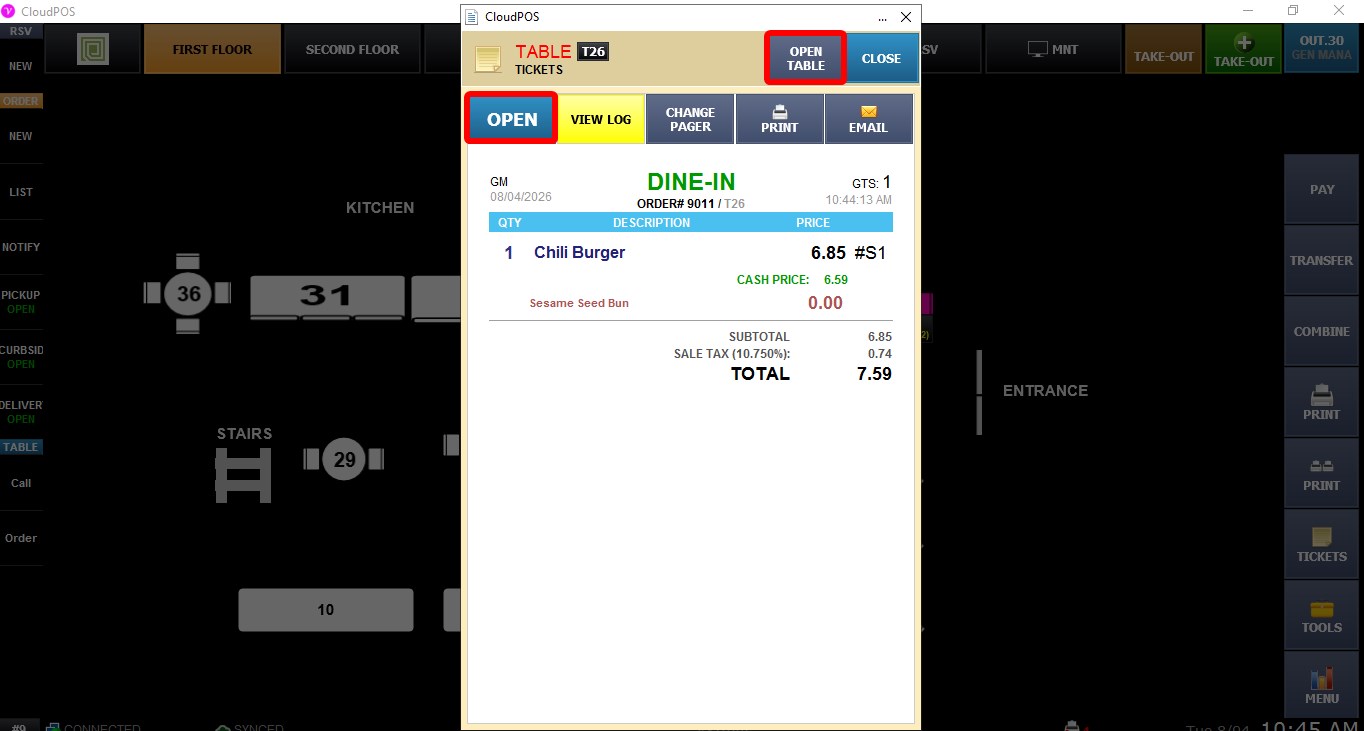
The preview shows information such as the table number, guest count, employee assigned to the table, ordered items, quantities, prices, and ticket total.
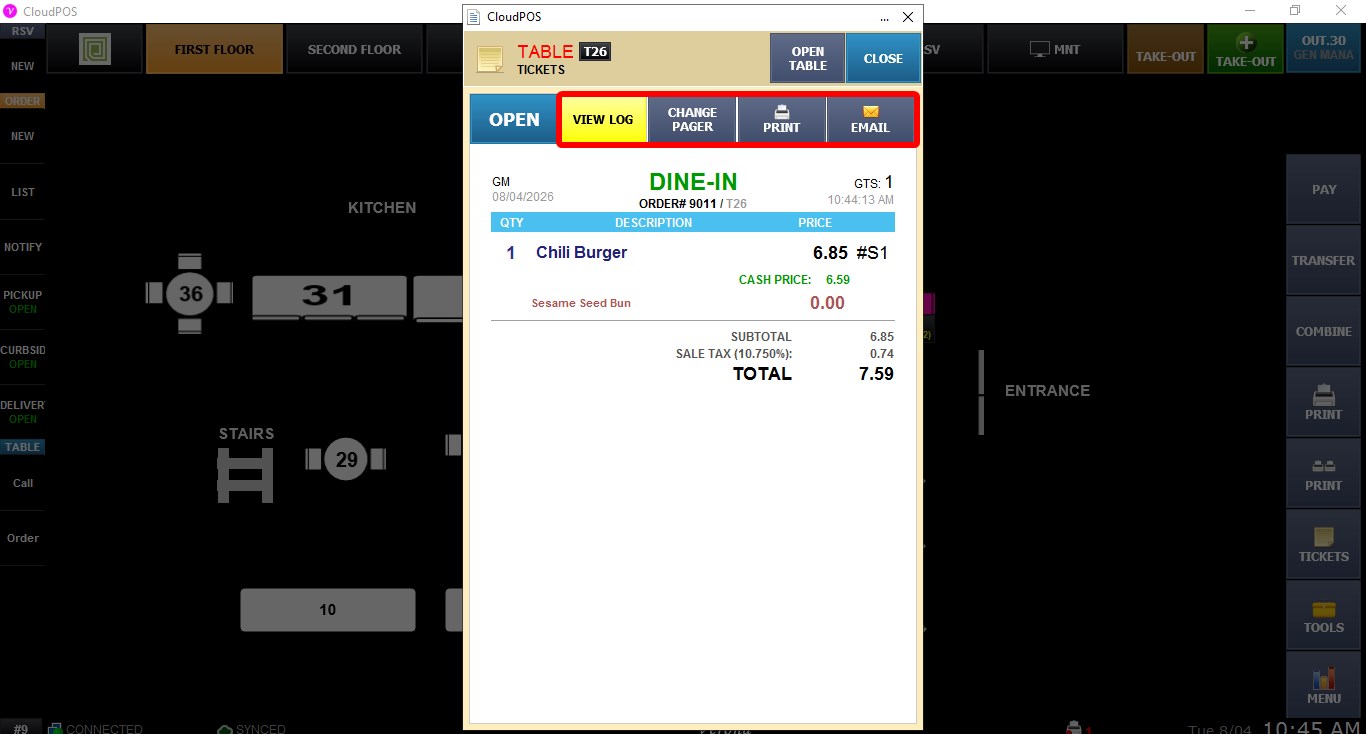
It also provides options such as OPEN TABLE, VIEW LOG, CHANGE PAGER, PRINT, and EMAIL.
Click SAVE to apply the changes.