Order
The Order settings set up QR contactless dining to work as a buffet or All You Can Eat (AYCE): the category with the plans, the quantity limits per category and per item, and the time limits between and for orders.
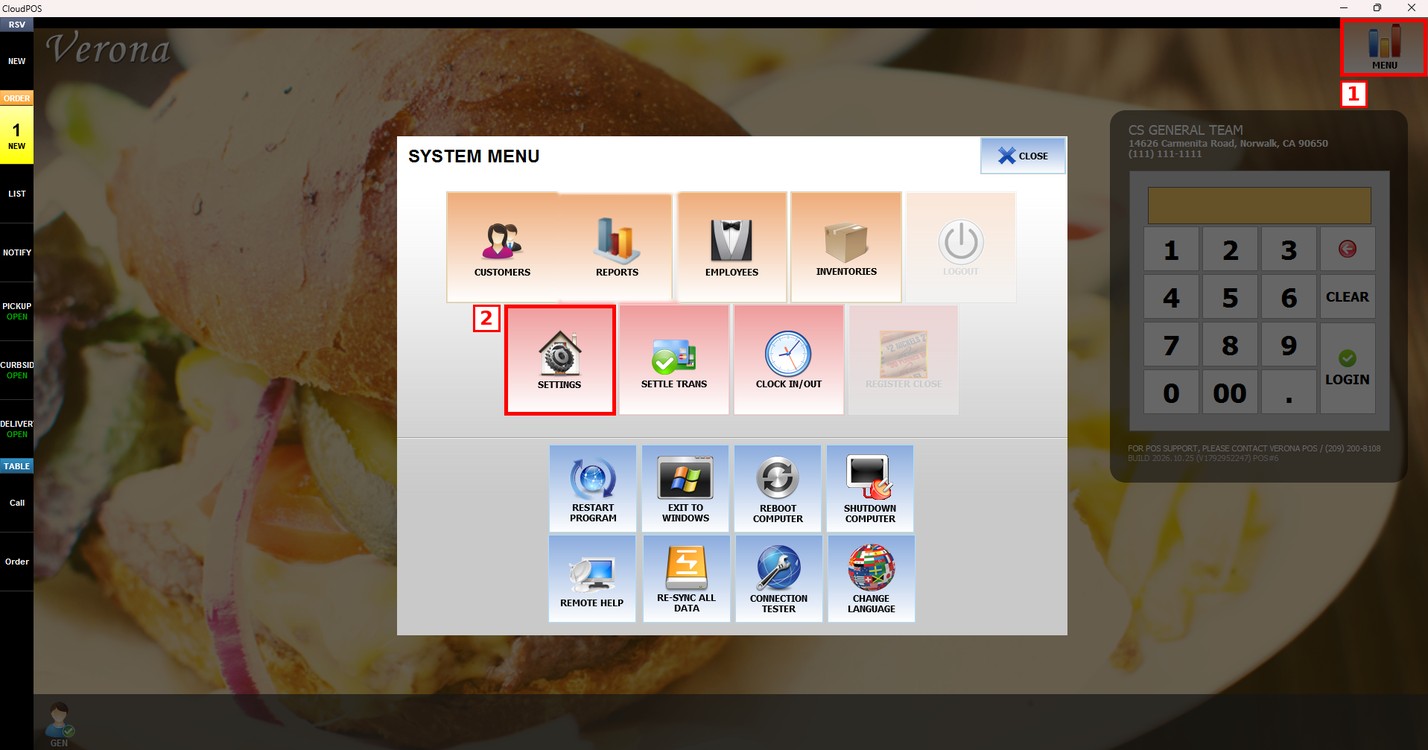
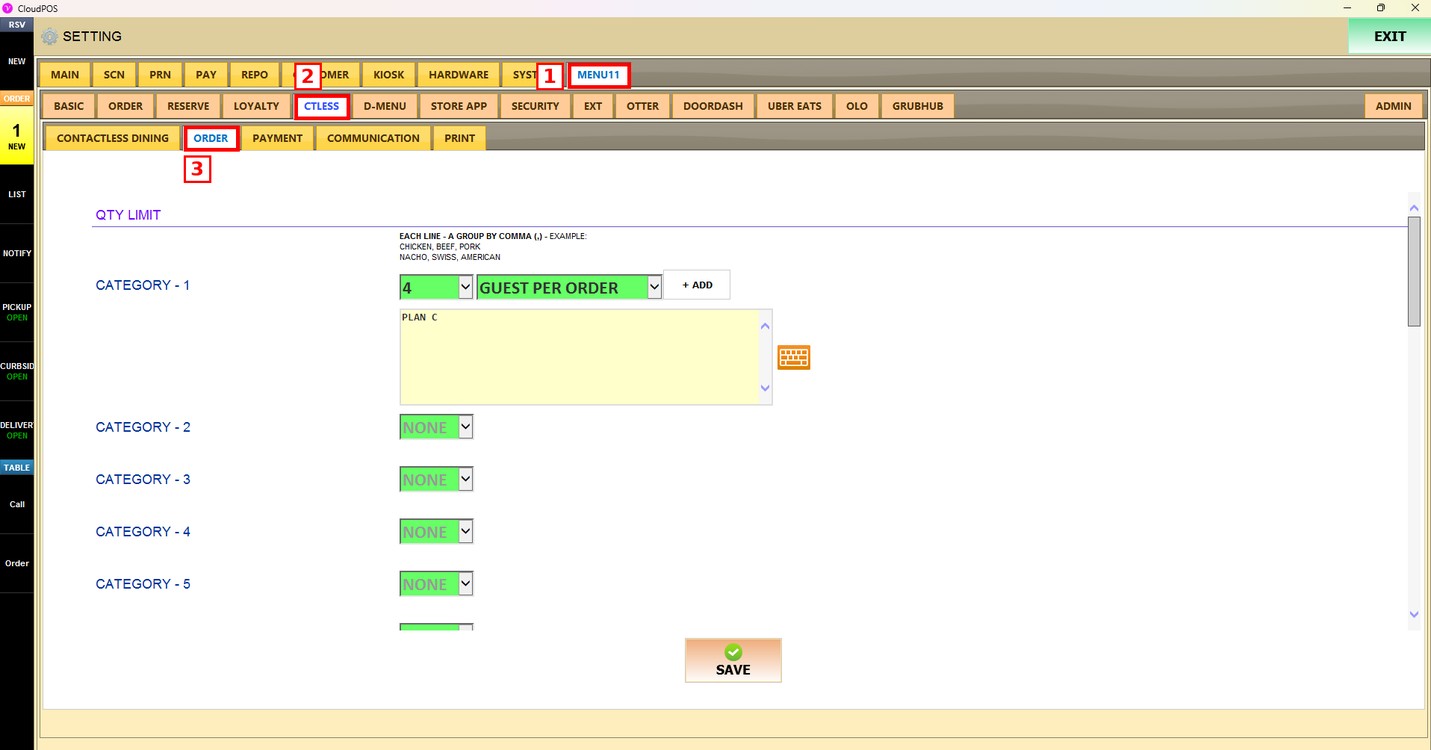
MENU > SETTINGS > MENU11 > CTLESS > ORDER
Before you start:
Prepare the menu for the buffet / AYCE mode:
1. Create one category that contains all the buffet / AYCE plans (for example, AYCE).
2. Create each plan as a menu item in that category and set its price (for example, PLAN A, PLAN B, PLAN C).
3. Create a category for each plan with the menu items that the plan includes.
Go to MENU and press SETTINGS.
Press the MENU11 tab, then the CTLESS subtab, and then ORDER.
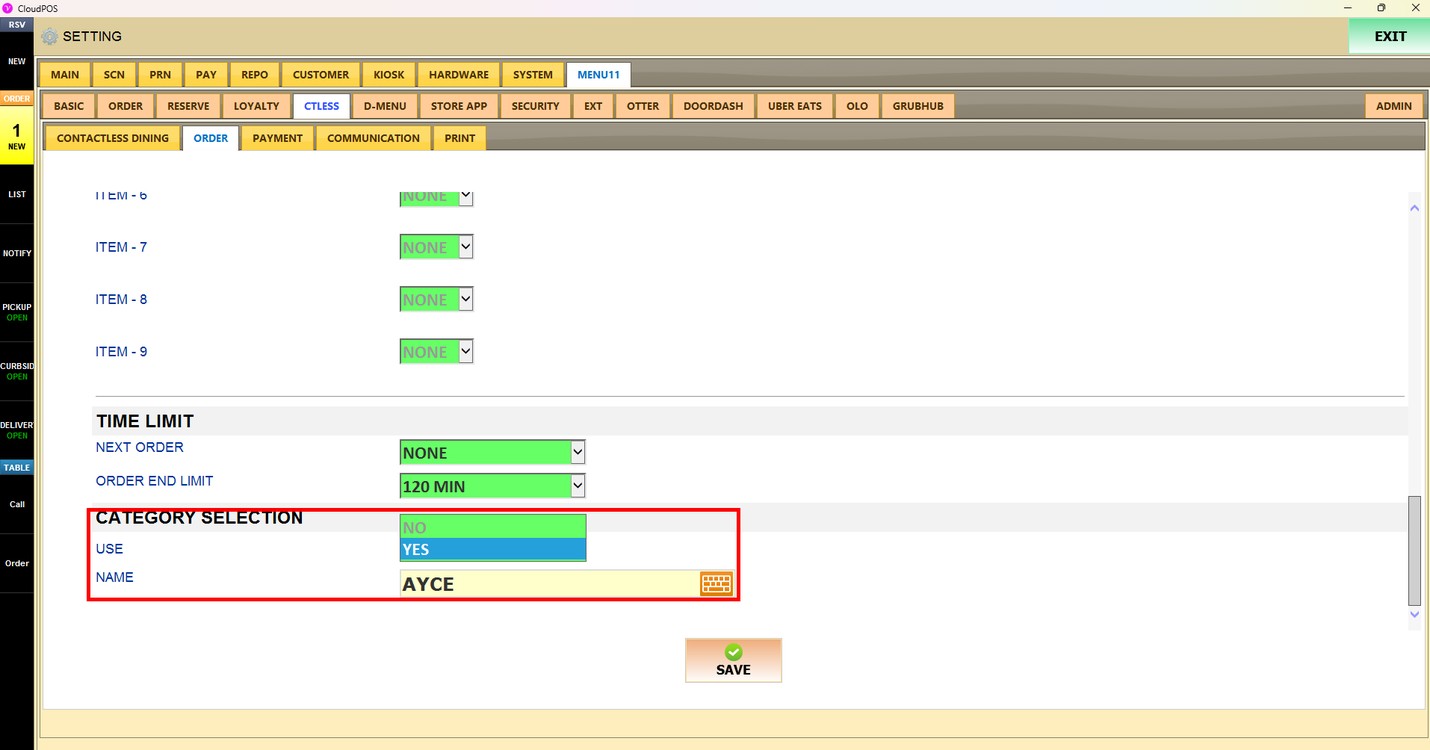
Category Selection:
Turns on the buffet / AYCE mode.
1. USE: Choose YES to use the buffet / AYCE mode, or NO to turn it off.
2. NAME: Press the keyboard icon and enter the name of the category that contains the plans (for example, AYCE).
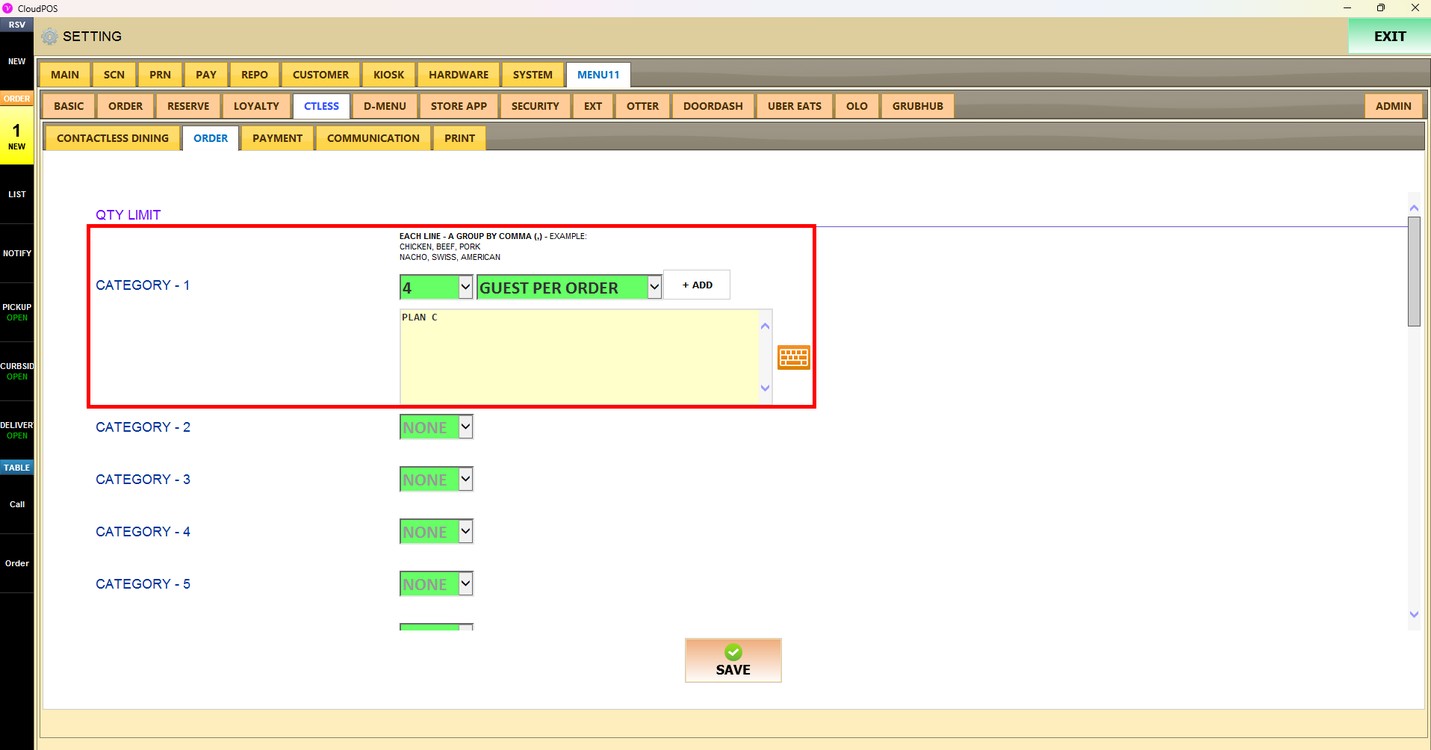
QTY Limit - Category:
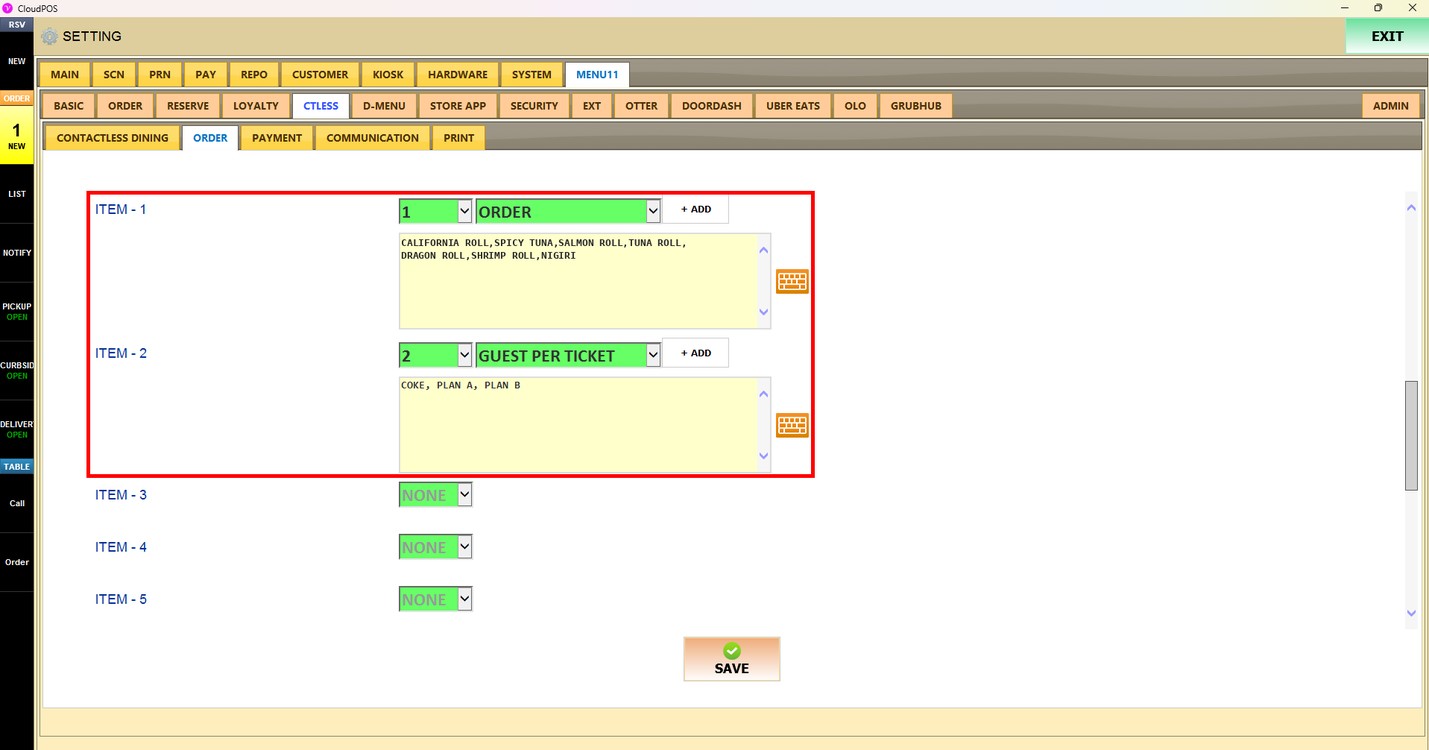
Sets which categories are used and how many items the customer can order from them. For each category line:
1. Choose the quantity in the first dropdown. Choose NONE for no limit.
2. Choose how the limit is calculated in the second dropdown: ORDER (per order), GUEST PER TICKET (per guest on the ticket) or GUEST PER ORDER (per guest on each order).
3. Enter the category names in the box. Press + ADD or the keyboard icon to add them. Each line is a group, and the names in a group are separated by commas (for example, PLAN A, PLAN B).
QTY Limit - Item:
Sets how many units of specific menu items the customer can order. It works the same way as the category limit: choose the quantity, choose how it is calculated, and enter the item names separated by commas.
Next Order:
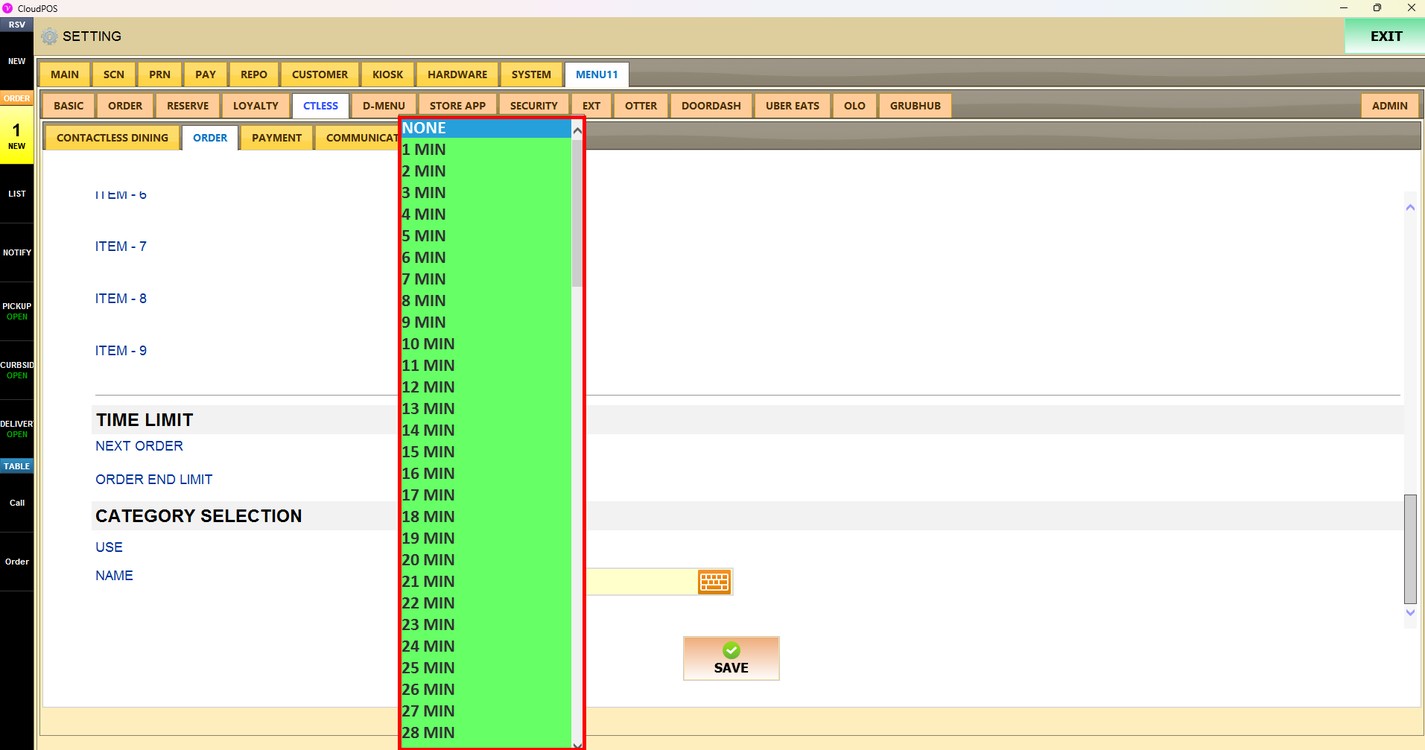
Sets how long the customer must wait before placing the next order. Choose NONE or a time from 1 MIN to 120 MIN.
Order End Limit:
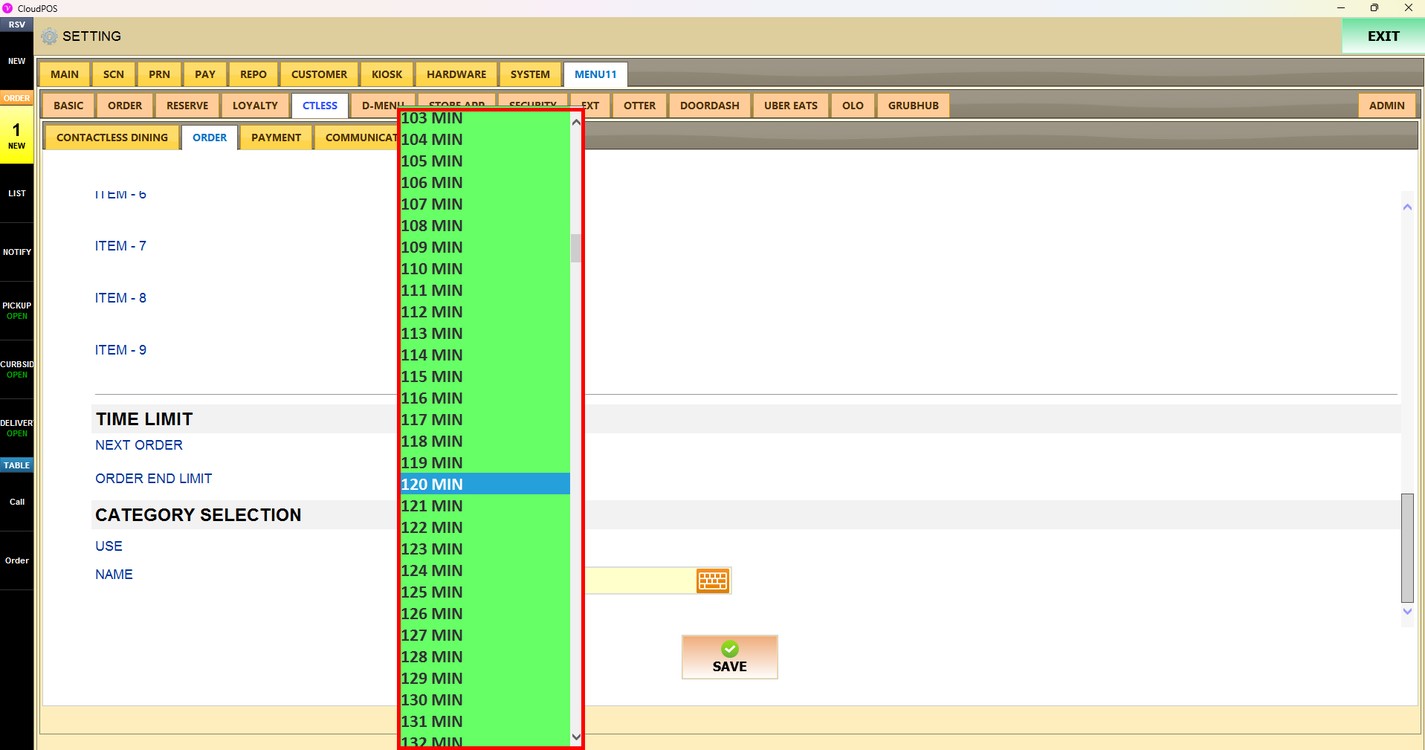
Sets how long the customer can keep ordering. After this time, no more orders can be placed. Choose NONE or a time from 1 MIN to 600 MIN.
Press SAVE to apply the changes.
Publish the changes:
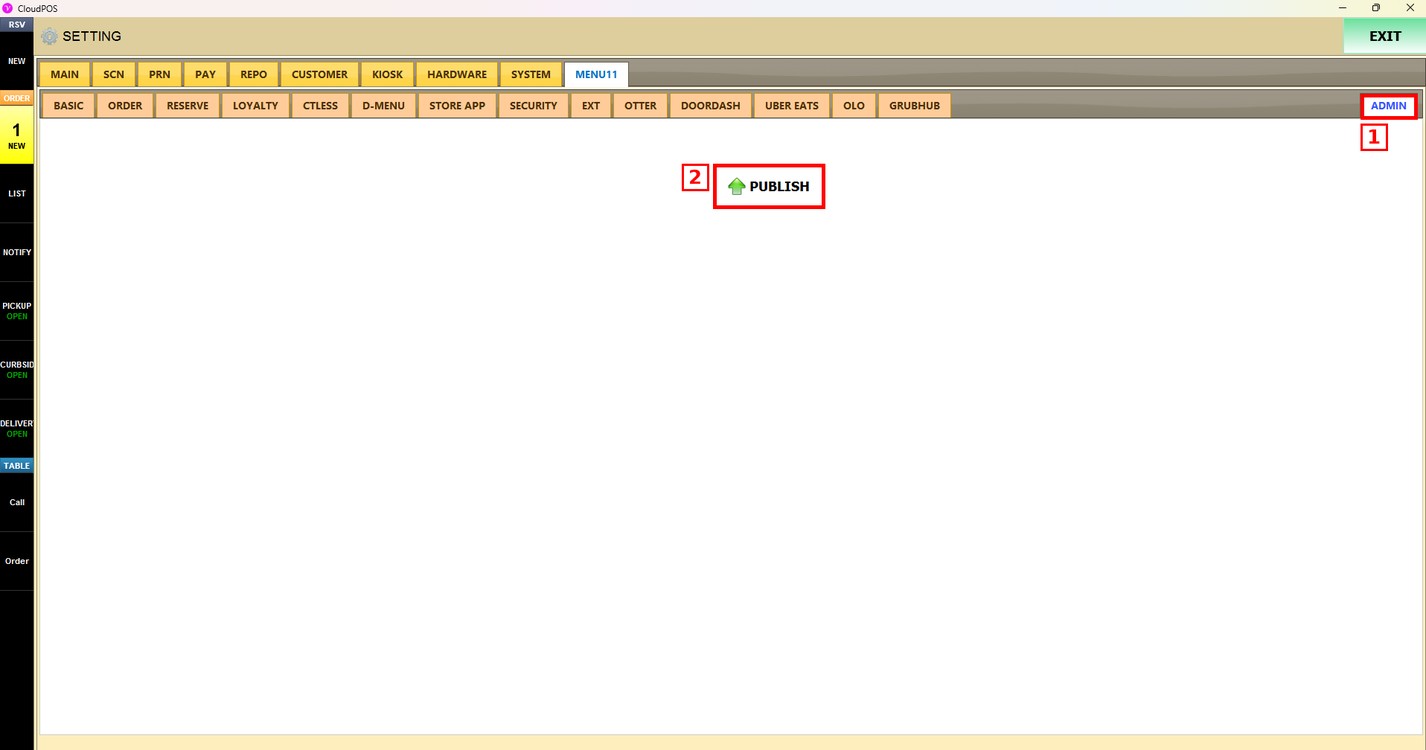
After saving, press the ADMIN tab and press PUBLISH. The changes are updated only after they are published.
Result:
Once the buffet / AYCE mode is set up, QR contactless dining shows only the menu enabled for the plan.