Refund with Customer Present
The Return function allows you to refund a transaction when the customer is present. This process can be used to return an item or amount and process the corresponding refund directly from the POS.
Main Screen > Table map > Tickets > Closed tickets > Return
Starting from CLOSED TICKET, navigate to the ticket you need to return and press RETURN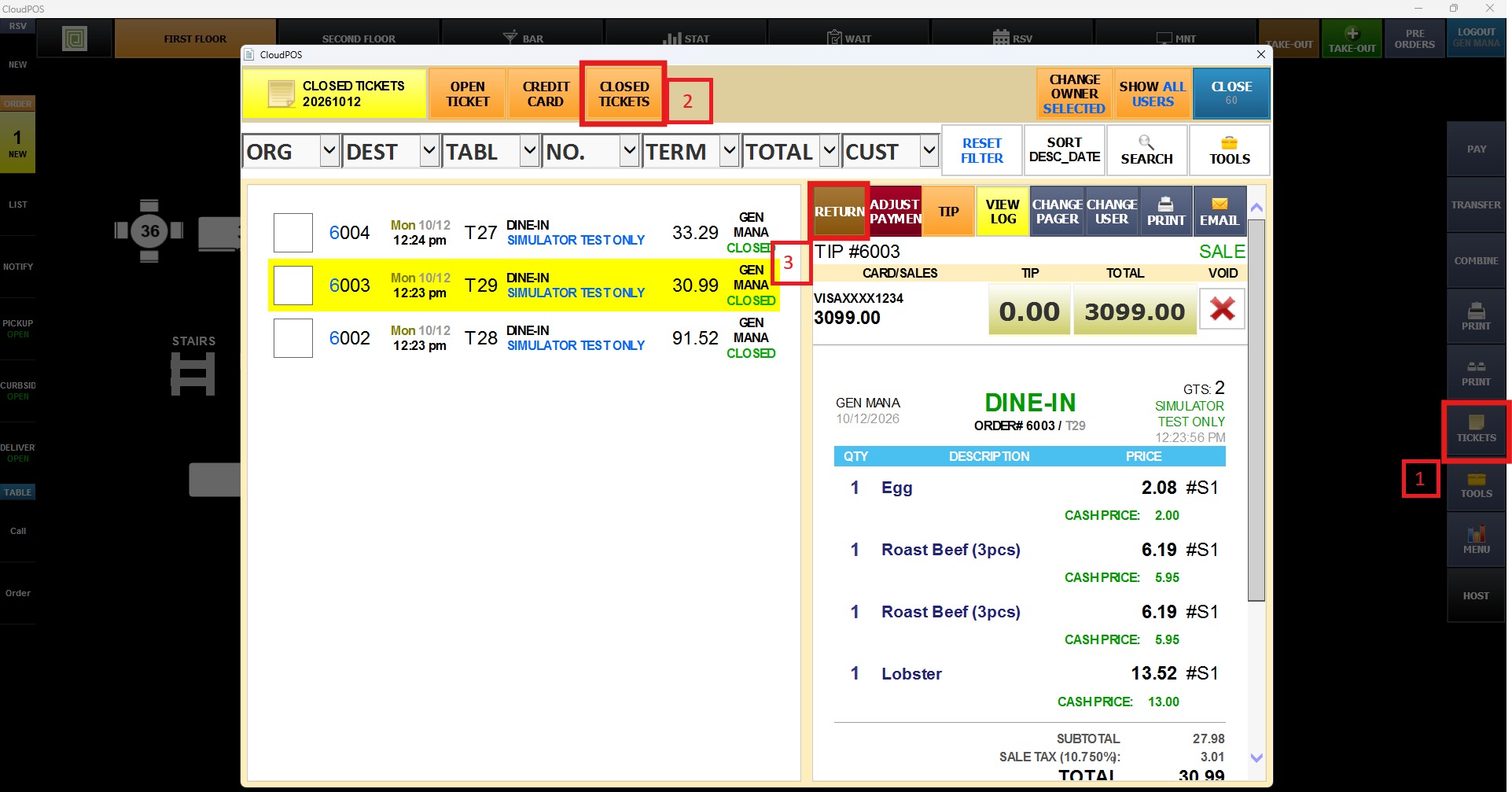
When the RETURN window comes up, choose the items you need to return and press Process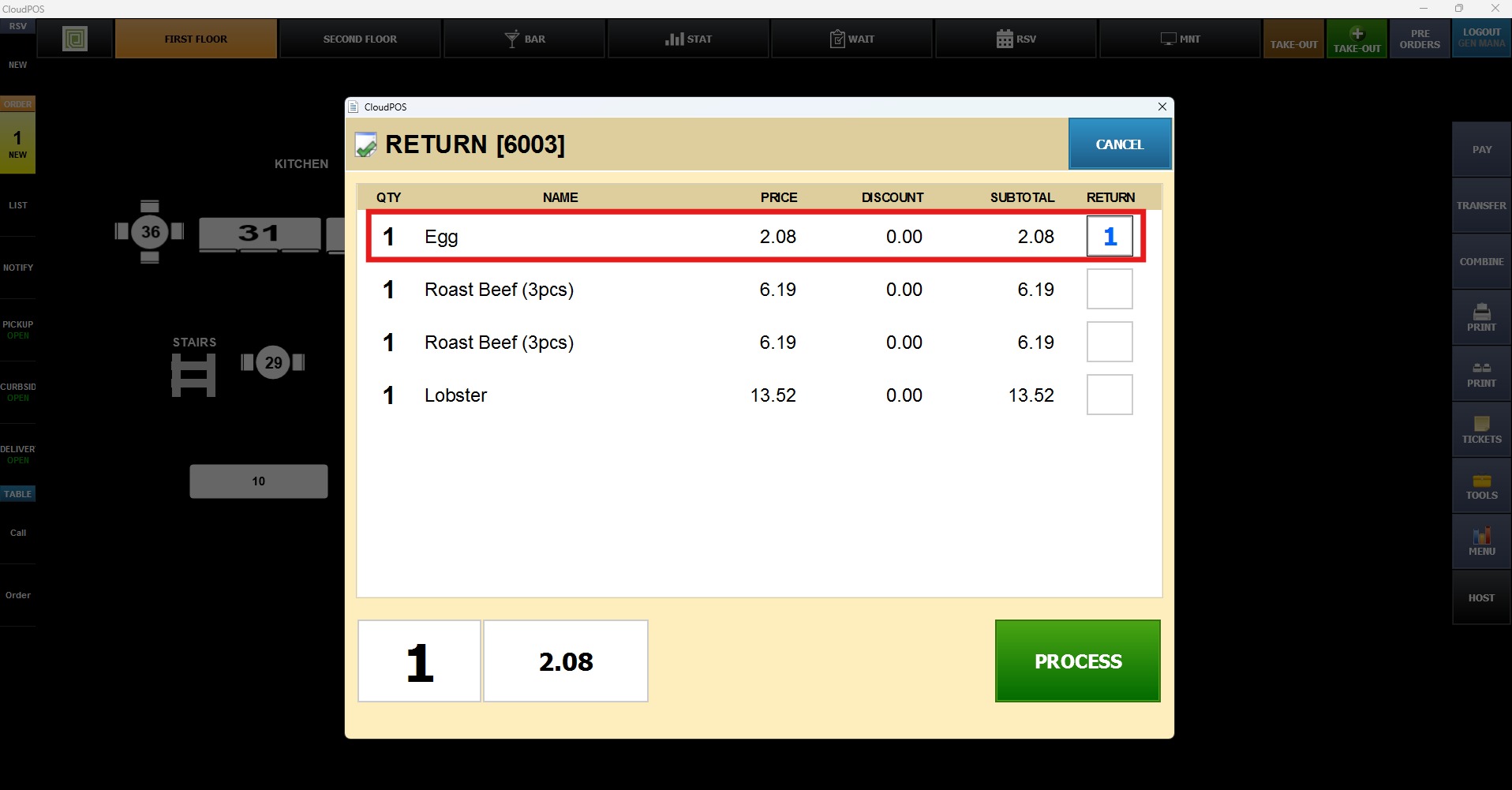
A negative ticket will be created, choose the original payment method to process the refund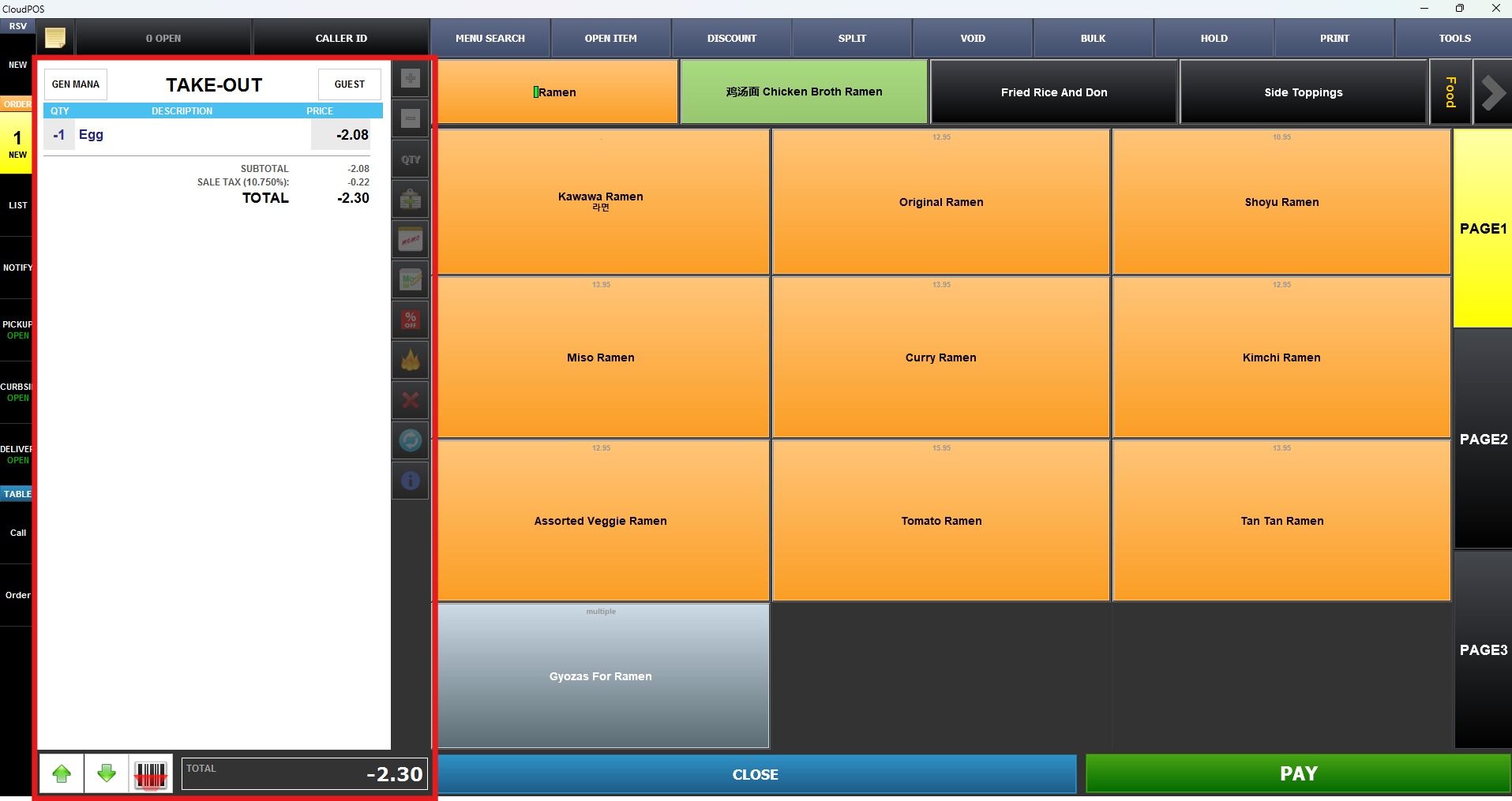
Once the item has been added as a return, click PAY. A confirmation message will appear asking if you want to process the refund. Click YES to continue.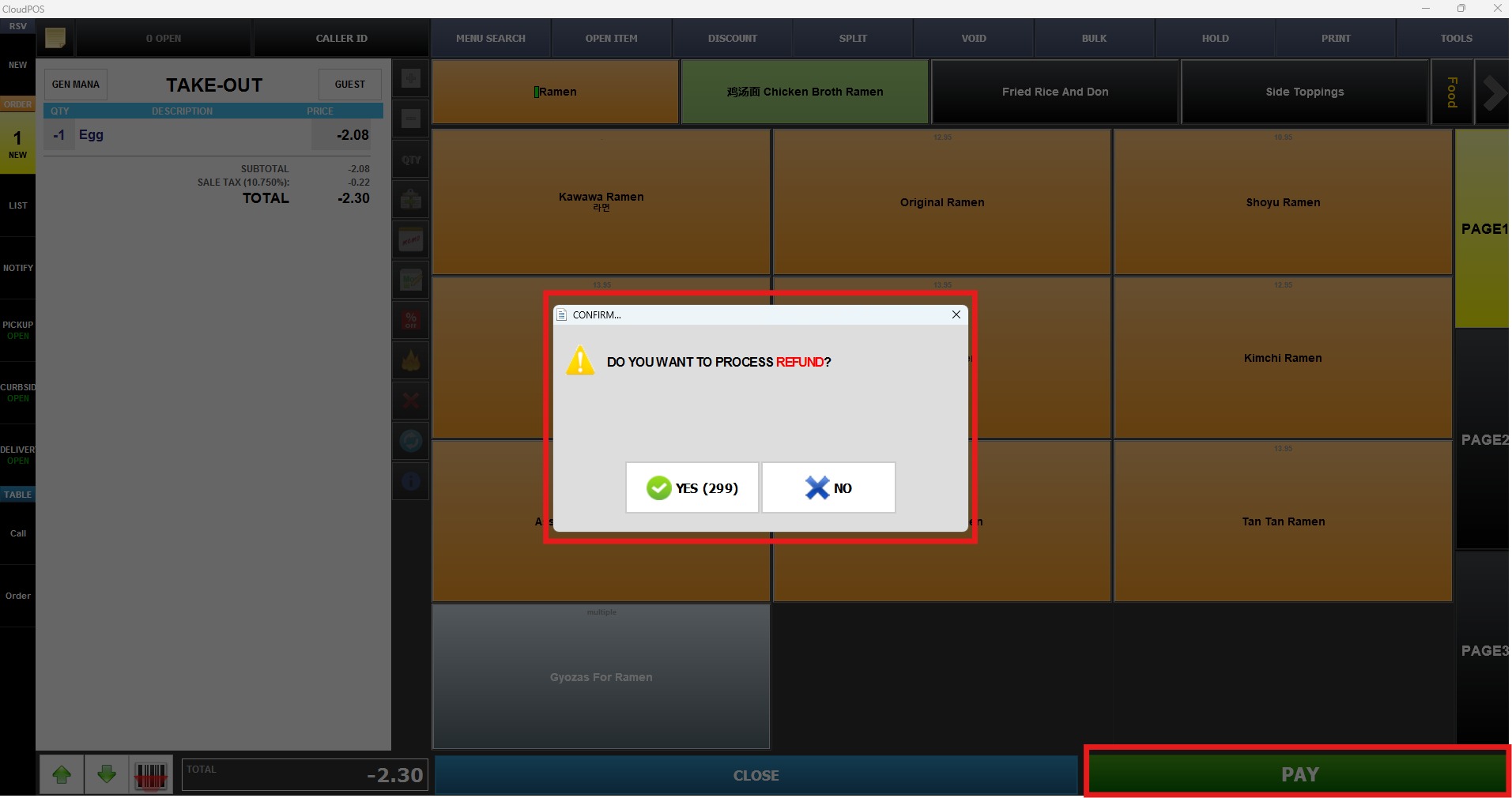
Select the payment method to complete the refund. 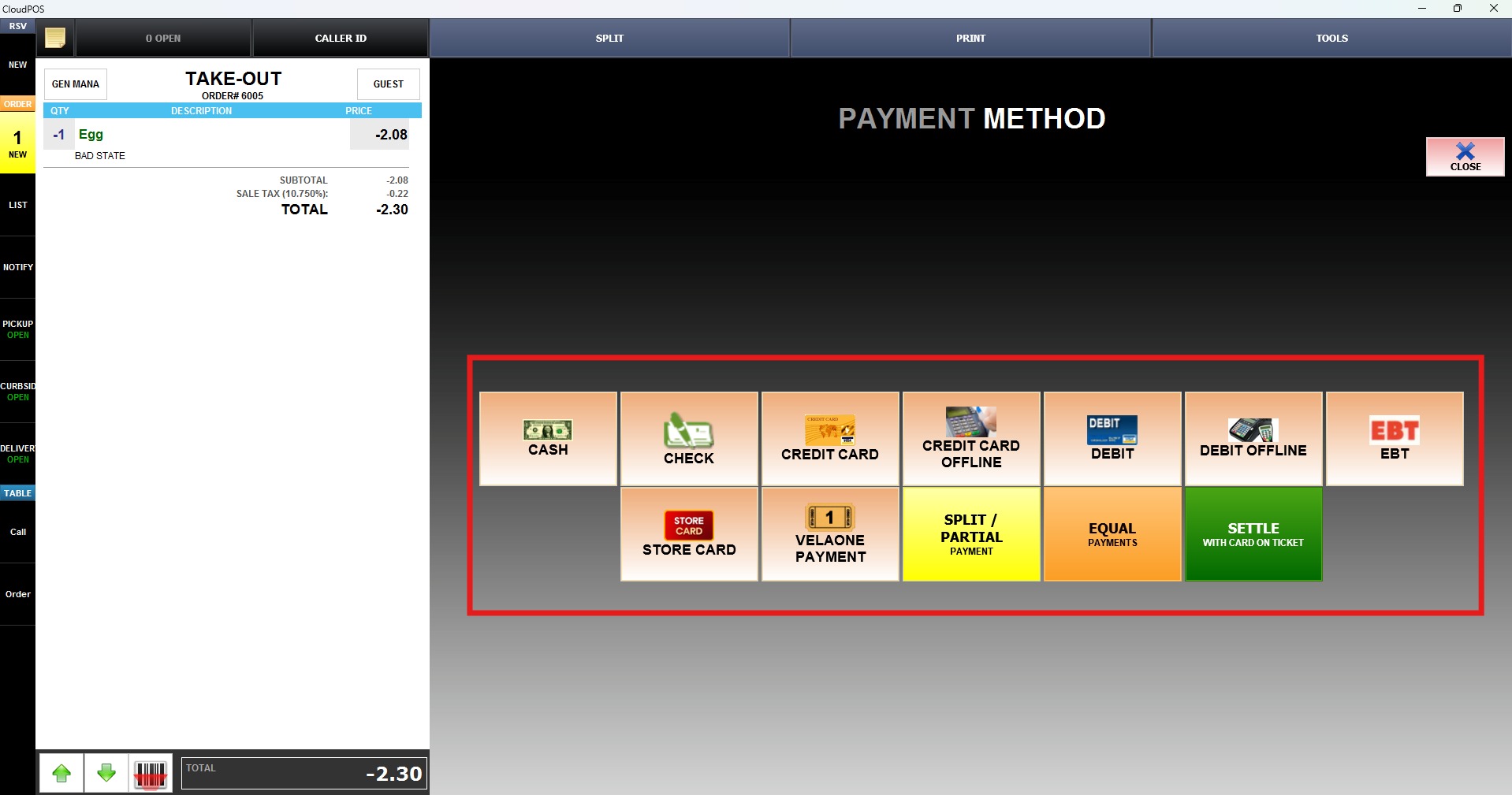
Note: It is recommended to use the same payment method used for the original transaction to ensure the refund is processed correctly.