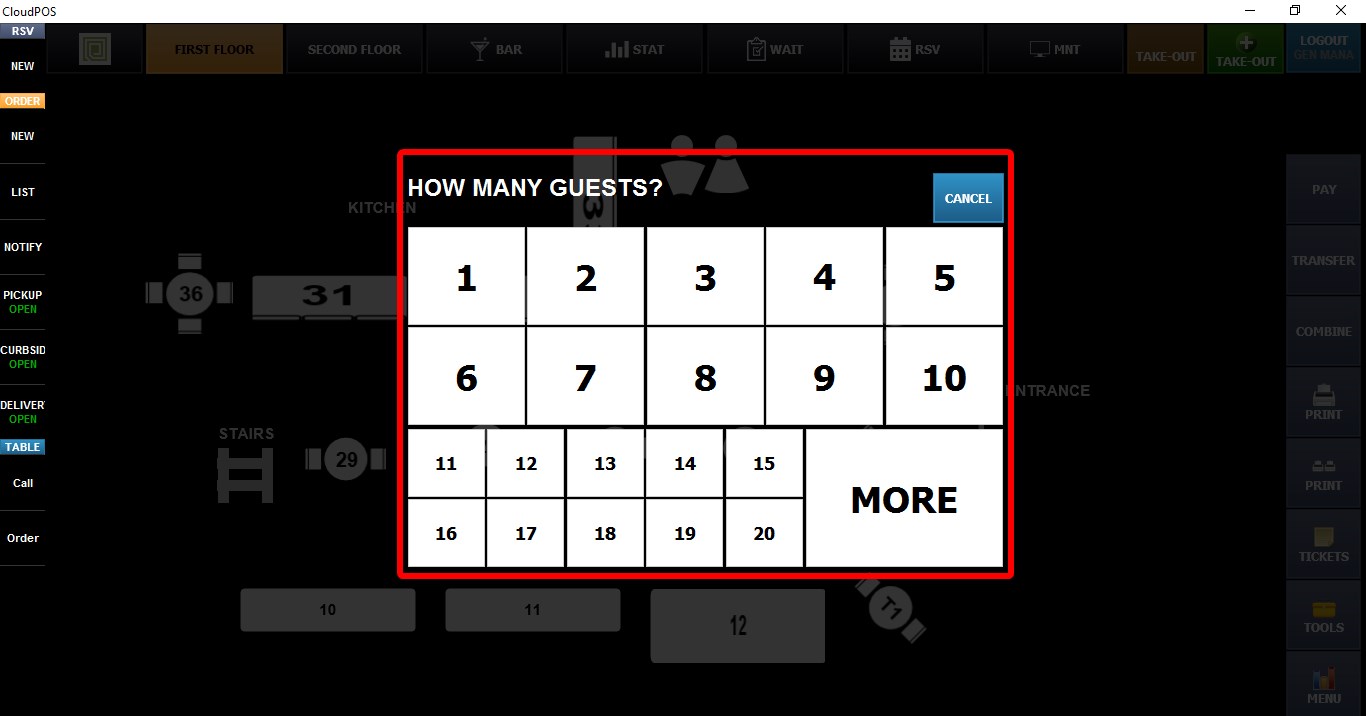
Guest Count
The GUEST COUNT setting controls whether the POS prompts the user to enter the number of guests when opening a new table.
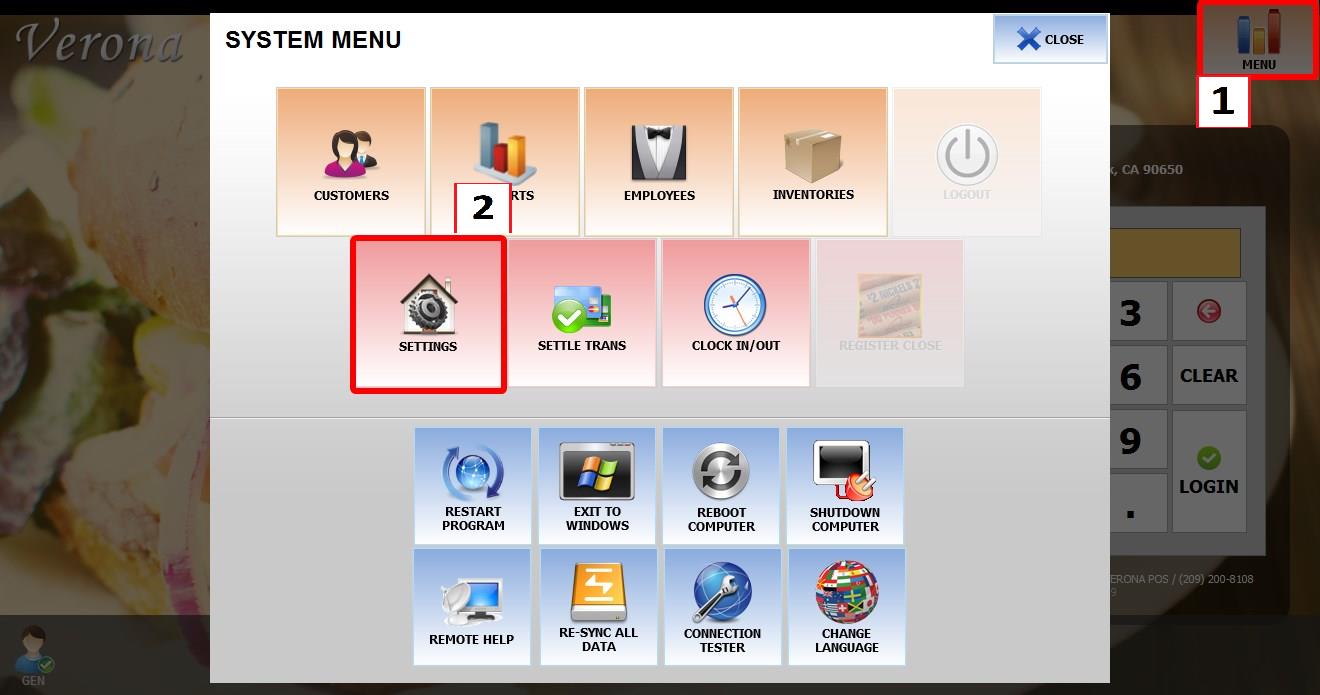
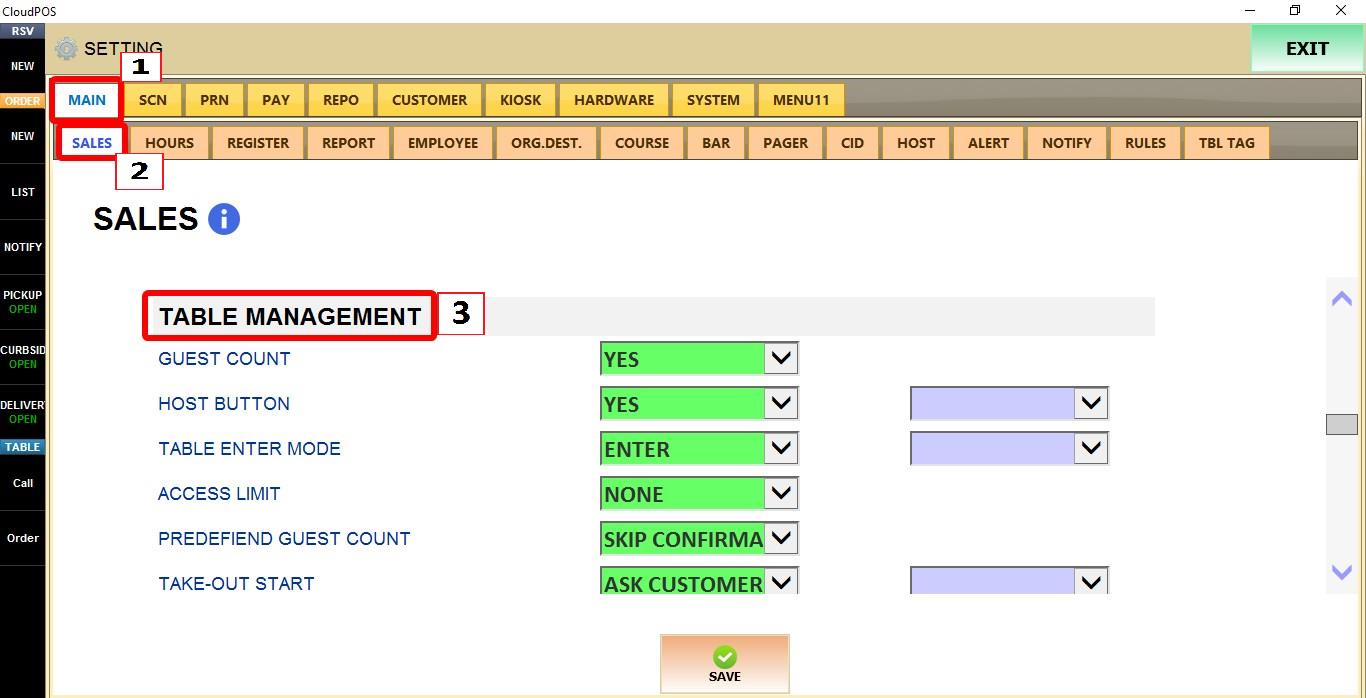
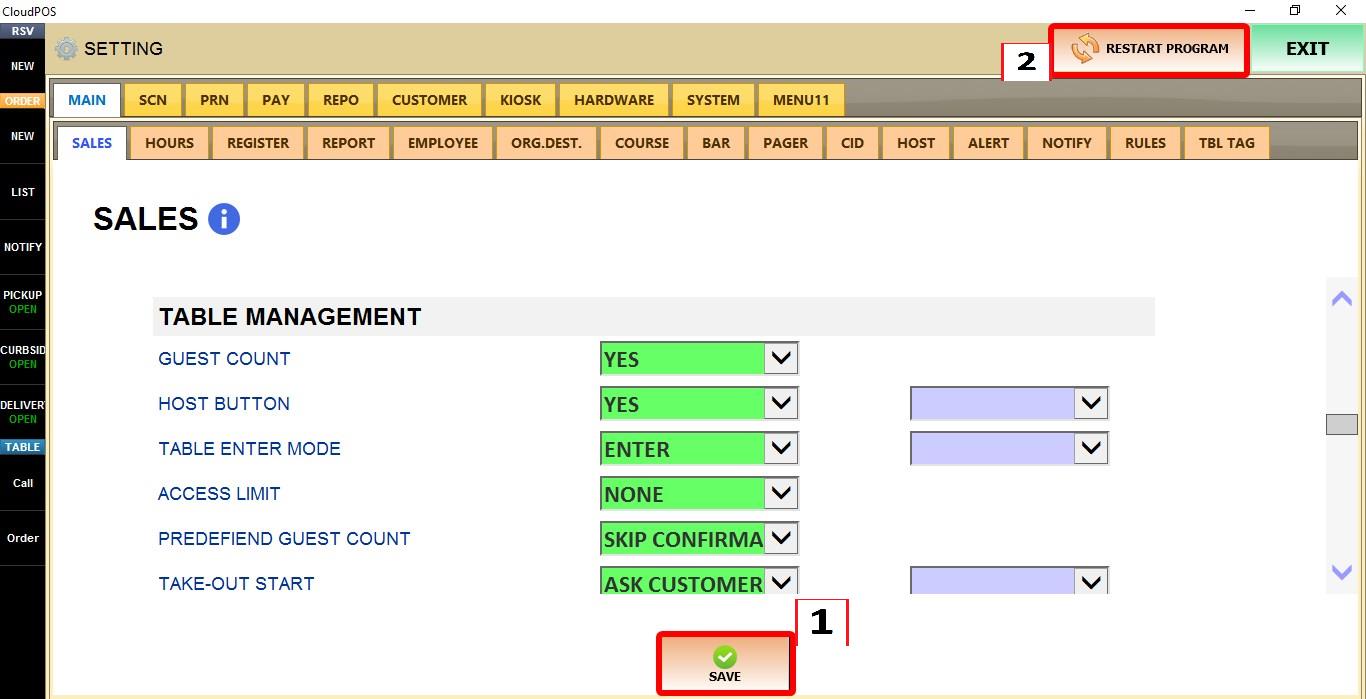
MENU > SETTINGS > MAIN > SALES > TABLE MANAGEMENT
From the MAIN SCREEN, click MENU, then select SETTINGS.

Go to MAIN > SALES > TABLE MANAGEMENT.
GUEST COUNT
Controls whether the POS asks for the number of guests when opening a table.
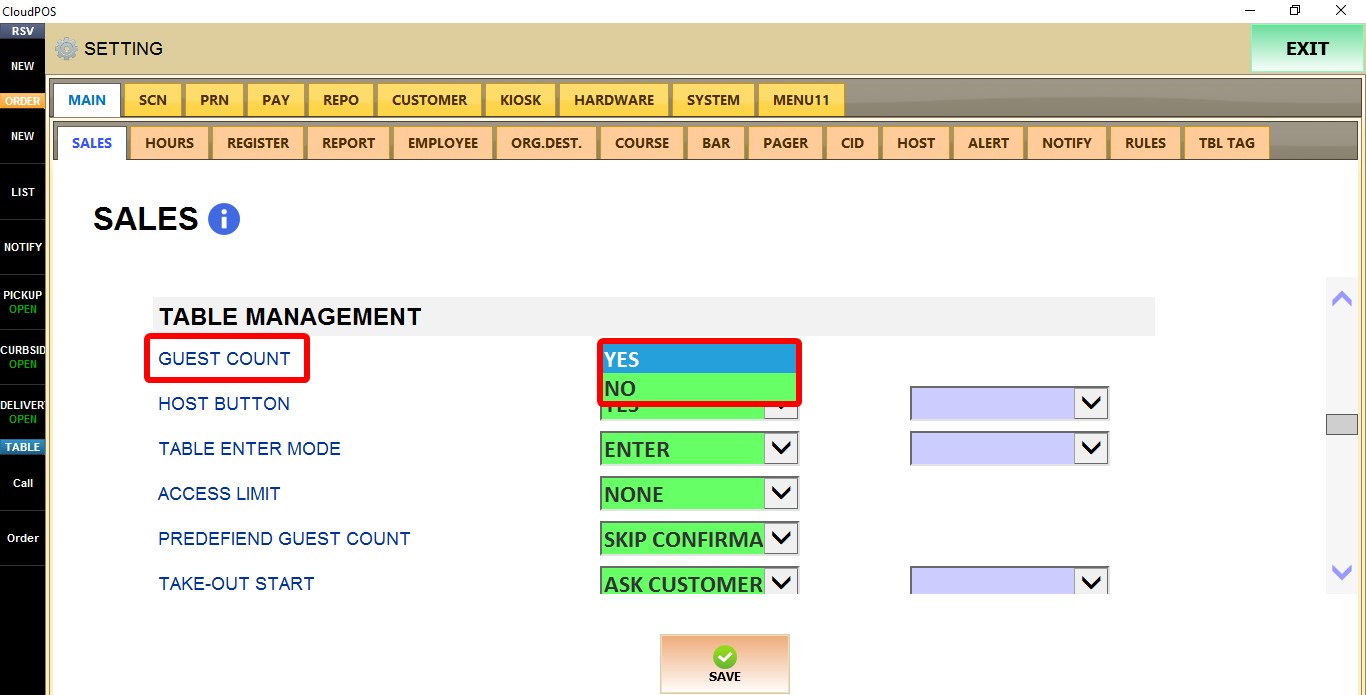
1. NO: Opens the table without prompting for the number of guests.
2. YES: Prompts the user to enter the number of guests before opening the table.
Click SAVE to apply the changes.

RESULT
When opening a new table, the POS will either prompt for the guest count or skip the prompt, depending on the selected option.