Store
This section defines when the store accepts online orders.
ONLINE ORDERING> STORE> STORE HOURS
From the side menu, click ONLINE ORDERING, then select STORE.
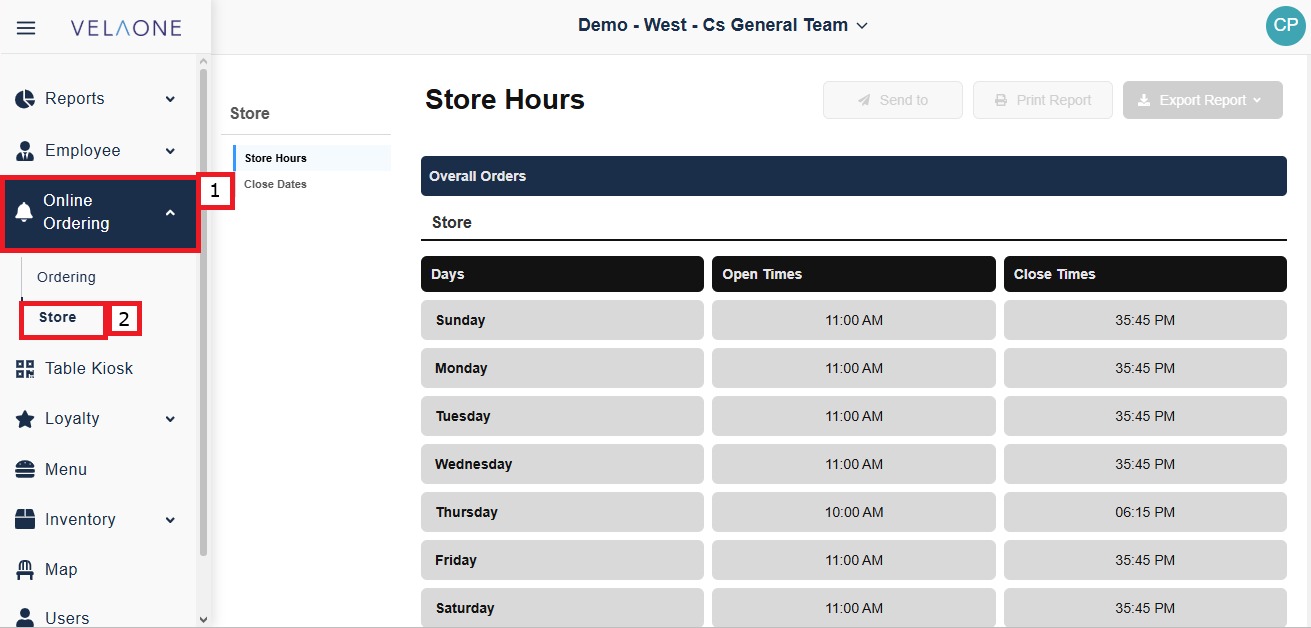
Store Hours
This section sets the hours during which online orders are accepted for each day of the week and per location enabled.
Click STORE HOURS in the Store menu.
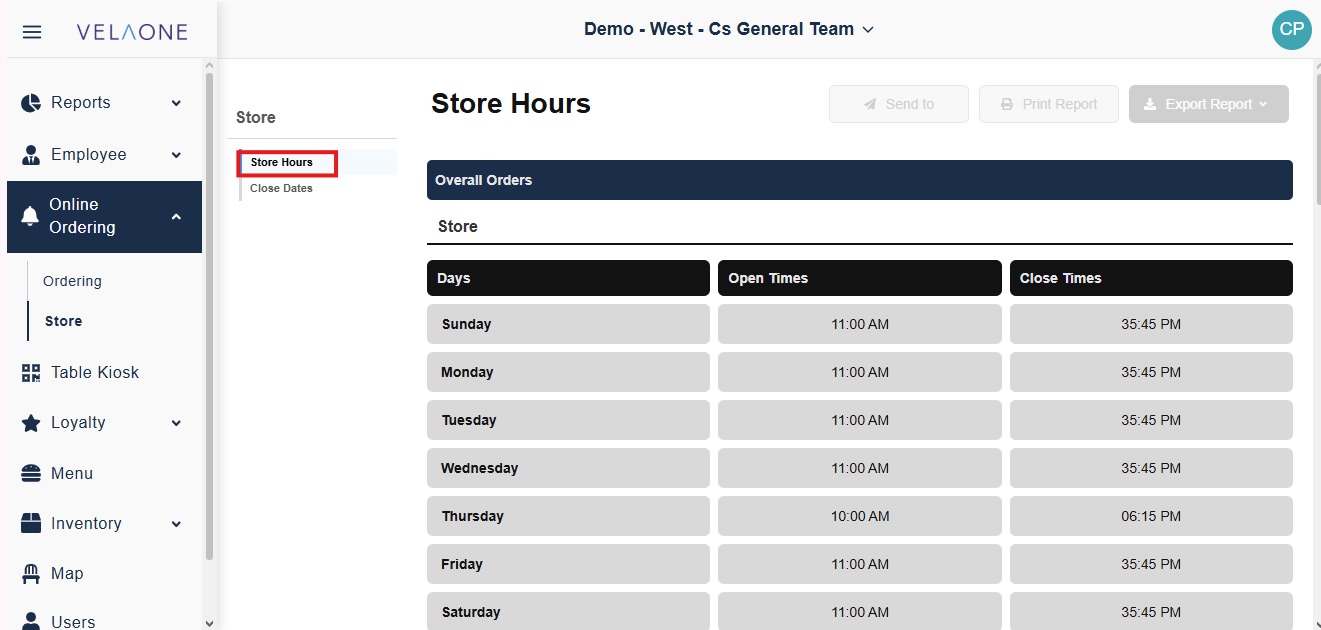
Under OVERALL ORDERS, the STORE table lists each day of the week from Sunday to Saturday with its hours. Under the STORE section you'll find other destinations like PICK UP, TABLE, CURBSIDE, etc.
OPEN TIMES is the time the store starts accepting online orders on that day.
CLOSE TIMES is the time the store stops accepting online orders on that day. Orders are not taken outside these hours.
Each day has its own hours, so one day can have a different schedule from the rest of the week.
Close Dates
This section marks specific dates when the store does not accept online orders.
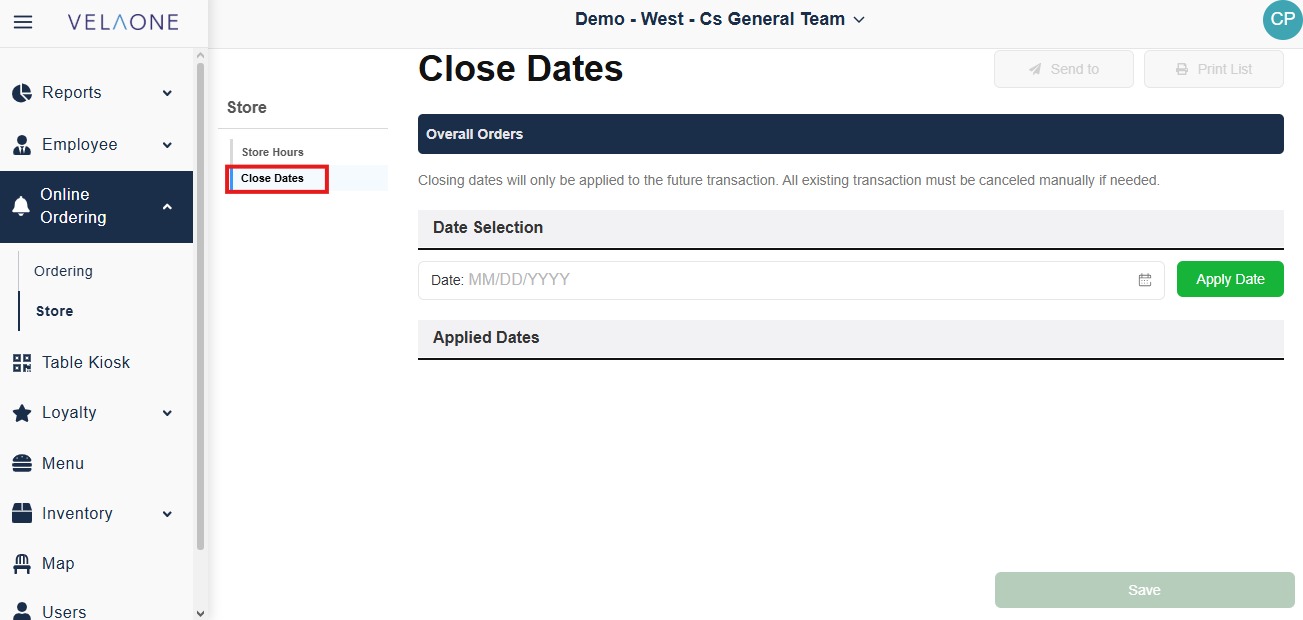
Click CLOSE DATES in the Store menu.
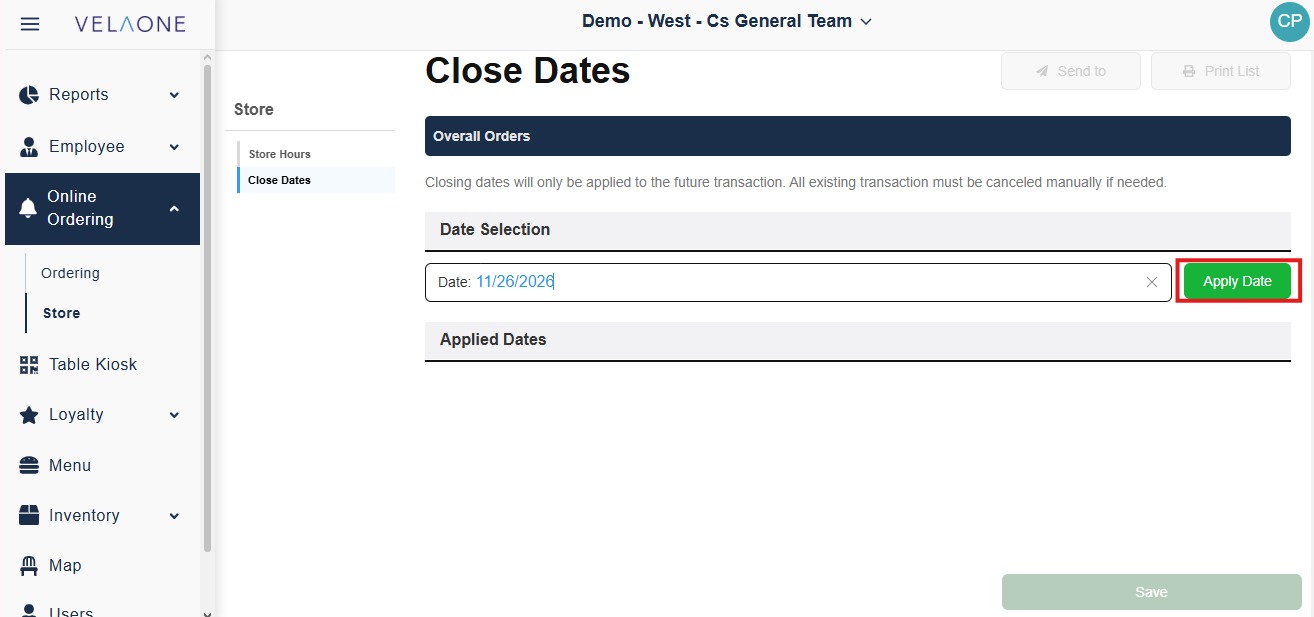
Under DATE SELECTION, enter the date in the DATE field using the MM/DD/YYYY format, or click the calendar icon to select it.
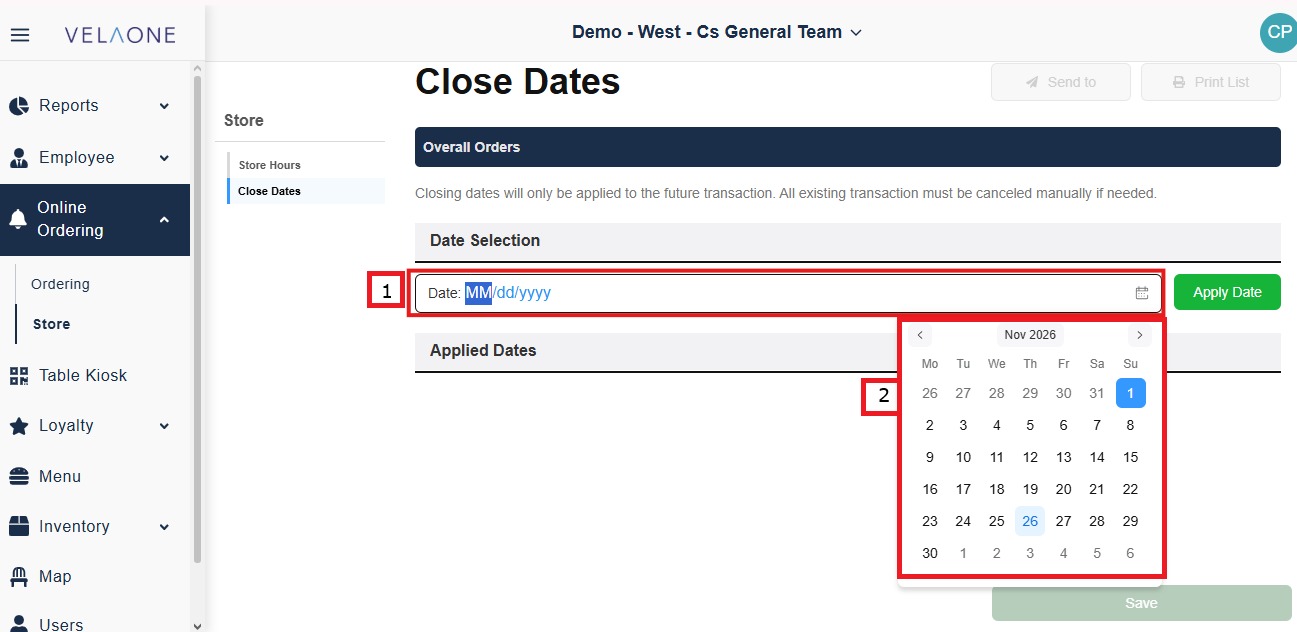
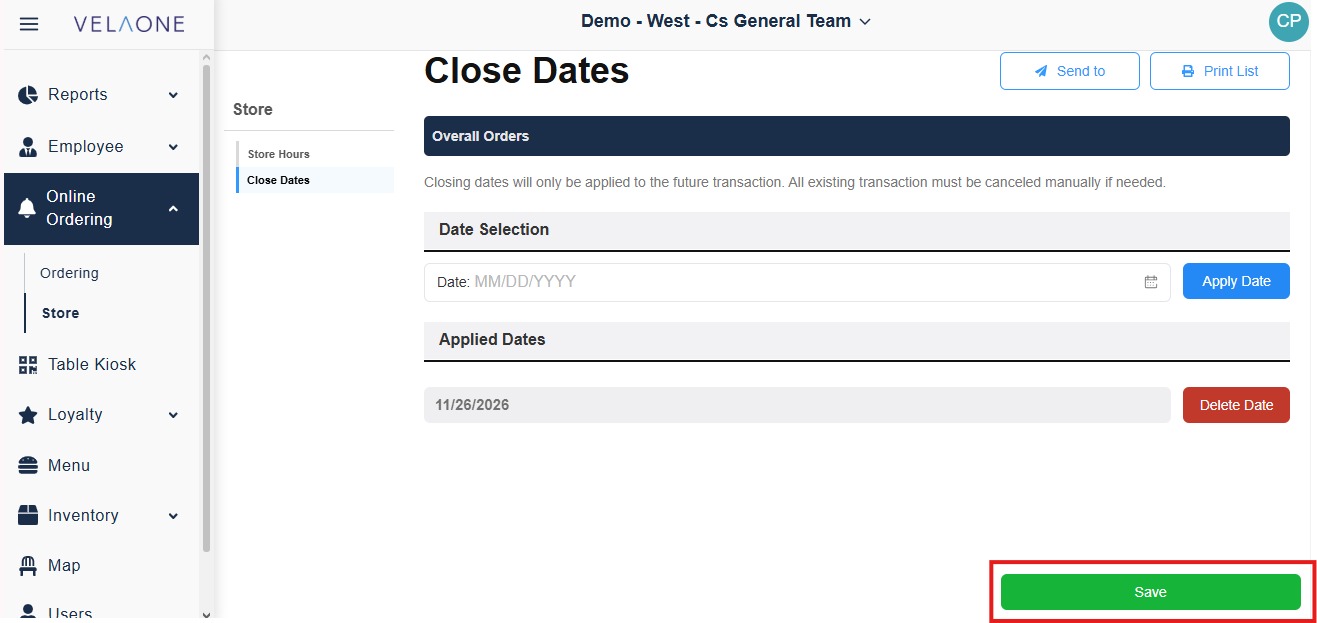
Click APPLY DATE. The date is added under APPLIED DATES.
Click SAVE.
Closing dates apply only to future transactions. Orders already placed for a closing date are not canceled and must be canceled manually if needed.