Edit and Reload Map
The EDIT MENU and RELOAD MENU features under the section in TOOLS allow users to modify menu screen layouts, departments, and item configurations directly from Table Management, as well as instantly refresh the menu database to apply recent updates.
Main Screen > Number Pad > Sales Screen > Table Management > TOOLS
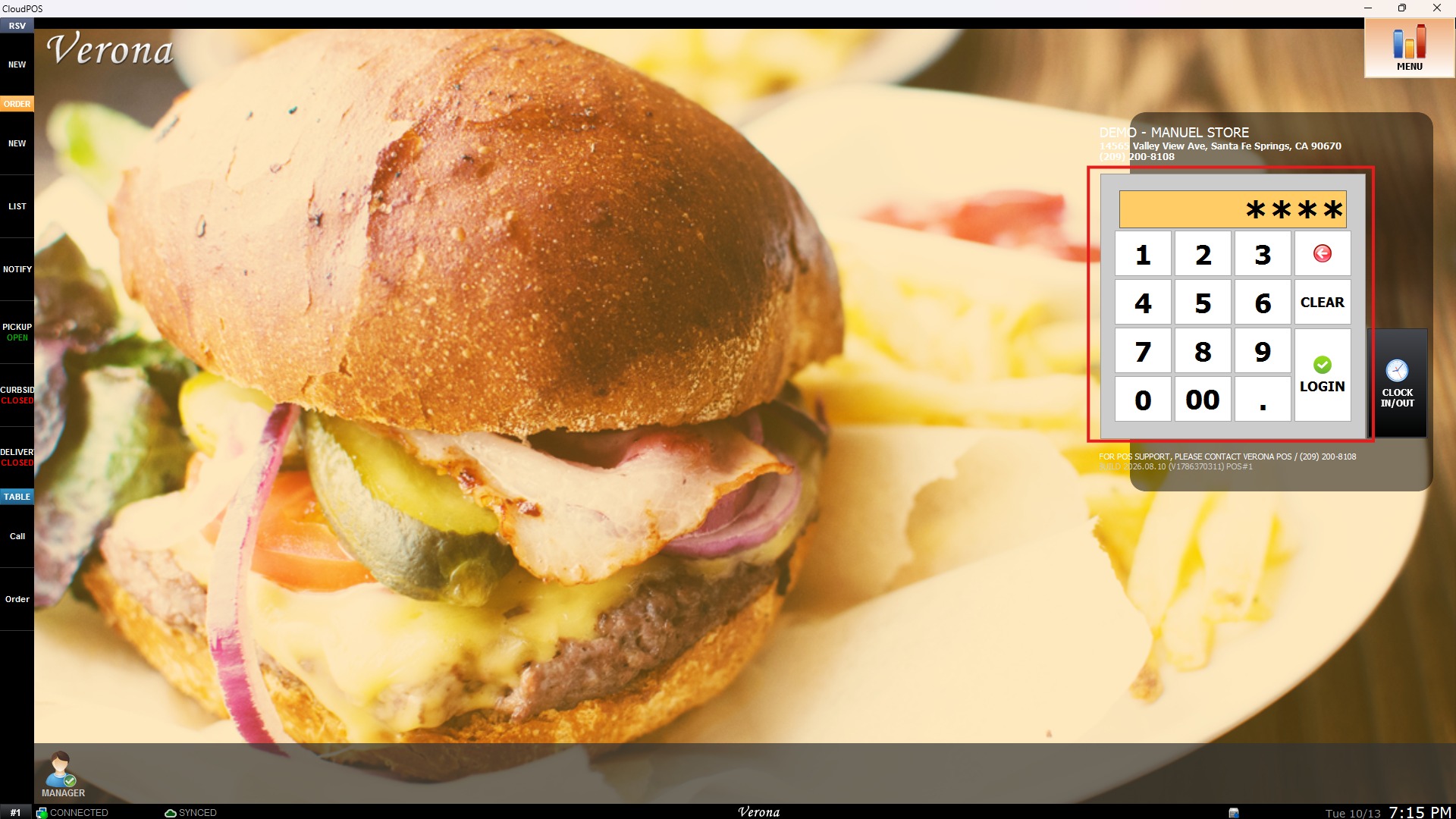
From the Main Screen, use the NUMBER PAD and enter the assigned employee's password to log in.
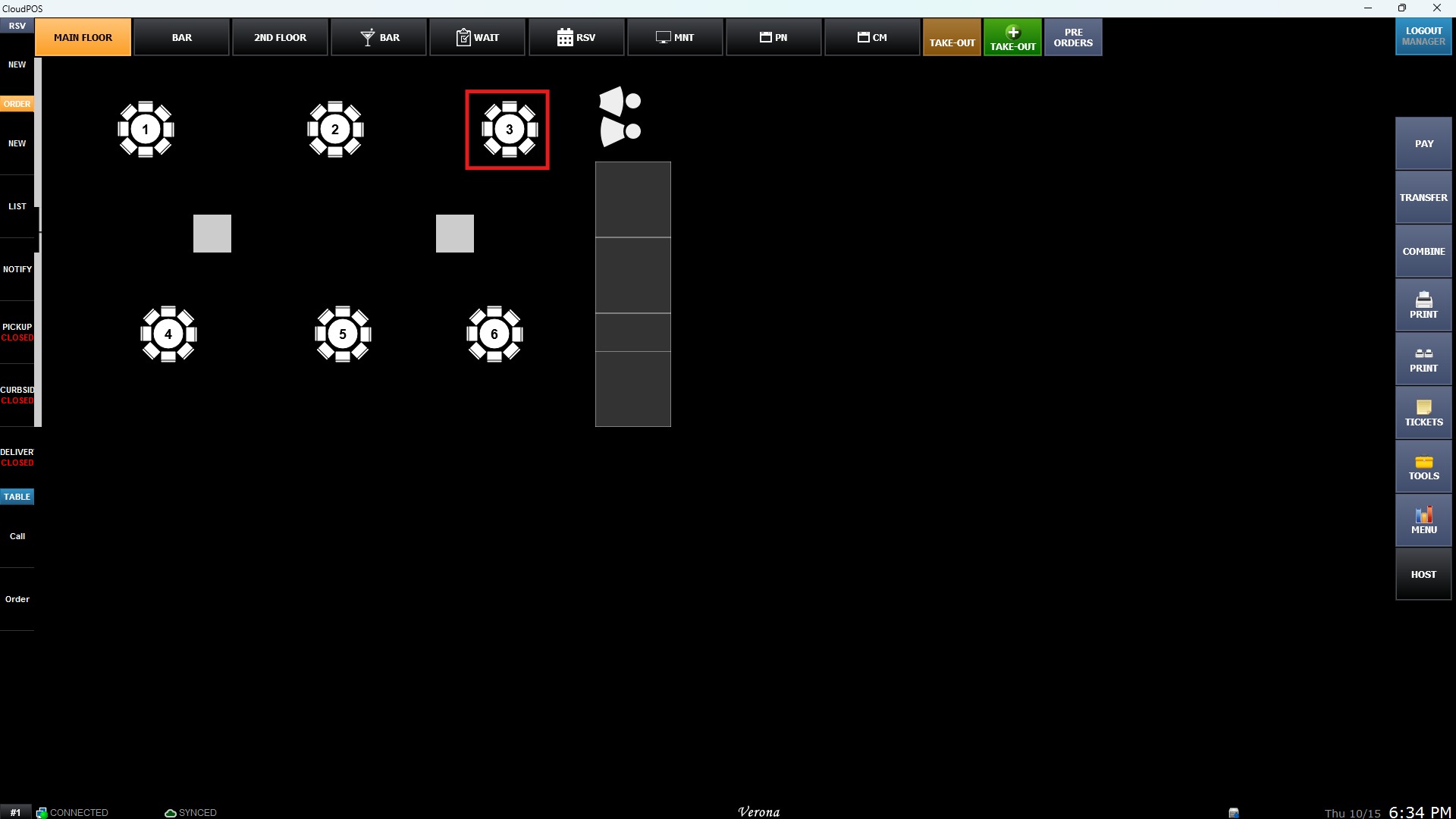
From the Sales Screen, select an open table to access the Table Management view.
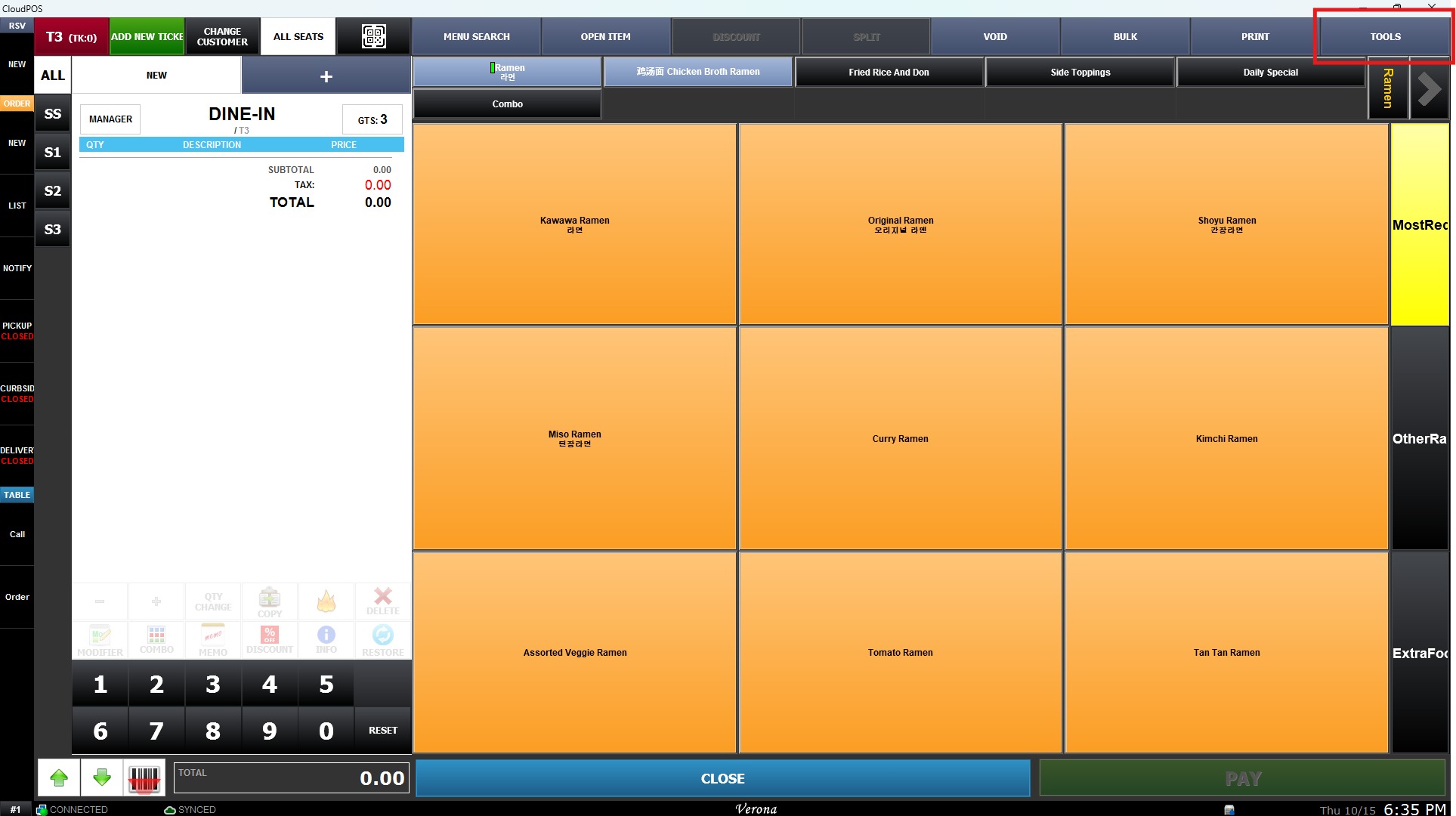
On the Table Management screen, click TOOLS.
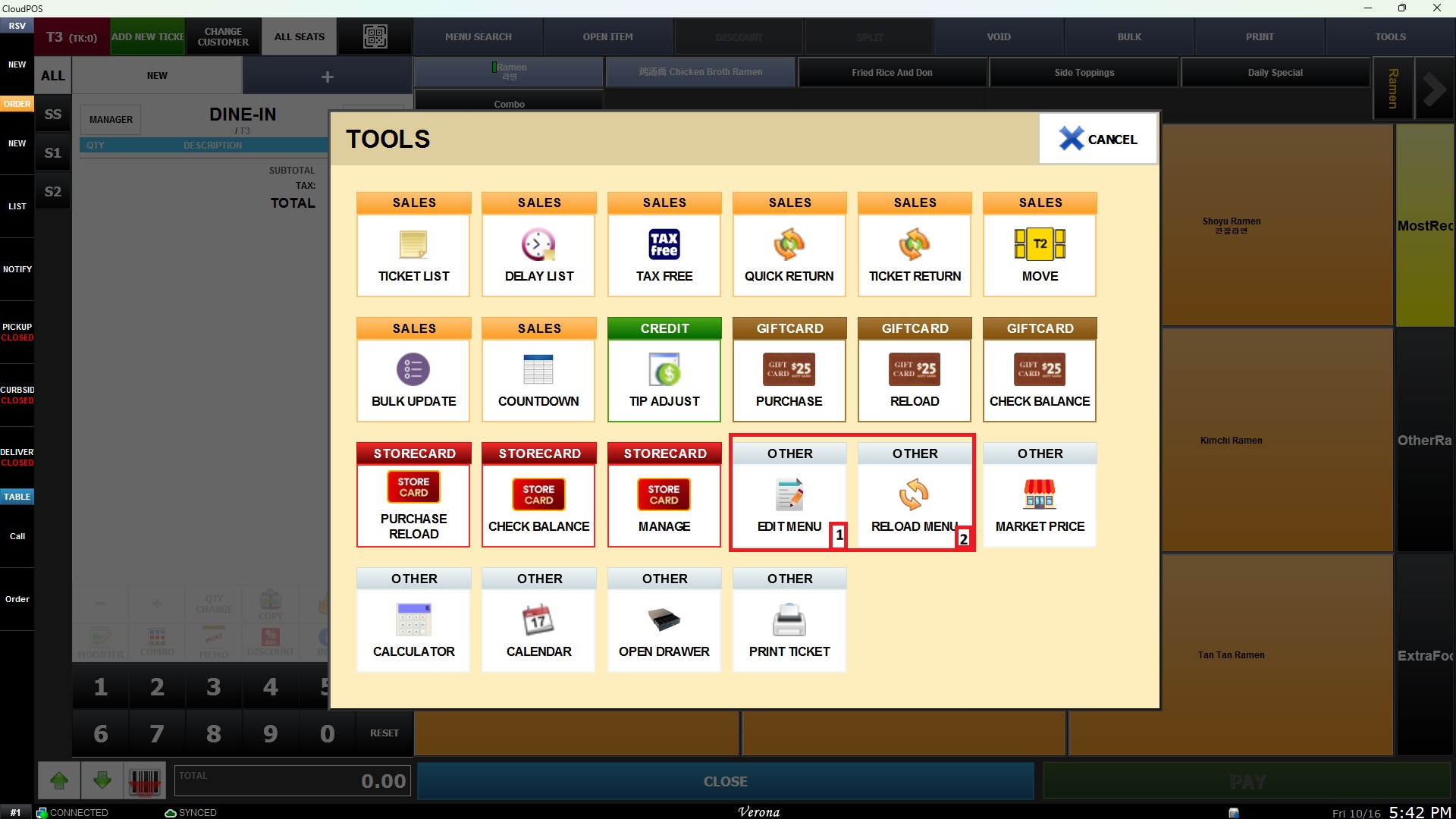
Result:
1. EDIT MENU
Clicking EDIT MENU opens the menu layout configuration interface directly on Table Management. This allows authorized personnel to adjust menu structures without exiting to back-office administration.
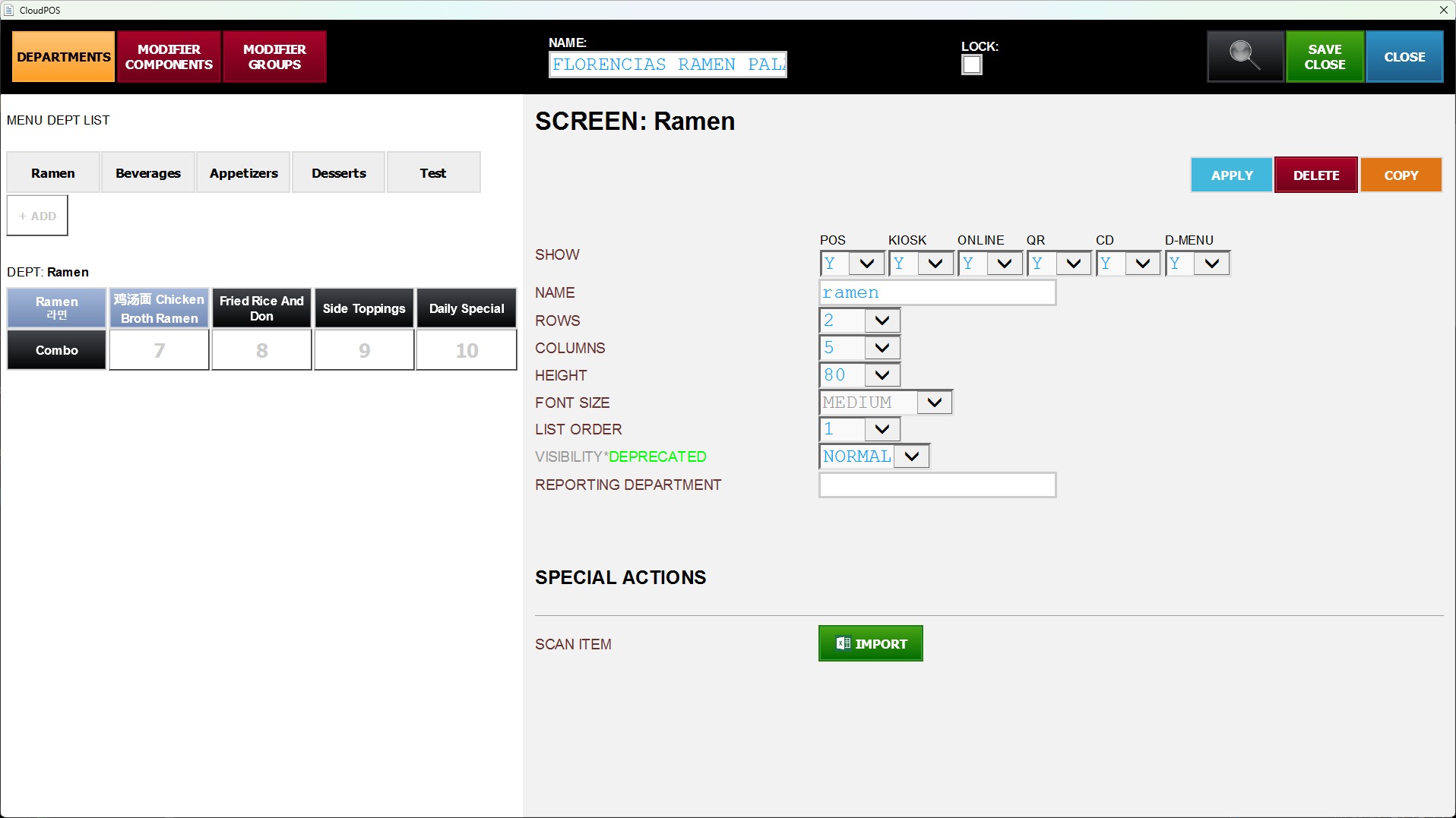
HINT: Ensure that the logged-in employee profile has proper administrative permissions, as access to EDIT MENU may be restricted to managers or administrators.
2. RELOAD MENU
Clicking RELOAD MENU triggers an instant database sync for the menu system.