Paying with Store Card
This guide explains how to process a Store Card payment in the system.
Main Screen> Number Pad> Sales Screen> Sale with rang up items> PAY> STORE CARD
On the Main screen, click on the NUMBER PAD and input the assigned personal password to log in.
.jpeg)
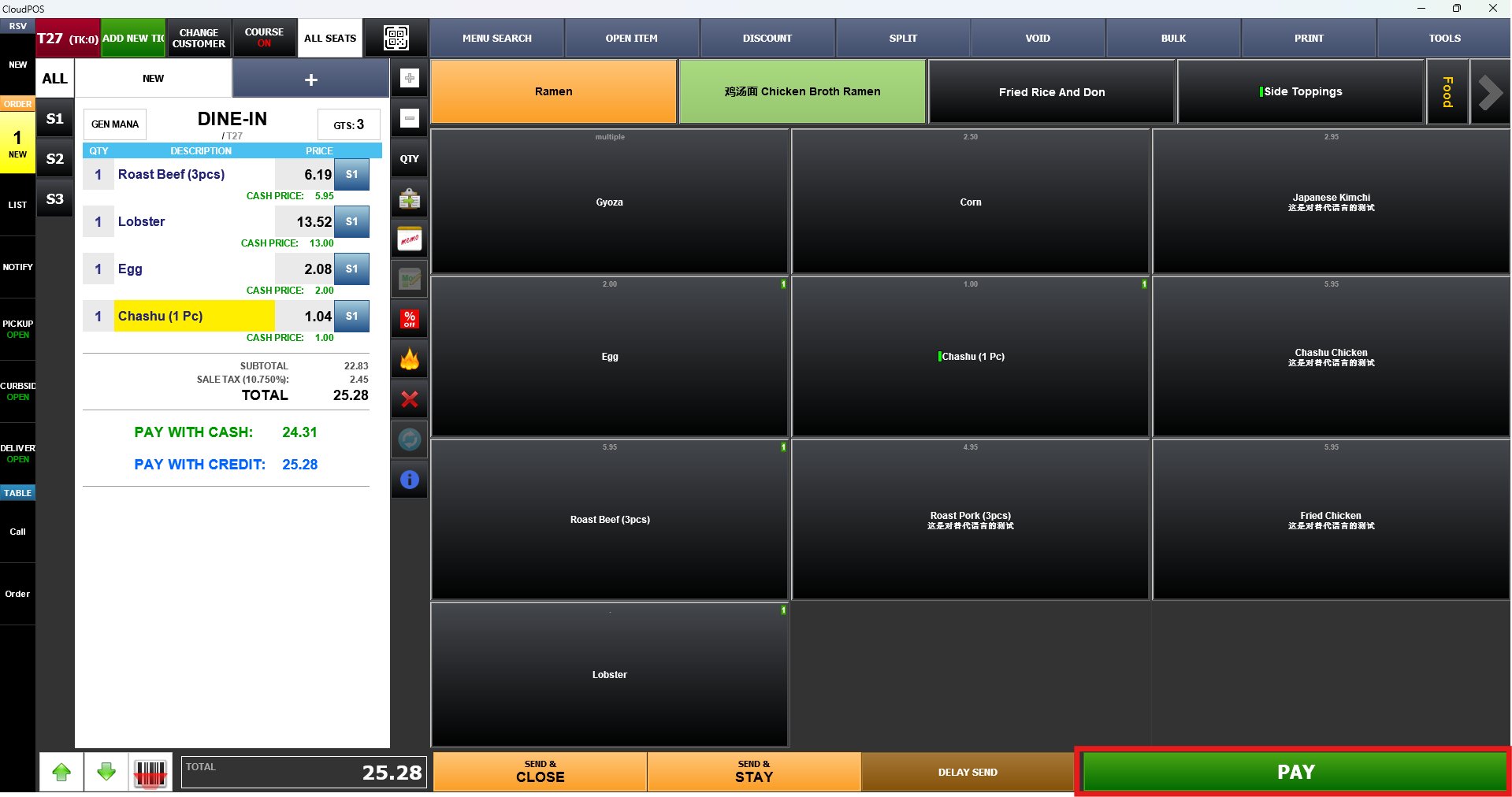
Ring up the items and press the PAY button.
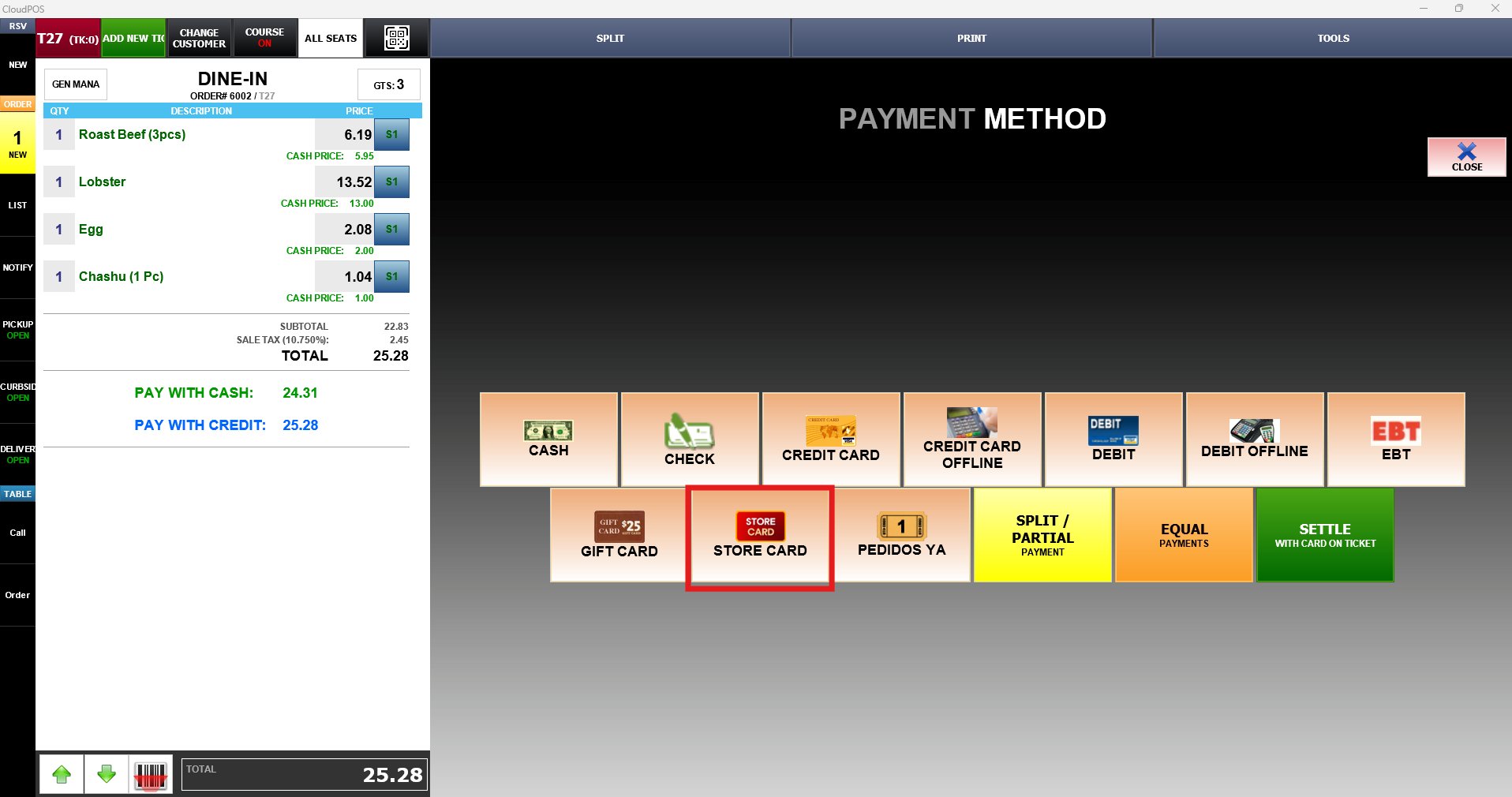
Select STORE CARD on the PAYMENT METHOD screen.
Input the payment amount and press PROCESS.

Enter the store card number or swipe on the magnetic reader to finalize the payment
To learn how to set Store Card as a payment method, consult the Store Card Tender guide.