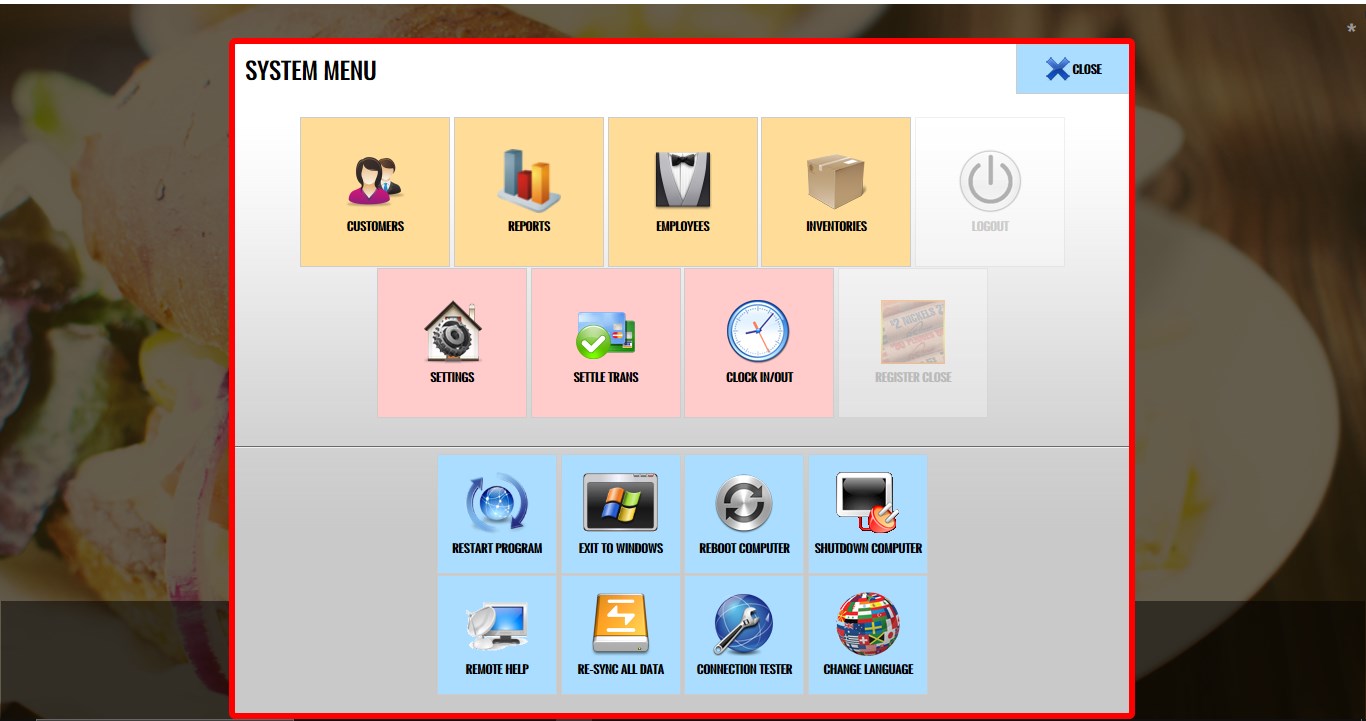
System Menu
The System Menu provides access to the standard system functions and settings available within the POS. This allows users to quickly access system features without leaving Kiosk Mode.
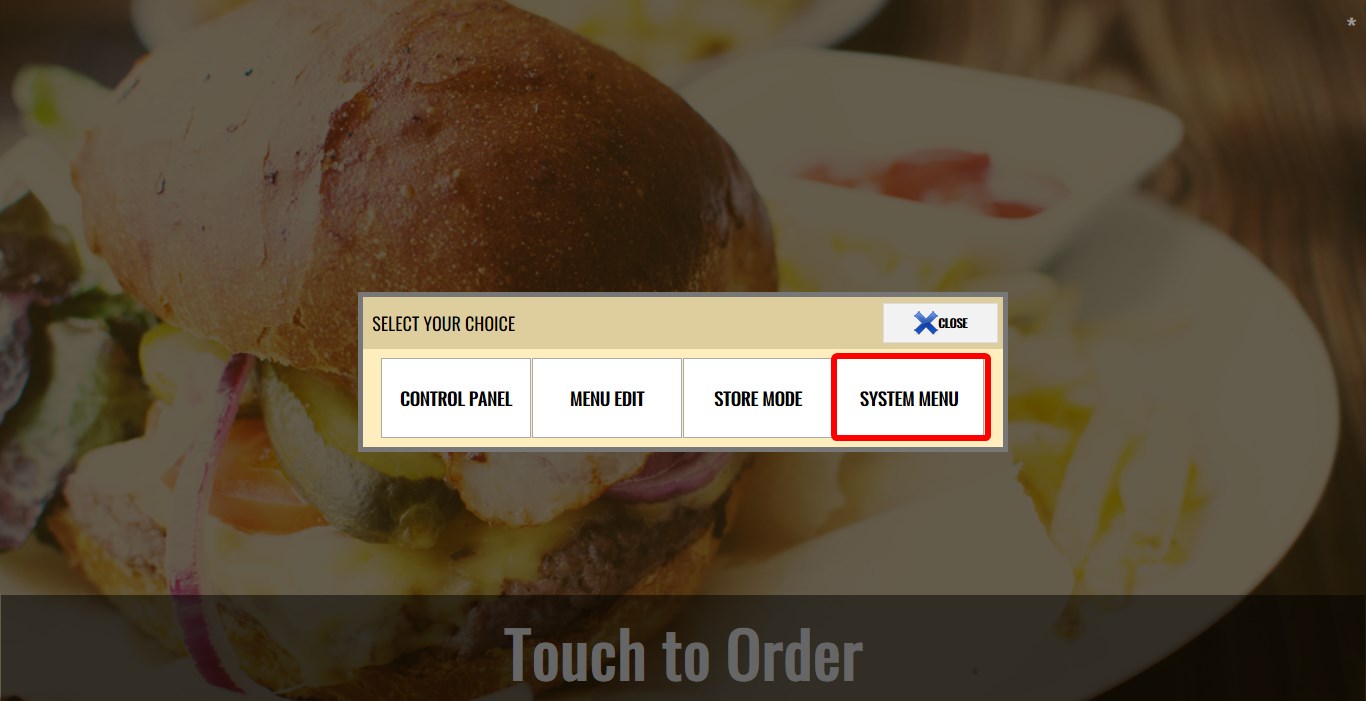
MAIN SCREEN> ASTERISK ICON> SYSTEM MENU.
Refer to the Kiosk Mode KB for instructions on entering Kiosk Mode.
Click the ASTERISK icon in the top-right corner.

Click SYSTEM MENU.
The standard System Menu will open.
System settings and functions can be accessed directly from Kiosk Mode without needing to exit the kiosk interface.