Creating Modifier Component
The Modifier Component List is used to house individual options that will be attached directly to your menu items. Once the list structure is established, you can begin creating specific Modifier Component, which serve as the actual selections available for item customization. This section covers the essential setup process, selecting the component TYPE, defining its NAME, and adding an alternative translation using the ALT. LANGUAGE feature.
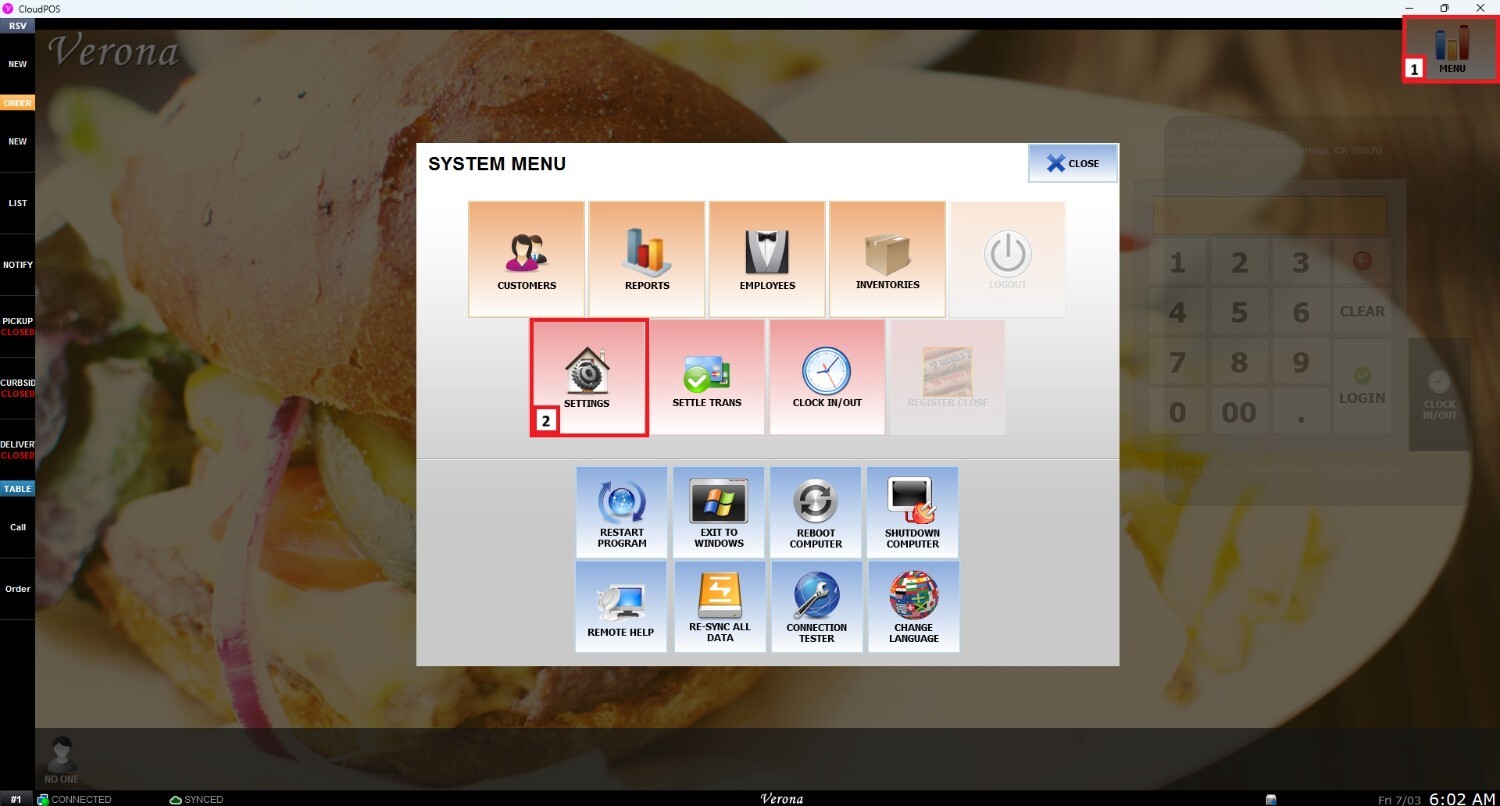
Go to MENU and then SETTINGS.
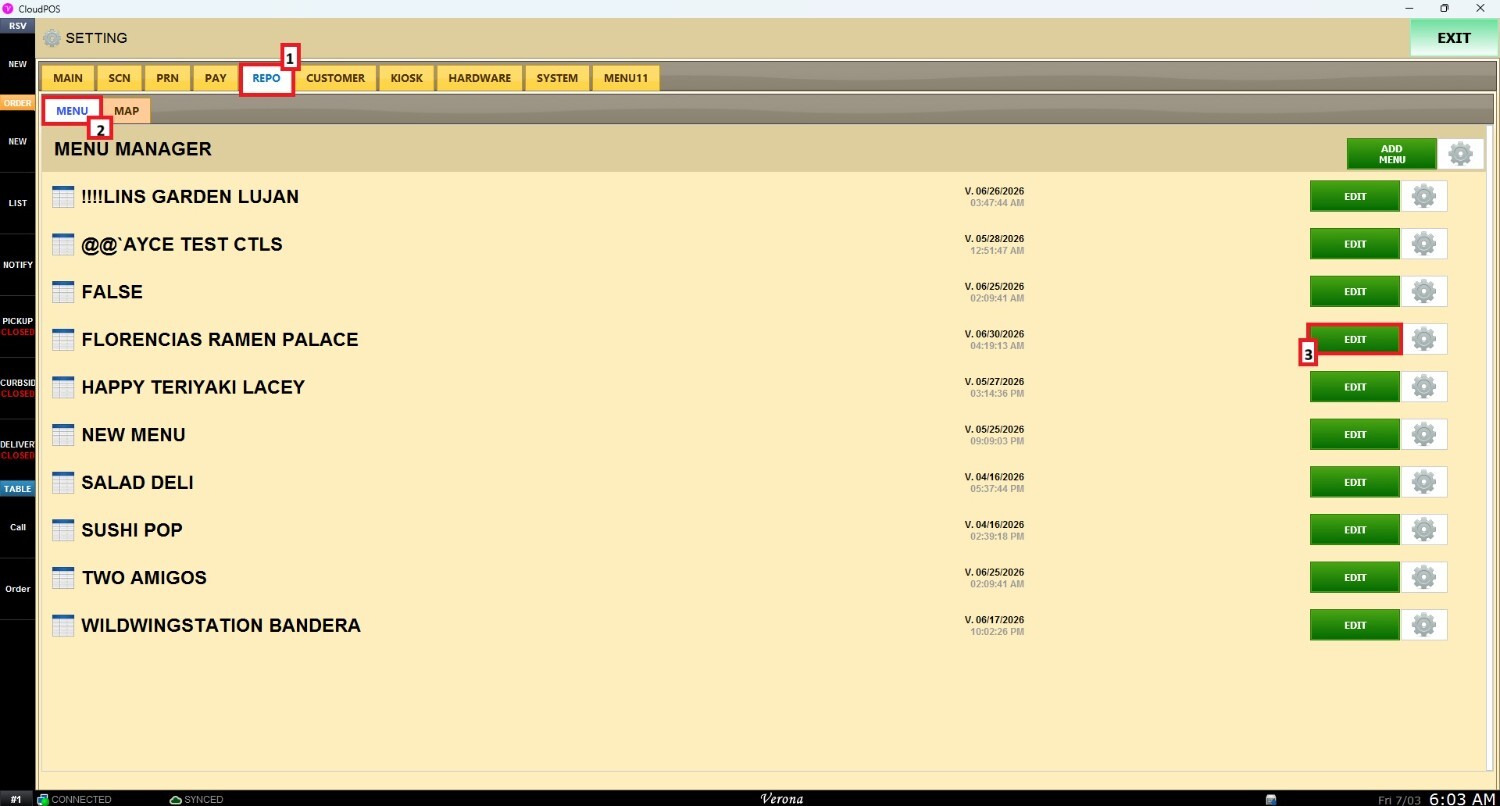
Once the settings panel is opened, select REPO (Repository), MENU, locate the menu to modify, and click EDIT.
Navigate to the MODIFIER GROUPS and select the MODIFIER COMPONET LIST were the new COMPONENT wanted to be added and navigate to + ADD.
On the NEW COMPONET ITEM window, It is possible to create a NAME for this componet. Also an ALT LANGUAGE and to choose the type of this new component.
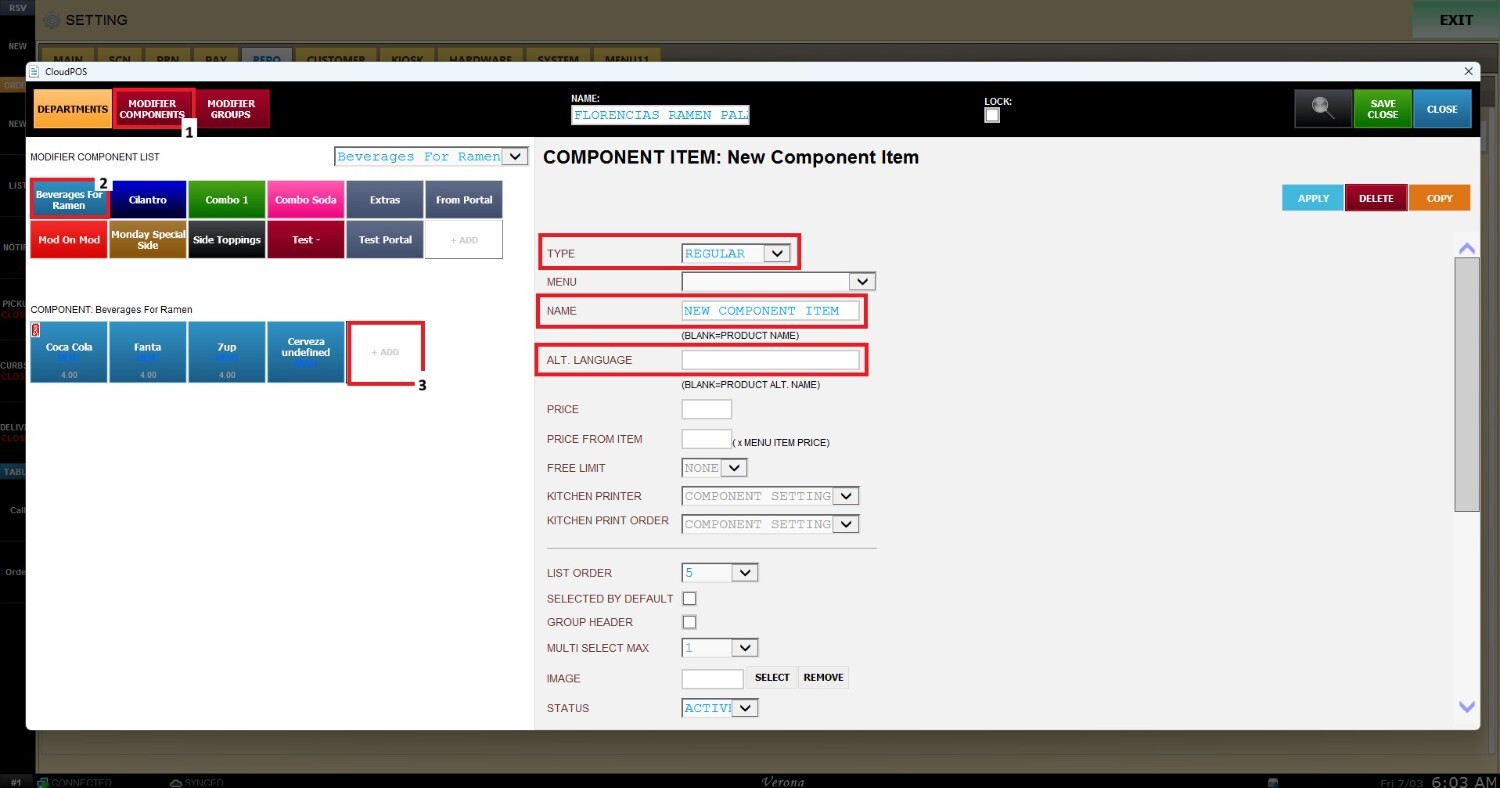
Explicar el uso de TYPE.
imagen de ejemplo de los TYPE
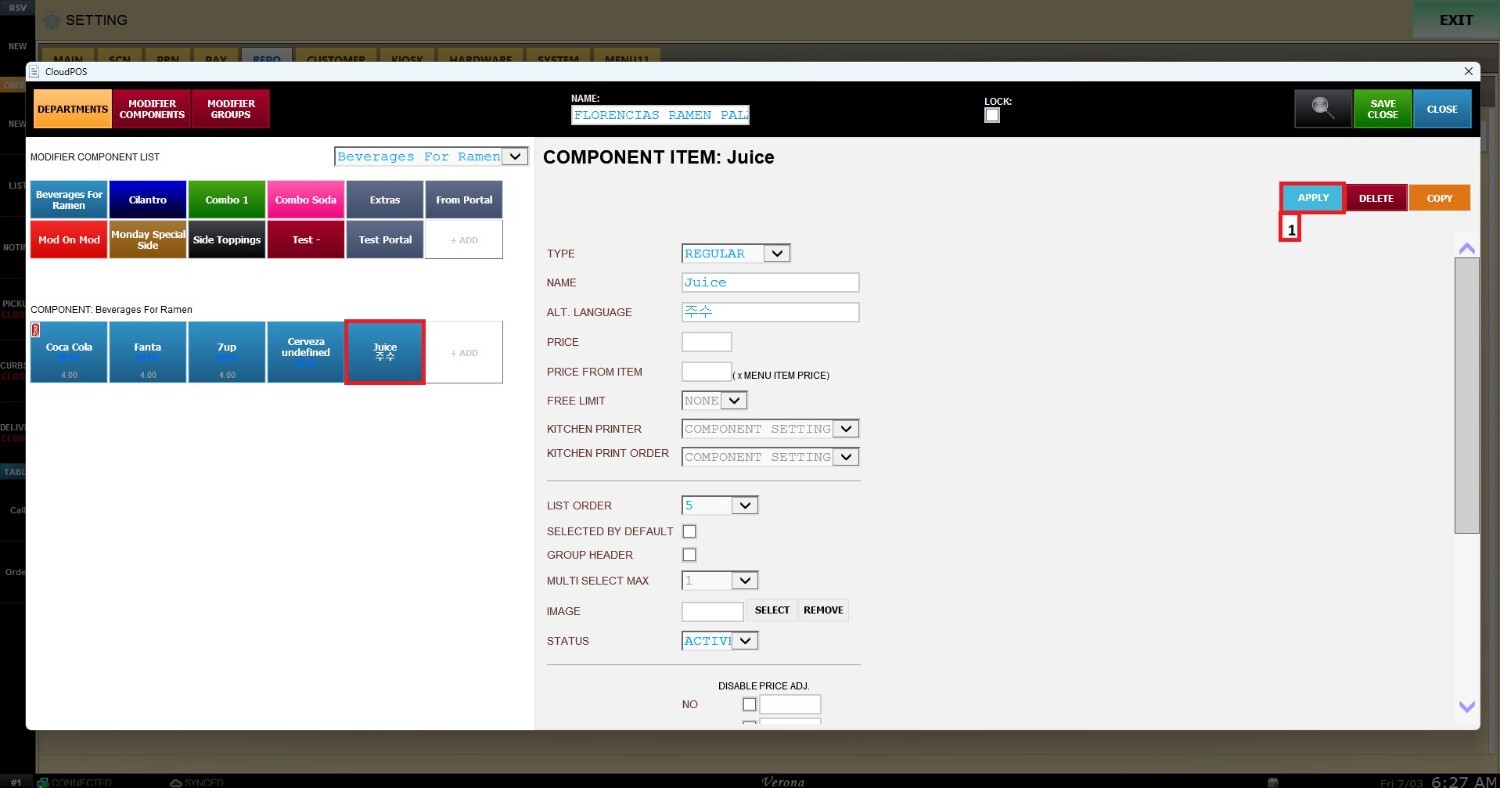
The name of the modifier component can be added on the NAME section, ALT. LANGUAGE is used to add like a subtitle of the modifier in other language so it can be reconice with other languages speakers.
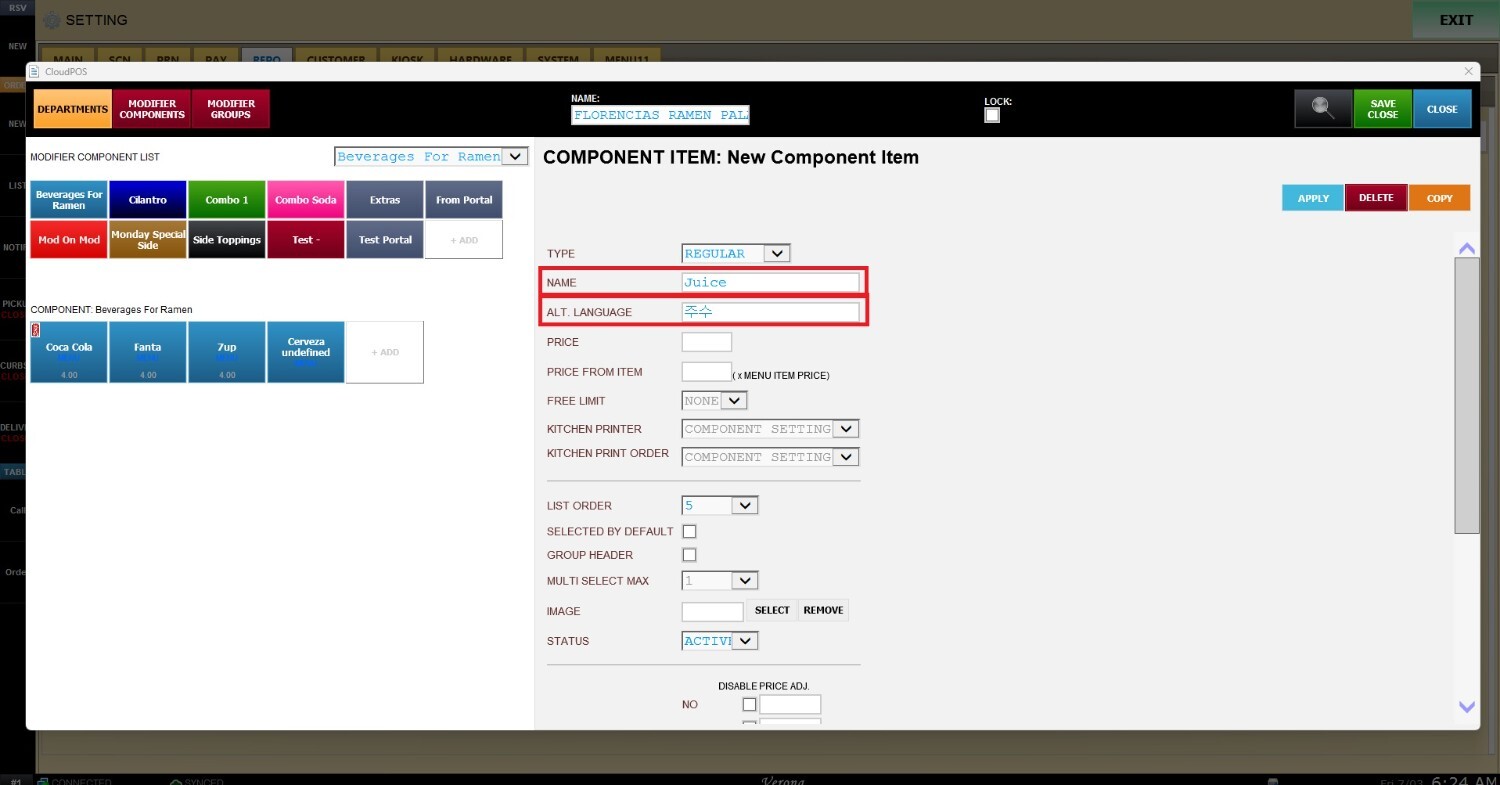
To save the configuration click on APPLY.