Solution for Error NOT FOUND #100023
If the POS displays the NOT FOUND #100023 error during settlement, configure the settlement settings below to treat missing batches as approved.
MENU > SETTINGS > PAY > SETTLE
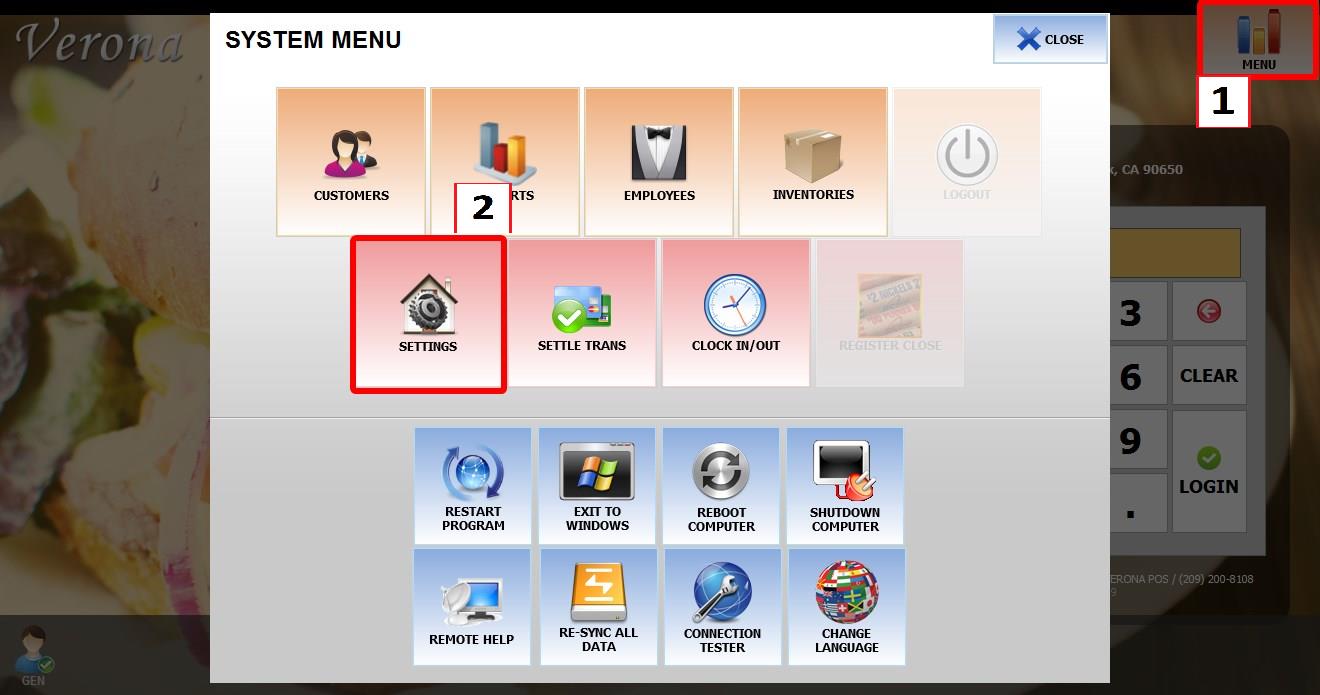
From the MAIN SCREEN, click MENU, then select SETTINGS.

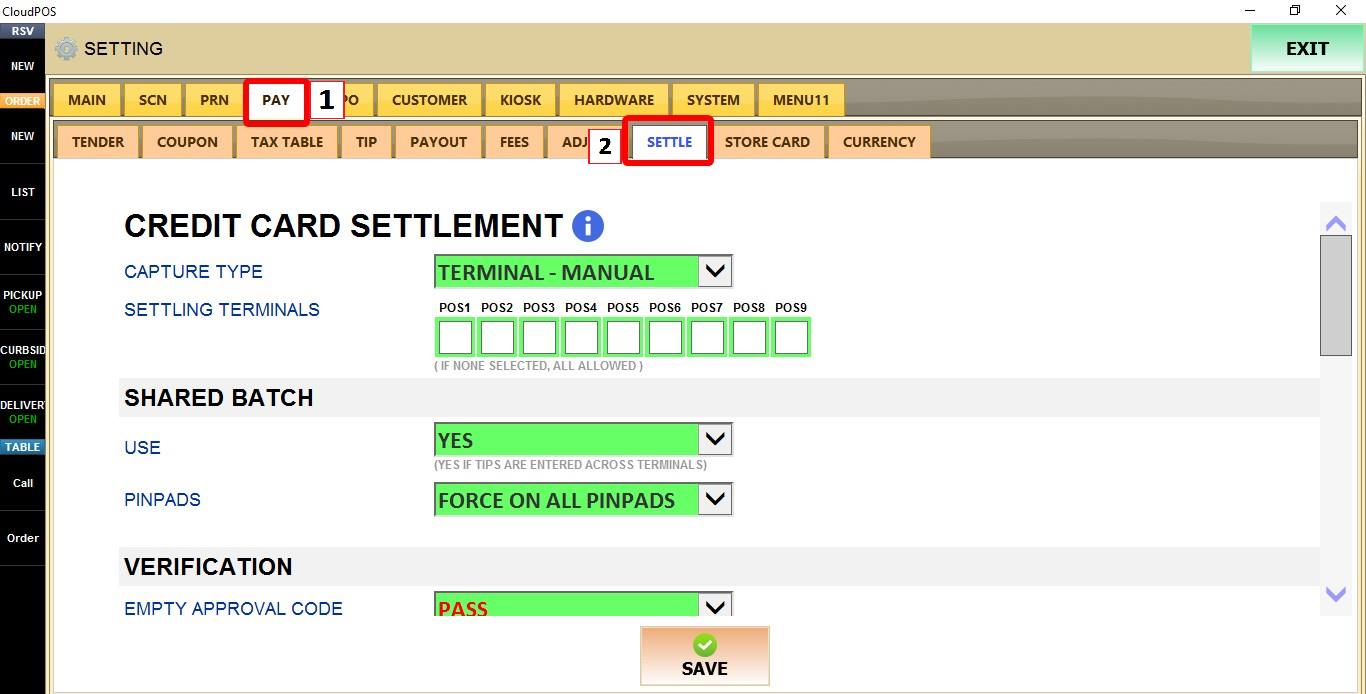
Open the PAY tab, then select SETTLE.

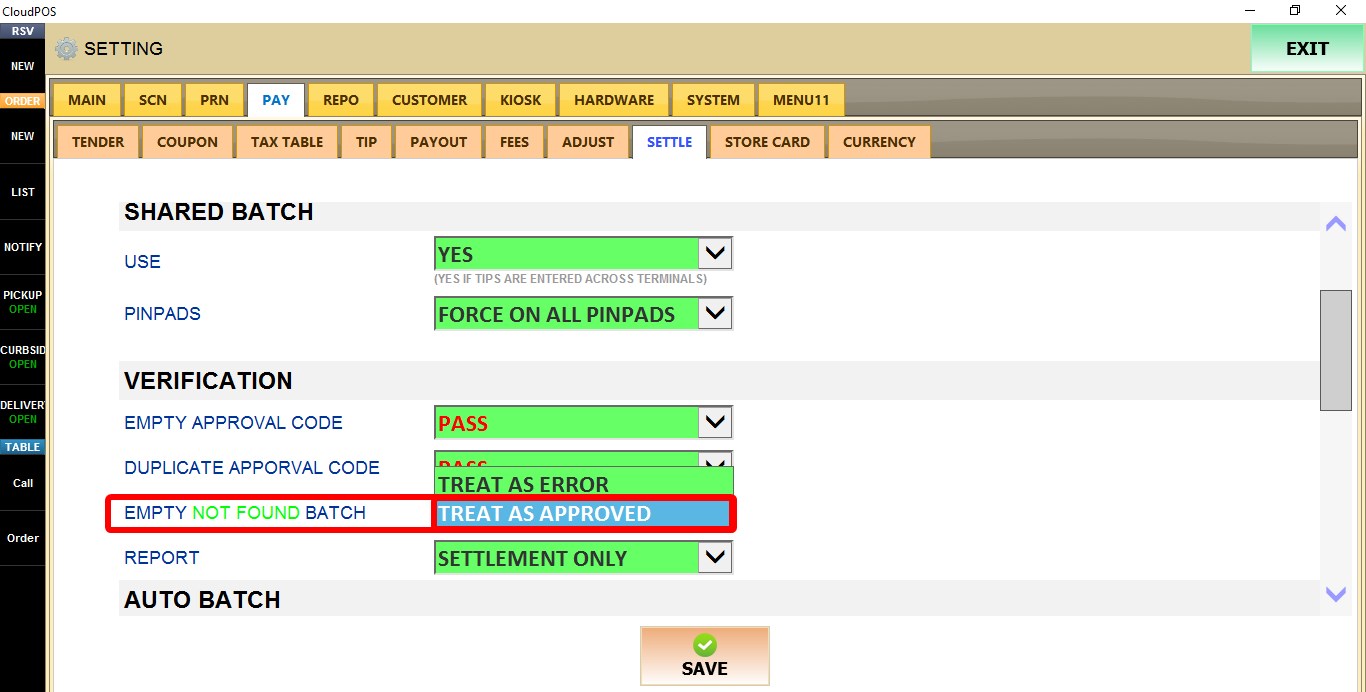
EMPTY NOT FOUND BATCH
Determines how Verona POS handles settlement when a batch cannot be found.
Select TREAT AS APPROVED.

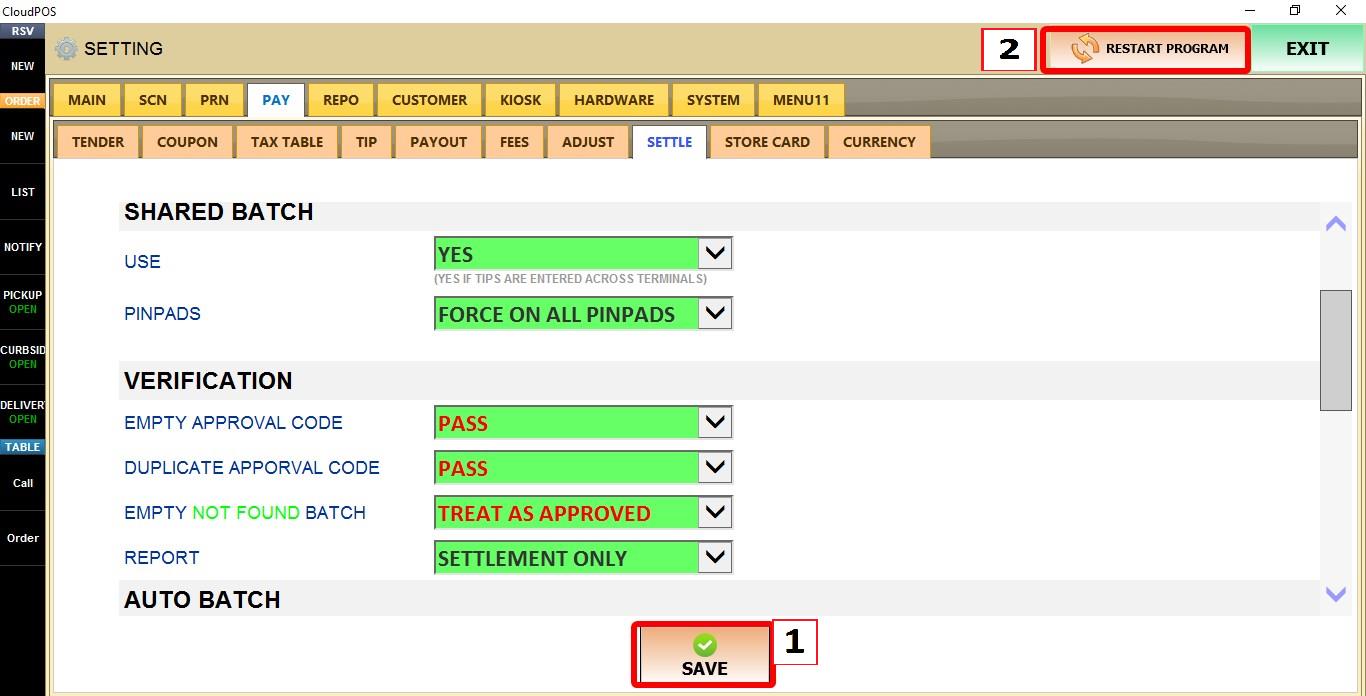
After changing the setting, click SAVE, then RESTART THE PROGRAM for the changes to take effect.