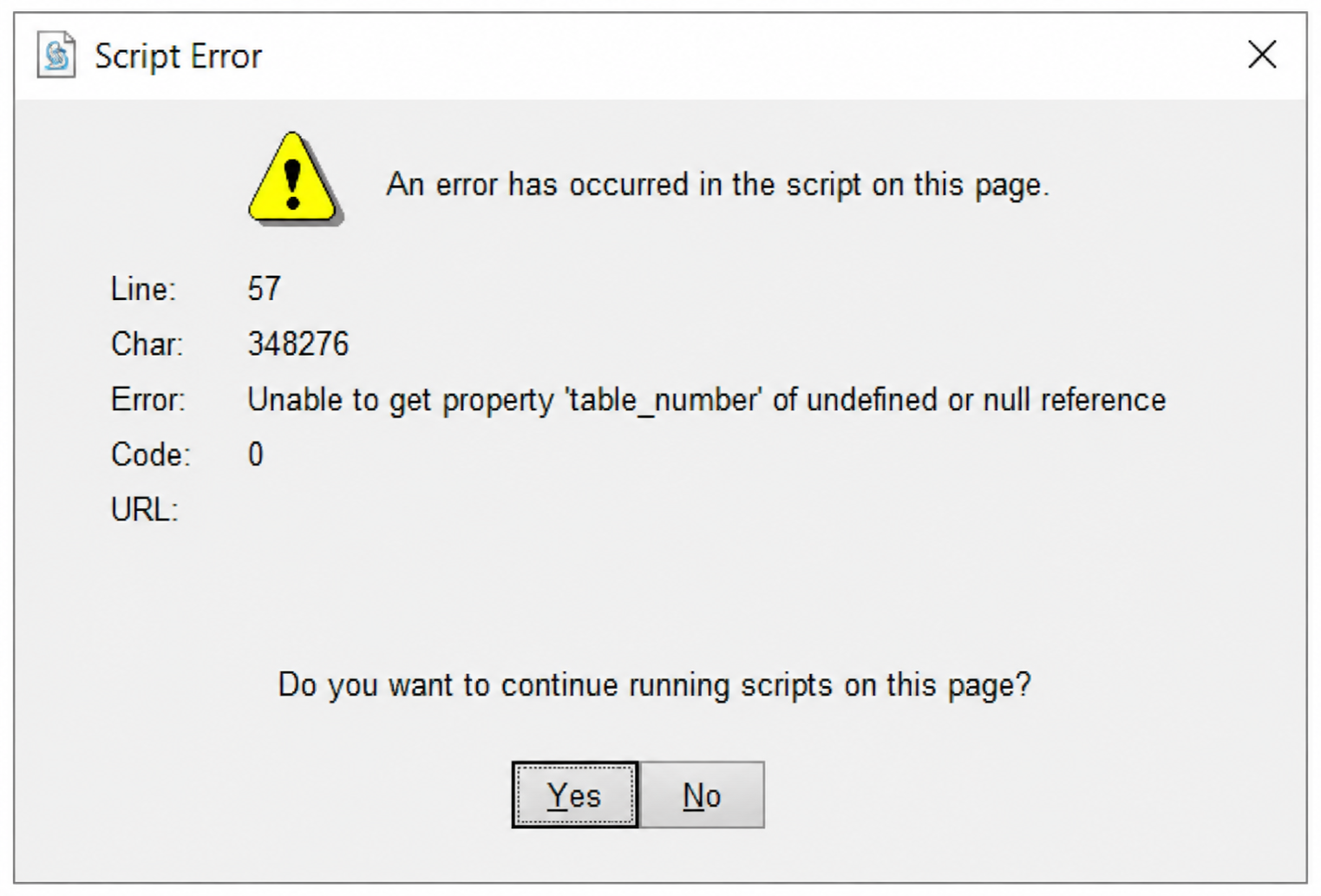
Script Error: “Subtotal”
If the POS displays the "Unable to get property 'subtotal' of undefined or null reference" script error, it is typically caused by a corrupted transaction file. Follow the steps below to remove the affected transaction and restore normal operation.

This procedure should preferably be performed after the business day has been closed and all settlements have been completed.
Until the issue can be resolved, click YES on the script error dialog to continue using the POS.
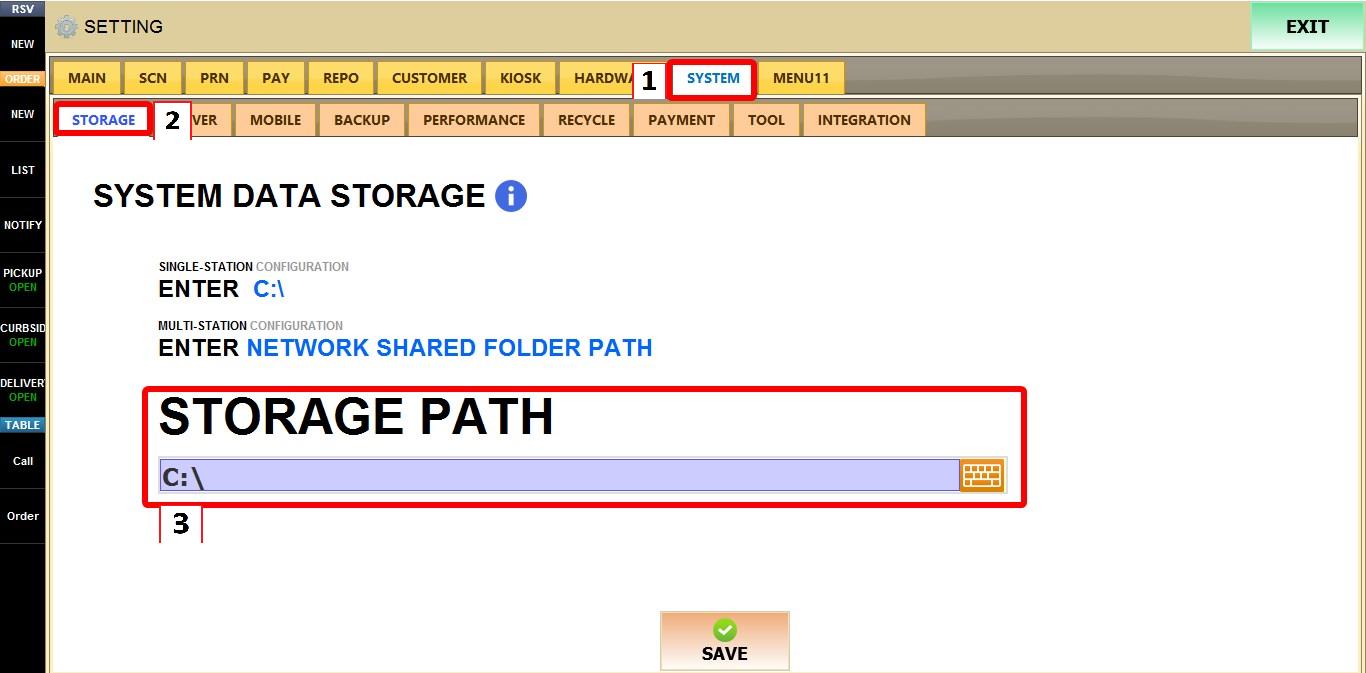
From the MAIN SCREEN, click MENU, then select SETTINGS. Open the SYSTEM tab, then select STORAGE. Note the SHARED STORAGE PATH. This is where the shared folder is located
Next Open FILE EXPLORER, then navigate to Shared folder. Then open the TABLE_TICKET folder.

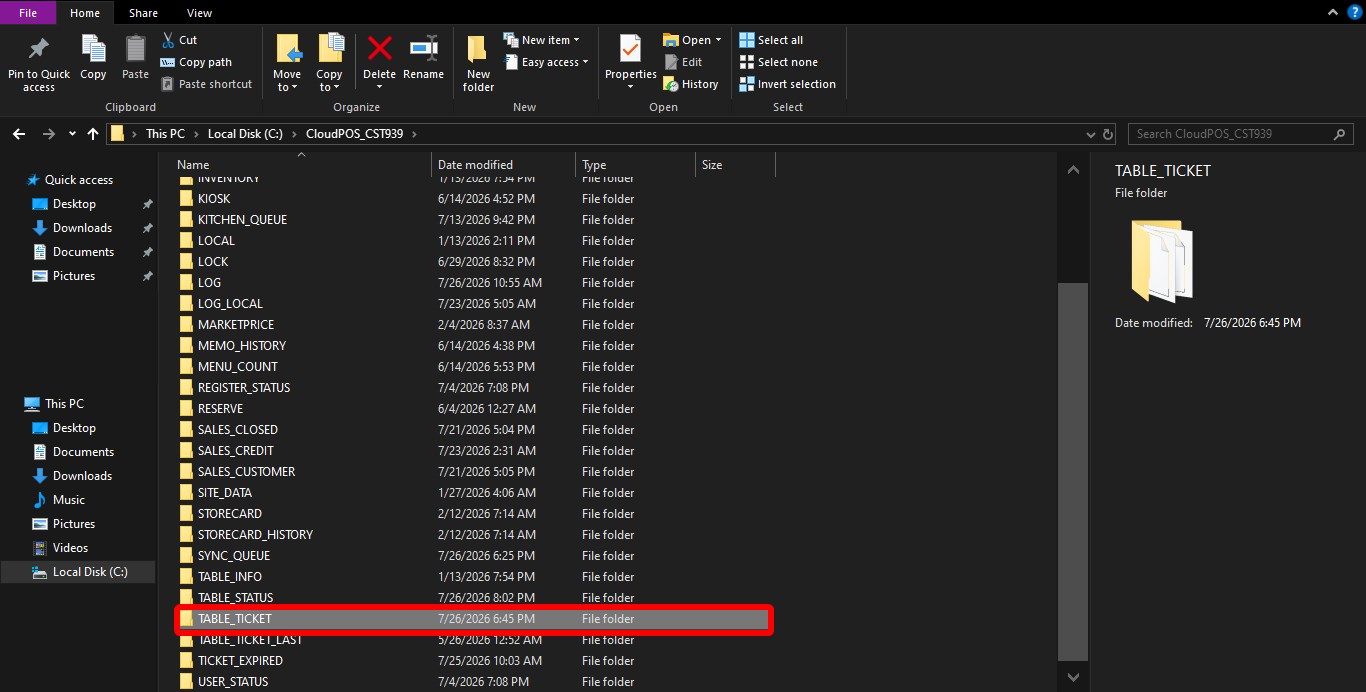
Open the TABLE_TICKET folder and sort the files by DATE MODIFIED. Locate the transaction file that matches the approximate time the error first occurred. Move the file to a temporary folder outside the TABLE_TICKET directory. DO NOT delete it. Restart Verona POS and verify whether the issue is resolved. If the problem persists, move the file back to its original location before trying a different file.