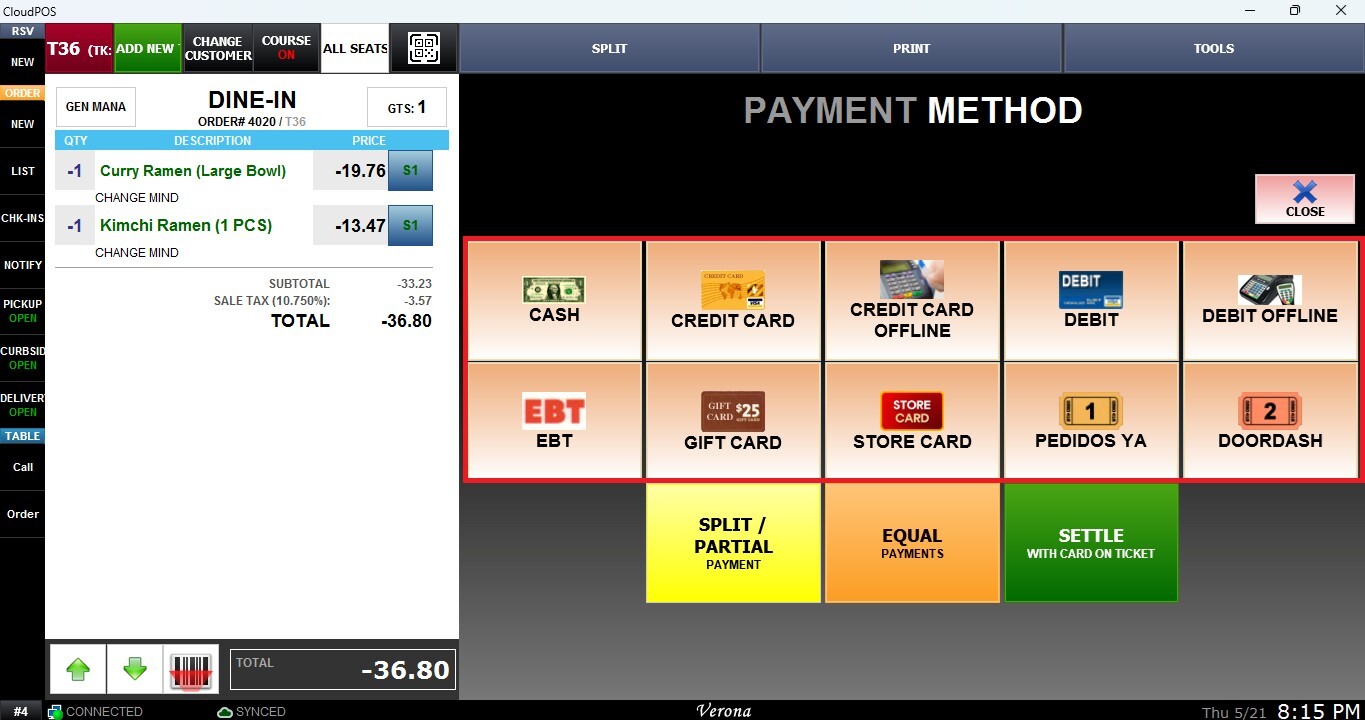
Quick Return and Ticket Return
The Quick Return and Ticket Return functions allow users to process item refunds directly from the Sales Screen.
Main Screen> Number Pad> Sales Screen> TOOLS> QUICK RETURN/ TICKET RETURN
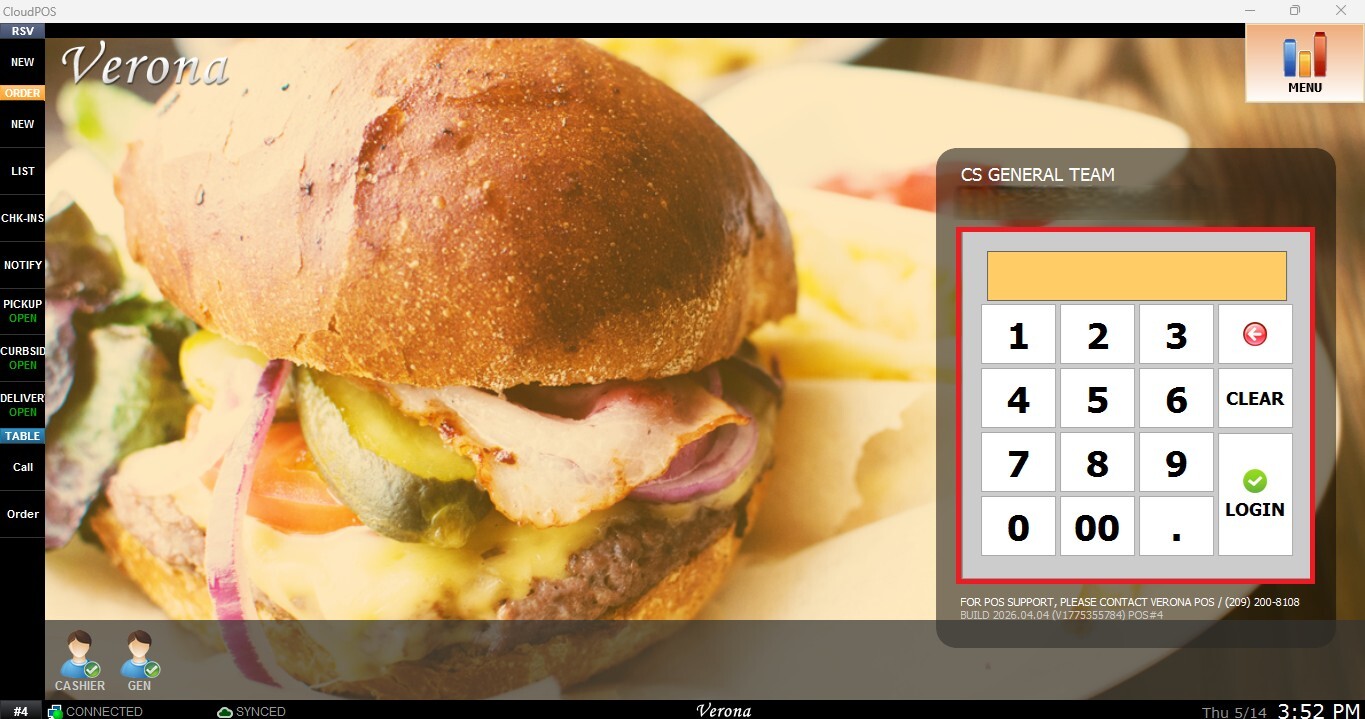
From the Main Screen, use the number pad and enter the assigned employee's password to log in.
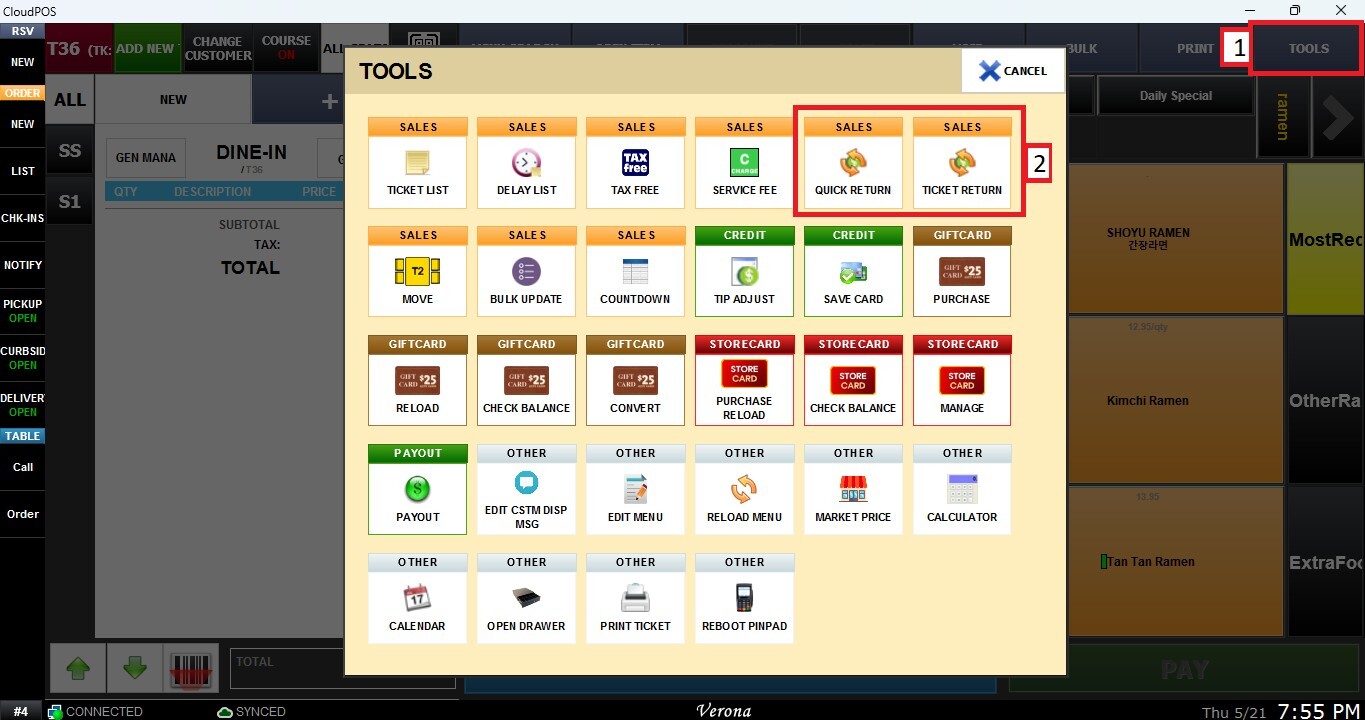
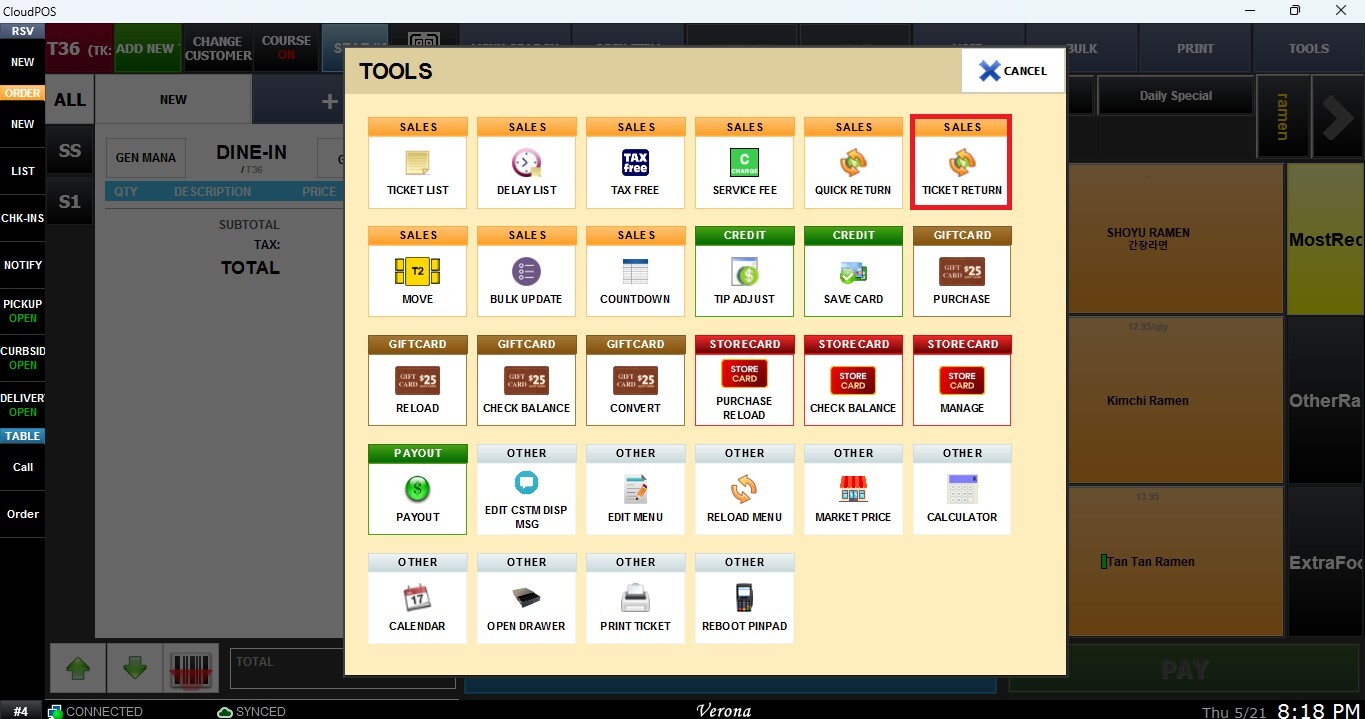
From the Sales Screen, click TOOLS
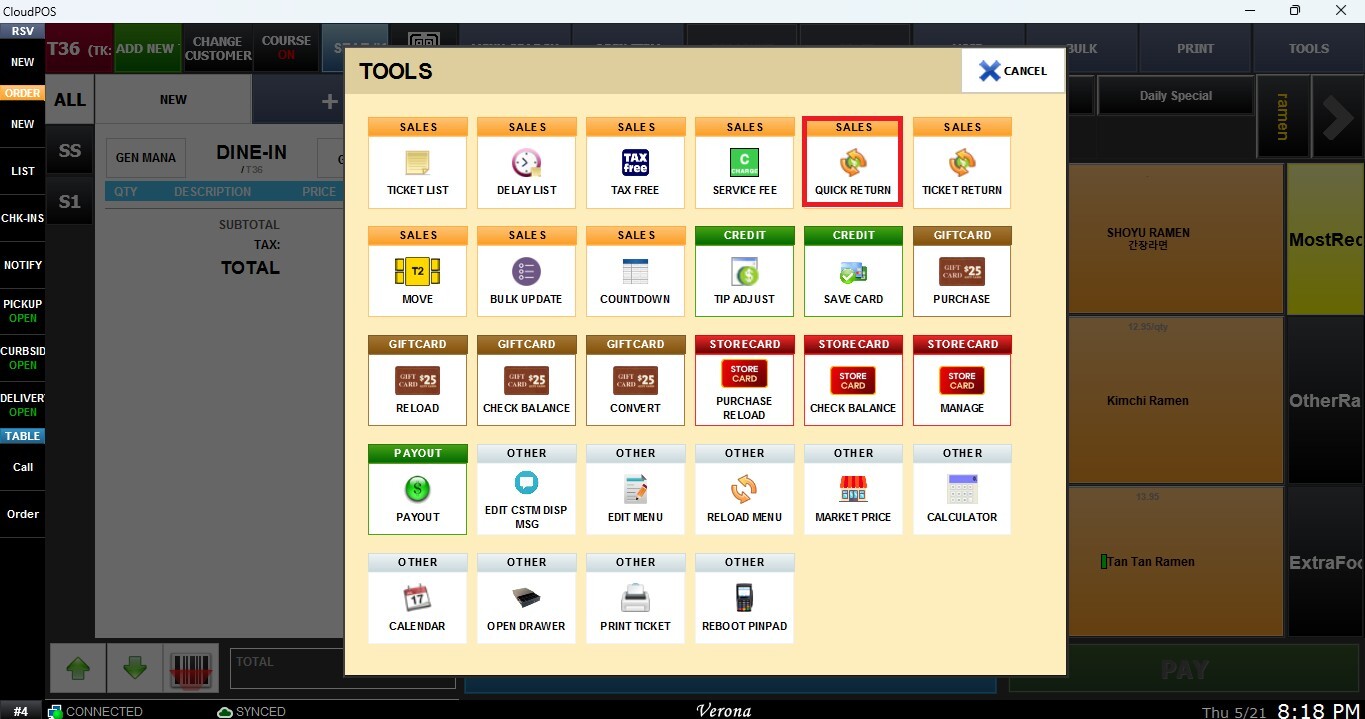
QUICK RETURN
The Quick Return function allows you to manually process a return by entering the item and transaction information directly.
A return window will appear requesting the following information:
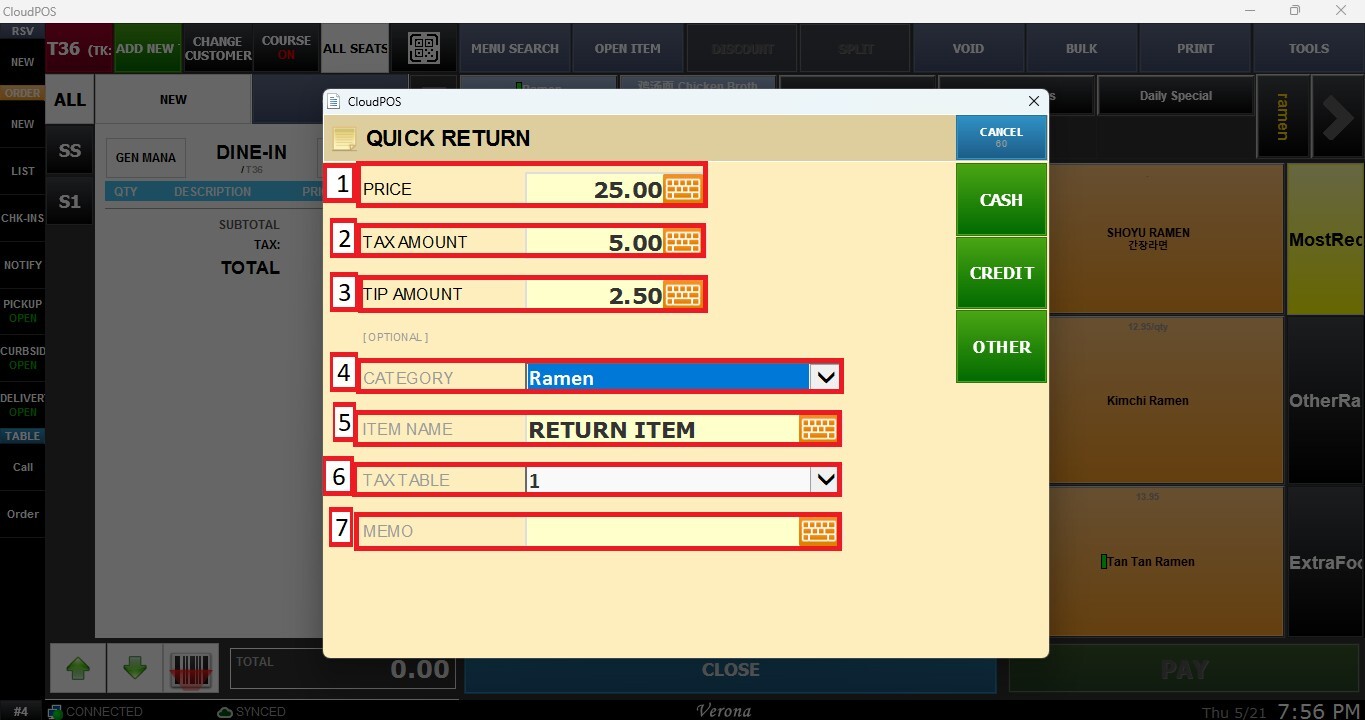
1. Price: Defines the return amount for the item.
2. Tax Amount: Defines the tax amount associated with the return.
3. Tip Amount: Defines the gratuity amount included in the original transaction.
Optional information can also be added:
4. Category: Assigns the return item to a specific category.
5. Item Name: Defines the name of the returned item.
6. Tax Table: Selects which tax configuration applies to the return.
7. Memo: Adds notes or comments related to the return.
You can click CANCEL to stop the return process, or directly select the tender/payment method that will be used for the return from this window.
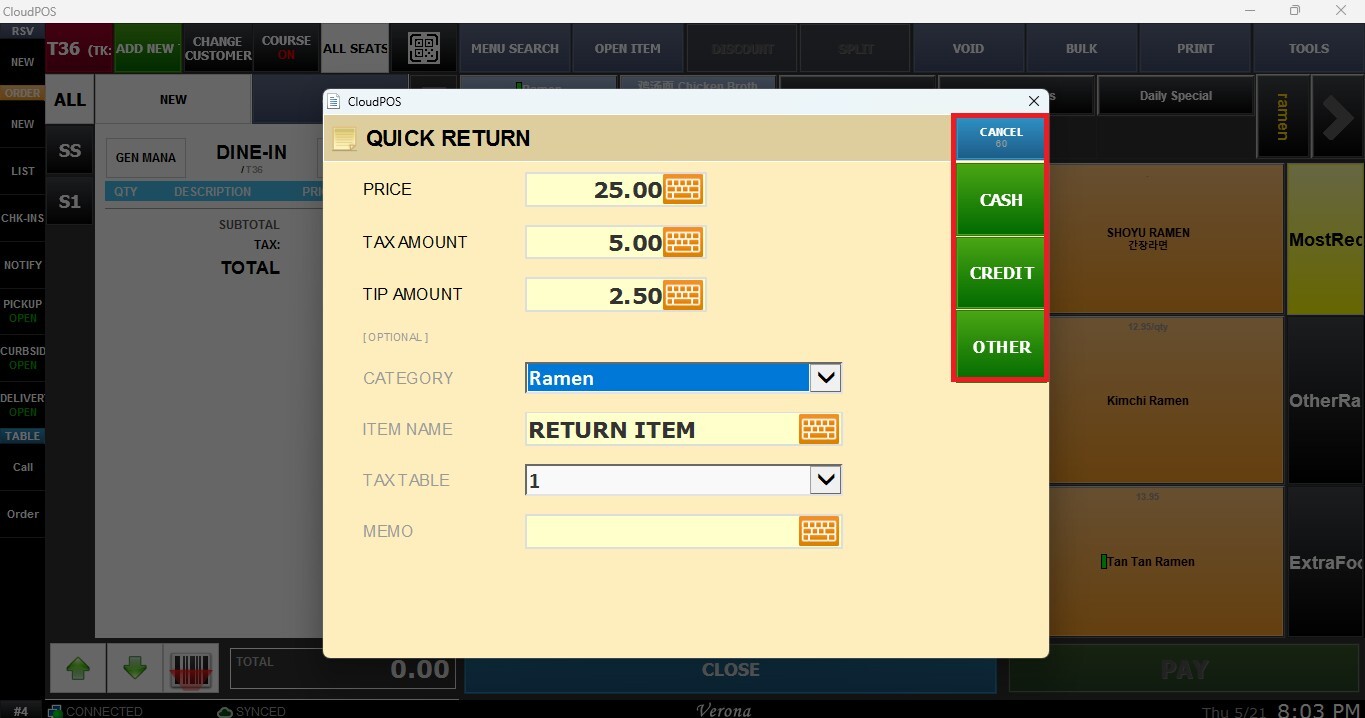
Once all information has been entered, proceed to checkout to finalize the return.
TICKET RETURN
The Ticket Return function allows you to process returns using information from a previous transaction ticket.
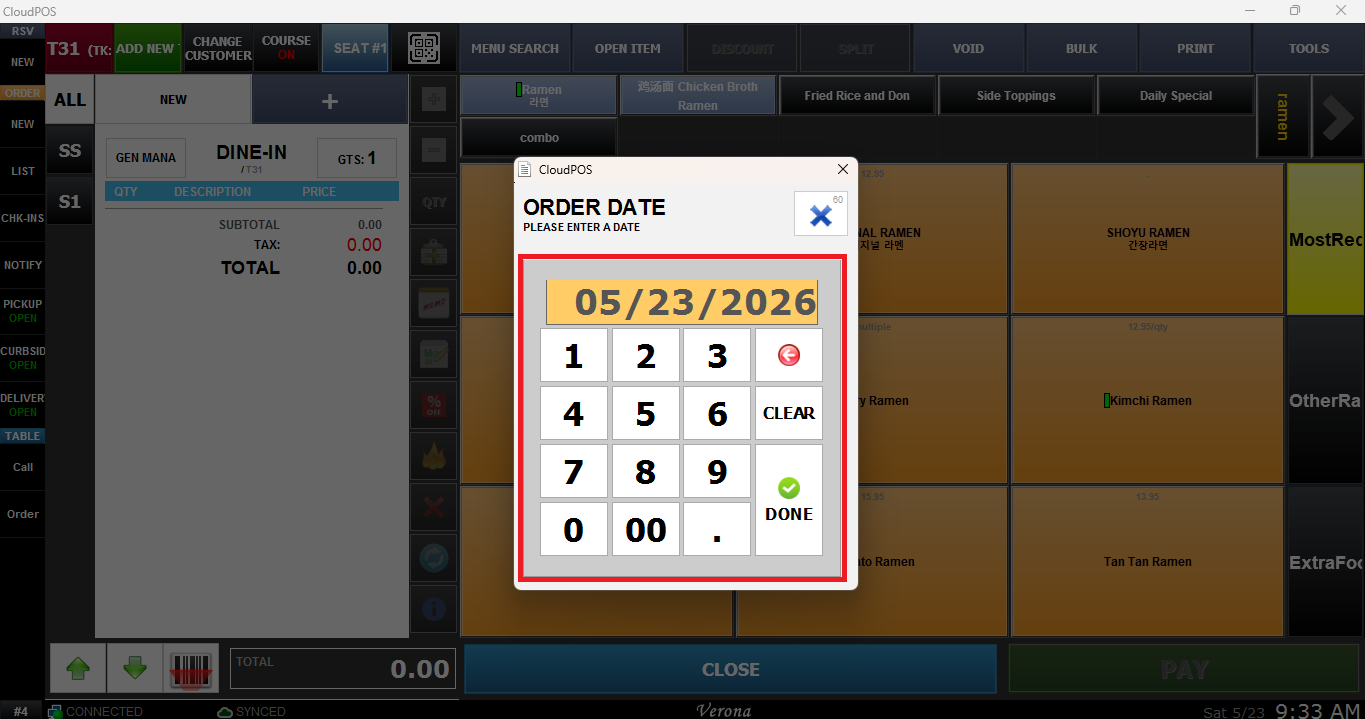
Enter the transaction search information requested, first the order date.
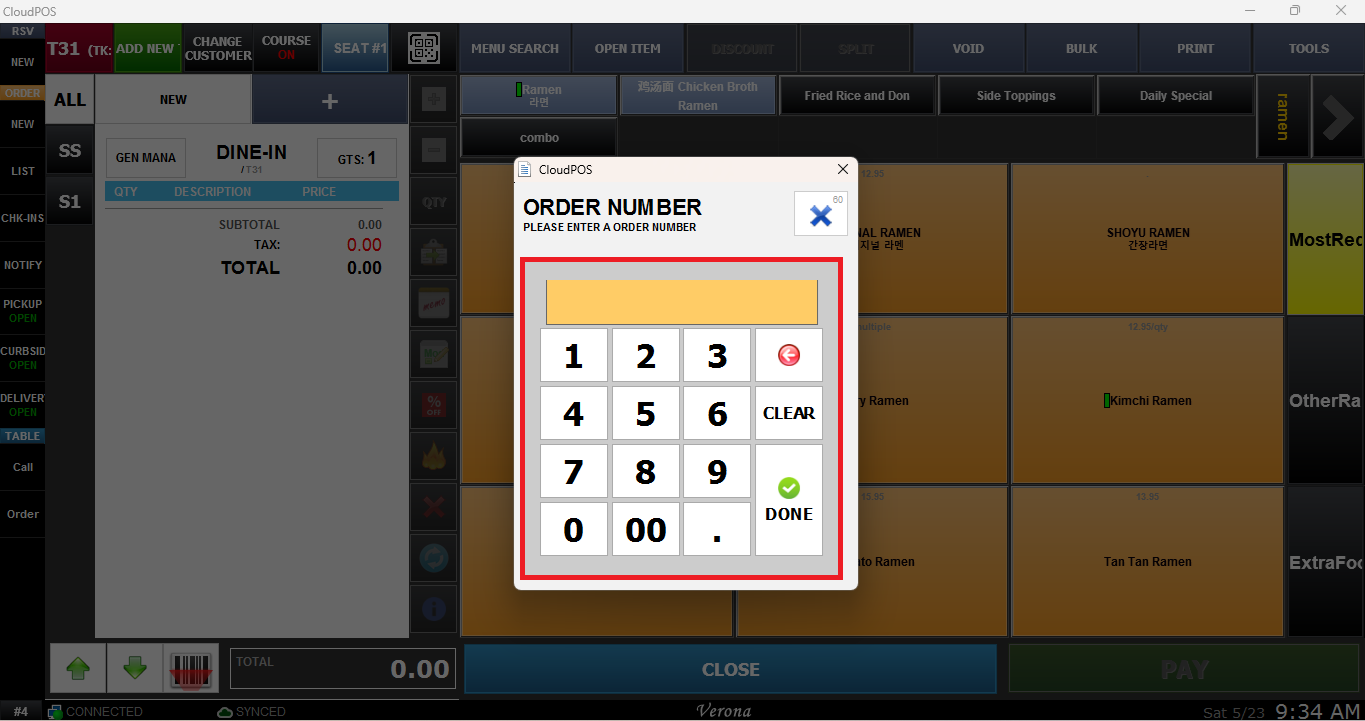
Then input the order number.
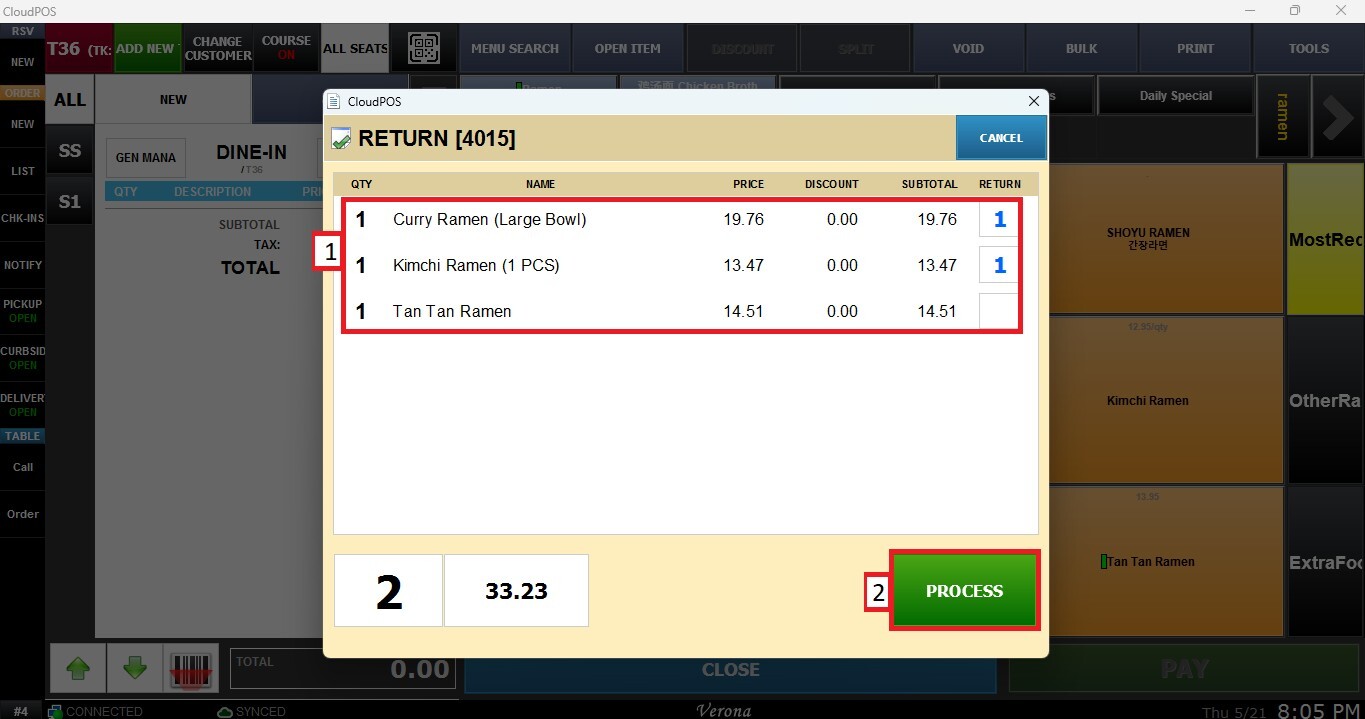
The Transaction will automatically load. Select the items you want to return from the list and press PROCESS.
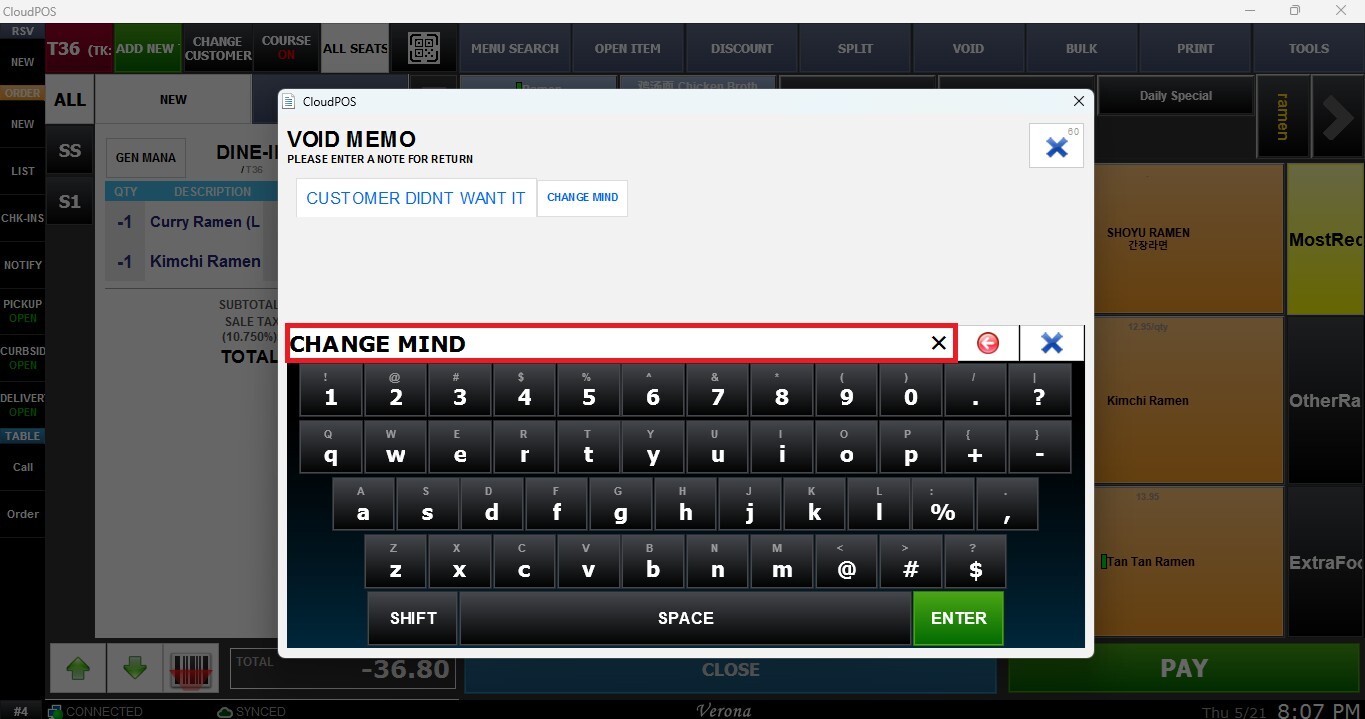
During checkout, the system will display a confirmation asking if you want to process. A window will appear asking to enter a memo describing the reason for the return.
Select the desired payment method for the refund and complete the checkout process to finalize the return transaction.