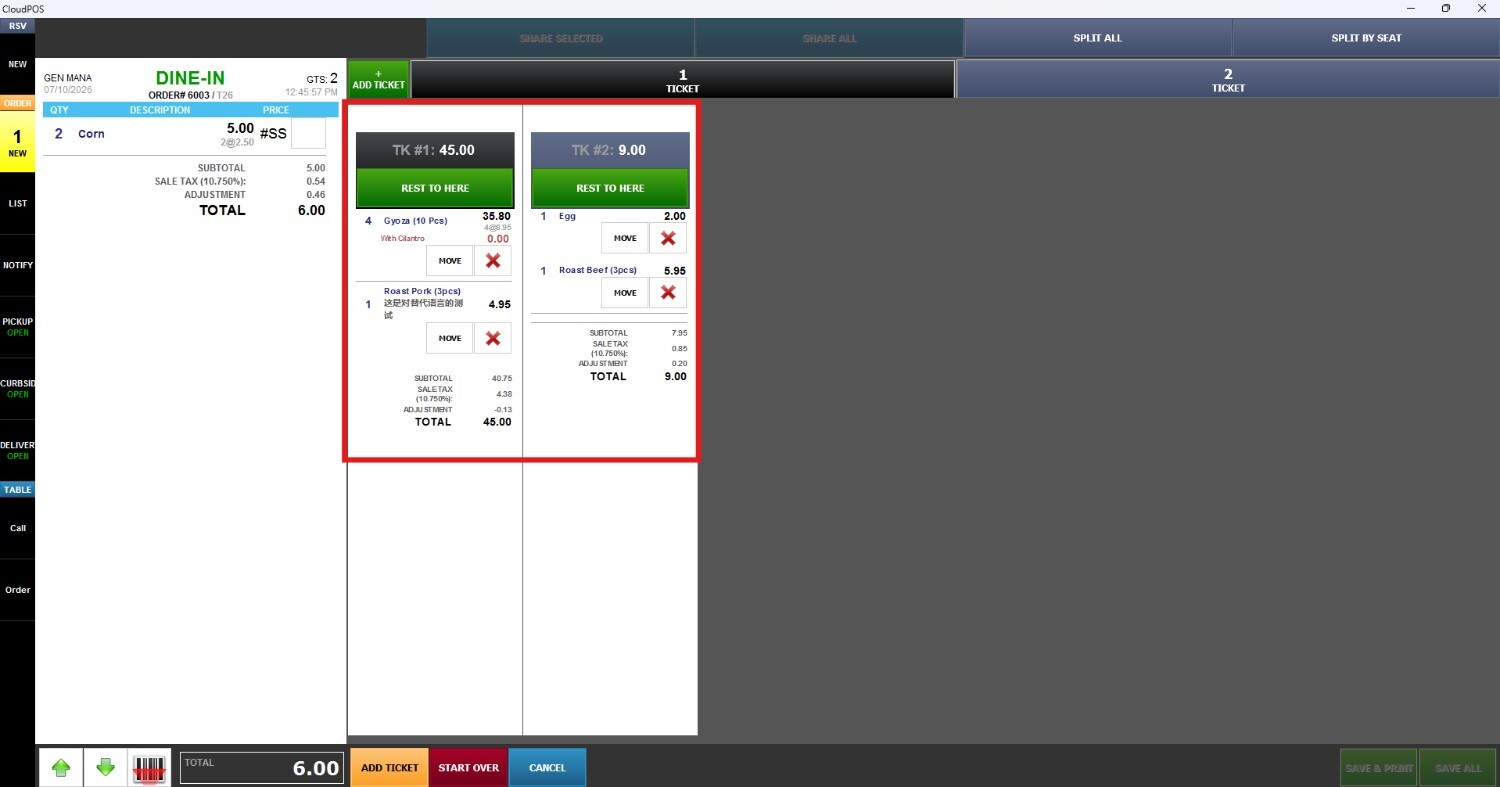
How to Split Ticket
This section explains how to split a ticket into multiple checks. It covers the available split options, how to move items between tickets, and how to manage separate payments for each customer.
Main Screen > Log in> Sales Screen
From the Main Screen, click on the number pad and input the assigned personal password to log in.

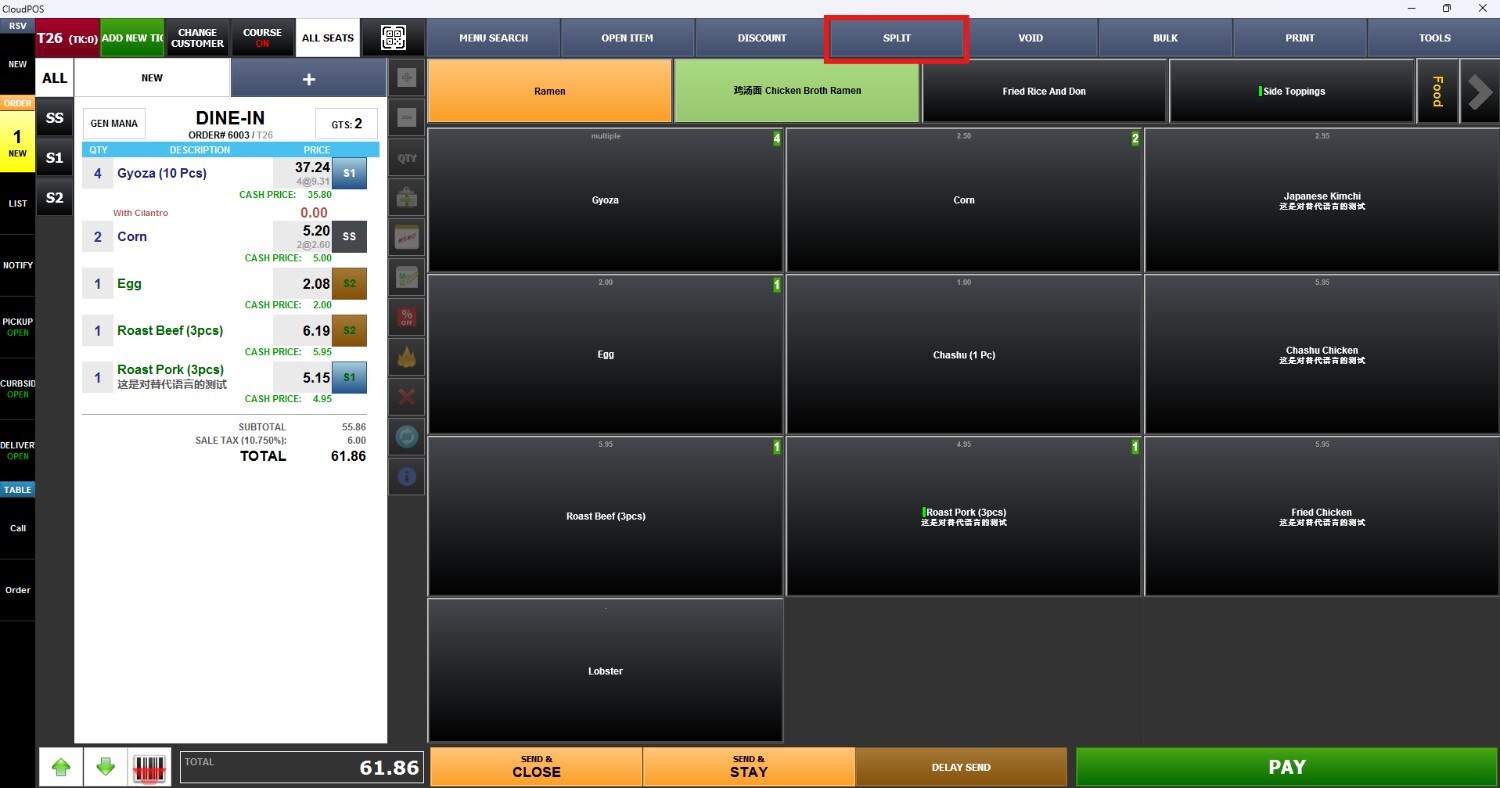
On the Sales Screen, after selecting items, press SPLIT at the top of the screen
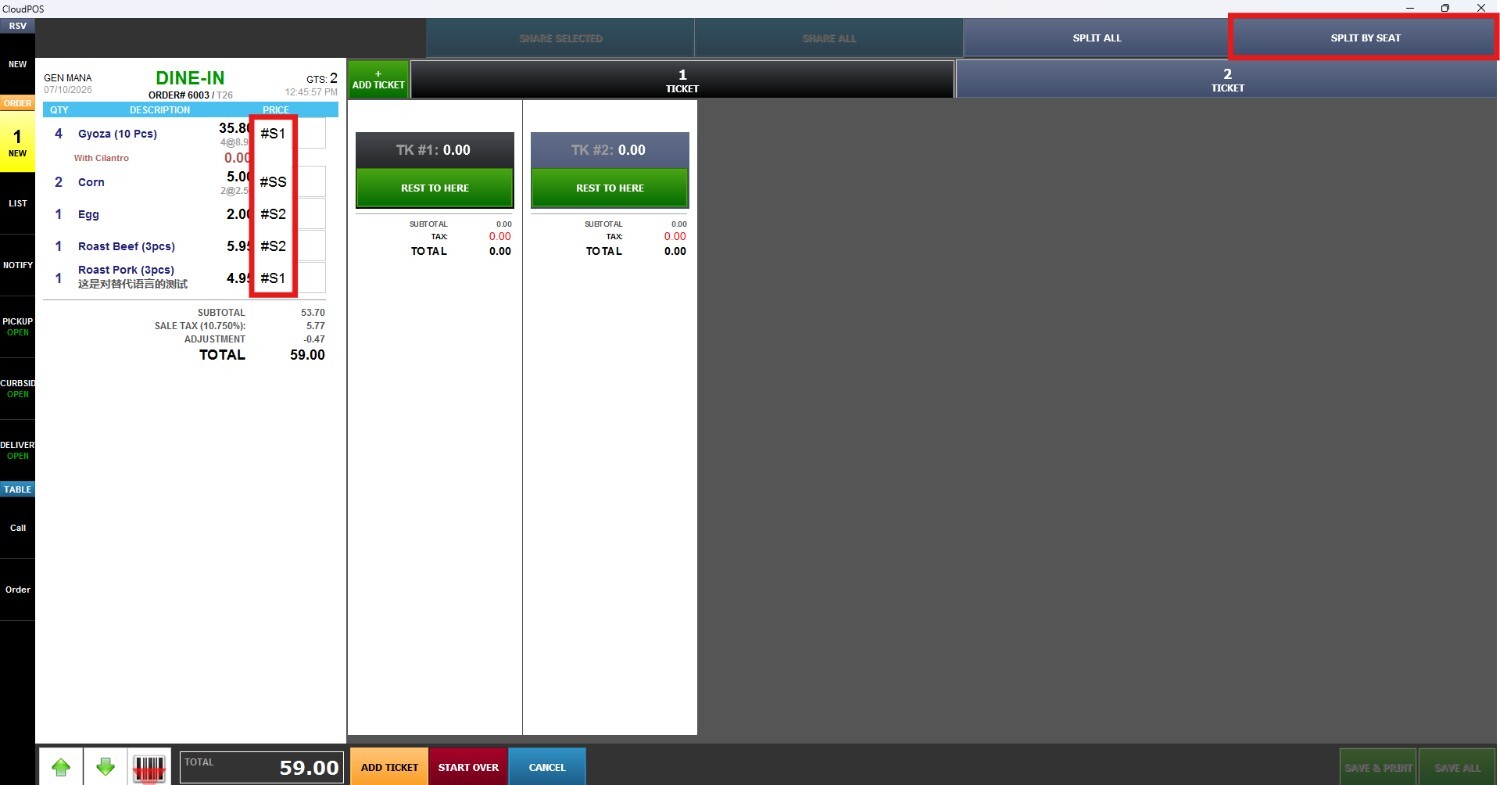
SPLIT BY SEAT
This option allows you to divide a ticket by seat or guest for each item. The system separates the items according to the assigned seat.
RESULT: